sensor Hyundai Grand Santa Fe 2013 Owner's Guide
[x] Cancel search | Manufacturer: HYUNDAI, Model Year: 2013, Model line: Grand Santa Fe, Model: Hyundai Grand Santa Fe 2013Pages: 718, PDF Size: 13.5 MB
Page 204 of 718
4107
Features of your vehicle
Non-operational conditions of
parking assist system
Parking assist system may not
operate normally when:
1. Moisture is frozen to the sensor. (It
will operate normally when mois-
ture melts.)
2. Sensor is covered with foreign
matter, such as snow or water, or
the sensor cover is blocked. (It will
operate normally when the materi-
al is removed or the sensor is no
longer blocked.)
3. Sensor is stained with foreign mat-
ter such as snow or water.
(Sensing range will return to nor-
mal when removed.)
4.The parking assist button is off.
There is a possibility of parking
assist system malfunction when:
1. Driving on uneven road surfaces
such as unpaved roads, gravel,
bumps, or gradient.
2. Objects generating excessive noise
such as vehicle horns, loud motor-
cycle engines, or truck air brakes
can interfere with the sensor.
3. Heavy rain or water spray.
4. Wireless transmitters or mobile
phones present near the sensor.
5. Sensor is covered with snow.
Detecting range may decrease
when:
1. Outside air temperature is
extremely hot or cold.
2. Undetectable objects smaller than
1 m and narrower than 14 cm in
diameter.
The following objects may not be
recognized by the sensor:
1. Sharp or slim objects such as
ropes, chains or small poles.
2. Objects, which tend to absorb sen-
sor frequency such as clothes,
spongy material or snow.
Page 205 of 718
Features of your vehicle
108 4
✽NOTICE
1. The warning may not sound
sequentially depending on the
speed and shapes of the objects
detected.
2. The parking assist system may
malfunction if the vehicle bumper
height or sensor installation has
been modified. Any non-factory
installed equipment or accessories
may also interfere with the sensor
performance.
3. Sensor may not recognize objects
less than 30 cm from the sensor,
or it may sense an incorrect dis-
tance. Use with caution.
4. When the sensor is frozen or
stained with snow or water, the
sensor may be inoperative until
the stains are removed using a
soft cloth.
5. Do not push, scratch or strike the
sensor with any hard objects that
could damage the surface of the
sensor. Sensor damage could
occur.
✽NOTICE
This system can only sense objects
within the range and location of the
sensors, it can not detect objects in
other areas where sensors are not
installed. Also, small or slim objects,
or objects located between sensors
may not be detected. Always visual-
ly check in front and behind the
vehicle when driving. Be sure to
inform any drivers in the vehicle
that may be unfamiliar with the sys-
tem regarding the systems capabili-
ties and limitations.
Self-diagnosis
When you shift the gear to the R
(Reverse) position and if one or more
of the below occurs you may have a
malfunction in the rear parking assist
system.
• You don't hear an audible warning
sound or if the buzzer sounds inter-
mittently.
If this occurs, we recommend that
the system be checked by an author-
ized HYUNDAI dealer.
WARNING
Pay close attention when the vehi-
cle is driven close to objects on
the road, particularly pedestrians,
and especially children. Be aware
that some objects may not be
detected by the sensors, due to
the objects distance, size or mate-
rial, all of which can limit the effec-
tiveness of the sensor. Always
perform a visual inspection to
make sure the vehicle is clear of
all obstructions before moving
the vehicle in any direction.
WARNING
Your new vehicle warranty does
not cover any accidents or dam-
age to the vehicle or injuries to
its occupants related to a park-
ing assist system. Always drive
safely and cautiously.
(blinks)
• is displayed. (if equipped)
Page 206 of 718
4109
Features of your vehicle
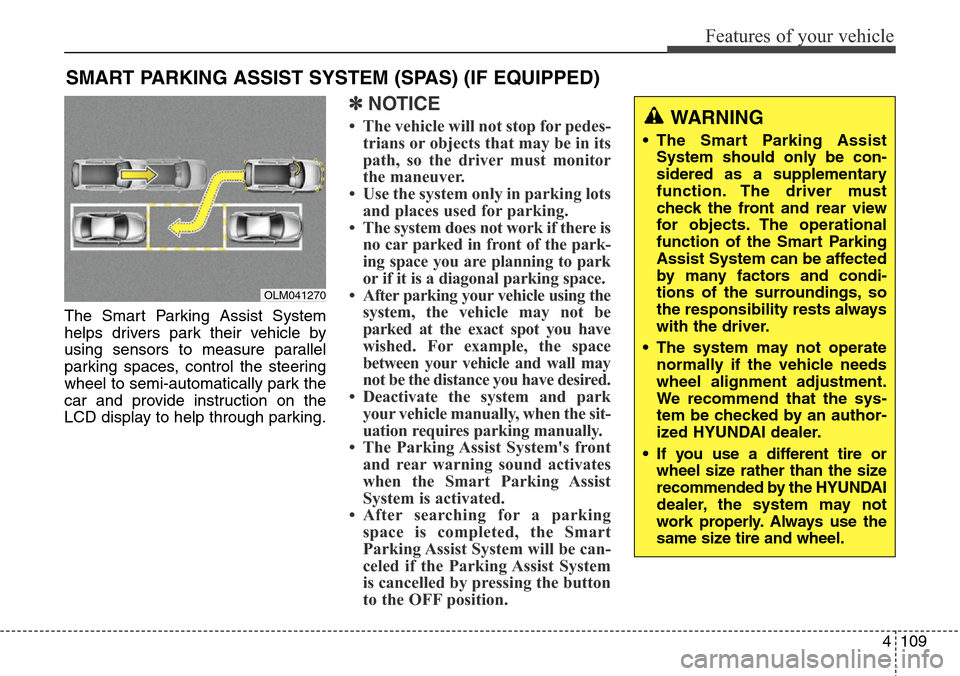
The Smart Parking Assist System
helps drivers park their vehicle by
using sensors to measure parallel
parking spaces, control the steering
wheel to semi-automatically park the
car and provide instruction on the
LCD display to help through parking.
✽NOTICE
• The vehicle will not stop for pedes-
trians or objects that may be in its
path, so the driver must monitor
the maneuver.
• Use the system only in parking lots
and places used for parking.
• The system does not work if there is
no car parked in front of the park-
ing space you are planning to park
or if it is a diagonal parking space.
• After parking your vehicle using the
system, the vehicle may not be
parked at the exact spot you have
wished. For example, the space
between your vehicle and wall may
not be the distance you have desired.
• Deactivate the system and park
your vehicle manually, when the sit-
uation requires parking manually.
• The Parking Assist System's front
and rear warning sound activates
when the Smart Parking Assist
System is activated.
• After searching for a parking
space is completed, the Smart
Parking Assist System will be can-
celed if the Parking Assist System
is cancelled by pressing the button
to the OFF position.
SMART PARKING ASSIST SYSTEM (SPAS) (IF EQUIPPED)
OLM041270
WARNING
• The Smart Parking Assist
System should only be con-
sidered as a supplementary
function. The driver must
check the front and rear view
for objects. The operational
function of the Smart Parking
Assist System can be affected
by many factors and condi-
tions of the surroundings, so
the responsibility rests always
with the driver.
• The system may not operate
normally if the vehicle needs
wheel alignment adjustment.
We recommend that the sys-
tem be checked by an author-
ized HYUNDAI dealer.
• If you use a different tire or
wheel size rather than the size
recommended by the HYUNDAI
dealer, the system may not
work properly. Always use the
same size tire and wheel.
Page 207 of 718
Features of your vehicle
110 4
Operating condition
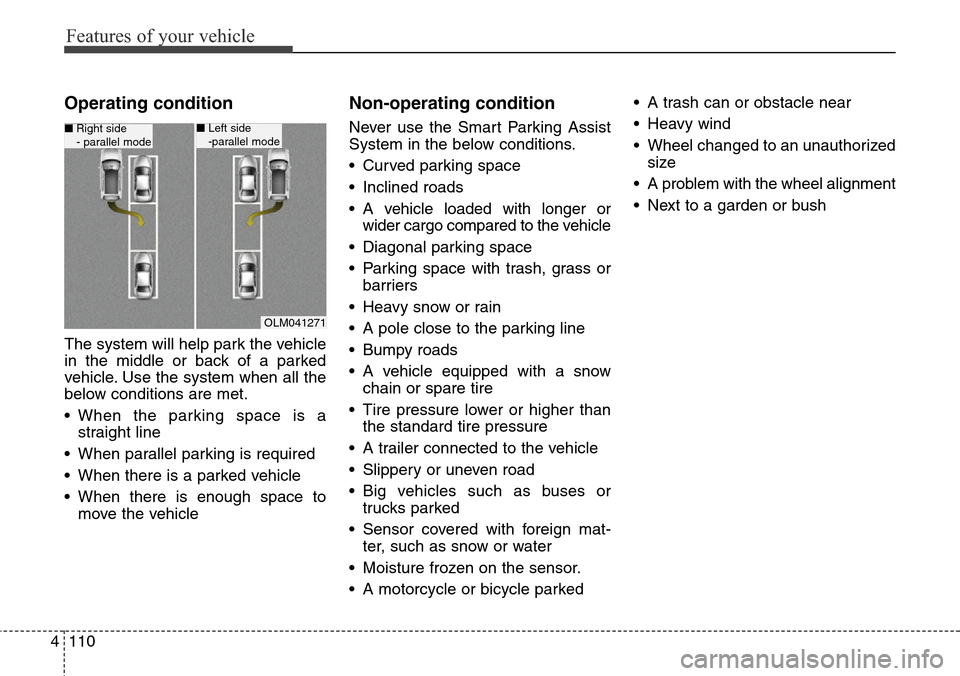
The system will help park the vehicle
in the middle or back of a parked
vehicle. Use the system when all the
below conditions are met.
• When the parking space is a
straight line
• When parallel parking is required
• When there is a parked vehicle
• When there is enough space to
move the vehicle
Non-operating condition
Never use the Smart Parking Assist
System in the below conditions.
• Curved parking space
• Inclined roads
• A vehicle loaded with longer or
wider cargo compared to the vehicle
• Diagonal parking space
• Parking space with trash, grass or
barriers
• Heavy snow or rain
• A pole close to the parking line
• Bumpy roads
• A vehicle equipped with a snow
chain or spare tire
• Tire pressure lower or higher than
the standard tire pressure
• A trailer connected to the vehicle
• Slippery or uneven road
• Big vehicles such as buses or
trucks parked
• Sensor covered with foreign mat-
ter, such as snow or water
• Moisture frozen on the sensor.
• A motorcycle or bicycle parked• A trash can or obstacle near
• Heavy wind
• Wheel changed to an unauthorized
size
• A problem with the wheel alignment
• Next to a garden or bush
OLM041271
■Right side
- parallel mode■Left side
-parallel mode
Page 208 of 718
4111
Features of your vehicle
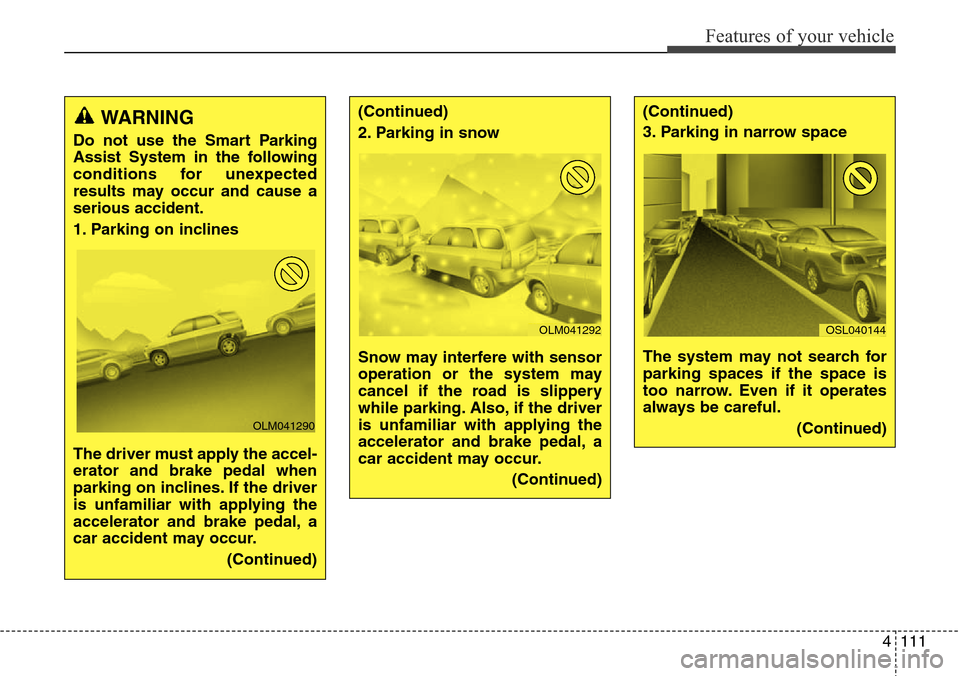
WARNING
Do not use the Smart Parking
Assist System in the following
conditions for unexpected
results may occur and cause a
serious accident.
1. Parking on inclines
The driver must apply the accel-
erator and brake pedal when
parking on inclines. If the driver
is unfamiliar with applying the
accelerator and brake pedal, a
car accident may occur.
(Continued)
OLM041290
(Continued)
2. Parking in snow
Snow may interfere with sensor
operation or the system may
cancel if the road is slippery
while parking. Also, if the driver
is unfamiliar with applying the
accelerator and brake pedal, a
car accident may occur.
(Continued)(Continued)
3. Parking in narrow space
The system may not search for
parking spaces if the space is
too narrow. Even if it operates
always be careful.
(Continued)
OLM041292OSL040144
Page 210 of 718
4113
Features of your vehicle
How the system works
1. Activate the Smart Parking Assist
System
2. Select parking assist mode
3. Search for parking space (slowly
move forward.)
4. Search complete (automatic
search by sensor.)
5. Steering wheel control
(1) Shift according to the instruc-
tion on the LCD display.
(2) Drive slowly with the brake
pedal applied.
6. Smart Parking Assist System
complete
7. If necessary, manually adjust posi-
tion of vehicle.
✽NOTICE
• Before activating the system check
if the conditions are possible to use
the system.
• For your safety, always apply the
brake pedal except for when driving.
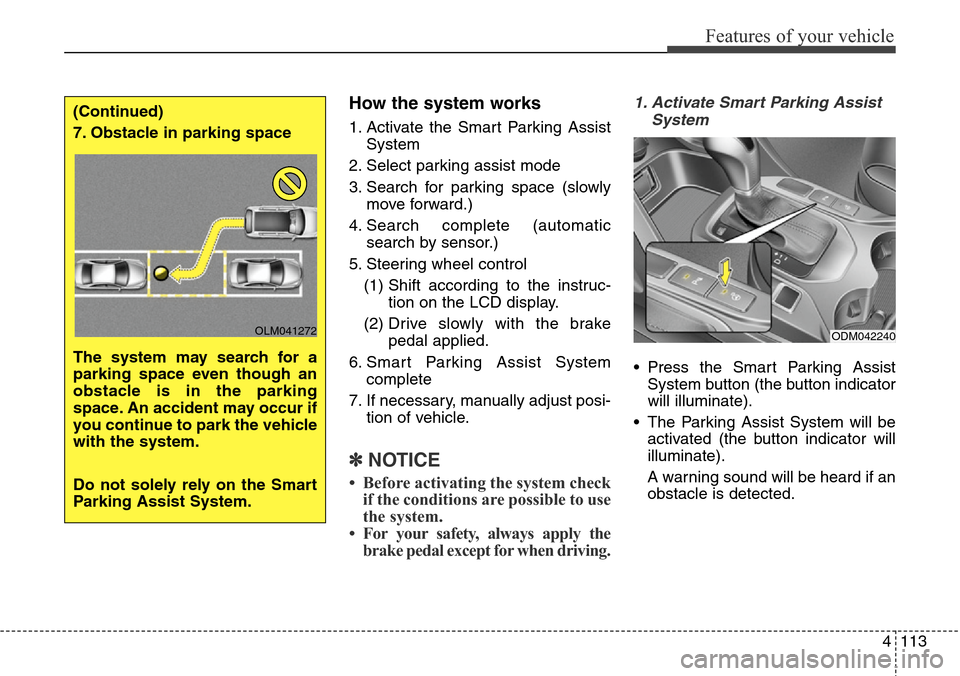
1. Activate Smart Parking Assist
System
• Press the Smart Parking Assist
System button (the button indicator
will illuminate).
• The Parking Assist System will be
activated (the button indicator will
illuminate).
A warning sound will be heard if an
obstacle is detected.
(Continued)
7. Obstacle in parking space
The system may search for a
parking space even though an
obstacle is in the parking
space. An accident may occur if
you continue to park the vehicle
with the system.
Do not solely rely on the Smart
Parking Assist System.
OLM041272ODM042240
Page 212 of 718
4115
Features of your vehicle
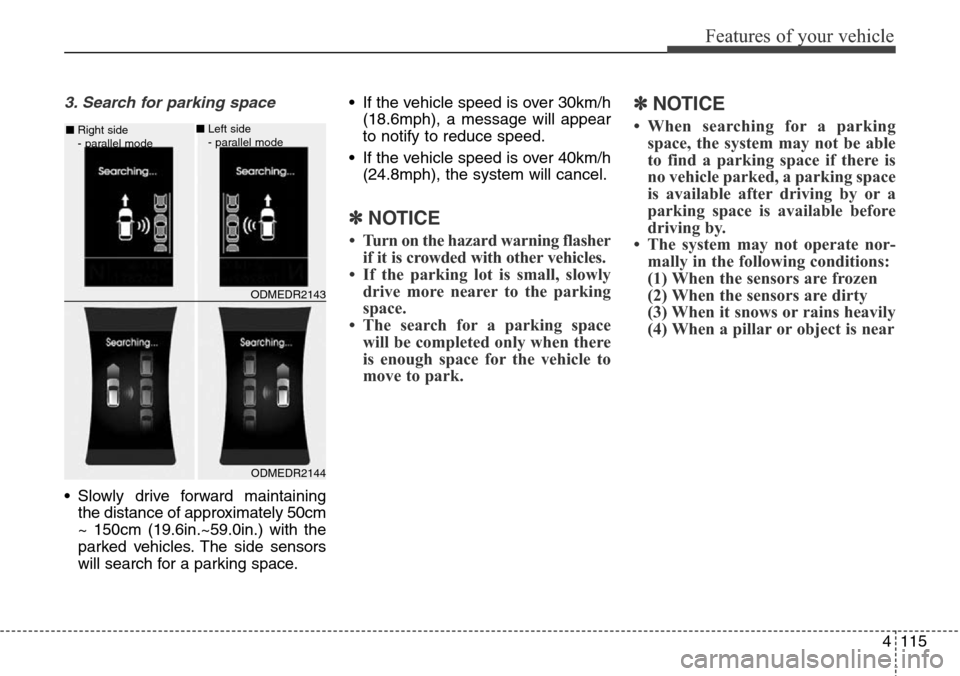
3. Search for parking space
• Slowly drive forward maintaining
the distance of approximately 50cm
~ 150cm (19.6in.~59.0in.) with the
parked vehicles. The side sensors
will search for a parking space.• If the vehicle speed is over 30km/h
(18.6mph), a message will appear
to notify to reduce speed.
• If the vehicle speed is over 40km/h
(24.8mph), the system will cancel.
✽NOTICE
• Turn on the hazard warning flasher
if it is crowded with other vehicles.
• If the parking lot is small, slowly
drive more nearer to the parking
space.
• The search for a parking space
will be completed only when there
is enough space for the vehicle to
move to park.
✽NOTICE
• When searching for a parking
space, the system may not be able
to find a parking space if there is
no vehicle parked, a parking space
is available after driving by or a
parking space is available before
driving by.
• The system may not operate nor-
mally in the following conditions:
(1) When the sensors are frozen
(2) When the sensors are dirty
(3) When it snows or rains heavily
(4) When a pillar or object is near
ODMEDR2144 ■Right side
- parallel mode
ODMEDR2143 ■Left side
- parallel mode
Page 222 of 718
4125
Features of your vehicle
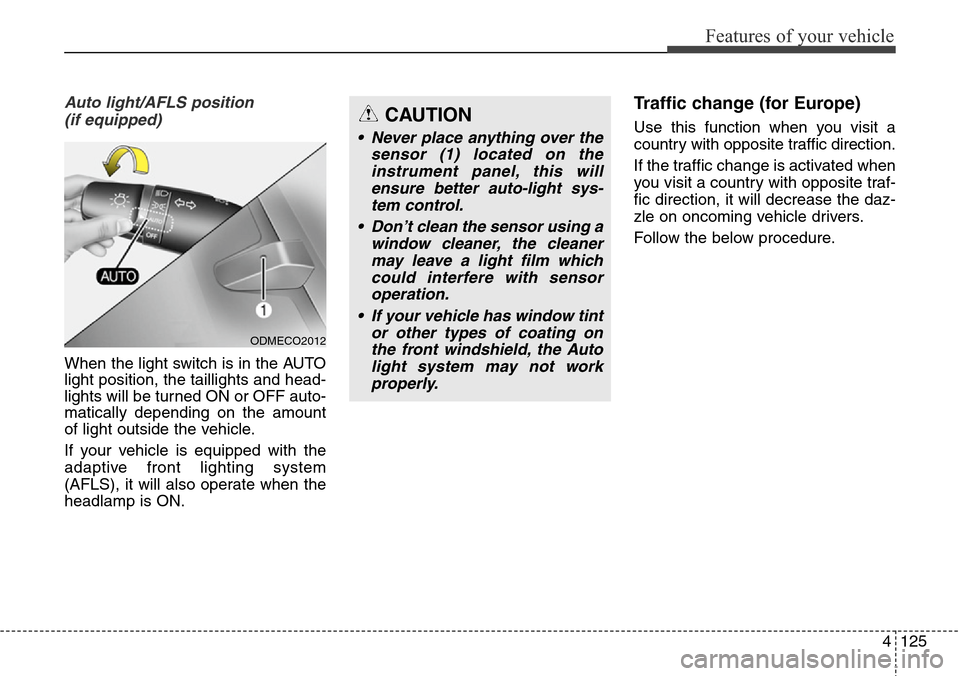
Auto light/AFLS position
(if equipped)
When the light switch is in the AUTO
light position, the taillights and head-
lights will be turned ON or OFF auto-
matically depending on the amount
of light outside the vehicle.
If your vehicle is equipped with the
adaptive front lighting system
(AFLS), it will also operate when the
headlamp is ON.
Traffic change (for Europe)
Use this function when you visit a
country with opposite traffic direction.
If the traffic change is activated when
you visit a country with opposite traf-
fic direction, it will decrease the daz-
zle on oncoming vehicle drivers.
Follow the below procedure.
ODMECO2012
CAUTION
• Never place anything over the
sensor (1) located on the
instrument panel, this will
ensure better auto-light sys-
tem control.
• Don’t clean the sensor using a
window cleaner, the cleaner
may leave a light film which
could interfere with sensor
operation.
• If your vehicle has window tint
or other types of coating on
the front windshield, the Auto
light system may not work
properly.
Page 230 of 718
4133
Features of your vehicle
Windshield wipers
Operates as follows when the igni-
tion switch is turned ON.
/ MIST : For a single wiping cycle,
move the lever to this
( / MIST) position and
release it. The wipers will
operate continuously if
the lever is held in this
position.
O / OFF : Wiper is not in operation
---/ INT : Wiper operates intermittently
at the same wiping intervals.
Use this mode in light rain or
mist. To vary the speed setting,
turn the speed control knob.
1 / LO : Normal wiper speed
2 / HI : Fast wiper speed
✽NOTICE
If there is heavy accumulation of
snow or ice on the windshield, defrost
the windshield for about 10 minutes,
or until the snow and/or ice is
removed before using the windshield
wipers to ensure proper operation.
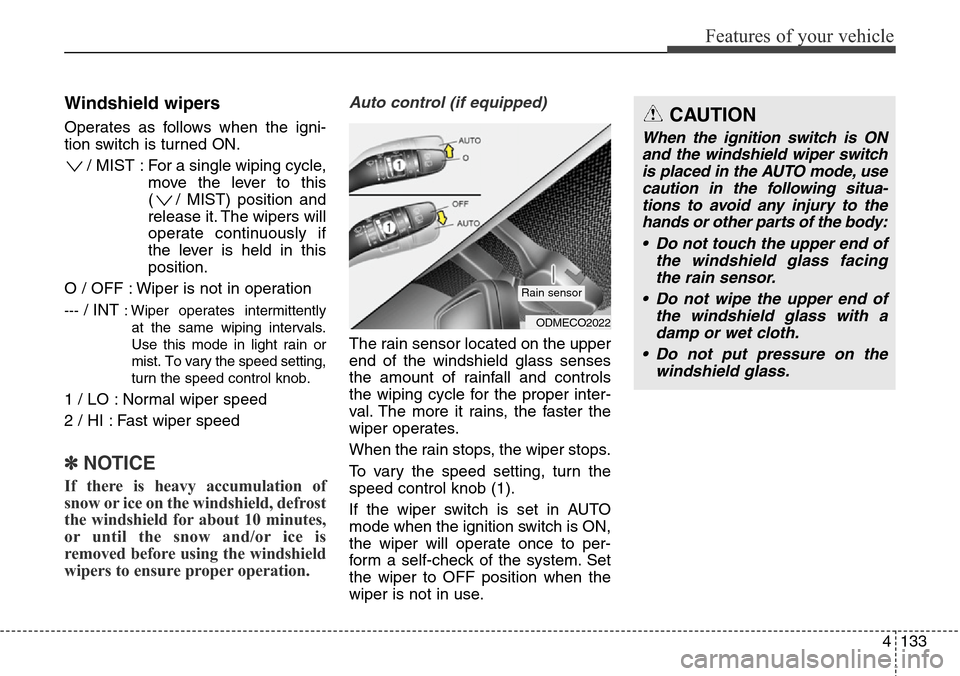
Auto control (if equipped)
The rain sensor located on the upper
end of the windshield glass senses
the amount of rainfall and controls
the wiping cycle for the proper inter-
val. The more it rains, the faster the
wiper operates.
When the rain stops, the wiper stops.
To vary the speed setting, turn the
speed control knob (1).
If the wiper switch is set in AUTO
mode when the ignition switch is ON,
the wiper will operate once to per-
form a self-check of the system. Set
the wiper to OFF position when the
wiper is not in use.
ODMECO2022
Rain sensor
CAUTION
When the ignition switch is ON
and the windshield wiper switch
is placed in the AUTO mode, use
caution in the following situa-
tions to avoid any injury to the
hands or other parts of the body:
• Do not touch the upper end of
the windshield glass facing
the rain sensor.
• Do not wipe the upper end of
the windshield glass with a
damp or wet cloth.
• Do not put pressure on the
windshield glass.
Page 231 of 718
Features of your vehicle
134 4
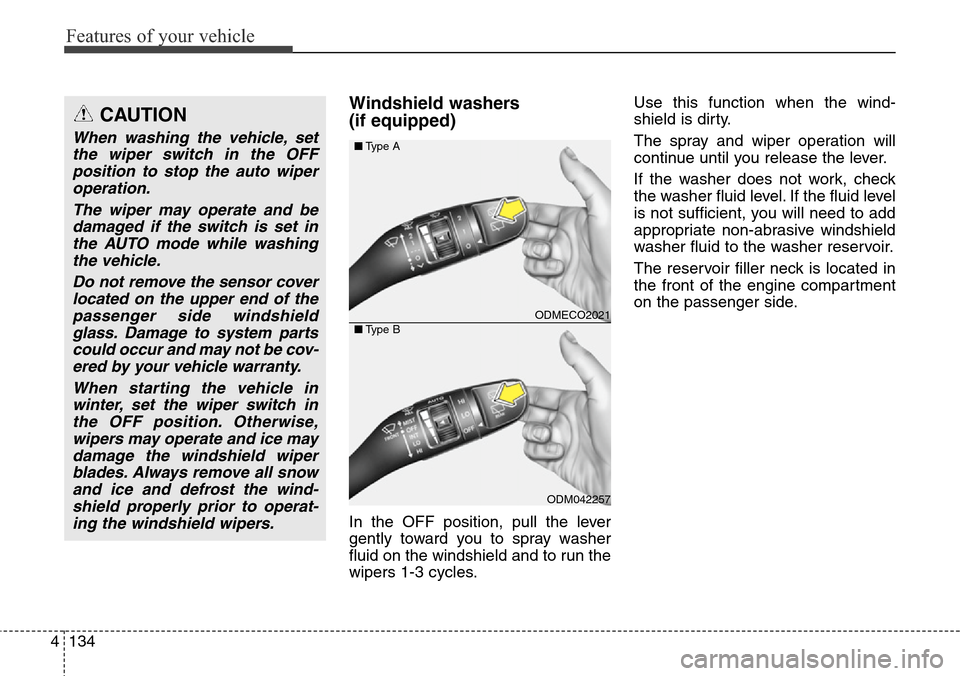
Windshield washers
(if equipped)
In the OFF position, pull the lever
gently toward you to spray washer
fluid on the windshield and to run the
wipers 1-3 cycles.Use this function when the wind-
shield is dirty.
The spray and wiper operation will
continue until you release the lever.
If the washer does not work, check
the washer fluid level. If the fluid level
is not sufficient, you will need to add
appropriate non-abrasive windshield
washer fluid to the washer reservoir.
The reservoir filler neck is located in
the front of the engine compartment
on the passenger side.
CAUTION
When washing the vehicle, set
the wiper switch in the OFF
position to stop the auto wiper
operation.
The wiper may operate and be
damaged if the switch is set in
the AUTO mode while washing
the vehicle.
Do not remove the sensor cover
located on the upper end of the
passenger side windshield
glass. Damage to system parts
could occur and may not be cov-
ered by your vehicle warranty.
When starting the vehicle in
winter, set the wiper switch in
the OFF position. Otherwise,
wipers may operate and ice may
damage the windshield wiper
blades. Always remove all snow
and ice and defrost the wind-
shield properly prior to operat-
ing the windshield wipers.
ODMECO2021
ODM042257 ■Type A
■Type B