ignition Hyundai H-1 (Grand Starex) 2007 Owner's Guide
[x] Cancel search | Manufacturer: HYUNDAI, Model Year: 2007, Model line: H-1 (Grand Starex), Model: Hyundai H-1 (Grand Starex) 2007Pages: 284, PDF Size: 11.33 MB
Page 84 of 284
2
INSTRUMENTS AND CONTROLS
17
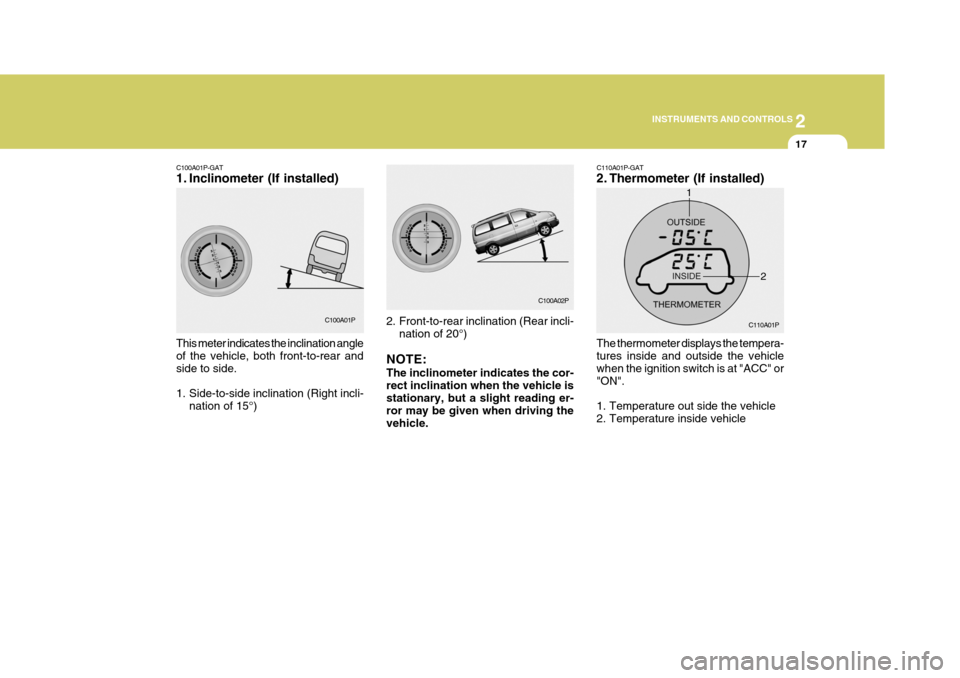
C100A01P-GAT
1. Inclinometer (If installed) This meter indicates the inclination angle of the vehicle, both front-to-rear and side to side.
1. Side-to-side inclination (Right incli-
nation of 15°) 2. Front-to-rear inclination (Rear incli-
nation of 20°)
NOTE: The inclinometer indicates the cor- rect inclination when the vehicle is stationary, but a slight reading er- ror may be given when driving thevehicle. C110A01P-GAT
2. Thermometer (If installed) The thermometer displays the tempera- tures inside and outside the vehicle when the ignition switch is at "ACC" or"ON".
1. Temperature out side the vehicle
2. Temperature inside vehicle
C100A02P
C110A01P
C100A01P
1
2
Page 86 of 284
2
INSTRUMENTS AND CONTROLS
19MUTI-FUNITION LIGHT SWITCH
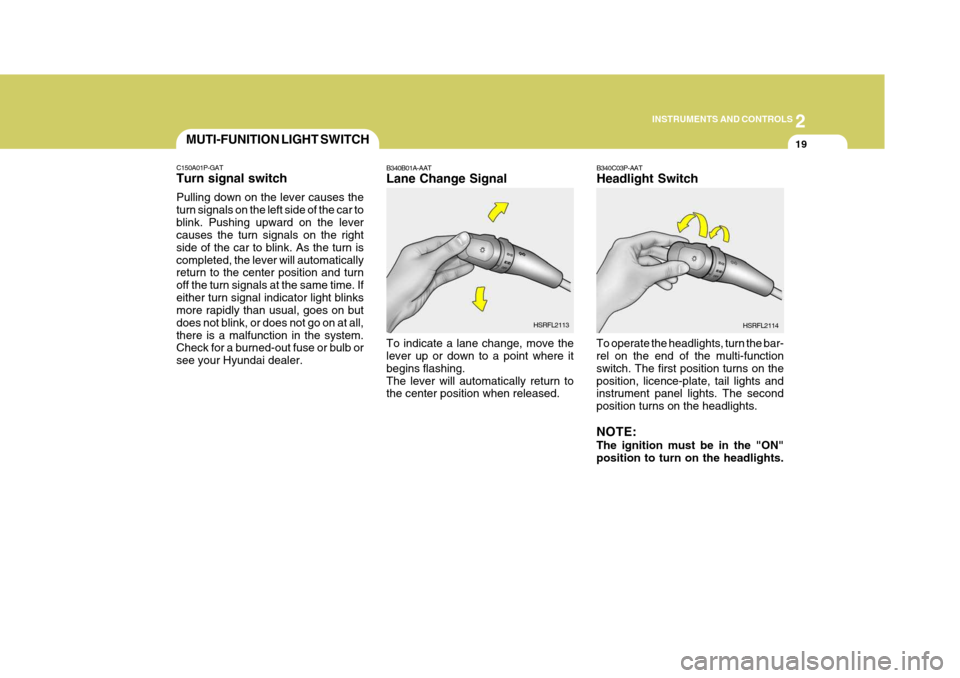
B340C03P-AAT Headlight Switch
To operate the headlights, turn the bar- rel on the end of the multi-function switch. The first position turns on theposition, licence-plate, tail lights and instrument panel lights. The second position turns on the headlights. NOTE: The ignition must be in the "ON" position to turn on the headlights.
B340B01A-AAT Lane Change Signal To indicate a lane change, move the lever up or down to a point where it begins flashing.The lever will automatically return to the center position when released.
HSRFL2113
HSRFL2114
C150A01P-GAT Turn signal switch Pulling down on the lever causes the turn signals on the left side of the car toblink. Pushing upward on the lever causes the turn signals on the right side of the car to blink. As the turn iscompleted, the lever will automatically return to the center position and turn off the turn signals at the same time. Ifeither turn signal indicator light blinks more rapidly than usual, goes on but does not blink, or does not go on at all,there is a malfunction in the system. Check for a burned-out fuse or bulb or see your Hyundai dealer.
Page 87 of 284
2 INSTRUMENTS AND CONTROLS
20
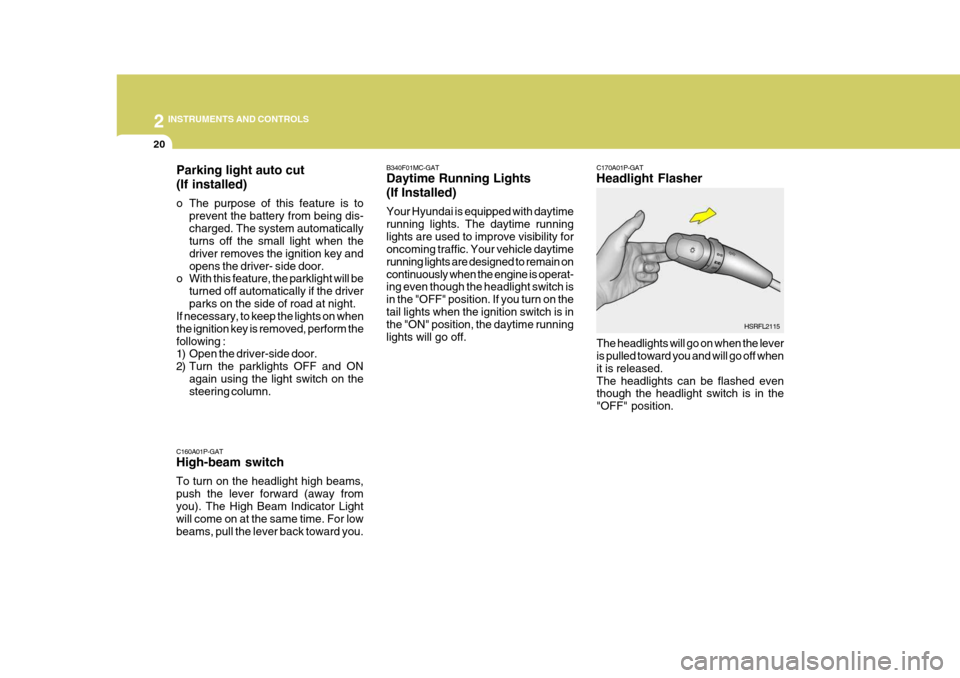
C160A01P-GAT High-beam switch To turn on the headlight high beams, push the lever forward (away fromyou). The High Beam Indicator Light will come on at the same time. For low beams, pull the lever back toward you. C170A01P-GAT Headlight Flasher
The headlights will go on when the lever is pulled toward you and will go off when it is released.The headlights can be flashed even though the headlight switch is in the "OFF" position.
B340F01MC-GAT Daytime Running Lights (If Installed) Your Hyundai is equipped with daytime running lights. The daytime runninglights are used to improve visibility for oncoming traffic. Your vehicle daytime running lights are designed to remain oncontinuously when the engine is operat- ing even though the headlight switch is in the "OFF" position. If you turn on thetail lights when the ignition switch is in the "ON" position, the daytime running lights will go off.
HSRFL2115
Parking light auto cut (If installed)
o The purpose of this feature is to
prevent the battery from being dis- charged. The system automatically turns off the small light when the driver removes the ignition key andopens the driver- side door.
o With this feature, the parklight will be
turned off automatically if the driverparks on the side of road at night.
If necessary, to keep the lights on whenthe ignition key is removed, perform thefollowing :
1) Open the driver-side door.
2) Turn the parklights OFF and ON
again using the light switch on the steering column.
Page 88 of 284
2
INSTRUMENTS AND CONTROLS
21
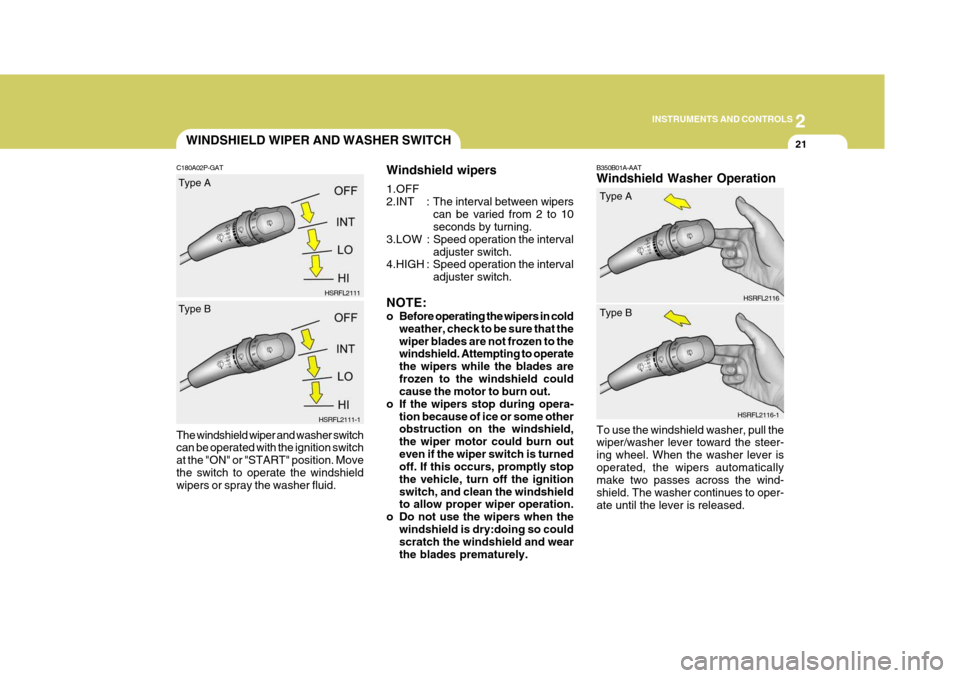
B350B01A-AAT Windshield Washer Operation
To use the windshield washer, pull the wiper/washer lever toward the steer- ing wheel. When the washer lever isoperated, the wipers automatically make two passes across the wind- shield. The washer continues to oper-ate until the lever is released. HSRFL2116
Windshield wipers 1.OFF
2.INT : The
interval between wipers
can be varied from 2 to 10 seconds by turning.
3.LOW : Speed operation the interval adjuster switch.
4.HIGH : Speed operation the interval
adjuster switch.
NOTE:
o Before operating the wipers in cold weather, check to be sure that the wiper blades are not frozen to the windshield. Attempting to operate the wipers while the blades arefrozen to the windshield could cause the motor to burn out.
o If the wipers stop during opera-
tion because of ice or some otherobstruction on the windshield, the wiper motor could burn outeven if the wiper switch is turned off. If this occurs, promptly stop the vehicle, turn off the ignitionswitch, and clean the windshield to allow proper wiper operation.
o Do not use the wipers when the
windshield is dry:doing so couldscratch the windshield and wear the blades prematurely.
WINDSHIELD WIPER AND WASHER SWITCH
C180A02P-GAT The windshield wiper and washer switch can be operated with the ignition switch at the "ON" or "START" position. Movethe switch to operate the windshield wipers or spray the washer fluid. HSRFL2111
HSRFL2111-1
Type A Type BHSRFL2116-1
Type A Type B
Page 90 of 284
2
INSTRUMENTS AND CONTROLS
23HEADLIGHT LEVELING DEVICE SYSTEM
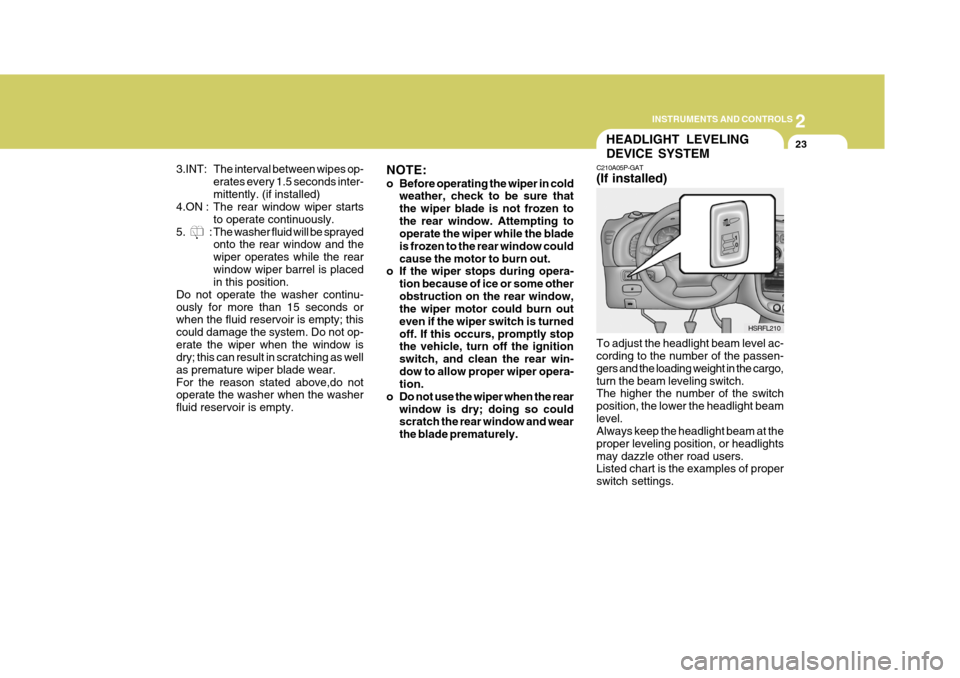
C210A05P-GAT (If installed) To adjust the headlight beam level ac- cording to the number of the passen- gers and the loading weight in the cargo,turn the beam leveling switch. The higher the number of the switch position, the lower the headlight beamlevel. Always keep the headlight beam at the proper leveling position, or headlightsmay dazzle other road users. Listed chart is the examples of proper switch settings. HSRFL210
3.INT: The interval between wipes op-
erates every 1.5 seconds inter-mittently. (if installed)
4.ON : The rear window wiper starts
to operate continuously.
5. : The washer fluid will be sprayed onto the rear window and thewiper operates while the rearwindow wiper barrel is placed in this position.
Do not operate the washer continu- ously for more than 15 seconds or when the fluid reservoir is empty; this could damage the system. Do not op-erate the wiper when the window is dry; this can result in scratching as well as premature wiper blade wear.For the reason stated above,do not operate the washer when the washer fluid reservoir is empty. NOTE:
o Before operating the wiper in cold
weather, check to be sure that the wiper blade is not frozen tothe rear window. Attempting to operate the wiper while the blade is frozen to the rear window couldcause the motor to burn out.
o If the wiper stops during opera-
tion because of ice or some otherobstruction on the rear window, the wiper motor could burn out even if the wiper switch is turnedoff. If this occurs, promptly stop the vehicle, turn off the ignition switch, and clean the rear win-dow to allow proper wiper opera- tion.
o Do not use the wiper when the rear window is dry; doing so couldscratch the rear window and wear the blade prematurely.
Page 93 of 284
2 INSTRUMENTS AND CONTROLS
26FRONT/REAR WINDOW DEFROSTER SWITCHHAZARD WARNING SYS- TEM
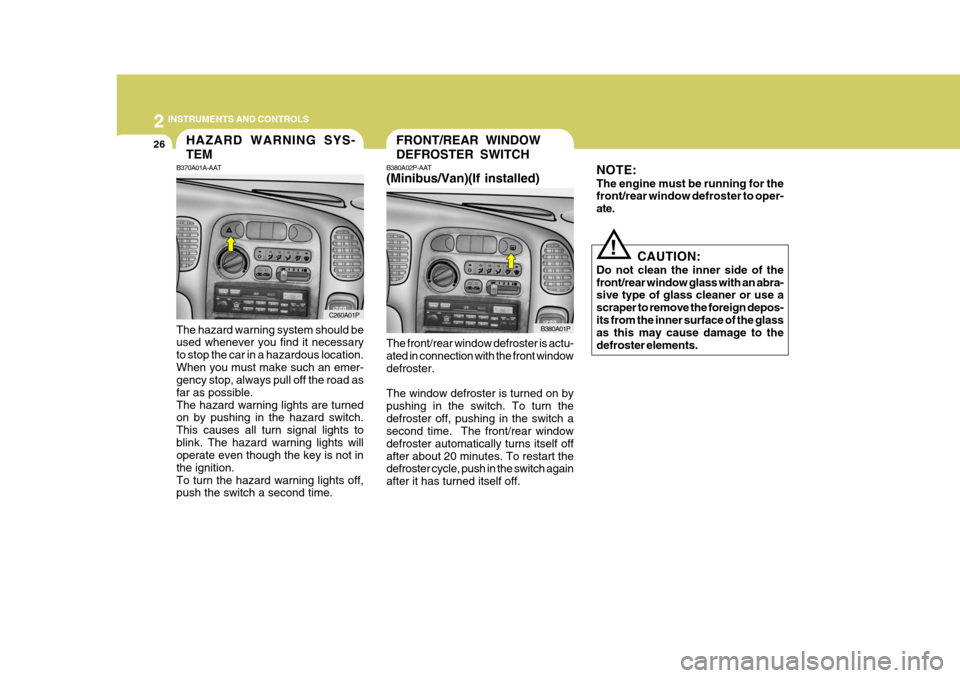
B370A01A-AAT The hazard warning system should be used whenever you find it necessary to stop the car in a hazardous location.When you must make such an emer- gency stop, always pull off the road as far as possible.The hazard warning lights are turned on by pushing in the hazard switch. This causes all turn signal lights toblink. The hazard warning lights will operate even though the key is not in the ignition.To turn the hazard warning lights off, push the switch a second time. B380A02P-AAT (Minibus/Van)(If installed)
C260A01P B380A01P
The front/rear window defroster is actu- ated in connection with the front window defroster. The window defroster is turned on by pushing in the switch. To turn thedefroster off, pushing in the switch a second time. The front/rear window defroster automatically turns itself offafter about 20 minutes. To restart the defroster cycle, push in the switch again after it has turned itself off. CAUTION:
Do not clean the inner side of thefront/rear window glass with an abra- sive type of glass cleaner or use a scraper to remove the foreign depos-its from the inner surface of the glass as this may cause damage to the defroster elements.
!
NOTE: The engine must be running for the front/rear window defroster to oper- ate.
Page 97 of 284
2 INSTRUMENTS AND CONTROLS
30
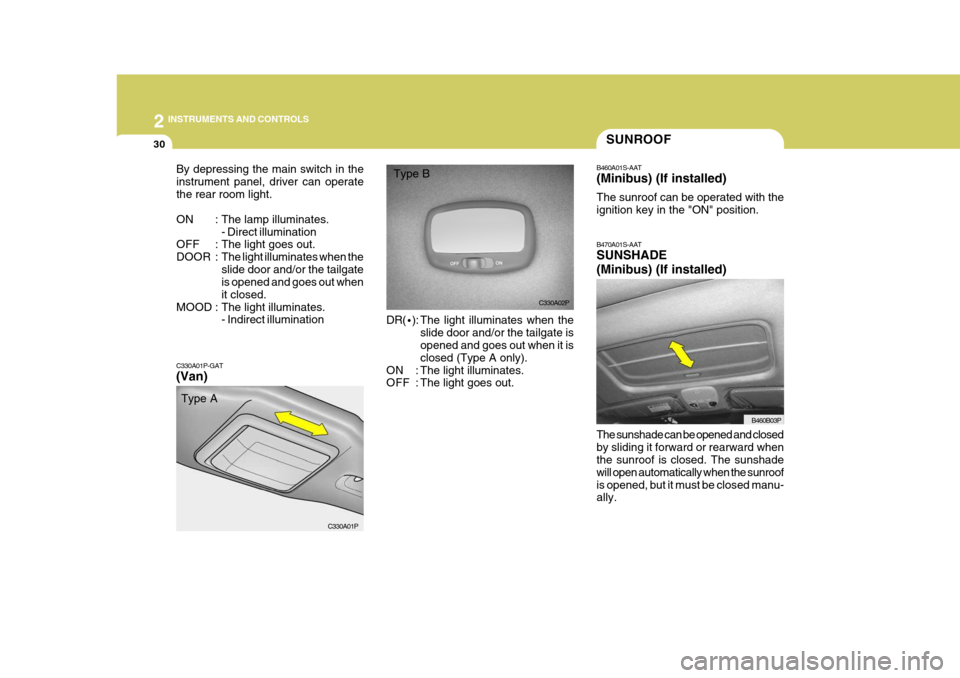
C330A01P-GAT (Van) DR(
·): The light illuminates when the
slide door and/or the tailgate is opened and goes out when it is closed (Type A only).
ON : The light illuminates.
OFF : The light goes out.
By depressing the main switch in the instrument panel, driver can operatethe rear room light.
ON : The lamp illuminates.
- Direct illumination
OFF : The light goes out.
DOOR : The light illuminates when theslide door and/or the tailgate is opened and goes out when it closed.
MOOD : The light illuminates. - Indirect illumination
C330A01P
SUNROOF
B470A01S-AAT SUNSHADE (Minibus) (If installed) The sunshade can be opened and closed by sliding it forward or rearward when the sunroof is closed. The sunshade will open automatically when the sunroofis opened, but it must be closed manu- ally.
B460A01S-AAT (Minibus) (If installed) The sunroof can be operated with the ignition key in the "ON" position.
B460B03P
B460B03P
C330A02P
Type A Type B
Page 112 of 284
2
INSTRUMENTS AND CONTROLS
45REAR HEATER AND AIR CONDITIONER
C710A01P-GAT (If installed) The rear heater can be operated with the ignition switch at the "ON" positionby depressing the main switch in the instrument panel.
C700A01P-GAT Operation Tips
o If the interior of the vehicle is hot
when you first get in, open the win- dows for a few minutes to expel the hot air.
o When you are using the air condi- tioning system, keep all windowsclosed to keep hot air out.
o When you must drive slowly, as in heavy traffic, shift to a lower gear.This increases engine speed, which in turn increases the speed of theair conditioning compressor.
o When driving up long grades, turn
occasionally the air conditioner offto avoid the possibility of the engine overheating.
o During winter months or in periods when the air conditioner is not usedregularly, turn on the air conditioner switch occasionally for a few min-utes. This will help circulate the lubricants and keep your system in peak operating condition.
For dehumidified heating:
o Turn on the fan control switch.
o Turn on the air conditioner switch by
pushing in on the switch. The air conditioner indicator light should come on at the same time.
o Set the air intake control to the "Fresh".
o Set the air flow control to the "Face".
o Adjust the fan control to the desired
speed. For more rapid action, set the fan at one of the higher speeds.
o Adjust the temperature control to provide the desired amount ofwarmth.
Page 114 of 284
2
INSTRUMENTS AND CONTROLS
47
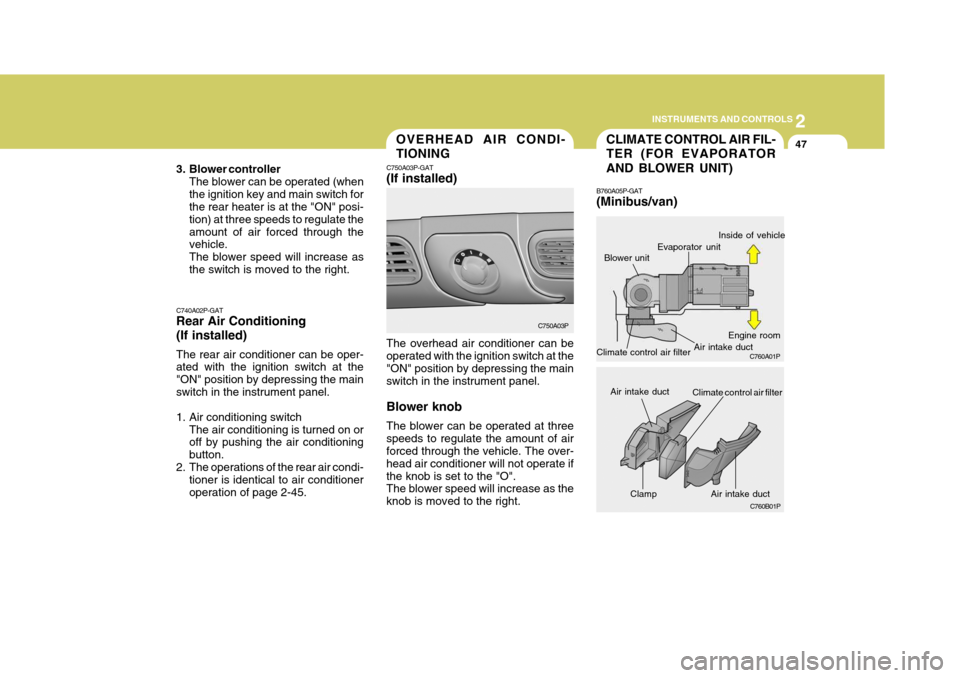
Clamp
CLIMATE CONTROL AIR FIL- TER (FOR EVAPORATOR AND BLOWER UNIT)
B760A05P-GAT (Minibus/van)
Blower unitOVERHEAD AIR CONDI- TIONING
C750A03P-GAT (If installed) The overhead air conditioner can be operated with the ignition switch at the "ON" position by depressing the mainswitch in the instrument panel. Blower knob The blower can be operated at three speeds to regulate the amount of air forced through the vehicle. The over- head air conditioner will not operate ifthe knob is set to the "O". The blower speed will increase as the knob is moved to the right.
C740A02P-GAT Rear Air Conditioning (If installed) The rear air conditioner can be oper- ated with the ignition switch at the "ON" position by depressing the mainswitch in the instrument panel.
1. Air conditioning switch
The air conditioning is turned on or off by pushing the air conditioning button.
2. The operations of the rear air condi- tioner is identical to air conditioneroperation of page 2-45. C750A03P
C760A01P
C760B01P
Evaporator unit Air intake ductInside of vehicle
Engine room
Air intake duct
Air intake duct
Climate control air filter
Climate control air filter
3. Blower controller
The blower can be operated (when the ignition key and main switch for the rear heater is at the "ON" posi- tion) at three speeds to regulate theamount of air forced through the vehicle. The blower speed will increase asthe switch is moved to the right.
Page 119 of 284

2 INSTRUMENTS AND CONTROLS
52
H240B03O-GAT
1. POWER ON-OFF Control Knob The radio unit may be operated when the ignition key is in the "ACC" or "ON"position. Press the knob to switch the power on. The LCD shows the radio frequency in the radio mode or thetape direction indicator in the tape mode. To switch the power off, press the knob again. VOLUME Control Rotate the knob clockwise to increase the volume and turn the knob counter- clockwise to reduce the volume. 2. BASS Control Knob Press to pop the knob out and turn to the left or right for the desired bass tone. BAL (Balance Control) Knob Pull the bass control knob further out. Turn the control knob clockwise to emphasize right speaker sound (left speaker sound will be attenuated).When the control knob is turned coun- terclockwise, left speaker sound will beemphasized (right speaker sound willbe attenuated). 3. TREB (Treble Control) Knob Press to pop the knob out and turn to the left or right for the desired treble tone. FAD (Fader Control) Knob Pull the treble control knob further out. Turn the control knob counterclock-wise to emphasize front speaker sound (rear speaker sound will be attenu- ated).When the control knob is turned clock- wise, rear speaker sound will be em- phasized (front speaker sound will beattenuated). 4. TUNE (Manual) Select Button Press the ( ) side or ( ) side to increase or to decrease the frequency. Press either button and hold down to continu- ously scroll. Release button once thedesired station is reached.
SEEK Operation (Automatic Channel Selection) Press the TUNE select button 0.5 sec or more. Releasing it will automaticallytune to the next available station with a beep sound. When the ( ) side is pressed longerthan 0.5 second, releasing will auto- matically tune to the next higher fre- quency and when the ( ) side ispressed longer than 0.5 second and releasing will automatically tune to the next lower frequency. 5. BAND Selector Pressing the button changes the AM, FM1 and FM2 bands. The modeselected is displayed on LCD.
6. PRESET station select button Six (6) stations for AM, FM1 and FM2 respectively can be preset in the elec- tronic memory circuit on this unit.
FM/AM