light Hyundai H350 2015 Owners Manual
[x] Cancel search | Manufacturer: HYUNDAI, Model Year: 2015, Model line: H350, Model: Hyundai H350 2015Pages: 473, PDF Size: 26.4 MB
Page 299 of 473
5-28
Driving your vehicle
Information
The HAC does not operate when the shift lever is in P (Park) or N
(Neutral)
The HAC activates even though the VDC (Vehicle Dynamic Control) is
off but does not activate when the
VDC has malfunctioned but can not
activate when the VDC has mal-
functioned. Emergency Stop Signal (ESS) (if equipped)
The Emergency Stop Signal system
alerts the driver behind by blinking
the stop light when the vehicle is
braked rapidly and severely.
The system is activated when:
The vehicle suddenly stops (vehi-cle speed is over 55km/h and the
vehicle deceleration is greater than7 m/s 2
(Van/Truck) and 5 m/s 2
(BUS))
The ABS is activating
When vehicle speed is under 40
km/h and the ABS deactivates or the
sudden stop situation is over, the
stop light will stop blinking. Instead,
the hazard warning flasher will turn
on automatically.
The hazard warning flasher will turn
off when vehicle speed is over
10km/h after the vehicle has
stopped. Also, it will turn off when the
vehicle is driven at low speed for
some time. You can turn it off manu-
ally by pushing the hazard warning
flasher switch. Information
The Emergency Stop Signal (ESS) sys-
tem will not work if the hazard warn-
ing flasher is already on.
ii
Page 300 of 473
5-29
Driving your vehicle
5
Good braking practices Wet brakes can be dangerous! The
brakes may get wet if the vehicle is
driven through standing water or if it
is washed. Your vehicle will not stop
as quickly if the brakes are wet. Wet
brakes may cause the vehicle to pull
to one side.
To dry the brakes, apply the brakes
lightly until the braking action returns
to normal, taking care to keep the
vehicle under control at all times. If
the braking action does not return to
normal, stop as soon as it is safe to
do so and we recommend that you
call an authorized HYUNDAI dealer
for assistance.
DO NOT drive with your foot resting
on the brake pedal. Even light, butconstant pedal pressure can result in
the brakes overheating, brake wear,
and possibly even brake failure.If a tire goes flat while you are driv-
ing, apply the brakes gently and
keep the vehicle pointed straight
ahead while you slow down. When
you are moving slowly enough for it
to be safe to do so, pull off the road
and stop in a safe location.
Keep your foot firmly on the brake
pedal when the vehicle is stopped to
prevent the vehicle from rolling for-
ward.
Whenever leaving the vehicle or
parking, always come to a com-
plete stop and continue to
depress the brake pedal. Move
the shift lever into the P (Park)
position, then apply the parking
brake, and place the Engine
Start/Stop button in the OFFposition.
Vehicles with the parking brake
not fully engaged are at risk for
moving inadvertently and caus-
ing injury to yourself or others.
WARNING
Page 301 of 473
5-30
Driving your vehicle
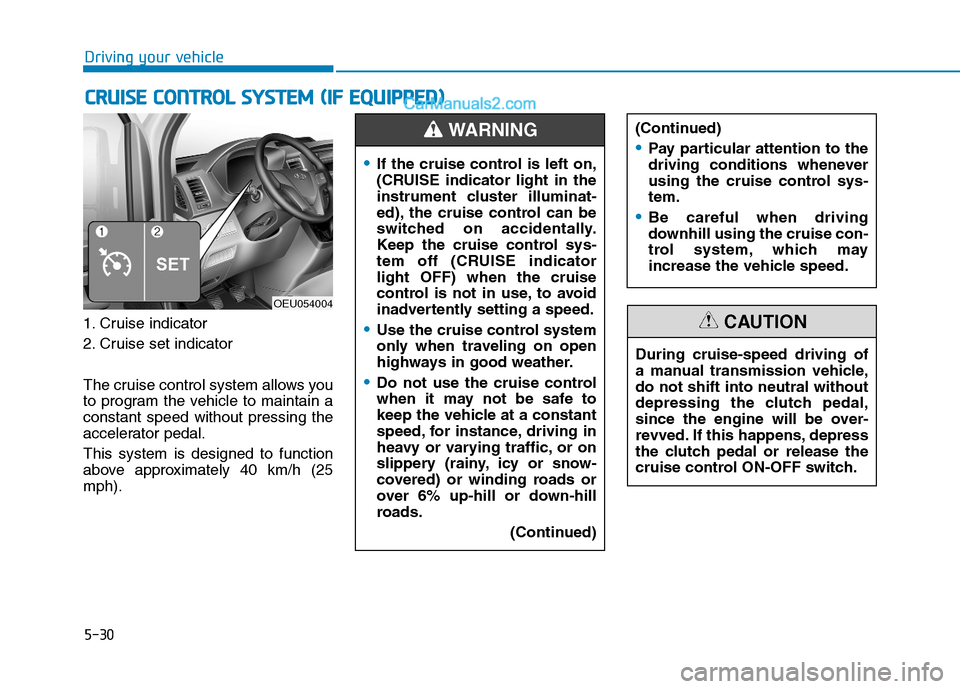
1. Cruise indicator
2. Cruise set indicator
The cruise control system allows you
to program the vehicle to maintain aconstant speed without pressing the
accelerator pedal. This system is designed to function
above approximately 40 km/h (25mph).
CCRR UU IISS EE CC OO NNTTRR OO LL SS YY SSTT EEMM (( IIFF EE QQ UUIIPP PPEEDD ))
OEU054004
If the cruise control is left on,
(CRUISE indicator light in the
instrument cluster illuminat-
ed), the cruise control can be
switched on accidentally.
Keep the cruise control sys-
tem off (CRUISE indicatorlight OFF) when the cruise
control is not in use, to avoid
inadvertently setting a speed.
Use the cruise control system
only when traveling on open
highways in good weather.
Do not use the cruise control
when it may not be safe to
keep the vehicle at a constant
speed, for instance, driving in
heavy or varying traffic, or on
slippery (rainy, icy or snow-
covered) or winding roads or
over 6% up-hill or down-hill
roads.
(Continued)
(Continued)
Pay particular attention to the
driving conditions whenever
using the cruise control sys-tem.
Be careful when driving
downhill using the cruise con-
trol system, which may
increase the vehicle speed.
WARNING
During cruise-speed driving of
a manual transmission vehicle,do not shift into neutral without
depressing the clutch pedal,
since the engine will be over-
revved. If this happens, depress
the clutch pedal or release the
cruise control ON-OFF switch.
CAUTION
Page 302 of 473
5-31
Driving your vehicle
5
During normal cruise control
operation, when the SET switch is
activated or reactivated after
applying the brakes, the cruise
control will energize after approxi-
mately 3 seconds. This delay isnormal.
To activate cruise control, depress the brake pedal at least once after
turning the ignition switch to the
ON position or starting the
engine. This is to check if the
brake switch which is important
part to cancel cruise control is innormal condition.
Cruise control operation
To set cruise control speed:
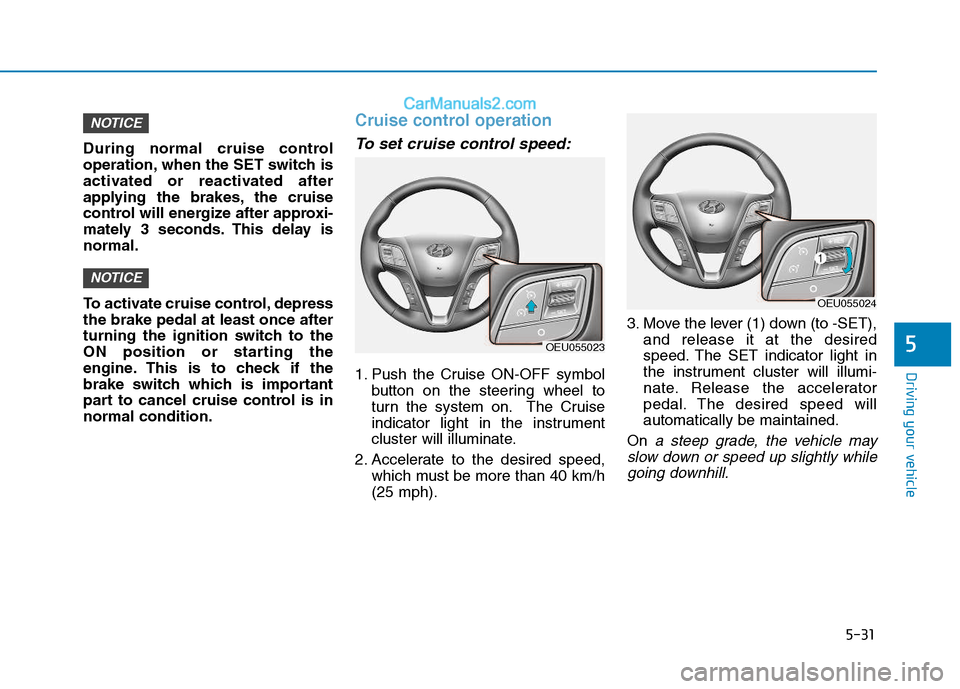
1. Push the Cruise ON-OFF symbolbutton on the steering wheel to
turn the system on. The Cruise
indicator light in the instrument
cluster will illuminate.
2. Accelerate to the desired speed, which must be more than 40 km/h(25 mph). 3. Move the lever (1) down (to -SET),
and release it at the desired
speed. The SET indicator light in
the instrument cluster will illumi-
nate. Release the accelerator
pedal. The desired speed willautomatically be maintained.
On
a steep grade, the vehicle may
slow down or speed up slightly while going downhill.
NOTICE
NOTICE
OEU055023
OEU055024
Page 304 of 473
5-33
Driving your vehicle
5
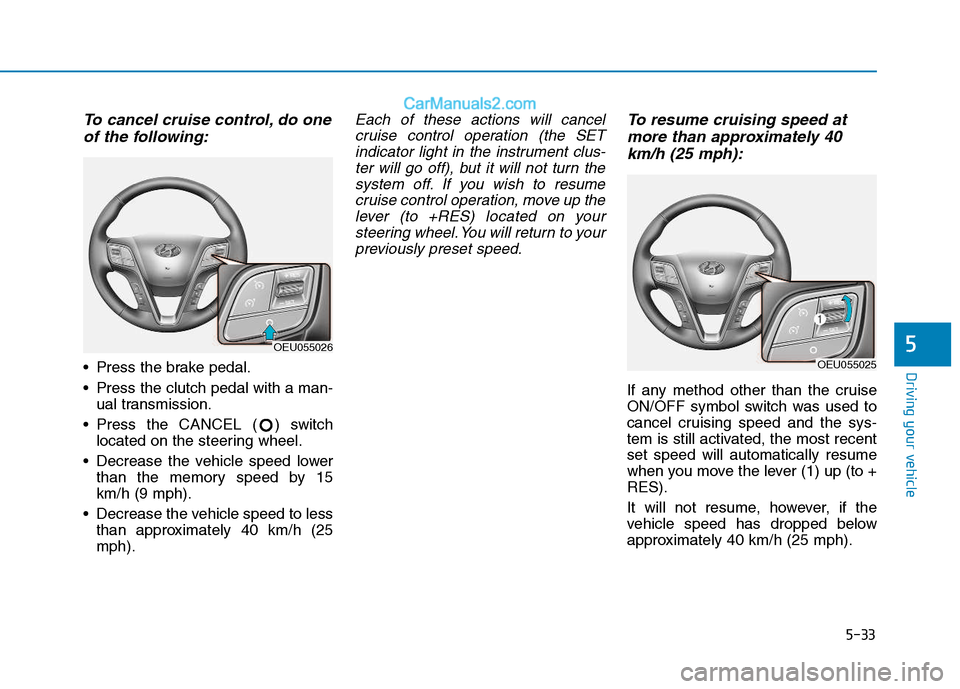
To cancel cruise control, do oneof the following:
Press the brake pedal.
Press the clutch pedal with a man- ual transmission.
Press the CANCEL ( ) switch located on the steering wheel.
Decrease the vehicle speed lower than the memory speed by 15 km/h (9 mph).
Decrease the vehicle speed to less than approximately 40 km/h (25mph).
Each of these actions will cancel
cruise control operation (the SETindicator light in the instrument clus- ter will go off), but it will not turn thesystem off. If you wish to resumecruise control operation, move up the lever (to +RES) located on yoursteering wheel. You will return to yourpreviously preset speed.To resume cruising speed at
more than approximately 40
km/h (25 mph):
If any method other than the cruise
ON/OFF symbol switch was used to
cancel cruising speed and the sys-
tem is still activated, the most recentset speed will automatically resume
when you move the lever (1) up (to +RES).
It will not resume, however, if the
vehicle speed has dropped below
approximately 40 km/h (25 mph).
OEU055026
OEU055025
Page 305 of 473
5-34
Driving your vehicle
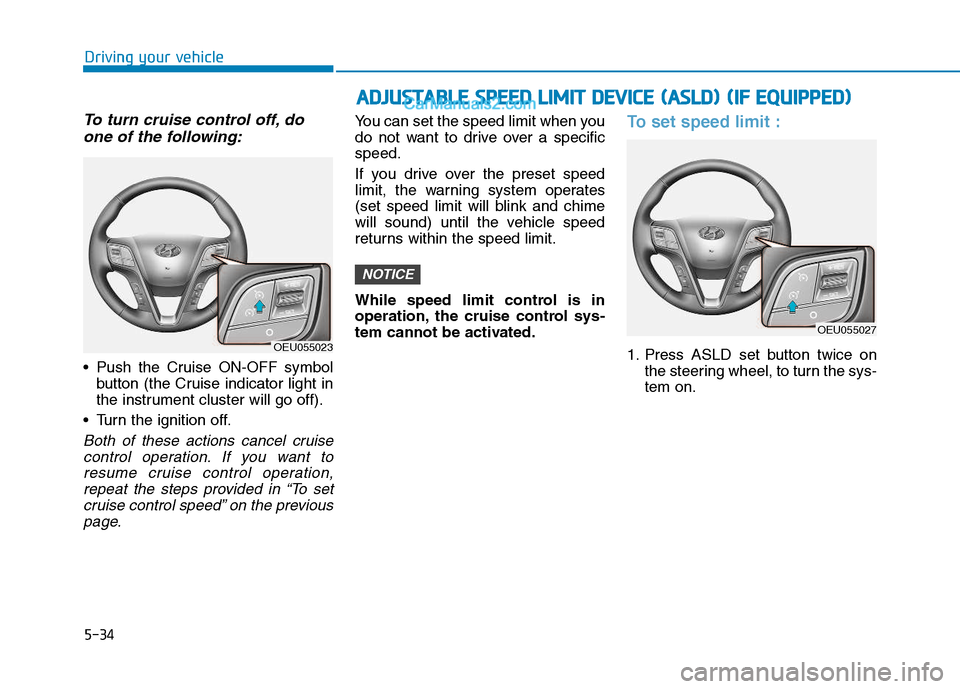
To turn cruise control off, doone of the following:
Push the Cruise ON-OFF symbol button (the Cruise indicator light in
the instrument cluster will go off).
Turn the ignition off.
Both of these actions cancel cruise control operation. If you want toresume cruise control operation, repeat the steps provided in “To setcruise control speed” on the previouspage.
You can set the speed limit when you
do not want to drive over a specificspeed.
If you drive over the preset speed
limit, the warning system operates
(set speed limit will blink and chime
will sound) until the vehicle speed
returns within the speed limit.
While speed limit control is in
operation, the cruise control sys-
tem cannot be activated.To set speed limit :
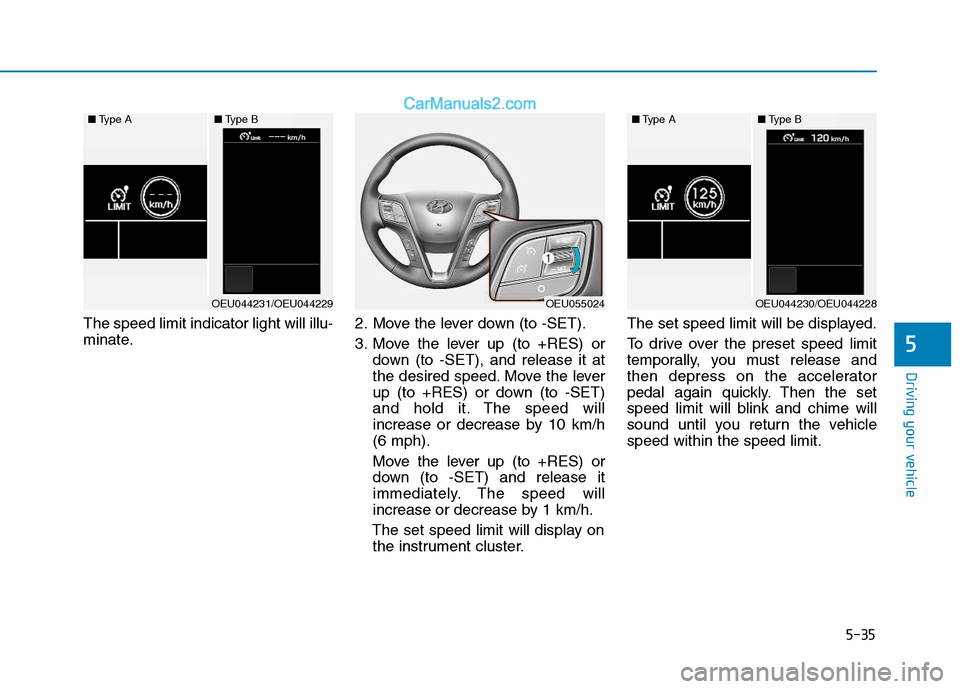
1. Press ASLD set button twice on the steering wheel, to turn the sys- tem on.
NOTICE
OEU055023
AADDJJUU SSTT AA BBLLEE SS PP EEEEDD LL IIMM IITT DD EEVV IICC EE (( AA SSLLDD )) (( IIFF EE QQ UUIIPP PP EEDD ))
OEU055027
Page 306 of 473
5-35
Driving your vehicle
5
The speed limit indicator light will illu-
minate.2. Move the lever down (to -SET).
3. Move the lever up (to +RES) or
down (to -SET), and release it at
the desired speed. Move the lever
up (to +RES) or down (to -SET)
and hold it. The speed will
increase or decrease by 10 km/h(6 mph).
Move the lever up (to +RES) or
down (to -SET) and release it
immediately. The speed will
increase or decrease by 1 km/h.
The set speed limit will display on the instrument cluster. The set speed limit will be displayed.
To drive over the preset speed limit
temporally, you must release and
then depress on the accelerator
pedal again quickly. Then the set
speed limit will blink and chime will
sound until you return the vehiclespeed within the speed limit.
OEU055024
■
Type A■Type B
OEU044231/OEU044229
■Type A■Type B
OEU044230/OEU044228
Page 308 of 473
5-37
Driving your vehicle
5
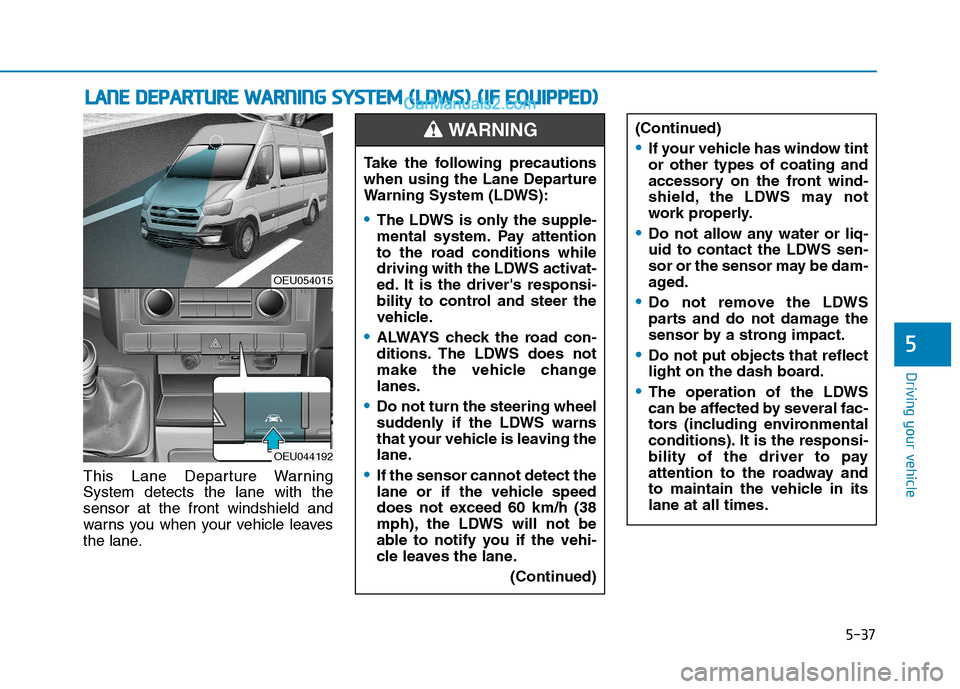
This Lane Departure Warning System detects the lane with thesensor at the front windshield and
warns you when your vehicle leaves
the lane.
LLAA NN EE DD EEPP AA RRTTUU RREE WW AARRNN IINN GG SS YY SSTT EEMM (( LL DD WW SS)) (( IIFF EE QQ UUIIPP PPEEDD ))
OEU054015
OEU044192
Take the following precautions
when using the Lane Departure
Warning System (LDWS):
The LDWS is only the supple-
mental system. Pay attention
to the road conditions while
driving with the LDWS activat-
ed. It is the driver's responsi-
bility to control and steer the
vehicle.
ALWAYS check the road con-
ditions. The LDWS does not
make the vehicle changelanes.
Do not turn the steering wheel
suddenly if the LDWS warns
that your vehicle is leaving the
lane.
If the sensor cannot detect the
lane or if the vehicle speed
does not exceed 60 km/h (38
mph), the LDWS will not be
able to notify you if the vehi-
cle leaves the lane.
(Continued)
WARNING (Continued)
If your vehicle has window tint or other types of coating and
accessory on the front wind-
shield, the LDWS may not
work properly.
Do not allow any water or liq-
uid to contact the LDWS sen-
sor or the sensor may be dam-
aged.
Do not remove the LDWS
parts and do not damage the
sensor by a strong impact.
Do not put objects that reflect
light on the dash board.
The operation of the LDWS
can be affected by several fac-
tors (including environmental
conditions). It is the responsi-
bility of the driver to pay
attention to the roadway and
to maintain the vehicle in itslane at all times.
Page 311 of 473
5-40
Driving your vehicle
DRIVER'S ATTENTION
The LDWS may not warn you even
if the vehicle leaves the lane, or may
warn you even if the vehicle does not
leave the lane when:
The lane can't be visible due tosnow, rain, stain, a puddle or other
factors.
The brightness outside changes suddenly such as tunnel enter/exit.
The headlamps are not on at night or in a tunnel, or light level is low.
It is difficult to distinguish the color of the lane marking from the
road or the lane line is damaged or
indistinct.
Driving on a steep grade or a curve.
Light such as street light, sunlight or oncoming vehicle light reflects
from the water on the road.
The lens or windshield is covered with foreign matter.
The sensor cannot detect the lane because of fog, heavy rain, or
heavy snow. (Continued)(Continued)
The surrounding of the inside rear
view mirror temperature is high
due to direct sun light.
The lane is very wide or narrow.
The windshield is fogged by humid air in the vehicle.
A shadow is on the lane line.
There is a mark that looks like a lane line.
There is a boundary structure, such as a concrete barrier.
The distance from the vehicle ahead is very short or the vehicle
ahead drives covering the lane
line.
The vehicle vibrates heavily due to road conditions.
The number of lanes increases or decreases or the lane lines are
crossing.
Putting something on the dash- board.
Driving with the sun in front of you.
Driving in areas under construc- tion.
There are more than two lane lines.
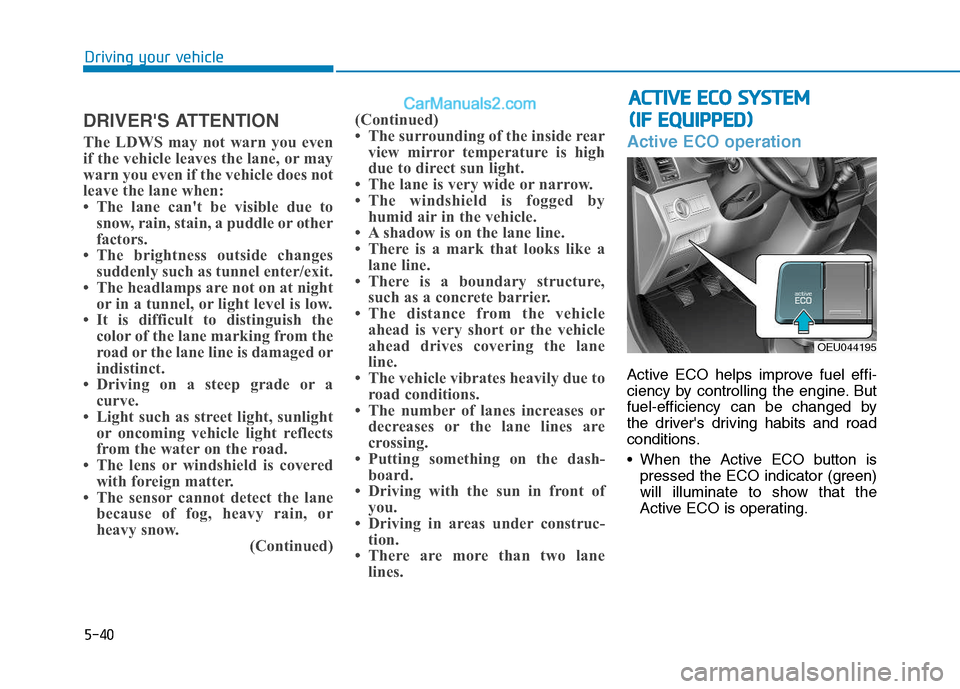
Active ECO operation
Active ECO helps improve fuel effi-
ciency by controlling the engine. But
fuel-efficiency can be changed by
the driver's driving habits and road
conditions.
When the Active ECO button ispressed the ECO indicator (green)
will illuminate to show that the
Active ECO is operating.
AACCTT IIVV EE EE CCOO SS YY SSTT EEMM
(
( IIFF EE QQ UUIIPP PP EEDD ))
OEU044195
Page 313 of 473
5-42
Driving your vehicleE
ECCOO NNOO MM IICC AA LL OO PPEERR AA TTIIOO NN
Your vehicle's fuel economy depends
mainly on your style of driving, where
you drive and when you drive.
Each of these factors affects how
many kilometers (miles) you can get
from a liter (gallon) of fuel. To operate
your vehicle as economically as pos-
sible, use the following driving sug-
gestions to help save money in bothfuel and repairs:
Drive smoothly. Accelerate at a
moderate rate. Don't make "jack-
rabbit" starts or full-throttle shifts
and maintain a steady cruising
speed. Don't race between stop-
lights. Try to adjust your speed to
the traffic so you don't have to
change speeds unnecessarily.
Avoid heavy traffic whenever pos-
sible. Always maintain a safe dis-
tance from other vehicles so you
can avoid unnecessary braking.
This also reduces brake wear.
Drive at a moderate speed. The faster you drive, the more fuel your
vehicle uses. Driving at a moderate
speed, especially on the highway,
is one of the most effective ways toreduce fuel consumption. Don't "ride" the brake or clutch
pedal. This can increase fuel con-
sumption and also increase wear
on these components. In addition,
driving with your foot resting on the
brake pedal may cause the brakes
to overheat, which reduces their
effectiveness and may lead to
more serious consequences.
Take care of your tires. Keep them inflated to the recommended pres-
sure. Incorrect inflation, either too
much or too little, results in unnec-
essary tire wear. Check the tirepressures at least once a month.
Be sure that the wheels are aligned correctly. Improper align-ment can result from hitting curbs
or driving too fast over irregular
surfaces. Poor alignment causes
faster tire wear and may also result
in other problems as well as
greater fuel consumption.
When the power is still con-
nected, activating the P.T.O.
system may incur deadly dam-
age to the gear.
The P.T.O. system should be
activated within the permissi-
ble toque.
- Activation of the P.T.O., goingbeyond the permissible maxi-
mum toque, may incur deadly
damage to the P.T.O. gear andtransmission.
Before activating the P.T.O.
system, depress the clutch
pedal, when the P.T.O switch is
pressed OFF. (For the manualtransmission.)
- The P.T.O. gear may be dam-aged and become uncontrol-
lable.
WARNING