ESP Hyundai H350 2015 User Guide
[x] Cancel search | Manufacturer: HYUNDAI, Model Year: 2015, Model line: H350, Model: Hyundai H350 2015Pages: 473, PDF Size: 26.4 MB
Page 139 of 473
3-77
Convenient features of your vehicle
3
DPF (Diesel ParticulateFilter) Warning
Indicator
The Diesel Particulate Filter (DPF)
system removes the soot emitted
from the vehicle.
Unlike a disposable air filter, the DPF
system automatically burns (oxi-
dizes) and removes the accumulated
soot while driving.
However, if the vehicle continues to
be driven in short distance repeated-
ly or at low speed for a long time, the
accumulated soot may not be auto-
matically removed because of low
exhaust gas temperature. In this par-
ticular case, if the amount of soot is
out of detection limit, the DPF warn-
ing indicator ( ) will illuminate. In
order to start the DPF regeneration
and to stop the DPF warning lamp
illuminating, drive the vehicle in a
safety driving circumstance with
more than 60km/h (37 mph) vehiclespeed or with more than secondgear engaged and 1500 ~ 2000
engine rpm for a certain time (for
about 25 minutes). If the DPF warning indicator( )
continues to blink or "check emissionsystem" message comes on in the
cluster in spite of the above proce-
dure, we recommend that the system
be checked by an authorized
HYUNDAI dealer.
If you continue to drive with the indi-
cator light blinking for a long time, theDPF system can be damaged and
fuel consumption can be worsen.
Urea Level Warning
lamp
The urea level warning lamp illumi-
nates, when the urea solution vol-
ume falls below 12% or less of the
tank. Without adding the urea solu-
tion, when the urea solution volume
drops to 6%, urea level warning lamp
will start blinking. When the urea
solution volume drops 4% or under,
both urea level warning lamp and
urea system warning lamp will simul-
taneously blink with limited torque.
When the urea volume falls below
1%, both lamps will stay blinking sta-
tus with limited vehicle speed.
When the urea level warning lamp
illuminates, the urea solution mustbe added.
The urea level warning lamp will still
illuminate with the remaining drivingdistance after replenishment, and
then the lamp will go out after sever-
al minutes driving or after several
minutes ignition on status.
Page 142 of 473
3-80
Convenient features of your vehicle
Warning sound
Overspeed warning (if equipped)
Overspeed warning light
If you drive with the speed of
120km/h or more, the overspeed
warning light will blink. This is to pre-
vent from driving your vehicle with
overspeed.
Overspeed warning chime
If you drive with the speed of
120km/h or more, the overspeed
warning chime will sound for about 5
seconds. This is to prevent you from
driving your vehicle with overspeed.
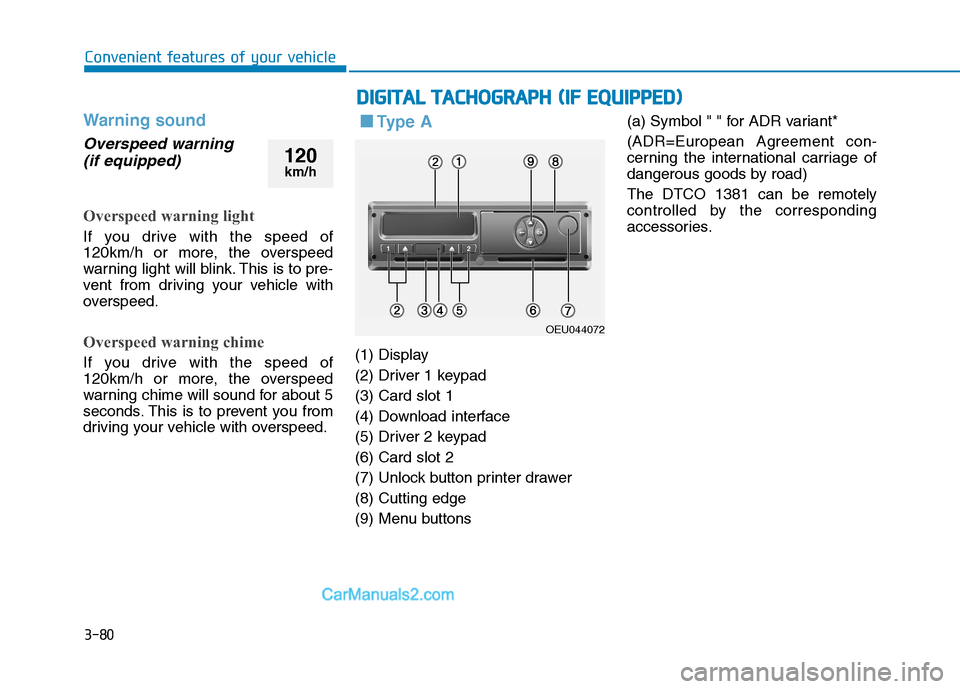
■■ Ty p e A
(1) Display
(2) Driver 1 keypad(3) Card slot 1
(4) Download interface
(5) Driver 2 keypad(6) Card slot 2
(7) Unlock button printer drawer(8) Cutting edge
(9) Menu buttons (a) Symbol " " for ADR variant*
(ADR=European Agreement con-
cerning the international carriage of
dangerous goods by road) The DTCO 1381 can be remotely
controlled by the corresponding
accessories.
DD
IIGG IITT AA LL TT AA CCHH OO GGRRAA PPHH (( IIFF EE QQ UUIIPP PP EEDD ))
OEU044072
120
km/h
Page 150 of 473
3-88
Convenient features of your vehicle
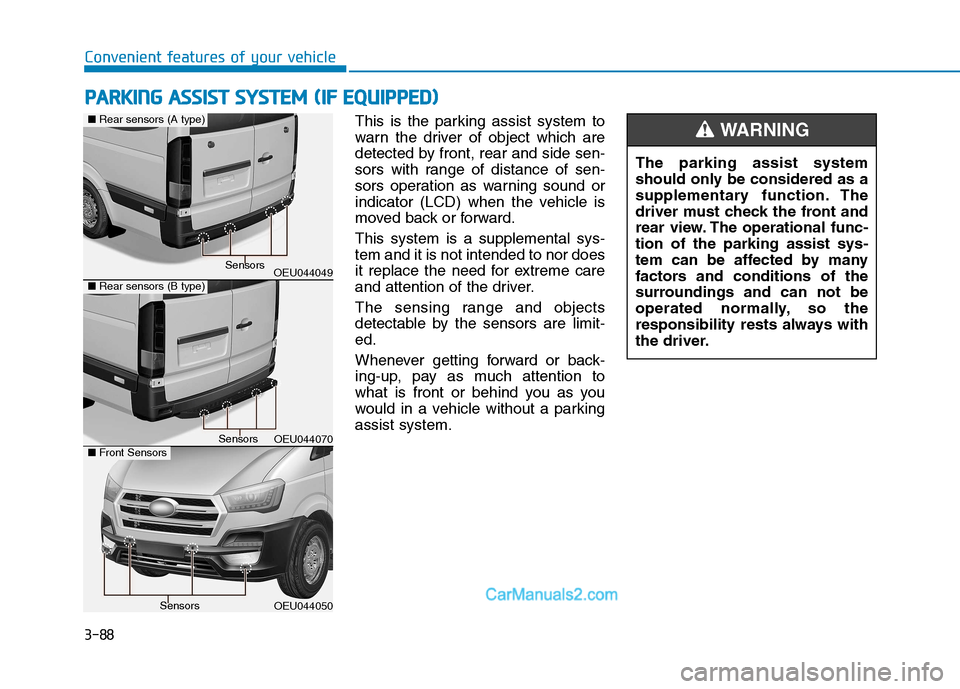
This is the parking assist system to
warn the driver of object which are
detected by front, rear and side sen-
sors with range of distance of sen-
sors operation as warning sound or
indicator (LCD) when the vehicle is
moved back or forward. This system is a supplemental sys- tem and it is not intended to nor does
it replace the need for extreme care
and attention of the driver.
The sensing range and objects
detectable by the sensors are limit-ed.
Whenever getting forward or back-
ing-up, pay as much attention to
what is front or behind you as you
would in a vehicle without a parkingassist system.The parking assist system
should only be considered as a
supplementary function. The
driver must check the front and
rear view. The operational func-tion of the parking assist sys-
tem can be affected by many
factors and conditions of the
surroundings and can not be
operated normally, so the
responsibility rests always with
the driver.WARNING
PP
AA RRKK IINN GG AA SSSS IISS TT SS YY SSTT EEMM (( IIFF EE QQ UUIIPP PPEEDD ))
OEU044049
OEU044050
■Rear sensors (A type)
Sensors
Sensors
OEU044070
■ Rear sensors (B type)
■Front SensorsSensors
Page 151 of 473
3-89
Convenient features of your vehicle
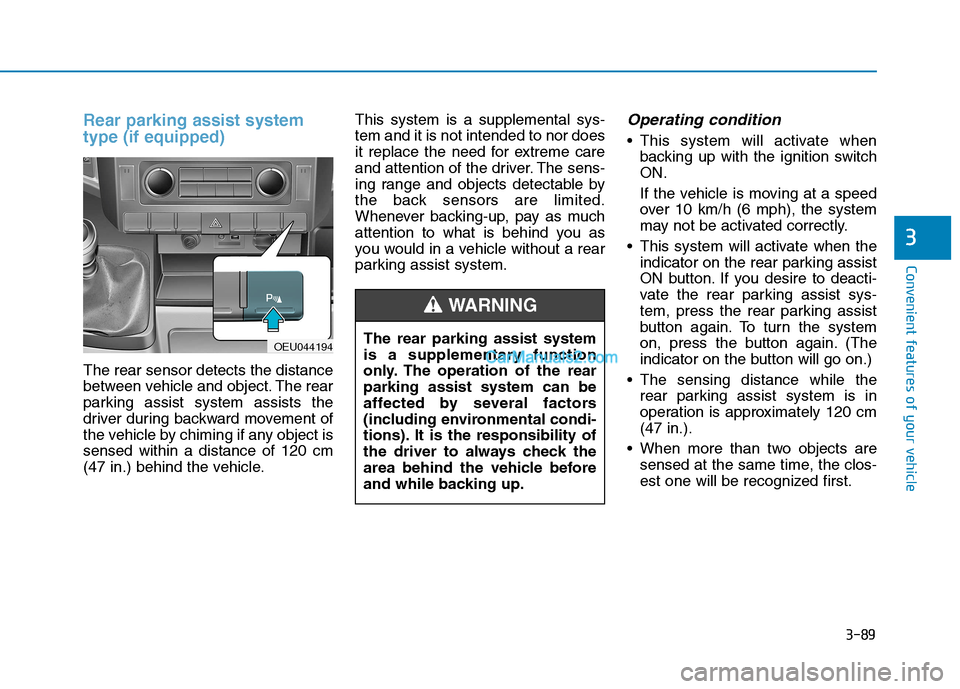
Rear parking assist system type (if equipped)
The rear sensor detects the distance
between vehicle and object. The rear
parking assist system assists the
driver during backward movement of
the vehicle by chiming if any object issensed within a distance of 120 cm
(47 in.) behind the vehicle.This system is a supplemental sys-tem and it is not intended to nor does
it replace the need for extreme care
and attention of the driver. The sens-
ing range and objects detectable by
the back sensors are limited.
Whenever backing-up, pay as much
attention to what is behind you as
you would in a vehicle without a rear
parking assist system.
Operating condition
This system will activate when
backing up with the ignition switchON.
If the vehicle is moving at a speed
over 10 km/h (6 mph), the system
may not be activated correctly.
This system will activate when the indicator on the rear parking assist
ON button. If you desire to deacti-
vate the rear parking assist sys-
tem, press the rear parking assist
button again. To turn the system
on, press the button again. (The
indicator on the button will go on.)
The sensing distance while the rear parking assist system is in
operation is approximately 120 cm(47 in.).
When more than two objects are sensed at the same time, the clos-
est one will be recognized first.
3
OEU044194 The rear parking assist system
is a supplementary function
only. The operation of the rearparking assist system can be
affected by several factors
(including environmental condi-
tions). It is the responsibility of
the driver to always check the
area behind the vehicle before
and while backing up.
WARNING
Page 153 of 473
3-91
Convenient features of your vehicle
3
Rear parking assist system pre-cautions
The rear parking assist system may not sound sequentially depending on the speed andshapes of the objects detected.
The rear parking assist system may malfunction if the vehicle
bumper height or sensor installa-tion has been modified or dam-
aged. Any non-factory installed
equipment or accessories may
also interfere with the sensor per-
formance.
The sensor may not recognize objects less than 30 cm (11.8 in.)
from the sensor, or it may sense an
incorrect distance. Use caution.
When the sensor is frozen or stained with snow, dirt, or water,
the sensor may be inoperative until
the stains are removed using a softcloth.
Do not push, scratch or strike the sensor. Sensor damage could
occur. This system can only sense
objects within the range and loca-
tion of the sensors; It can notdetect objects in other areas
where sensors are not installed.
Also, small or slim objects, suchas poles or objects located
between sensors may not be
detected by the sensors.
Always visually check behind the
vehicle when backing up.
Be sure to inform any drivers of
the vehicle that may be unfamiliar
with the system regarding the sys-tems capabilities and limitations.
NOTICE
Pay close attention when the
vehicle is driven close to
objects on the road, particularly
pedestrians, and especially
children. Be aware that some
objects may not be detected by
the sensors, due to the object’s
distance, size or material, all of
which can limit the effective-
ness of the sensor. Always per-
form a visual inspection to
make sure the vehicle is clear of
all obstructions before moving
the vehicle in any direction.
WARNING
Page 156 of 473
3-94
Convenient features of your vehicle
Self-diagnosis
When the front/rear parking assist
system has a malfunction, if you
operate the system, the warning
sound sounds 3 times. In this time,
the indicator on switch will blink and
the warning on the cluster will blink.
However, the warning regardingobject will not sound.
In this time, we recommend that the
system be checked by an authorized
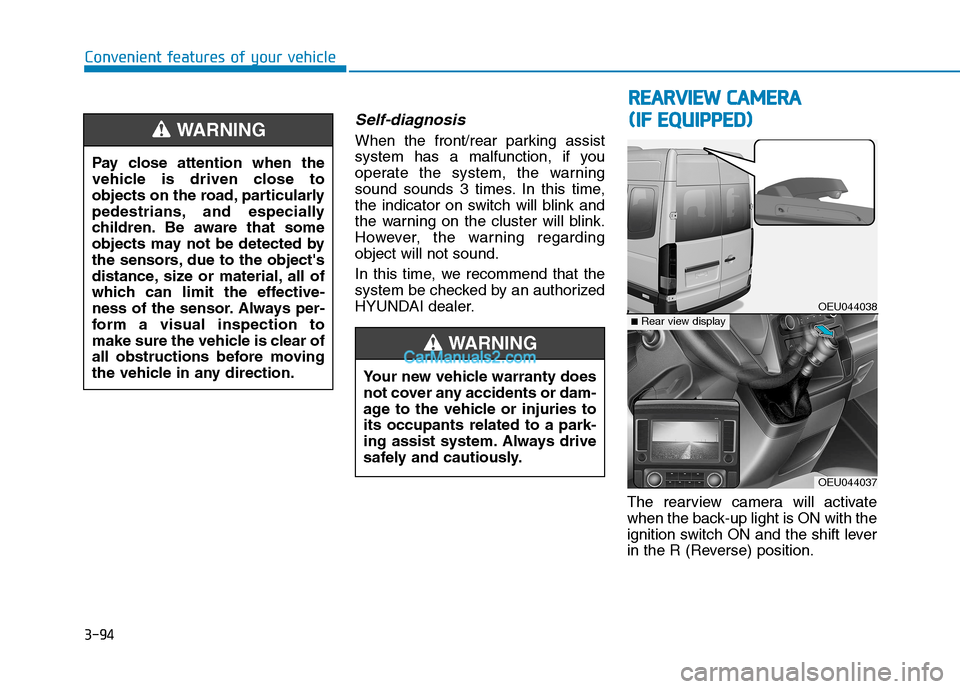
HYUNDAI dealer.The rearview camera will activate
when the back-up light is ON with the
ignition switch ON and the shift lever
in the R (Reverse) position.
Pay close attention when the
vehicle is driven close to
objects on the road, particularly
pedestrians, and especially
children. Be aware that some
objects may not be detected by
the sensors, due to the object's
distance, size or material, all of
which can limit the effective-
ness of the sensor. Always per-
form a visual inspection to
make sure the vehicle is clear of
all obstructions before moving
the vehicle in any direction.WARNING
RR
EEAA RRVV IIEE WW CC AA MM EERR AA
(
( IIFF EE QQ UUIIPP PPEEDD ))
OEU044038
OEU044037
■Rear view display
Your new vehicle warranty does
not cover any accidents or dam-
age to the vehicle or injuries toits occupants related to a park-
ing assist system. Always drive
safely and cautiously.
WARNING
Page 157 of 473
3-95
Convenient features of your vehicle
3
This system is a supplemental sys-
tem that shows behind the vehicle
through the rearview display mirror
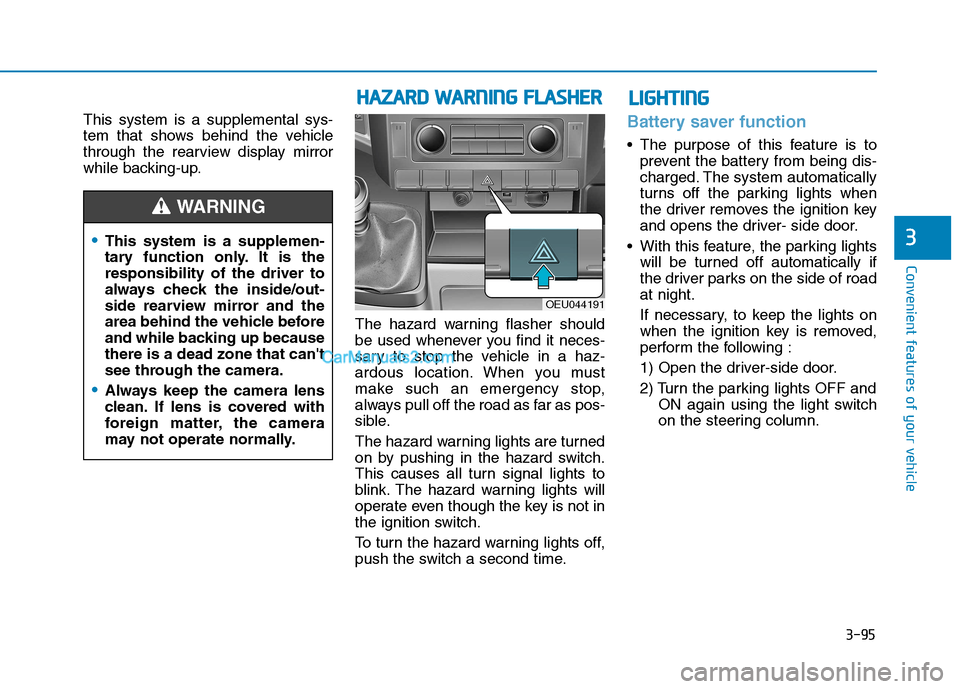
while backing-up.The hazard warning flasher should
be used whenever you find it neces-
sary to stop the vehicle in a haz-
ardous location. When you must
make such an emergency stop,
always pull off the road as far as pos-
sible.
The hazard warning lights are turned
on by pushing in the hazard switch.
This causes all turn signal lights to
blink. The hazard warning lights will
operate even though the key is not in
the ignition switch.
To turn the hazard warning lights off,
push the switch a second time.Battery saver function
The purpose of this feature is toprevent the battery from being dis-
charged. The system automatically
turns off the parking lights when
the driver removes the ignition key
and opens the driver- side door.
With this feature, the parking lights will be turned off automatically if
the driver parks on the side of roadat night.
If necessary, to keep the lights on
when the ignition key is removed,
perform the following :
1) Open the driver-side door.
2) Turn the parking lights OFF and ON again using the light switch
on the steering column.
This system is a supplemen-
tary function only. It is theresponsibility of the driver to
always check the inside/out-
side rearview mirror and the
area behind the vehicle before
and while backing up becausethere is a dead zone that can't
see through the camera.
Always keep the camera lens
clean. If lens is covered with
foreign matter, the camera
may not operate normally.
WARNING
HHAAZZAA RRDD WW AARRNN IINN GG FF LLAA SSHH EERR
OEU044191
LLIIGG HH TTIINN GG
Page 163 of 473
3-101
Convenient features of your vehicle
3
Daytime running light (if equipped)
Daytime Running Lights (DRL) can
make it easier for others to see the
front of your vehicle during the day.
DRL can be helpful in many different
driving conditions, and it is especial-
ly helpful after dawn and before sun-set.
The DRL system will make the head-
lights turn OFF when:
1. The parklight switch is ON.
2. Engine stops.
Headlight leveling device (if equipped)
To adjust the headlight beam level
according to the number of the pas-
sengers and the loading weight in
the luggage area, turn the beam lev-
eling switch.The higher the number of the switch
position, the lower the headlight
beam level. Always keep the head-
light beam at the proper leveling
position, or headlights may dazzle
other road users.
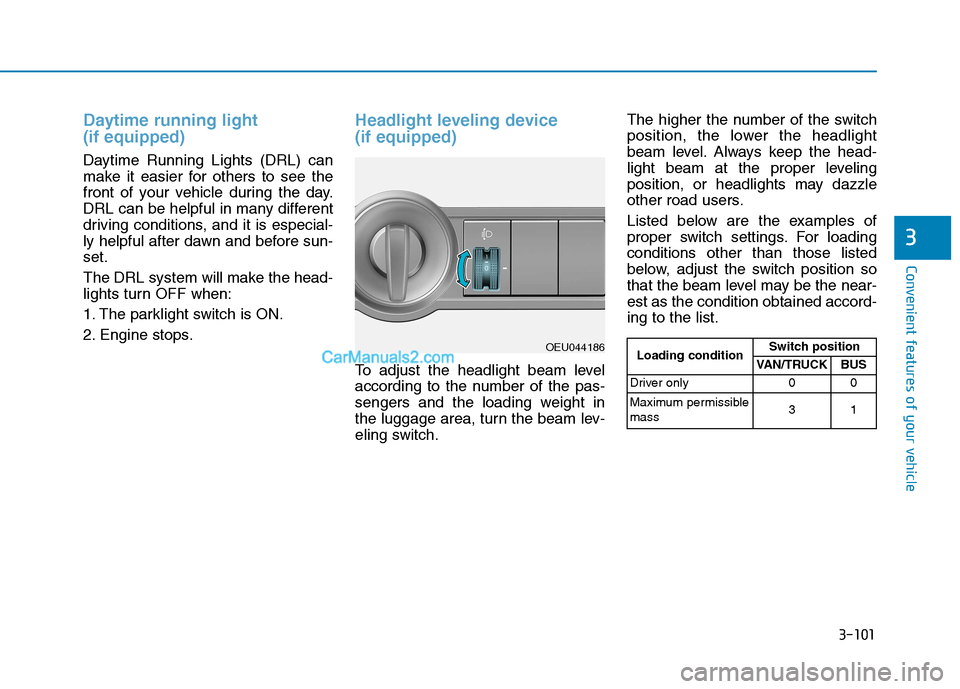
Listed below are the examples of
proper switch settings. For loadingconditions other than those listed
below, adjust the switch position so
that the beam level may be the near-est as the condition obtained accord-ing to the list.
OEU044186
Loading condition Switch position
VAN/TRUCK BUS
Driver only 0 0
Maximum permissible mass 31
Page 180 of 473
3-118
Convenient features of your vehicle
When using the air conditioningsystem, monitor the temperature
gauge closely while driving up
hills or in heavy traffic when out-
side temperatures are high. Airconditioning system operation
may cause engine overheating.
Continue to use the blower fan
but turn the air conditioning sys-
tem off if the temperature gauge
indicates engine overheating.
When opening the windows in humid weather air conditioning
may create water droplets inside
the vehicle. Since excessive
water droplets may cause dam-
age to electrical equipment, air
conditioning should only be run
with the windows closed.
Air conditioning system operation
tips
If the vehicle has been parked indirect sunlight during hot weather,
open the windows for a short time
to let the hot air inside the vehicle
escape.
To help reduce moisture inside of the windows on rainy or humid
days, decrease the humidity inside
the vehicle by operating the airconditioning system.
During air conditioning system operation, you may occasionallynotice a slight change in enginespeed as the air conditioning com-
pressor cycles. This is a normal
system operation characteristic.
Use the air conditioning system every month only for a few minutes
to ensure maximum system per-
formance. When using the air conditioning
system, you may notice clear water
dripping (or even puddling) on the
ground under the passenger rear
side of the vehicle. This is a normal
system operation characteristic.
Operating the air conditioning sys- tem in the recirculated air position
provides maximum cooling, how-
ever, continual operation in this
mode may cause the air inside the
vehicle to become stale.
During cooling operation, you may occasionally notice a misty air flow
because of rapid cooling and
humid air intake. This is a normal
system operation characteristics.
NOTICE
Page 183 of 473
3-121
Convenient features of your vehicle
3
For maximum defrosting, set thetemperature control to the extreme
right/hot position and the fan speedcontrol to the highest speed.
If warm air to the floor is desired while defrosting or defogging, setthe mode to the floor-defrost posi-tion.
Before driving, clear all snow and ice from the windshield, rear win-
dow, outside rear view mirrors, and
all side windows.
Clear all snow and ice from the hood and air inlet in the cowl grill to
improve heater and defroster effi-ciency and to reduce the probabili-
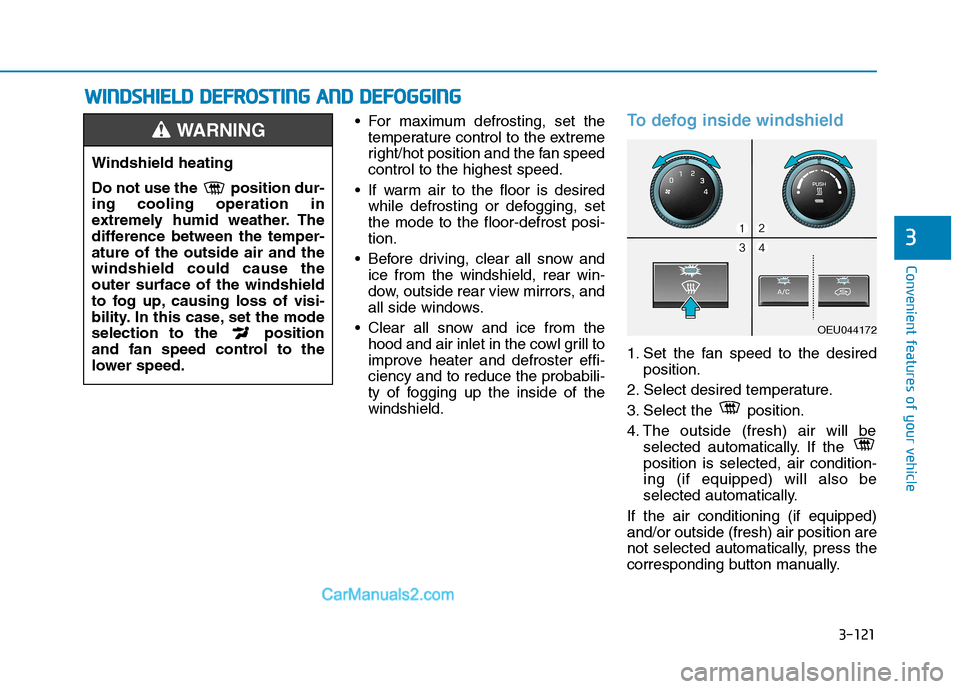
ty of fogging up the inside of thewindshield.To defog inside windshield
1. Set the fan speed to the desired position.
2. Select desired temperature.
3. Select the position.
4. The outside (fresh) air will be selected automatically. If the position is selected, air condition-ing (if equipped) will also be
selected automatically.
If the air conditioning (if equipped)and/or outside (fresh) air position are
not selected automatically, press the
corresponding button manually.
Windshield heating
Do not use the position dur- ing cooling operation in
extremely humid weather. The
difference between the temper-ature of the outside air and thewindshield could cause theouter surface of the windshield
to fog up, causing loss of visi-
bility. In this case, set the mode
selection to the position
and fan speed control to the
lower speed.
WARNING
WW IINN DDSSHH IIEE LLDD DD EEFFRR OO SSTT IINN GG AA NN DD DD EEFFOO GGGGIINN GG
OEU044172