battery HYUNDAI I10 2011 User Guide
[x] Cancel search | Manufacturer: HYUNDAI, Model Year: 2011, Model line: I10, Model: HYUNDAI I10 2011Pages: 354, PDF Size: 37.04 MB
Page 127 of 354
Features of your vehicle
48
4
D190100AUN
Battery saver function (if equipped)
The purpose of this feature is to pre-
vent the battery from being dis-
charged. The system automatically
turns off the exterior lights when the
driver removes the ignition key and
opens the driver-side door.
With this feature, the parking lights will be turned off automatically if the driver
parks on the side of road at night.
If necessary, to keep the lights on
when the ignition key is removed, per-
form the following:
1) Open the driver-side door.
2) Turn the parking lights OFF and ON again using the light switch on the
steering column. D190400AUN
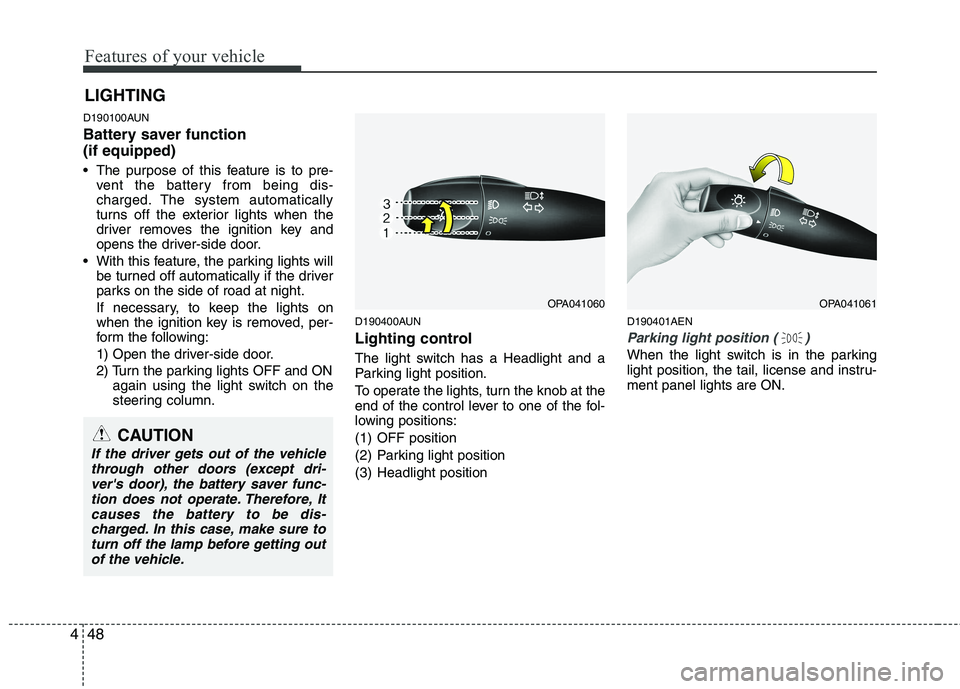
Lighting control
The light switch has a Headlight and a
Parking light position.
To operate the lights, turn the knob at the
end of the control lever to one of the fol-
lowing positions:
(1) OFF position
(2) Parking light position
(3) Headlight position D190401AEN
Parking light position ( )
When the light switch is in the parking
light position, the tail, license and instru-ment panel lights are ON.
LIGHTING
OPA041060OPA041061
CAUTION
If the driver gets out of the vehicle
through other doors (except dri-ver's door), the battery saver func-tion does not operate. Therefore, Itcauses the battery to be dis-
charged. In this case, make sure toturn off the lamp before getting out of the vehicle.
Page 128 of 354
449
Features of your vehicle
D190402AEN
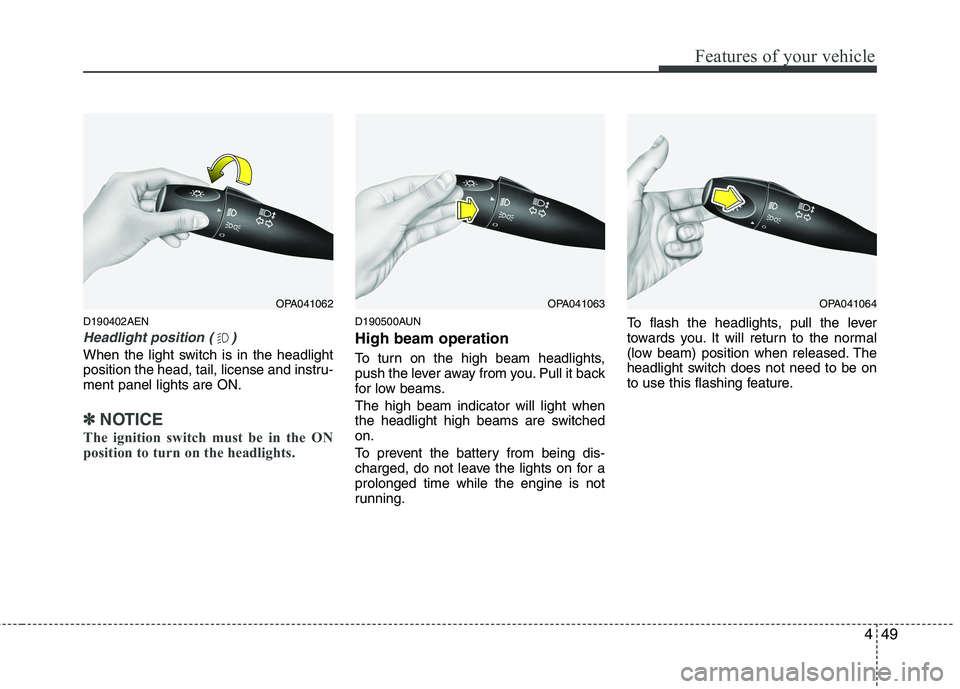
Headlight position ( )
When the light switch is in the headlight
position the head, tail, license and instru-ment panel lights are ON.
✽✽NOTICE
The ignition switch must be in the ON
position to turn on the headlights.
D190500AUN High beam operation
To turn on the high beam headlights,
push the lever away from you. Pull it back
for low beams. The high beam indicator will light when
the headlight high beams are switchedon.
To prevent the battery from being dis-
charged, do not leave the lights on for aprolonged time while the engine is not
running. To flash the headlights, pull the lever
towards you. It will return to the normal
(low beam) position when released. The
headlight switch does not need to be on
to use this flashing feature.
OPA041062OPA041063OPA041064
Page 134 of 354
455
Features of your vehicle
D210000AEN
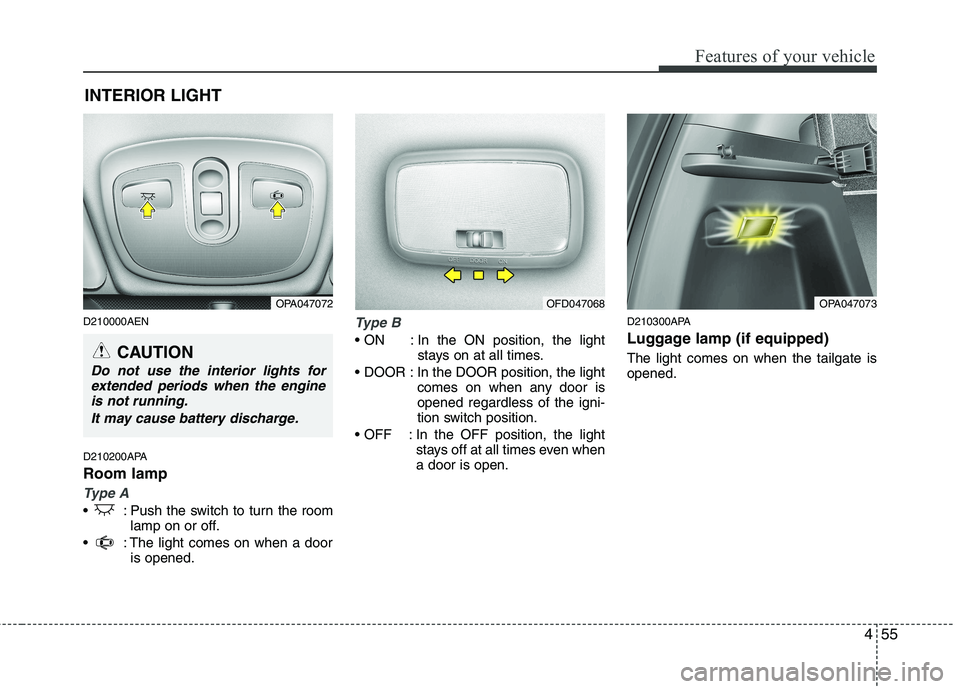
D210200APA Room lamp
Type A
: Push the switch to turn the roomlamp on or off.
: The light comes on when a door is opened.
Type B
In the ON position, the light stays on at all times.
In the DOOR position, the light comes on when any door is opened regardless of the igni-
tion switch position.
In the OFF position, the light stays off at all times even whena door is open. D210300APA
Luggage lamp (if equipped) The light comes on when the tailgate is opened.
INTERIOR LIGHT
CAUTION
Do not use the interior lights for
extended periods when the engineis not running.
It may cause battery discharge.
OPA047072OPA047073OFD047068
Page 135 of 354
Features of your vehicle
56
4
D220000APA
✽✽
NOTICE
If you want to defrost and defog the
front windshield, refer to “Windshield
defrosting and defogging” in this sec-
tion. D220100AEN
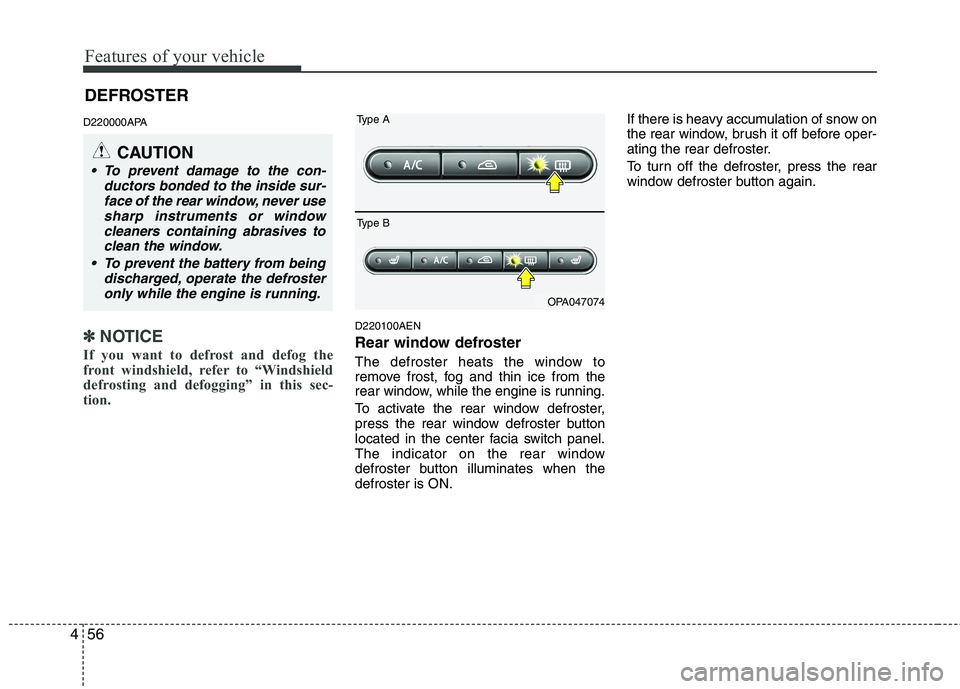
Rear window defroster
The defroster heats the window to
remove frost, fog and thin ice from the
rear window, while the engine is running.
To activate the rear window defroster,
press the rear window defroster button
located in the center facia switch panel.
The indicator on the rear window
defroster button illuminates when thedefroster is ON. If there is heavy accumulation of snow on
the rear window, brush it off before oper-
ating the rear defroster.
To turn off the defroster, press the rear
window defroster button again.
CAUTION
To prevent damage to the con-
ductors bonded to the inside sur-face of the rear window, never use
sharp instruments or windowcleaners containing abrasives to clean the window.
To prevent the battery from being discharged, operate the defrosteronly while the engine is running.
OPA047074
Type A
Type B
DEFROSTER
Page 151 of 354
Features of your vehicle
72
4
D280600AEN
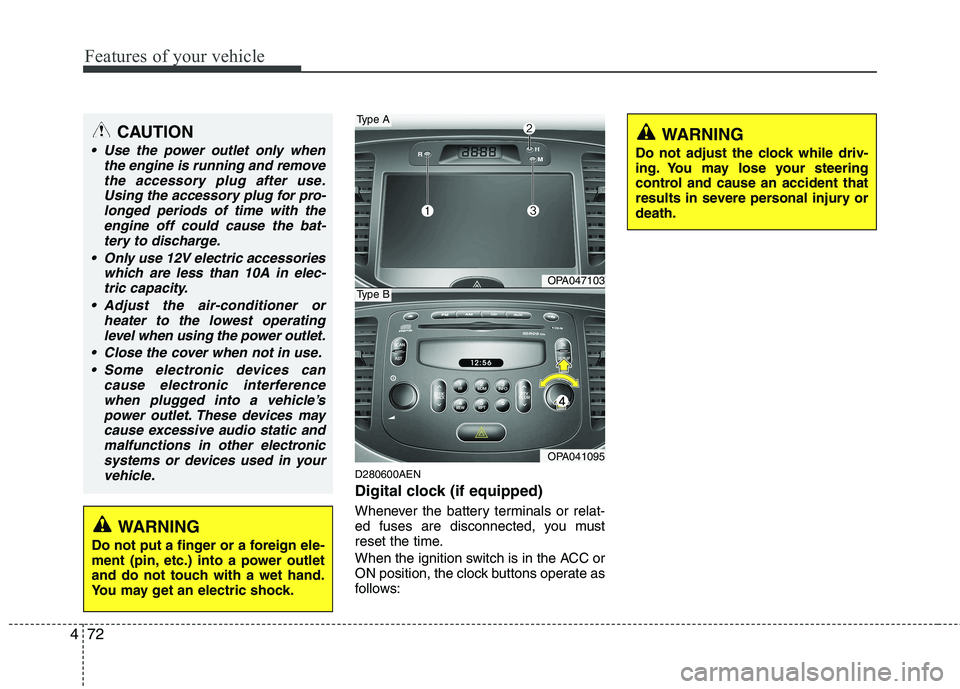
Digital clock (if equipped)
Whenever the battery terminals or relat-
ed fuses are disconnected, you must
reset the time.
When the ignition switch is in the ACC or
ON position, the clock buttons operate as
follows:
CAUTION
Use the power outlet only when
the engine is running and remove
the accessory plug after use.Using the accessory plug for pro-longed periods of time with the engine off could cause the bat-
tery to discharge.
Only use 12V electric accessories which are less than 10A in elec-tric capacity.
Adjust the air-conditioner or heater to the lowest operatinglevel when using the power outlet.
Close the cover when not in use. Some electronic devices can cause electronic interference
when plugged into a vehicle’spower outlet. These devices may cause excessive audio static andmalfunctions in other electronic
systems or devices used in yourvehicle.
WARNING
Do not put a finger or a foreign ele-
ment (pin, etc.) into a power outlet
and do not touch with a wet hand.
You may get an electric shock.
OPA047103
OPA041095
Type A
Type B
WARNING
Do not adjust the clock while driv-
ing. You may lose your steering
control and cause an accident that
results in severe personal injury ordeath.
Page 178 of 354
499
Features of your vehicle
✽✽NOTICE FOR USING THE
iPodDEVICE
Some iPod models might not support the communication protocol and the
files will not be played.
Supported iPod models:
- iPod Mini
- iPod 4th (Photo) ~ 6th (Classic) gen-
eration
- iPod Nano 1st~4th generation
- iPod Touch 1st~2nd generation
The order of search or playback of songs in the iPod can be different
from the order searched in the audio
system.
If the iPod disabled due to its own malfunction, reset the iPod. (Reset:
Refer to iPod manual)
An iPod may not operate normally on
low battery.
Some iPod devices, such as the
iPhone, can be connected through the
Bluetooth® interface. The device
must have audio Bluetooth® capabili-
ty (such as for stereo headphone
Bluetooth®). The device can play, but
it will not be controlled by the audio
system.(Continued)
When the iPod cable is connect- ed, the system can be switched toAUX mode even without iPoddevice and may cause noise.
Disconnect the iPod cable whenyou are not using the iPod device.
When not using iPod with car audio, detach the iPod cable from
iPod. Otherwise, iPod may remainin accessory mode, and may notwork properly.CAUTION IN USING THE
iPod DEVICE
The Hyundai iPod Power Cable is needed in order to operate iPod
with the audio buttons on theaudio system. The USB cable pro-vided by Apple may cause mal- function and should not be used
for Hyundai vehicles.
❋
❋ The Hyundai iPod Power Cable
may be purchased throughyour Hyundai Dealership.
When connecting iPod with the iPod Power Cable, insert the con-nector to the multimedia socketcompletely. If not inserted com- pletely, communications between
iPod and audio may be interrupt-ed.
When adjusting the sound effects of the iPod and the audio system,the sound effects of both devices
will overlap and might reduce or distort the quality of the sound.
Deactivate (turn off) the equalizer function of an iPod when adjust-
ing the audio system’s volume,and turn off the equalizer of theaudio system when using theequalizer of an iPod.
(Continued)
Page 196 of 354
Driving your vehicle
4
5
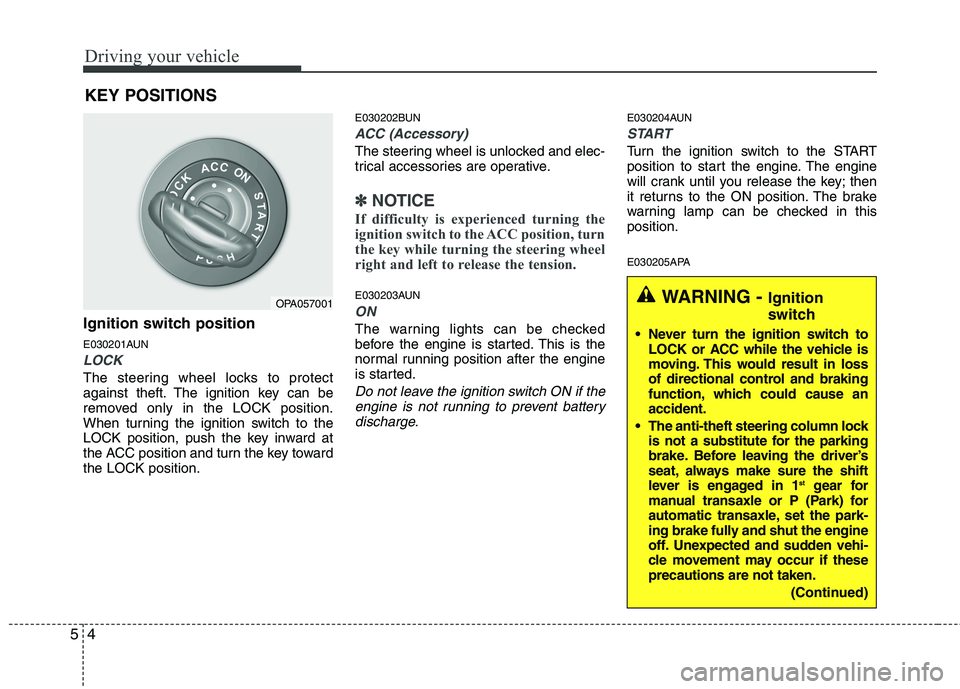
Ignition switch position
E030201AUN
LOCK
The steering wheel locks to protect
against theft. The ignition key can be
removed only in the LOCK position.
When turning the ignition switch to the
LOCK position, push the key inward at
the ACC position and turn the key towardthe LOCK position. E030202BUN
ACC (Accessory)
The steering wheel is unlocked and elec-
trical accessories are operative.
✽✽
NOTICE
If difficulty is experienced turning the
ignition switch to the ACC position, turn
the key while turning the steering wheel
right and left to release the tension.
E030203AUN
ON
The warning lights can be checked
before the engine is started. This is the
normal running position after the engine
is started.
Do not leave the ignition switch ON if the engine is not running to prevent battery
discharge.
E030204AUN
START
Turn the ignition switch to the START
position to start the engine. The engine
will crank until you release the key; then
it returns to the ON position. The brake
warning lamp can be checked in thisposition.
E030205APA
KEY POSITIONS
OPA057001WARNING -
Ignition
switch
Never turn the ignition switch to LOCK or ACC while the vehicle is
moving. This would result in loss
of directional control and braking
function, which could cause anaccident.
The anti-theft steering column lock is not a substitute for the parking
brake. Before leaving the driver’s
seat, always make sure the shift
lever is engaged in 1 st
gear for
manual transaxle or P (Park) for
automatic transaxle, set the park-
ing brake fully and shut the engine
off. Unexpected and sudden vehi-
cle movement may occur if theseprecautions are not taken.
(Continued)
Page 198 of 354
Driving your vehicle
6
5
Your vehicle may be equipped with the ISG system, which reduces fuel con-
sumption by automatically shutting down
the engine, when the vehicle is at astandstill.
(For example : red light, stop sign and
traffic jam)
The engine starts automatically as soon
as the starting conditions are met.
✽✽
NOTICE
When the engine automatically starts by
the ISG system, some warning lights
(ABS, ESP, ESP OFF or Parking brake
warning light) may turn on for a few
seconds.
This happens because of low battery
voltage. It does not mean the system is
malfunctioning.
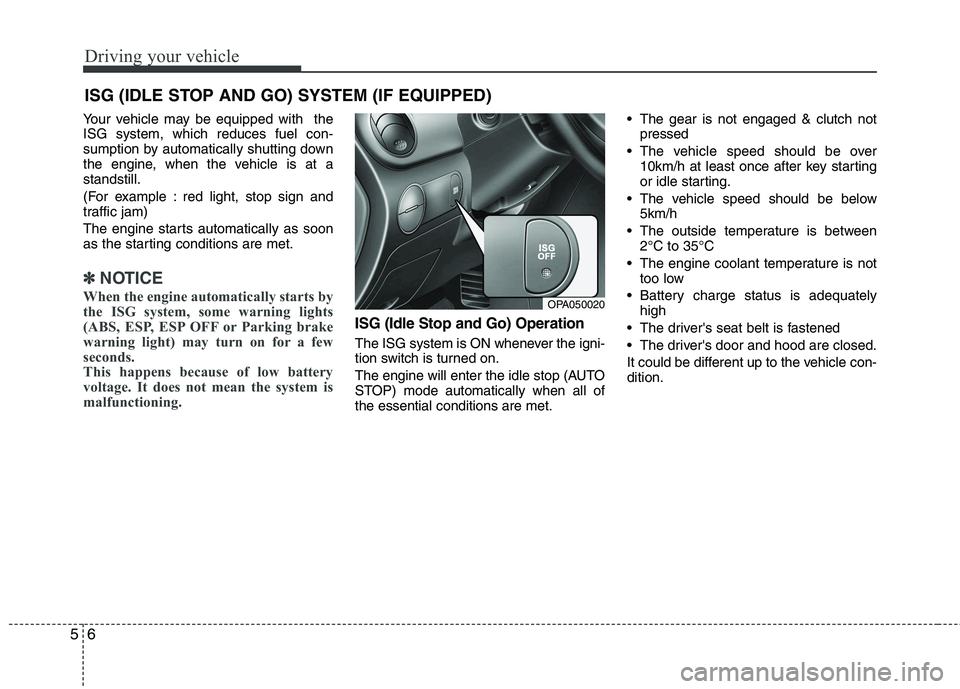
ISG (Idle Stop and Go) Operation
The ISG system is ON whenever the igni-
tion switch is turned on.
The engine will enter the idle stop (AUTO
STOP) mode automatically when all ofthe essential conditions are met. The gear is not engaged & clutch not
pressed
The vehicle speed should be over 10km/h at least once after key starting
or idle starting.
The vehicle speed should be below 5km/h
The outside temperature is between 2°C to 35°C
The engine coolant temperature is not too low
Battery charge status is adequately high
The driver's seat belt is fastened
The driver's door and hood are closed.
It could be different up to the vehicle con- dition.
ISG (IDLE STOP AND GO) SYSTEM (IF EQUIPPED)
OPA050020
Page 199 of 354
57
Driving your vehicle
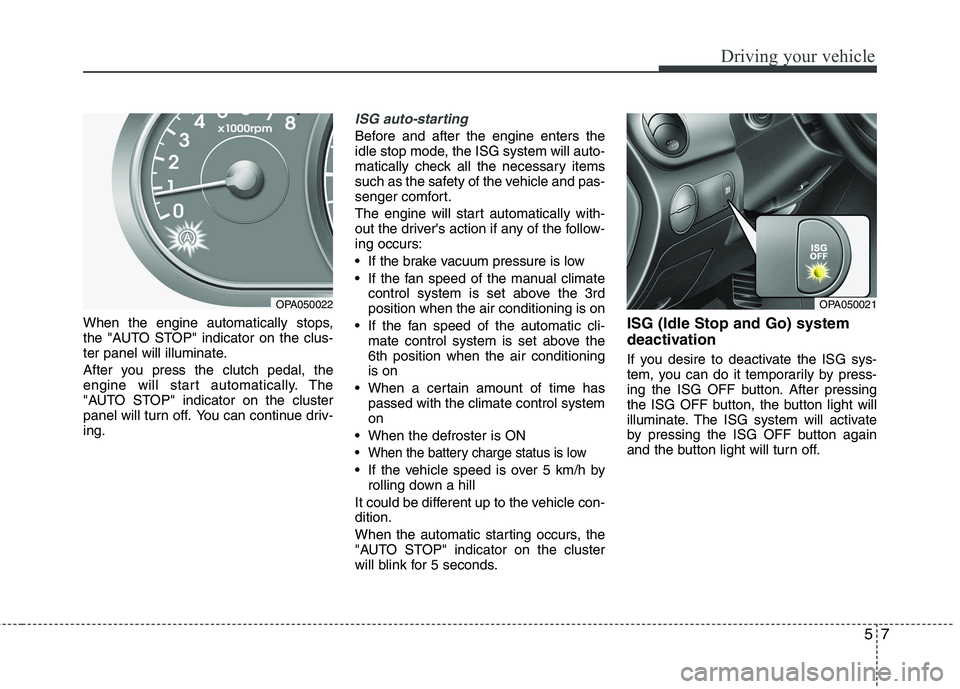
When the engine automatically stops,
the "AUTO STOP" indicator on the clus-
ter panel will illuminate.
After you press the clutch pedal, the
engine will start automatically. The
"AUTO STOP" indicator on the cluster
panel will turn off. You can continue driv-ing.
ISG auto-starting
Before and after the engine enters the
idle stop mode, the ISG system will auto-
matically check all the necessary items
such as the safety of the vehicle and pas-
senger comfort.
The engine will start automatically with-
out the driver's action if any of the follow-ing occurs:
If the brake vacuum pressure is low
If the fan speed of the manual climatecontrol system is set above the 3rd position when the air conditioning is on
If the fan speed of the automatic cli- mate control system is set above the6th position when the air conditioningis on
When a certain amount of time has passed with the climate control systemon
When the defroster is ON
When the battery charge status is low
If the vehicle speed is over 5 km/h by rolling down a hill
It could be different up to the vehicle con-dition.
When the automatic starting occurs, the
"AUTO STOP" indicator on the cluster
will blink for 5 seconds. ISG (Idle Stop and Go) system
deactivation
If you desire to deactivate the ISG sys-
tem, you can do it temporarily by press-
ing the ISG OFF button. After pressing
the ISG OFF button, the button light will
illuminate. The ISG system will activate
by pressing the ISG OFF button again
and the button light will turn off.
OPA050022OPA050021
Page 200 of 354

Driving your vehicle
8
5
✽✽
NOTICE
When the ISG related sensors or sys- tem error occurs, the ISG OFF button
light will illuminate. If the button light
is not turned off by pressing the ISG
OFF button again or if the ISG system
continuously does not work correctly,
please contact an authorized
HYUNDAI dealer as soon as possible.
Also, if the battery charging status is
low, the ISG OFF button light will
illuminate. When the button light
comes on, it may stop illuminating
after driving your vehicle at approxi-
mately 80 km/h for a maximum of two
hours and setting the fan speed con-
trol knob below the 2nd position. If
the button light continues to be illumi-
nated in spite of the procedure, please
contact an authorized HYUNDAI
dealer as soon as possible.WARNING
When the engine is in Idle Stop
mode, it's possible to restart theengine without the driver taking
any action.
Before leaving the car or doing any-
thing in the engine room area, stop
the engine by turning the ignition
key to the LOCK position or remov-ing it.