ignition HYUNDAI I10 2012 User Guide
[x] Cancel search | Manufacturer: HYUNDAI, Model Year: 2012, Model line: I10, Model: HYUNDAI I10 2012Pages: 354, PDF Size: 37.04 MB
Page 67 of 354
Safety features of your vehicle
48
3
(Continued)
Even though your vehicle is
equipped with the passenger's
front air bag ON/OFF switch, do
not install a child restraint sys-
tem in the front passenger's seat.
A child restraint system must
never be placed in the front seat.
Children who are too large for
child restraint systems should
always occupy the rear seat and
use the available lap/shoulder
belts. Children are afforded the
most safety in the event of an
accident when they are
restrained by a proper restraintsystem in the rear seat.
As soon as the child seat is no longer needed on the front pas-
senger's seat, reactivate the front
passenger's air bag.WARNING
The driver is responsible for the proper position of the passen-
ger’s front air bag ON/OFF switch.
Deactivate the passenger's front air bag only when the ignition
switch is switched off, or the mal-
function may occur in the SRS
Control Module.
And there may be a danger that
the driver's and/or front passen-
ger’s and/or side air bag may fail
to trigger, or not trigger correctlyduring a collision.
Never install a rearward facing
child seat on the front passen-
ger's seat unless the passenger's
front air bag has been deactivat-
ed. The infant or child could be
severely injured or killed by an air
bag deployment in case of anaccident. (Continued)WARNING
The passenger’s front air bag is much larger than the steering
wheel air bag and inflates with
considerably more force. It can
seriously hurt or kill a passenger
who is not in the proper positionand is not wearing the seat belt
properly. The front passengers
should always move their seat as
far back as practical and sit backin their seat.
It is essential that the front pas- sengers always wear their seat
belts when vehicle is in motion,
even when the vehicle is moving
in a parking lot or up a driveway
into garage. (Continued)
Page 69 of 354
Safety features of your vehicle
50
3
The side impact air bags are designed to
deploy only during certain side-impact
collisions, depending on the crash sever-
ity, angle, speed and point of impact. Theside impact air bags are not designed to
deploy in all side impact situations.(Continued)
Never place accessory seat cov-
ers, blankets or aftermarket seat
warmers on the passenger seat
as these may interfere with the
side air bag deployment.
Do not install any accessories on the side or near the side impact
air bag.
Do not place any objects over the air bag or between the air bag
and yourself.
Do not place any objects (an umbrella, bag, etc.) between the
front door and the front seat.
Such objects may become dan-
gerous projectiles and cause
injury if the supplemental side
impact air bag inflates.
To prevent unexpected deploy- ment of the side impact air bag
that may result in personal injury,
avoid impact to the side impact
sensor when the ignition switchis on.
If the seat or seat cover is dam- aged, have the vehicle checked
and repaired by an authorized
HYUNDAI dealer because your
vehicle is equipped with side
impact air bags.
WARNING
The side impact air bag is sup- plemental to the driver's and the
passenger's seat belt systems
and is not a substitute for them.
Therefore your seat belts must be
worn at all times while the vehicle
is in motion. The air bags deploy
only in certain side impact condi-
tions severe enough to cause
significant injury to the vehicleoccupants.
For best protection from the side impact air bag system and to
avoid being injured by the
deploying side impact air bag,
both front seat occupants shouldsit in an upright position with the
seat belt properly fastened. Thedriver's hands should be placedon the steering wheel at the 9:00
and 3:00 positions. The passen-
ger's arms and hands should beplaced on their laps.
(Continued)
WARNING
In order for side air bags to pro- vide the best protection, both
front seat occupants should sit inan upright position with the seat
belts properly fastened.
Importantly, children should sit in
a proper child restraint system inthe rear seat.
When a child is seated in the front passenger’s seat, the child
must be seated in the proper
child restraint system. Make sure
to position the child restraint sys-
tem as far away from the door
side as possible, and secure the
child restraint system in a lockedposition.
Do not allow the passengers to lean their heads or bodies onto
doors, put their arms on the
doors, stretch their arms out of
the window, or place objects
between the doors and passen-
gers when they are seated onseats equipped with side air
bags.
(Continued)
Page 81 of 354
Features of your vehicle
2
4
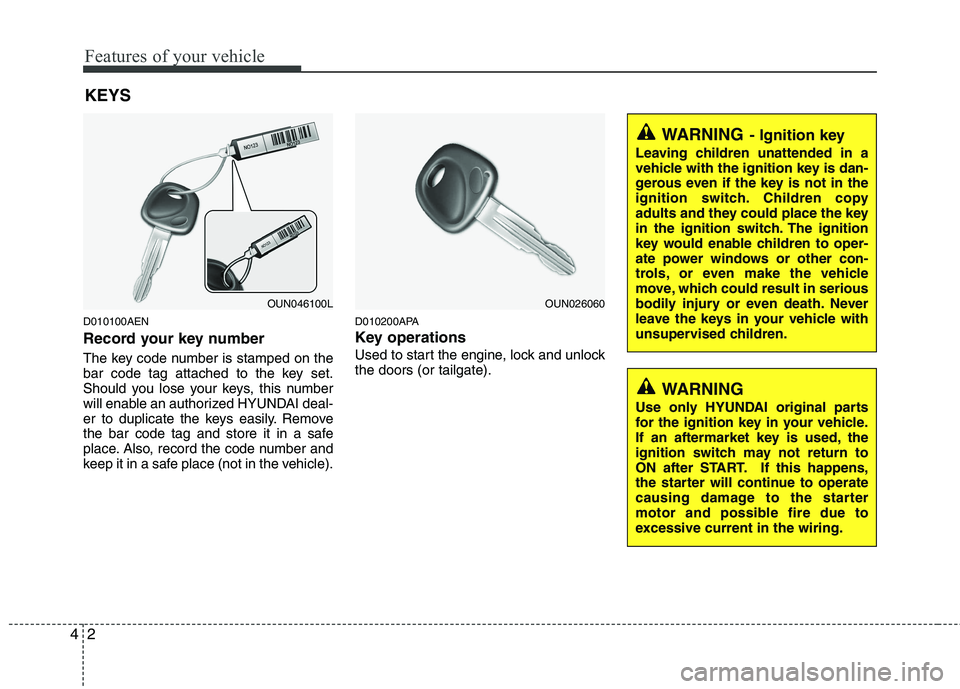
D010100AEN
Record your key number
The key code number is stamped on the
bar code tag attached to the key set.
Should you lose your keys, this number
will enable an authorized HYUNDAI deal-
er to duplicate the keys easily. Remove
the bar code tag and store it in a safe
place. Also, record the code number and
keep it in a safe place (not in the vehicle). D010200APA
Key operations
Used to start the engine, lock and unlock the doors (or tailgate).
KEYS
WARNING
- Ignition key
Leaving children unattended in a
vehicle with the ignition key is dan-
gerous even if the key is not in the
ignition switch. Children copy
adults and they could place the key
in the ignition switch. The ignition
key would enable children to oper-
ate power windows or other con-
trols, or even make the vehicle
move, which could result in serious
bodily injury or even death. Never
leave the keys in your vehicle with
unsupervised children.
OUN046100LOUN026060
WARNING
Use only HYUNDAI original parts
for the ignition key in your vehicle.
If an aftermarket key is used, the
ignition switch may not return to
ON after START. If this happens,
the starter will continue to operate
causing damage to the starter
motor and possible fire due to
excessive current in the wiring.
Page 82 of 354
43
Features of your vehicle
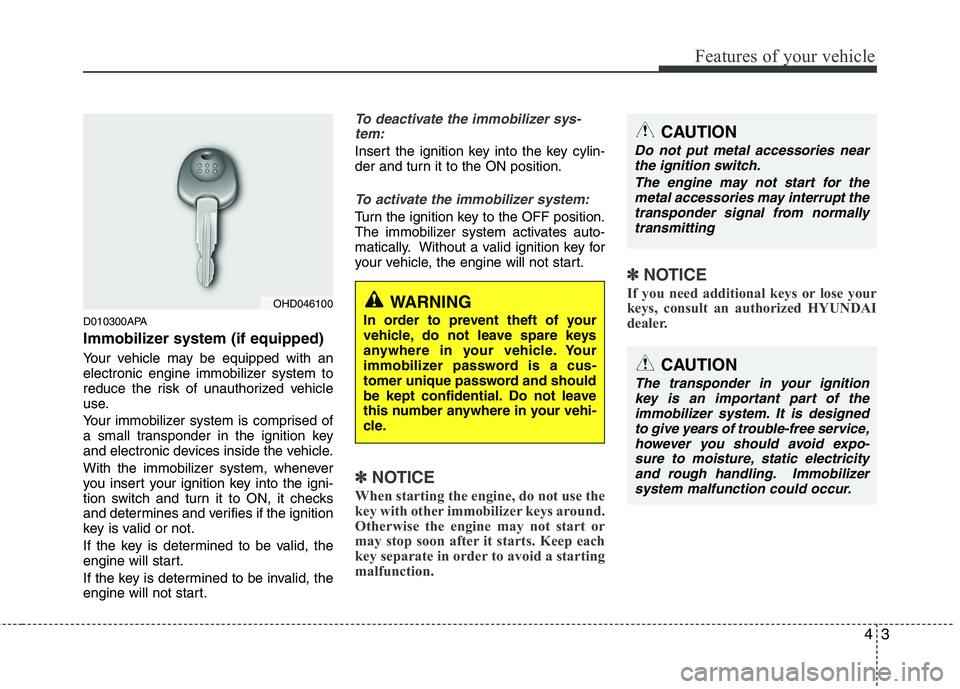
D010300APA
Immobilizer system (if equipped)
Your vehicle may be equipped with an
electronic engine immobilizer system to
reduce the risk of unauthorized vehicle
use.
Your immobilizer system is comprised of
a small transponder in the ignition key
and electronic devices inside the vehicle.
With the immobilizer system, whenever
you insert your ignition key into the igni-
tion switch and turn it to ON, it checks
and determines and verifies if the ignition
key is valid or not.
If the key is determined to be valid, the
engine will start.
If the key is determined to be invalid, the
engine will not start.
To deactivate the immobilizer sys-tem:
Insert the ignition key into the key cylin-
der and turn it to the ON position.
To activate the immobilizer system:
Turn the ignition key to the OFF position.
The immobilizer system activates auto-
matically. Without a valid ignition key for
your vehicle, the engine will not start.
✽✽ NOTICE
When starting the engine, do not use the
key with other immobilizer keys around.
Otherwise the engine may not start or
may stop soon after it starts. Keep each
key separate in order to avoid a starting
malfunction. ✽
✽
NOTICE
If you need additional keys or lose your
keys, consult an authorized HYUNDAI
dealer.
CAUTION
The transponder in your ignition key is an important part of the immobilizer system. It is designedto give years of trouble-free service,however you should avoid expo-
sure to moisture, static electricityand rough handling. Immobilizer system malfunction could occur.
OHD046100
CAUTION
Do not put metal accessories nearthe ignition switch.
The engine may not start for themetal accessories may interrupt thetransponder signal from normallytransmitting
WARNING
In order to prevent theft of your
vehicle, do not leave spare keys
anywhere in your vehicle. Your
immobilizer password is a cus-
tomer unique password and should
be kept confidential. Do not leave
this number anywhere in your vehi-
cle.
Page 84 of 354
45
Features of your vehicle
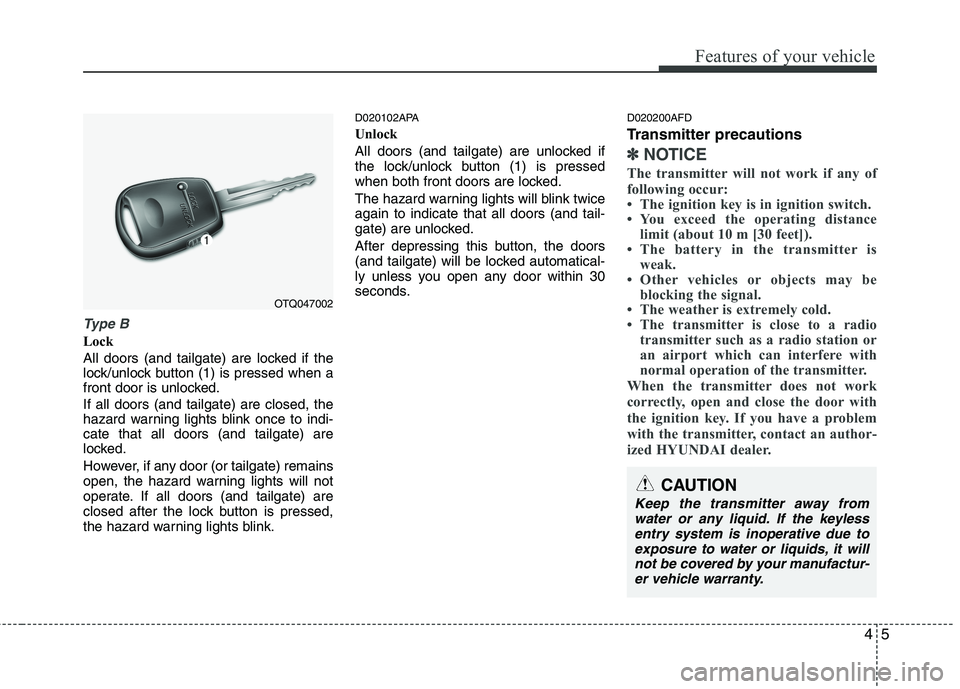
Type B
Lock
All doors (and tailgate) are locked if the
lock/unlock button (1) is pressed when a
front door is unlocked. If all doors (and tailgate) are closed, the
hazard warning lights blink once to indi-cate that all doors (and tailgate) are
locked.
However, if any door (or tailgate) remains
open, the hazard warning lights will not
operate. If all doors (and tailgate) are
closed after the lock button is pressed,
the hazard warning lights blink.D020102APA
Unlock
All doors (and tailgate) are unlocked if
the lock/unlock button (1) is pressed
when both front doors are locked.
The hazard warning lights will blink twice again to indicate that all doors (and tail-
gate) are unlocked.
After depressing this button, the doors
(and tailgate) will be locked automatical-
ly unless you open any door within 30
seconds.
D020200AFD
Transmitter precautions
✽✽
NOTICE
The transmitter will not work if any of
following occur:
The ignition key is in ignition switch.
You exceed the operating distance limit (about 10 m [30 feet]).
The battery in the transmitter is weak.
Other vehicles or objects may be blocking the signal.
The weather is extremely cold.
The transmitter is close to a radio transmitter such as a radio station or
an airport which can interfere with
normal operation of the transmitter.
When the transmitter does not work
correctly, open and close the door with
the ignition key. If you have a problem
with the transmitter, contact an author-
ized HYUNDAI dealer.
OTQ047002
CAUTION
Keep the transmitter away from water or any liquid. If the keyless entry system is inoperative due toexposure to water or liquids, it will
not be covered by your manufactur-er vehicle warranty.
Page 87 of 354
Features of your vehicle
8
4
THEFT-ALARM SYSTEM (IF EQUIPPED)
D030000AEN
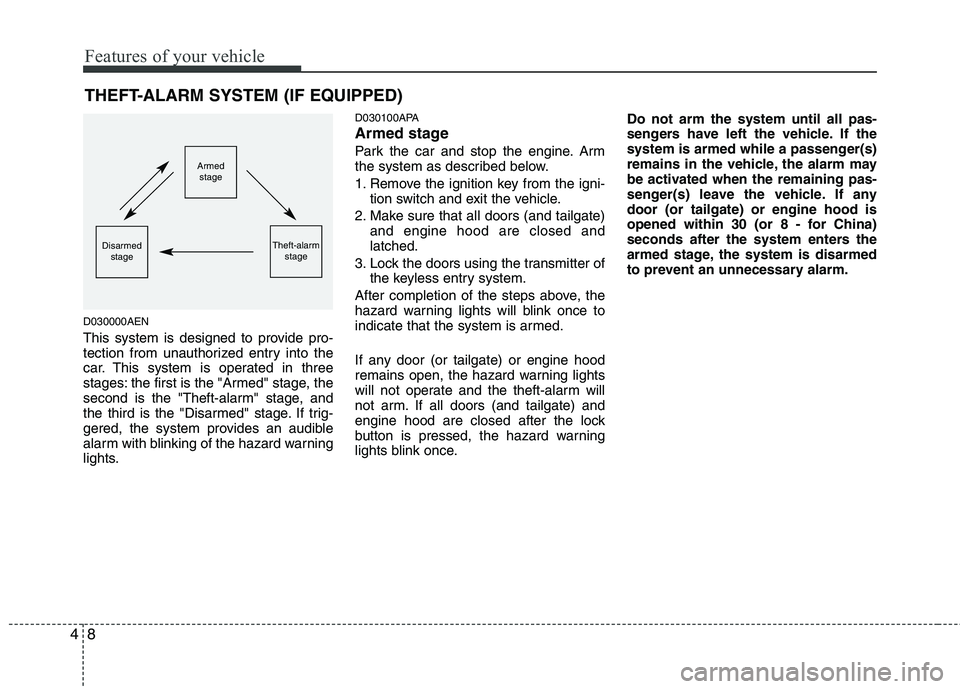
This system is designed to provide pro-
tection from unauthorized entry into the
car. This system is operated in three
stages: the first is the "Armed" stage, the
second is the "Theft-alarm" stage, and
the third is the "Disarmed" stage. If trig-
gered, the system provides an audible
alarm with blinking of the hazard warning
lights. D030100APA
Armed stage
Park the car and stop the engine. Arm
the system as described below.
1. Remove the ignition key from the igni-
tion switch and exit the vehicle.
2. Make sure that all doors (and tailgate) and engine hood are closed and latched.
3. Lock the doors using the transmitter of the keyless entry system.
After completion of the steps above, the
hazard warning lights will blink once to
indicate that the system is armed.
If any door (or tailgate) or engine hood
remains open, the hazard warning lights
will not operate and the theft-alarm will
not arm. If all doors (and tailgate) and
engine hood are closed after the lock
button is pressed, the hazard warning
lights blink once. Do not arm the system until all pas-
sengers have left the vehicle. If the
system is armed while a passenger(s)
remains in the vehicle, the alarm may
be activated when the remaining pas-
senger(s) leave the vehicle. If anydoor (or tailgate) or engine hood is
opened within 30 (or 8 - for China)
seconds after the system enters the
armed stage, the system is disarmed
to prevent an unnecessary alarm.
Armed
stage
Theft-alarm stageDisarmedstage
Page 88 of 354
49
Features of your vehicle
D030200AUN-EE
Theft-alarm stage
The alarm will be activated if any of the
following occurs while the system is
armed.
A front or rear door is opened withoutusing the transmitter.
The tailgate is opened without using the transmitter.
The engine hood is opened.The siren will sound and the hazard
warning lights will blink continuously for
approximately 30 seconds (for Europe,Middle East Area and China), and repeat
the alarm 3 times unless the system is
disarmed (except Europe, Middle East
Area and China). To turn off the system,
unlock the doors with the transmitter. D030400APA
Disarmed stage
The system will be disarmed when the
doors (and tailgate) are unlocked with the
transmitter.
After depressing the unlock button, the
hazard warning lights will blink twice to
indicate that the system is disarmed.
After depressing the unlock button, if any door (or tailgate) is not opened within 30
seconds, the system will be rearmed.
✽✽
NOTICE
If the system is not disarmed with the transmitter, insert the key into the
ignition switch and start the engine.
Then the system will be disarmed.
If you lose your keys, consult your
authorized HYUNDAI dealer.
CAUTION
Do not change, alter or adjust the
theft-alarm system because it could
cause the theft-alarm system to malfunction and should only beserviced by an authorized HYUNDAI dealer.
Malfunctions caused by improperalterations, adjustments or modifi-cations to the theft-alarm system are not covered by your vehicle
manufacturer warranty.
Page 89 of 354
Features of your vehicle
10
4
D050100APA
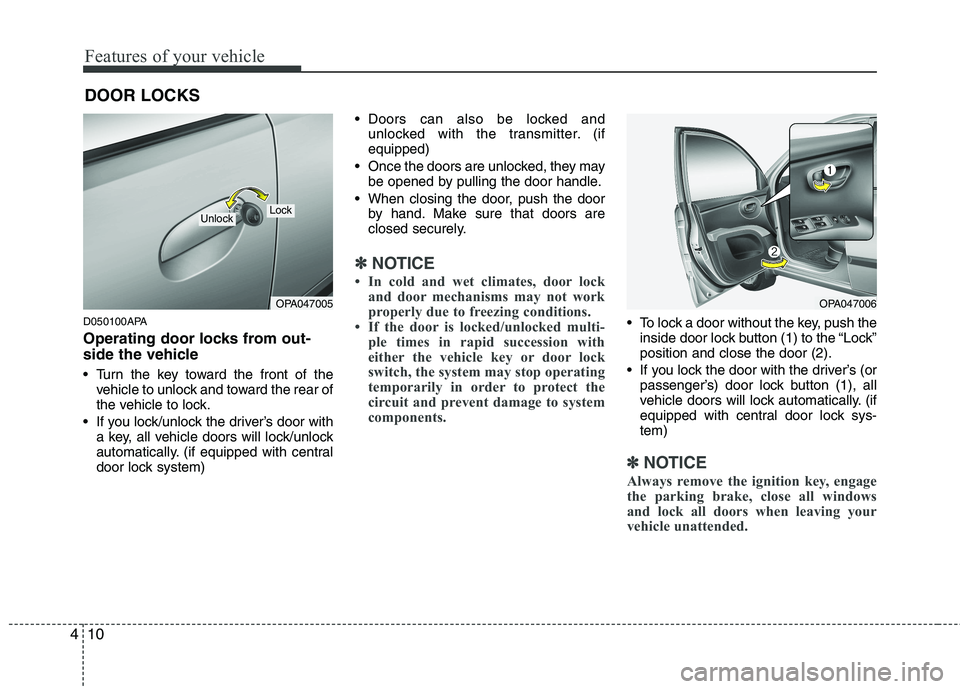
Operating door locks from out-
side the vehicle
Turn the key toward the front of the
vehicle to unlock and toward the rear of
the vehicle to lock.
If you lock/unlock the driver’s door with a key, all vehicle doors will lock/unlock
automatically. (if equipped with central
door lock system) Doors can also be locked and
unlocked with the transmitter. (ifequipped)
Once the doors are unlocked, they may be opened by pulling the door handle.
When closing the door, push the door by hand. Make sure that doors are
closed securely.
✽✽ NOTICE
In cold and wet climates, door lock and door mechanisms may not work
properly due to freezing conditions.
If the door is locked/unlocked multi- ple times in rapid succession with
either the vehicle key or door lock
switch, the system may stop operating
temporarily in order to protect the
circuit and prevent damage to system
components.
To lock a door without the key, push theinside door lock button (1) to the “Lock” position and close the door (2).
If you lock the door with the driver’s (or passenger’s) door lock button (1), all
vehicle doors will lock automatically. (if
equipped with central door lock sys-tem)
✽✽ NOTICE
Always remove the ignition key, engage
the parking brake, close all windows
and lock all doors when leaving your
vehicle unattended.
DOOR LOCKS
OPA047005
LockUnlock
OPA047006
Page 90 of 354
411
Features of your vehicle
Operating door locks from inside
the vehicle
D050201APA
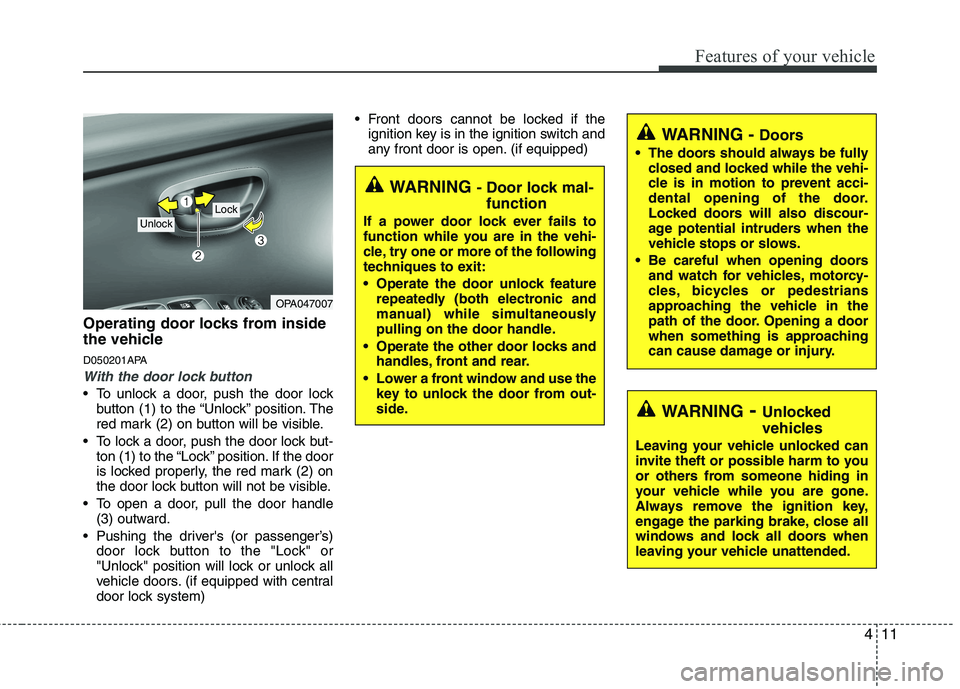
With the door lock button
To unlock a door, push the door lockbutton (1) to the “Unlock” position. The
red mark (2) on button will be visible.
To lock a door, push the door lock but- ton (1) to the “Lock” position. If the door
is locked properly, the red mark (2) on
the door lock button will not be visible.
To open a door, pull the door handle (3) outward.
Pushing the driver's (or passenger’s) door lock button to the "Lock" or
"Unlock" position will lock or unlock all
vehicle doors. (if equipped with central
door lock system) Front doors cannot be locked if the
ignition key is in the ignition switch and
any front door is open. (if equipped)
OPA047007
Lock Unlock
WARNING - Door lock mal-
function
If a power door lock ever fails to
function while you are in the vehi-
cle, try one or more of the following
techniques to exit:
Operate the door unlock feature repeatedly (both electronic and
manual) while simultaneously
pulling on the door handle.
Operate the other door locks and handles, front and rear.
Lower a front window and use the key to unlock the door from out-
side.
WARNING - Doors
The doors should always be fully closed and locked while the vehi-
cle is in motion to prevent acci-
dental opening of the door.
Locked doors will also discour-
age potential intruders when the
vehicle stops or slows.
Be careful when opening doors and watch for vehicles, motorcy-
cles, bicycles or pedestrians
approaching the vehicle in the
path of the door. Opening a door
when something is approaching
can cause damage or injury.
WARNING - Unlocked
vehicles
Leaving your vehicle unlocked can
invite theft or possible harm to you
or others from someone hiding in
your vehicle while you are gone.
Always remove the ignition key,
engage the parking brake, close all
windows and lock all doors when
leaving your vehicle unattended.
Page 94 of 354
415
Features of your vehicle
D080100AUN
Power windows (if equipped)
The ignition switch must be in the ON
position for power windows to operate.
Each door has a power window switch
that controls the door's window. The driv-
er has a power window lock switch which
can block the operation of passenger
windows.
The power windows can be operated for
approximately 30 seconds after the igni-
tion key is removed or turned to the ACC
or LOCK position. However, if the front
doors are opened, the power windows
cannot be operated within the 30 second
period after the ignition key removal. (ifequipped)
✽✽NOTICE
While driving with the rear windows
down or with the sunroof (if equipped)
in an open (or partially open position),
your vehicle may demonstrate a wind
buffeting or pulsation noise. This noise
is a normal occurrence and can be
reduced or eliminated by taking the fol-
lowing actions.
If the noise occurs with one or both of
the rear windows down, partially lower
both front windows approximately one
inch. If you experience the noise with
the sunroof open, slightly reduce the size
of the sunroof opening.
D080101AUN
Window opening and closing
The driver’s door has a master power
window switch that controls all the win-
dows in the vehicle.
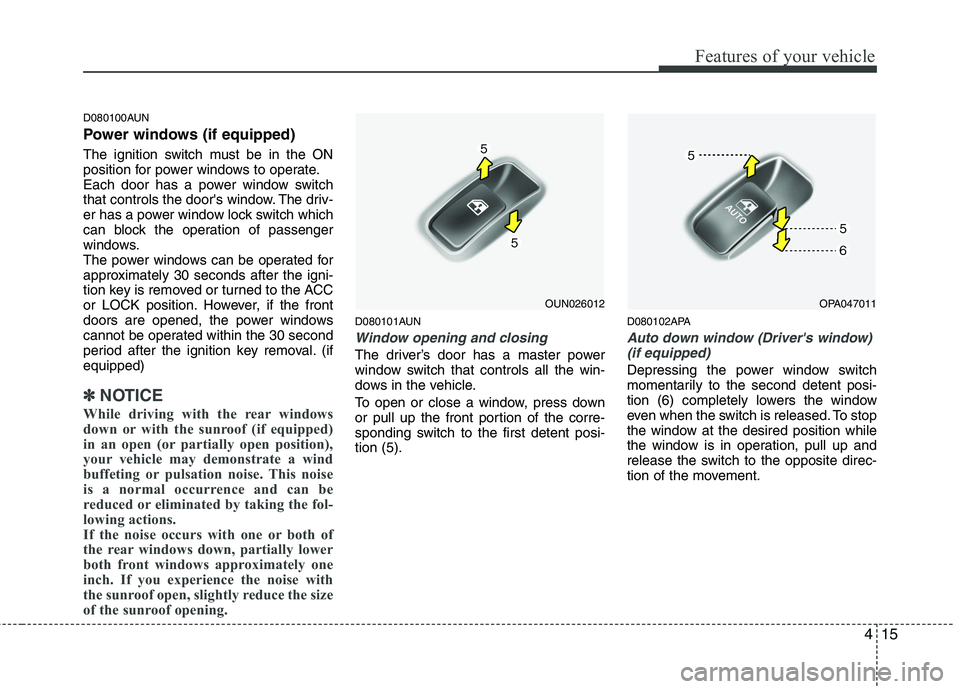
To open or close a window, press down
or pull up the front portion of the corre-
sponding switch to the first detent posi-tion (5). D080102APA
Auto down window (Driver's window)
(if equipped)
Depressing the power window switch
momentarily to the second detent posi-
tion (6) completely lowers the window
even when the switch is released. To stop
the window at the desired position while
the window is in operation, pull up and
release the switch to the opposite direc-
tion of the movement.
OUN026012OPA047011