brakes HYUNDAI I10 2017 User Guide
[x] Cancel search | Manufacturer: HYUNDAI, Model Year: 2017, Model line: I10, Model: HYUNDAI I10 2017Pages: 343, PDF Size: 9.14 MB
Page 219 of 343
Driving your vehicle
26 5
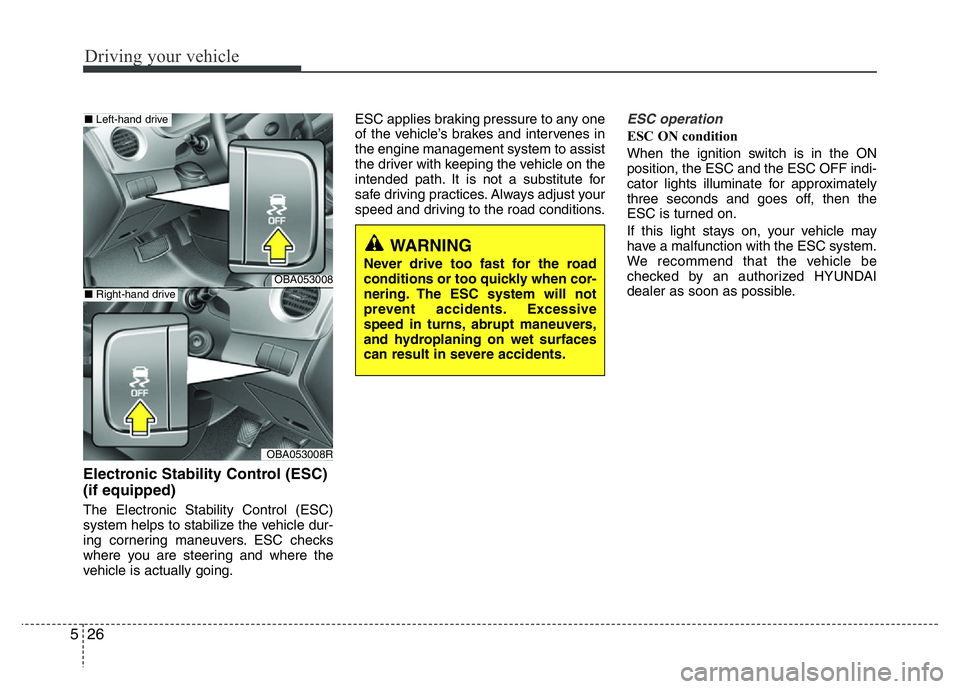
Electronic Stability Control (ESC)
(if equipped)
The Electronic Stability Control (ESC)
system helps to stabilize the vehicle dur-
ing cornering maneuvers. ESC checks
where you are steering and where the
vehicle is actually going.ESC applies braking pressure to any one
of the vehicle’s brakes and intervenes in
the engine management system to assist
the driver with keeping the vehicle on the
intended path. It is not a substitute for
safe driving practices. Always adjust your
speed and driving to the road conditions.
ESC operation
ESC ON condition
When the ignition switch is in the ON
position, the ESC and the ESC OFF indi-
cator lights illuminate for approximately
three seconds and goes off, then the
ESC is turned on.
If this light stays on, your vehicle may
have a malfunction with the ESC system.
We recommend that the vehicle be
checked by an authorized HYUNDAI
dealer as soon as possible.
WARNING
Never drive too fast for the road
conditions or too quickly when cor-
nering. The ESC system will not
prevent accidents. Excessive
speed in turns, abrupt maneuvers,
and hydroplaning on wet surfaces
can result in severe accidents.OBA053008
OBA053008R
■Left-hand drive
■Right-hand drive
Page 220 of 343
527
Driving your vehicle
When operating
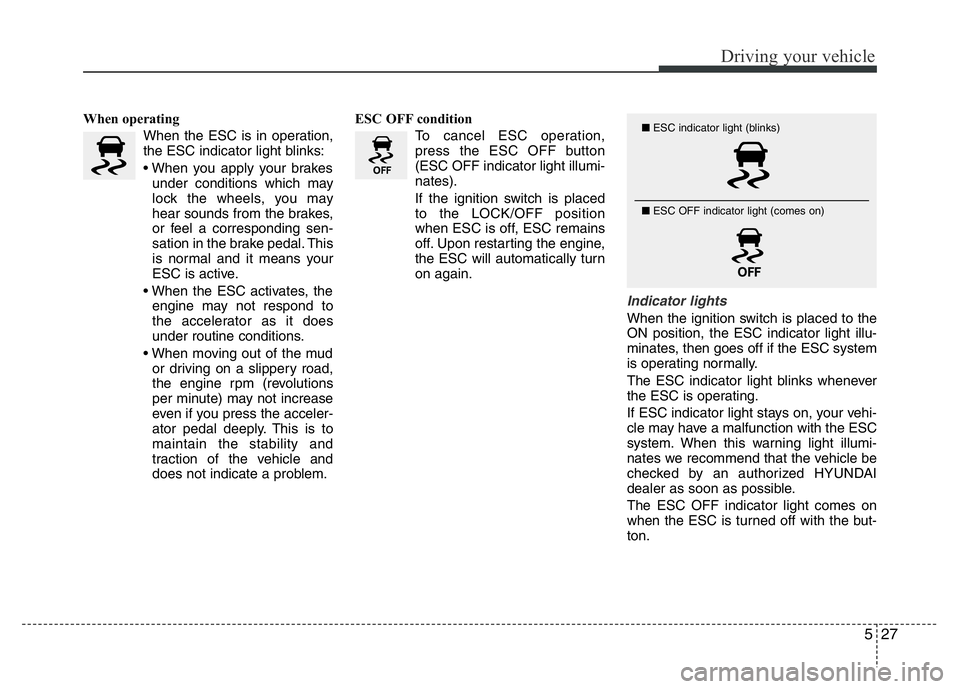
When the ESC is in operation,
the ESC indicator light blinks:
• When you apply your brakes
under conditions which may
lock the wheels, you may
hear sounds from the brakes,
or feel a corresponding sen-
sation in the brake pedal. This
is normal and it means your
ESC is active.
• When the ESC activates, the
engine may not respond to
the accelerator as it does
under routine conditions.
• When moving out of the mud
or driving on a slippery road,
the engine rpm (revolutions
per minute) may not increase
even if you press the acceler-
ator pedal deeply. This is to
maintain the stability and
traction of the vehicle and
does not indicate a problem.ESC OFF condition
To cancel ESC operation,
press the ESC OFF button
(ESC OFF indicator light illumi-
nates).
If the ignition switch is placed
to the LOCK/OFF position
when ESC is off, ESC remains
off. Upon restarting the engine,
the ESC will automatically turn
on again.
Indicator lights
When the ignition switch is placed to the
ON position, the ESC indicator light illu-
minates, then goes off if the ESC system
is operating normally.
The ESC indicator light blinks whenever
the ESC is operating.
If ESC indicator light stays on, your vehi-
cle may have a malfunction with the ESC
system. When this warning light illumi-
nates we recommend that the vehicle be
checked by an authorized HYUNDAI
dealer as soon as possible.
The ESC OFF indicator light comes on
when the ESC is turned off with the but-
ton.
■ESC indicator light (blinks)
■ ESC OFF indicator light (comes on)
Page 222 of 343
529
Driving your vehicle
Vehicle Stability Management
(VSM) (if equipped)
Vehicle Stability Management (VSM)
helps ensure the vehicle stays stable
when accelerating or braking suddenly
on wet, slippery and rough roads where
traction over the four tires can suddenly
become uneven.
VSM operation
VSM ON condition
The VSM operates when:
• The Electronic Stability Control (ESC)
is on.
• Vehicle speed is approximately above
15 km/h (9mph) on curve roads.
• Vehicle speed is approximately above
30 km/h (18mph) when the vehicle is
braking on rough roads.When operating
When the VSM is in operation, the ESC
indicator light ( ) blinks.
When you apply your brakes under con-
ditions which may activate the ESC, you
may hear sounds from the brakes, or feel
a corresponding sensation in the brake
pedal. This is normal and it means your
VSM is active.
✽NOTICE
The VSM does not operate when:
• Driving rearward.
• ESC OFF ( ) indicator light is on.
• EPS (Electric Power Steering) warn-
ing light ( ) is on.
WARNING
Take the following precautions
when using the Vehicle Stability
Management (VSM):
• ALWAYS check the speed and the
distance to the vehicle ahead. The
VSM is not a substitute for safe
driving practices.
• Never drive too fast for the road
conditions. The VSM system will
not prevent accidents. Excessive
speed in bad weather, slippery
and uneven roads can result in
severe accidents.
Page 223 of 343
Driving your vehicle
30 5
VSM OFF condition
To cancel VSM operation, press the ESC
OFF button. ESC OFF indicator light
( ) will illuminate.
To turn on VSM, press the ESC OFF but-
ton again. The ESC OFF indicator light
will go out.Hill-Start Assist Control (HAC)
(if equipped)
The Hill-Start Assist Control (HAC) pre-
vents the vehicle from rolling backwards
when starting a vehicle from a stop on a
hill. The system operates the brakes
automatically for approximately 1.5 sec-
onds and releases the brake when the
accelerator pedal is depressed or after
1.5 seconds.
✽NOTICE
• The HAC does not operate when the
shift lever is in P (Park) or N (Neutral)
(for automatic transaxle vehicle.)
• The HAC operates when:
- the shift lever is in N (Neutral) or D
(Drive) on up hill.
- the shift lever is in R (Reverses) on
down hill.
(for manual transaxle vehicle)
• The HAC activates even though the
ESC (Electronic Stability Control) is
off but does not activate when the
ESC has malfunctioned.
WARNING
If ESC indicator light ( ) or EPS
warning light ( ) stays on, your
vehicle may have a malfunction
with the VSM system. When the
warning light illuminates we recom-
mend that the vehicle be checked
by an authorized HYUNDAI dealer
as soon as possible.
WARNING
Always be ready to depress the
accelerator pedal when starting off
on a incline. The HAC activates only
for approximately 1.5 seconds.
CAUTION
Driving with varying tire or wheel
sizes may cause the ESC system to
malfunction. When replacing tires,
make sure they are the same size as
your original tires for this vehicle.
Page 224 of 343
531
Driving your vehicle
Emergency Stop Signal (ESS)
(if equipped)
The Emergency Stop Signal system
alerts the driver behind by blinking the
stop light when the vehicle brakes rapid-
ly and severely.
The system is activated when:
• The vehicle suddenly stops (vehicle
speed is over 55km/h (34mph) and the
vehicle deceleration is greater than
7m/s2).
• The ABS is activating.
When vehicle speed is under 40 km/h
(25mph) and the ABS deactivates or
the sudden stop situation is over, the
stop light will stop blinking. Instead, the
hazard warning flasher will turn on
automatically. The hazard warning
flasher will turn off when vehicle speed
is over 10km/h (6mph) after the vehicle
has stopped. Also, it will turn off when
the vehicle is driven at low speed for
some time. You can turn it off manually
by pressing the hazard warning flasher
switch.
Good braking practices Wet brakes can be dangerous! The
brakes may get wet if the vehicle is driv-
en through standing water or if it is
washed. Your vehicle will not stop as
quickly if the brakes are wet. Wet brakes
may cause the vehicle to pull to one side.
To dry the brakes, apply the brakes light-
ly until the braking action returns to nor-
mal, taking care to keep the vehicle
under control at all times. If the braking
action does not return to normal, stop as
soon as it is safe to do so and we rec-
ommend that you call an authorized
HYUNDAI dealer for assistance.
DO NOT drive with your foot resting on
the brake pedal. Even light, but constant
pedal pressure can result in the brakes
overheating, brake wear, and possibly
even brake failure.
If a tire goes flat while you are driving,
apply the brakes gently and keep the
vehicle pointed straight ahead while you
slow down. When you are moving slowly
enough for it to be safe to do so, pull off
the road and stop in a safe location.
Keep your foot firmly on the brake pedal
when the vehicle is stopped to prevent
the vehicle from rolling forward.
WARNING
Whenever leaving the vehicle or
parking, always come to a complete
stop and continue to depress the
brake pedal. Move the shift lever
into the 1st gear (for manual
transaxle vehicle) or P (Park, for
automatic transaxle vehicle) posi-
tion, then apply the parking brake,
and place the ignition switch in the
LOCK/OFF position.
Vehicles with the parking brake not
fully engaged are at risk for moving
inadvertently and causing injury to
yourself or others.
Page 226 of 343
533
Driving your vehicle
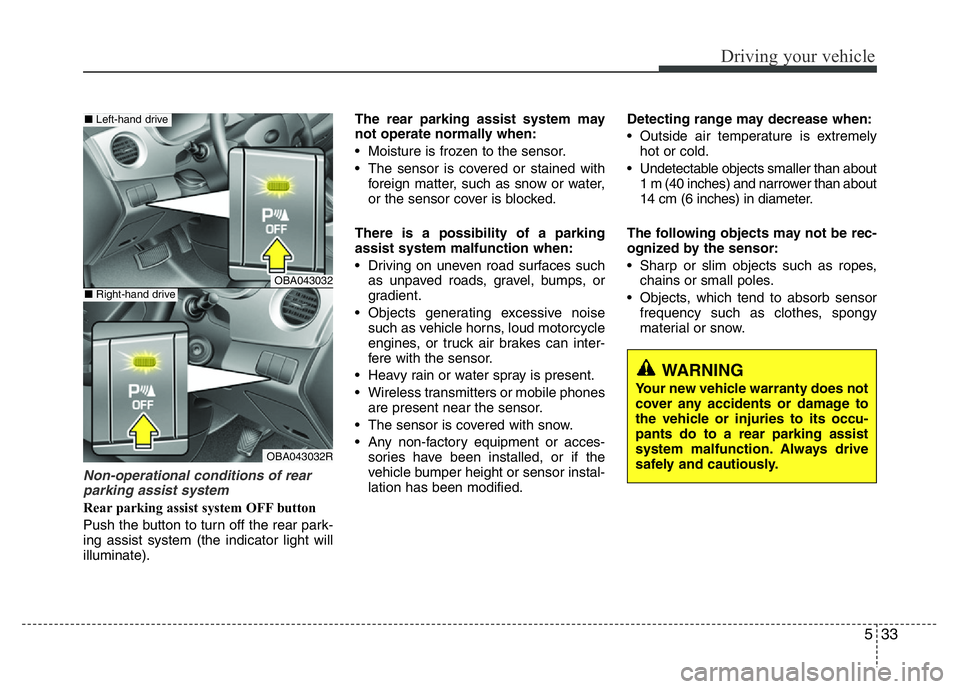
Non-operational conditions of rear
parking assist system
Rear parking assist system OFF button
Push the button to turn off the rear park-
ing assist system (the indicator light will
illuminate).The rear parking assist system may
not operate normally when:
• Moisture is frozen to the sensor.
• The sensor is covered or stained with
foreign matter, such as snow or water,
or the sensor cover is blocked.
There is a possibility of a parking
assist system malfunction when:
• Driving on uneven road surfaces such
as unpaved roads, gravel, bumps, or
gradient.
• Objects generating excessive noise
such as vehicle horns, loud motorcycle
engines, or truck air brakes can inter-
fere with the sensor.
• Heavy rain or water spray is present.
• Wireless transmitters or mobile phones
are present near the sensor.
• The sensor is covered with snow.
• Any non-factory equipment or acces-
sories have been installed, or if the
vehicle bumper height or sensor instal-
lation has been modified.Detecting range may decrease when:
• Outside air temperature is extremely
hot or cold.
• Undetectable objects smaller than about
1 m (40 inches) and narrower than about
14 cm (6 inches) in diameter.
The following objects may not be rec-
ognized by the sensor:
• Sharp or slim objects such as ropes,
chains or small poles.
• Objects, which tend to absorb sensor
frequency such as clothes, spongy
material or snow.
WARNING
Your new vehicle warranty does not
cover any accidents or damage to
the vehicle or injuries to its occu-
pants do to a rear parking assist
system malfunction. Always drive
safely and cautiously.
OBA043032
OBA043032R
■Left-hand drive
■Right-hand drive
Page 229 of 343
Driving your vehicle
36 5
• Be sure your tires have enough tread.
If your tires do not have enough tread,
making a quick stop on wet pavement
can cause a skid and possibly lead to
an accident. See “Tire Tread” in chap-
ter 7.
• Turn on your headlights to make it eas-
ier for others to see you.
• Driving too fast through large puddles
can affect your brakes. If you must go
through puddles, try to drive through
them slowly.
• If you believe your brakes may be wet,
apply them lightly while driving until
normal braking operation returns.Hydroplaning
If the road is wet enough and you are
going fast enough, your vehicle may have
little or no contact with the road surface
and actually ride on the water. The best
advice is SLOW DOWN when the road is
wet. The risk of hydroplaning increases
as the depth of tire tread decreases, refer
to “Tire Tread” in chapter 7.
Driving in flooded areas
Avoid driving through flooded areas
unless you are sure the water is no high-
er than the bottom of the wheel hub.
Drive through any water slowly. Allow
adequate stopping distance because
brake performance may be reduced.
After driving through water, dry the
brakes by gently applying them several
times while the vehicle is moving slowly.
Page 230 of 343
537
Driving your vehicle
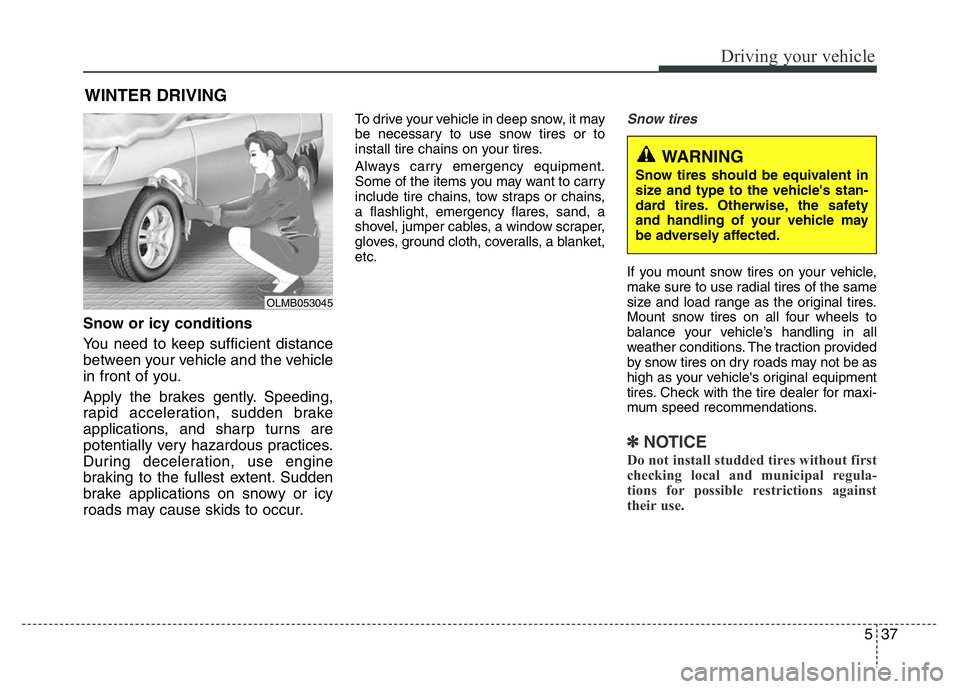
Snow or icy conditions
You need to keep sufficient distance
between your vehicle and the vehicle
in front of you.
Apply the brakes gently. Speeding,
rapid acceleration, sudden brake
applications, and sharp turns are
potentially very hazardous practices.
During deceleration, use engine
braking to the fullest extent. Sudden
brake applications on snowy or icy
roads may cause skids to occur.
To drive your vehicle in deep snow, it may
be necessary to use snow tires or to
install tire chains on your tires.
Always carry emergency equipment.
Some of the items you may want to carry
include tire chains, tow straps or chains,
a flashlight, emergency flares, sand, a
shovel, jumper cables, a window scraper,
gloves, ground cloth, coveralls, a blanket,
etc.Snow tires
If you mount snow tires on your vehicle,
make sure to use radial tires of the same
size and load range as the original tires.
Mount snow tires on all four wheels to
balance your vehicle’s handling in all
weather conditions. The traction provided
by snow tires on dry roads may not be as
high as your vehicle's original equipment
tires. Check with the tire dealer for maxi-
mum speed recommendations.
✽NOTICE
Do not install studded tires without first
checking local and municipal regula-
tions for possible restrictions against
their use.
WINTER DRIVING
OLMB053045
WARNING
Snow tires should be equivalent in
size and type to the vehicle's stan-
dard tires. Otherwise, the safety
and handling of your vehicle may
be adversely affected.
Page 235 of 343
What to do in an emergency
2 6
ROAD WARNING
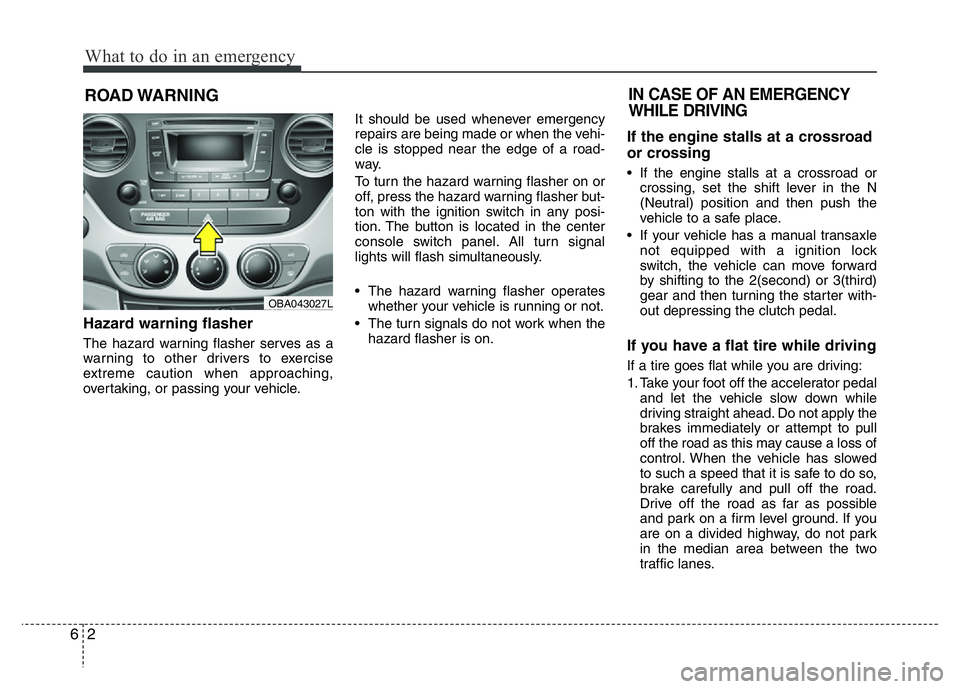
Hazard warning flasher
The hazard warning flasher serves as a
warning to other drivers to exercise
extreme caution when approaching,
overtaking, or passing your vehicle.It should be used whenever emergency
repairs are being made or when the vehi-
cle is stopped near the edge of a road-
way.
To turn the hazard warning flasher on or
off, press the hazard warning flasher but-
ton with the ignition switch in any posi-
tion. The button is located in the center
console switch panel. All turn signal
lights will flash simultaneously.
• The hazard warning flasher operates
whether your vehicle is running or not.
• The turn signals do not work when the
hazard flasher is on.
If the engine stalls at a crossroad
or crossing
• If the engine stalls at a crossroad or
crossing, set the shift lever in the N
(Neutral) position and then push the
vehicle to a safe place.
• If your vehicle has a manual transaxle
not equipped with a ignition lock
switch, the vehicle can move forward
by shifting to the 2(second) or 3(third)
gear and then turning the starter with-
out depressing the clutch pedal.
If you have a flat tire while driving
If a tire goes flat while you are driving:
1. Take your foot off the accelerator pedal
and let the vehicle slow down while
driving straight ahead. Do not apply the
brakes immediately or attempt to pull
off the road as this may cause a loss of
control. When the vehicle has slowed
to such a speed that it is safe to do so,
brake carefully and pull off the road.
Drive off the road as far as possible
and park on a firm level ground. If you
are on a divided highway, do not park
in the median area between the two
traffic lanes.
IN CASE OF AN EMERGENCY
WHILE DRIVING
OBA043027L
Page 238 of 343
65
What to do in an emergency
✽ NOTICE
An inappropriately disposed
battery can be harmful to the
environment and human health.
Dispose the battery according
to your local law(s) or regula-
tion.
Jump starting procedure
1. Position the vehicles close enough that
the jumper cables will reach, but do not
allow the vehicles to touch.
2. Avoid fans or any moving parts in the
engine compartment at all times, even
when the vehicles are turned off.
3. Turn off all electrical devices such as
radios, lights, air conditioning, etc. Put
the vehicles in P (Park, for automatic
transaxle vehicle) or neutral (for manu-
al transaxle vehicle), and set the park-
ing brakes. Turn both vehicles OFF.
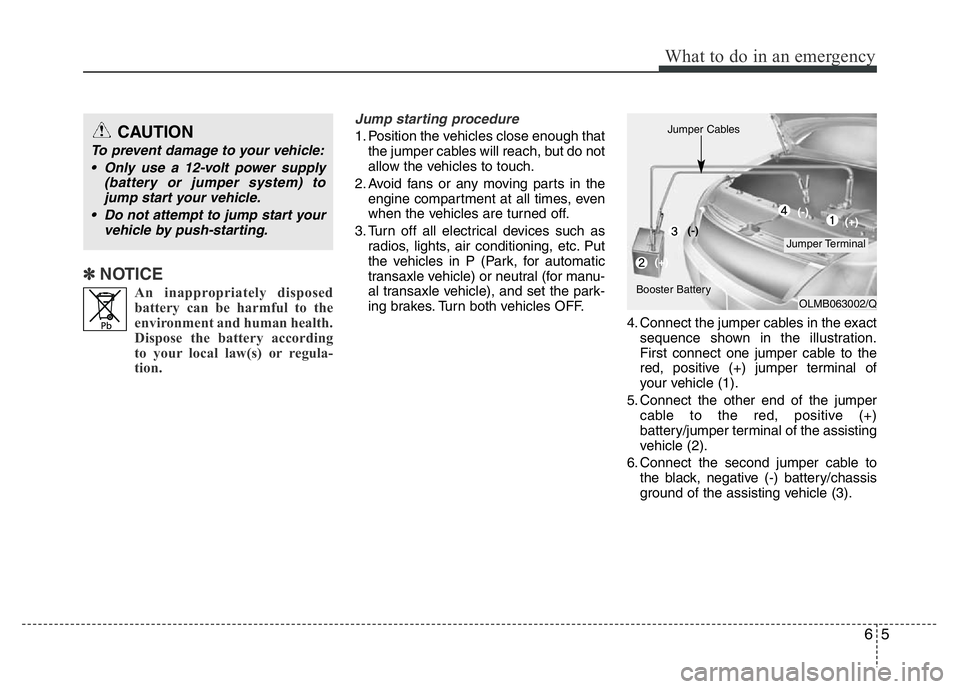
4. Connect the jumper cables in the exact
sequence shown in the illustration.
First connect one jumper cable to the
red, positive (+) jumper terminal of
your vehicle (1).
5. Connect the other end of the jumper
cable to the red, positive (+)
battery/jumper terminal of the assisting
vehicle (2).
6. Connect the second jumper cable to
the black, negative (-) battery/chassis
ground of the assisting vehicle (3).CAUTION
To prevent damage to your vehicle:
• Only use a 12-volt power supply
(battery or jumper system) to
jump start your vehicle.
• Do not attempt to jump start your
vehicle by push-starting.
OLMB063002/Q
Jumper Terminal Jumper Cables
Booster Battery(-)
(+)(+) (-)