door lock HYUNDAI I10 2017 Owner's Manual
[x] Cancel search | Manufacturer: HYUNDAI, Model Year: 2017, Model line: I10, Model: HYUNDAI I10 2017Pages: 343, PDF Size: 9.14 MB
Page 86 of 343
425
Features of your vehicle
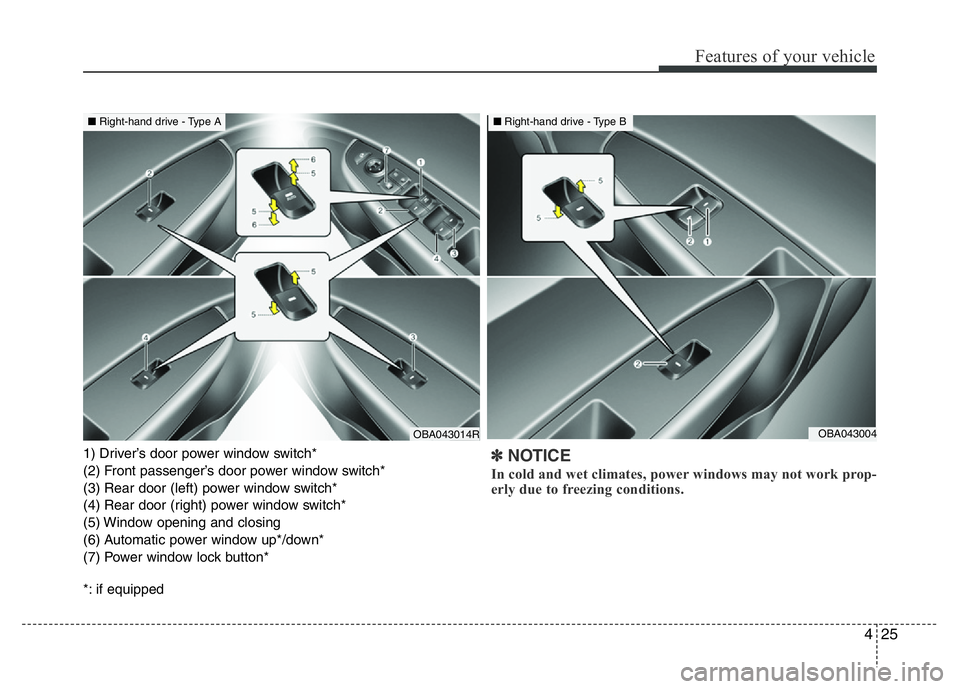
1) Driver’s door power window switch*
(2) Front passenger’s door power window switch*
(3) Rear door (left) power window switch*
(4) Rear door (right) power window switch*
(5) Window opening and closing
(6) Automatic power window up*/down*
(7) Power window lock button*
*: if equipped✽NOTICE
In cold and wet climates, power windows may not work prop-
erly due to freezing conditions.
OBA043014ROBA043004
■Right-hand drive - Type A■Right-hand drive - Type B
Page 87 of 343
Features of your vehicle
26 4
Power windows
The ignition switch must be in the ON posi-
tion for power windows to operate. Each
door has a power window switch that con-
trols the door’s window. The driver has a
power window lock button which can block
the operation of rear passenger windows.
The power windows can be operated for
approximately 30 seconds after the igni-
tion key is removed or turned to the ACC
or LOCK position. However, if the front
doors are opened, the power windows
cannot be operated even within the 30
seconds period.
Window opening and closing
(if equipped)
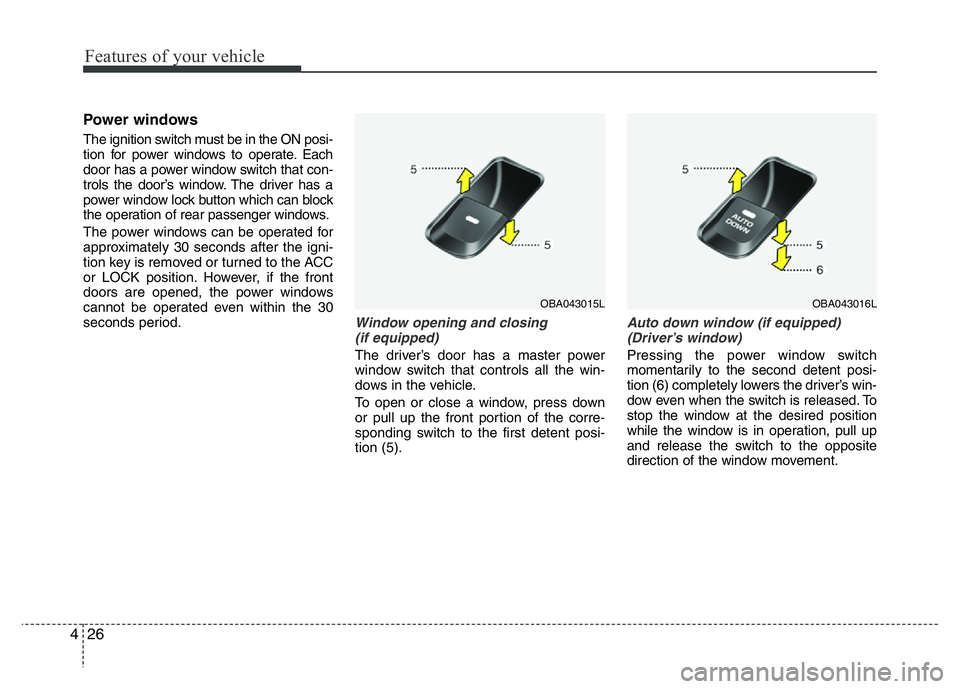
The driver’s door has a master power
window switch that controls all the win-
dows in the vehicle.
To open or close a window, press down
or pull up the front portion of the corre-
sponding switch to the first detent posi-
tion (5).
Auto down window (if equipped)
(Driver’s window)
Pressing the power window switch
momentarily to the second detent posi-
tion (6) completely lowers the driver’s win-
dow even when the switch is released. To
stop the window at the desired position
while the window is in operation, pull up
and release the switch to the opposite
direction of the window movement.
OBA043016LOBA043015L
Page 89 of 343
Features of your vehicle
28 4
✽NOTICE
The automatic reverse feature for the
driver’s window is only active when the
“auto up” feature is used by fully
pulling up the switch.
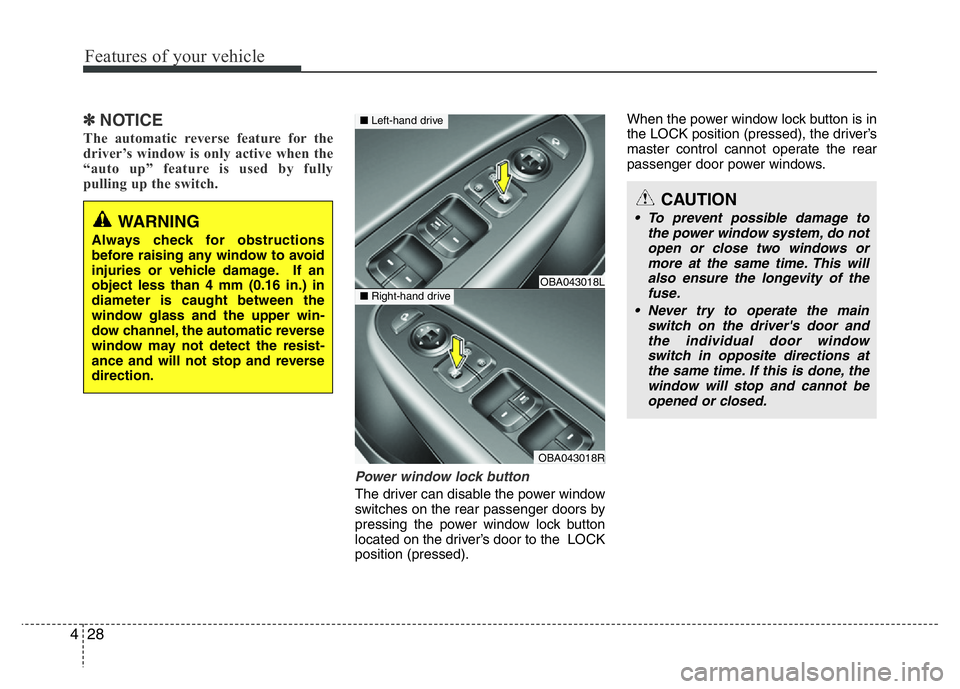
Power window lock button
The driver can disable the power window
switches on the rear passenger doors by
pressing the power window lock button
located on the driver’s door to the LOCK
position (pressed).When the power window lock button is in
the LOCK position (pressed), the driver’s
master control cannot operate the rear
passenger door power windows.
CAUTION
• To prevent possible damage to
the power window system, do not
open or close two windows or
more at the same time. This will
also ensure the longevity of the
fuse.
• Never try to operate the main
switch on the driver's door and
the individual door window
switch in opposite directions at
the same time. If this is done, the
window will stop and cannot be
opened or closed.WARNING
Always check for obstructions
before raising any window to avoid
injuries or vehicle damage. If an
object less than 4 mm (0.16 in.) in
diameter is caught between the
window glass and the upper win-
dow channel, the automatic reverse
window may not detect the resist-
ance and will not stop and reverse
direction.
OBA043018L
OBA043018R
■Left-hand drive
■Right-hand drive
Page 90 of 343
429
Features of your vehicle
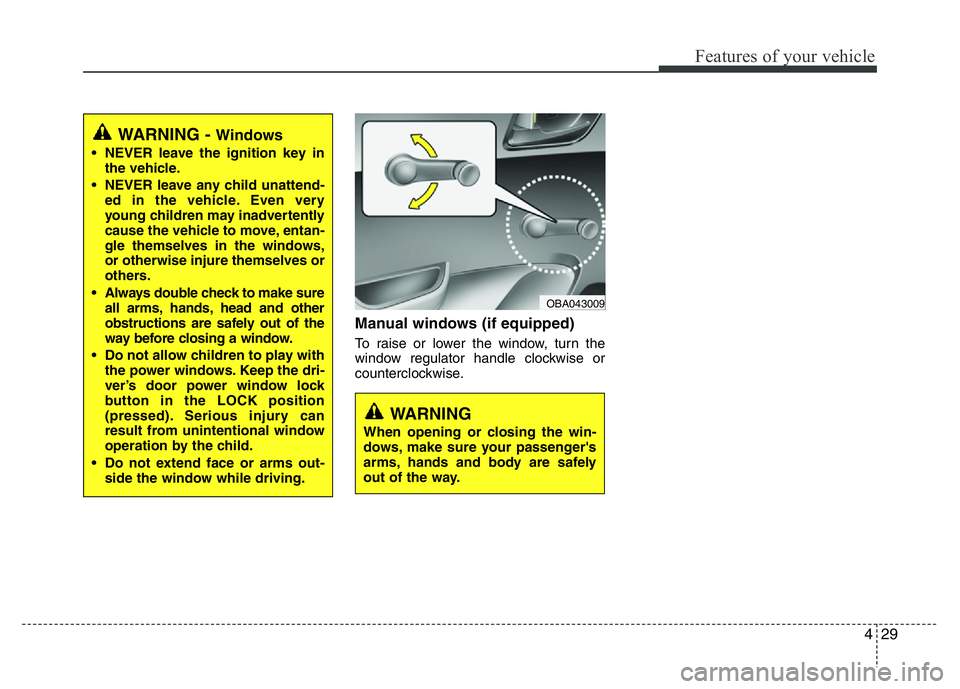
Manual windows (if equipped)
To raise or lower the window, turn the
window regulator handle clockwise or
counterclockwise.
WARNING
When opening or closing the win-
dows, make sure your passenger's
arms, hands and body are safely
out of the way.
OBA043009
WARNING - Windows
• NEVER leave the ignition key in
the vehicle.
• NEVER leave any child unattend-
ed in the vehicle. Even very
young children may inadvertently
cause the vehicle to move, entan-
gle themselves in the windows,
or otherwise injure themselves or
others.
• Always double check to make sure
all arms, hands, head and other
obstructions are safely out of the
way before closing a window.
• Do not allow children to play with
the power windows. Keep the dri-
ver’s door power window lock
button in the LOCK position
(pressed). Serious injury can
result from unintentional window
operation by the child.
• Do not extend face or arms out-
side the window while driving.
Page 117 of 343
Features of your vehicle
56 4
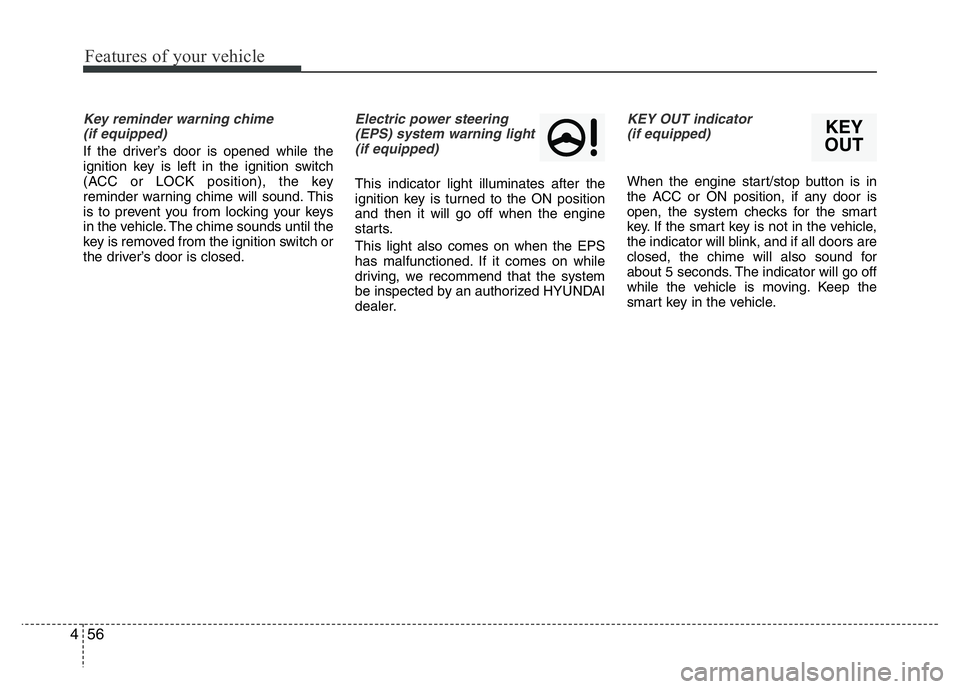
Key reminder warning chime
(if equipped)
If the driver’s door is opened while the
ignition key is left in the ignition switch
(ACC or LOCK position), the key
reminder warning chime will sound. This
is to prevent you from locking your keys
in the vehicle. The chime sounds until the
key is removed from the ignition switch or
the driver’s door is closed.
Electric power steering
(EPS) system warning light
(if equipped)
This indicator light illuminates after the
ignition key is turned to the ON position
and then it will go off when the engine
starts.
This light also comes on when the EPS
has malfunctioned. If it comes on while
driving, we recommend that the system
be inspected by an authorized HYUNDAI
dealer.
KEY OUT indicator
(if equipped)
When the engine start/stop button is in
the ACC or ON position, if any door is
open, the system checks for the smart
key. If the smart key is not in the vehicle,
the indicator will blink, and if all doors are
closed, the chime will also sound for
about 5 seconds. The indicator will go off
while the vehicle is moving. Keep the
smart key in the vehicle.
KEY
OUT
Page 129 of 343
Features of your vehicle
68 4
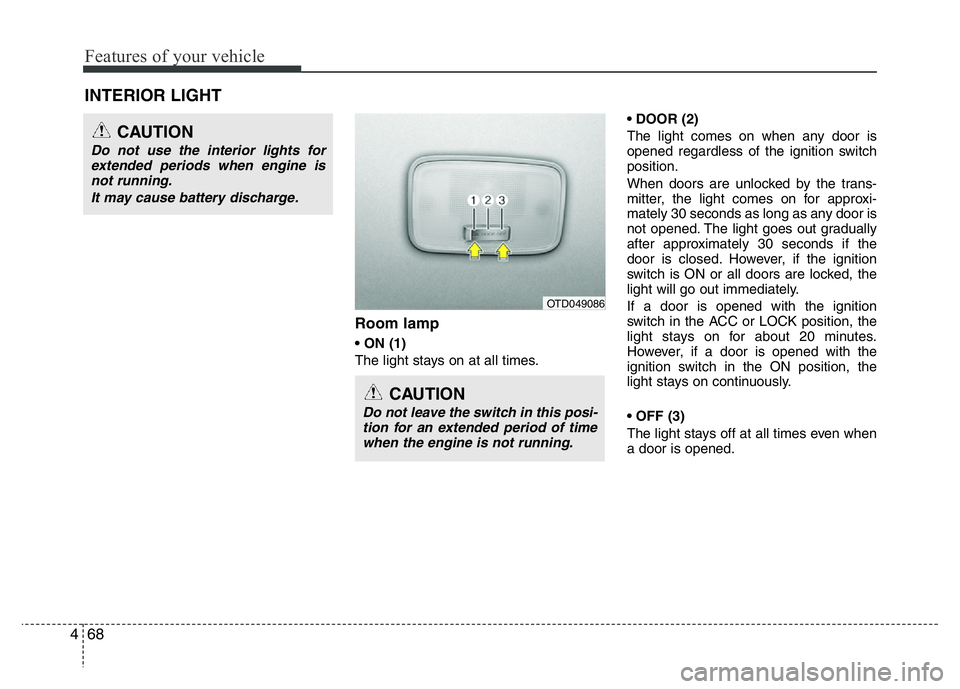
Room lamp
• ON (1)
The light stays on at all times.• DOOR (2)
The light comes on when any door is
opened regardless of the ignition switch
position.
When doors are unlocked by the trans-
mitter, the light comes on for approxi-
mately 30 seconds as long as any door is
not opened. The light goes out gradually
after approximately 30 seconds if the
door is closed. However, if the ignition
switch is ON or all doors are locked, the
light will go out immediately.
If a door is opened with the ignition
switch in the ACC or LOCK position, the
light stays on for about 20 minutes.
However, if a door is opened with the
ignition switch in the ON position, the
light stays on continuously.
• OFF (3)
The light stays off at all times even when
a door is opened.
INTERIOR LIGHT
CAUTION
Do not use the interior lights for
extended periods when engine is
not running.
It may cause battery discharge.
CAUTION
Do not leave the switch in this posi-
tion for an extended period of time
when the engine is not running.
OTD049086
Page 143 of 343
Features of your vehicle
82 4
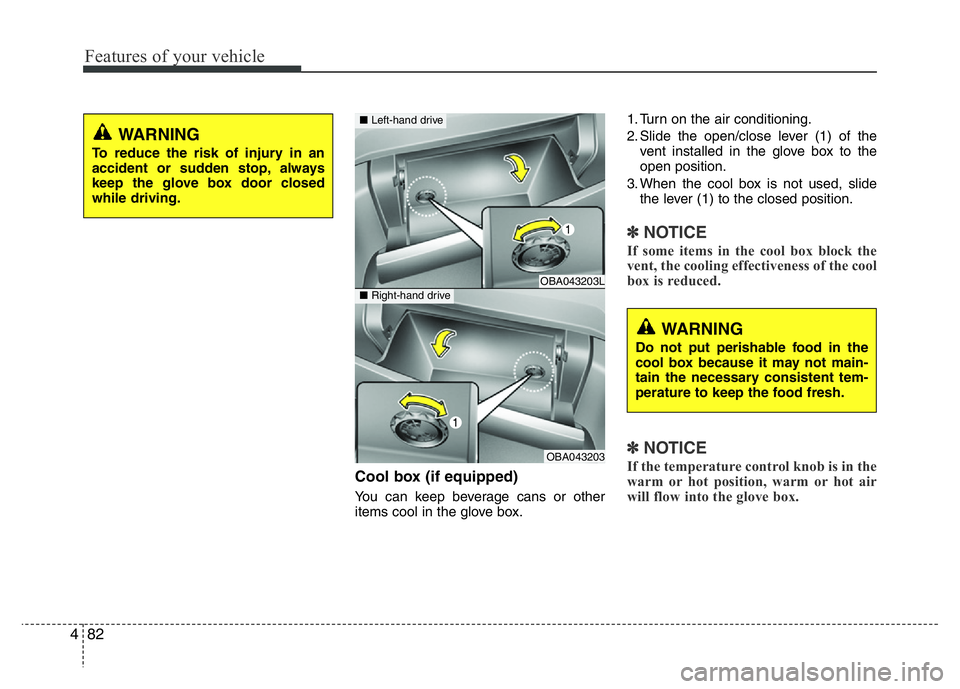
Cool box (if equipped)
You can keep beverage cans or other
items cool in the glove box.1. Turn on the air conditioning.
2. Slide the open/close lever (1) of the
vent installed in the glove box to the
open position.
3. When the cool box is not used, slide
the lever (1) to the closed position.
✽NOTICE
If some items in the cool box block the
vent, the cooling effectiveness of the cool
box is reduced.
✽NOTICE
If the temperature control knob is in the
warm or hot position, warm or hot air
will flow into the glove box.
WARNING
To reduce the risk of injury in an
accident or sudden stop, always
keep the glove box door closed
while driving.
OBA043203L
OBA043203
■Left-hand drive
■Right-hand drive
WARNING
Do not put perishable food in the
cool box because it may not main-
tain the necessary consistent tem-
perature to keep the food fresh.
Page 196 of 343
53
Driving your vehicle
Before entering vehicle
• Be sure that all windows, outside mir-
ror(s), and outside lights are clean.
• Visually check the tires for uneven
wear and damage.
• Check under the vehicle for any sign of
leaks.
• Be sure there are no obstacles behind
you if you intend to back up.
Before starting
• Make sure the hood, the tailgate, and
the doors are securely closed and
locked.
• Adjust the position of the seat and
steering wheel.
• Adjust the inside and outside rearview
mirrors.
• Verify all lights work.
• Fasten your seatbelt. Check that all
passengers have fastened their seat-
belts.
• Check the gauges and indicators in the
instrument panel and the messages on
the instrument display when the igni-
tion switch is in the ON position.
• Check that any items you are carrying
are stored properly or fastened down
securely.
BEFORE DRIVING
WARNING
All passengers must be properly
belted whenever the vehicle is mov-
ing. Refer to “Seat belts” in chapter
3 for more information on their
proper use.
WARNING- Driving under
the influence of alcohol or
drugs
NEVER drink or take drugs and
drive. Drinking or taking drugs and
driving is dangerous and may
result in an accident and SERIOUS
INJURY or DEATH.
Drunk driving is the number one
contributor to the highway death
toll each year. Even a small amount
of alcohol will affect your reflexes,
perceptions and judgment. Just
one drink can reduce your ability to
respond to changing conditions
and emergencies and your reaction
time gets worse with each addition-
al drink.
Driving while under the influence of
drugs is as dangerous or more dan-
gerous than driving under the influ-
ence of alcohol.
You are much more likely to have a
serious accident if you drink or
take drugs and drive. If you are
drinking or taking drugs, don't
drive. Do not ride with a driver who
has been drinking or taking drugs.
Choose a designated driver or call
a taxi.
Page 199 of 343
Driving your vehicle
6 5
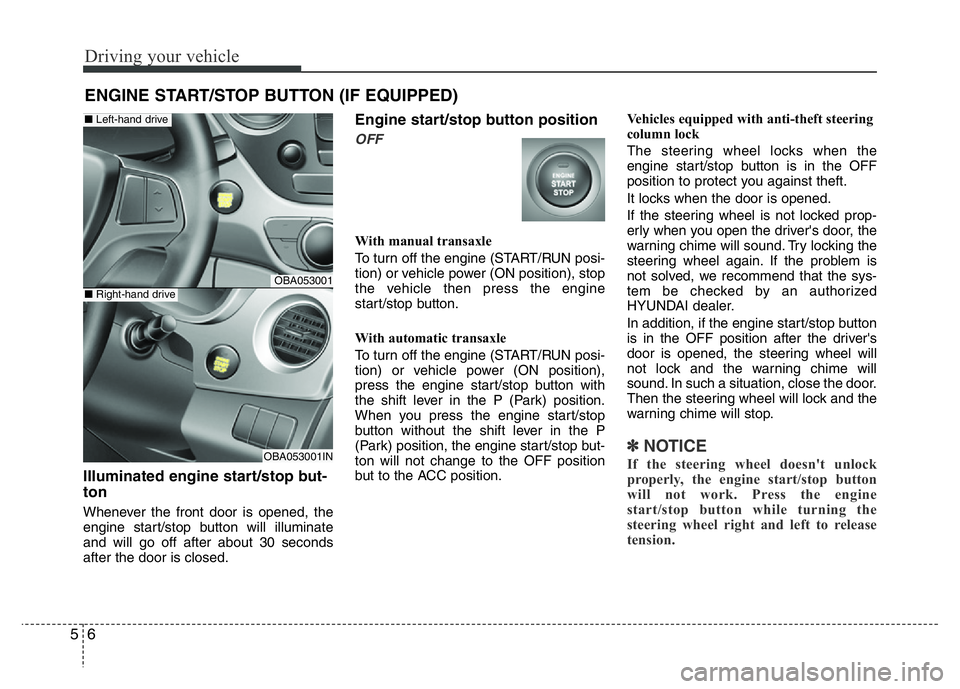
Illuminated engine start/stop but-
ton
Whenever the front door is opened, the
engine start/stop button will illuminate
and will go off after about 30 seconds
after the door is closed.
Engine start/stop button position
OFF
With manual transaxle
To turn off the engine (START/RUN posi-
tion) or vehicle power (ON position), stop
the vehicle then press the engine
start/stop button.
With automatic transaxle
To turn off the engine (START/RUN posi-
tion) or vehicle power (ON position),
press the engine start/stop button with
the shift lever in the P (Park) position.
When you press the engine start/stop
button without the shift lever in the P
(Park) position, the engine start/stop but-
ton will not change to the OFF position
but to the ACC position.Vehicles equipped with anti-theft steering
column lock
The steering wheel locks when the
engine start/stop button is in the OFF
position to protect you against theft.
It locks when the door is opened.
If the steering wheel is not locked prop-
erly when you open the driver's door, the
warning chime will sound. Try locking the
steering wheel again. If the problem is
not solved, we recommend that the sys-
tem be checked by an authorized
HYUNDAI dealer.
In addition, if the engine start/stop button
is in the OFF position after the driver's
door is opened, the steering wheel will
not lock and the warning chime will
sound. In such a situation, close the door.
Then the steering wheel will lock and the
warning chime will stop.
✽ NOTICE
If the steering wheel doesn't unlock
properly, the engine start/stop button
will not work. Press the engine
start/stop button while turning the
steering wheel right and left to release
tension.
ENGINE START/STOP BUTTON (IF EQUIPPED)
OBA053001
OBA053001IN
■Left-hand drive
■Right-hand drive
Page 243 of 343
What to do in an emergency
10 6
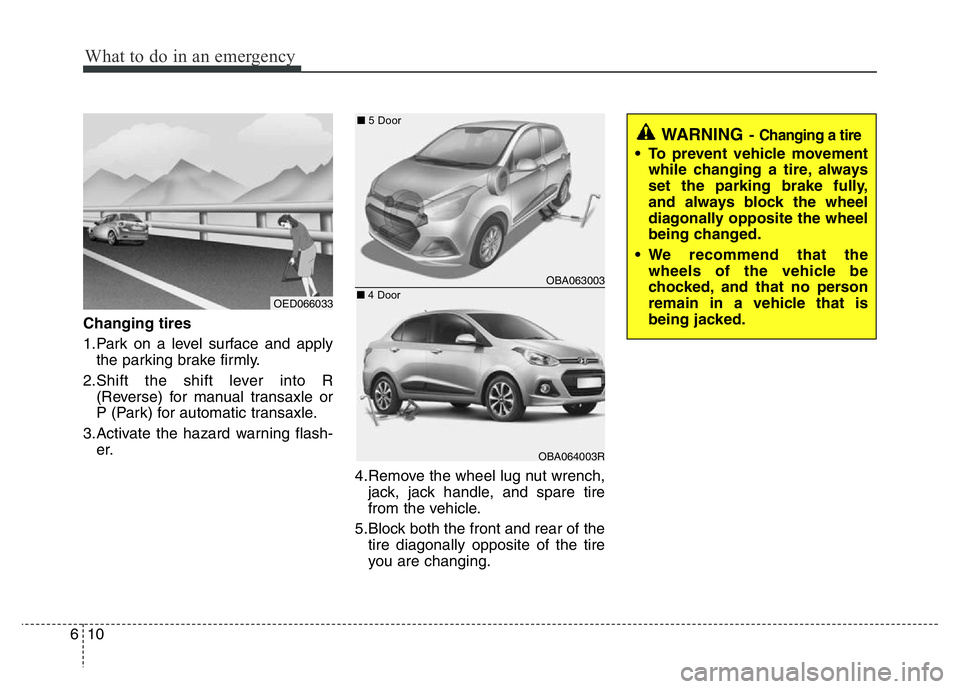
Changing tires
1.Park on a level surface and apply
the parking brake firmly.
2.Shift the shift lever into R
(Reverse) for manual transaxle or
P (Park) for automatic transaxle.
3.Activate the hazard warning flash-
er.
4.Remove the wheel lug nut wrench,
jack, jack handle, and spare tire
from the vehicle.
5.Block both the front and rear of the
tire diagonally opposite of the tire
you are changing.
OBA063003
OBA064003R
WARNING- Changing a tire
• To prevent vehicle movement
while changing a tire, always
set the parking brake fully,
and always block the wheel
diagonally opposite the wheel
being changed.
• We recommend that the
wheels of the vehicle be
chocked, and that no person
remain in a vehicle that is
being jacked.
OED066033■5 Door
■4 Door