Clima HYUNDAI I20 2009 User Guide
[x] Cancel search | Manufacturer: HYUNDAI, Model Year: 2009, Model line: I20, Model: HYUNDAI I20 2009Pages: 207, PDF Size: 2.46 MB
Page 147 of 207
475
Features of your vehicle
Floor/Defrost-Level (A, C, D)
Most of the air flow is directed to the floor
and the windshield with a small amount
directed to the side window defrosters.
Defrost-Level (A, D)
Most of the air flow is directed to the
windshield.
❈ Refer to the illustration in the “Manual
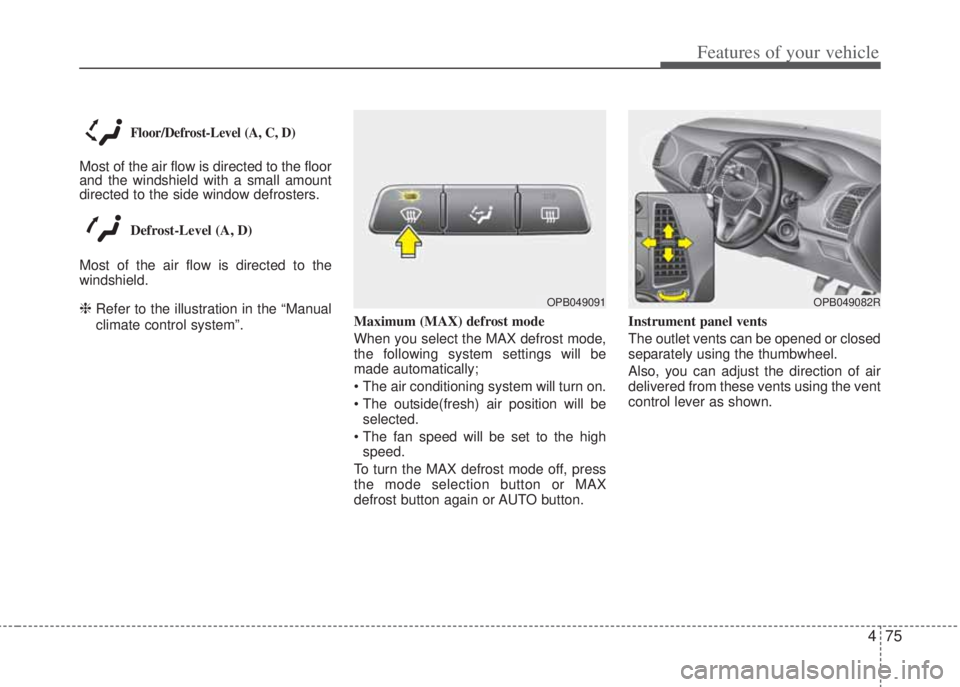
climate control system”.Maximum (MAX) defrost mode
When you select the MAX defrost mode,
the following system settings will be
made automatically;
• The air conditioning system will turn on.
• The outside(fresh) air position will be
selected.
• The fan speed will be set to the high
speed.
To turn the MAX defrost mode off, press
the mode selection button or MAX
defrost button again or AUTO button.Instrument panel vents
The outlet vents can be opened or closed
separately using the thumbwheel.
Also, you can adjust the direction of air
delivered from these vents using the vent
control lever as shown.OPB049091OPB049082R
Page 151 of 207
479
Features of your vehicle
WINDSHIELD DEFROSTING AND DEFOGGING
D250000AHM
• For maximum defrosting, set the temper-
ature control to the extreme right/hot
position and the fan speed control to the
highest speed.
• If warm air to the floor is desired while
defrosting or defogging, set the mode to
the floor-defrost position.
• Before driving, clear all snow and ice from
the windshield, rear window, outside rear
view mirrors, and all side windows.
• Clear all snow and ice from the hood and
air inlet in the cowl grill to improve heater
and defroster efficiency and to reduce the
probability of fogging up inside of the
windshield.
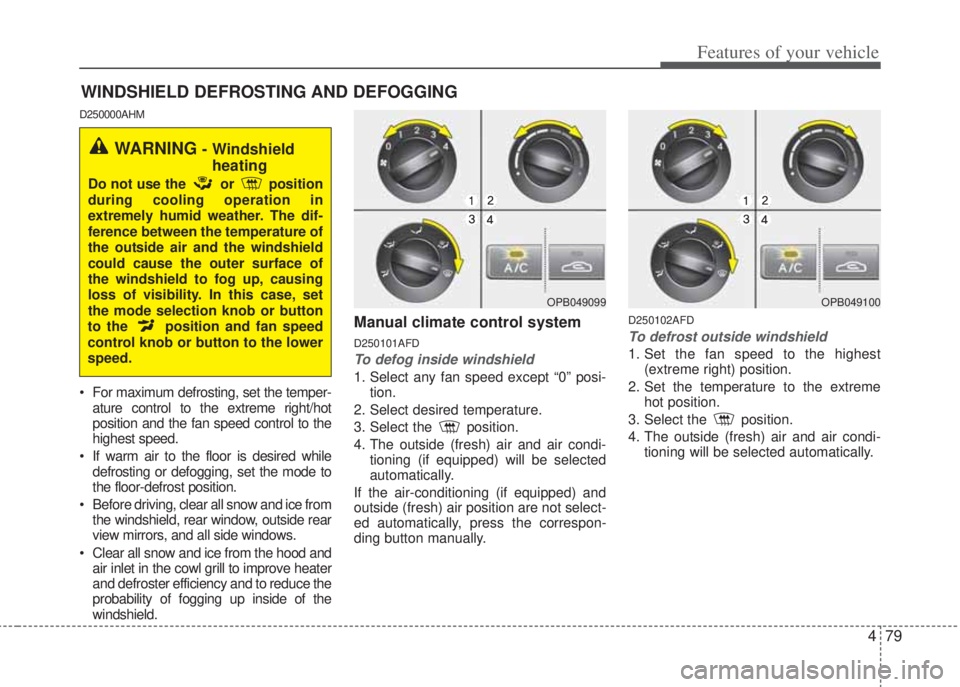
Manual climate control system
D250101AFD
To defog inside windshield
1. Select any fan speed except “0” posi-
tion.
2. Select desired temperature.
3. Select the position.
4. The outside (fresh) air and air condi-
tioning (if equipped) will be selected
automatically.
If the air-conditioning (if equipped) and
outside (fresh) air position are not select-
ed automatically, press the correspon-
ding button manually.
D250102AFD
To defrost outside windshield
1. Set the fan speed to the highest
(extreme right) position.
2. Set the temperature to the extreme
hot position.
3. Select the position.
4. The outside (fresh) air and air condi-
tioning will be selected automatically.
OPB049099
WARNING - Windshield
heating
Do not use the or position
during cooling operation in
extremely humid weather. The dif-
ference between the temperature of
the outside air and the windshield
could cause the outer surface of
the windshield to fog up, causing
loss of visibility. In this case, set
the mode selection knob or button
to the position and fan speed
control knob or button to the lower
speed.
OPB049100
Page 152 of 207
Features of your vehicle
80 4
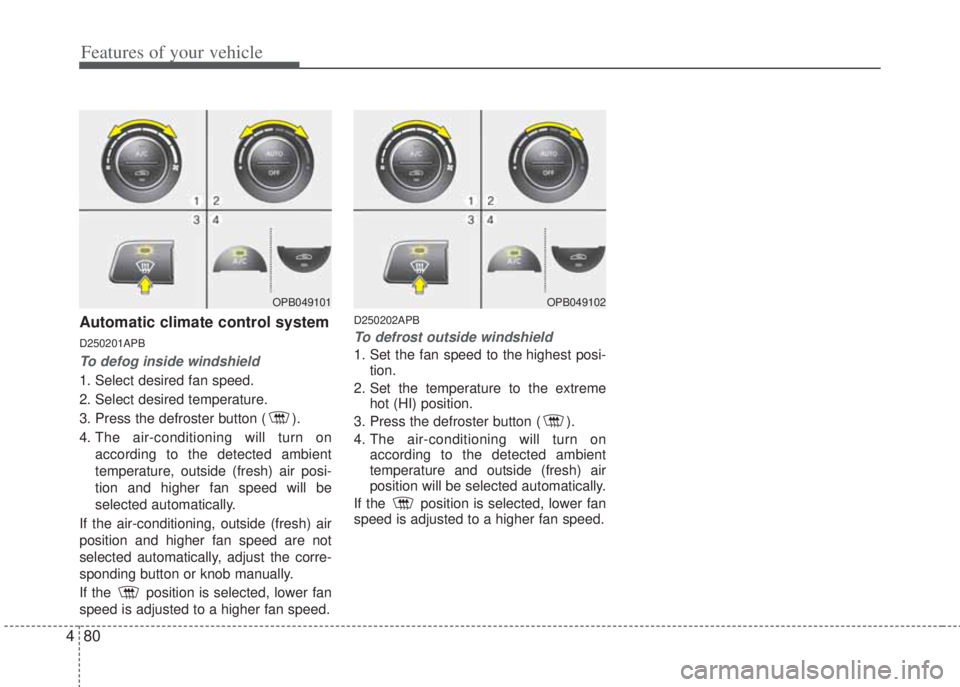
Automatic climate control system
D250201APB
To defog inside windshield
1. Select desired fan speed.
2. Select desired temperature.
3. Press the defroster button ( ).
4. The air-conditioning will turn on
according to the detected ambient
temperature, outside (fresh) air posi-
tion and higher fan speed will be
selected automatically.
If the air-conditioning, outside (fresh) air
position and higher fan speed are not
selected automatically, adjust the corre-
sponding button or knob manually.
If the position is selected, lower fan
speed is adjusted to a higher fan speed.
D250202APB
To defrost outside windshield
1. Set the fan speed to the highest posi-
tion.
2. Set the temperature to the extreme
hot (HI) position.
3. Press the defroster button ( ).
4. The air-conditioning will turn on
according to the detected ambient
temperature and outside (fresh) air
position will be selected automatically.
If the position is selected, lower fan
speed is adjusted to a higher fan speed.
OPB049101OPB049102
Page 199 of 207
Driving your vehicle
16 5
E070102AUN
Disc brakes wear indicator
Your vehicle has disc brakes.
When your brake pads are worn and new
pads are required, you will hear a high-
pitched warning sound from your front
brakes or rear brakes (if equipped). You
may hear this sound come and go or it
may occur whenever you depress the
brake pedal.
Please remember that some driving con-
ditions or climates may cause a brake
squeal when you first apply (or lightly
apply) the brakes. This is normal and
does not indicate a problem with your
brakes.
E070106APB
Rear drum brakes (if equipped)
Your rear drum brakes do not have wear
indicators. Therefore, have the rear
brake linings inspected if you hear a rub-
bing noise. Also have your rear brakes
inspected each time you change or
rotate your tires and when you have the
front brakes replaced.
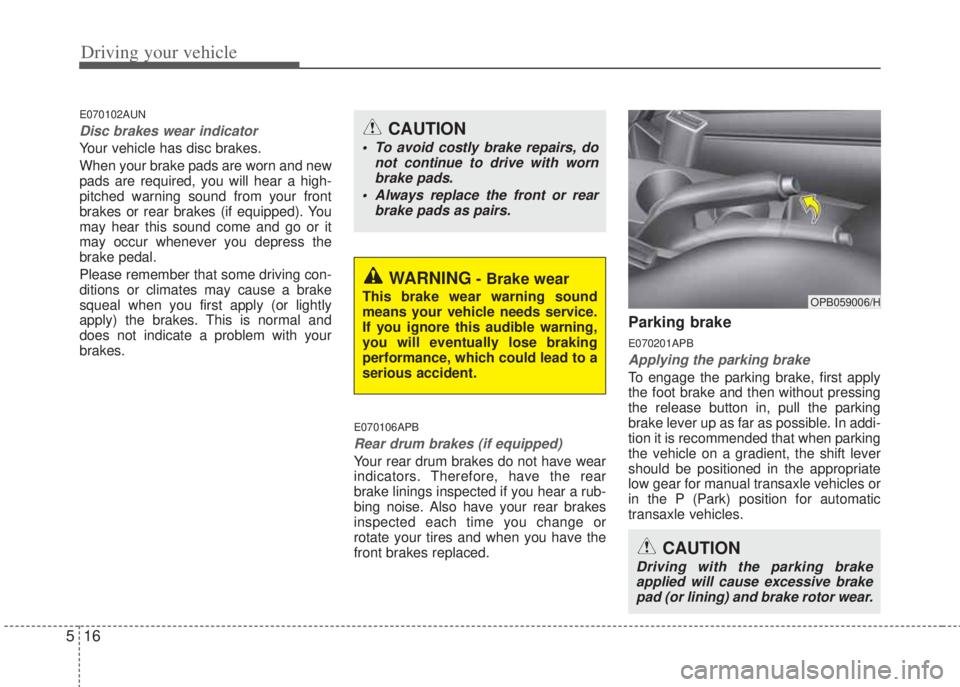
Parking brake
E070201APB
Applying the parking brake
To engage the parking brake, first apply
the foot brake and then without pressing
the release button in, pull the parking
brake lever up as far as possible. In addi-
tion it is recommended that when parking
the vehicle on a gradient, the shift lever
should be positioned in the appropriate
low gear for manual transaxle vehicles or
in the P (Park) position for automatic
transaxle vehicles.
WARNING- Brake wear
This brake wear warning sound
means your vehicle needs service.
If you ignore this audible warning,
you will eventually lose braking
performance, which could lead to a
serious accident.
CAUTION
• To avoid costly brake repairs, do
not continue to drive with worn
brake pads.
• Always replace the front or rear
brake pads as pairs.
CAUTION
Driving with the parking brake
applied will cause excessive brake
pad (or lining) and brake rotor wear.
OPB059006/H