ESP HYUNDAI I20 2012 User Guide
[x] Cancel search | Manufacturer: HYUNDAI, Model Year: 2012, Model line: I20, Model: HYUNDAI I20 2012Pages: 207, PDF Size: 2.46 MB
Page 104 of 207
Features of your vehicle
32 4
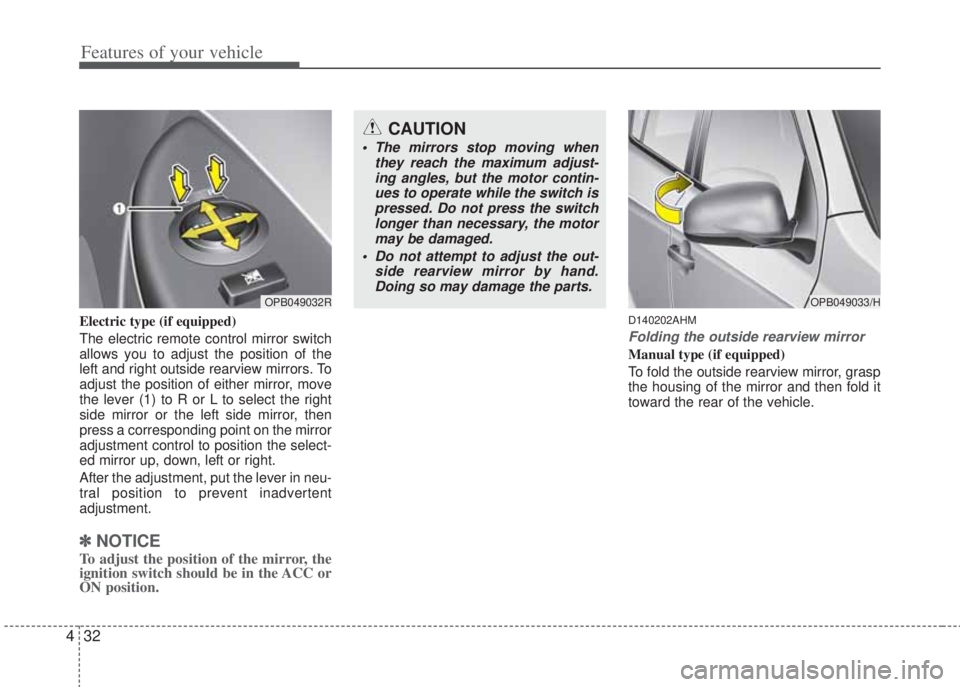
Electric type (if equipped)
The electric remote control mirror switch
allows you to adjust the position of the
left and right outside rearview mirrors. To
adjust the position of either mirror, move
the lever (1) to R or L to select the right
side mirror or the left side mirror, then
press a corresponding point on the mirror
adjustment control to position the select-
ed mirror up, down, left or right.
After the adjustment, put the lever in neu-
tral position to prevent inadvertent
adjustment.
✽NOTICE
To adjust the position of the mirror, the
ignition switch should be in the ACC or
ON position.
D140202AHM
Folding the outside rearview mirror
Manual type (if equipped)
To fold the outside rearview mirror, grasp
the housing of the mirror and then fold it
toward the rear of the vehicle.
OPB049032R
CAUTION
• The mirrors stop moving when
they reach the maximum adjust-
ing angles, but the motor contin-
ues to operate while the switch is
pressed. Do not press the switch
longer than necessary, the motor
may be damaged.
• Do not attempt to adjust the out-
side rearview mirror by hand.
Doing so may damage the parts.
OPB049033/H
Page 112 of 207
Features of your vehicle
40 4
If the driver’s or front passenger’s seat
belt is not fastened when the ignition
switch is turned ON or if it is disconnect-
ed after the ignition switch is turned ON,
the corresponding seat belt warning light
will illuminate until the belt is fastened.
If you continue not to fasten the seat belt
and you drive over 9km/h, the illuminated
warning light will start to blink until you
drive under 6km/h.
If you continue not to fasten the seat belt
and you drive over 20km/h the seat belt
warning chime will sound for approxi-
mately 100 seconds and the correspon-
ding warning light will blink.
✽NOTICE
• You can find the front passenger’s
seat belt warning light on the center
fascia panel.
• Although the front passenger seat is
not occupied, the seat belt warning
light will blink or illuminate for 6 sec-
onds.
• The front passenger's seat belt warn-
ing may operate when luggage is
placed on the front passenger seat.
D150305AHM
Turn signal indicator
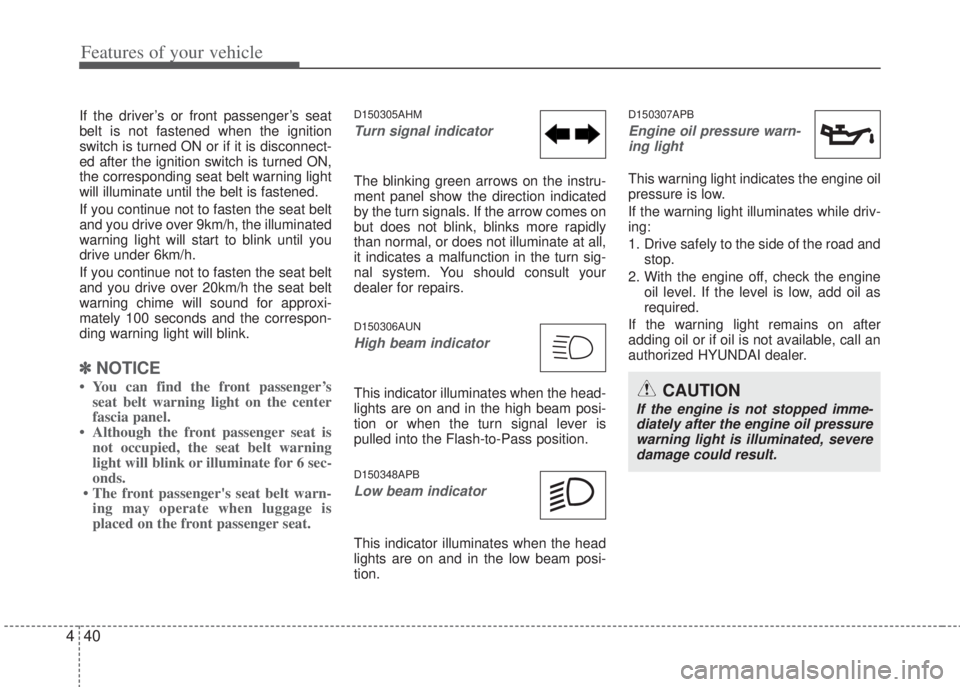
The blinking green arrows on the instru-
ment panel show the direction indicated
by the turn signals. If the arrow comes on
but does not blink, blinks more rapidly
than normal, or does not illuminate at all,
it indicates a malfunction in the turn sig-
nal system. You should consult your
dealer for repairs.
D150306AUN
High beam indicator
This indicator illuminates when the head-
lights are on and in the high beam posi-
tion or when the turn signal lever is
pulled into the Flash-to-Pass position.
D150348APB
Low beam indicator
This indicator illuminates when the head
lights are on and in the low beam posi-
tion.
D150307APB
Engine oil pressure warn-
ing light
This warning light indicates the engine oil
pressure is low.
If the warning light illuminates while driv-
ing:
1. Drive safely to the side of the road and
stop.
2. With the engine off, check the engine
oil level. If the level is low, add oil as
required.
If the warning light remains on after
adding oil or if oil is not available, call an
authorized HYUNDAI dealer.
CAUTION
If the engine is not stopped imme-
diately after the engine oil pressure
warning light is illuminated, severe
damage could result.
Page 114 of 207
Features of your vehicle
42 4
D150331AFD
Low tire pressure
telltale (if equipped)
Low tire pressure position
telltale (if equipped)
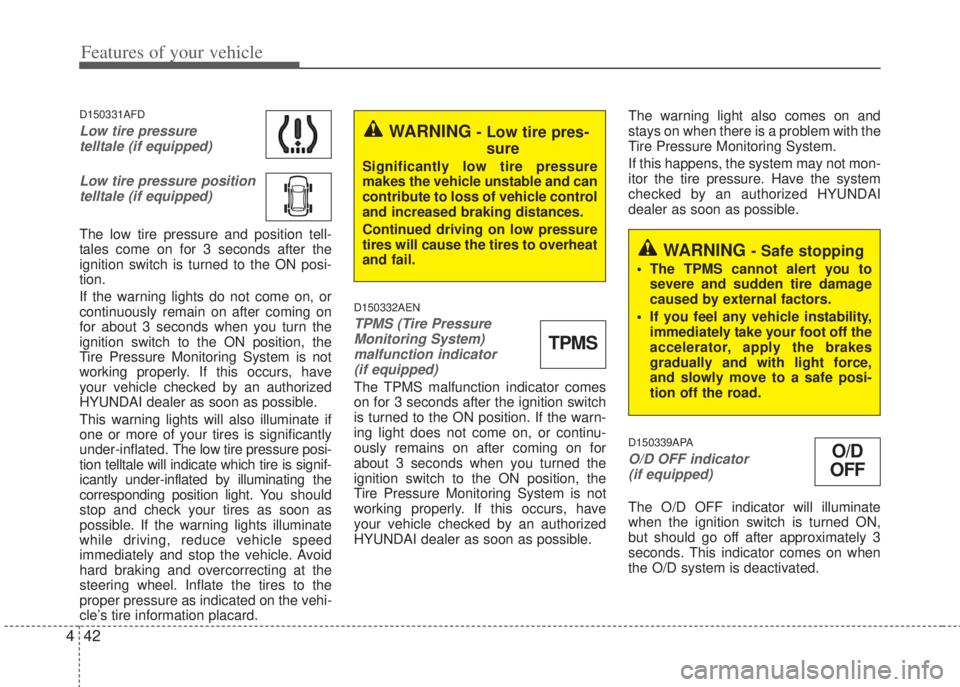
The low tire pressure and position tell-
tales come on for 3 seconds after the
ignition switch is turned to the ON posi-
tion.
If the warning lights do not come on, or
continuously remain on after coming on
for about 3 seconds when you turn the
ignition switch to the ON position, the
Tire Pressure Monitoring System is not
working properly. If this occurs, have
your vehicle checked by an authorized
HYUNDAI dealer as soon as possible.
This warning lights will also illuminate if
one or more of your tires is significantly
under-inflated. The low tire pressure posi-
tion telltale will indicate which tire is signif-
icantly under-inflated by illuminating the
corresponding position light. You should
stop and check your tires as soon as
possible. If the warning lights illuminate
while driving, reduce vehicle speed
immediately and stop the vehicle. Avoid
hard braking and overcorrecting at the
steering wheel. Inflate the tires to the
proper pressure as indicated on the vehi-
cle’s tire information placard.
D150332AEN
TPMS (Tire Pressure
Monitoring System)
malfunction indicator
(if equipped)
The TPMS malfunction indicator comes
on for 3 seconds after the ignition switch
is turned to the ON position. If the warn-
ing light does not come on, or continu-
ously remains on after coming on for
about 3 seconds when you turned the
ignition switch to the ON position, the
Tire Pressure Monitoring System is not
working properly. If this occurs, have
your vehicle checked by an authorized
HYUNDAI dealer as soon as possible.The warning light also comes on and
stays on when there is a problem with the
Tire Pressure Monitoring System.
If this happens, the system may not mon-
itor the tire pressure. Have the system
checked by an authorized HYUNDAI
dealer as soon as possible.
D150339APA
O/D OFF indicator
(if equipped)
The O/D OFF indicator will illuminate
when the ignition switch is turned ON,
but should go off after approximately 3
seconds. This indicator comes on when
the O/D system is deactivated.
WARNING - Low tire pres-
sure
Significantly low tire pressure
makes the vehicle unstable and can
contribute to loss of vehicle control
and increased braking distances.
Continued driving on low pressure
tires will cause the tires to overheat
and fail.
TPMS
WARNING - Safe stopping
• The TPMS cannot alert you to
severe and sudden tire damage
caused by external factors.
• If you feel any vehicle instability,
immediately take your foot off the
accelerator, apply the brakes
gradually and with light force,
and slowly move to a safe posi-
tion off the road.
O/D
OFF
Page 117 of 207
445
Features of your vehicle
D150323APB
ESP (Electronic Stability
Program) indicator
(if equipped)
The ESP indicator will illuminate when
the ignition switch is turned ON, but
should go off after approximately 3 sec-
onds. When the ESP is on, it monitors
the driving conditions. Under normal driv-
ing conditions, the ESP indicator will
remain off. When a slippery or low trac-
tion condition is encountered, the ESP
will operate, and the ESP indicator will
blink to indicate the ESP is operating.
But, if the ESP system malfunctions the
indicator illuminates and stays on. Take
your vehicle to an authorized HYUNDAI
dealer and have the system checked.
D150324APB
ESP OFF indicator
(if equipped)
The ESP OFF indicator will illuminate
when the ignition switch is turned ON,
but should go off after approximately 3
seconds. To switch to ESP OFF mode,
press the ESP OFF button. The ESP
OFF indicator will illuminate indicating
the ESP is deactivated.
ESP
OFFCAUTION - Diesel engine
If the malfunction indicator blinks,
have the Particulate Filter System
inspected by an authorized
HYUNDAI dealer (before driving
more than 50 km/31 miles). (if
equipped)ESP
Page 127 of 207
455
Features of your vehicle
To turn off the fog lights, turn the switch
to the off position.
D190800APB
Rear fog light (if equipped)
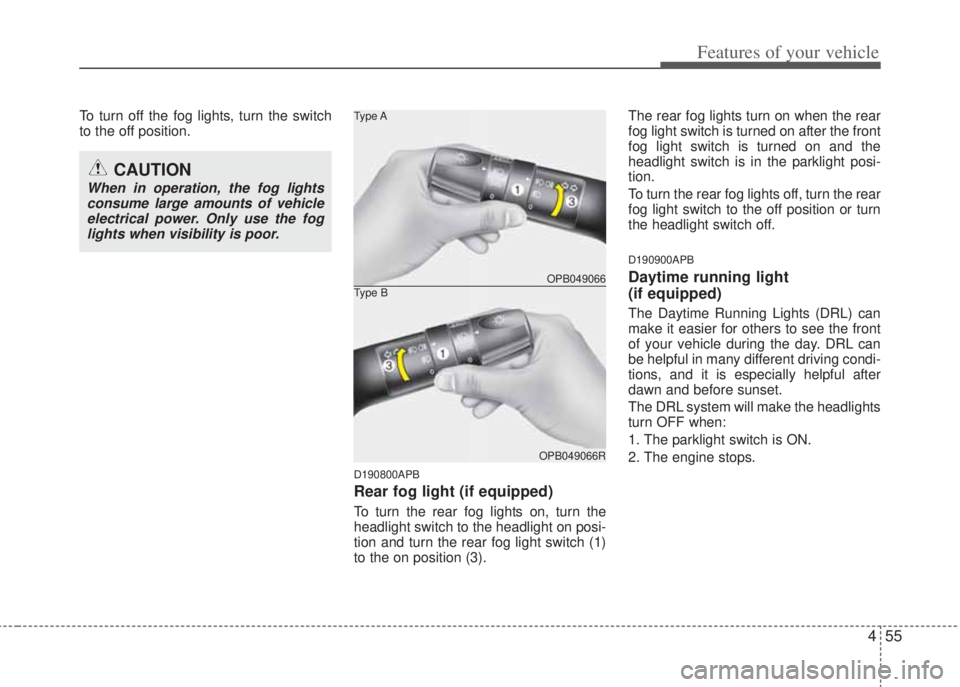
To turn the rear fog lights on, turn the
headlight switch to the headlight on posi-
tion and turn the rear fog light switch (1)
to the on position (3). The rear fog lights turn on when the rear
fog light switch is turned on after the front
fog light switch is turned on and the
headlight switch is in the parklight posi-
tion.
To turn the rear fog lights off, turn the rear
fog light switch to the off position or turn
the headlight switch off.
D190900APB
Daytime running light
(if equipped)
The Daytime Running Lights (DRL) can
make it easier for others to see the front
of your vehicle during the day. DRL can
be helpful in many different driving condi-
tions, and it is especially helpful after
dawn and before sunset.
The DRL system will make the headlights
turn OFF when:
1. The parklight switch is ON.
2. The engine stops.
CAUTION
When in operation, the fog lights
consume large amounts of vehicle
electrical power. Only use the fog
lights when visibility is poor.
OPB049066 Type A
OPB049066R
Type B
Page 151 of 207
479
Features of your vehicle
WINDSHIELD DEFROSTING AND DEFOGGING
D250000AHM
• For maximum defrosting, set the temper-
ature control to the extreme right/hot
position and the fan speed control to the
highest speed.
• If warm air to the floor is desired while
defrosting or defogging, set the mode to
the floor-defrost position.
• Before driving, clear all snow and ice from
the windshield, rear window, outside rear
view mirrors, and all side windows.
• Clear all snow and ice from the hood and
air inlet in the cowl grill to improve heater
and defroster efficiency and to reduce the
probability of fogging up inside of the
windshield.
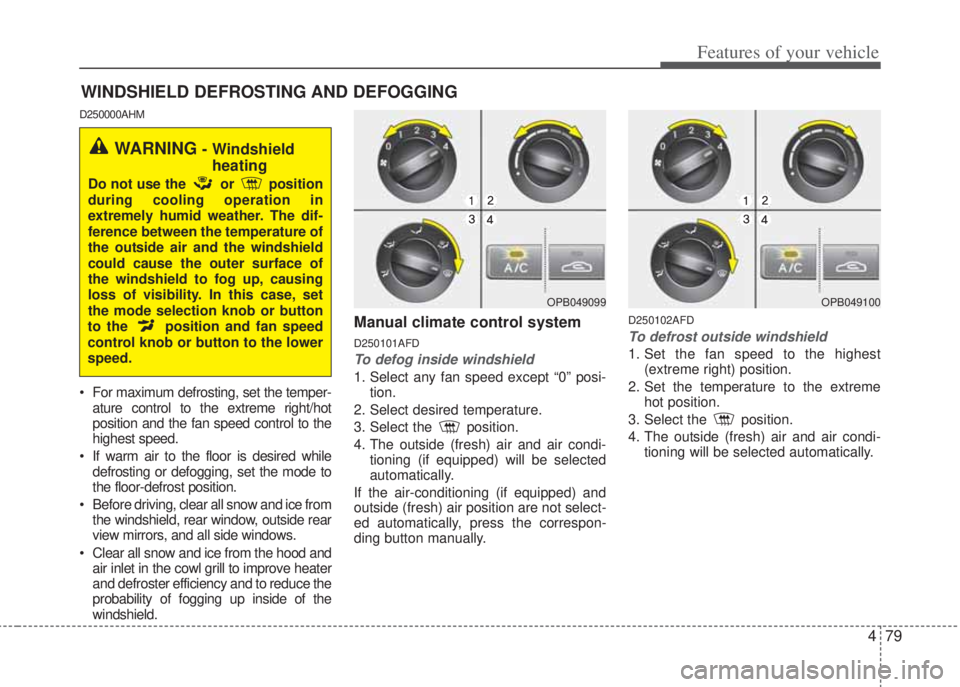
Manual climate control system
D250101AFD
To defog inside windshield
1. Select any fan speed except “0” posi-
tion.
2. Select desired temperature.
3. Select the position.
4. The outside (fresh) air and air condi-
tioning (if equipped) will be selected
automatically.
If the air-conditioning (if equipped) and
outside (fresh) air position are not select-
ed automatically, press the correspon-
ding button manually.
D250102AFD
To defrost outside windshield
1. Set the fan speed to the highest
(extreme right) position.
2. Set the temperature to the extreme
hot position.
3. Select the position.
4. The outside (fresh) air and air condi-
tioning will be selected automatically.
OPB049099
WARNING - Windshield
heating
Do not use the or position
during cooling operation in
extremely humid weather. The dif-
ference between the temperature of
the outside air and the windshield
could cause the outer surface of
the windshield to fog up, causing
loss of visibility. In this case, set
the mode selection knob or button
to the position and fan speed
control knob or button to the lower
speed.
OPB049100
Page 169 of 207
497
Features of your vehicle
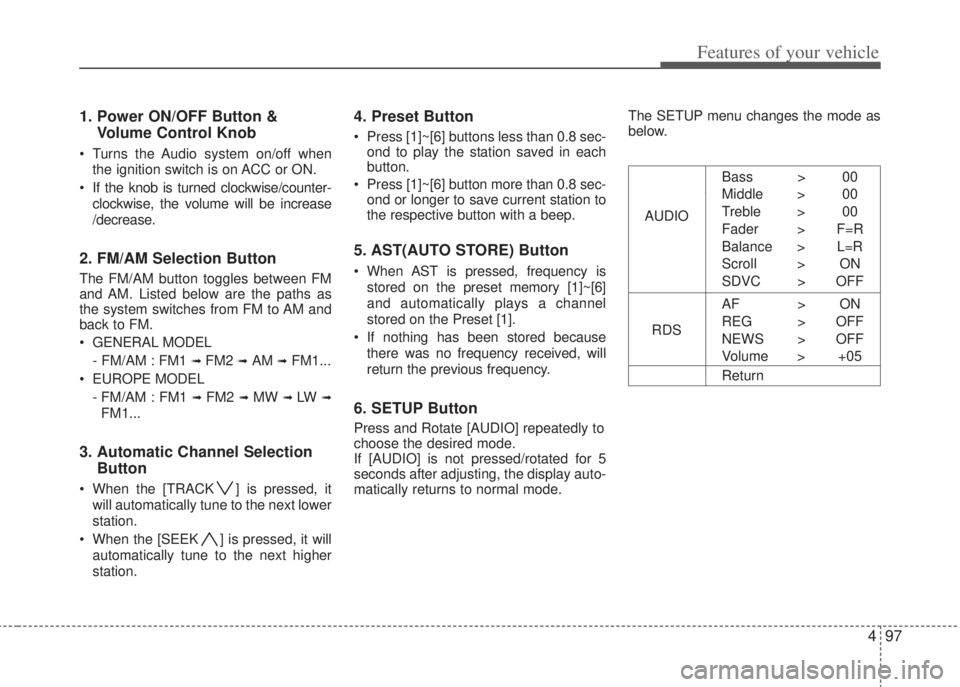
1. Power ON/OFF Button &
Volume Control Knob
• Turns the Audio system on/off when
the ignition switch is on ACC or ON.
• If the knob is turned clockwise/counter-
clockwise, the volume will be increase
/decrease.
2. FM/AM Selection Button
The FM/AM button toggles between FM
and AM. Listed below are the paths as
the system switches from FM to AM and
back to FM.
• GENERAL MODEL
- FM/AM : FM1
➟ FM2 ➟ AM ➟ FM1...
• EUROPE MODEL
- FM/AM : FM1
➟ FM2 ➟ MW ➟ LW ➟
FM1...
3. Automatic Channel Selection
Button
• When the [TRACK ] is pressed, it
will automatically tune to the next lower
station.
• When the [SEEK ] is pressed, it will
automatically tune to the next higher
station.
4. Preset Button
• Press [1]~[6] buttons less than 0.8 sec-
ond to play the station saved in each
button.
• Press [1]~[6] button more than 0.8 sec-
ond or longer to save current station to
the respective button with a beep.
5. AST(AUTO STORE) Button
• When AST is pressed, frequency is
stored on the preset memory [1]~[6]
and automatically plays a channel
stored on the Preset [1].
• If nothing has been stored because
there was no frequency received, will
return the previous frequency.
6. SETUP Button
Press and Rotate [AUDIO] repeatedly to
choose the desired mode.
If [AUDIO] is not pressed/rotated for 5
seconds after adjusting, the display auto-
matically returns to normal mode.The SETUP menu changes the mode as
below.
AUDIOBass > 00
Middle > 00
Treble > 00
Fader > F=R
Balance > L=R
Scroll > ON
SDVC > OFF
RDSAF > ON
REG > OFF
NEWS > OFF
Volume > +05
Return
Page 170 of 207
Features of your vehicle
98 4
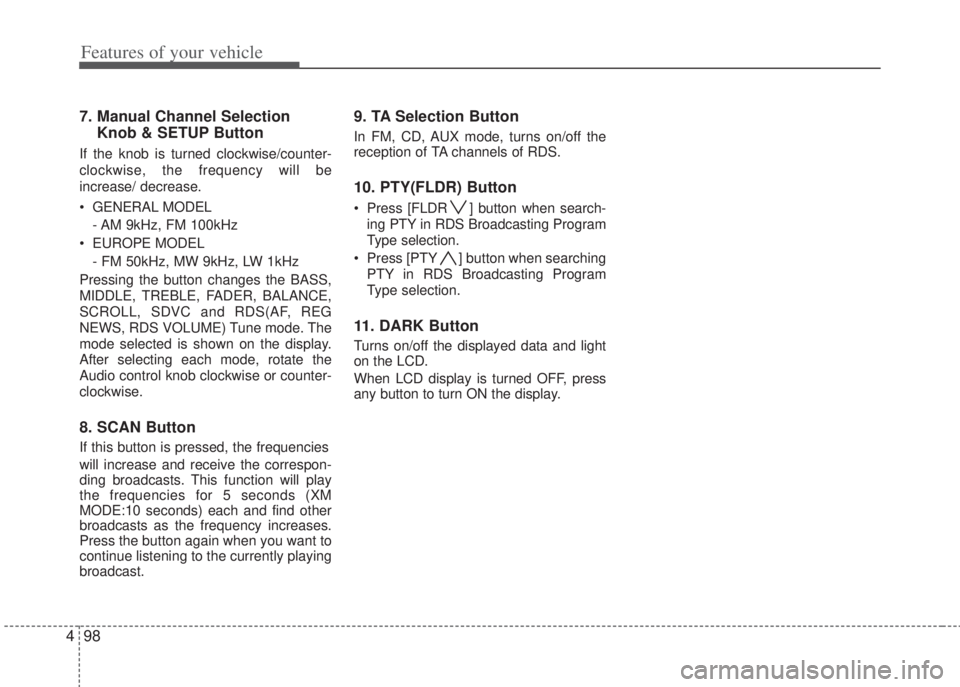
7. Manual Channel Selection
Knob & SETUP Button
If the knob is turned clockwise/counter-
clockwise, the frequency will be
increase/ decrease.
• GENERAL MODEL
- AM 9kHz, FM 100kHz
• EUROPE MODEL
- FM 50kHz, MW 9kHz, LW 1kHz
Pressing the button changes the BASS,
MIDDLE, TREBLE, FADER, BALANCE,
SCROLL, SDVC and RDS(AF, REG
NEWS, RDS VOLUME) Tune mode. The
mode selected is shown on the display.
After selecting each mode, rotate the
Audio control knob clockwise or counter-
clockwise.
8. SCAN Button
If this button is pressed, the frequencies
will increase and receive the correspon-
ding broadcasts. This function will play
the frequencies for 5 seconds (XM
MODE:10 seconds) each and find other
broadcasts as the frequency increases.
Press the button again when you want to
continue listening to the currently playing
broadcast.
9. TA Selection Button
In FM, CD, AUX mode, turns on/off the
reception of TA channels of RDS.
10. PTY(FLDR) Button
• Press [FLDR ] button when search-
ing PTY in RDS Broadcasting Program
Type selection.
• Press [PTY ] button when searching
PTY in RDS Broadcasting Program
Type selection.
11. DARK Button
Turns on/off the displayed data and light
on the LCD.
When LCD display is turned OFF, press
any button to turn ON the display.
Page 186 of 207
53
Driving your vehicle
E020100AUN
Before entering vehicle
• Be sure that all windows, outside mir-
ror(s), and outside lights are clean.
• Check the condition of the tires.
• Check under the vehicle for any sign of
leaks.
• Be sure there are no obstacles behind
you if you intend to back up.
E020200AUN
Necessary inspections
Fluid levels, such as engine oil, engine
coolant, brake fluid, and washer fluid
should be checked on a regular basis,
with the exact interval depending on the
fluid. Further details are provided in
Section 7, “Maintenance”.
E020300AHM
Before starting
• Close and lock all doors.
• Position the seat so that all controls
are easily reached.
• Adjust the inside and outside rearview
mirrors.• Be sure that all lights work.
• Check all gauges.
• Check the operation of warning lights
when the ignition switch is turned to
the ON position.
• Release the parking brake and make
sure the brake warning light goes out.
For safe operation, be sure you are famil-
iar with your vehicle and its equipment.
BEFORE DRIVING
WARNING
All passengers must be properly
belted whenever the vehicle is
moving. Refer to “Seat belts” in
section 3 for more information on
their proper use.
WARNING
Always check the surrounding
areas near your vehicle for people,
especially children, before putting
a vehicle into D (Drive) or R
(Reverse).
WARNING
When you intend to park or stop the
vehicle with the engine on, be care-
ful not to depress the accelerator
pedal for a long period of time. It
may overheat the engine or
exhaust system and cause fire.
WARNING- Driving under
the influence of alcohol or
drugs
Drinking and driving is dangerous.
Drunk driving is the number one
contributor to the highway death
toll each year. Even a small amount
of alcohol will affect your reflexes,
perceptions and judgement.
Driving while under the influence of
drugs is as dangerous or more dan-
gerous than driving drunk.
You are much more likely to have a
serious accident if you drink or
take drugs and drive.
If you are drinking or taking drugs,
don’t drive. Do not ride with a driv-
er who has been drinking or taking
drugs. Choose a designated driver
or call a cab.
Page 192 of 207
59
Driving your vehicle
E050200APB
Good driving practices
• Never take the vehicle out of gear and
coast down a hill. This is extremely
hazardous. Always leave the vehicle in
gear.
• Don't "ride" the brakes. This can cause
them to overheat and malfunction.
Instead, when you are driving down a
long hill, slow down and shift to a lower
gear. When you do this, engine braking
will help slow down the vehicle.
• Slow down before shifting to a lower
gear. This will help avoid over-revving
the engine, which can cause damage.
• Slow down when you encounter cross
winds. This gives you much better con-
trol of your vehicle.
• Be sure the vehicle is completely
stopped before you attempt to shift into
R (Reverse). The transaxle can be
damaged if you do not. To shift into R
(Reverse), depress the clutch, move
the shift lever to neutral, wait three
seconds, then shift to the R (Reverse)
position.
• Exercise extreme caution when driving
on a slippery surface. Be especially
careful when braking, accelerating or
shifting gears. On a slippery surface,
an abrupt change in vehicle speed can
cause the drive wheels to lose traction
and the vehicle to go out of control.
WARNING
• Always buckle-up! In a collision,
an unbelted occupant is signifi-
cantly more likely to be seriously
injured or killed than a properly
belted occupant.
• Avoid high speeds when corner-
ing or turning.
• Do not make quick steering
wheel movements, such as sharp
lane changes or fast, sharp turns.
• The risk of rollover is greatly
increased if you lose control of
your vehicle at highway speeds.
• Losing control often occurs if two
or more wheels drop off the road-
way and the driver oversteers to
reenter the roadway.
• In the event your vehicle leaves
the roadway, do not steer sharply.
Instead, slow down before
pulling back into the travel lanes.
• Never exceed posted speed lim-
its.