light HYUNDAI I20 2012 Workshop Manual
[x] Cancel search | Manufacturer: HYUNDAI, Model Year: 2012, Model line: I20, Model: HYUNDAI I20 2012Pages: 207, PDF Size: 2.46 MB
Page 139 of 207
467
Features of your vehicle
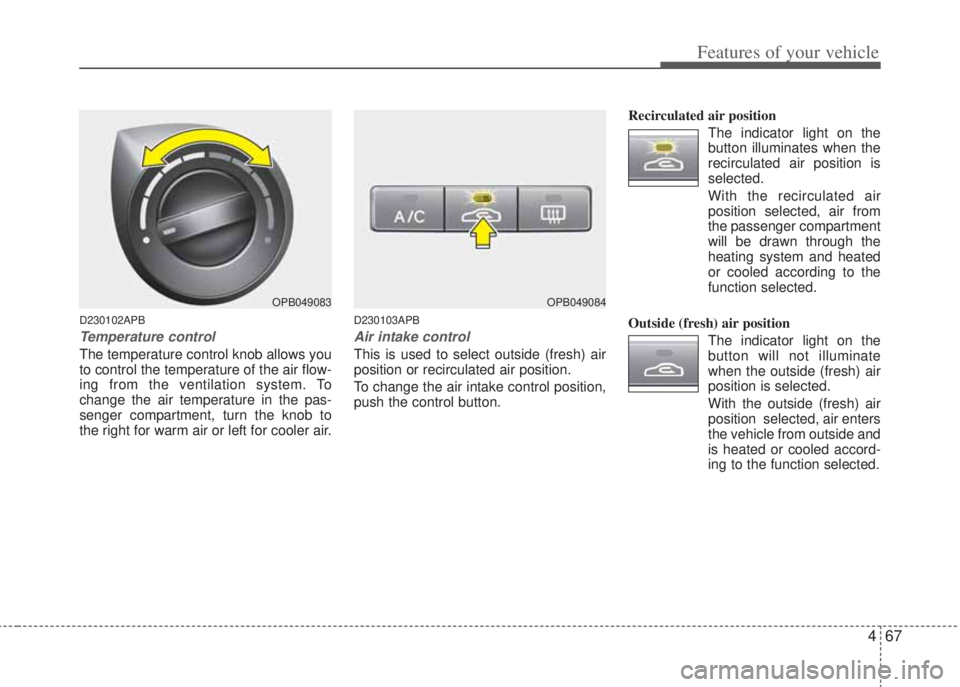
D230102APB
Temperature control
The temperature control knob allows you
to control the temperature of the air flow-
ing from the ventilation system. To
change the air temperature in the pas-
senger compartment, turn the knob to
the right for warm air or left for cooler air.
D230103APB
Air intake control
This is used to select outside (fresh) air
position or recirculated air position.
To change the air intake control position,
push the control button.Recirculated air position
The indicator light on the
button illuminates when the
recirculated air position is
selected.
With the recirculated air
position selected, air from
the passenger compartment
will be drawn through the
heating system and heated
or cooled according to the
function selected.
Outside (fresh) air position
The indicator light on the
button will not illuminate
when the outside (fresh) air
position is selected.
With the outside (fresh) air
position selected, air enters
the vehicle from outside and
is heated or cooled accord-
ing to the function selected.
OPB049083OPB049084
Page 141 of 207
469
Features of your vehicle
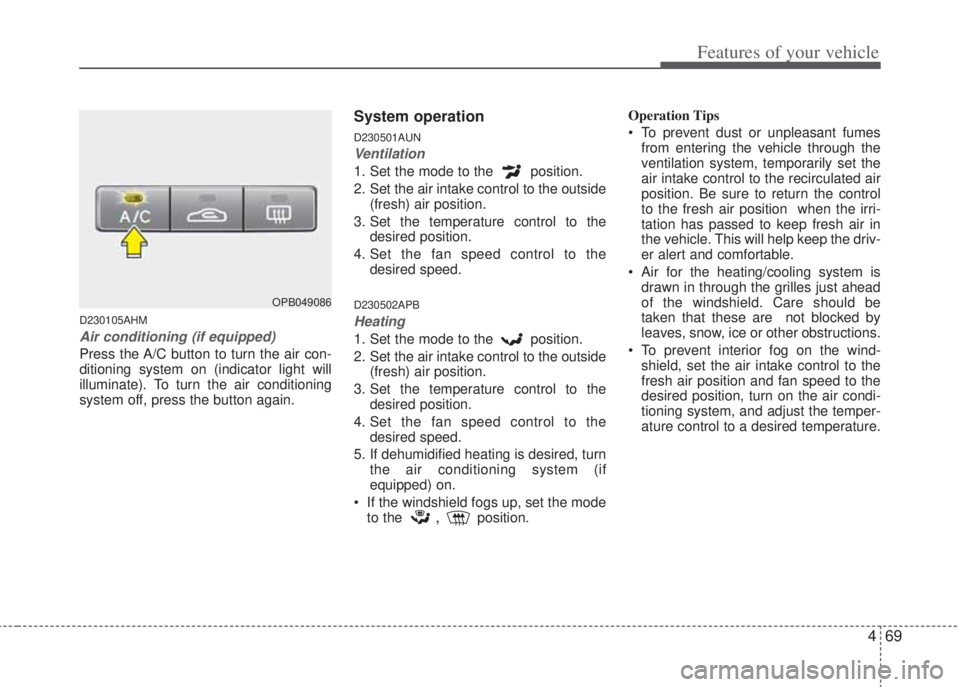
D230105AHM
Air conditioning (if equipped)
Press the A/C button to turn the air con-
ditioning system on (indicator light will
illuminate). To turn the air conditioning
system off, press the button again.
System operation
D230501AUN
Ventilation
1. Set the mode to the position.
2. Set the air intake control to the outside
(fresh) air position.
3. Set the temperature control to the
desired position.
4. Set the fan speed control to the
desired speed.
D230502APB
Heating
1. Set the mode to the position.
2. Set the air intake control to the outside
(fresh) air position.
3. Set the temperature control to the
desired position.
4. Set the fan speed control to the
desired speed.
5. If dehumidified heating is desired, turn
the air conditioning system (if
equipped) on.
• If the windshield fogs up, set the mode
to the
,position.Operation Tips
• To prevent dust or unpleasant fumes
from entering the vehicle through the
ventilation system, temporarily set the
air intake control to the recirculated air
position. Be sure to return the control
to the fresh air position when the irri-
tation has passed to keep fresh air in
the vehicle. This will help keep the driv-
er alert and comfortable.
• Air for the heating/cooling system is
drawn in through the grilles just ahead
of the windshield. Care should be
taken that these are not blocked by
leaves, snow, ice or other obstructions.
• To prevent interior fog on the wind-
shield, set the air intake control to the
fresh air position and fan speed to the
desired position, turn on the air condi-
tioning system, and adjust the temper-
ature control to a desired temperature.
OPB049086
Page 142 of 207
Features of your vehicle
70 4
D230503APB
Air conditioning (if equipped)
All HYUNDAI Air Conditioning Systems
are filled with environmentally friendly
R-134a refrigerant which does not dam-
age the ozone layer.
1. Start the engine. Push the air condi-
tioning button.
2. Set the mode to the position.
3. Set the air intake control to the recir-
culated air position. However, pro-
longed operation of the recirculated air
position will excessively dry the air. In
this case, change the air position.
4. Adjust the fan speed control and tem-
perature control to maintain maximum
comfort.
• When maximum cooling is desired, set
the temperature control to the extreme
left, set the air intake control to the
recirculated air position, then set the
fan speed control to the highest speed.
✽NOTICE
• While using the air conditioning sys-
tem, monitor the temperature gauge
closely while driving up hills or in
heavy traffic when outside tempera-
tures are high. Air conditioning sys-
tem operation may cause engine over-
heating. Continue to use the blower
fan but turn the air conditioning sys-
tem off if the temperature gauge indi-
cates engine overheating.
• While opening the windows in humid
weather air conditioning may create
water droplets inside the vehicle.
Since excessive water droplets may
cause damage to electrical equipment,
air conditioning should only be used
with the windows closed.
Air conditioning system operation tips
• If the vehicle has been parked in direct
sunlight during hot weather, open the
windows for a short time to let the hot
air inside the vehicle escape.
• To help reduce moisture inside of the
windows on rainy or humid days,
decrease the humidity inside the vehi-
cle by operating the air conditioning
system.• During air conditioning system opera-
tion, you may occasionally notice a
slight change in engine speed as the
air conditioning compressor cycles.
This is a normal system operation
characteristic.
• Use the air conditioning system every
month only for a few minutes to ensure
maximum system performance.
• When using the air conditioning sys-
tem, you may notice clear water drip-
ping (or even puddling) on the ground
under the passenger side of the vehi-
cle. This is a normal system operation
characteristic.
• Operating the air conditioning system
in the recirculated air position provides
maximum cooling, however, continual
operation in this mode may cause the
air inside the vehicle to become stale.
• During cooling operation, you may
occasionally notice a misty air flow
because of rapid cooling and humid air
intake. This is a normal system opera-
tion characteristics.
Page 149 of 207
477
Features of your vehicle
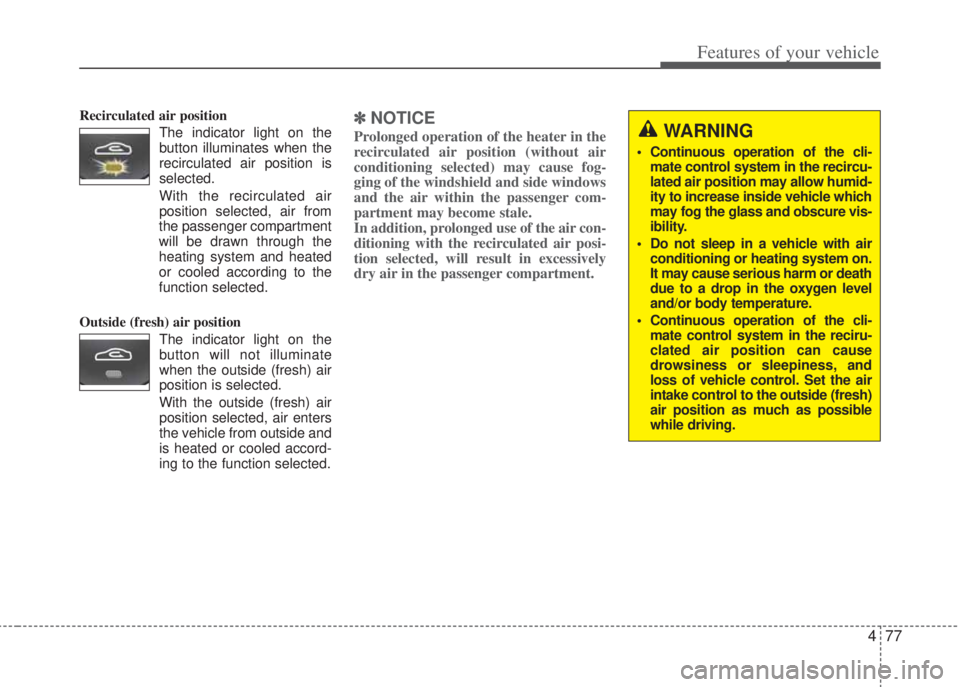
Recirculated air position
The indicator light on the
button illuminates when the
recirculated air position is
selected.
With the recirculated air
position selected, air from
the passenger compartment
will be drawn through the
heating system and heated
or cooled according to the
function selected.
Outside (fresh) air position
The indicator light on the
button will not illuminate
when the outside (fresh) air
position is selected.
With the outside (fresh) air
position selected, air enters
the vehicle from outside and
is heated or cooled accord-
ing to the function selected.✽NOTICE
Prolonged operation of the heater in the
recirculated air position (without air
conditioning selected) may cause fog-
ging of the windshield and side windows
and the air within the passenger com-
partment may become stale.
In addition, prolonged use of the air con-
ditioning with the recirculated air posi-
tion selected, will result in excessively
dry air in the passenger compartment. WARNING
• Continuous operation of the cli-
mate control system in the recircu-
lated air position may allow humid-
ity to increase inside vehicle which
may fog the glass and obscure vis-
ibility.
• Do not sleep in a vehicle with air
conditioning or heating system on.
It may cause serious harm or death
due to a drop in the oxygen level
and/or body temperature.
• Continuous operation of the cli-
mate control system in the reciru-
clated air position can cause
drowsiness or sleepiness, and
loss of vehicle control. Set the air
intake control to the outside (fresh)
air position as much as possible
while driving.
Page 150 of 207
Features of your vehicle
78 4
D240205APB
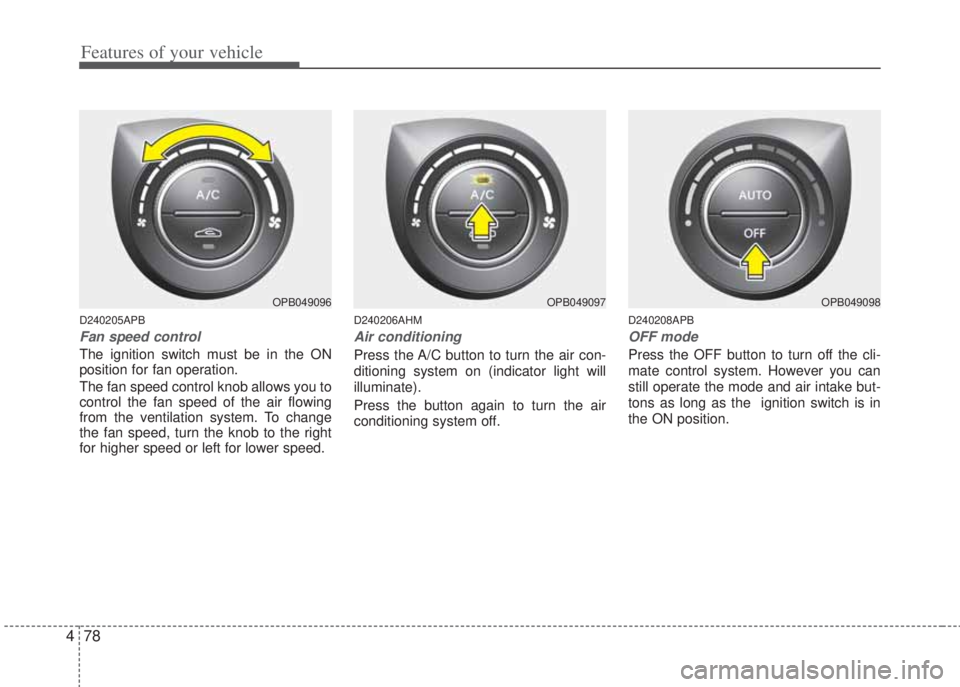
Fan speed control
The ignition switch must be in the ON
position for fan operation.
The fan speed control knob allows you to
control the fan speed of the air flowing
from the ventilation system. To change
the fan speed, turn the knob to the right
for higher speed or left for lower speed.
D240206AHM
Air conditioning
Press the A/C button to turn the air con-
ditioning system on (indicator light will
illuminate).
Press the button again to turn the air
conditioning system off.
D240208APB
OFF mode
Press the OFF button to turn off the cli-
mate control system. However you can
still operate the mode and air intake but-
tons as long as the ignition switch is in
the ON position.
OPB049096OPB049097OPB049098
Page 153 of 207
481
Features of your vehicle
D270000APB
D270100APB
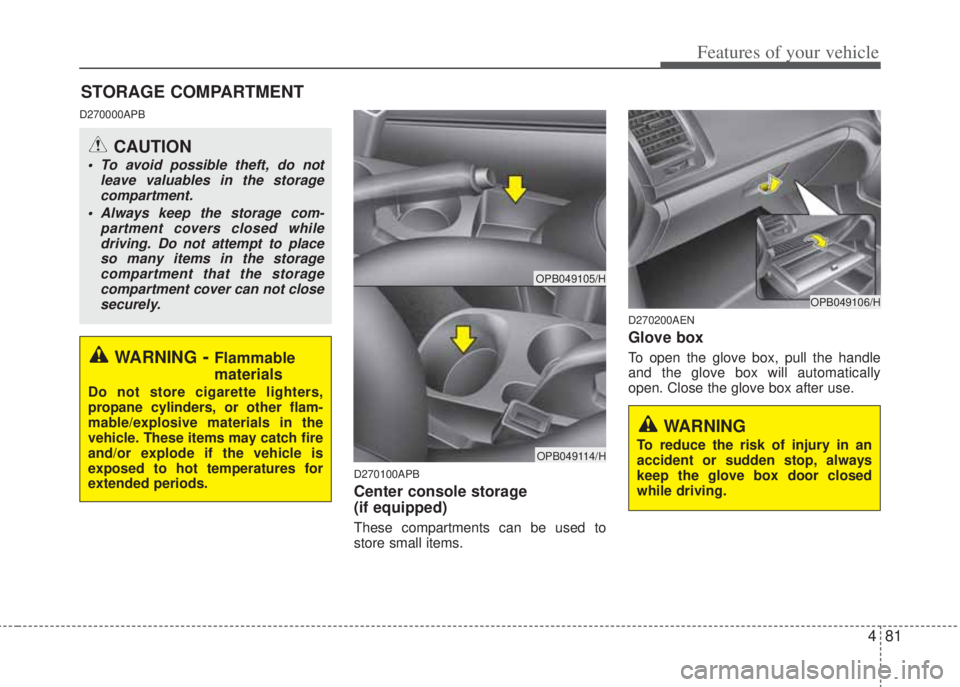
Center console storage
(if equipped)
These compartments can be used to
store small items.
D270200AEN
Glove box
To open the glove box, pull the handle
and the glove box will automatically
open. Close the glove box after use.
STORAGE COMPARTMENT
WARNING- Flammable
materials
Do not store cigarette lighters,
propane cylinders, or other flam-
mable/explosive materials in the
vehicle. These items may catch fire
and/or explode if the vehicle is
exposed to hot temperatures for
extended periods.
CAUTION
• To avoid possible theft, do not
leave valuables in the storage
compartment.
• Always keep the storage com-
partment covers closed while
driving. Do not attempt to place
so many items in the storage
compartment that the storage
compartment cover can not close
securely.
OPB049106/H
WARNING
To reduce the risk of injury in an
accident or sudden stop, always
keep the glove box door closed
while driving.
OPB049105/H
OPB049114/H
Page 156 of 207
Features of your vehicle
84 4
D280100APB
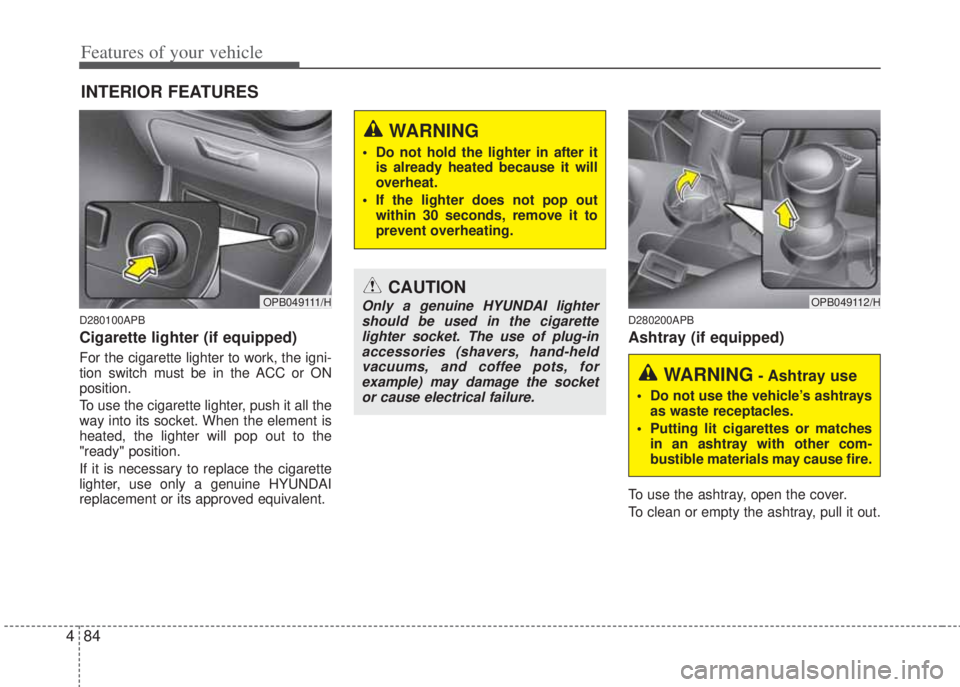
Cigarette lighter (if equipped)
For the cigarette lighter to work, the igni-
tion switch must be in the ACC or ON
position.
To use the cigarette lighter, push it all the
way into its socket. When the element is
heated, the lighter will pop out to the
"ready" position.
If it is necessary to replace the cigarette
lighter, use only a genuine HYUNDAI
replacement or its approved equivalent.
D280200APB
Ashtray (if equipped)
To use the ashtray, open the cover.
To clean or empty the ashtray, pull it out.
INTERIOR FEATURES
OPB049111/HCAUTION
Only a genuine HYUNDAI lighter
should be used in the cigarette
lighter socket. The use of plug-in
accessories (shavers, hand-held
vacuums, and coffee pots, for
example) may damage the socket
or cause electrical failure.OPB049112/H
WARNING- Ashtray use
• Do not use the vehicle’s ashtrays
as waste receptacles.
• Putting lit cigarettes or matches
in an ashtray with other com-
bustible materials may cause fire.
WARNING
• Do not hold the lighter in after it
is already heated because it will
overheat.
• If the lighter does not pop out
within 30 seconds, remove it to
prevent overheating.
Page 157 of 207
485
Features of your vehicle
D280300APB
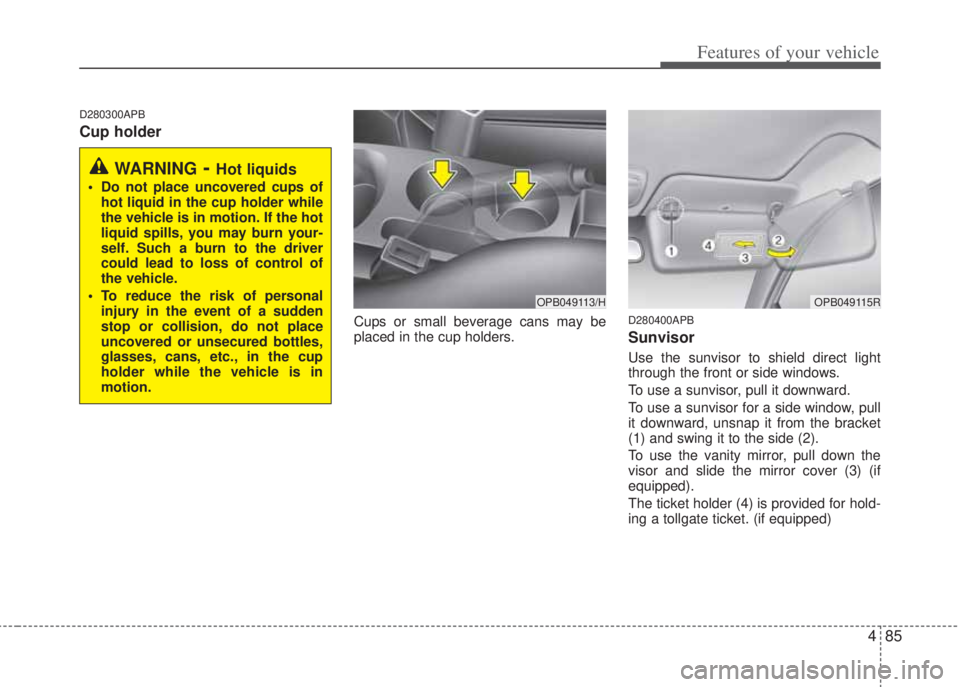
Cup holder
Cups or small beverage cans may be
placed in the cup holders.D280400APB
Sunvisor
Use the sunvisor to shield direct light
through the front or side windows.
To use a sunvisor, pull it downward.
To use a sunvisor for a side window, pull
it downward, unsnap it from the bracket
(1) and swing it to the side (2).
To use the vanity mirror, pull down the
visor and slide the mirror cover (3) (if
equipped).
The ticket holder (4) is provided for hold-
ing a tollgate ticket. (if equipped)
WARNING- Hot liquids
• Do not place uncovered cups of
hot liquid in the cup holder while
the vehicle is in motion. If the hot
liquid spills, you may burn your-
self. Such a burn to the driver
could lead to loss of control of
the vehicle.
• To reduce the risk of personal
injury in the event of a sudden
stop or collision, do not place
uncovered or unsecured bottles,
glasses, cans, etc., in the cup
holder while the vehicle is in
motion.
OPB049115ROPB049113/H
Page 170 of 207
Features of your vehicle
98 4
7. Manual Channel Selection
Knob & SETUP Button
If the knob is turned clockwise/counter-
clockwise, the frequency will be
increase/ decrease.
• GENERAL MODEL
- AM 9kHz, FM 100kHz
• EUROPE MODEL
- FM 50kHz, MW 9kHz, LW 1kHz
Pressing the button changes the BASS,
MIDDLE, TREBLE, FADER, BALANCE,
SCROLL, SDVC and RDS(AF, REG
NEWS, RDS VOLUME) Tune mode. The
mode selected is shown on the display.
After selecting each mode, rotate the
Audio control knob clockwise or counter-
clockwise.
8. SCAN Button
If this button is pressed, the frequencies
will increase and receive the correspon-
ding broadcasts. This function will play
the frequencies for 5 seconds (XM
MODE:10 seconds) each and find other
broadcasts as the frequency increases.
Press the button again when you want to
continue listening to the currently playing
broadcast.
9. TA Selection Button
In FM, CD, AUX mode, turns on/off the
reception of TA channels of RDS.
10. PTY(FLDR) Button
• Press [FLDR ] button when search-
ing PTY in RDS Broadcasting Program
Type selection.
• Press [PTY ] button when searching
PTY in RDS Broadcasting Program
Type selection.
11. DARK Button
Turns on/off the displayed data and light
on the LCD.
When LCD display is turned OFF, press
any button to turn ON the display.
Page 173 of 207
4101
Features of your vehicle
1. CD Loading Slot
• Please place the CD with the printed
side upward, and then gently push in.
• CDP models support Only 12 cm CD.
• If VCD, Data CD, DVD are loaded,
"MEDIA ERROR" message will appear
and the CD will eject.
2. CD Eject Button
Press this button to eject the CD during
CD playback.
If there is no CD in the deck, "NO DISC"
will be displayed for 5 seconds and
returns to the previous mode.
3. INFO Button
Displays the information of the current
CD TRACK(FILE) as below when the
button is pressed each time.
• CDDA : DISC TITLE
➟ DISC ARTIST
➟ TRACK TITLE ➟ TRACK ARTIST ➟
TOTAL TRACK...
• MP3/WMA : FILE NAME
➟ TITLE ➟
ARTIST ➟ ALBUM ➟ FOLDER NAME ➟
TOTAL FILE... (not displayed if the
information is not available on the
DISC.)
4. Automatic Track Selection
Button
• Press [TRACK ] to return to the
beginning of the current track(file).
Press again within 1 seconds to return
to the previous track(file).
• Press and hold [TRACK ] to initiate
rewind search.
• Press [SEEK ] for less than 0.8 sec-
ond to advance to the next track(file).
• Press and hold [SEEK ] to initiate
fast forward search.
5. RANDOM Play Button
Press this button for less than 0.8 second
to activate ‘RDM’ mode and more than
0.8 second to activate ‘ALL RDM’ mode.
• RDM : Only files/tracks in a folder/disc
are played in a random sequence.
• ALL RDM(MP3/WMA Only) : All files in
a disc are played in random sequence.
6. REPEAT Button
Press this button for less than 0.8 second
to activate ‘RPT’ mode and more than
0.8 second to activate ‘FLD RPT’ mode.
• RPT : Only a track(file) is repeatedly
played.
• FLD RPT(MP3/WMA Only) : Only files
in a folder are repeatedly played.
7. CD Selection Button
If the CD is loaded, turns to CD mode. If
no CD, it displays "NO Disc" for 3 sec-
onds and returns to the previous mode.
8. CD Indicator
When the ignition switch is in the ACC or
ON position and if the CD is loaded, this
indicator illuminates.
CAUTION
Don’t insert a CD, if CD indicator is
lighted in the CDP.