lock HYUNDAI I20 2012 Workshop Manual
[x] Cancel search | Manufacturer: HYUNDAI, Model Year: 2012, Model line: I20, Model: HYUNDAI I20 2012Pages: 207, PDF Size: 2.46 MB
Page 179 of 207
4107
Features of your vehicle
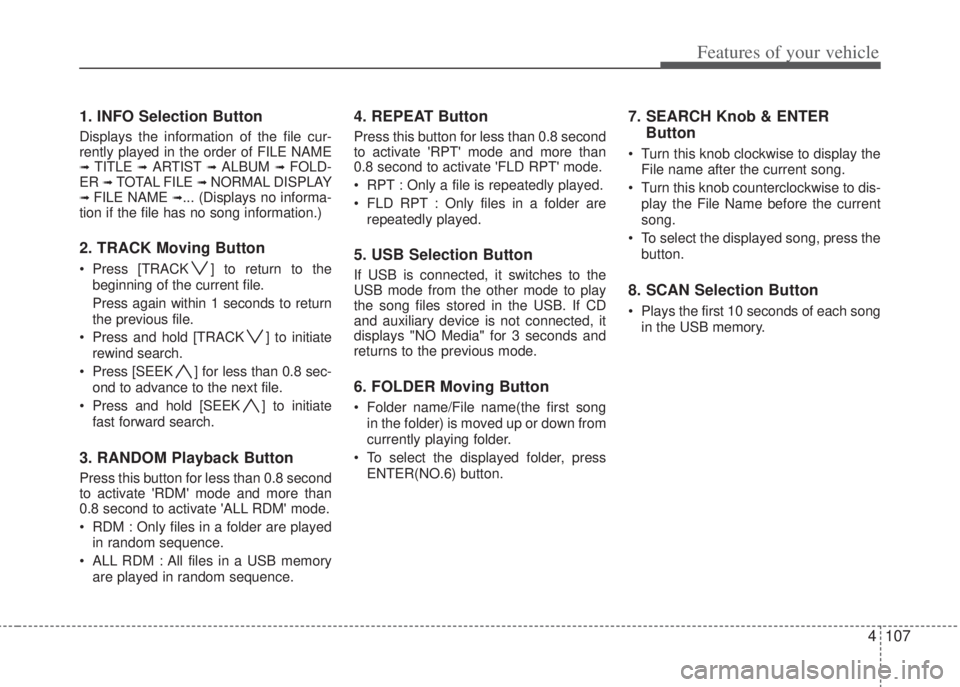
1. INFO Selection Button
Displays the information of the file cur-
rently played in the order of FILE NAME
➟ TITLE ➟ ARTIST ➟ ALBUM ➟ FOLD-
ER ➟ TOTAL FILE ➟ NORMAL DISPLAY➟ FILE NAME ➟... (Displays no informa-
tion if the file has no song information.)
2. TRACK Moving Button
• Press [TRACK ] to return to the
beginning of the current file.
Press again within 1 seconds to return
the previous file.
• Press and hold [TRACK ] to initiate
rewind search.
• Press [SEEK ] for less than 0.8 sec-
ond to advance to the next file.
• Press and hold [SEEK ] to initiate
fast forward search.
3. RANDOM Playback Button
Press this button for less than 0.8 second
to activate 'RDM' mode and more than
0.8 second to activate 'ALL RDM' mode.
• RDM : Only files in a folder are played
in random sequence.
• ALL RDM : All files in a USB memory
are played in random sequence.
4. REPEAT Button
Press this button for less than 0.8 second
to activate 'RPT' mode and more than
0.8 second to activate 'FLD RPT' mode.
• RPT : Only a file is repeatedly played.
• FLD RPT : Only files in a folder are
repeatedly played.
5. USB Selection Button
If USB is connected, it switches to the
USB mode from the other mode to play
the song files stored in the USB. If CD
and auxiliary device is not connected, it
displays "NO Media" for 3 seconds and
returns to the previous mode.
6. FOLDER Moving Button
• Folder name/File name(the first song
in the folder) is moved up or down from
currently playing folder.
• To select the displayed folder, press
ENTER(NO.6) button.
7. SEARCH Knob & ENTER
Button
• Turn this knob clockwise to display the
File name after the current song.
• Turn this knob counterclockwise to dis-
play the File Name before the current
song.
• To select the displayed song, press the
button.
8. SCAN Selection Button
• Plays the first 10 seconds of each song
in the USB memory.
Page 182 of 207
Features of your vehicle
110 4
The iPod exclusive cable is connected to
the multiple terminal inside the console
on the left hand side of the driver's seat.
When the iPod is connected, the 'iPod'
icon will be displayed on the top left cor-
ner of the display screen.
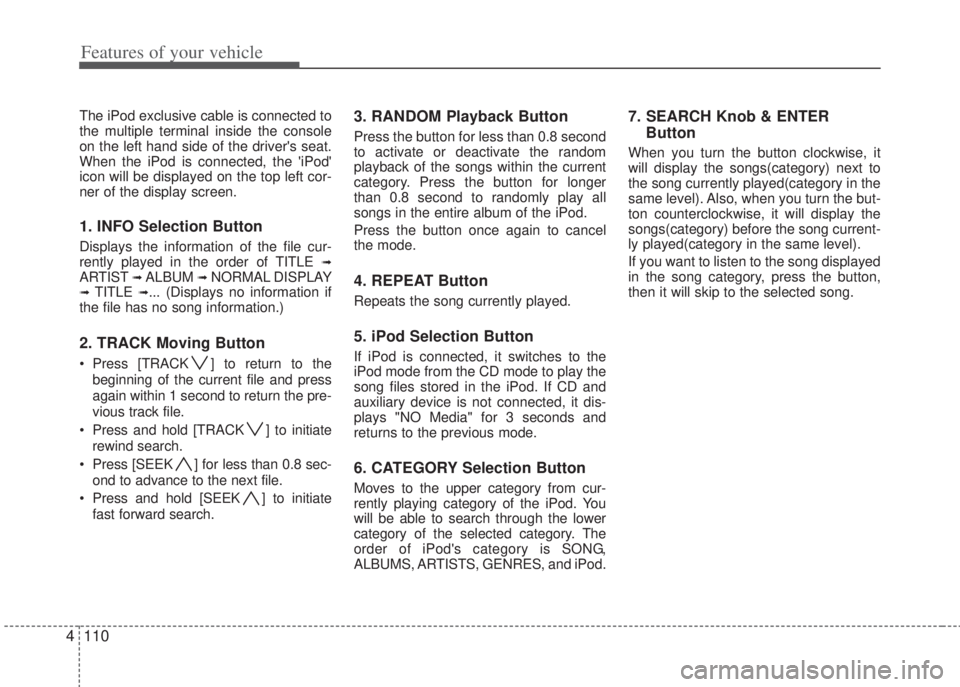
1. INFO Selection Button
Displays the information of the file cur-
rently played in the order of TITLE ➟ARTIST ➟ ALBUM ➟ NORMAL DISPLAY➟ TITLE ➟... (Displays no information if
the file has no song information.)
2. TRACK Moving Button
• Press [TRACK ] to return to the
beginning of the current file and press
again within 1 second to return the pre-
vious track file.
• Press and hold [TRACK ] to initiate
rewind search.
• Press [SEEK ] for less than 0.8 sec-
ond to advance to the next file.
• Press and hold [SEEK ] to initiate
fast forward search.
3. RANDOM Playback Button
Press the button for less than 0.8 second
to activate or deactivate the random
playback of the songs within the current
category. Press the button for longer
than 0.8 second to randomly play all
songs in the entire album of the iPod.
Press the button once again to cancel
the mode.
4. REPEAT Button
Repeats the song currently played.
5. iPod Selection Button
If iPod is connected, it switches to the
iPod mode from the CD mode to play the
song files stored in the iPod. If CD and
auxiliary device is not connected, it dis-
plays "NO Media" for 3 seconds and
returns to the previous mode.
6. CATEGORY Selection Button
Moves to the upper category from cur-
rently playing category of the iPod. You
will be able to search through the lower
category of the selected category. The
order of iPod's category is SONG,
ALBUMS, ARTISTS, GENRES, and iPod.
7. SEARCH Knob & ENTER
Button
When you turn the button clockwise, it
will display the songs(category) next to
the song currently played(category in the
same level). Also, when you turn the but-
ton counterclockwise, it will display the
songs(category) before the song current-
ly played(category in the same level).
If you want to listen to the song displayed
in the song category, press the button,
then it will skip to the selected song.
Page 186 of 207
53
Driving your vehicle
E020100AUN
Before entering vehicle
• Be sure that all windows, outside mir-
ror(s), and outside lights are clean.
• Check the condition of the tires.
• Check under the vehicle for any sign of
leaks.
• Be sure there are no obstacles behind
you if you intend to back up.
E020200AUN
Necessary inspections
Fluid levels, such as engine oil, engine
coolant, brake fluid, and washer fluid
should be checked on a regular basis,
with the exact interval depending on the
fluid. Further details are provided in
Section 7, “Maintenance”.
E020300AHM
Before starting
• Close and lock all doors.
• Position the seat so that all controls
are easily reached.
• Adjust the inside and outside rearview
mirrors.• Be sure that all lights work.
• Check all gauges.
• Check the operation of warning lights
when the ignition switch is turned to
the ON position.
• Release the parking brake and make
sure the brake warning light goes out.
For safe operation, be sure you are famil-
iar with your vehicle and its equipment.
BEFORE DRIVING
WARNING
All passengers must be properly
belted whenever the vehicle is
moving. Refer to “Seat belts” in
section 3 for more information on
their proper use.
WARNING
Always check the surrounding
areas near your vehicle for people,
especially children, before putting
a vehicle into D (Drive) or R
(Reverse).
WARNING
When you intend to park or stop the
vehicle with the engine on, be care-
ful not to depress the accelerator
pedal for a long period of time. It
may overheat the engine or
exhaust system and cause fire.
WARNING- Driving under
the influence of alcohol or
drugs
Drinking and driving is dangerous.
Drunk driving is the number one
contributor to the highway death
toll each year. Even a small amount
of alcohol will affect your reflexes,
perceptions and judgement.
Driving while under the influence of
drugs is as dangerous or more dan-
gerous than driving drunk.
You are much more likely to have a
serious accident if you drink or
take drugs and drive.
If you are drinking or taking drugs,
don’t drive. Do not ride with a driv-
er who has been drinking or taking
drugs. Choose a designated driver
or call a cab.
Page 187 of 207
Driving your vehicle
4 5
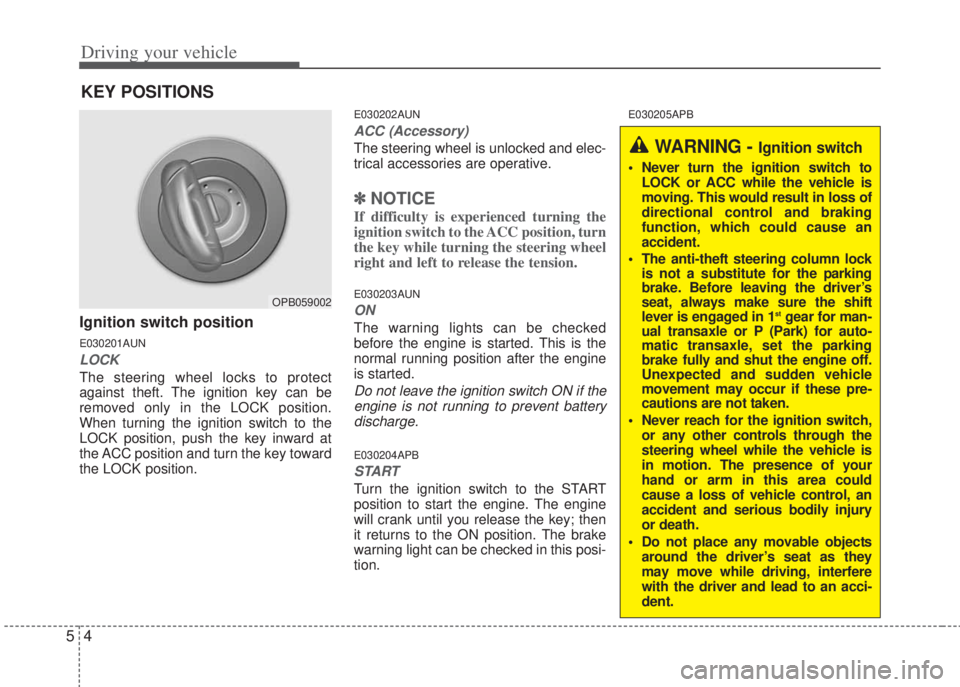
Ignition switch position
E030201AUN
LOCK
The steering wheel locks to protect
against theft. The ignition key can be
removed only in the LOCK position.
When turning the ignition switch to the
LOCK position, push the key inward at
the ACC position and turn the key toward
the LOCK position.
E030202AUN
ACC (Accessory)
The steering wheel is unlocked and elec-
trical accessories are operative.
✽NOTICE
If difficulty is experienced turning the
ignition switch to the ACC position, turn
the key while turning the steering wheel
right and left to release the tension.
E030203AUN
ON
The warning lights can be checked
before the engine is started. This is the
normal running position after the engine
is started.
Do not leave the ignition switch ON if the
engine is not running to prevent battery
discharge.
E030204APB
START
Turn the ignition switch to the START
position to start the engine. The engine
will crank until you release the key; then
it returns to the ON position. The brake
warning light can be checked in this posi-
tion.
E030205APB
KEY POSITIONS
OPB059002
WARNING - Ignition switch
• Never turn the ignition switch to
LOCK or ACC while the vehicle is
moving. This would result in loss of
directional control and braking
function, which could cause an
accident.
• The anti-theft steering column lock
is not a substitute for the parking
brake. Before leaving the driver’s
seat, always make sure the shift
lever is engaged in 1
stgear for man-
ual transaxle or P (Park) for auto-
matic transaxle, set the parking
brake fully and shut the engine off.
Unexpected and sudden vehicle
movement may occur if these pre-
cautions are not taken.
• Never reach for the ignition switch,
or any other controls through the
steering wheel while the vehicle is
in motion. The presence of your
hand or arm in this area could
cause a loss of vehicle control, an
accident and serious bodily injury
or death.
• Do not place any movable objects
around the driver’s seat as they
may move while driving, interfere
with the driver and lead to an acci-
dent.
Page 189 of 207
Driving your vehicle
6 5
E040101APB
Starting the diesel engine
To start the diesel engine when the
engine is cold, it has to be pre-heated
before starting the engine and then has
to be warmed up before starting to drive.
1. Make sure the parking brake is
applied.
2. Depress the clutch pedal fully and shift
the transaxle into Neutral. Keep the
clutch pedal and brake pedal
depressed while turning the ignition
switch to the start position.
3. Turn the ignition switch
to the ON position to pre-
heat the engine. Then
the glow indicator light
will illuminate.
4. If the glow indicator light goes out, turn
the ignition switch to the START posi-
tion and hold it there until the engine
starts (a maximum of 10 seconds),
then release the key.
✽ NOTICE
If the engine does not start within 10
seconds after the preheating is complet-
ed, turn the ignition key once more to
the LOCK position for 10 seconds, and
then to the ON position, in order to pre-
heat again.
✽ NOTICE - Kick down mechanism
If your vehicle is equipped with a kick
down mechanism in an accelerator
pedal,it prevents you from driving at
full throttle unintentionally by making
the driver require increased effort to
depress the accelerator pedal. However
if you depress the pedal more than
approximately 80% the vehicle can be
full throttle and the accelerator pedal
will be easier to depress.This is not a
malfunction but a normal condition.
Starting and stopping the engine for tur-
bocharger intercooler
1. Do not race or accelerate the engine
immediately after starting it.
If the engine is cold, idle it for several
seconds before sufficient lubrication is
ensured in the turbocharger unit.
2. After high speed or extended driving,
requiring a heavy engine load, idle the
engine about 1 minute before turning it
off.
This idle time will allow the tur-
bocharger to cool prior to shutting the
engine off.
CAUTION
Do not turn the engine off immedi-
ately after it has been subjected to
a heavy load. Doing so may cause
severe damage to the engine or
turbo charger unit.W-60
Page 191 of 207
Driving your vehicle
8 5
• During cold weather, shifting may be
difficult until the transaxle lubricant has
warmed up. This is normal and not
harmful to the transaxle.
• If you've come to a complete stop and
it's hard to shift into 1st or R (Reverse),
put the shift lever in N (Neutral) posi-
tion and release the clutch. Depress
the clutch pedal back down, and then
shift into 1st or R (Reverse) gear posi-
tion.E050101APB
Using the clutch
The clutch should be depressed all the
way to the floor before shifting, then
released slowly. The clutch pedal should
always be fully released while driving. Do
not rest your foot on the clutch pedal
while driving. This can cause unneces-
sary wear. Do not partially engage the
clutch to hold the vehicle on an incline.
This causes unnecessary wear. Use the
foot brake or parking brake to hold the
vehicle on an incline. Do not operate the
clutch pedal rapidly and repeatedly.
E050102APB
Downshifting
When you must slow down in heavy traf-
fic or while driving up steep hills, down-
shift before the engine starts to labor.
Downshifting reduces the chance of
stalling and gives better acceleration
when you need to increase your speed
again. When the vehicle is traveling
down steep hills, downshifting helps
maintain safe speed and prolongs brake
life.
CAUTION
• To avoid premature clutch wear
and damage, do not drive with
your foot resting on the clutch
pedal. Also, don’t use the clutch
to hold the vehicle on an uphill
grade, while waiting for a traffic
light, etc.
• Do not use the shift lever as a
handrest during driving, as this
can result in premature wear of
the transaxle shift forks.
WARNING
• Before leaving the driver’s seat,
always set the parking brake fully
and shut the engine off. Then
make sure the transaxle is shifted
into 1st gear when the vehicle is
parked on a level or uphill grade,
and shifted into R (Reverse) on a
downhill grade. Unexpected and
sudden vehicle movement can
occur if these precautions are not
followed in the order identified.
• If your vehicle has a manual
transaxle not equipped with a
ignition lock switch, it may move
and cause a serious accident
when starting the engine without
depressing the clutch pedal while
the parking brake is released and
the shift lever not in the N
(Neutral) position.
Page 193 of 207
Driving your vehicle
10 5
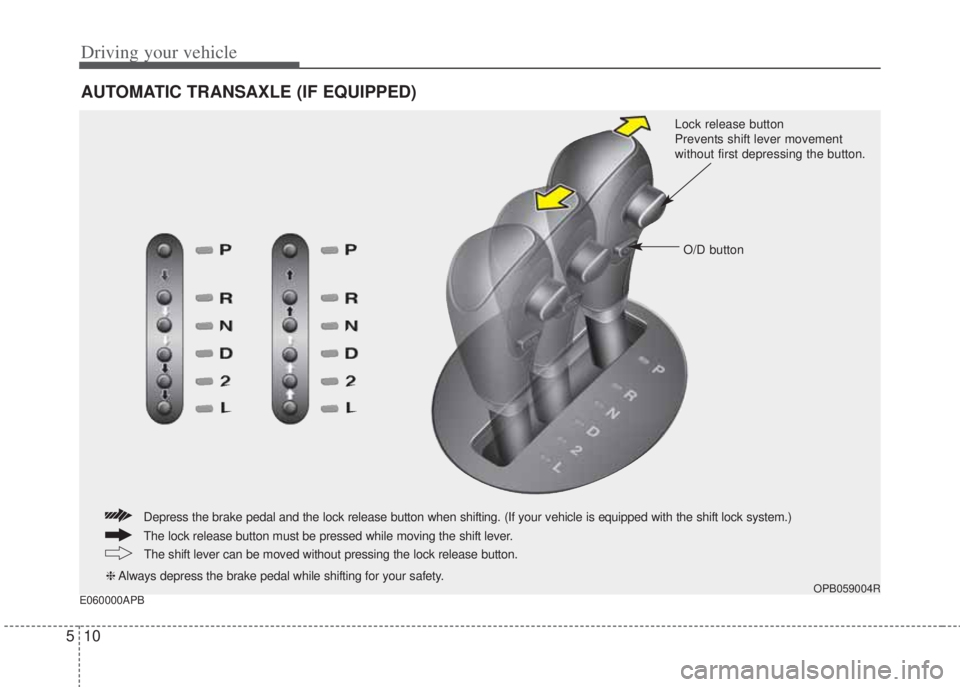
E060000APB
AUTOMATIC TRANSAXLE (IF EQUIPPED)
OPB059004R
Lock release button
Prevents shift lever movement
without first depressing the button.
O/D button
The lock release button must be pressed while moving the shift lever.
The shift lever can be moved without pressing the lock release button.
❈Always depress the brake pedal while shifting for your safety.
Depress the brake pedal and the lock release button when shifting. (If your vehicle is equipped with the shift lock system.)
Page 194 of 207
511
Driving your vehicle
E060100APB
Automatic transaxle operation
The automatic transaxle has 4 forward
speeds and one reverse speed. The indi-
vidual speeds are selected automatically,
depending on the position of the shift
lever.
To move the shift lever from the P (Park)
position, the brake pedal must be
depressed and the lock release button
must be pressed.
✽NOTICE
The first few shifts on a new vehicle, if
the battery has been disconnected, may
be somewhat abrupt. This is a normal
condition, and the shifting sequence will
adjust after shifts are cycled a few times
by the TCM (Transaxle Control
Module) or PCM (Powertrain Control
Module).
For smooth operation, depress the brake
pedal when shifting from N (Neutral) to a
forward or reverse gear.
E060101APB
Transaxle ranges
The indicator light in the instrument clus-
ter displays the shift lever position when
the ignition switch is in the ON position.
P (Park)
Always come to a complete stop before
shifting into P (Park). This position locks
the transaxle and prevents the front
wheels from rotating.
WARNING- Automatic
transaxle
• Always check the surrounding
areas near your vehicle for peo-
ple, especially children, before
shifting a shift lever into D (Drive)
or R (Reverse).
• Before leaving the driver’s seat,
always make sure the shift lever
is in the P (Park) position; then
set the parking brake fully and
shut the engine off. Unexpected
and sudden vehicle movement
can occur if these precautions
are not followed in the order iden-
tified.
CAUTION
• To avoid damage to your
transaxle, do not accelerate the
engine in R (Reverse) or any for-
ward gear position with the
brakes on.
• When stopped on an upgrade, do
not hold the vehicle with engine
power. Use the service brake or
the parking brake.
• Do not shift from N (Neutral) or P
(Park) into D (Drive), or R
(Reverse) when the engine is
above idle speed.
Page 195 of 207
Driving your vehicle
12 5
R (Reverse)
Use this position to drive the vehicle
backward.
N (Neutral)
The wheels and transaxle are not
engaged. The vehicle will roll freely even
on the slightest incline unless the parking
brake or service brakes are applied.
D (Drive)
This is the normal forward driving posi-
tion. The transaxle will automatically shift
through a 4-gear sequence, providing
the best fuel economy and power.
For extra power when passing another
vehicle or climbing grades, depress the
accelerator fully, at which time the
transaxle will automatically downshift to
the next lower gear.✽NOTICE
Always come to a complete stop before
shifting into D.
2 (Second Gear)
Use 2 (Second Gear) for more power
when climbing hills and for increased
braking when going down hills. This posi-
tion also helps reduce wheel spin on slip-
pery surfaces. When the shift lever is
placed in 2 (Second Gear), the transaxle
will automatically shift from first to sec-
ond gear.
L (Low)
Move the shift lever to this position in
hard pulling situations and for climbing
steep grades.
WARNING
• Shifting into P (Park) while the
vehicle is in motion will cause the
drive wheels to lock which will
cause you to lose control of the
vehicle.
• Do not use the P (Park) position
in place of the parking brake.
Always make sure the shift lever
is latched in the P (Park) position
and set the parking brake fully.
• Never leave a child unattended in
a vehicle.
CAUTION
The transaxle may be damaged if
you shift into P (Park) while the
vehicle is in motion.
CAUTION
Always come to a complete stop
before shifting into or out of R
(Reverse); you may damage the
transaxle if you shift into R
(Reverse) while the vehicle is in
motion, except when “Rocking the
Vehicle” explained in this section.
CAUTION
Do not exceed the recommended
maximum speed in 2 (Second Gear)
or L (Low). Operating the vehicle
above the maximum speed recom-
mended for 2 (Second Gear) or L
(Low) may cause excessive heat
which could damage the automatic
transaxle.
Page 196 of 207
513
Driving your vehicle
E060104APB
O/D (Over Drive) system
(if equipped)
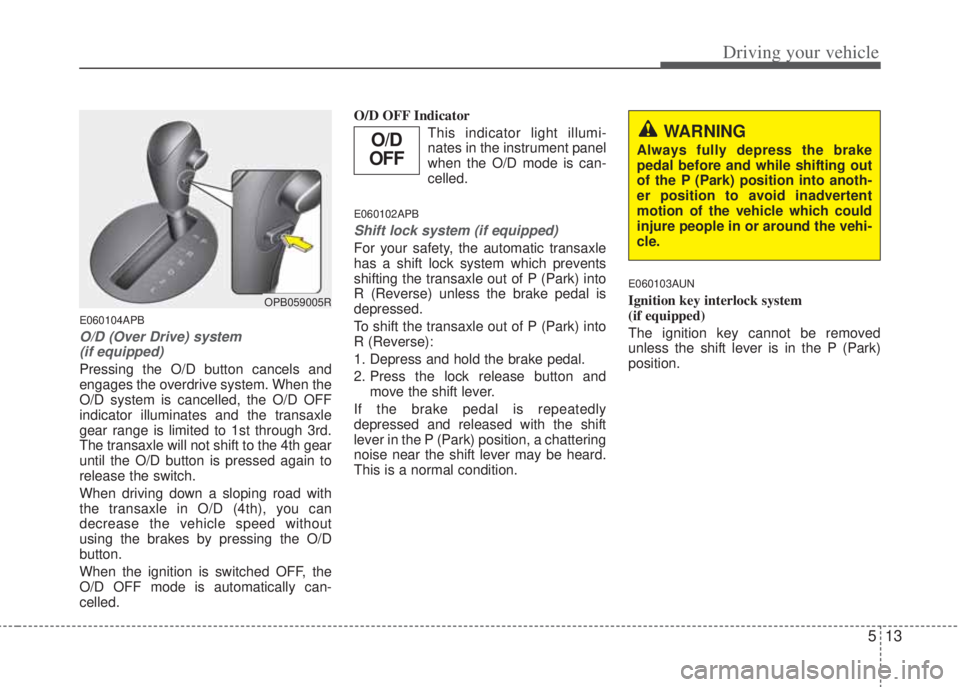
Pressing the O/D button cancels and
engages the overdrive system. When the
O/D system is cancelled, the O/D OFF
indicator illuminates and the transaxle
gear range is limited to 1st through 3rd.
The transaxle will not shift to the 4th gear
until the O/D button is pressed again to
release the switch.
When driving down a sloping road with
the transaxle in O/D (4th), you can
decrease the vehicle speed without
using the brakes by pressing the O/D
button.
When the ignition is switched OFF, the
O/D OFF mode is automatically can-
celled.O/D OFF Indicator
This indicator light illumi-
nates in the instrument panel
when the O/D mode is can-
celled.
E060102APB
Shift lock system (if equipped)
For your safety, the automatic transaxle
has a shift lock system which prevents
shifting the transaxle out of P (Park) into
R (Reverse) unless the brake pedal is
depressed.
To shift the transaxle out of P (Park) into
R (Reverse):
1. Depress and hold the brake pedal.
2. Press the lock release button and
move the shift lever.
If the brake pedal is repeatedly
depressed and released with the shift
lever in the P (Park) position, a chattering
noise near the shift lever may be heard.
This is a normal condition.
E060103AUN
Ignition key interlock system
(if equipped)
The ignition key cannot be removed
unless the shift lever is in the P (Park)
position.
WARNING
Always fully depress the brake
pedal before and while shifting out
of the P (Park) position into anoth-
er position to avoid inadvertent
motion of the vehicle which could
injure people in or around the vehi-
cle.
OPB059005R
O/D
OFF