warning HYUNDAI I30 2011 Owners Manual
[x] Cancel search | Manufacturer: HYUNDAI, Model Year: 2011, Model line: I30, Model: HYUNDAI I30 2011Pages: 635, PDF Size: 40.66 MB
Page 170 of 635
Features of your vehicle
92
4
D270000AUN
These compartments can be used to
store small items required by the driver
or passengers.
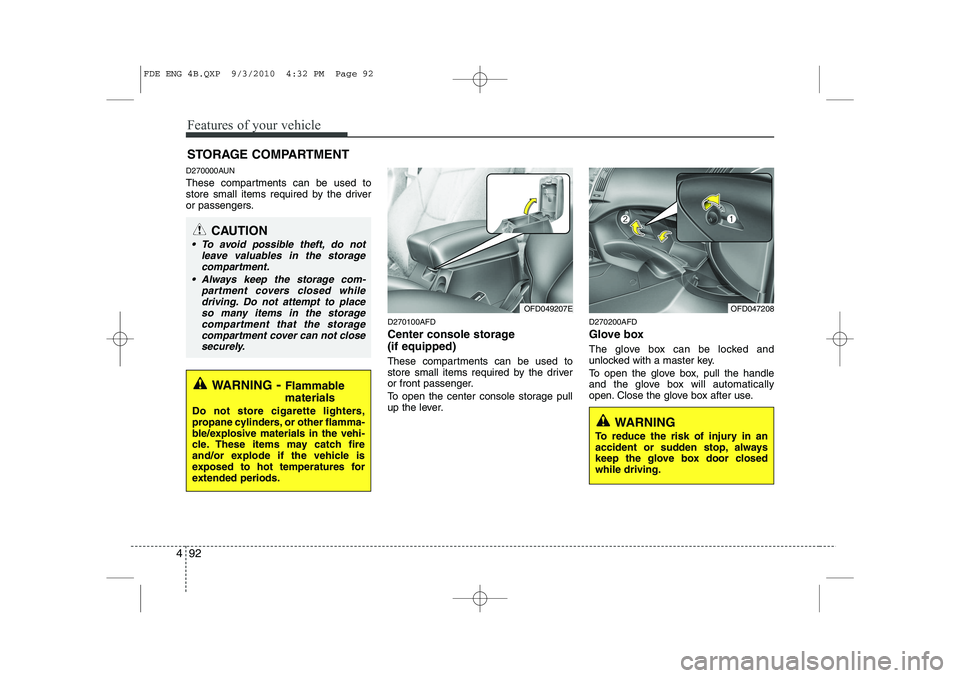
D270100AFD
Center console storage (if equipped)
These compartments can be used to
store small items required by the driver
or front passenger.
To open the center console storage pull
up the lever.D270200AFD
Glove box
The glove box can be locked and
unlocked with a master key.
To open the glove box, pull the handle
and the glove box will automatically
open. Close the glove box after use.
STORAGE COMPARTMENT
WARNING
- Flammable
materials
Do not store cigarette lighters,
propane cylinders, or other flamma-
ble/explosive materials in the vehi-
cle. These items may catch fire
and/or explode if the vehicle is
exposed to hot temperatures for
extended periods.
CAUTION
To avoid possible theft, do not leave valuables in the storage
compartment.
Always keep the storage com- partment covers closed whiledriving. Do not attempt to place
so many items in the storagecompartment that the storage compartment cover can not close securely.
OFD049207EOFD047208
WARNING
To reduce the risk of injury in an
accident or sudden stop, always
keep the glove box door closedwhile driving.
FDE ENG 4B.QXP 9/3/2010 4:32 PM Page 92
Page 172 of 635
Features of your vehicle
94
4
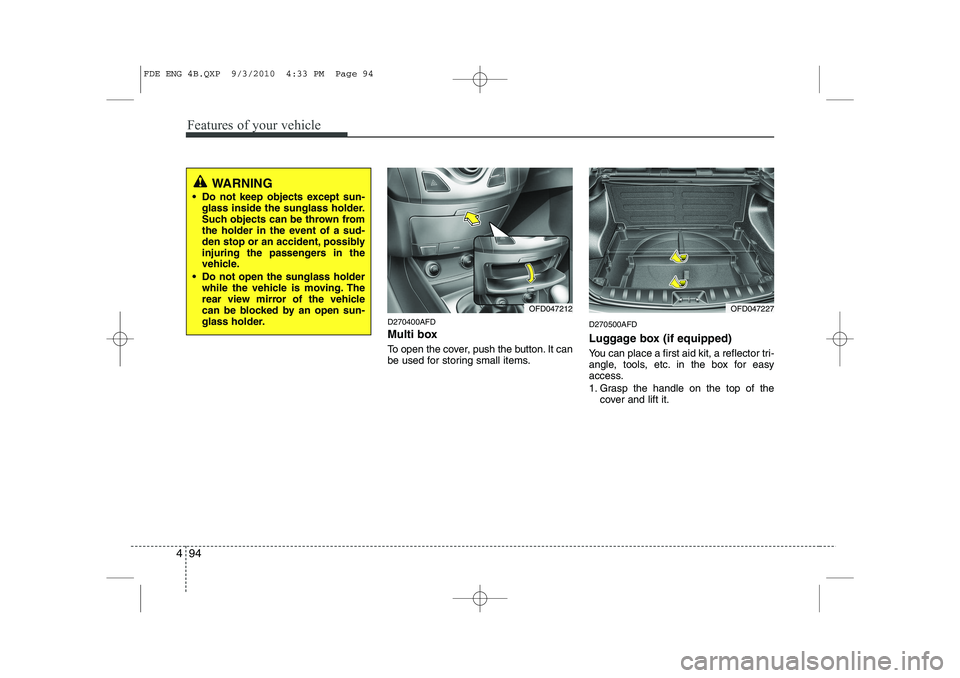
D270400AFD
Multi box
To open the cover, push the button. It can
be used for storing small items. D270500AFD
Luggage box (if equipped)
You can place a first aid kit, a reflector tri-
angle, tools, etc. in the box for easy
access.
1. Grasp the handle on the top of the
cover and lift it.
WARNING
Do not keep objects except sun- glass inside the sunglass holder.
Such objects can be thrown from
the holder in the event of a sud-
den stop or an accident, possibly
injuring the passengers in the
vehicle.
Do not open the sunglass holder while the vehicle is moving. The
rear view mirror of the vehicle
can be blocked by an open sun-
glass holder.
OFD047227OFD047212
FDE ENG 4B.QXP 9/3/2010 4:33 PM Page 94
Page 173 of 635
495
Features of your vehicle
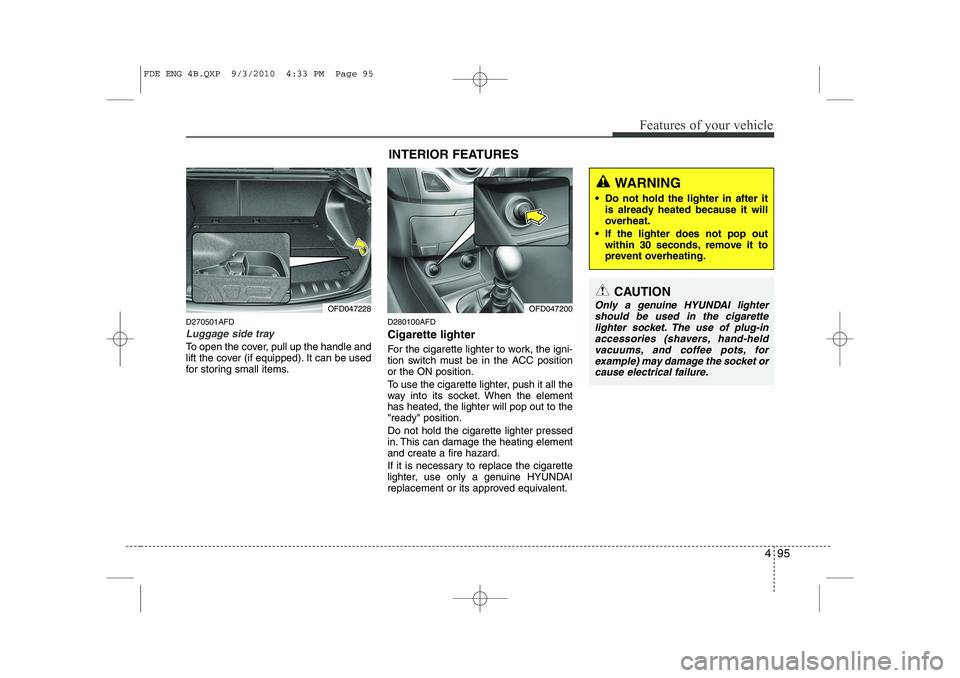
D270501AFD
Luggage side tray
To open the cover, pull up the handle and
lift the cover (if equipped). It can be used
for storing small items.D280100AFD Cigarette lighter
For the cigarette lighter to work, the igni-
tion switch must be in the ACC positionor the ON position.
To use the cigarette lighter, push it all the
way into its socket. When the elementhas heated, the lighter will pop out to the"ready" position. Do not hold the cigarette lighter pressed
in. This can damage the heating elementand create a fire hazard.
If it is necessary to replace the cigarette
lighter, use only a genuine HYUNDAI
replacement or its approved equivalent.
OFD047228INTERIOR FEATURES OFD047200
CAUTION
Only a genuine HYUNDAI lighter
should be used in the cigarette
lighter socket. The use of plug-in accessories (shavers, hand-heldvacuums, and coffee pots, for
example) may damage the socket orcause electrical failure.
WARNING
Do not hold the lighter in after it is already heated because it will
overheat.
If the lighter does not pop out within 30 seconds, remove it to
prevent overheating.
FDE ENG 4B.QXP 9/3/2010 4:33 PM Page 95
Page 174 of 635
Features of your vehicle
96
4
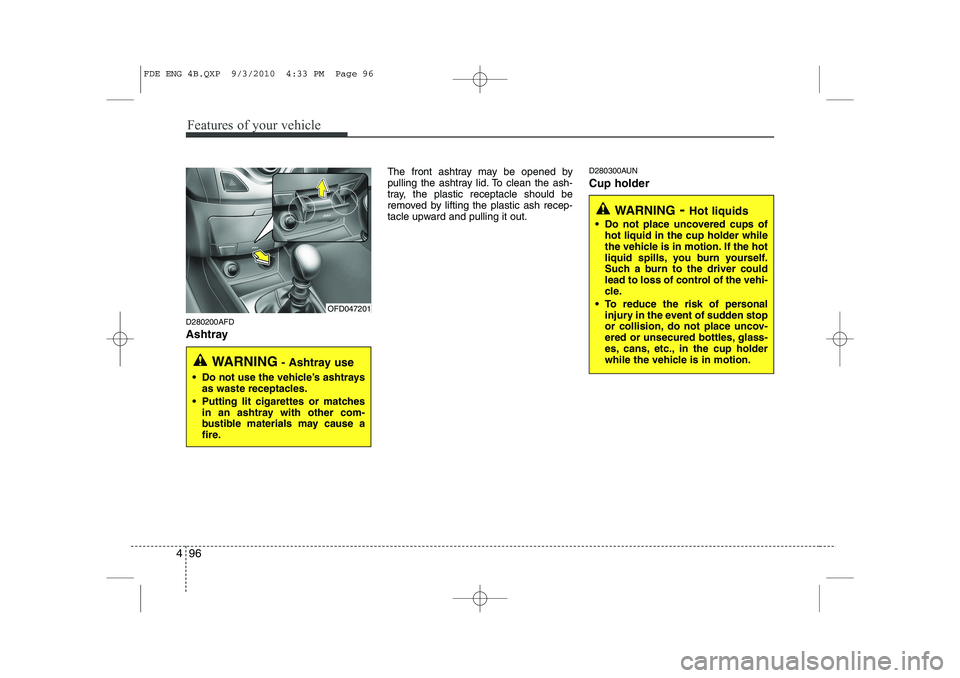
D280200AFD
Ashtray The front ashtray may be opened by
pulling the ashtray lid. To clean the ash-
tray, the plastic receptacle should be
removed by lifting the plastic ash recep-
tacle upward and pulling it out.
D280300AUN Cup holder
OFD047201
WARNING
- Ashtray use
Do not use the vehicle’s ashtrays as waste receptacles.
Putting lit cigarettes or matches in an ashtray with other com-
bustible materials may cause a
fire.
WARNING - Hot liquids
Do not place uncovered cups of hot liquid in the cup holder while
the vehicle is in motion. If the hot
liquid spills, you burn yourself.
Such a burn to the driver could
lead to loss of control of the vehi-
cle.
To reduce the risk of personal injury in the event of sudden stop
or collision, do not place uncov-
ered or unsecured bottles, glass-
es, cans, etc., in the cup holder
while the vehicle is in motion.
FDE ENG 4B.QXP 9/3/2010 4:33 PM Page 96
Page 176 of 635
Features of your vehicle
98
4
D280600AUN
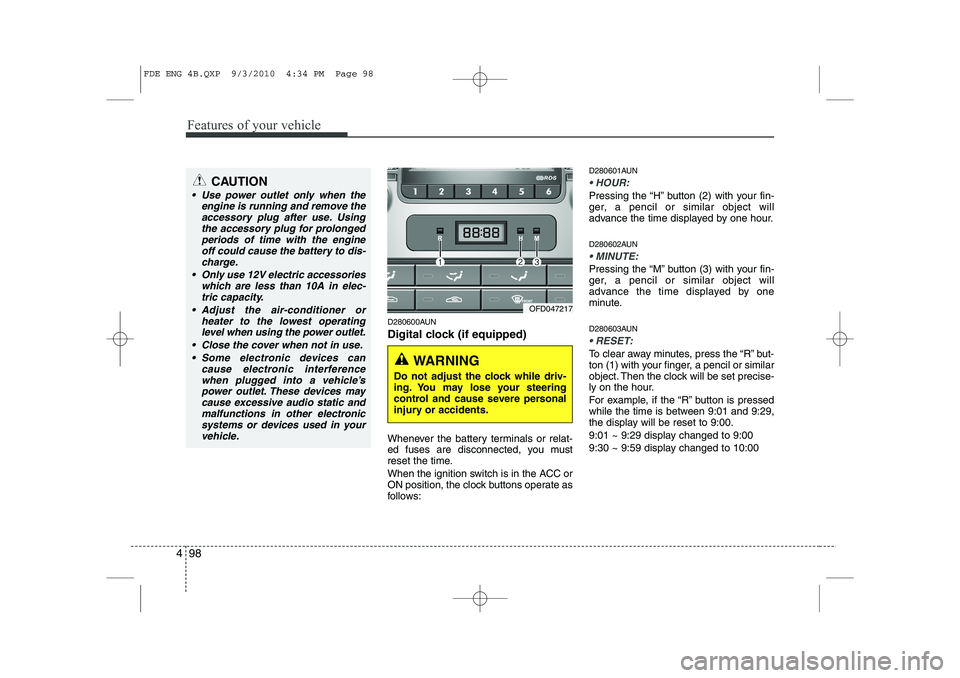
Digital clock (if equipped)
Whenever the battery terminals or relat-
ed fuses are disconnected, you must
reset the time.
When the ignition switch is in the ACC or
ON position, the clock buttons operate as
follows: D280601AUN
HOUR:
Pressing the “H” button (2) with your fin-
ger, a pencil or similar object will
advance the time displayed by one hour.
D280602AUN
MINUTE:
Pressing the “M” button (3) with your fin-
ger, a pencil or similar object will
advance the time displayed by one
minute.
D280603AUN
RESET:
To clear away minutes, press the “R” but-
ton (1) with your finger, a pencil or similar
object. Then the clock will be set precise-
ly on the hour.
For example, if the “R” button is pressed
while the time is between 9:01 and 9:29,
the display will be reset to 9:00.
9:01 ~ 9:29 display changed to 9:00
9:30 ~ 9:59 display changed to 10:00
CAUTION
Use power outlet only when the
engine is running and remove the
accessory plug after use. Usingthe accessory plug for prolongedperiods of time with the engine off could cause the battery to dis-
charge.
Only use 12V electric accessories which are less than 10A in elec-tric capacity.
Adjust the air-conditioner or heater to the lowest operatinglevel when using the power outlet.
Close the cover when not in use. Some electronic devices can cause electronic interference
when plugged into a vehicle’spower outlet. These devices maycause excessive audio static and malfunctions in other electronic
systems or devices used in yourvehicle.
OFD047217
WARNING
Do not adjust the clock while driv-
ing. You may lose your steering
control and cause severe personal
injury or accidents.
FDE ENG 4B.QXP 9/3/2010 4:34 PM Page 98
Page 178 of 635
Features of your vehicle
100
4
D280800AUN
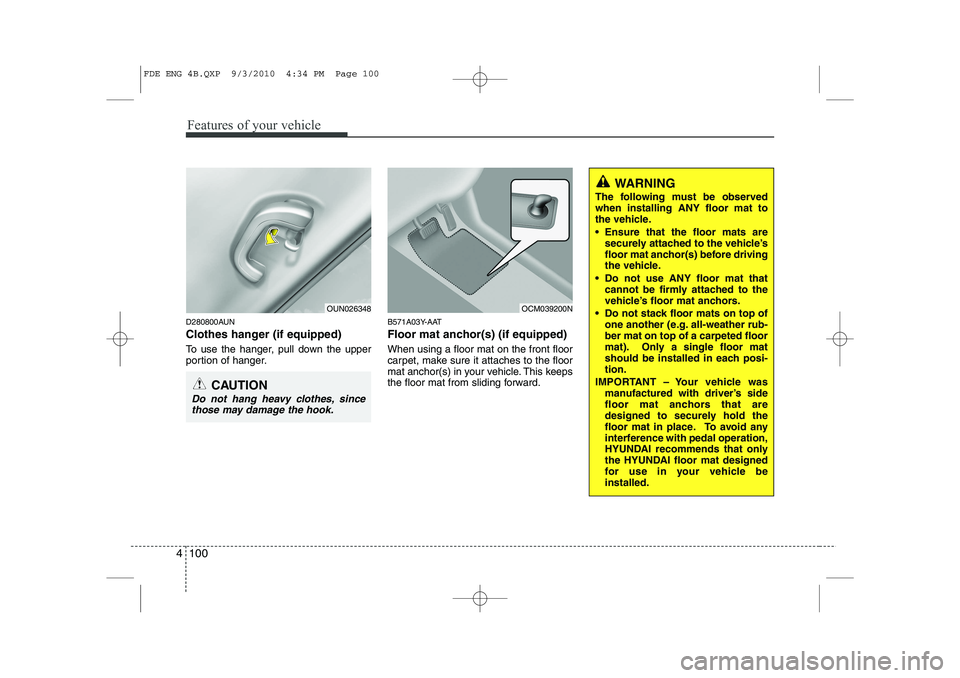
Clothes hanger (if equipped)
To use the hanger, pull down the upper
portion of hanger. B571A03Y-AAT
Floor mat anchor(s) (if equipped) When using a floor mat on the front floor
carpet, make sure it attaches to the floor
mat anchor(s) in your vehicle. This keeps
the floor mat from sliding forward.
OUN026348
CAUTION
Do not hang heavy clothes, since
those may damage the hook.
OCM039200N
WARNING
The following must be observed when installing ANY floor mat to
the vehicle.
Ensure that the floor mats are securely attached to the vehicle’s
floor mat anchor(s) before driving
the vehicle.
Do not use ANY floor mat that cannot be firmly attached to the
vehicle’s floor mat anchors.
Do not stack floor mats on top of one another (e.g. all-weather rub-ber mat on top of a carpeted floor
mat). Only a single floor mat
should be installed in each posi-tion.
IMPORTANT – Your vehicle was manufactured with driver’s side
floor mat anchors that are
designed to securely hold the
floor mat in place. To avoid any
interference with pedal operation,
HYUNDAI recommends that only
the HYUNDAI floor mat designed
for use in your vehicle beinstalled.
FDE ENG 4B.QXP 9/3/2010 4:34 PM Page 100
Page 179 of 635
4 101
Features of your vehicle
D281000AFD
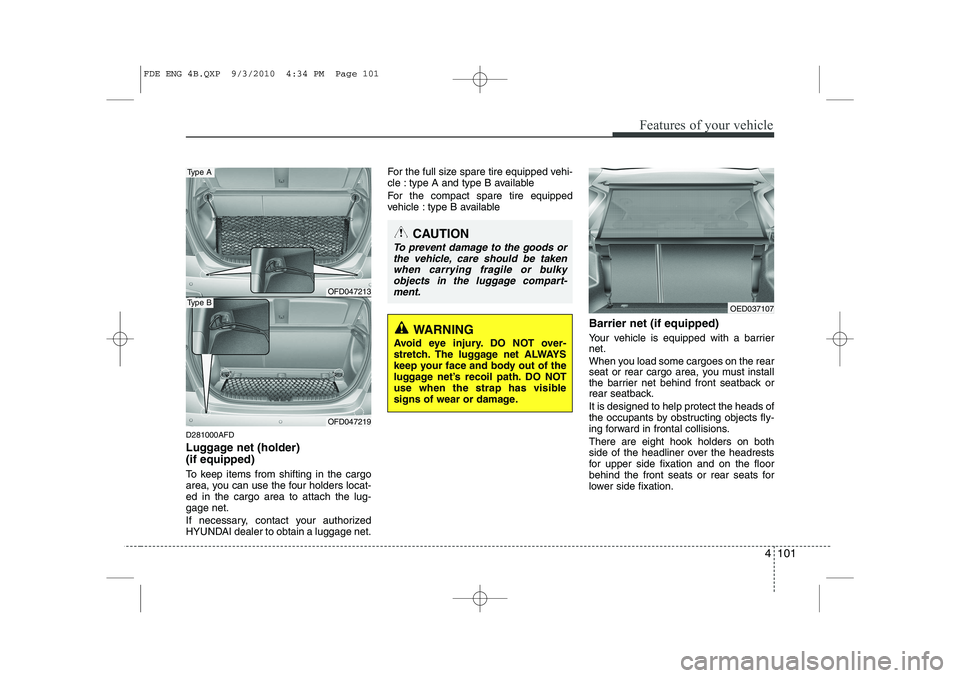
Luggage net (holder) (if equipped)
To keep items from shifting in the cargo
area, you can use the four holders locat-ed in the cargo area to attach the lug-gage net.
If necessary, contact your authorized
HYUNDAI dealer to obtain a luggage net.For the full size spare tire equipped vehi-
cle : type A and type B available
For the compact spare tire equipped
vehicle : type B available
Barrier net (if equipped)
Your vehicle is equipped with a barrier net.
When you load some cargoes on the rear
seat or rear cargo area, you must install
the barrier net behind front seatback or
rear seatback. It is designed to help protect the heads of
the occupants by obstructing objects fly-
ing forward in frontal collisions. There are eight hook holders on both
side of the headliner over the headrests
for upper side fixation and on the floor
behind the front seats or rear seats for
lower side fixation.
CAUTION
To prevent damage to the goods orthe vehicle, care should be takenwhen carrying fragile or bulkyobjects in the luggage compart- ment.
WARNING
Avoid eye injury. DO NOT over-
stretch. The luggage net ALWAYS
keep your face and body out of the
luggage net’s recoil path. DO NOT
use when the strap has visible
signs of wear or damage.
OFD047213
Type A
OFD047219
Type BOED037107
FDE ENG 4B.QXP 9/3/2010 4:34 PM Page 101
Page 180 of 635
Features of your vehicle
102
4
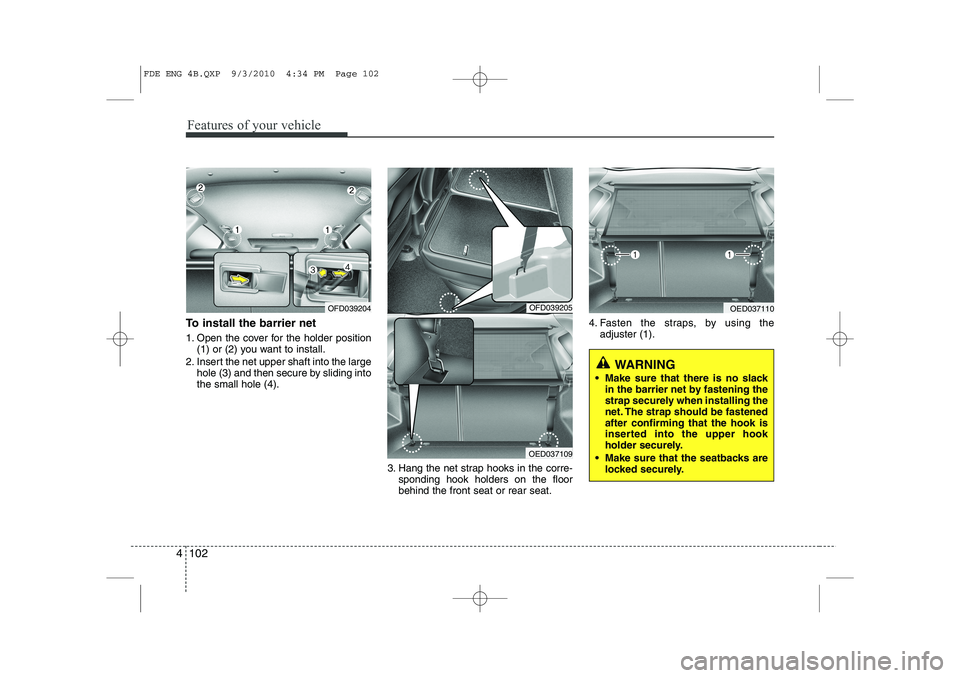
To install the barrier net
1. Open the cover for the holder position
(1) or (2) you want to install.
2. Insert the net upper shaft into the large hole (3) and then secure by sliding into the small hole (4).
3. Hang the net strap hooks in the corre-sponding hook holders on the floorbehind the front seat or rear seat. 4. Fasten the straps, by using the
adjuster (1).
OFD039204OFD039205
OED037109
OED037110
WARNING
Make sure that there is no slack in the barrier net by fastening the
strap securely when installing the
net. The strap should be fastenedafter confirming that the hook is
inserted into the upper hook
holder securely.
Make sure that the seatbacks are locked securely.
FDE ENG 4B.QXP 9/3/2010 4:34 PM Page 102
Page 181 of 635
4 103
Features of your vehicle
To remove the barrier net
1. Loosen the straps by using the strapadjusters and remove the strap hooks
from the hook holders.
2. Remove the net upper shaft by pulling it through the large holes.
3. Remove the barrier net.
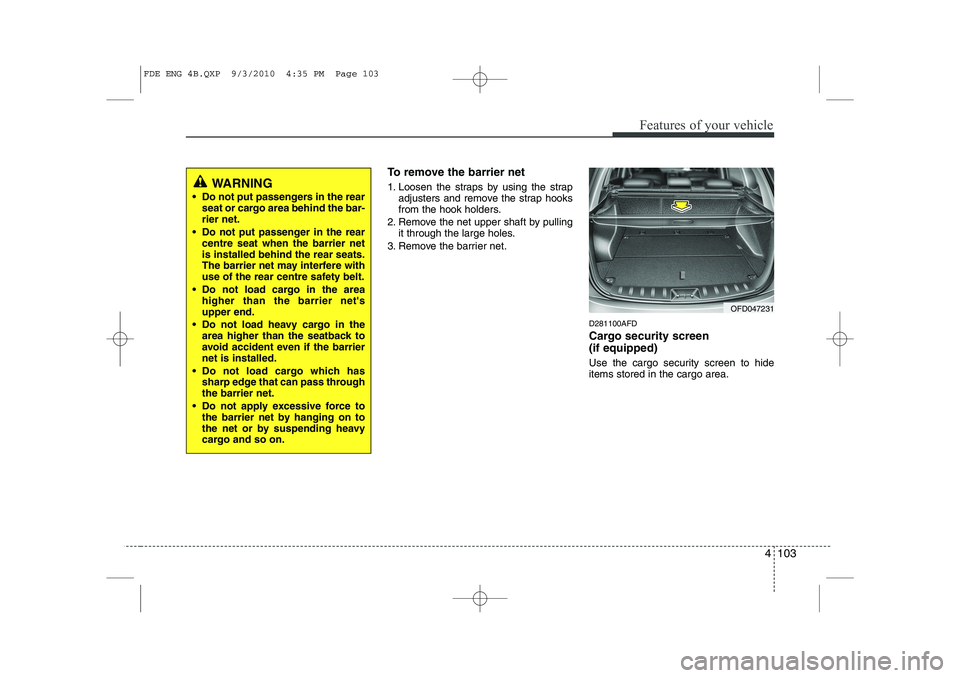
D281100AFD
Cargo security screen (if equipped)
Use the cargo security screen to hide items stored in the cargo area.
WARNING
Do not put passengers in the rear seat or cargo area behind the bar- rier net.
Do not put passenger in the rear centre seat when the barrier netis installed behind the rear seats.
The barrier net may interfere with
use of the rear centre safety belt.
Do not load cargo in the area higher than the barrier net'supper end.
Do not load heavy cargo in the area higher than the seatback to
avoid accident even if the barriernet is installed.
Do not load cargo which has sharp edge that can pass throughthe barrier net.
Do not apply excessive force to the barrier net by hanging on to
the net or by suspending heavy
cargo and so on.
OFD047231
FDE ENG 4B.QXP 9/3/2010 4:35 PM Page 103
Page 182 of 635
Features of your vehicle
104
4
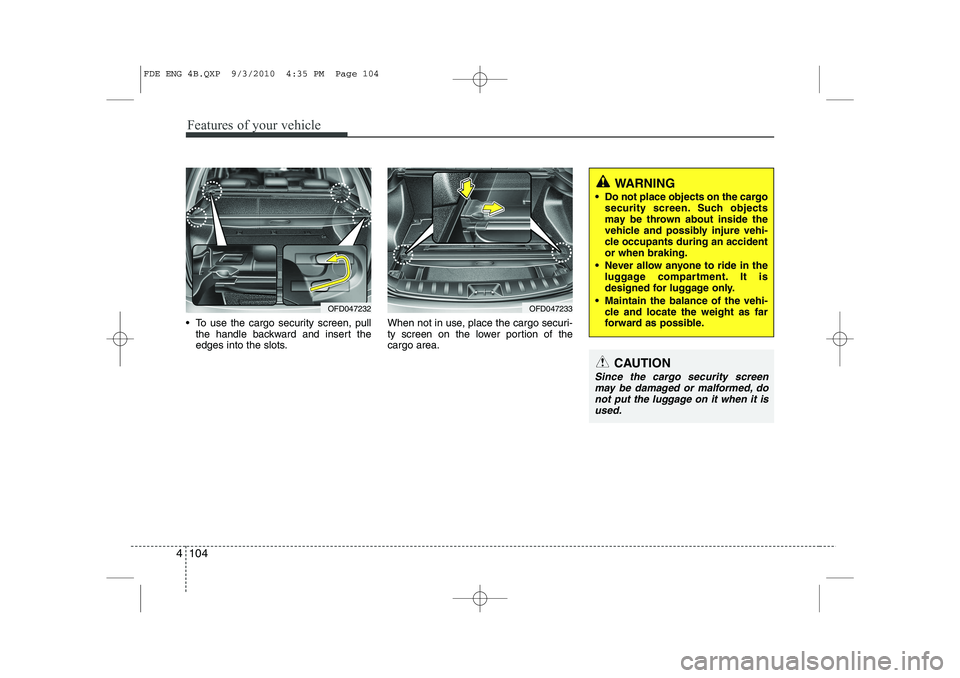
To use the cargo security screen, pull
the handle backward and insert the
edges into the slots. When not in use, place the cargo securi-
ty screen on the lower portion of thecargo area.
OFD047233
WARNING
Do not place objects on the cargo security screen. Such objects
may be thrown about inside the
vehicle and possibly injure vehi-
cle occupants during an accidentor when braking.
Never allow anyone to ride in the luggage compartment. It is
designed for luggage only.
Maintain the balance of the vehi- cle and locate the weight as far
forward as possible.
CAUTION
Since the cargo security screen
may be damaged or malformed, do
not put the luggage on it when it isused.
OFD047232
FDE ENG 4B.QXP 9/3/2010 4:35 PM Page 104