AUX HYUNDAI I30 2012 Owner's Guide
[x] Cancel search | Manufacturer: HYUNDAI, Model Year: 2012, Model line: I30, Model: HYUNDAI I30 2012Pages: 635, PDF Size: 40.66 MB
Page 237 of 635
4 159
Features of your vehicle
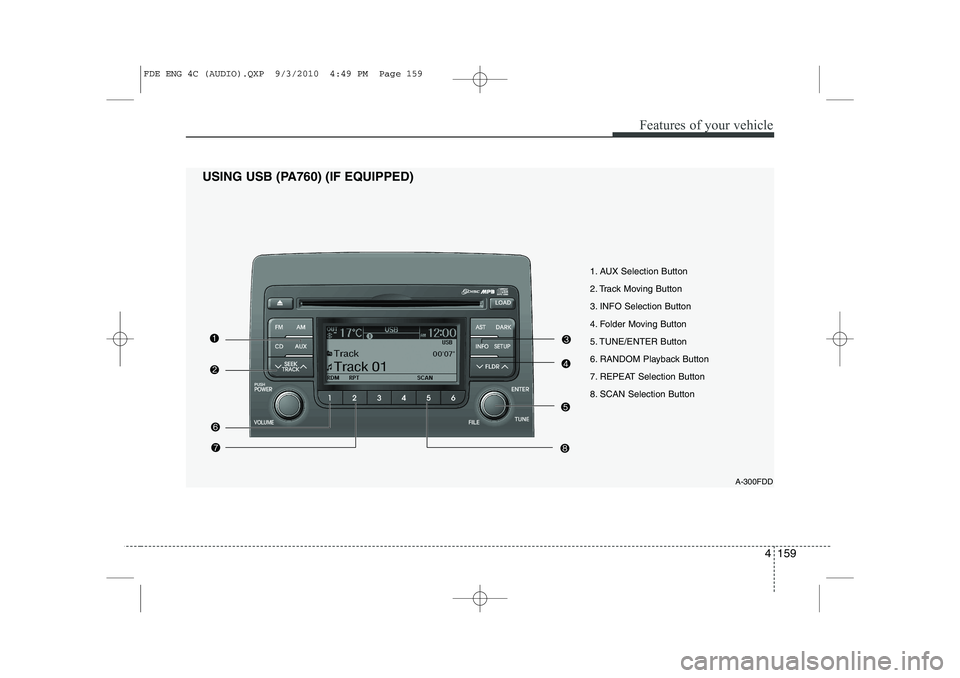
1. AUX Selection Button
2. Track Moving Button
3. INFO Selection Button
4. Folder Moving Button
5. TUNE/ENTER Button
6. RANDOM Playback Button
7. REPEAT Selection Button
8. SCAN Selection ButtonA-300FDD
USING USB (PA760) (IF EQUIPPED)
FDE ENG 4C (AUDIO).QXP 9/3/2010 4:49 PM Page 159
Page 238 of 635
Features of your vehicle
160
4
In case USB is connected to the multiple
terminal inside the console on the right
hand side of the driver’s seat. When USB
is connected, the ‘USB’ icon will be dis-
played on the top right corner of the dis-
play screen.
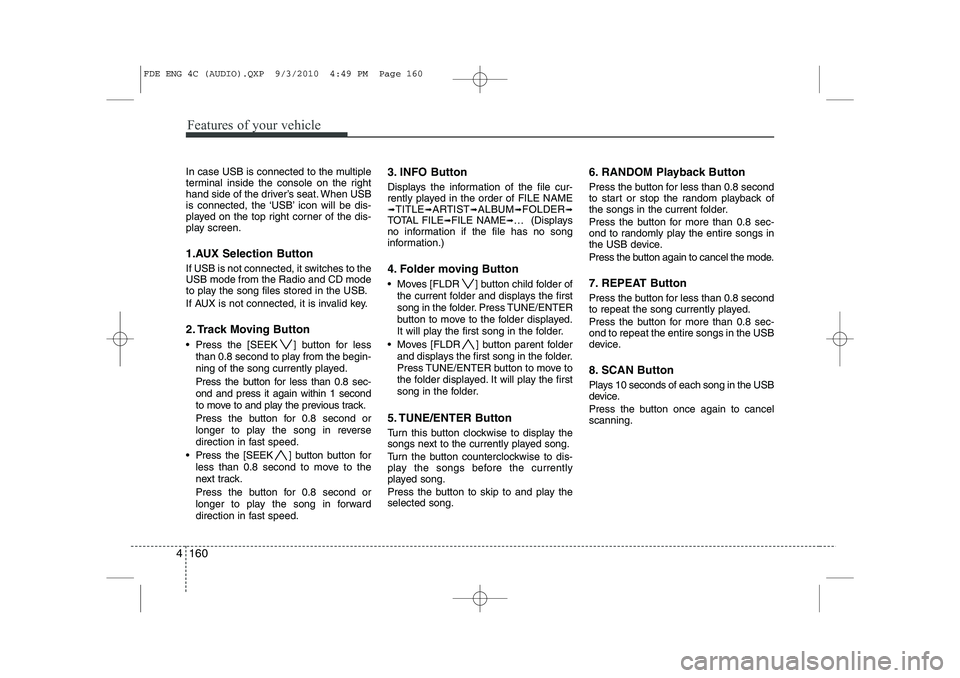
1.AUX Selection Button
If USB is not connected, it switches to the USB mode from the Radio and CD mode
to play the song files stored in the USB.
If AUX is not connected, it is invalid key.
2. Track Moving Button
Press the [SEEK ] button for less
than 0.8 second to play from the begin-
ning of the song currently played.
Press the button for less than 0.8 sec- ond and press it again within 1 second
to move to and play the previous track.
Press the button for 0.8 second or
longer to play the song in reverse
direction in fast speed.
Press the [SEEK ] button b utton for
less than 0.8 second to move to the
next track.
Press the button for 0.8 second or
longer to play the song in forward
direction in fast speed. 3. INFO Button
Displays the information of the file cur-
rently played in the order of FILE NAME➟
TITLE ➟ARTIST ➟ALBUM ➟FOLDER ➟
TOTAL FILE ➟FILE NAME ➟… (Displays
no information if the file has no song
information.)
4. Folder moving Button
Moves [FLDR ] button child folder of
the current folder and displays the first
song in the folder. Press TUNE/ENTER
button to move to the folder displayed.
It will play the first song in the folder.
Moves [FLDR ] button parent folder and displays the first song in the folder.
Press TUNE/ENTER button to move to
the folder displayed. It will play the first
song in the folder.
5. TUNE/ENTER Button
Turn this button clockwise to display the
songs next to the currently played song.
Turn the button counterclockwise to dis-
play the songs before the currently
played song.
Press the button to skip to and play the selected song. 6. RANDOM Playback Button
Press the button for less than 0.8 second
to start or stop the random playback of
the songs in the current folder.
Press the button for more than 0.8 sec-
ond to randomly play the entire songs in
the USB device.
Press the button again to cancel the mode.
7. REPEAT Button
Press the button for less than 0.8 second
to repeat the song currently played.
Press the button for more than 0.8 sec- ond to repeat the entire songs in the USB
device.
8. SCAN Button
Plays 10 seconds of each song in the USB
device.
Press the button once again to cancel scanning.
FDE ENG 4C (AUDIO).QXP 9/3/2010 4:49 PM Page 160
Page 242 of 635
Features of your vehicle
164
4
In case the iPod exclusive cable is con-
nected to the multiple terminal inside the
console on the right hand side of the dri-
ver’s seat. When the iPod is connected,
the ‘iPod’ icon will be displayed on the top
right corner of the display screen.
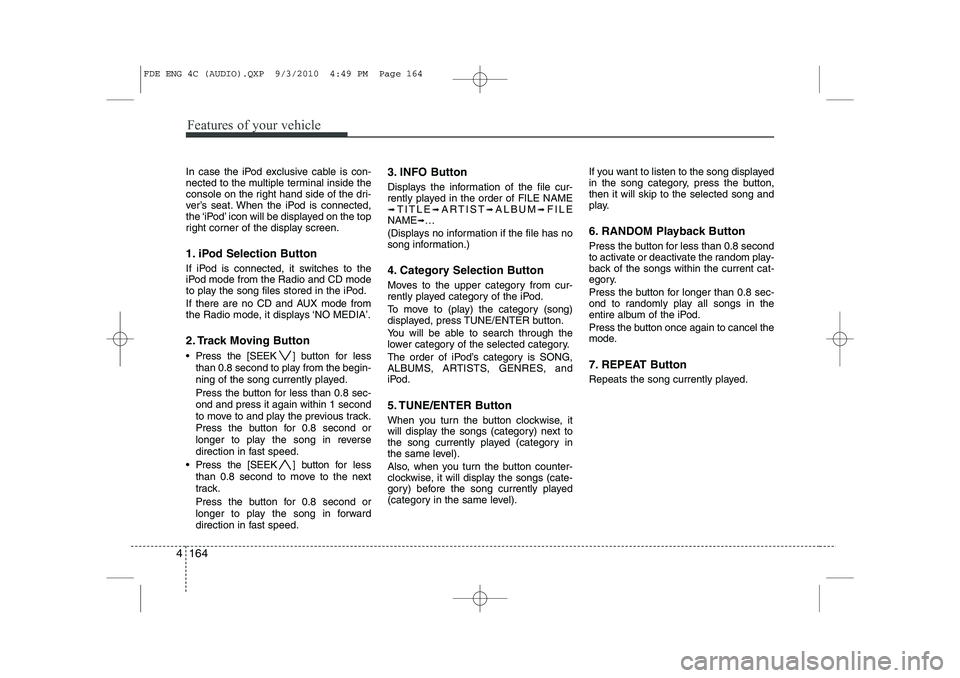
1. iPod Selection Button
If iPod is connected, it switches to the
iPod mode from the Radio and CD mode
to play the song files stored in the iPod.
If there are no CD and AUX mode from
the Radio mode, it displays ‘NO MEDIA’.
2. Track Moving Button
Press the [SEEK ] b utton for less
than 0.8 second to play from the begin-
ning of the song currently played.
Press the button for less than 0.8 sec- ond and press it again within 1 second
to move to and play the previous track.
Press the button for 0.8 second or
longer to play the song in reverse
direction in fast speed.
Press the [SEEK ] button for less
than 0.8 second to move to the next
track.
Press the button for 0.8 second or
longer to play the song in forward
direction in fast speed. 3. INFO Button
Displays the information of the file cur-
rently played in the order of FILE NAME➟
TITLE ➟ARTIST ➟ALBUM ➟FILE
NAME ➟…
(Displays no information if the file has no
song information.)
4. Category Selection Button
Moves to the upper category from cur-
rently played category of the iPod.
To move to (play) the category (song)
displayed, press TUNE/ENTER button.
You will be able to search through the
lower category of the selected category.
The order of iPod’s category is SONG,
ALBUMS, ARTISTS, GENRES, and
iPod.
5. TUNE/ENTER Button
When you turn the button clockwise, it
will display the songs (category) next to
the song currently played (category in
the same level).
Also, when you turn the button counter-
clockwise, it will display the songs (cate-
gory) before the song currently played
(category in the same level). If you want to listen to the song displayed
in the song category, press the button,then it will skip to the selected song and
play.
6. RANDOM Playback Button
Press the button for less than 0.8 second
to activate or deactivate the random play-
back of the songs within the current cat-
egory.
Press the button for longer than 0.8 sec-
ond to randomly play all songs in the
entire album of the iPod.
Press the button once again to cancel the
mode.
7. REPEAT Button
Repeats the song currently played.
FDE ENG 4C (AUDIO).QXP 9/3/2010 4:49 PM Page 164
Page 405 of 635
Index
2
I
Air bags ···········································································3-37
Air bag warning label................................................3-59
Air bag warning light ................................................3-56
Curtain air bag ..........................................................3-48
Driver's and passenger's front air bag ......................3-40
Side air bag................................................................3-46
Air cleaner·······································································7-33
Alarm system ····································································4-6
Antenna ·········································································4-103
Anti-lock brake system (ABS)········································5-20
Appearance care······························································7-68 Exterior care ······························································7-68
Interior care ·······························································7-73
Armrest ···········································································3-10
Ashtray ············································································4-92
Audio system ································································4-103 Antenna ···································································4-103
Aux, USB and iPod ···················································4-95
Steering wheel audio control ··································4-104
Automatic climate control system ··································4-76 Air conditioning ························································4-83
Automatic heating and air conditioning····················4-78
Manual heating and air conditioning ························4-79
Automatic transaxle ························································5-11 Ignition key interlock system ····································5-15
Shift lock system ·······················································5-15 Barrier net ·······································································4-98
Battery ·············································································7-40
Battery saver function ·····················································4-54
Before driving ···································································5-3
Bottle holders, see cup holders ·······································4-93
Brake system ···································································5-17
Anti-lock brake system (ABS) ··································5-20
Electronic stability program (ESP) ···························5-22
Parking brake·····························································5-18
Power brakes ·····························································5-17
Brakes/clutch fluid ··························································7-28
Bulb replacement ····························································7-62 Front fog light bulb replacement·······························7-64
Headlight bulb replacement ······································7-63
High mounted stop light replacement ·······················7-66
Interior light bulb replacement··································7-67
License plate light bulb replacement ························7-66
Position light bulb replacement·································7-64
Rear combination light bulb replacement ·················7-65
Side repeater light bulb replacement·························7-64
Turn signal light bulb replacement ···························7-64
Bulb wattage ·····································································9-2
AB
Page 409 of 635
Index
6
I
Ashtray ·····································································4-92
Aux, USB and iPod ··················································4-95
Barrier net··································································4-98
Cargo security screen ·············································4-100
Cigarette lighter ························································4-92
Clothes hanger···························································4-96
Cup holder ································································4-93
Digital clock ······································4-94, 4-114, 4-127
Floor mat anchor(s) ··················································4-96
Luggage net (holder) ················································4-97
Power outlet ·····························································4-94
Shopping bag holder ·················································4-96
Sunvisor ····································································4-93
Interior light ···································································4-64
Interior light bulb replacement ······································7-67
Interior overview ······························································2-2
Interlock system ·····························································5-15
ISOFIX system ·······························································3-34
Jack and tools ·································································6-12
Jump starting ····································································6-4
Key positions ···································································5-4
Keys ·················································································4-2 Label
Air bag warning label ···············································3-59
Tire sidewall labeling ···············································7-49
Tire specification and pressure label ··························8-3
Vehicle certification label ···········································8-3
Latch system, see ISOFIX system ·································3-34
License plate light bulb replacement ·····························7-66
Light bulbs ·····································································7-62 Front fog light bulb replacement·······························7-64
Headlight bulb replacement ······································7-63
High mounted stop light replacement ·······················7-66
Interior light bulb replacement··································7-67
License plate light bulb replacement ························7-66
Position light bulb replacement·································7-64
Rear combination light bulb replacement ·················7-65
Side repeater light bulb replacement·························7-64
Turn signal light bulb replacement ···························7-64
Lighting ··········································································4-54 Battery saver function ··············································4-54
Headlight escort function ·········································4-54
Headlight welcome function ····································4-55
Lubricants and capacities ·················································9-4
Luggage box ···································································4-90Luggage net (holder) ······················································4-97
Luggage rack, see roof rack ·········································4-102
Lumbar support ································································3-7L
K
J
Page 567 of 635
495
Features of your vehicle
D280601AUN
Pressing the “H” button (2) with your
finger, a pencil or similar object will
advance the time displayed by one
hour.
D280602AUN
Pressing the “M” button (3) with your
finger, a pencil or similar object will
advance the time displayed by one
minute.
D280603AUN
To clear away minutes, press the “R”
button (1) with your finger, a pencil or
similar object. Then the clock will be
set precisely on the hour.
For example, if the “R” button is
pressed while the time is between 9:01
and 9:29, the display will be reset to9:00.
9:01 ~ 9:29 display changed to 9:00
9:30 ~ 9:59 display changed to 10:00 D280604AUN
To change the 12 hour format to the 24
hour format, press the “R” button (1) for
more than 4 seconds.
For example, if the “R” button is
pressed for more than 4 seconds while
the time is 10:15 p.m., the display willbe changed to 22:15.
D281400BFD
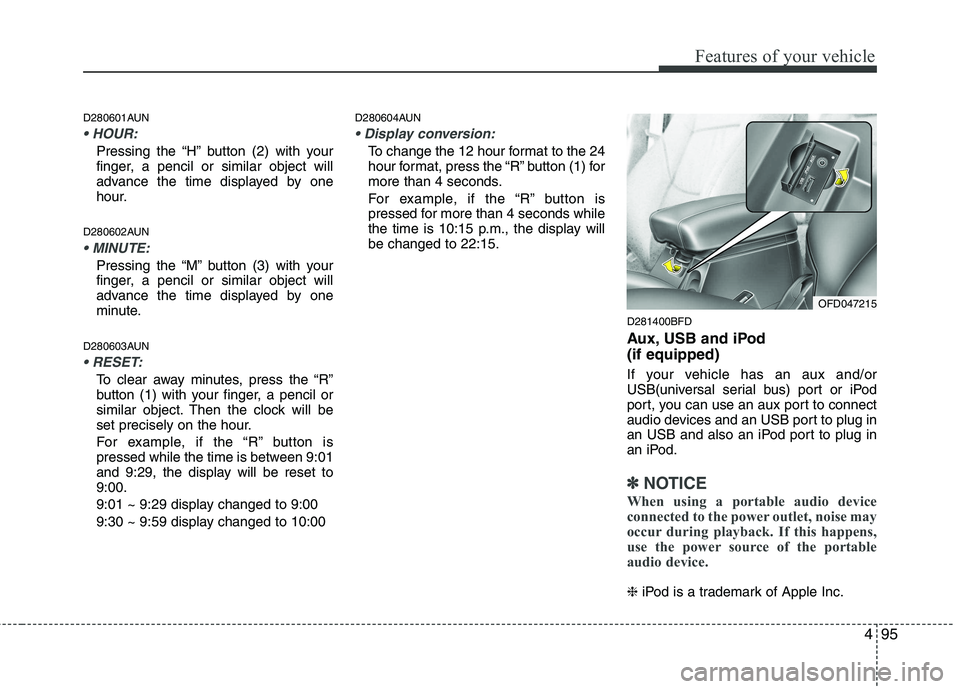
Aux, USB and iPod (if equipped)
If your vehicle has an aux and/or
USB(universal serial bus) port or iPod
port, you can use an aux port to connect
audio devices and an USB port to plug in
an USB and also an iPod port to plug in
an iPod.
✽✽NOTICE
When using a portable audio device
connected to the power outlet, noise may
occur during playback. If this happens,
use the power source of the portable
audio device.
❈ iPod is a trademark of Apple Inc.
OFD047215
Page 580 of 635
Features of your vehicle
108
4
A-100FD
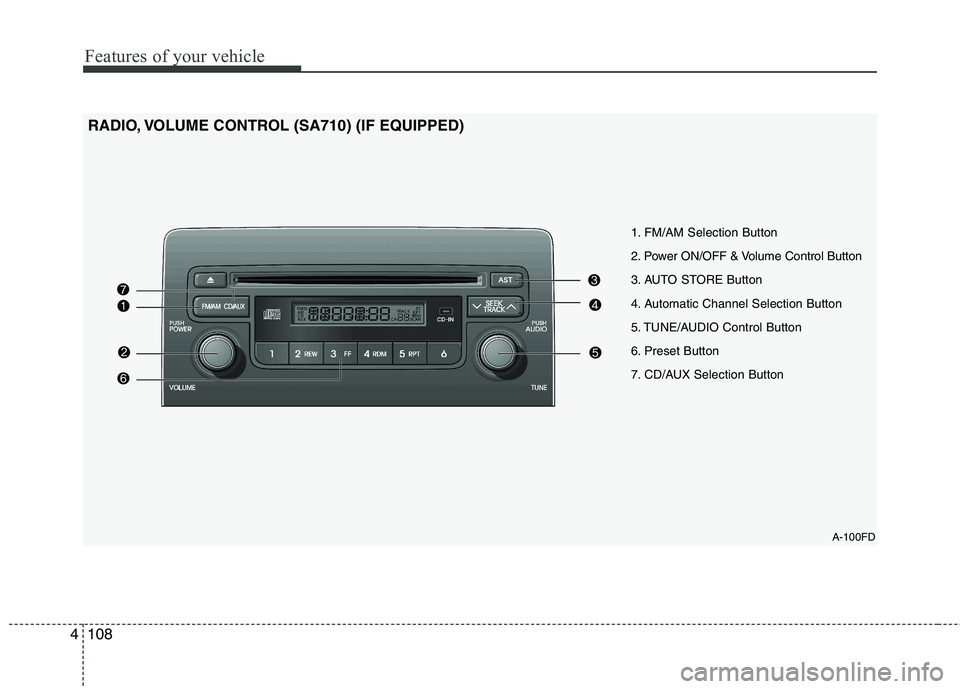
1. FM/AM Selection Button
2. Power ON/OFF & Volume Control Button
3. AUTO STORE Button
4. Automatic Channel Selection Button
5. TUNE/AUDIO Control Button
6. Preset Button
7. CD/AUX Selection Button
RADIO, VOLUME CONTROL (SA710) (IF EQUIPPED)
Page 581 of 635
4109
Features of your vehicle
1. FM/AM Selection Button
Turns to FM/AM mode and toggles FM1 and FM2➟AM ➟FM1··· when the button is
pressed each time.
2. Power ON/OFF & Volume
Control Button
Turns the ON/OFF set when the IGNI-
TION SWITCH is on ACC or ON.
If the button is turned to the right, it
increases the volume and left, decreases
the volume.
3. AUTO STORE Button
When the button is pressed, it automati-
cally selects and saves channels with
high reception rate to PRESET but-
tons(1~6) and plays the channel saved inPRESET1.
If no channel is saved after AST, it will
play the previous channel. 4. Automatic Channel Selection
Button
When the [SEEK ] button is pressed, it reduces the band frequency
by 5kHz to automatically select chan-
nel. Stops at the previous frequency if
no channel is found.
When the [SEEK ] button is pressed, it increases the band fre-
quency by 5kHz to automatically select
channel. Stops at the previous fre-
quency if no channel is found.
5. TUNE/AUDIO Control Button
Turn this button clockwise by one notch
to increase frequency by 0.05MHz from
current frequency.
Turn this button counterclockwise by one
notch to decrease frequency by 0.05MHz
from current frequency.
Type A
Turns to AUDIO CONTROL mode, and toggles in the order of BASS ➟MIDDLE
➟ TREBLE ➟FADER ➟BALANCE ➟AV C
ON ➟···BASS··· when the button is
pressed each time.
Type B
Turns to AUDIO CONTROL mode, and toggles in the order of BASS ➟MIDDLE ➟
TREBLE ➟FADER ➟BALANCE ➟AV C ➟
P.BASS ➟BASS··· when the button is
pressed each time.
6. Preset Button
Push [1]~[6]button less than 0.8 second
to play the channel saved in each button.
Push preset button for 0.8 second or
longer to save current channel to the
respective button with a beep.
7. CD/AUX Selection Button
If there is a cd in the CDP DECK it turns
to CD mode, and if a device is connected
to AUX then it toggles. CD ➟AUX ➟CD··· when the button is
pressed each time.(It will not turn to AUX
if the auxiliary device is not connected.)
Page 582 of 635
Features of your vehicle
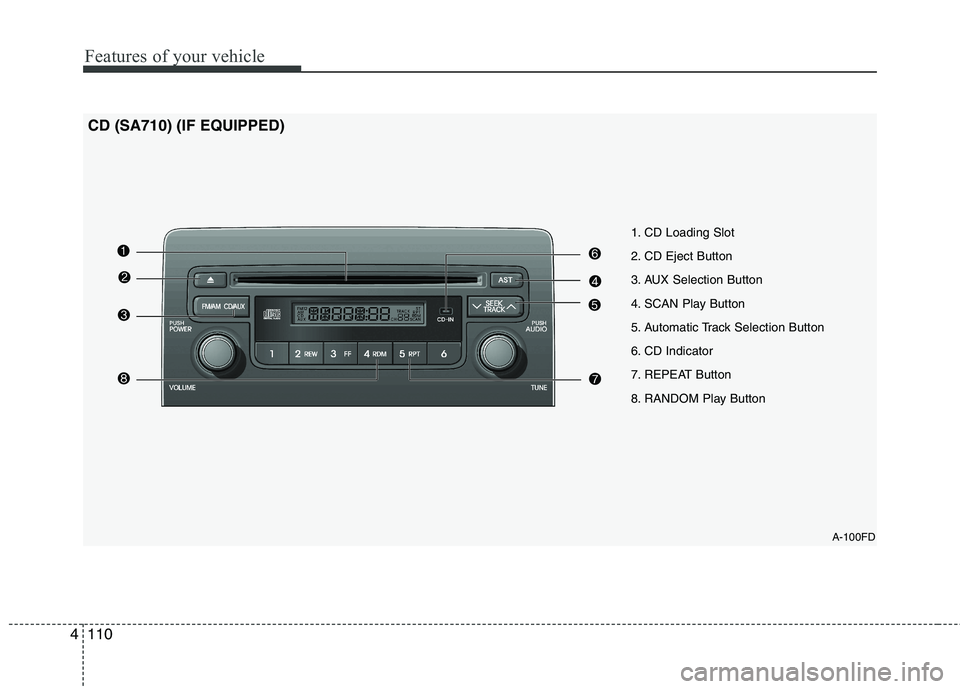
110
4
A-100FD
1. CD Loading Slot
2. CD Eject Button
3. AUX Selection Button
4. SCAN Play Button
5. Automatic Track Selection Button
6. CD Indicator
7. REPEAT Button
8. RANDOM Play Button
CD (SA710) (IF EQUIPPED)
Page 583 of 635
4111
Features of your vehicle
1. CD Loading Slot
Please face printed side upward and gently push in.
When the ignition switch is on ACC or
ON and power is OFF, power is automat-
ically turned on if the CD is loaded.
This CDP supports both 8cm and 12cm
CDs. But if VCD, Data CD, MP3 CD areloaded, "Disc-Err" message will appearand CD will be ejected.
2. CD Eject Button
Push button to eject the CD during
CD playback.
This button is enabled when ignition
switch is off.
3. AUX Selection Button
If the auxiliary device is connected, it
turns to AUX MODE to play the sound
from the auxiliary player.
If no Disc and auxiliary device is con- nected, it displays "NO Media" for 5 sec-
onds and returns to the previous mode. 4. SCAN Play Button
Play first 10 seconds of each song in the
DISC.
To cancel the mode, press the key once again.
5. Automatic Track Selection
Button
Push [SEEK ] button for less than 0.8 second to play from the beginning of current song.
Push [SEEK ] button for less than 0.8 second and press again within 1
second to play the previous song.
Push [SEEK ] button for 0.8 second or longer to initiate reverse directionhigh speed sound search of currentsong.
Push [SEEK ] button for less than 0.8 second to play the next song.
Push [SEEK ] button for less than 0.8 second or longer to initiate highspeed sound search of current song. 6. CD Indicator
When car ignition switch is ACC or ON and if the CD is loaded, this indicator islighted.
If the CD is ejected the light is turned off.
7. REPEAT Button
Repeats current song when the button is
pressed for less than 0.8 second.
Repeats the entire DISC when the button
is pressed for 0.8 second or longer.
8. RANDOM Play Button
Turns ON/OFF the randomization of the
play list of files in the currently played
DISC.
To cancel the mode, press the key once again.