manual HYUNDAI I30 2014 Manual PDF
[x] Cancel search | Manufacturer: HYUNDAI, Model Year: 2014, Model line: I30, Model: HYUNDAI I30 2014Pages: 635, PDF Size: 40.66 MB
Page 476 of 635
Features of your vehicle
4
4
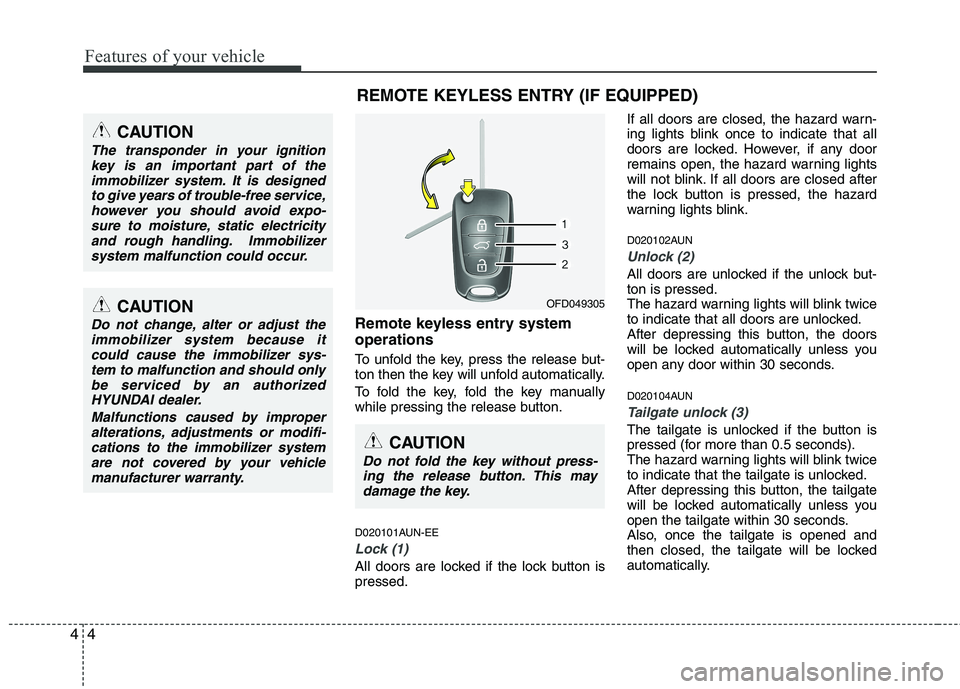
Remote keyless entry system operations
To unfold the key, press the release but-
ton then the key will unfold automatically.
To fold the key, fold the key manually
while pressing the release button.
D020101AUN-EE
Lock (1)
All doors are locked if the lock button is pressed. If all doors are closed, the hazard warn-
ing lights blink once to indicate that all
doors are locked. However, if any door
remains open, the hazard warning lights
will not blink. If all doors are closed after
the lock button is pressed, the hazard
warning lights blink.
D020102AUN
Unlock (2)
All doors are unlocked if the unlock but- ton is pressed.
The hazard warning lights will blink twice
to indicate that all doors are unlocked.
After depressing this button, the doors
will be locked automatically unless you
open any door within 30 seconds.
D020104AUN
Tailgate unlock (3)
The tailgate is unlocked if the button is
pressed (for more than 0.5 seconds).
The hazard warning lights will blink twice
to indicate that the tailgate is unlocked.
After depressing this button, the tailgate
will be locked automatically unless you
open the tailgate within 30 seconds.
Also, once the tailgate is opened and
then closed, the tailgate will be locked
automatically.
OFD049305
REMOTE KEYLESS ENTRY (IF EQUIPPED)
CAUTION
The transponder in your ignition
key is an important part of the
immobilizer system. It is designedto give years of trouble-free service,however you should avoid expo- sure to moisture, static electricity
and rough handling. Immobilizersystem malfunction could occur.
CAUTION
Do not change, alter or adjust theimmobilizer system because itcould cause the immobilizer sys-tem to malfunction and should only
be serviced by an authorized HYUNDAI dealer.
Malfunctions caused by improperalterations, adjustments or modifi-cations to the immobilizer system
are not covered by your vehiclemanufacturer warranty.
CAUTION
Do not fold the key without press-ing the release button. This maydamage the key.
Page 481 of 635
49
Features of your vehicle
Operating door locks from inside
the vehicle D050201AFD
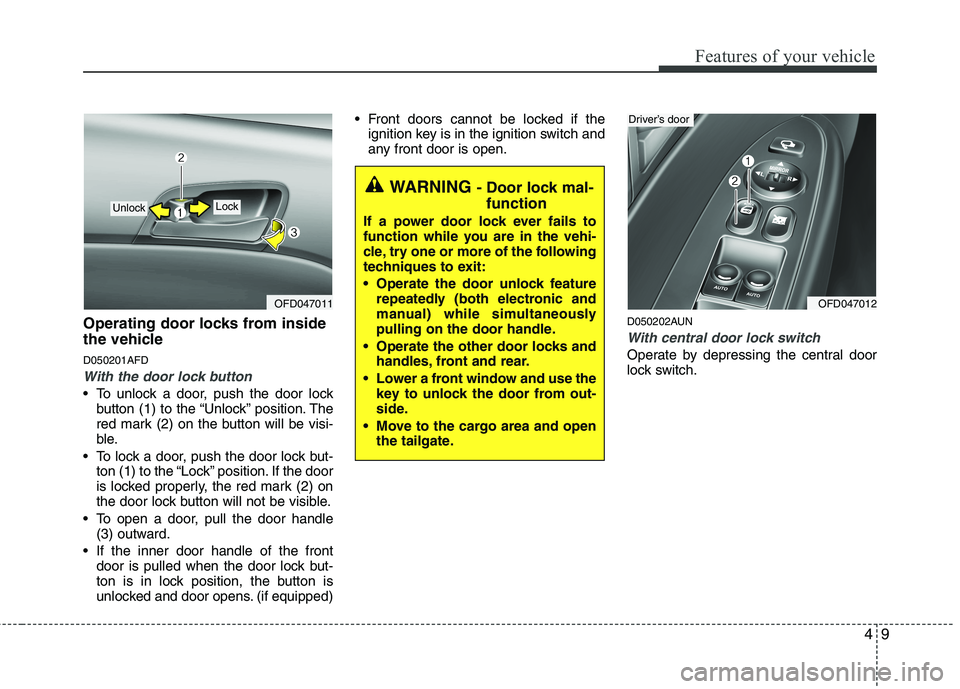
With the door lock button
To unlock a door, push the door lockbutton (1) to the “Unlock” position. The
red mark (2) on the button will be visi-
ble.
To lock a door, push the door lock but- ton (1) to the “Lock” position. If the door
is locked properly, the red mark (2) on
the door lock button will not be visible.
To open a door, pull the door handle (3) outward.
If the inner door handle of the front door is pulled when the door lock but-
ton is in lock position, the button is
unlocked and door opens. (if equipped) Front doors cannot be locked if the
ignition key is in the ignition switch and
any front door is open.
D050202AUN
With central door lock switch
Operate by depressing the central door
lock switch.
OFD047011
Lock Unlock
WARNING - Door lock mal-
function
If a power door lock ever fails to
function while you are in the vehi-
cle, try one or more of the following
techniques to exit:
Operate the door unlock feature repeatedly (both electronic and
manual) while simultaneously
pulling on the door handle.
Operate the other door locks and handles, front and rear.
Lower a front window and use the key to unlock the door from out-
side.
Move to the cargo area and open the tailgate.
OFD047012
Driver’s door
Page 490 of 635
Features of your vehicle
18
4
D080200AFD
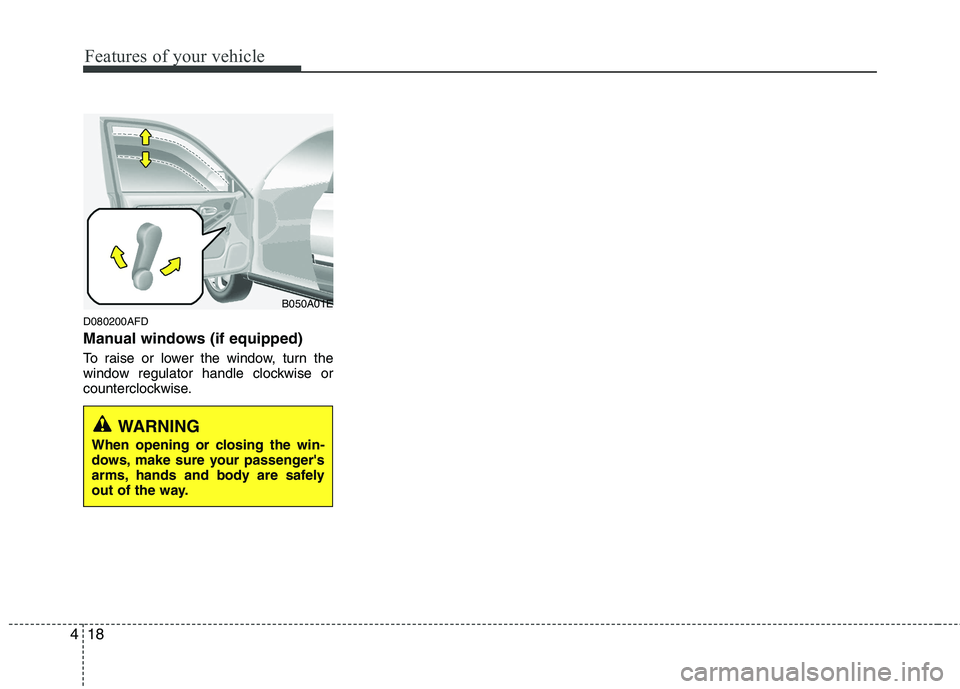
Manual windows (if equipped)
To raise or lower the window, turn the
window regulator handle clockwise or
counterclockwise.
WARNING
When opening or closing the win-
dows, make sure your passenger's
arms, hands and body are safely
out of the way.
B050A01E
Page 505 of 635
433
Features of your vehicle
D140201AFD
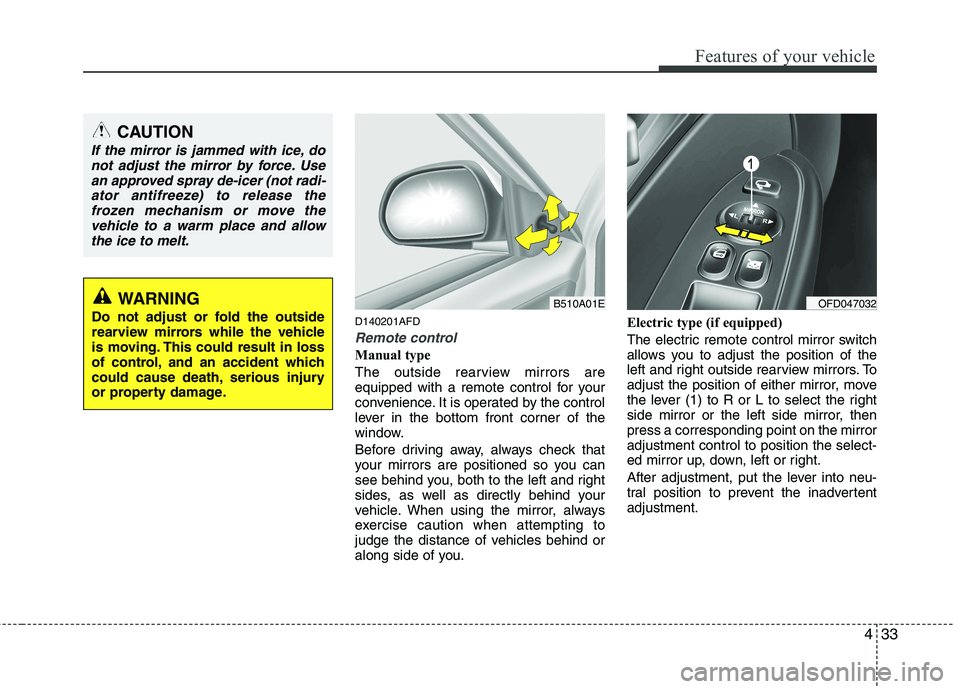
Remote control
Manual type
The outside rearview mirrors are
equipped with a remote control for your
convenience. It is operated by the control
lever in the bottom front corner of the
window.
Before driving away, always check that
your mirrors are positioned so you can
see behind you, both to the left and right
sides, as well as directly behind your
vehicle. When using the mirror, always
exercise caution when attempting to
judge the distance of vehicles behind or
along side of you.Electric type (if equipped)
The electric remote control mirror switch
allows you to adjust the position of the
left and right outside rearview mirrors. To
adjust the position of either mirror, move
the lever (1) to R or L to select the right
side mirror or the left side mirror, thenpress a corresponding point on the mirroradjustment control to position the select-
ed mirror up, down, left or right.
After adjustment, put the lever into neu-
tral position to prevent the inadvertentadjustment.
CAUTION
If the mirror is jammed with ice, do
not adjust the mirror by force. Use
an approved spray de-icer (not radi-ator antifreeze) to release thefrozen mechanism or move the vehicle to a warm place and allow
the ice to melt.
WARNING
Do not adjust or fold the outside
rearview mirrors while the vehicle
is moving. This could result in loss
of control, and an accident which
could cause death, serious injury
or property damage.OFD047032B510A01E
Page 506 of 635
Features of your vehicle
34
4
D140202AFD
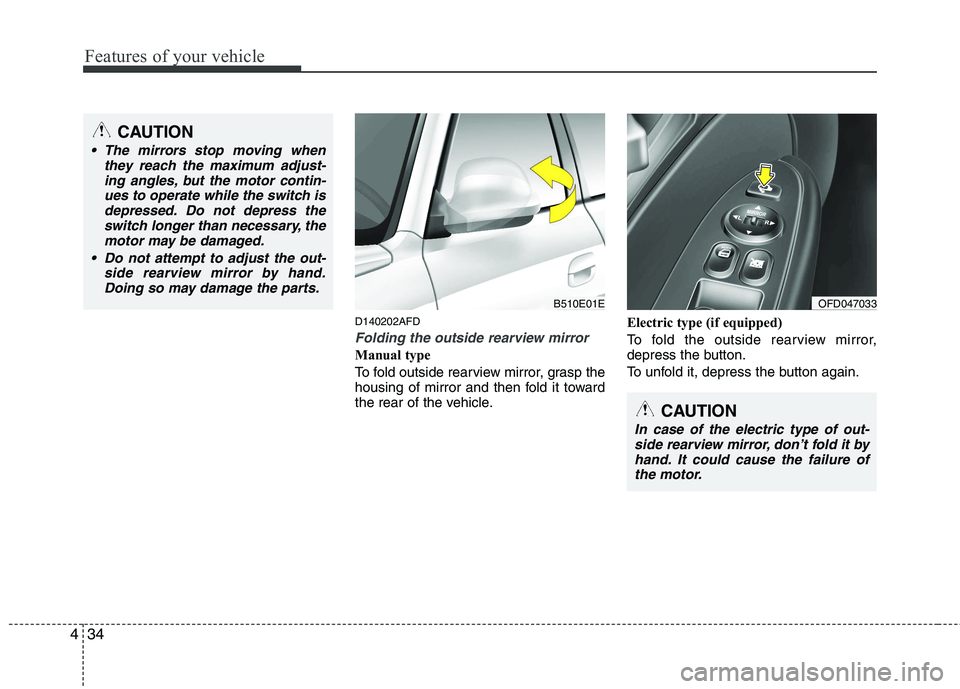
Folding the outside rearview mirror
Manual type
To fold outside rearview mirror, grasp the
housing of mirror and then fold it toward
the rear of the vehicle. Electric type (if equipped)
To fold the outside rearview mirror,
depress the button.
To unfold it, depress the button again.
CAUTION
The mirrors stop moving when
they reach the maximum adjust-
ing angles, but the motor contin-ues to operate while the switch isdepressed. Do not depress the switch longer than necessary, the
motor may be damaged.
Do not attempt to adjust the out- side rearview mirror by hand.Doing so may damage the parts.
B510E01EOFD047033
CAUTION
In case of the electric type of out-
side rearview mirror, don’t fold it by hand. It could cause the failure ofthe motor.
Page 530 of 635
Features of your vehicle
58
4
They will self-cancel after a turn is com-
pleted. If the indicator continues to flash
after a turn, manually return the lever tothe OFF position.
To signal a lane change, move the turn
signal lever slightly and hold it in position
(B). The lever will return to the OFF posi-tion when released.
If an indicator stays on and does not
flash or if it flashes abnormally, one of the
turn signal bulbs may be burned out andwill require replacement.
One-touch triple turn signal
(if equipped)
To activate an one-touch triple turn signal
move the turn signal lever slightly and
then release it. The lane change signals
will blink 3 times.
✽✽ NOTICE
If an indicator flash is abnormally quick
or slow, bulb may be burned out or have
a poor electrical connection in the cir-
cuit.
D190700AFD
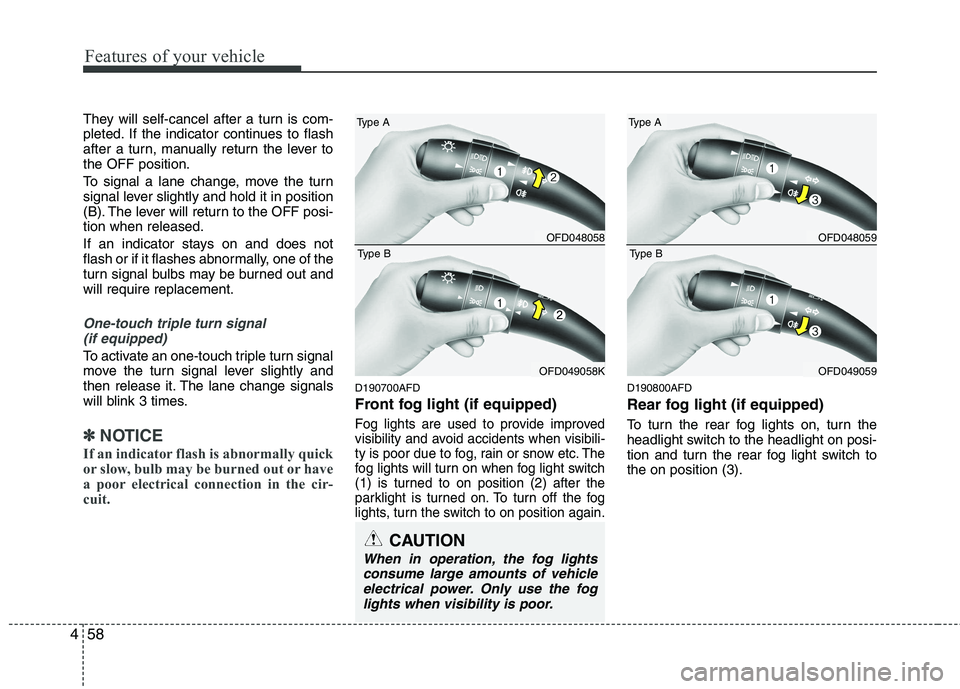
Front fog light (if equipped)
Fog lights are used to provide improved
visibility and avoid accidents when visibili-
ty is poor due to fog, rain or snow etc. The
fog lights will turn on when fog light switch
(1) is turned to on position (2) after the
parklight is turned on. To turn off the fog
lights, turn the switch to on position again.
D190800AFD
Rear fog light (if equipped)
To turn the rear fog lights on, turn the
headlight switch to the headlight on posi-
tion and turn the rear fog light switch tothe on position (3).
CAUTION
When in operation, the fog lights consume large amounts of vehicleelectrical power. Only use the foglights when visibility is poor.
OFD048058
Type A
OFD049058K
Type B
OFD048059
Type A
OFD049059
Type B
Page 535 of 635
463
Features of your vehicle
D200200AFD
Windshield washers
In the O (OFF) position, pull the lever
gently toward you to spray washer fluid
on the windshield and to run the wipers
1-3 cycles. Use this function when the
windshield is dirty. The spray and wiper
operation will continue until you release
the lever. If the washer does not work,
check the washer fluid level. If the fluid
level is not sufficient, you will need to add
appropriate non-abrasive windshield
washer fluid to the washer reservoir.
The reservoir filler neck is located in the
front of the engine compartment on the
passenger side.D200300AFD
Rear window wiper and washer
switch (if equipped)
The rear window wiper and washer
switch is located at the end of the wiper
and washer switch lever. Turn the switch
to desired position to operate the rear
wiper and washer.
- Spraying washer fluid and wiping
/ ON - Normal wiper operation
O / OFF - Wiper is not in operation - Spraying washer fluid and wiping
CAUTION
When washing the vehicle, set thewiper switch in the O (OFF) position
to stop the auto wiper operation.
The wiper may operate and be dam-aged if the switch is set in the AUTOmode while washing the vehicle.
Do not remove the sensor coverlocated on the upper end of the pas-senger side windshield glass.Damage to system parts could occur and may not be covered by
your vehicle warranty.
When starting the vehicle in winter,set the wiper switch in the O (OFF)position. Otherwise, wipers mayoperate and ice may damage the
windshield wiper blades. Alwaysremove all snow and ice and defrostthe windshield properly prior tooperating the windshield wipers.
CAUTION
To prevent possible damage to thewasher pump, do not operate the wash-er when the fluid reservoir is empty.
WARNING
Do not use the washer in freezing
temperatures without first warming
the windshield with the defrosters;
the washer solution could freeze oncontact with the windshield and
obscure your vision.
CAUTION
To prevent possible damage to the wipers or windshield, do notoperate the wipers when the
windshield is dry.
To prevent damage to the wiper blades, do not use gasoline,
kerosene, paint thinner, or othersolvents on or near them.
To prevent damage to the wiper arms and other components, do
not attempt to move the wipersmanually.
Page 540 of 635
Features of your vehicle
68
4
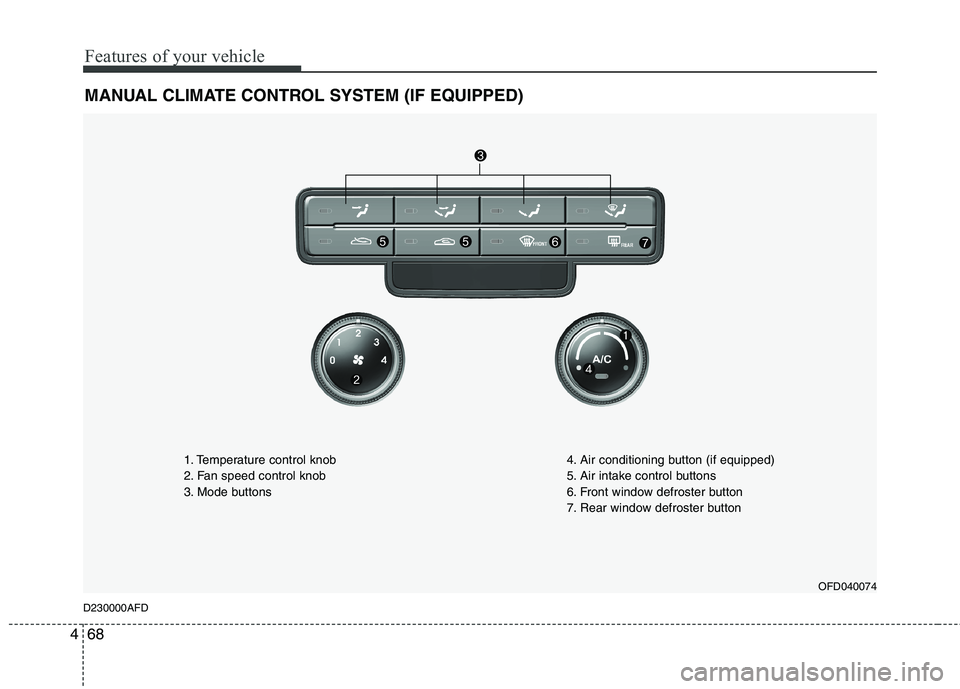
MANUAL CLIMATE CONTROL SYSTEM (IF EQUIPPED)
OFD040074
D230000AFD 1. Temperature control knob
2. Fan speed control knob
3. Mode buttons
4. Air conditioning button (if equipped)
5. Air intake control buttons
6. Front window defroster button
7. Rear window defroster button
Page 550 of 635
Features of your vehicle
78
4
D240100AFD
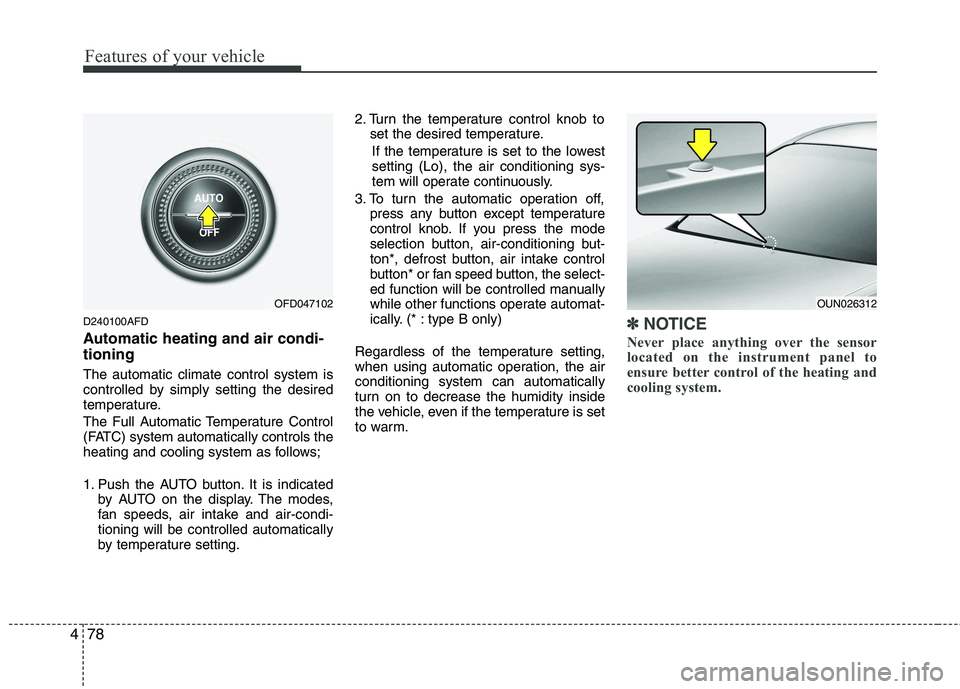
Automatic heating and air condi- tioning The automatic climate control system is
controlled by simply setting the desired
temperature.
The Full Automatic Temperature Control
(FATC) system automatically controls the
heating and cooling system as follows;
1. Push the AUTO button. It is indicated
by AUTO on the display. The modes,
fan speeds, air intake and air-condi-tioning will be controlled automatically
by temperature setting. 2. Turn the temperature control knob to
set the desired temperature.
If the temperature is set to the lowestsetting (Lo), the air conditioning sys-
tem will operate continuously.
3. To turn the automatic operation off, press any button except temperature
control knob. If you press the mode
selection button, air-conditioning but-
ton*, defrost button, air intake control
button* or fan speed button, the select-
ed function will be controlled manually
while other functions operate automat-
ically. (* : type B only)
Regardless of the temperature setting,
when using automatic operation, the airconditioning system can automatically
turn on to decrease the humidity inside
the vehicle, even if the temperature is set
to warm.✽✽ NOTICE
Never place anything over the sensor
located on the instrument panel to
ensure better control of the heating and
cooling system.
OUN026312OFD047102
Page 551 of 635
479
Features of your vehicle
D240200AUN
Manual heating and air condition- ing The heating and cooling system can be
controlled manually by pushing buttons
other than the AUTO button. In this case,
the system works sequentially according
to the order of buttons selected.
When pressing any button (or turning
any knob) except AUTO button while
automatic operation, the functions not
selected will be controlled automatically.
1. Start the engine.
2. Set the mode to the desired position.
3. Set the temperature control to thedesired position.
4. Set the air intake control to the outside (fresh) air position.
5. Set the fan speed control to the desired speed.
6. If air conditioning is desired, turn the air conditioning system on.
Press the AUTO button in order to con-
vert to full automatic control of the sys-tem. D240201AFD
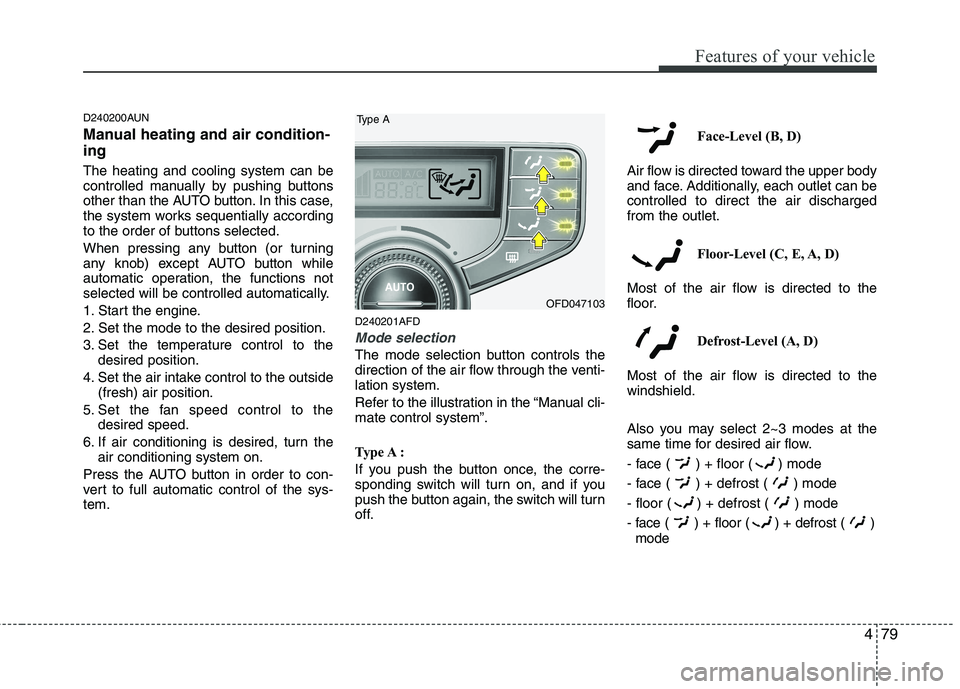
Mode selection
The mode selection button controls the
direction of the air flow through the venti-lation system.
Refer to the illustration in the “Manual cli- mate control system”.
Type A :
If you push the button once, the corre-
sponding switch will turn on, and if you
push the button again, the switch will turn
off. Face-Level (B, D)
Air flow is directed toward the upper body
and face. Additionally, each outlet can becontrolled to direct the air dischargedfrom the outlet.
Floor-Level (C, E, A, D)
Most of the air flow is directed to the
floor.
Defrost-Level (A, D)
Most of the air flow is directed to thewindshield.
Also you may select 2~3 modes at the
same time for desired air flow.
- face ( ) + floor ( ) mode
- face ( ) + defrost ( ) mode
- floor ( ) + defrost ( ) mode
- face ( ) + floor ( ) + defrost ( ) mode
OFD047103
Type A