warning light HYUNDAI I30 2016 Owners Manual
[x] Cancel search | Manufacturer: HYUNDAI, Model Year: 2016, Model line: I30, Model: HYUNDAI I30 2016Pages: 659, PDF Size: 17.14 MB
Page 387 of 659
5-83
Driving your vehicle
5
(Continued)
If the front bumper becomesdamaged in the area around the
radar sensor, the AEB system
may not operate properly. We
recommend you to have the
vehicle inspected by authorized
HYUNDAI.
Use only genuine parts to repair or replace a damaged sensor or
sensor cover. Do not apply paint
to the sensor cover. NEVER install any accessories
or stickers on the front wind-
shield, nor tint the front wind-
shield.
NEVER locate any reflective objects (i.e. white paper, mirror)
over the dashboard. Any light
reflection may cause a malfunc-
tion of the system.
Pay extreme caution to keep the camera out of water.
NEVER arbitrarily disassemble the camera assembly, nor apply
any impact on the camera
assembly.
Playing the vehicle audio sys- tem at high volume may offset
the system warning sounds.
Information
We recommend you have the system
checked by an authorized HYUNDAI
dealer when:
• The windshield glass is replaced.
• The camera or related parts arerepaired or removed.
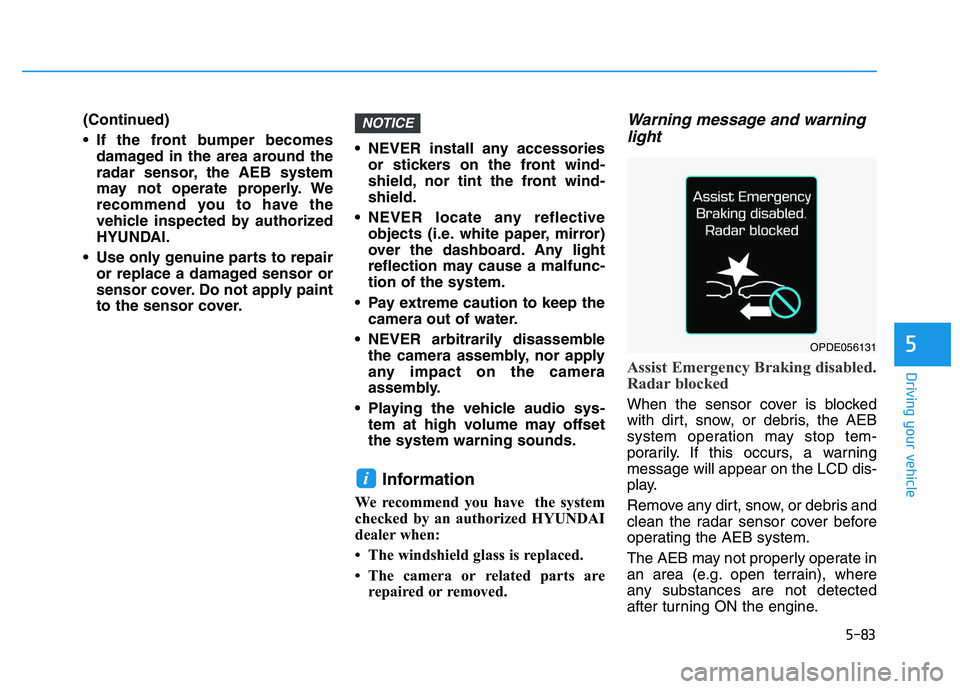
Warning message and warninglight
Assist Emergency Braking disabled.
Radar blocked
When the sensor cover is blocked
with dirt, snow, or debris, the AEB
system operation may stop tem-
porarily. If this occurs, a warning
message will appear on the LCD dis-
play.
Remove any dirt, snow, or debris and
clean the radar sensor cover before
operating the AEB system.
The AEB may not properly operate in
an area (e.g. open terrain), where
any substances are not detected
after turning ON the engine.
i
NOTICE
OPDE056131
Page 388 of 659
5-84
Driving your vehicle
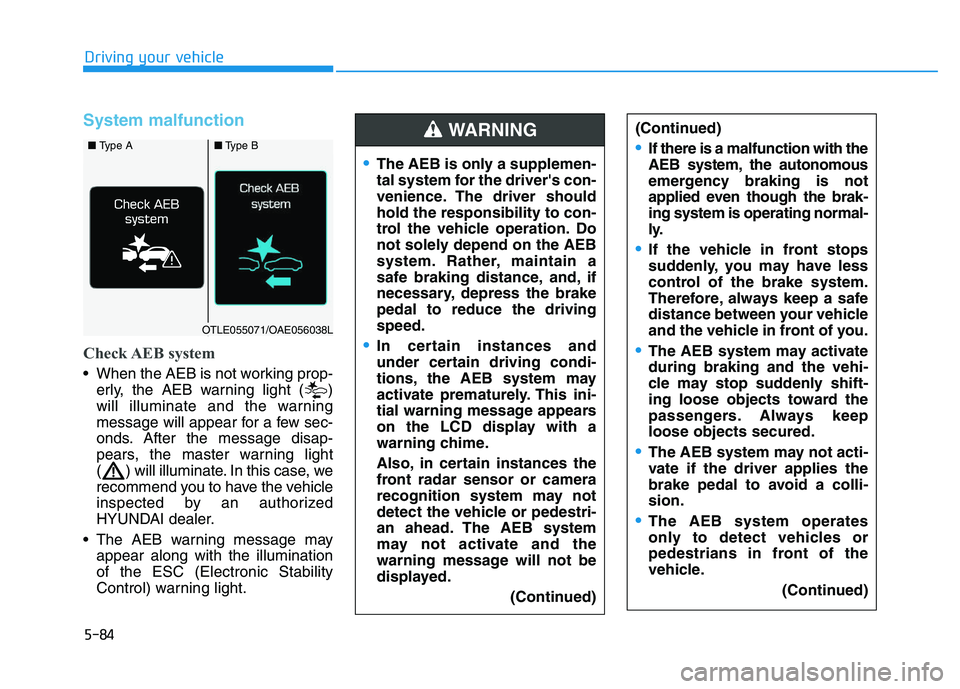
System malfunction
Check AEB system
When the AEB is not working prop-erly, the AEB warning light ( )
will illuminate and the warning
message will appear for a few sec-
onds. After the message disap-
pears, the master warning light
( ) will illuminate. In this case, we
recommend you to have the vehicle
inspected by an authorized
HYUNDAI dealer.
The AEB warning message may appear along with the illumination
of the ESC (Electronic Stability
Control) warning light.
The AEB is only a supplemen-
tal system for the driver's con-
venience. The driver should
hold the responsibility to con-
trol the vehicle operation. Do
not solely depend on the AEB
system. Rather, maintain a
safe braking distance, and, if
necessary, depress the brake
pedal to reduce the driving
speed.
In certain instances and
under certain driving condi-
tions, the AEB system may
activate prematurely. This ini-
tial warning message appears
on the LCD display with a
warning chime.
Also, in certain instances the
front radar sensor or camera
recognition system may not
detect the vehicle or pedestri-
an ahead. The AEB system
may not activate and the
warning message will not be
displayed.
(Continued)
(Continued)
If there is a malfunction with the
AEB system, the autonomous
emergency braking is not
applied even though the brak-
ing system is operating normal-
ly.
If the vehicle in front stops
suddenly, you may have less
control of the brake system.
Therefore, always keep a safe
distance between your vehicle
and the vehicle in front of you.
The AEB system may activate
during braking and the vehi-
cle may stop suddenly shift-
ing loose objects toward the
passengers. Always keep
loose objects secured.
The AEB system may not acti-
vate if the driver applies the
brake pedal to avoid a colli-
sion.
The AEB system operates
only to detect vehicles or
pedestrians in front of the
vehicle.(Continued)
WARNING ■ Type A■Type B
OTLE055071/OAE056038L
Page 394 of 659
5-90
Driving your vehicle
The Autonomous Emergency
Braking (AEB) system is designed to
detect and monitor the vehicle ahead
in the roadway through camera
recognition to warn the driver that a
collision is imminent, and if neces-
sary, apply emergency braking.
System setting and activation
System setting
The driver can activate the AEB by placing the ignition switch to the
ON position and by selecting:
'User Settings →Driving Assist →
Assist Emergency Braking'
The AEB deactivates, when the driv-
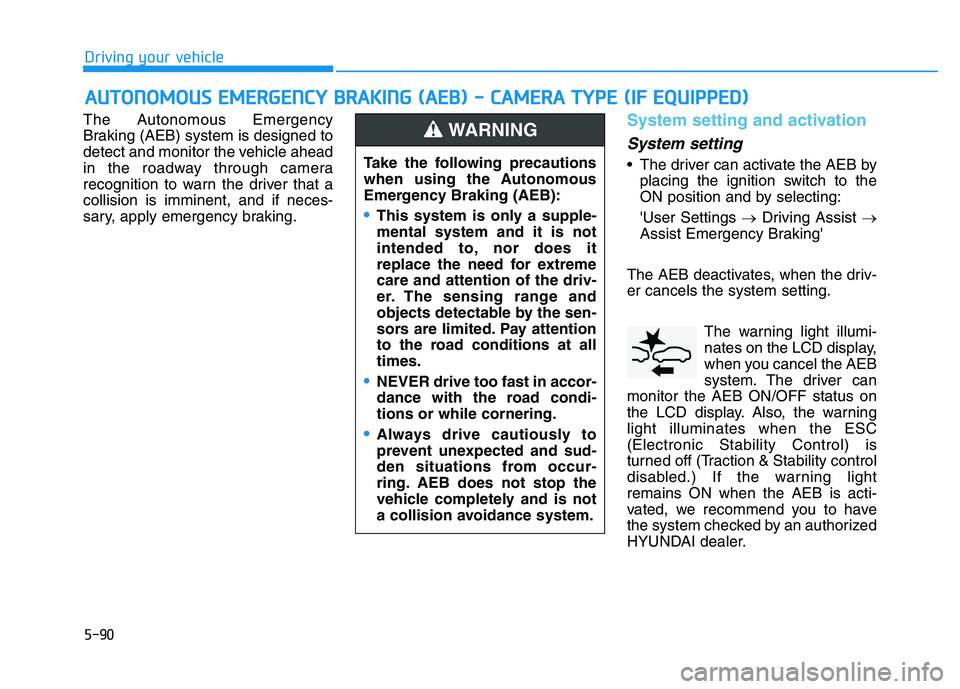
er cancels the system setting. The warning light illumi-
nates on the LCD display,
when you cancel the AEB
system. The driver can
monitor the AEB ON/OFF status on
the LCD display. Also, the warning
light illuminates when the ESC
(Electronic Stability Control) is
turned off (Traction & Stability control
disabled.) If the warning light
remains ON when the AEB is acti-
vated, we recommend you to have
the system checked by an authorized
HYUNDAI dealer.
A
A U
U T
T O
O N
N O
O M
M O
O U
U S
S
E
E M
M E
E R
R G
G E
E N
N C
C Y
Y
B
B R
R A
A K
K I
I N
N G
G
(
( A
A E
E B
B )
)
-
-
C
C A
A M
M E
E R
R A
A
T
T Y
Y P
P E
E
(
( I
I F
F
E
E Q
Q U
U I
I P
P P
P E
E D
D )
)
Take the following precautions
when using the Autonomous
Emergency Braking (AEB):
This system is only a supple-
mental system and it is not
intended to, nor does it
replace the need for extreme
care and attention of the driv-
er. The sensing range and
objects detectable by the sen-
sors are limited. Pay attention
to the road conditions at all
times.
NEVER drive too fast in accor-
dance with the road condi-
tions or while cornering.
Always drive cautiously to
prevent unexpected and sud-
den situations from occur-
ring. AEB does not stop the
vehicle completely and is not
a collision avoidance system.
WARNING
Page 395 of 659
5-91
Driving your vehicle
5
The driver can select the initial warn-ing activation time on the LCD dis-
play.
Go to the 'User Settings →Driving
Assist →Forward Collision Warning
→ Late/Normal/Early'.
The options for the initial Forward
Collision Warning includes the fol-
lowing:
- Early: When this condition is selected,
the initial Forward Collision
Warning is activated earlier than
normal. This setting maximizes the
amount of distance between the
vehicle ahead before the initial
warning occurs.
Even though, 'Early' is selected if
the front vehicle suddenly stops
the initial warning activation time
may not seem fast. - Normal:
When this condition is selected,the initial Forward Collision
Warning is activated normally. This
setting allows for a nominal
amount of distance between the
vehicle ahead before the initial
warning occurs.
- Late: When this condition is selected,the initial Forward Collision
Warning is activated later than nor-
mal. This setting reduces the
amount of distance between the
vehicle ahead before the initial
warning occurs.
Select 'Late' when traffic is light
and when driving speed is slow.Prerequisite for activation
The AEB gets ready to be activated,
when the AEB is selected on the
LCD display, and when the following
prerequisites are satisfied.
- The ESC (Electronic Stability Control) is on.
- Vehicle speed is over 10 km/h (6 mph). (The AEB is only activated
within a certain speed range.)
- The system detects vehicle in front, which may collide with your
vehicle. (The AEB may not be acti-
vated or may sound a warning
alarm in accordance with the driv-
ing situation or vehicle condition.)
Page 399 of 659
5-95
Driving your vehicle
5
NEVER install any accessoriesor stickers on the front wind-
shield, nor tint the front wind-
shield.
NEVER locate any reflective objects (i.e. white paper, mirror)
over the dashboard. Any light
reflection may cause a malfunc-
tion of the system.
Pay extreme caution to keep the camera out of water.
NEVER arbitrarily disassemble the camera assembly, nor apply
any impact on the camera
assembly.
Playing the vehicle audio sys- tem at high volume may offset
the system warning sounds.
Information
We recommend you have the system
checked by an authorized HYUNDAI
dealer when:
• The windshield glass is replaced.
• The camera or related parts arerepaired or removed.
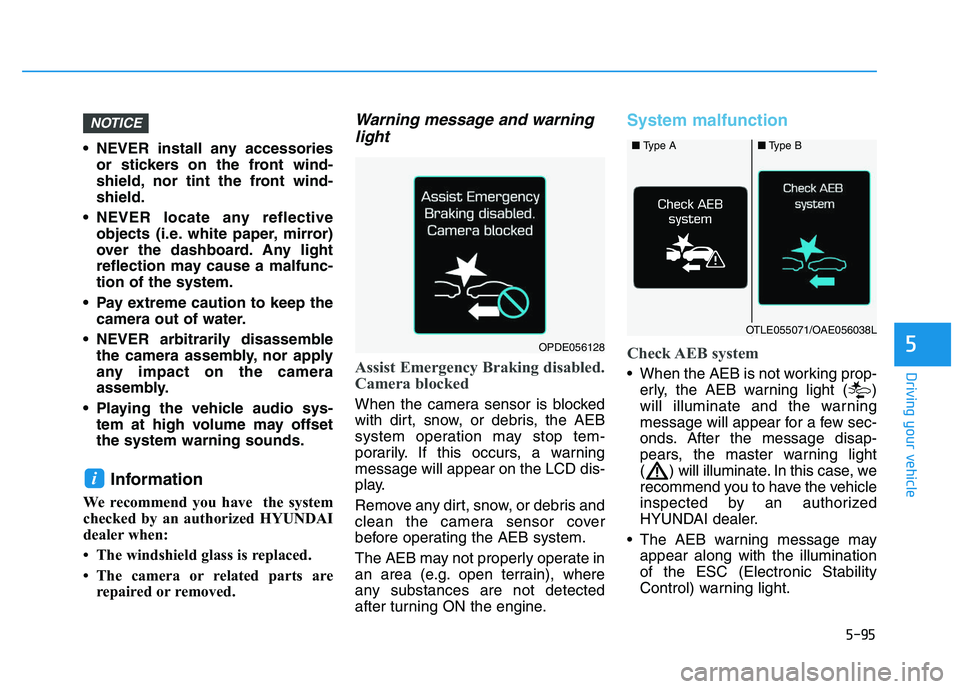
Warning message and warninglight
Assist Emergency Braking disabled.
Camera blocked
When the camera sensor is blocked
with dirt, snow, or debris, the AEB
system operation may stop tem-
porarily. If this occurs, a warning
message will appear on the LCD dis-
play.
Remove any dirt, snow, or debris and
clean the camera sensor cover
before operating the AEB system.
The AEB may not properly operate in
an area (e.g. open terrain), where
any substances are not detected
after turning ON the engine.
System malfunction
Check AEB system
When the AEB is not working prop-
erly, the AEB warning light ( )
will illuminate and the warning
message will appear for a few sec-
onds. After the message disap-
pears, the master warning light
( ) will illuminate. In this case, we
recommend you to have the vehicle
inspected by an authorized
HYUNDAI dealer.
The AEB warning message may appear along with the illumination
of the ESC (Electronic Stability
Control) warning light.
i
NOTICE
■ Type A■Type B
OTLE055071/OAE056038L
OPDE056128
Page 405 of 659
5-101
Driving your vehicle
5
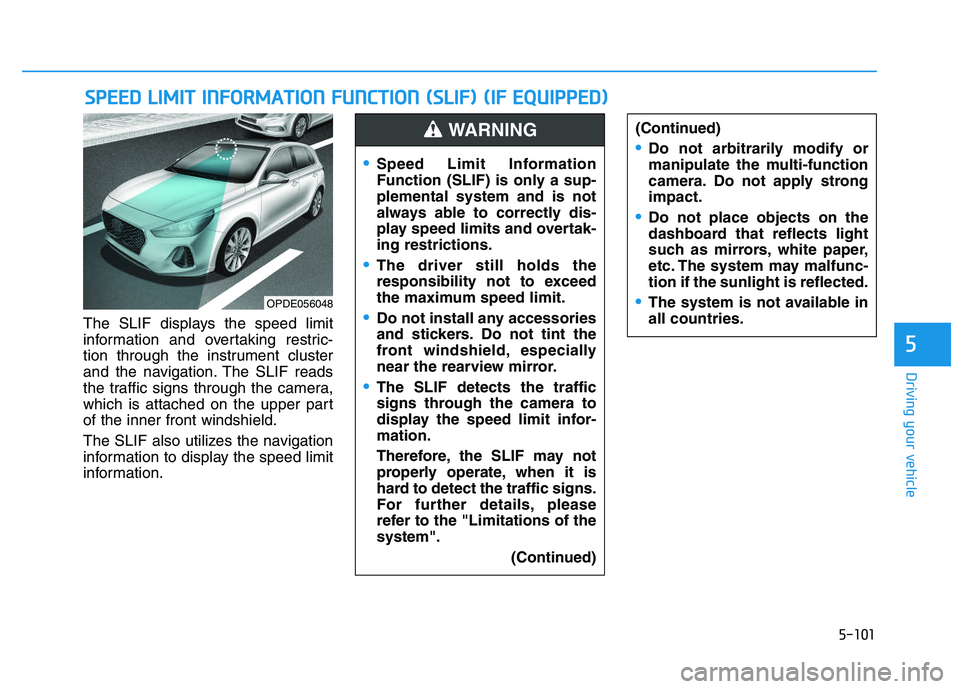
The SLIF displays the speed limit
information and overtaking restric-
tion through the instrument cluster
and the navigation. The SLIF reads
the traffic signs through the camera,
which is attached on the upper part
of the inner front windshield.
The SLIF also utilizes the navigation
information to display the speed limit
information.
S
S P
P E
E E
E D
D
L
L I
I M
M I
I T
T
I
I N
N F
F O
O R
R M
M A
A T
T I
I O
O N
N
F
F U
U N
N C
C T
T I
I O
O N
N
(
( S
S L
L I
I F
F )
)
(
( I
I F
F
E
E Q
Q U
U I
I P
P P
P E
E D
D )
)
(Continued)
Do not arbitrarily modify or
manipulate the multi-function
camera. Do not apply strong
impact.
Do not place objects on the
dashboard that reflects light
such as mirrors, white paper,
etc. The system may malfunc-
tion if the sunlight is reflected.
The system is not available in
all countries.OPDE056048
Speed Limit Information
Function (SLIF) is only a sup-
plemental system and is not
always able to correctly dis-
play speed limits and overtak-
ing restrictions.
The driver still holds the
responsibility not to exceed
the maximum speed limit.
Do not install any accessories
and stickers. Do not tint the
front windshield, especially
near the rearview mirror.
The SLIF detects the traffic
signs through the camera to
display the speed limit infor-
mation.
Therefore, the SLIF may not
properly operate, when it is
hard to detect the traffic signs.
For further details, please
refer to the "Limitations of the
system".
(Continued)
WARNING
Page 408 of 659
5-104
Driving your vehicle
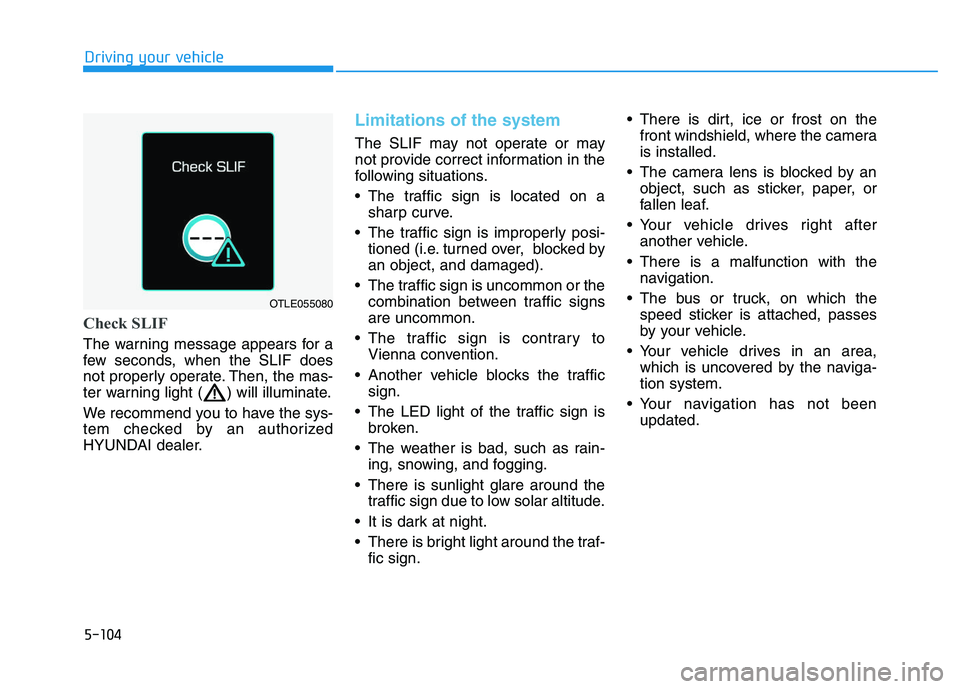
Check SLIF
The warning message appears for a
few seconds, when the SLIF does
not properly operate. Then, the mas-
ter warning light ( ) will illuminate.
We recommend you to have the sys-
tem checked by an authorized
HYUNDAI dealer.
Limitations of the system
The SLIF may not operate or may
not provide correct information in the
following situations.
• The traffic sign is located on asharp curve.
The traffic sign is improperly posi- tioned (i.e. turned over, blocked by
an object, and damaged).
The traffic sign is uncommon or the combination between traffic signs
are uncommon.
The traffic sign is contrary to Vienna convention.
Another vehicle blocks the traffic sign.
The LED light of the traffic sign is broken.
The weather is bad, such as rain- ing, snowing, and fogging.
There is sunlight glare around the traffic sign due to low solar altitude.
It is dark at night.
There is bright light around the traf- fic sign. There is dirt, ice or frost on the
front windshield, where the camera
is installed.
The camera lens is blocked by an object, such as sticker, paper, or
fallen leaf.
Your vehicle drives right after another vehicle.
There is a malfunction with the navigation.
The bus or truck, on which the speed sticker is attached, passes
by your vehicle.
Your vehicle drives in an area, which is uncovered by the naviga-
tion system.
Your navigation has not been updated.
OTLE055080
Page 410 of 659
5-106
Driving your vehicle
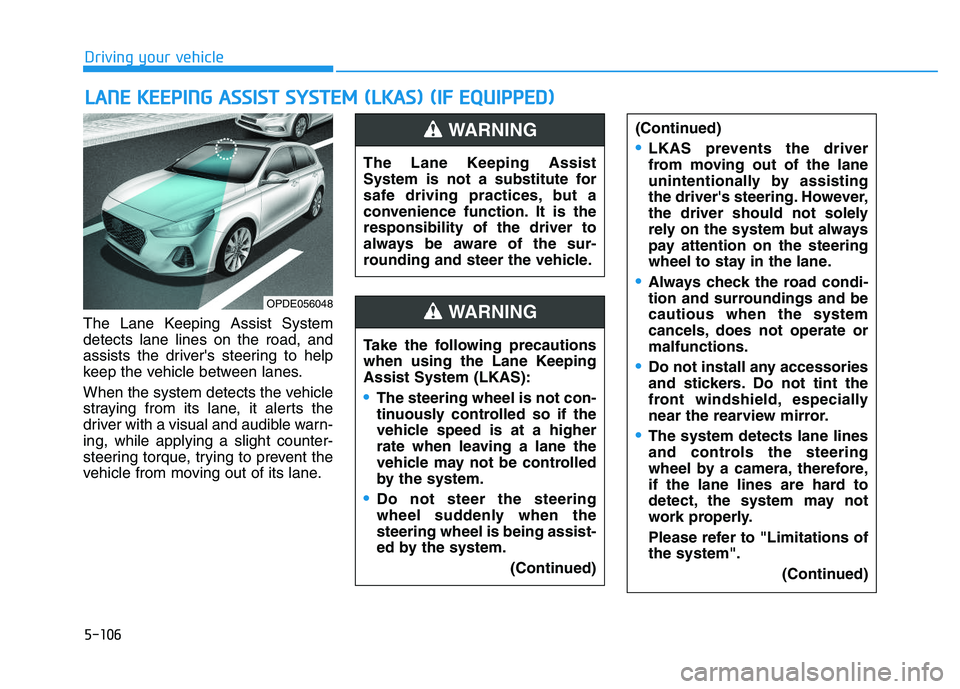
The Lane Keeping Assist System
detects lane lines on the road, and
assists the driver's steering to help
keep the vehicle between lanes.
When the system detects the vehicle
straying from its lane, it alerts the
driver with a visual and audible warn-
ing, while applying a slight counter-
steering torque, trying to prevent the
vehicle from moving out of its lane.
L
L A
A N
N E
E
K
K E
E E
E P
P I
I N
N G
G
A
A S
S S
S I
I S
S T
T
S
S Y
Y S
S T
T E
E M
M
(
( L
L K
K A
A S
S )
)
(
( I
I F
F
E
E Q
Q U
U I
I P
P P
P E
E D
D )
)
OPDE056048
The Lane Keeping Assist
System is not a substitute for
safe driving practices, but a
convenience function. It is the
responsibility of the driver to
always be aware of the sur-
rounding and steer the vehicle.
WARNING
Take the following precautions
when using the Lane Keeping
Assist System (LKAS):
The steering wheel is not con-
tinuously controlled so if the
vehicle speed is at a higher
rate when leaving a lane the
vehicle may not be controlled
by the system.
Do not steer the steering
wheel suddenly when the
steering wheel is being assist-
ed by the system.
(Continued)
WARNING
(Continued)
LKAS prevents the driver
from moving out of the lane
unintentionally by assisting
the driver's steering. However,
the driver should not solely
rely on the system but always
pay attention on the steering
wheel to stay in the lane.
Always check the road condi-
tion and surroundings and be
cautious when the system
cancels, does not operate or
malfunctions.
Do not install any accessories
and stickers. Do not tint the
front windshield, especially
near the rearview mirror.
The system detects lane lines
and controls the steering
wheel by a camera, therefore,
if the lane lines are hard to
detect, the system may not
work properly.
Please refer to "Limitations of
the system".(Continued)
Page 411 of 659
5-107
Driving your vehicle
5
Information
We recommend you have the system
checked by an authorized HYUNDAI
dealer when:
• The windshield glass is replaced.
• The LKAS camera or related partsare repaired or removed.
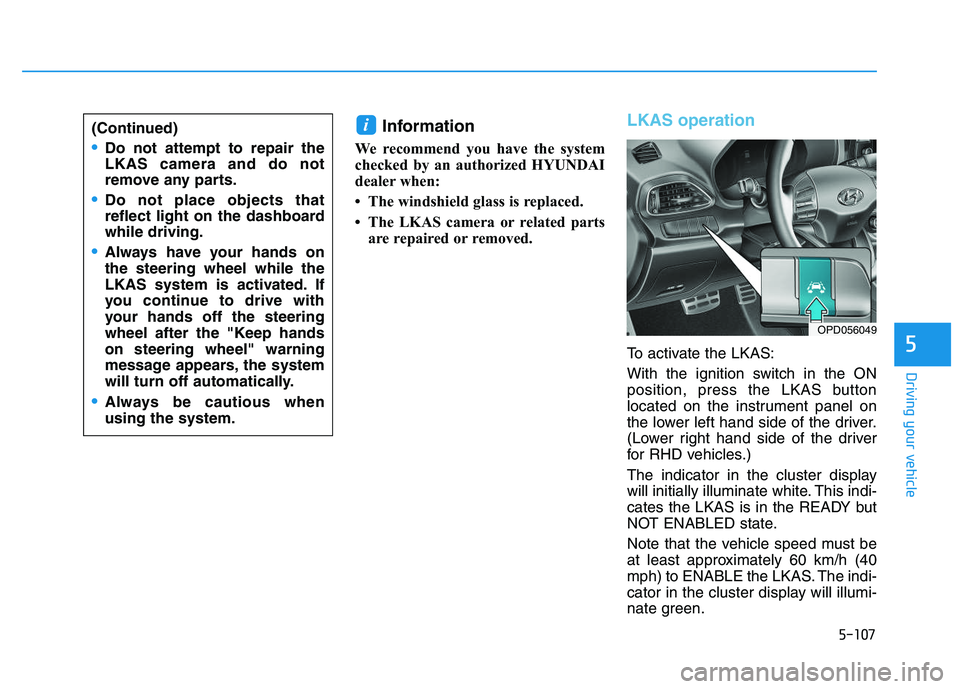
LKAS operation
To activate the LKAS:
With the ignition switch in the ON
position, press the LKAS button
located on the instrument panel on
the lower left hand side of the driver.
(Lower right hand side of the driver
for RHD vehicles.)
The indicator in the cluster display
will initially illuminate white. This indi-
cates the LKAS is in the READY but
NOT ENABLED state.
Note that the vehicle speed must be
at least approximately 60 km/h (40
mph) to ENABLE the LKAS. The indi-
cator in the cluster display will illumi-
nate green.
i(Continued)
Do not attempt to repair the
LKAS camera and do not
remove any parts.
Do not place objects that
reflect light on the dashboard
while driving.
Always have your hands on
the steering wheel while the
LKAS system is activated. If
you continue to drive with
your hands off the steering
wheel after the "Keep hands
on steering wheel" warning
message appears, the system
will turn off automatically.
Always be cautious when
using the system.
OPD056049
Page 412 of 659
5-108
Driving your vehicle
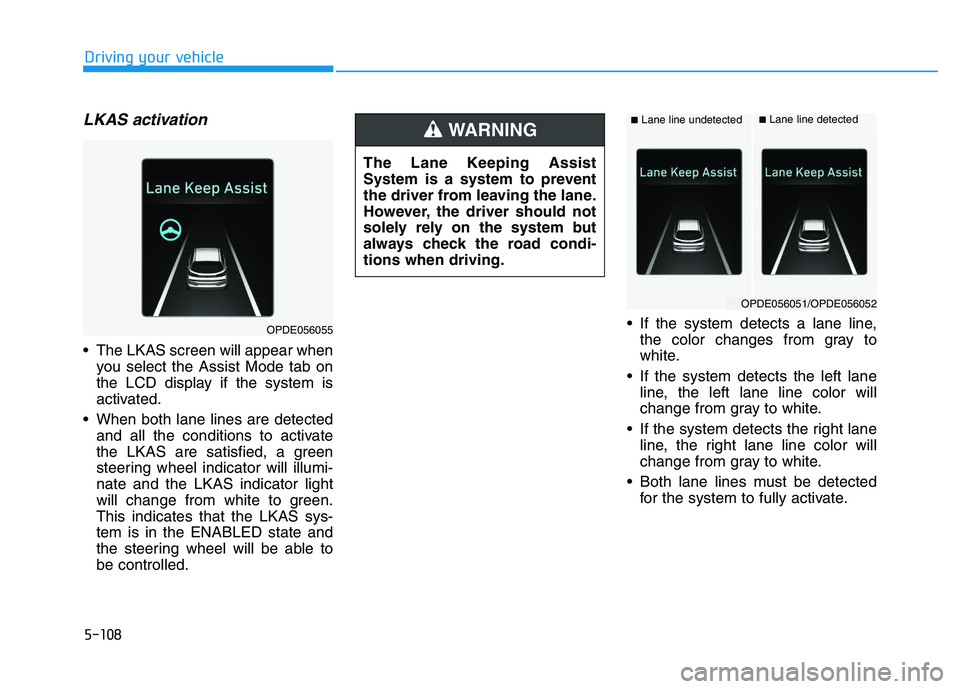
LKAS activation
The LKAS screen will appear whenyou select the Assist Mode tab on
the LCD display if the system is
activated.
When both lane lines are detected and all the conditions to activate
the LKAS are satisfied, a green
steering wheel indicator will illumi-
nate and the LKAS indicator light
will change from white to green.
This indicates that the LKAS sys-
tem is in the ENABLED state and
the steering wheel will be able to
be controlled. If the system detects a lane line,
the color changes from gray to
white.
If the system detects the left lane line, the left lane line color will
change from gray to white.
If the system detects the right lane line, the right lane line color will
change from gray to white.
Both lane lines must be detected for the system to fully activate.
OPDE056055
The Lane Keeping Assist
System is a system to prevent
the driver from leaving the lane.
However, the driver should not
solely rely on the system but
always check the road condi-
tions when driving.
WARNING ■Lane line undetected■Lane line detected
OPDE056051/OPDE056052