warning HYUNDAI I30 2016 Owners Manual
[x] Cancel search | Manufacturer: HYUNDAI, Model Year: 2016, Model line: I30, Model: HYUNDAI I30 2016Pages: 659, PDF Size: 17.14 MB
Page 414 of 659
5-110
Driving your vehicle
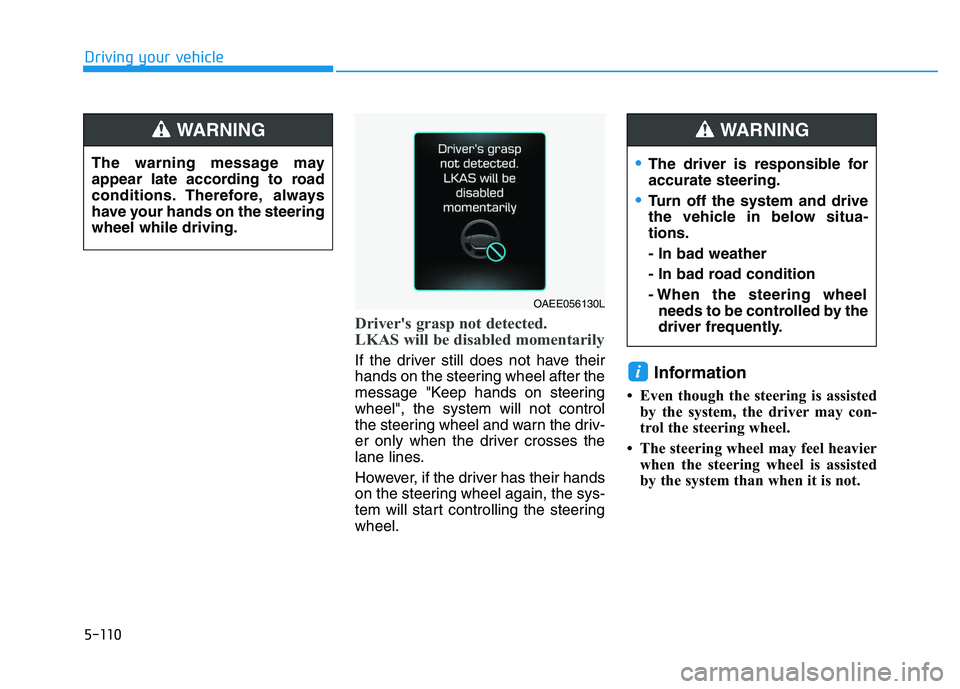
Driver's grasp not detected.
LKAS will be disabled momentarily
If the driver still does not have their
hands on the steering wheel after the
message "Keep hands on steering
wheel", the system will not control
the steering wheel and warn the driv-
er only when the driver crosses the
lane lines.
However, if the driver has their hands
on the steering wheel again, the sys-
tem will start controlling the steering
wheel.Information
• Even though the steering is assistedby the system, the driver may con-
trol the steering wheel.
• The steering wheel may feel heavier when the steering wheel is assisted
by the system than when it is not.
i
The driver is responsible for
accurate steering.
Turn off the system and drive
the vehicle in below situa-
tions.
- In bad weather
- In bad road condition
- When the steering wheelneeds to be controlled by the
driver frequently.
WARNING
The warning message may
appear late according to road
conditions. Therefore, always
have your hands on the steering
wheel while driving.
WARNING
OAEE056130L
Page 415 of 659
5-111
Driving your vehicle
5
The LKAS system will not be in the
ENABLED state and the steering
wheel will not be assisted when:
Vehicle speed is below 60 km/h (40mph) and over 200 km/h (125 mph).
Only one lane line is detected.
The turn signal is turned on before changing a lane. If you change
lanes without the turn signal on,
the steering wheel might be con-
trolled.
The hazard warning flasher is on.
The width of the lane is below 2.6 m (8.5 feet) and over 4.5 m (15 feet).
ESC (Electronic Stability Control) or VSM (Vehicle Stability Management)
is activated.
The vehicle is driven on a sharp curve.
The vehicle brakes suddenly.
The vehicle makes sharp lane changes.
There are more than two lane lines on the road. (e.g. construction
area)
The vehicle is driven on a steep incline.
Information
When the system is turned on or right
after changing a lane, drive in the
middle of the lane. If not, the system
will not provide steering assist func-
tion.
Warning light and message
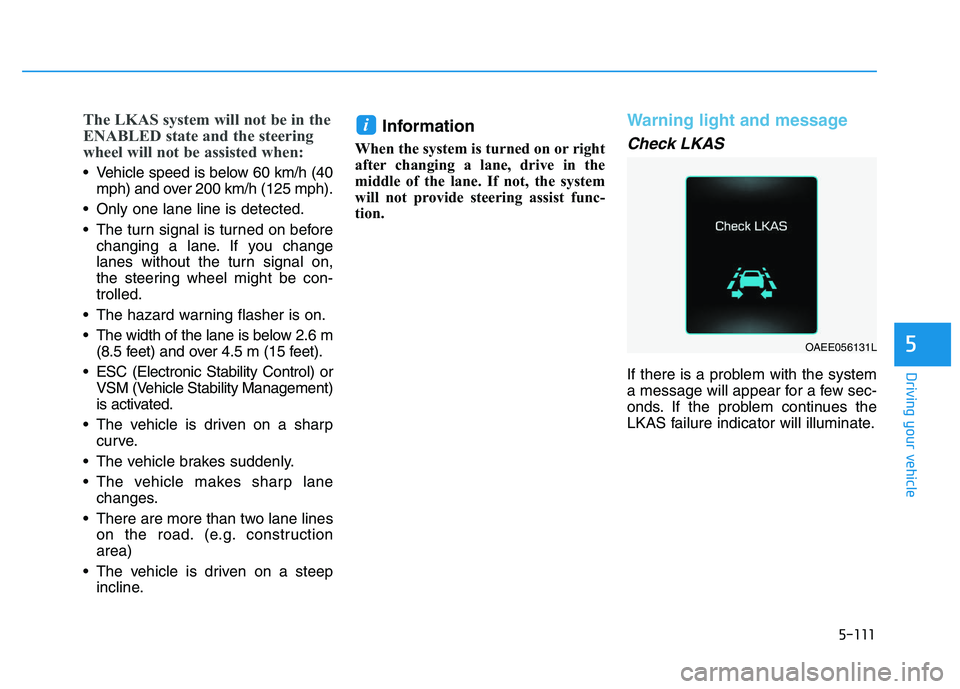
Check LKAS
If there is a problem with the system
a message will appear for a few sec-
onds. If the problem continues the
LKAS failure indicator will illuminate.
i
OAEE056131L
Page 416 of 659
5-112
Driving your vehicle
LKAS failure indicator
The LKAS failure indica-tor (yellow) will illuminate
if the LKAS is not working
properly. We recommend
that the system be
checked by an authorized
HYUNDAI dealer.
When there is a problem with the
system do one of the following:
Turn the system on after turning the engine off and on again.
Check if the ignition switch is in the ON position.
Check if the system is affected by the weather. (ex: fog, heavy rain,
etc.)
Check if there is foreign matter on the camera lens.
If the problem is not solved, we rec-
ommend that the system be checked
by an authorized HYUNDAI dealer.
LKAS function change
The driver can change LKAS to Lane
Departure Warning System (LDWS)
or change the LKAS mode between
Standard LKA and Active LKA from
the LCD display. Go to the 'User
Settings →Driving Assist →Lane
Keeping Assist System →Lane
Departure Warning/Standard LKA/
Active LKA'.
The system is automatically set to
Standard LKA if a function is not
selected.
Lane Departure Warning
LDWS alerts the driver with a visual
warning and a warning alarm when
the system detects the vehicle
departing the lane. The steering
wheel will not be controlled.
Standard LKA
The Standard LKA mode guides the
driver to keep the vehicle within the
lanes. It rarely controls the steering
wheel, when the vehicle drives well
inside the lanes. However, it starts to
control the steering wheel, when the
vehicle is about to deviate out of the
lanes.
Active LKA
The Active LKA mode provides more
frequent steering wheel control in
comparison with the Standard LKA
mode. The driver may not feel the
onset of the steering wheel control,
because the Active LKA may be con-
stantly controlling the steering with
lighter corrections.
Page 418 of 659
5-114
Driving your vehicle
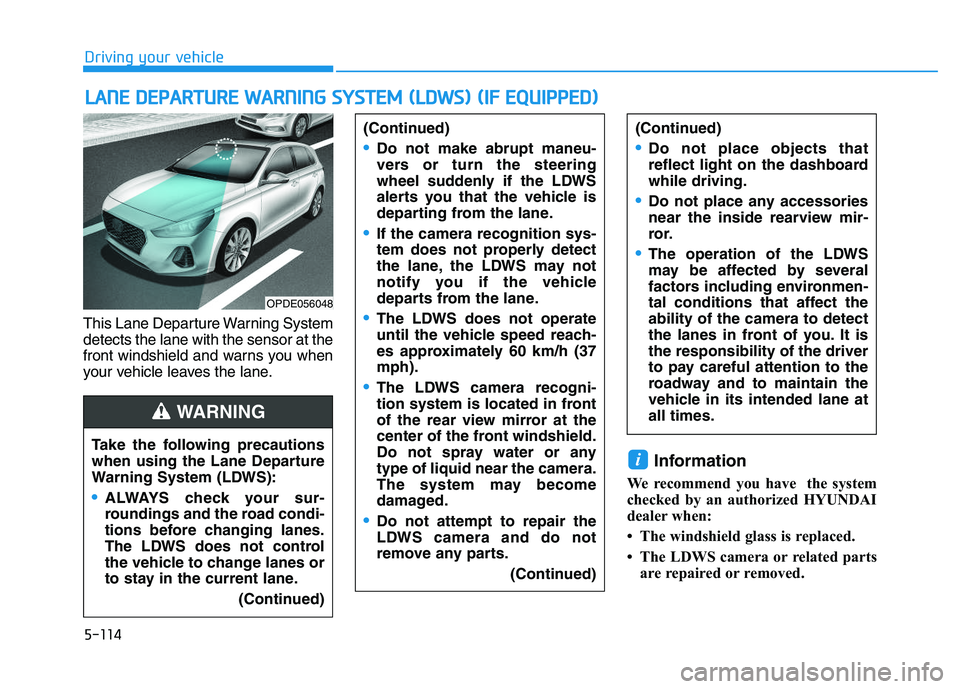
This Lane Departure Warning System
detects the lane with the sensor at the
front windshield and warns you when
your vehicle leaves the lane.
Information
We recommend you have the system
checked by an authorized HYUNDAI
dealer when:
• The windshield glass is replaced.
• The LDWS camera or related parts are repaired or removed.
i
L
L A
A N
N E
E
D
D E
E P
P A
A R
R T
T U
U R
R E
E
W
W A
A R
R N
N I
I N
N G
G
S
S Y
Y S
S T
T E
E M
M
(
( L
L D
D W
W S
S )
)
(
( I
I F
F
E
E Q
Q U
U I
I P
P P
P E
E D
D )
)
Take the following precautions
when using the Lane Departure
Warning System (LDWS):
ALWAYS check your sur-
roundings and the road condi-
tions before changing lanes.
The LDWS does not control
the vehicle to change lanes or
to stay in the current lane.
(Continued)
(Continued)
Do not make abrupt maneu-
vers or turn the steering
wheel suddenly if the LDWS
alerts you that the vehicle is
departing from the lane.
If the camera recognition sys-
tem does not properly detect
the lane, the LDWS may not
notify you if the vehicle
departs from the lane.
The LDWS does not operate
until the vehicle speed reach-
es approximately 60 km/h (37
mph).
The LDWS camera recogni-
tion system is located in front
of the rear view mirror at the
center of the front windshield.
Do not spray water or any
type of liquid near the camera.
The system may become
damaged.
Do not attempt to repair the
LDWS camera and do not
remove any parts.(Continued)
(Continued)
Do not place objects that
reflect light on the dashboard
while driving.
Do not place any accessories
near the inside rearview mir-
ror.
The operation of the LDWS
may be affected by several
factors including environmen-
tal conditions that affect the
ability of the camera to detect
the lanes in front of you. It is
the responsibility of the driver
to pay careful attention to the
roadway and to maintain the
vehicle in its intended lane at
all times.
WARNING
OPDE056048
Page 419 of 659
5-115
Driving your vehicle
5
LDWS operation
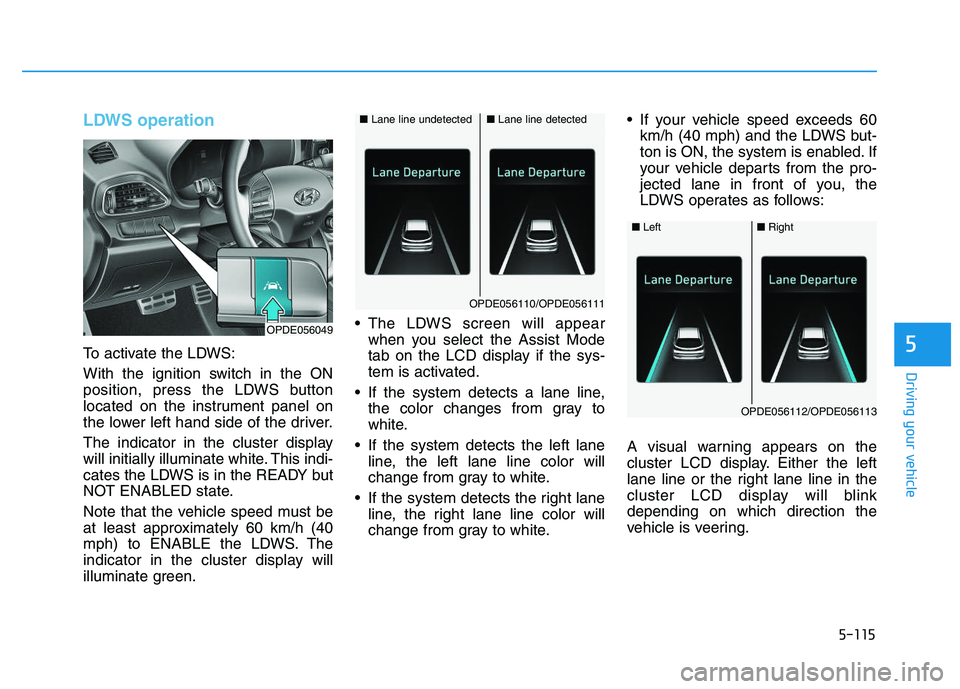
To activate the LDWS:
With the ignition switch in the ON
position, press the LDWS button
located on the instrument panel on
the lower left hand side of the driver.
The indicator in the cluster display
will initially illuminate white. This indi-
cates the LDWS is in the READY but
NOT ENABLED state.
Note that the vehicle speed must be
at least approximately 60 km/h (40
mph) to ENABLE the LDWS. The
indicator in the cluster display will
illuminate green. The LDWS screen will appear
when you select the Assist Mode
tab on the LCD display if the sys-
tem is activated.
If the system detects a lane line, the color changes from gray to
white.
If the system detects the left lane line, the left lane line color will
change from gray to white.
If the system detects the right lane line, the right lane line color will
change from gray to white. If your vehicle speed exceeds 60
km/h (40 mph) and the LDWS but-
ton is ON, the system is enabled. If
your vehicle departs from the pro-
jected lane in front of you, the
LDWS operates as follows:
A visual warning appears on the
cluster LCD display. Either the left
lane line or the right lane line in the
cluster LCD display will blink
depending on which direction the
vehicle is veering.
■ Lane line detected■Lane line undetected
OPDE056110/OPDE056111
OPDE056049
■Left■Right
OPDE056112/OPDE056113
Page 420 of 659
5-116
Driving your vehicle
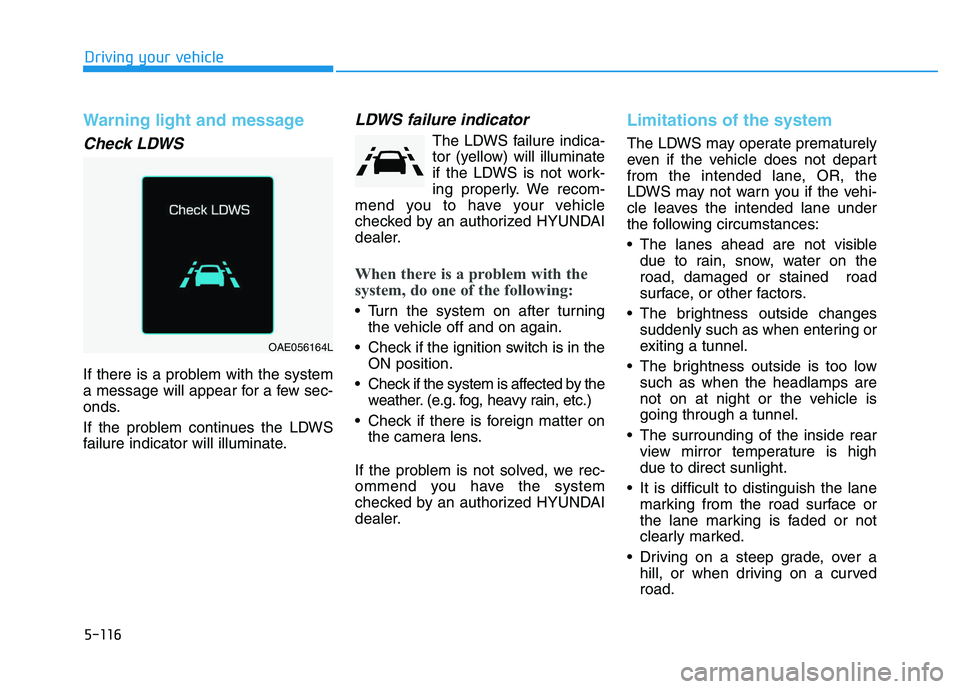
Warning light and message
Check LDWS
If there is a problem with the system
a message will appear for a few sec-
onds.
If the problem continues the LDWS
failure indicator will illuminate.
LDWS failure indicator
The LDWS failure indica-
tor (yellow) will illuminate
if the LDWS is not work-
ing properly. We recom-
mend you to have your vehicle
checked by an authorized HYUNDAI
dealer.
When there is a problem with the
system, do one of the following:
Turn the system on after turning the vehicle off and on again.
Check if the ignition switch is in the ON position.
Check if the system is affected by the weather. (e.g. fog, heavy rain, etc.)
Check if there is foreign matter on the camera lens.
If the problem is not solved, we rec-
ommend you have the system
checked by an authorized HYUNDAI
dealer.
Limitations of the system
The LDWS may operate prematurely
even if the vehicle does not depart
from the intended lane, OR, the
LDWS may not warn you if the vehi-
cle leaves the intended lane under
the following circumstances:
The lanes ahead are not visible due to rain, snow, water on the
road, damaged or stained road
surface, or other factors.
The brightness outside changes suddenly such as when entering or
exiting a tunnel.
The brightness outside is too low such as when the headlamps are
not on at night or the vehicle is
going through a tunnel.
The surrounding of the inside rear view mirror temperature is high
due to direct sunlight.
It is difficult to distinguish the lane marking from the road surface or
the lane marking is faded or not
clearly marked.
Driving on a steep grade, over a hill, or when driving on a curved
road.
OAE056164L
Page 423 of 659
5-119
Driving your vehicle
5
The driver can monitor their drivingconditions on the LCD display.
The DAA screen will appear when
you select the Assist Mode tab on
the LCD display if the system is
activated. (For more information,
refer to "LCD Modes" in chapter
3.)
The driver's attention level is dis- played on the scale of 1 to 5. The
lower the number is, the more inat-
tentive the driver is.
The number decreases when the driver does not take a break for a
certain period of time.
The number increases when the driver attentively drives for a cer-
tain period of time.Take a break
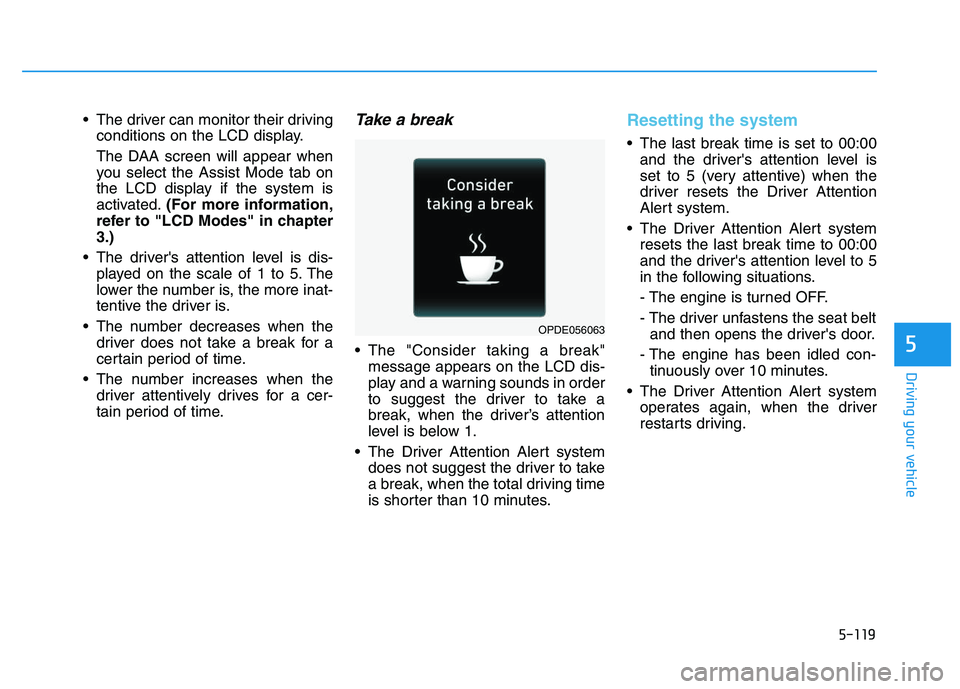
The "Consider taking a break"message appears on the LCD dis-
play and a warning sounds in order
to suggest the driver to take a
break, when the driver’s attention
level is below 1.
The Driver Attention Alert system does not suggest the driver to take
a break, when the total driving time
is shorter than 10 minutes.
Resetting the system
The last break time is set to 00:00and the driver's attention level is
set to 5 (very attentive) when the
driver resets the Driver Attention
Alert system.
The Driver Attention Alert system resets the last break time to 00:00
and the driver's attention level to 5
in the following situations.
- The engine is turned OFF.
- The driver unfastens the seat beltand then opens the driver's door.
- The engine has been idled con- tinuously over 10 minutes.
The Driver Attention Alert system operates again, when the driver
restarts driving.
OPDE056063
Page 424 of 659
5-120
Driving your vehicle
System standby
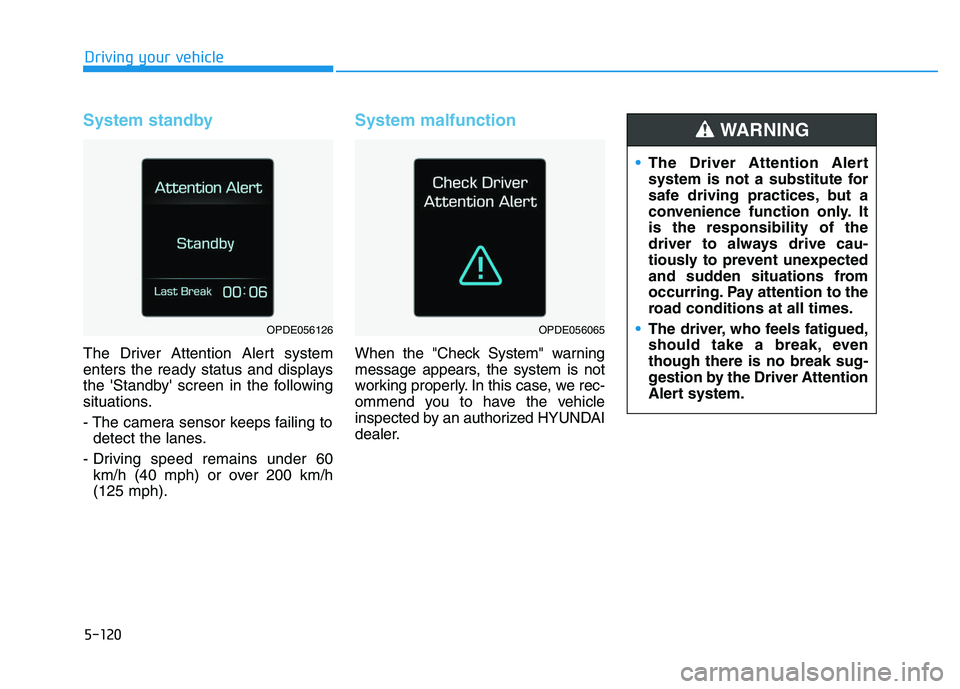
The Driver Attention Alert system
enters the ready status and displays
the 'Standby' screen in the following
situations.
- The camera sensor keeps failing todetect the lanes.
- Driving speed remains under 60 km/h (40 mph) or over 200 km/h
(125 mph).
System malfunction
When the "Check System" warning
message appears, the system is not
working properly. In this case, we rec-
ommend you to have the vehicle
inspected by an authorized HYUNDAI
dealer.
OPDE056126OPDE056065
The Driver Attention Alert
system is not a substitute for
safe driving practices, but a
convenience function only. It
is the responsibility of the
driver to always drive cau-
tiously to prevent unexpected
and sudden situations from
occurring. Pay attention to the
road conditions at all times.
The driver, who feels fatigued,
should take a break, even
though there is no break sug-
gestion by the Driver Attention
Alert system.
WARNING
Page 425 of 659
5-121
Driving your vehicle
5
The Driver Attention Alert system
utilizes the camera sensor on the
front windshield for its operation.
To keep the camera sensor in the
best condition, you should
observe the followings:
NEVER install any accessoriesor stickers on the front wind-
shield, nor tint the front wind-
shield.
NEVER locate any reflective objects (i.e. white paper, mirror)
over the dashboard. Any light
reflection may cause a malfunc-
tion of the Driver Attention Alert
(DAA) system.
Pay extreme caution to keep the camera sensor out of water.
NEVER arbitrarily disassemble the camera assembly, nor apply
any impact on the camera
assembly.
Playing the vehicle audio sys- tem at high volume may offset
the Driver Attention Alert sys-
tem warning sounds.
NOTICE
The Driver Attention Alert sys-
tem may not properly operate
with limited alerting in the fol-
lowing situations:
The lane detection perform-
ance is limited. (For more
information, refer to "Lane
Keeping Assist System
(LKAS)" in this chapter.)
The vehicle is violently driven
or is abruptly turned for
obstacle avoidance (e.g. con-
struction area, other vehicles,
fallen objects, bumpy road).
Forward drivability of the
vehicle is severely under-
mined (possibly due to wide
variation in tire pressures,
uneven tire wear-out, toe-
in/toe-out alignment).
The vehicle drives on a curvy
road.
The vehicle drives on a
bumpy road.
(Continued)
CAUTION(Continued)
The vehicle drives through a
windy area.
The vehicle is controlled by
the following driving assist
systems:
- Lane Keeping Assist System
(LKAS)
- Autonomous Emergency Braking (AEB) System
Page 426 of 659
5-122
Driving your vehicle
Speed Limit Control operation
You can set the speed limit when you
do not want to drive over a specific
speed.
If you drive over the preset speed
limit, the warning system operates
(set speed limit will blink and chime
will sound) until the vehicle speed
returns within the speed limit.
Information
While speed limit control is in opera-
tion, the cruise control system cannot
be activated.
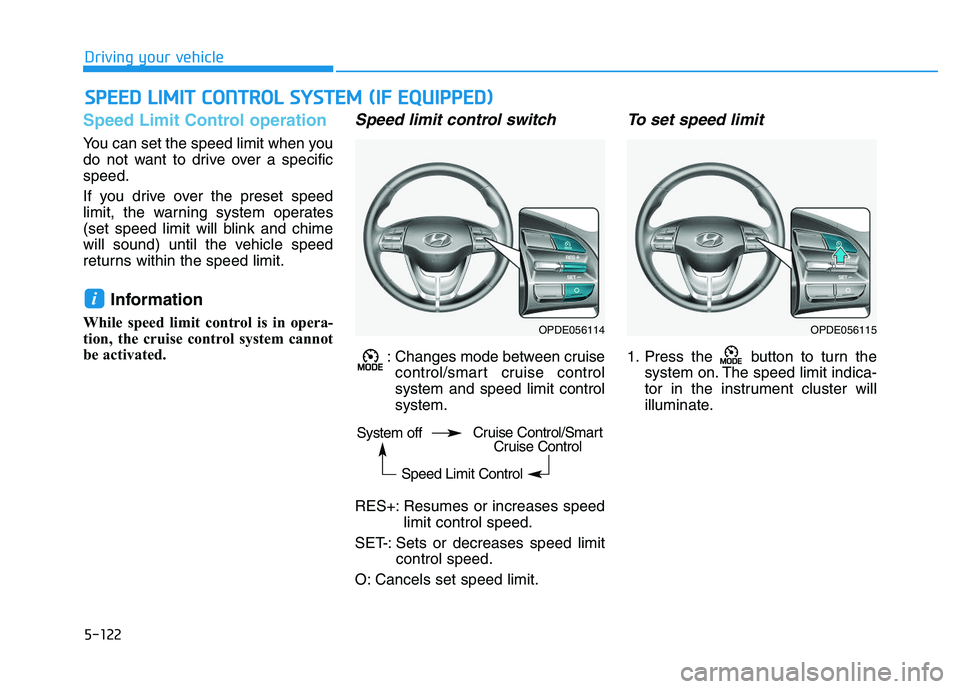
Speed limit control switch
: Changes mode between cruisecontrol/smart cruise control
system and speed limit control
system.
RES+: Resumes or increases speed limit control speed.
SET-: Sets or decreases speed limit control speed.
O: Cancels set speed limit.
To set speed limit
1. Press the button to turn the system on. The speed limit indica-
tor in the instrument cluster will
illuminate.
i
S
S P
P E
E E
E D
D
L
L I
I M
M I
I T
T
C
C O
O N
N T
T R
R O
O L
L
S
S Y
Y S
S T
T E
E M
M
(
( I
I F
F
E
E Q
Q U
U I
I P
P P
P E
E D
D )
)
OPDE056114OPDE056115
System off
Speed Limit ControlCruise Control/SmartCruise Control