warning lights HYUNDAI I30 2016 Owner's Manual
[x] Cancel search | Manufacturer: HYUNDAI, Model Year: 2016, Model line: I30, Model: HYUNDAI I30 2016Pages: 659, PDF Size: 17.14 MB
Page 225 of 659
3-75
Convenient features of your vehicle
3
Warning message mode
If one of followings occurs, warning
messages will be displayed in the
information mode for several seconds.
- Low washer fluid (if equipped)
- Smart high beam malfunction (if equipped)
- Blind Spot Detection (BSD) mal- function (if equipped)
- Autonomous Emergency Braking (AEB) malfunction (if equipped)
- Speed Limit Information Function (SLIF) malfunction (if equipped)
- Advanced Smart Cruise Control malfunction (if equipped)
- Tire Pressure Monitoring System (TPMS, if equipped)
User settings mode
In this mode, you can change the
setting of the instrument cluster,
doors, lamps, etc.
1. Driving Assist
2. Door
3. Lights
4. Sound
5. Convenience
6. Service Interval
7. Other Features
8. Reset
The information provided differs
according to the items applied to
your vehicle.
1. Driving Assist
- Lane Departure Warning/StandardLKA/Active LKA
To adjust the sensitivity of the Lane
Keeping Assist System.
For more information, refer to the
"Lane Keeping Assist System" in
chapter 5.
To adjust the sensitivity of the Driver
Attention Alert (DAA).
- Off/Normal/Early
For more information, refer to the
"Driver Attention Alert (DAA)" in
chapter 5.
- Slow/Normal/Fast
To adjust the sensitivity of the
Smart Cruise Control system.
For more information, refer to the
"Smart Cruise Control" in chapter 5.
To activate or deactivate the
Autonomous Emergency Braking
(AEB).
For more information, refer to
"Autonomous Emergency Braking
(AEB)" in chapter 5.
Page 309 of 659
5-5
Driving your vehicle
5
Before entering the vehicle
• Be sure all windows, outside mir-ror(s), and outside lights are clean
and unobstructed.
Remove frost, snow, or ice.
Visually check the tires for uneven wear and damage.
Check under the vehicle for any sign of leaks.
Be sure there are no obstacles behind you if you intend to back up.
Before starting
Make sure the hood, the tailgate,and the doors are securely closed
and locked.
Adjust the position of the seat and steering wheel.
Adjust the inside and outside rearview mirrors.
Verify all the lights work.
Fasten your seatbelt. Check that all passengers have fastened their
seatbelts.
Check the gauges and indicators in the instrument panel and the mes-
sages on the instrument display
when the ignition switch is in the
ON position.
Check that any items you are car- rying are stored properly or fas-
tened down securely.
B
B E
E F
F O
O R
R E
E
D
D R
R I
I V
V I
I N
N G
G
To reduce the risk of SERIOUS
INJURY or DEATH, take the fol-
lowing precautions:
•ALWAYS wear your seat belt.
All passengers must be prop-
erly belted whenever the vehi-
cle is moving. For more infor-
mation, refer to "Seat Belts" in
chapter 2.
Always drive defensively.
Assume other drivers or pedes-
trians may be careless and
make mistakes.
Stay focused on the task of
driving. Driver distraction can
cause accidents.
Leave plenty of space between
you and the vehicle in front of
you.
WARNING
Page 312 of 659
5-8
Driving your vehicle
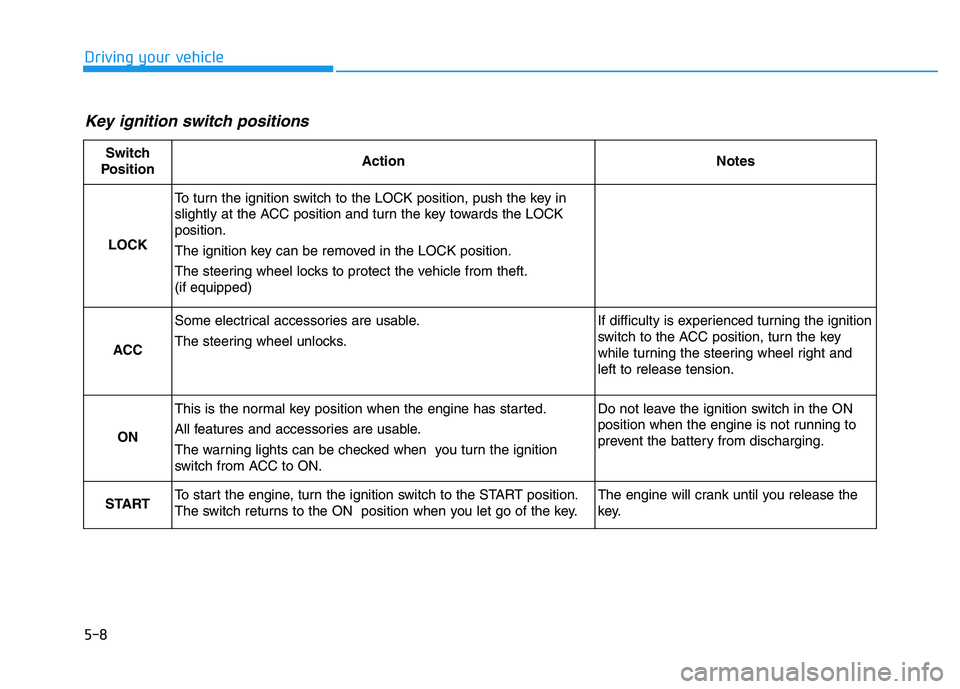
Key ignition switch positions
Switch
PositionActionNotes
LOCK
To turn the ignition switch to the LOCK position, push the key in
slightly at the ACC position and turn the key towards the LOCK
position.
The ignition key can be removed in the LOCK position.
The steering wheel locks to protect the vehicle from theft.
(if equipped)
ACC
Some electrical accessories are usable.
The steering wheel unlocks.If difficulty is experienced turning the ignition
switch to the ACC position, turn the key
while turning the steering wheel right and
left to release tension.
ON
This is the normal key position when the engine has started.
All features and accessories are usable.
The warning lights can be checked when you turn the ignition
switch from ACC to ON.Do not leave the ignition switch in the ON
position when the engine is not running to
prevent the battery from discharging.
STARTTo start the engine, turn the ignition switch to the START position.
The switch returns to the ON position when you let go of the key.The engine will crank until you release the
key.
Page 317 of 659
5-13
Driving your vehicle
5
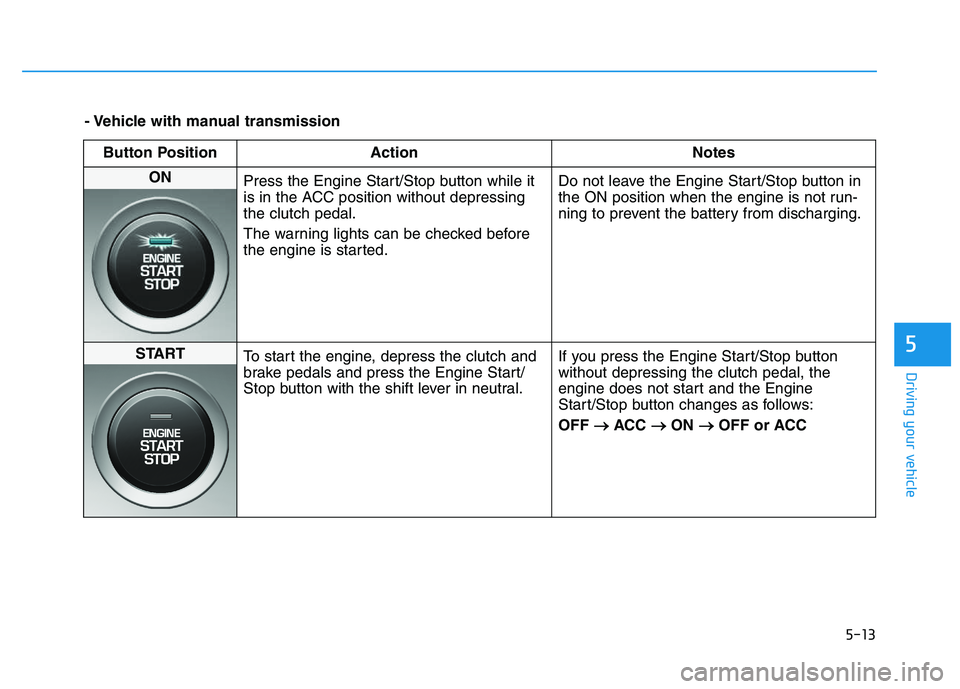
- Vehicle with manual transmissionButton Position Action Notes
ON Press the Engine Start/Stop button while it
is in the ACC position without depressing
the clutch pedal.
The warning lights can be checked before
the engine is started. Do not leave the Engine Start/Stop button in
the ON position when the engine is not run-
ning to prevent the battery from discharging.
START
To start the engine, depress the clutch and
brake pedals and press the Engine Start/
Stop button with the shift lever in neutral. If you press the Engine Start/Stop button
without depressing the clutch pedal, the
engine does not start and the Engine
Start/Stop button changes as follows:
OFF
→
→
ACC →
→
ON →
→
OFF or ACC
Page 319 of 659
5-15
Driving your vehicle
5
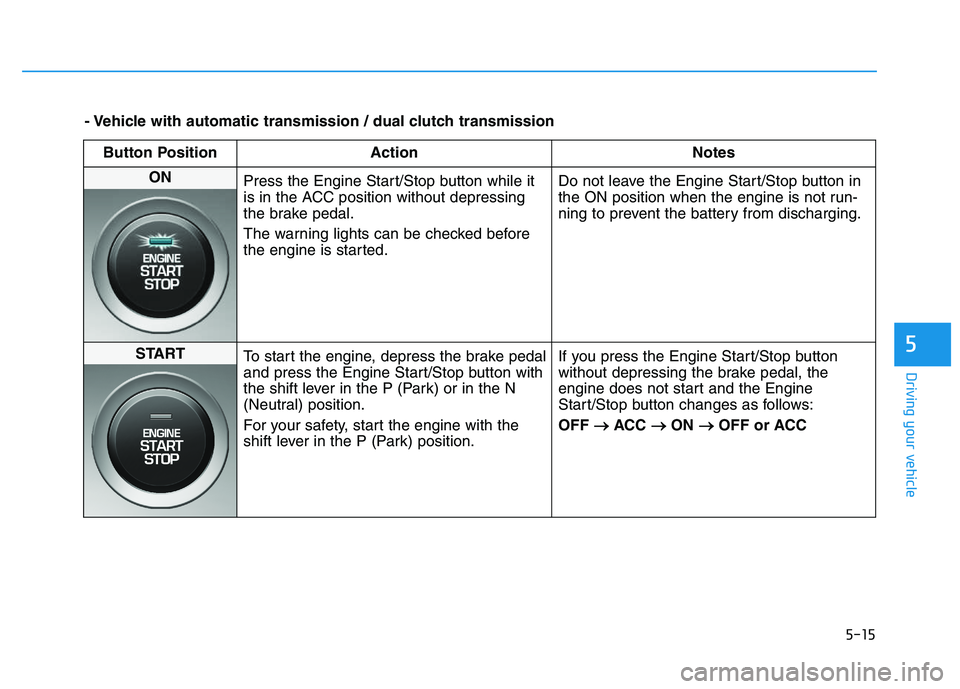
- Vehicle with automatic transmission / dual clutch transmissionButton Position Action Notes
ON Press the Engine Start/Stop button while it
is in the ACC position without depressing
the brake pedal.
The warning lights can be checked before
the engine is started. Do not leave the Engine Start/Stop button in
the ON position when the engine is not run-
ning to prevent the battery from discharging.
START
To start the engine, depress the brake pedal
and press the Engine Start/Stop button with
the shift lever in the P (Park) or in the N
(Neutral) position.
For your safety, start the engine with the
shift lever in the P (Park) position. If you press the Engine Start/Stop button
without depressing the brake pedal, the
engine does not start and the Engine
Start/Stop button changes as follows:
OFF
→
→
ACC →
→
ON →
→
OFF or ACC
Page 361 of 659
5-57
Driving your vehicle
5
Press and hold the ESC OFF button
continuously for more than 3 sec-
onds. The ESC OFF indicator light
and message "Traction & Stability
Control disabled" illuminates and a
warning chime sounds. In this state,
both the traction control function of
ESC (engine management) and the
brake control function of ESC (brak-
ing management) are disabled.
If the ignition switch is placed to the
LOCK/OFF position when ESC is off,
ESC remains off. Upon restarting the
vehicle, the ESC will automatically
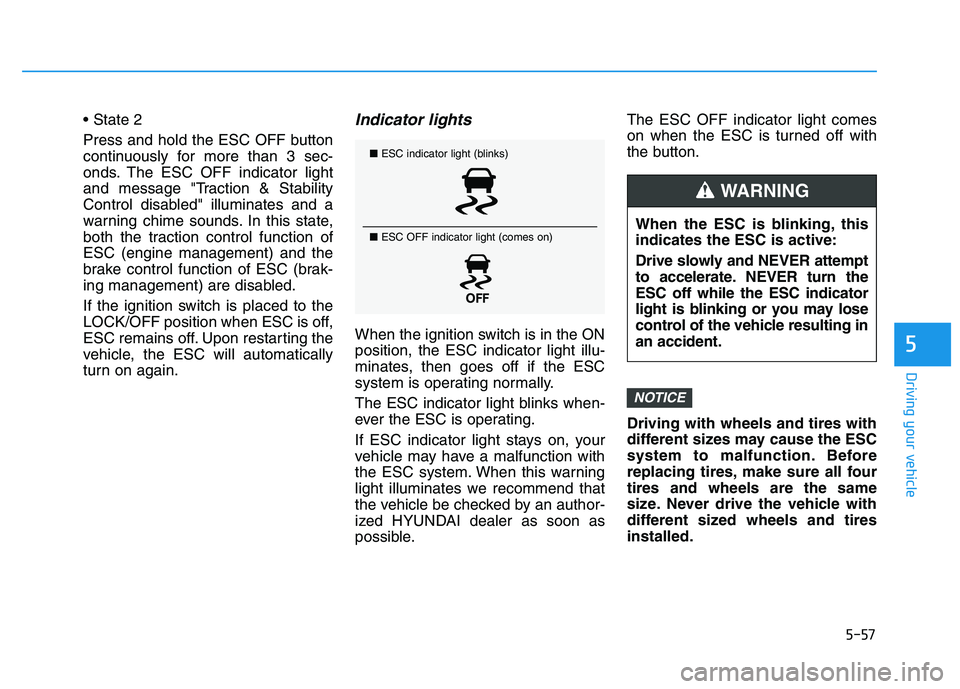
turn on again.Indicator lights
When the ignition switch is in the ON
position, the ESC indicator light illu-
minates, then goes off if the ESC
system is operating normally.
The ESC indicator light blinks when-
ever the ESC is operating.
If ESC indicator light stays on, your
vehicle may have a malfunction with
the ESC system. When this warning
light illuminates we recommend that
the vehicle be checked by an author-
ized HYUNDAI dealer as soon as
possible.The ESC OFF indicator light comes
on when the ESC is turned off with
the button.
Driving with wheels and tires with
different sizes may cause the ESC
system to malfunction. Before
replacing tires, make sure all four
tires and wheels are the same
size. Never drive the vehicle with
different sized wheels and tires
installed.
NOTICE
■
ESC indicator light (blinks)
■ ESC OFF indicator light (comes on)
When the ESC is blinking, this
indicates the ESC is active:
Drive slowly and NEVER attempt
to accelerate. NEVER turn the
ESC off while the ESC indicator
light is blinking or you may lose
control of the vehicle resulting in
an accident.
WARNING
Page 362 of 659
5-58
Driving your vehicle
ESC OFF usage
When Driving
The ESC OFF mode should only be
used briefly to help free the vehicle if
stuck in snow or mud by temporarily
stopping operation of the ESC to
maintain wheel torque.
To turn ESC off while driving, press
the ESC OFF button while driving on
a flat road surface.To prevent damage to the trans-
mission:
Do not allow wheel(s) of one
axle to spin excessively while
the ESC, ABS, and parking brake
warning lights are displayed.
The repairs would not be cov-
ered by the vehicle warranty.
Reduce engine power and do
not spin the wheel(s) excessive-
ly while these lights are dis-
played.
When operating the vehicle on a dynamometer, make sure the
ESC is turned off (ESC OFF light
illuminated).
Information
Turning the ESC off does not affect
ABS or standard brake system opera-
tion.
Vehicle Stability Management
(if equipped)
The Vehicle Stability Management
(VSM) is a function of the Electronic
Stability Control (ESC) system. It
helps ensure the vehicle stays stable
when accelerating or braking sud-
denly on wet, slippery and rough
roads where traction over the four
tires can suddenly become uneven.
i
NOTICE
Take the following precautions
when using the Vehicle Stability
Management (VSM):
ALWAYS check the speed and
the distance to the vehicle
ahead. The VSM is not a sub-
stitute for safe driving prac-
tices.
Never drive too fast for the
road conditions. The VSM sys-
tem will not prevent acci-
dents. Excessive speed in bad
weather, slippery and uneven
roads can result in severe
accidents.
WARNING
Page 364 of 659
5-60
Driving your vehicle
Hill-Start Assist Control (HAC)
(if equipped)
The Hill-Start Assist Control (HAC)
helps prevent the vehicle from rolling
backwards when starting a vehicle
from a stop on a hill. The system
operates the brakes automatically for
approximately 2 seconds and releas-
es the brake after 2 seconds or when
the accelerator pedal is depressed.
Information
• The HAC does not operate when theshift lever is in P (Park) or N
(Neutral)
• The HAC activates even when the ESC (Electronic Stability Control) is
off. However, it does not activate,
when the ESC does not normally
operate.
Emergency Stop Signal (ESS)
(if equipped)
The Emergency Stop Signal system
alerts the driver behind by blinking
the stop lights, while sharply and
severely braking.
The system is activated when:
The vehicle suddenly stops. (Thedeceleration power exceeds 7 m/s
2,
and the driving speed exceeds 55
km/h (34 mph).)
The ABS is activated and the driv- ing speed exceeds 55 km/h (34
mph).
The hazard warning flasher automat-
ically turns ON after blinking the stop
lights, when the driving speeds is
decelerated under 40 km/h (25 mph),
when the ABS is deactivated, and
when the sudden braking situation is
over. The hazard warning flasher turns
OFF, when the driving speed exceeds
10 km/h (6 mph) after a complete
stop. The hazard warning flasher
turns OFF, when the vehicle drives at
a low speed for a certain period of
time. The driver can manually turn
OFF the hazard warning flasher by
pressing the button.
Information
The Emergency Stop Signal (ESS) sys-
tem will not activate, when the hazard
warning flasher already blinks.
i
i
Always be ready to depress the
accelerator pedal when starting
off on a incline. The HAC acti-
vates only for approximately 2
seconds.
WARNING
Page 366 of 659
5-62
Driving your vehicle
The ISG system is to reduce the fuel
consumption by automatically shut-
ting down the engine, when the vehi-
cle is at a standstill (i.e. red stop light,
stop sign, and traffic jam).
The engine is automatically started
upon satisfying the starting condi-
tions.
The ISG system is always active,
when the engine is running.
Information
When the engine is automatically
started by the ISG system, some warn-
ing lights (i.e. ABS, ESC, ESC OFF,
EPS, and parking brake warning
light) may illuminate for a few sec-
onds due to the low battery voltage.
However, it does not indicate a mal-
function with the ISG system.
To activate the ISG system
Prerequisite for activation
The ISG system operates in the fol-
lowing situations.
- The driver's seatbelt is fastened.
- The driver's door and the hood are closed.
- The brake vacuum pressure is adequate.
- The battery is sufficiently charged.
- The outside temperature is between -10 °C and 35 °C (14 °F and 95 °F).
- The engine coolant temperature is not too low.
- The system is not in the diagnostic mode.
- The steering wheel is not steered excessively. (for dual clutch trans-
mission vehicle)
- The vehicle is driven on a steep incline. (for dual clutch transmis-
sion vehicle)
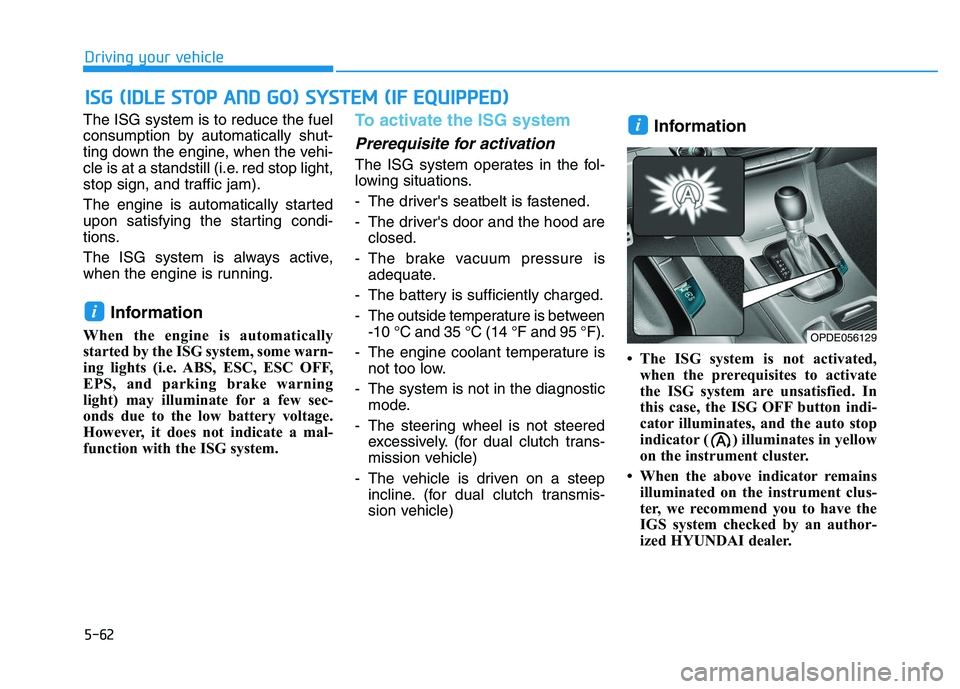
Information
• The ISG system is not activated,when the prerequisites to activate
the ISG system are unsatisfied. In
this case, the ISG OFF button indi-
cator illuminates, and the auto stop
indicator ( ) illuminates in yellow
on the instrument cluster.
• When the above indicator remains illuminated on the instrument clus-
ter, we recommend you to have the
IGS system checked by an author-
ized HYUNDAI dealer.
i
i
I
I S
S G
G
(
( I
I D
D L
L E
E
S
S T
T O
O P
P
A
A N
N D
D
G
G O
O )
)
S
S Y
Y S
S T
T E
E M
M
(
( I
I F
F
E
E Q
Q U
U I
I P
P P
P E
E D
D )
)
OPDE056129
Page 465 of 659
5-161
Driving your vehicle
5
Trailer brakes
If your trailer is equipped with a brak-
ing system, make sure it conforms
your country’s regulations and that it
is properly installed and operating
correctly.
If your trailer weighs more than the
maximum trailer weight without trail-
er brakes loaded, then it needs its
own brakes and they must be ade-
quate. Be sure to read and follow the
instructions for the trailer brakes so
you’ll be able to install, adjust and
maintain them properly. Be sure not
to tap into your vehicle's brake sys-
tem.
Driving with a trailer
Towing a trailer requires a certain
amount of experience. Before setting
out for the open road, you must get
to know your trailer. Acquaint your-
self with the feel of handling and
braking with the added weight of the
trailer. And always keep in mind that
the vehicle you are driving is now
longer and not nearly as responsive
as your vehicle is by itself.
Before you start, check the trailer
hitch and platform, safety chains,
electrical connector(s), lights, tires
and brakes.
During your trip, occasionally check
to be sure that the load is secure,
and that the lights and trailer brakes
are still working.
Distance
Stay at least twice as far behind the
vehicle ahead as you would when
driving your vehicle without a trailer.
This can help you avoid situations
that require heavy braking and sud-
den turns.
Passing
You will need more passing distance
up ahead when you’re towing a trail-
er. And, because of the increased
vehicle length, you’ll need to go
much farther beyond the passed
vehicle before you can return to your
lane.
Do not use a trailer with its own
brakes unless you are absolute-
ly certain that you have proper-
ly set up the brake system. This
is not a task for amateurs. Use
an experienced, competent trail-
er shop for this work.
WARNING