battery HYUNDAI I30 2017 Owner's Manual
[x] Cancel search | Manufacturer: HYUNDAI, Model Year: 2017, Model line: I30, Model: HYUNDAI I30 2017Pages: 659, PDF Size: 17.14 MB
Page 198 of 659
3-48
Convenient features of your vehicle
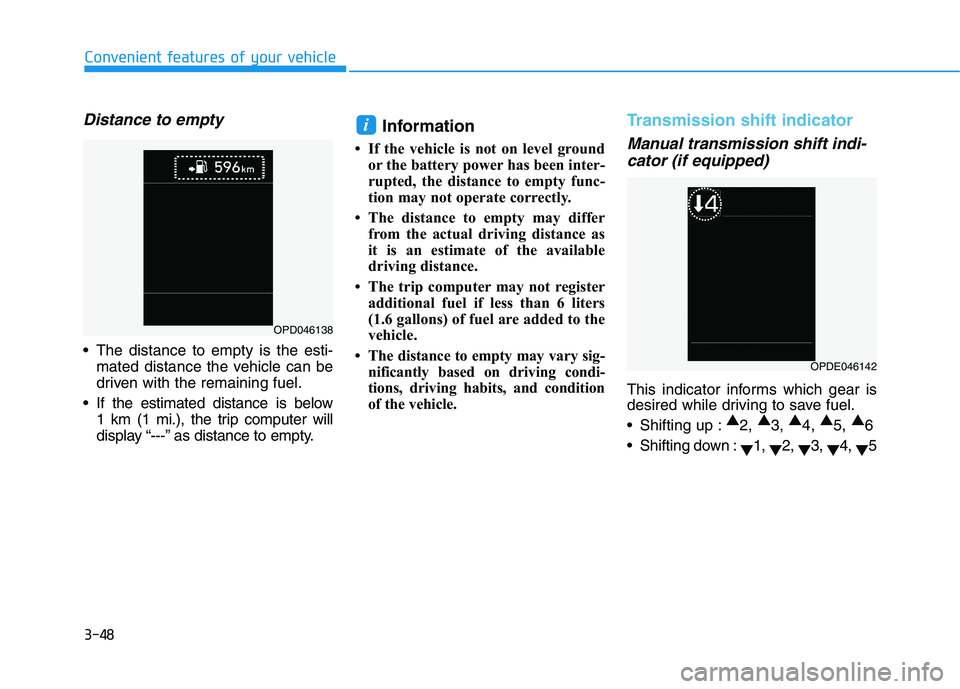
Distance to empty
The distance to empty is the esti-mated distance the vehicle can be
driven with the remaining fuel.
If the estimated distance is below 1 km (1 mi.), the trip computer will
display “---” as distance to empty.
Information
• If the vehicle is not on level groundor the battery power has been inter-
rupted, the distance to empty func-
tion may not operate correctly.
• The distance to empty may differ from the actual driving distance as
it is an estimate of the available
driving distance.
• The trip computer may not register additional fuel if less than 6 liters
(1.6 gallons) of fuel are added to the
vehicle.
• The distance to empty may vary sig- nificantly based on driving condi-
tions, driving habits, and condition
of the vehicle.
Transmission shift indicator
Manual transmission shift indi-cator (if equipped)
This indicator informs which gear is
desired while driving to save fuel.
Shifting up : ▲
2, ▲
3, ▲
4, ▲
5, ▲
6
Shifting down : ▼1,
▼2,
▼3,
▼4,
▼5
i
OPD046138
OPDE046142
Page 208 of 659
3-58
Convenient features of your vehicle
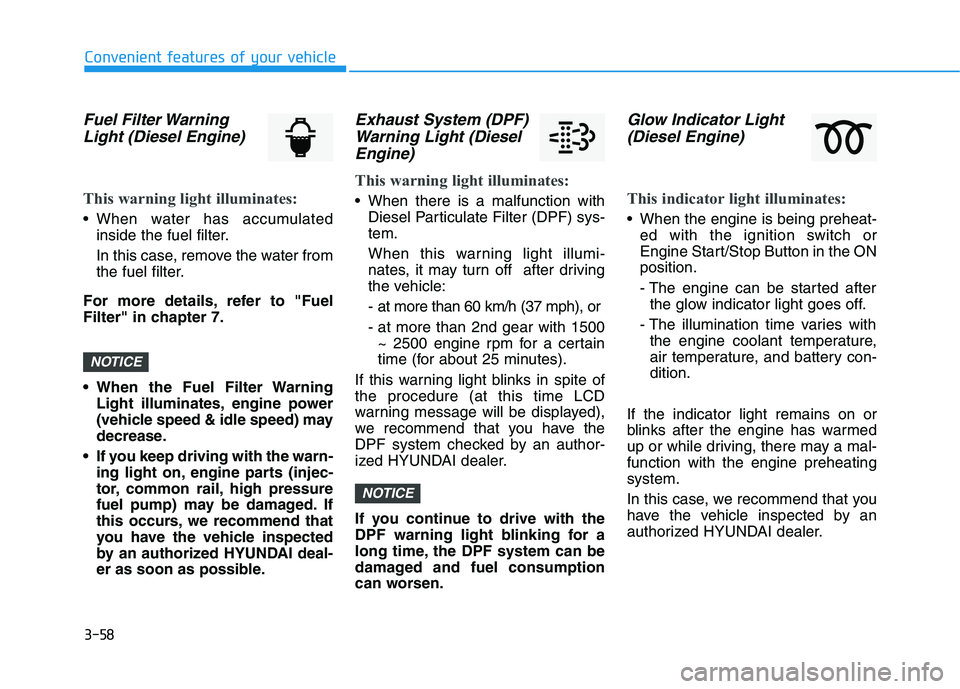
Fuel Filter WarningLight (Diesel Engine)
This warning light illuminates:
• When water has accumulated
inside the fuel filter.
In this case, remove the water from
the fuel filter.
For more details, refer to "Fuel
Filter" in chapter 7.
• When the Fuel Filter Warning Light illuminates, engine power
(vehicle speed & idle speed) may
decrease.
If you keep driving with the warn- ing light on, engine parts (injec-
tor, common rail, high pressure
fuel pump) may be damaged. If
this occurs, we recommend that
you have the vehicle inspected
by an authorized HYUNDAI deal-
er as soon as possible.
Exhaust System (DPF)Warning Light (DieselEngine)
This warning light illuminates:
When there is a malfunction with
Diesel Particulate Filter (DPF) sys-
tem.
When this warning light illumi-
nates, it may turn off after driving
the vehicle:
- at more than 60 km/h (37 mph), or
- at more than 2nd gear with 1500~ 2500 engine rpm for a certain
time (for about 25 minutes).
If this warning light blinks in spite of
the procedure (at this time LCD
warning message will be displayed),
we recommend that you have the
DPF system checked by an author-
ized HYUNDAI dealer.
If you continue to drive with the
DPF warning light blinking for a
long time, the DPF system can be
damaged and fuel consumption
can worsen.
Glow Indicator Light (Diesel Engine)
This indicator light illuminates:
When the engine is being preheat-
ed with the ignition switch or
Engine Start/Stop Button in the ON
position.
- The engine can be started afterthe glow indicator light goes off.
- The illumination time varies with the engine coolant temperature,
air temperature, and battery con-
dition.
If the indicator light remains on or
blinks after the engine has warmed
up or while driving, there may a mal-
function with the engine preheating
system.
In this case, we recommend that you
have the vehicle inspected by an
authorized HYUNDAI dealer.
NOTICE
NOTICE
Page 210 of 659
3-60
Convenient features of your vehicle
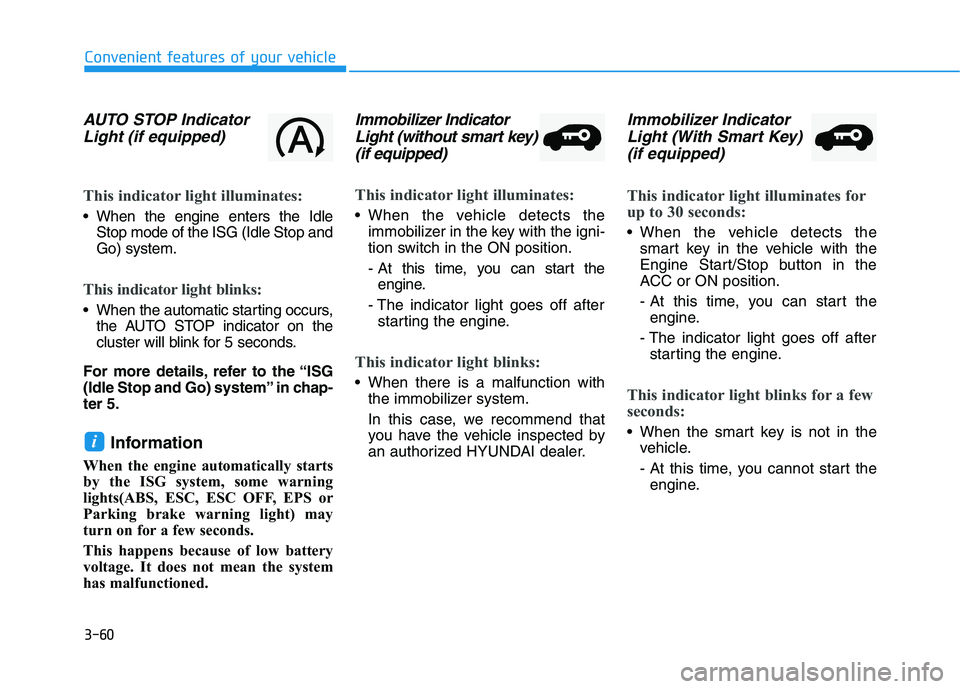
AUTO STOP IndicatorLight (if equipped)
This indicator light illuminates:
When the engine enters the Idle
Stop mode of the ISG (Idle Stop and
Go) system.
This indicator light blinks:
When the automatic starting occurs,the AUTO STOP indicator on the
cluster will blink for 5 seconds.
For more details, refer to the “ISG
(Idle Stop and Go) system” in chap-
ter 5.
Information
When the engine automatically starts
by the ISG system, some warning
lights(ABS, ESC, ESC OFF, EPS or
Parking brake warning light) may
turn on for a few seconds.
This happens because of low battery
voltage. It does not mean the system
has malfunctioned.
Immobilizer Indicator Light (without smart key)(if equipped)
This indicator light illuminates:
When the vehicle detects the
immobilizer in the key with the igni-
tion switch in the ON position.
- At this time, you can start theengine.
- The indicator light goes off after starting the engine.
This indicator light blinks:
When there is a malfunction with the immobilizer system.
In this case, we recommend that
you have the vehicle inspected by
an authorized HYUNDAI dealer.
Immobilizer IndicatorLight (With Smart Key) (if equipped)
This indicator light illuminates for
up to 30 seconds:
When the vehicle detects the
smart key in the vehicle with the
Engine Start/Stop button in the
ACC or ON position.
- At this time, you can start theengine.
- The indicator light goes off after starting the engine.
This indicator light blinks for a few
seconds:
When the smart key is not in the vehicle.
- At this time, you cannot start theengine.i
Page 211 of 659
3-61
Convenient features of your vehicle
3
This indicator light illuminates for
2 seconds and goes off:
If the smart key is in the vehicleand the Engine Start/Stop button is
ON, but the vehicle cannot detect
the smart key.
In this case, we recommend that
you have the vehicle inspected by
an authorized HYUNDAI dealer.
This indicator light blinks:
When the battery voltage of thesmart key is low.
- At this time, you cannot start theengine. However, you can start
the engine if you press the
Engine Start/Stop button with the
smart key. (For more details,
refer to "Starting the Engine"
in chapter 5) .
When there is a malfunction with the immobilizer system.
In this case, we recommend that
you have the vehicle inspected by
an authorized HYUNDAI dealer.
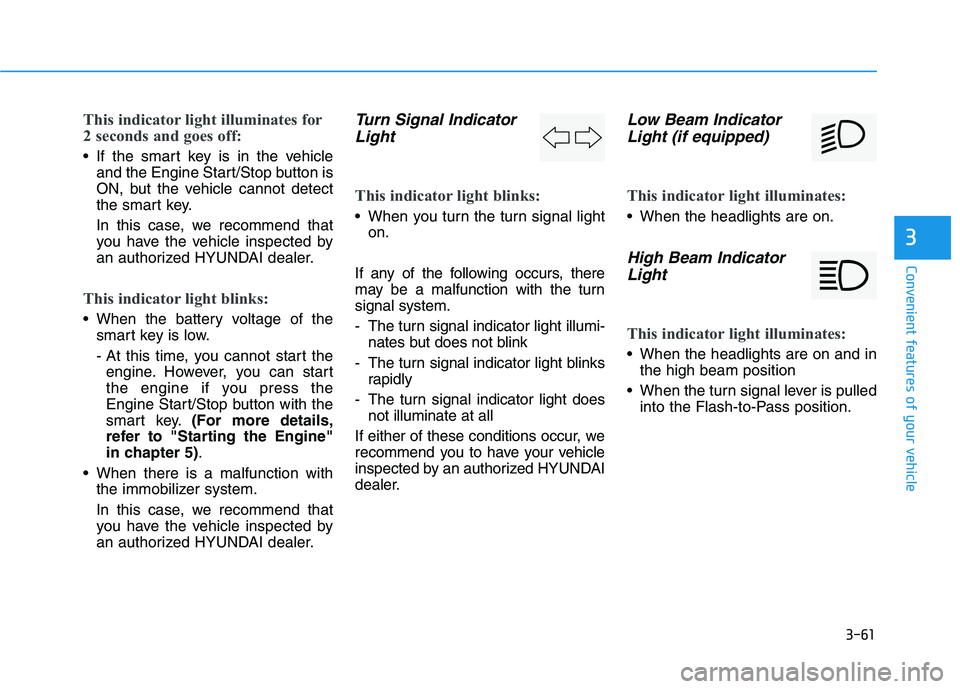
Turn Signal IndicatorLight
This indicator light blinks:
When you turn the turn signal light
on.
If any of the following occurs, there
may be a malfunction with the turn
signal system.
- The turn signal indicator light illumi- nates but does not blink
- The turn signal indicator light blinks rapidly
- The turn signal indicator light does not illuminate at all
If either of these conditions occur, we
recommend you to have your vehicle
inspected by an authorized HYUNDAI
dealer.
Low Beam Indicator Light (if equipped)
This indicator light illuminates:
When the headlights are on.
High Beam IndicatorLight
This indicator light illuminates:
When the headlights are on and in
the high beam position
When the turn signal lever is pulled into the Flash-to-Pass position.
Page 215 of 659
3-65
Convenient features of your vehicle
3
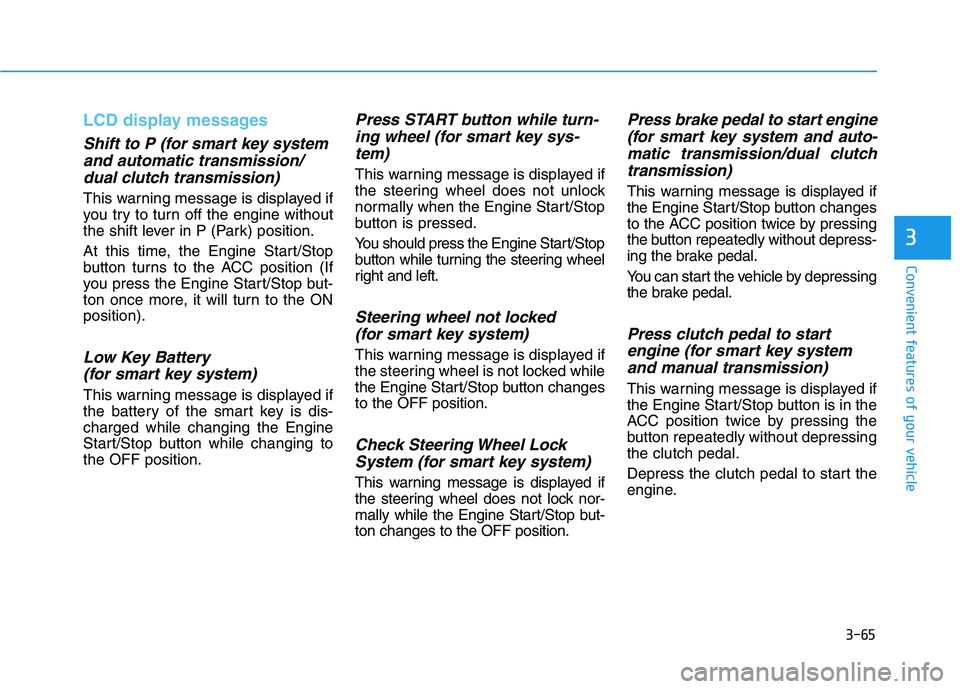
LCD display messages
Shift to P (for smart key systemand automatic transmission/dual clutch transmission)
This warning message is displayed if
you try to turn off the engine without
the shift lever in P (Park) position.
At this time, the Engine Start/Stop
button turns to the ACC position (If
you press the Engine Start/Stop but-
ton once more, it will turn to the ON
position).
Low Key Battery (for smart key system)
This warning message is displayed if
the battery of the smart key is dis-
charged while changing the Engine
Start/Stop button while changing to
the OFF position.
Press START button while turn-ing wheel (for smart key sys-tem)
This warning message is displayed if
the steering wheel does not unlock
normally when the Engine Start/Stop
button is pressed.
You should press the Engine Start/Stop
button while turning the steering wheel
right and left.
Steering wheel not locked(for smart key system)
This warning message is displayed if
the steering wheel is not locked while
the Engine Start/Stop button changes
to the OFF position.
Check Steering Wheel LockSystem (for smart key system)
This warning message is displayed if
the steering wheel does not lock nor-
mally while the Engine Start/Stop but-
ton changes to the OFF position.
Press brake pedal to start engine(for smart key system and auto-matic transmission/dual clutchtransmission)
This warning message is displayed if
the Engine Start/Stop button changes
to the ACC position twice by pressing
the button repeatedly without depress-
ing the brake pedal.
You can start the vehicle by depressing
the brake pedal.
Press clutch pedal to startengine (for smart key systemand manual transmission)
This warning message is displayed if
the Engine Start/Stop button is in the
ACC position twice by pressing the
button repeatedly without depressing
the clutch pedal.
Depress the clutch pedal to start the
engine.
Page 228 of 659
3-78
Convenient features of your vehicle
When activated, the gear position
will be displayed on the LCD display.
(if equipped with automatic transmis-
sion/dual clutch transmission)
6. Service Interval
To activate or deactivate the service
interval function.
If the service interval menu is acti-
vated, you may adjust the time and
distance.
Information
To use the service interval menu, con-
sult an authorized HYUNDAI dealer.
If the service interval is activated and
the time and distance is adjusted,
messages are displayed in the fol-
lowing situations each time the vehi-
cle is turned on.
- Service in : Displayed to inform the driver theremaining mileage and days to
service. - Service required
: Displayed when the mileage anddays to service has been reached
or passed.
Information
If any of the following conditions
occur, the mileage and number of days
to service may be incorrect.
- The battery cable is disconnected.
- The fuse switch is turned off.
- The battery is discharged.
7. Other Features
- Off: The average fuel economy will not reset automatically whenever
refueling.
- After Ignition: The average fuel economy will reset automatically
whenever it has passed 4 hours
after turning OFF the engine.
- After Refueling: The average fuel economy will reset automatically
when refueling.
For more information, refer to
"Trip Computer" in this chapter.
To select the fuel economy unit.
(km/L, L/100, MPG)
To select the temperature unit.
(°C,°F)
To select the tire pressure unit.
(psi, kPa, bar)
8. Reset
You can reset the menus in the User
Settings Mode. All menus in the User
Settings Mode are initialized, except
language and service interval.
i
i
Page 229 of 659
3-79
Convenient features of your vehicle
3
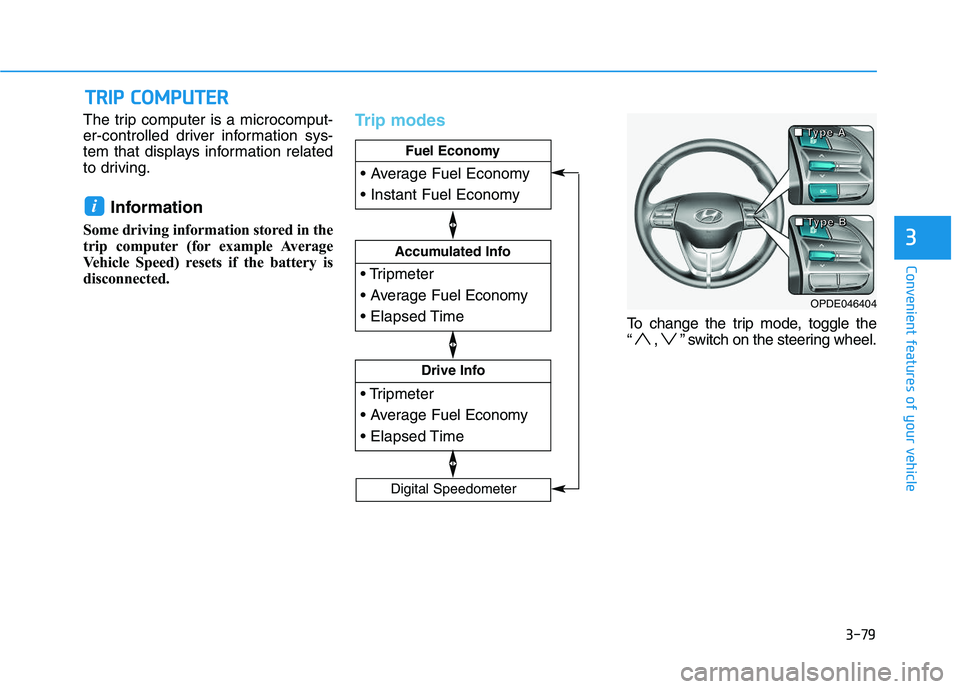
The trip computer is a microcomput-
er-controlled driver information sys-
tem that displays information related
to driving.
Information
Some driving information stored in the
trip computer (for example Average
Vehicle Speed) resets if the battery is
disconnected.
Trip modes
To change the trip mode, toggle the
“ , ” switch on the steering wheel.
i
T
T R
R I
I P
P
C
C O
O M
M P
P U
U T
T E
E R
R
Drive Info
Accumulated Info
Fuel Economy
Digital Speedometer
OPDE046404
■
■
■
■
T
T
T
T
y
y
y
y
p
p
p
p
e
e
e
e
A
A
A
A
■
■
■
■
T
T
T
T
y
y
y
y
p
p
p
p
e
e
e
e
B
B
B
B
Page 249 of 659
4-17
Multimedia System
4
Do not stare at the screen
while driving. Staring at the
screen for prolonged periods
of time could lead to traffic
accidents.
Do not disassemble, assem-
ble, or modify the audio sys-
tem. Such acts could result in
accidents, fire, or electric
shock.
Using the phone while driving
may lead to a lack of attention
of traffic conditions and
increase the likelihood of
accidents. Use the phone fea-
ture after parking the vehicle.
Heed caution not to spill water
or introduce foreign objects
into the device. Such acts
could lead to smoke, fire, or
product malfunction.(Continued)
WARNING(Continued)
Please refrain from use if the
screen is blank or no sound
can be heard as these signs
may indicate product mal-
function. Continued use in
such conditions could lead to
accidents (fires, electric
shock) or product malfunc-
tions.
Do not touch the antenna dur-
ing thunder or lightening as
such acts may lead to light-
ning induced electric shock.
Do not stop or park in park-
ing-restricted areas to operate
the product. Such acts could
lead to traffic accidents.
Use the system with the vehi-
cle ignition turned on.
Prolonged use with the igni-
tion turned off could result in
battery discharge.
Driving while distracted can
result in a loss of vehicle con-
trol that may lead to an acci-
dent, severe personal injury,
and death. The driver’s primary
responsibility is in the safe and
legal operation of a vehicle, and
use of any handheld devices,
other equipment, or vehicle sys-
tems which take the driver’s
eyes, attention and focus away
from the safe operation of a
vehicle or which are not permis-
sible by law should never be
used during operation of the
vehicle.
WARNING
Page 250 of 659
4-18
Multimedia System
Operating the device while driv- ing could lead to accidents due
to a lack of attention to external
surroundings. First park the
vehicle before operating the
device.
Adjust the volume to levels that allow the driver to hear sounds
from outside of the vehicle.
Driving in a state where external
sounds cannot be heard may
lead to accidents.
Pay attention to the volume set- ting when turning the device on.
A sudden output of extreme vol-
ume upon turning the device on
could lead to hearing impair-
ment. (Adjust the volume to a
suitable levels before turning off
the device.)
If you want to change the position of device installation, please
inquire with your place of pur-
chase or service maintenance
center. Technical expertise is
required to install or disassem-
ble the device.
(Continued)(Continued)
Turn on the car ignition before
using this device. Do not oper-
ate the audio system for long
periods of time with the ignition
turned off as such operations
may lead to battery discharge.
Do not subject the device to severe shock or impact. Direct
pressure onto the front side of
the monitor may cause damage
to the LCD or touch screen.
When cleaning the device, make sure to turn off the device and
use a dry and smooth cloth.
Never use tough materials,
chemical cloths, or solvents
(alcohol, benzene, thinners,
etc.). As such materials may
damage the device panel or
cause color/quality deteriora-
tion.
Do not place beverages close to the audio system. Spilling bever-
ages may lead to system mal-
function.
In case of product malfunction, please contact your place of pur-
chase or After Service center.
(Continued)(Continued)
an electromagnetic environment
may result in noise interference.
NOTICE
Page 251 of 659
![HYUNDAI I30 2017 Owners Manual 4-19
Multimedia System
4
Information on status icons
Icons showing audio status are shown
in the upper-right corner of the screen.
Radio
FM/AM (with RDS)
Switching between FM and AM
Press the [RADIO]](/img/35/56150/w960_56150-250.png "HYUNDAI I30 2017 Owners Manual 4-19
Multimedia System
4
Information on status icons
Icons showing audio status are shown
in the upper-right corner of the screen.
Radio
FM/AM (with RDS)
Switching between FM and AM
Press the [RADIO]")
4-19
Multimedia System
4
Information on status icons
Icons showing audio status are shown
in the upper-right corner of the screen.
Radio
FM/AM (with RDS)
Switching between FM and AM
Press the [RADIO]button on the
audio system to switch between
FM and AM.
Searching stations
Press the [SEEK/TRACK] button to
search stations.
Presets
Save up to 36 frequently used sta-
tions.
1. Press and hold the desired slot from 1 through 36. This saves the
current station in the selected slot.
If the slot is empty, simply press-
ing saves the station to the slot.
2. To save in slots numbered 7 or higher, press the [PRESET]but-
ton to move to the previous/next
page and save.
To listen to a preset station, press
the desired station in the list.
Menu
Press the [MENU]button, and select
the desired function.
List: A list of all available stations in the current location of the vehicle is
displayed. Press the desired sta-
tion.
Traffic Announcement (TA): Enable or disable Traffic Announcements.
Sound Settings: Audio sound set- tings can be changed.
Scan: All available stations are played for five seconds each.
IconDescription
MuteMute engaged
BatteryRemaining battery life of
a connected Bluetooth®
device
Handsfree +
Audio stream-
ing connectionBluetooth®Handsfree
call and audio streaming
available
Handsfree
connectionBluetooth®Handsfree
call available
Bluetaooth®
audio streamingBluetooth®audio
streaming available
Downloading
contactsDownloading contacts
through Bluetooth®wire-
less communications
Downloading
call historyDownloading call history
through Bluetooth® wire-
less communications
Line busyPhone call in progress
Mute micMic muted during a
call (caller cannot
hear your voice)
Phone signal
strengthDisplay the phone signal
strength for a cell phone
connected by Bluetooth
®