ESP HYUNDAI I30 2017 Service Manual
[x] Cancel search | Manufacturer: HYUNDAI, Model Year: 2017, Model line: I30, Model: HYUNDAI I30 2017Pages: 659, PDF Size: 17.14 MB
Page 388 of 659
5-84
Driving your vehicle
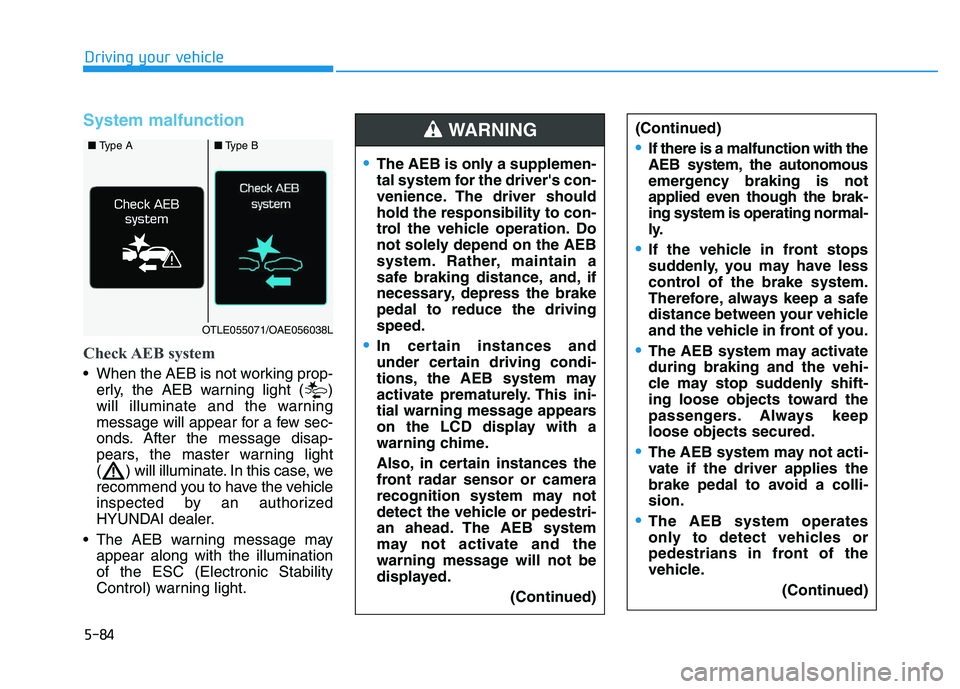
System malfunction
Check AEB system
When the AEB is not working prop-erly, the AEB warning light ( )
will illuminate and the warning
message will appear for a few sec-
onds. After the message disap-
pears, the master warning light
( ) will illuminate. In this case, we
recommend you to have the vehicle
inspected by an authorized
HYUNDAI dealer.
The AEB warning message may appear along with the illumination
of the ESC (Electronic Stability
Control) warning light.
The AEB is only a supplemen-
tal system for the driver's con-
venience. The driver should
hold the responsibility to con-
trol the vehicle operation. Do
not solely depend on the AEB
system. Rather, maintain a
safe braking distance, and, if
necessary, depress the brake
pedal to reduce the driving
speed.
In certain instances and
under certain driving condi-
tions, the AEB system may
activate prematurely. This ini-
tial warning message appears
on the LCD display with a
warning chime.
Also, in certain instances the
front radar sensor or camera
recognition system may not
detect the vehicle or pedestri-
an ahead. The AEB system
may not activate and the
warning message will not be
displayed.
(Continued)
(Continued)
If there is a malfunction with the
AEB system, the autonomous
emergency braking is not
applied even though the brak-
ing system is operating normal-
ly.
If the vehicle in front stops
suddenly, you may have less
control of the brake system.
Therefore, always keep a safe
distance between your vehicle
and the vehicle in front of you.
The AEB system may activate
during braking and the vehi-
cle may stop suddenly shift-
ing loose objects toward the
passengers. Always keep
loose objects secured.
The AEB system may not acti-
vate if the driver applies the
brake pedal to avoid a colli-
sion.
The AEB system operates
only to detect vehicles or
pedestrians in front of the
vehicle.(Continued)
WARNING ■ Type A■Type B
OTLE055071/OAE056038L
Page 391 of 659
5-87
Driving your vehicle
5
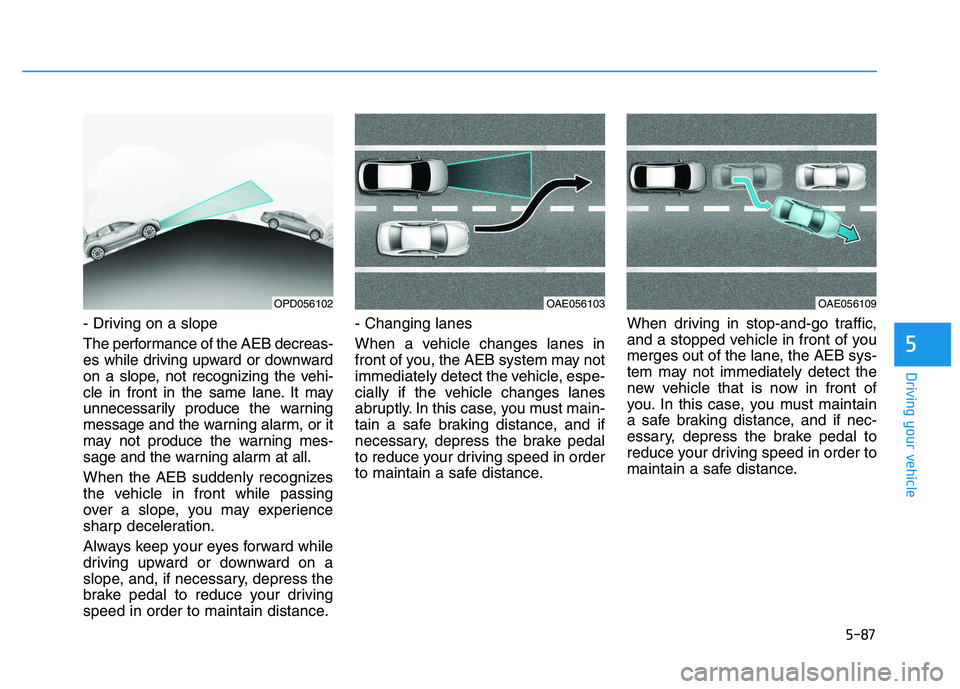
- Driving on a slope
The performance of the AEB decreas-
es while driving upward or downward
on a slope, not recognizing the vehi-
cle in front in the same lane. It may
unnecessarily produce the warning
message and the warning alarm, or it
may not produce the warning mes-
sage and the warning alarm at all.
When the AEB suddenly recognizes
the vehicle in front while passing
over a slope, you may experience
sharp deceleration.
Always keep your eyes forward while
driving upward or downward on a
slope, and, if necessary, depress the
brake pedal to reduce your driving
speed in order to maintain distance.- Changing lanes
When a vehicle changes lanes in
front of you, the AEB system may not
immediately detect the vehicle, espe-
cially if the vehicle changes lanes
abruptly. In this case, you must main-
tain a safe braking distance, and if
necessary, depress the brake pedal
to reduce your driving speed in order
to maintain a safe distance.
When driving in stop-and-go traffic,
and a stopped vehicle in front of you
merges out of the lane, the AEB sys-
tem may not immediately detect the
new vehicle that is now in front of
you. In this case, you must maintain
a safe braking distance, and if nec-
essary, depress the brake pedal to
reduce your driving speed in order to
maintain a safe distance.
OPD056102OAE056103OAE056109
Page 398 of 659
5-94
Driving your vehicle
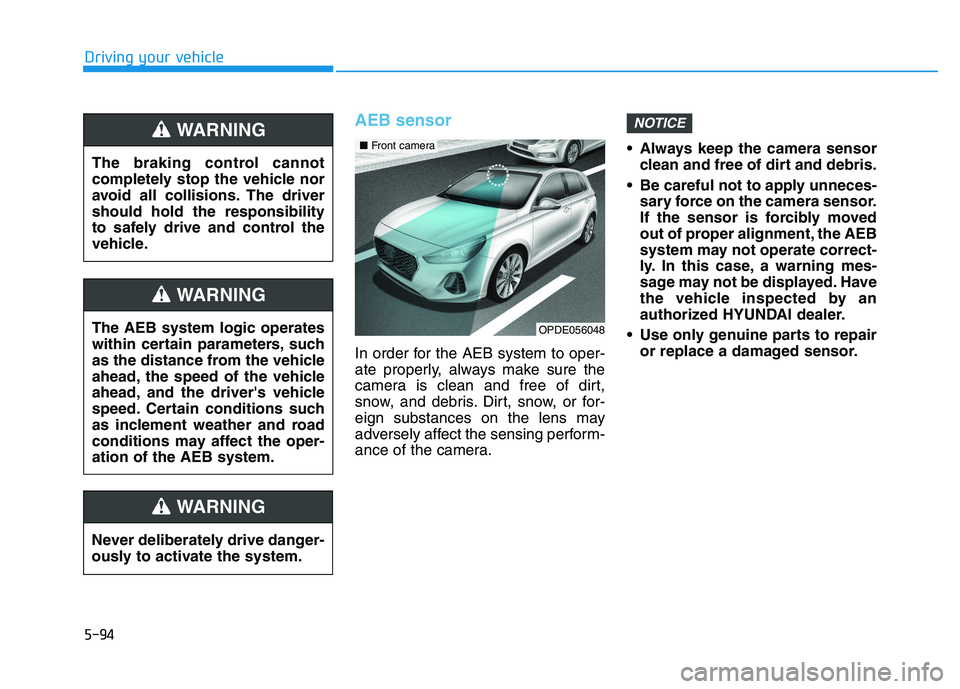
AEB sensor
In order for the AEB system to oper-
ate properly, always make sure the
camera is clean and free of dirt,
snow, and debris. Dirt, snow, or for-
eign substances on the lens may
adversely affect the sensing perform-
ance of the camera. Always keep the camera sensor
clean and free of dirt and debris.
Be careful not to apply unneces- sary force on the camera sensor.
If the sensor is forcibly moved
out of proper alignment, the AEB
system may not operate correct-
ly. In this case, a warning mes-
sage may not be displayed. Have
the vehicle inspected by an
authorized HYUNDAI dealer.
Use only genuine parts to repair or replace a damaged sensor.
NOTICE
The braking control cannot
completely stop the vehicle nor
avoid all collisions. The driver
should hold the responsibility
to safely drive and control the
vehicle.
WARNING
Never deliberately drive danger-
ously to activate the system.
WARNING
The AEB system logic operates
within certain parameters, such
as the distance from the vehicle
ahead, the speed of the vehicle
ahead, and the driver's vehicle
speed. Certain conditions such
as inclement weather and road
conditions may affect the oper-
ation of the AEB system.
WARNING
OPDE056048
■ Front camera
Page 400 of 659
5-96
Driving your vehicle
The AEB is only a supplemen-
tal system for the driver's con-
venience. The driver should
hold the responsibility to con-
trol the vehicle operation. Do
not solely depend on the AEB
system. Rather, maintain a
safe braking distance, and, if
necessary, depress the brake
pedal to reduce the driving
speed.
In certain instances and
under certain driving condi-
tions, the AEB system may
activate prematurely. This ini-
tial warning message appears
on the LCD display with a
warning chime.
Also, in certain instances the
front radar sensor or camera
recognition system may not
detect the vehicle or pedestri-
an ahead. The AEB system
may not activate and the
warning message will not be
displayed.(Continued)
(Continued)
If there is a malfunction with the
AEB system, the autonomous
emergency braking is not
applied even though the brak-
ing system is operating normal-
ly.
If the vehicle in front stops
suddenly, you may have less
control of the brake system.
Therefore, always keep a safe
distance between your vehicle
and the vehicle in front of you.
The AEB system may activate
during braking and the vehi-
cle may stop suddenly shift-
ing loose objects toward the
passengers. Always keep
loose objects secured.
The AEB system may not acti-
vate if the driver applies the
brake pedal to avoid a colli-
sion.(Continued)
WARNING (Continued)
The AEB system operates
only to detect vehicles in front
of the vehicle.
The AEB system does not
operate when the vehicle is in
reverse.
The AEB system is not
designed to detect other
objects on the road such as
animals.
The AEB system does not
detect vehicles in the oppo-
site lane.
The AEB system does not
detect cross traffic vehicles
that are approaching.
The AEB system cannot
detect the driver approaching
the side view of a parked vehi-
cle (for example on a dead
end street.)
In these cases, you must
maintain a safe braking dis-
tance, and if necessary,
depress the brake pedal to
reduce the driving speed in
order to maintain a safe dis-
tance.
Page 403 of 659
5-99
Driving your vehicle
5
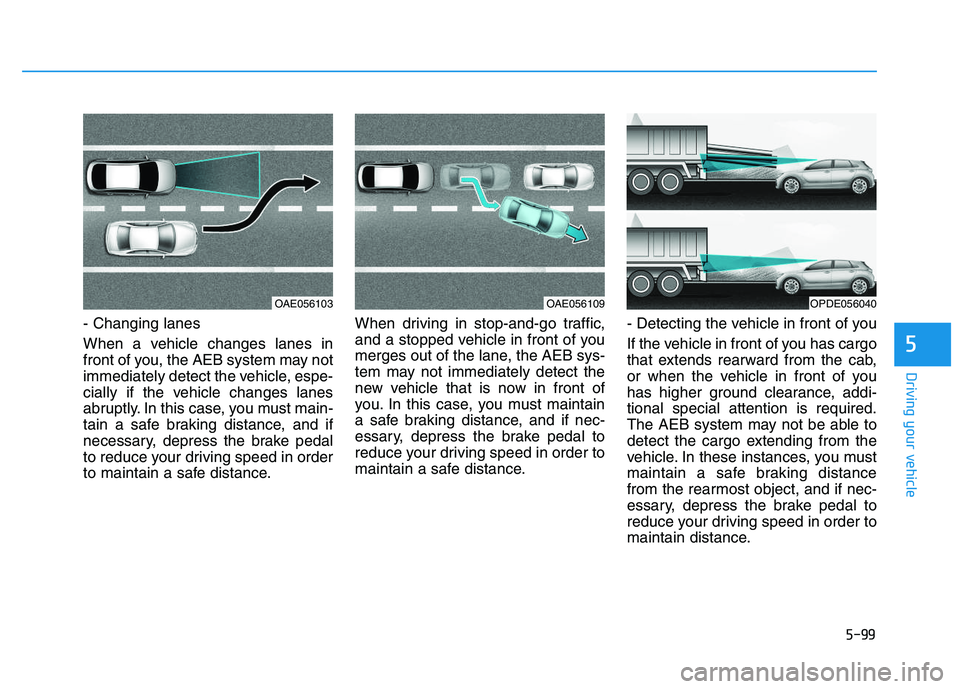
- Changing lanes
When a vehicle changes lanes in
front of you, the AEB system may not
immediately detect the vehicle, espe-
cially if the vehicle changes lanes
abruptly. In this case, you must main-
tain a safe braking distance, and if
necessary, depress the brake pedal
to reduce your driving speed in order
to maintain a safe distance.When driving in stop-and-go traffic,
and a stopped vehicle in front of you
merges out of the lane, the AEB sys-
tem may not immediately detect the
new vehicle that is now in front of
you. In this case, you must maintain
a safe braking distance, and if nec-
essary, depress the brake pedal to
reduce your driving speed in order to
maintain a safe distance.
- Detecting the vehicle in front of you
If the vehicle in front of you has cargo
that extends rearward from the cab,
or when the vehicle in front of you
has higher ground clearance, addi-
tional special attention is required.
The AEB system may not be able to
detect the cargo extending from the
vehicle. In these instances, you must
maintain a safe braking distance
from the rearmost object, and if nec-
essary, depress the brake pedal to
reduce your driving speed in order to
maintain distance.
OAE056103OAE056109OPDE056040
Page 405 of 659
5-101
Driving your vehicle
5
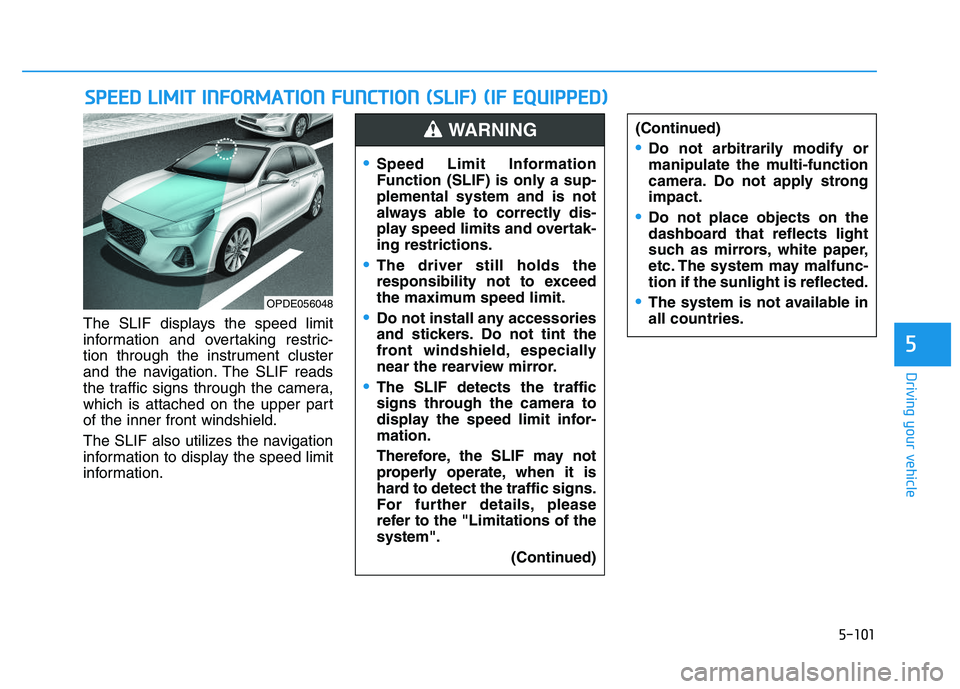
The SLIF displays the speed limit
information and overtaking restric-
tion through the instrument cluster
and the navigation. The SLIF reads
the traffic signs through the camera,
which is attached on the upper part
of the inner front windshield.
The SLIF also utilizes the navigation
information to display the speed limit
information.
S
S P
P E
E E
E D
D
L
L I
I M
M I
I T
T
I
I N
N F
F O
O R
R M
M A
A T
T I
I O
O N
N
F
F U
U N
N C
C T
T I
I O
O N
N
(
( S
S L
L I
I F
F )
)
(
( I
I F
F
E
E Q
Q U
U I
I P
P P
P E
E D
D )
)
(Continued)
Do not arbitrarily modify or
manipulate the multi-function
camera. Do not apply strong
impact.
Do not place objects on the
dashboard that reflects light
such as mirrors, white paper,
etc. The system may malfunc-
tion if the sunlight is reflected.
The system is not available in
all countries.OPDE056048
Speed Limit Information
Function (SLIF) is only a sup-
plemental system and is not
always able to correctly dis-
play speed limits and overtak-
ing restrictions.
The driver still holds the
responsibility not to exceed
the maximum speed limit.
Do not install any accessories
and stickers. Do not tint the
front windshield, especially
near the rearview mirror.
The SLIF detects the traffic
signs through the camera to
display the speed limit infor-
mation.
Therefore, the SLIF may not
properly operate, when it is
hard to detect the traffic signs.
For further details, please
refer to the "Limitations of the
system".
(Continued)
WARNING
Page 410 of 659
5-106
Driving your vehicle
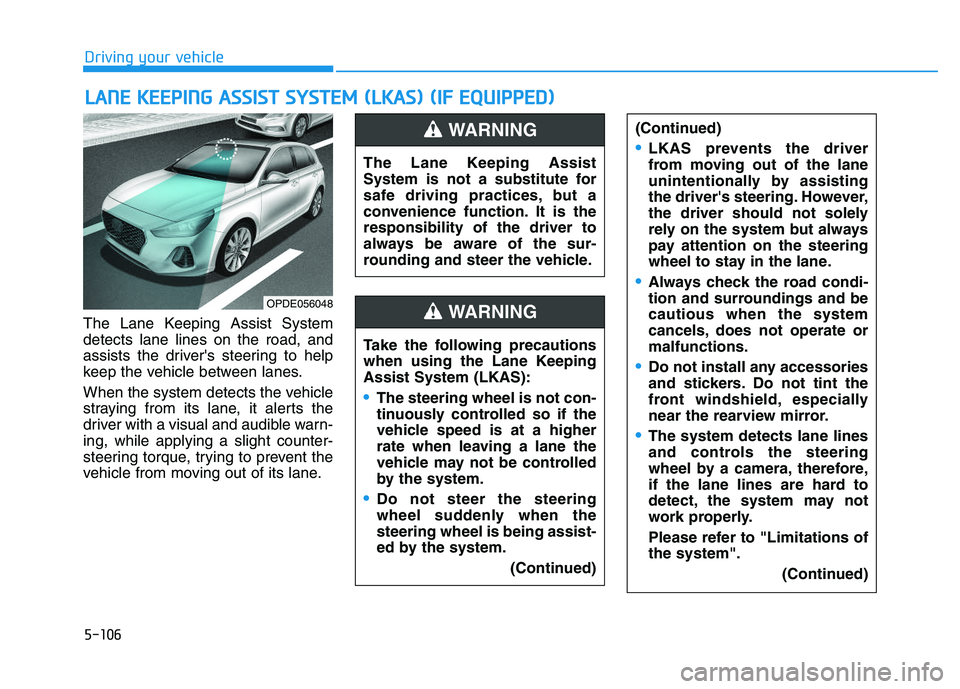
The Lane Keeping Assist System
detects lane lines on the road, and
assists the driver's steering to help
keep the vehicle between lanes.
When the system detects the vehicle
straying from its lane, it alerts the
driver with a visual and audible warn-
ing, while applying a slight counter-
steering torque, trying to prevent the
vehicle from moving out of its lane.
L
L A
A N
N E
E
K
K E
E E
E P
P I
I N
N G
G
A
A S
S S
S I
I S
S T
T
S
S Y
Y S
S T
T E
E M
M
(
( L
L K
K A
A S
S )
)
(
( I
I F
F
E
E Q
Q U
U I
I P
P P
P E
E D
D )
)
OPDE056048
The Lane Keeping Assist
System is not a substitute for
safe driving practices, but a
convenience function. It is the
responsibility of the driver to
always be aware of the sur-
rounding and steer the vehicle.
WARNING
Take the following precautions
when using the Lane Keeping
Assist System (LKAS):
The steering wheel is not con-
tinuously controlled so if the
vehicle speed is at a higher
rate when leaving a lane the
vehicle may not be controlled
by the system.
Do not steer the steering
wheel suddenly when the
steering wheel is being assist-
ed by the system.
(Continued)
WARNING
(Continued)
LKAS prevents the driver
from moving out of the lane
unintentionally by assisting
the driver's steering. However,
the driver should not solely
rely on the system but always
pay attention on the steering
wheel to stay in the lane.
Always check the road condi-
tion and surroundings and be
cautious when the system
cancels, does not operate or
malfunctions.
Do not install any accessories
and stickers. Do not tint the
front windshield, especially
near the rearview mirror.
The system detects lane lines
and controls the steering
wheel by a camera, therefore,
if the lane lines are hard to
detect, the system may not
work properly.
Please refer to "Limitations of
the system".(Continued)
Page 414 of 659
5-110
Driving your vehicle
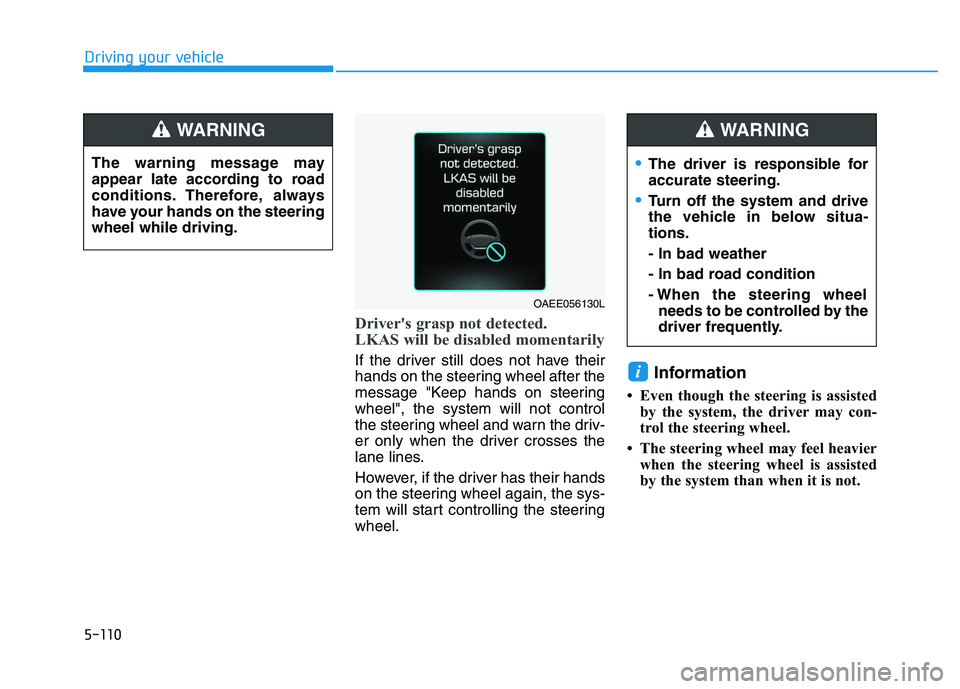
Driver's grasp not detected.
LKAS will be disabled momentarily
If the driver still does not have their
hands on the steering wheel after the
message "Keep hands on steering
wheel", the system will not control
the steering wheel and warn the driv-
er only when the driver crosses the
lane lines.
However, if the driver has their hands
on the steering wheel again, the sys-
tem will start controlling the steering
wheel.Information
• Even though the steering is assistedby the system, the driver may con-
trol the steering wheel.
• The steering wheel may feel heavier when the steering wheel is assisted
by the system than when it is not.
i
The driver is responsible for
accurate steering.
Turn off the system and drive
the vehicle in below situa-
tions.
- In bad weather
- In bad road condition
- When the steering wheelneeds to be controlled by the
driver frequently.
WARNING
The warning message may
appear late according to road
conditions. Therefore, always
have your hands on the steering
wheel while driving.
WARNING
OAEE056130L
Page 418 of 659
5-114
Driving your vehicle
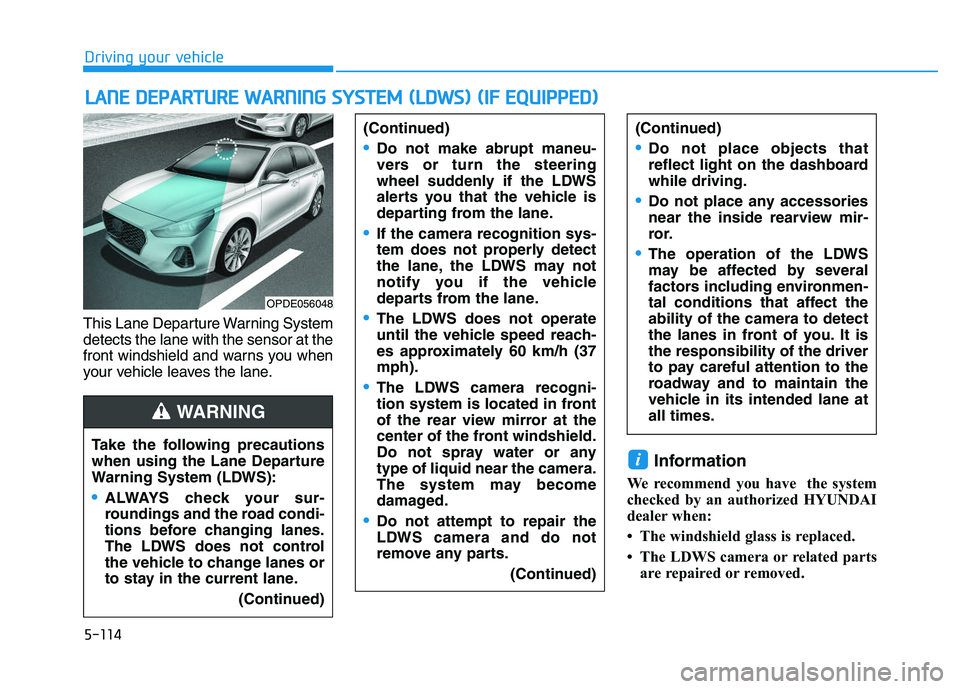
This Lane Departure Warning System
detects the lane with the sensor at the
front windshield and warns you when
your vehicle leaves the lane.
Information
We recommend you have the system
checked by an authorized HYUNDAI
dealer when:
• The windshield glass is replaced.
• The LDWS camera or related parts are repaired or removed.
i
L
L A
A N
N E
E
D
D E
E P
P A
A R
R T
T U
U R
R E
E
W
W A
A R
R N
N I
I N
N G
G
S
S Y
Y S
S T
T E
E M
M
(
( L
L D
D W
W S
S )
)
(
( I
I F
F
E
E Q
Q U
U I
I P
P P
P E
E D
D )
)
Take the following precautions
when using the Lane Departure
Warning System (LDWS):
ALWAYS check your sur-
roundings and the road condi-
tions before changing lanes.
The LDWS does not control
the vehicle to change lanes or
to stay in the current lane.
(Continued)
(Continued)
Do not make abrupt maneu-
vers or turn the steering
wheel suddenly if the LDWS
alerts you that the vehicle is
departing from the lane.
If the camera recognition sys-
tem does not properly detect
the lane, the LDWS may not
notify you if the vehicle
departs from the lane.
The LDWS does not operate
until the vehicle speed reach-
es approximately 60 km/h (37
mph).
The LDWS camera recogni-
tion system is located in front
of the rear view mirror at the
center of the front windshield.
Do not spray water or any
type of liquid near the camera.
The system may become
damaged.
Do not attempt to repair the
LDWS camera and do not
remove any parts.(Continued)
(Continued)
Do not place objects that
reflect light on the dashboard
while driving.
Do not place any accessories
near the inside rearview mir-
ror.
The operation of the LDWS
may be affected by several
factors including environmen-
tal conditions that affect the
ability of the camera to detect
the lanes in front of you. It is
the responsibility of the driver
to pay careful attention to the
roadway and to maintain the
vehicle in its intended lane at
all times.
WARNING
OPDE056048
Page 424 of 659
5-120
Driving your vehicle
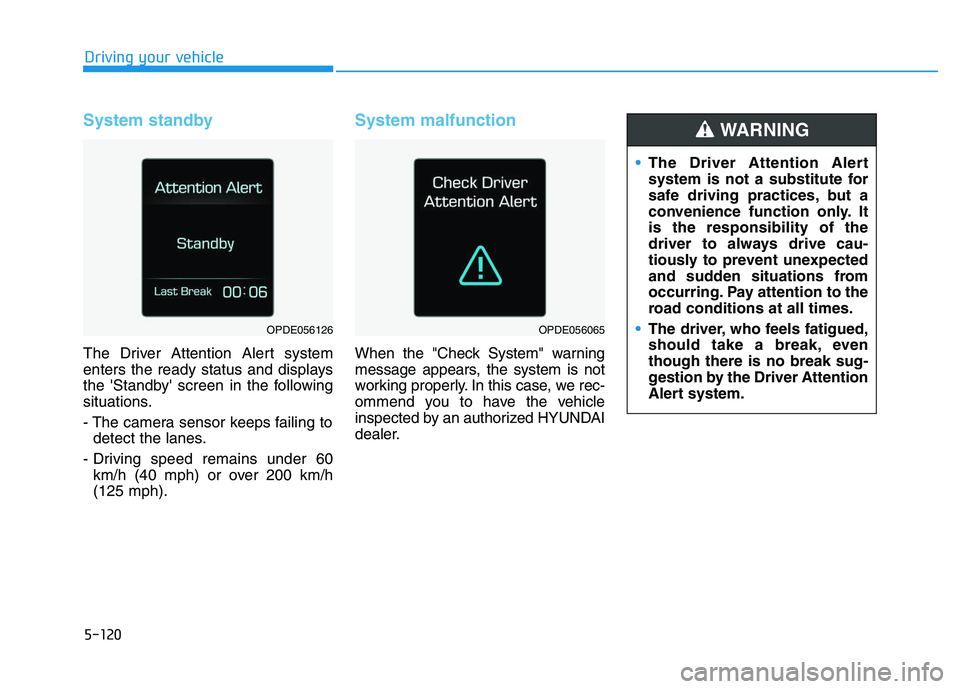
System standby
The Driver Attention Alert system
enters the ready status and displays
the 'Standby' screen in the following
situations.
- The camera sensor keeps failing todetect the lanes.
- Driving speed remains under 60 km/h (40 mph) or over 200 km/h
(125 mph).
System malfunction
When the "Check System" warning
message appears, the system is not
working properly. In this case, we rec-
ommend you to have the vehicle
inspected by an authorized HYUNDAI
dealer.
OPDE056126OPDE056065
The Driver Attention Alert
system is not a substitute for
safe driving practices, but a
convenience function only. It
is the responsibility of the
driver to always drive cau-
tiously to prevent unexpected
and sudden situations from
occurring. Pay attention to the
road conditions at all times.
The driver, who feels fatigued,
should take a break, even
though there is no break sug-
gestion by the Driver Attention
Alert system.
WARNING