Acc HYUNDAI I30 2020 Owners Manual
[x] Cancel search | Manufacturer: HYUNDAI, Model Year: 2020, Model line: I30, Model: HYUNDAI I30 2020Pages: 659, PDF Size: 17.14 MB
Page 418 of 659
5-114
Driving your vehicle
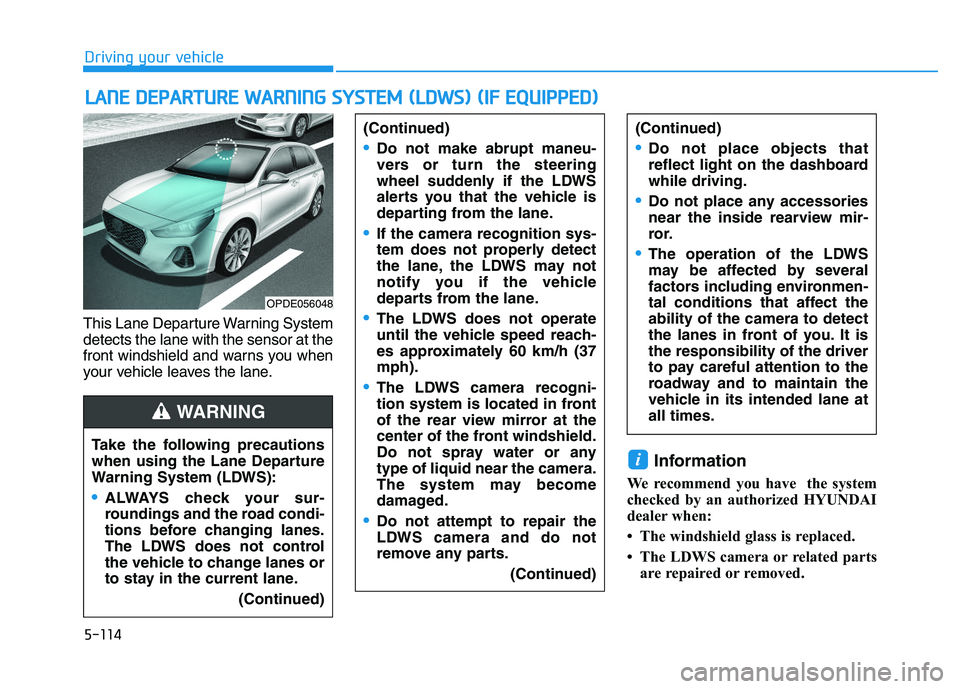
This Lane Departure Warning System
detects the lane with the sensor at the
front windshield and warns you when
your vehicle leaves the lane.
Information
We recommend you have the system
checked by an authorized HYUNDAI
dealer when:
• The windshield glass is replaced.
• The LDWS camera or related parts are repaired or removed.
i
L
L A
A N
N E
E
D
D E
E P
P A
A R
R T
T U
U R
R E
E
W
W A
A R
R N
N I
I N
N G
G
S
S Y
Y S
S T
T E
E M
M
(
( L
L D
D W
W S
S )
)
(
( I
I F
F
E
E Q
Q U
U I
I P
P P
P E
E D
D )
)
Take the following precautions
when using the Lane Departure
Warning System (LDWS):
ALWAYS check your sur-
roundings and the road condi-
tions before changing lanes.
The LDWS does not control
the vehicle to change lanes or
to stay in the current lane.
(Continued)
(Continued)
Do not make abrupt maneu-
vers or turn the steering
wheel suddenly if the LDWS
alerts you that the vehicle is
departing from the lane.
If the camera recognition sys-
tem does not properly detect
the lane, the LDWS may not
notify you if the vehicle
departs from the lane.
The LDWS does not operate
until the vehicle speed reach-
es approximately 60 km/h (37
mph).
The LDWS camera recogni-
tion system is located in front
of the rear view mirror at the
center of the front windshield.
Do not spray water or any
type of liquid near the camera.
The system may become
damaged.
Do not attempt to repair the
LDWS camera and do not
remove any parts.(Continued)
(Continued)
Do not place objects that
reflect light on the dashboard
while driving.
Do not place any accessories
near the inside rearview mir-
ror.
The operation of the LDWS
may be affected by several
factors including environmen-
tal conditions that affect the
ability of the camera to detect
the lanes in front of you. It is
the responsibility of the driver
to pay careful attention to the
roadway and to maintain the
vehicle in its intended lane at
all times.
WARNING
OPDE056048
Page 425 of 659
5-121
Driving your vehicle
5
The Driver Attention Alert system
utilizes the camera sensor on the
front windshield for its operation.
To keep the camera sensor in the
best condition, you should
observe the followings:
NEVER install any accessoriesor stickers on the front wind-
shield, nor tint the front wind-
shield.
NEVER locate any reflective objects (i.e. white paper, mirror)
over the dashboard. Any light
reflection may cause a malfunc-
tion of the Driver Attention Alert
(DAA) system.
Pay extreme caution to keep the camera sensor out of water.
NEVER arbitrarily disassemble the camera assembly, nor apply
any impact on the camera
assembly.
Playing the vehicle audio sys- tem at high volume may offset
the Driver Attention Alert sys-
tem warning sounds.
NOTICE
The Driver Attention Alert sys-
tem may not properly operate
with limited alerting in the fol-
lowing situations:
The lane detection perform-
ance is limited. (For more
information, refer to "Lane
Keeping Assist System
(LKAS)" in this chapter.)
The vehicle is violently driven
or is abruptly turned for
obstacle avoidance (e.g. con-
struction area, other vehicles,
fallen objects, bumpy road).
Forward drivability of the
vehicle is severely under-
mined (possibly due to wide
variation in tire pressures,
uneven tire wear-out, toe-
in/toe-out alignment).
The vehicle drives on a curvy
road.
The vehicle drives on a
bumpy road.
(Continued)
CAUTION(Continued)
The vehicle drives through a
windy area.
The vehicle is controlled by
the following driving assist
systems:
- Lane Keeping Assist System
(LKAS)
- Autonomous Emergency Braking (AEB) System
Page 427 of 659
5-123
Driving your vehicle
5
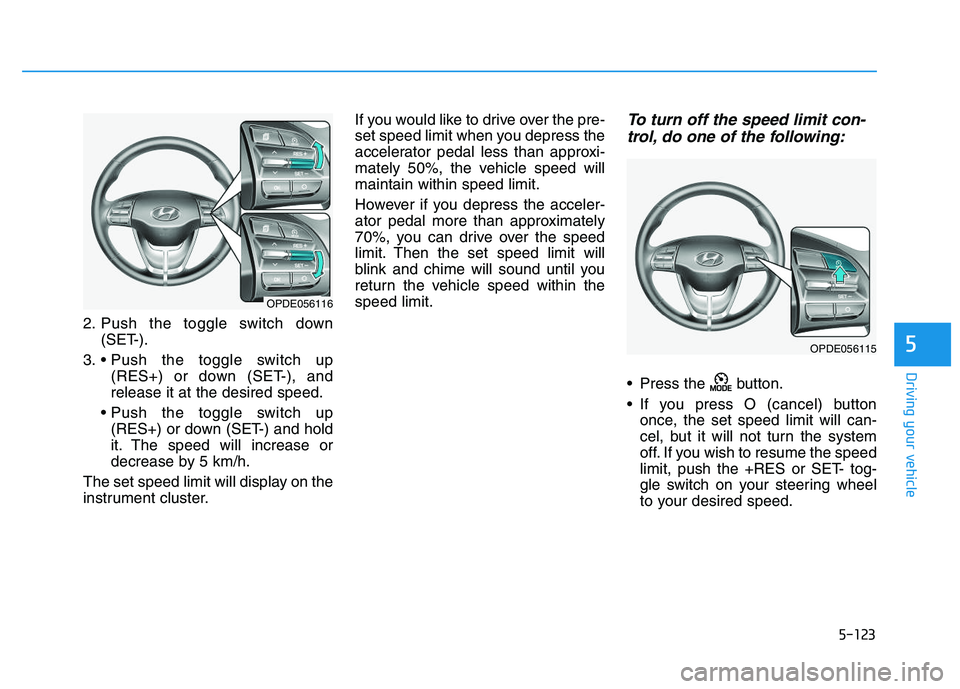
2. Push the toggle switch down(SET-).
3. (RES+) or down (SET-), and
release it at the desired speed.
(RES+) or down (SET-) and hold
it. The speed will increase or
decrease by 5 km/h.
The set speed limit will display on the
instrument cluster. If you would like to drive over the pre-
set speed limit when you depress the
accelerator pedal less than approxi-
mately 50%, the vehicle speed will
maintain within speed limit.
However if you depress the acceler-
ator pedal more than approximately
70%, you can drive over the speed
limit. Then the set speed limit will
blink and chime will sound until you
return the vehicle speed within the
speed limit.
To turn off the speed limit con-
trol, do one of the following:
Press the button.
If you press O (cancel) button
once, the set speed limit will can-
cel, but it will not turn the system
off. If you wish to resume the speed
limit, push the +RES or SET- tog-
gle switch on your steering wheel
to your desired speed.
OPDE056116
OPDE056115
Page 428 of 659
5-124
Driving your vehicle
Cruise Control operation
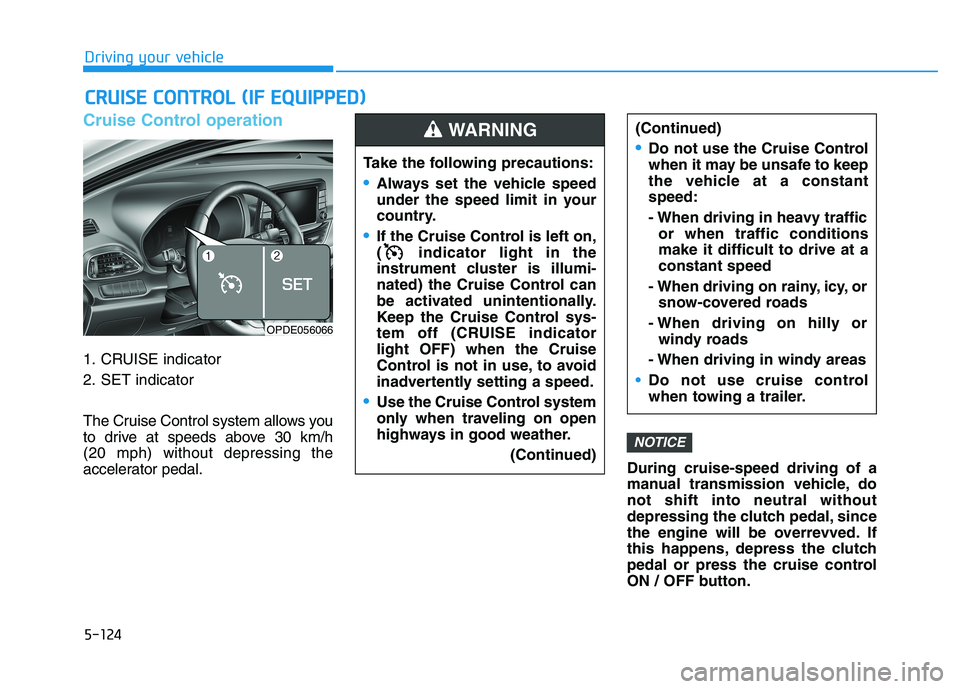
1. CRUISE indicator
2. SET indicator
The Cruise Control system allows you
to drive at speeds above 30 km/h
(20 mph) without depressing the
accelerator pedal.During cruise-speed driving of a
manual transmission vehicle, do
not shift into neutral without
depressing the clutch pedal, since
the engine will be overrevved. If
this happens, depress the clutch
pedal or press the cruise control
ON / OFF button.
NOTICE
C
C R
R U
U I
I S
S E
E
C
C O
O N
N T
T R
R O
O L
L
(
( I
I F
F
E
E Q
Q U
U I
I P
P P
P E
E D
D )
)
Take the following precautions:
Always set the vehicle speed
under the speed limit in your
country.
If the Cruise Control is left on,
( indicator light in the
instrument cluster is illumi-
nated) the Cruise Control can
be activated unintentionally.
Keep the Cruise Control sys-
tem off (CRUISE indicator
light OFF) when the Cruise
Control is not in use, to avoid
inadvertently setting a speed.
Use the Cruise Control system
only when traveling on open
highways in good weather.
(Continued)
(Continued)
Do not use the Cruise Control
when it may be unsafe to keep
the vehicle at a constant
speed:
- When driving in heavy trafficor when traffic conditions
make it difficult to drive at a
constant speed
- When driving on rainy, icy, or snow-covered roads
- When driving on hilly or windy roads
- When driving in windy areas
Do not use cruise control
when towing a trailer.
WARNING
OPDE056066
Page 430 of 659
5-126
Driving your vehicle
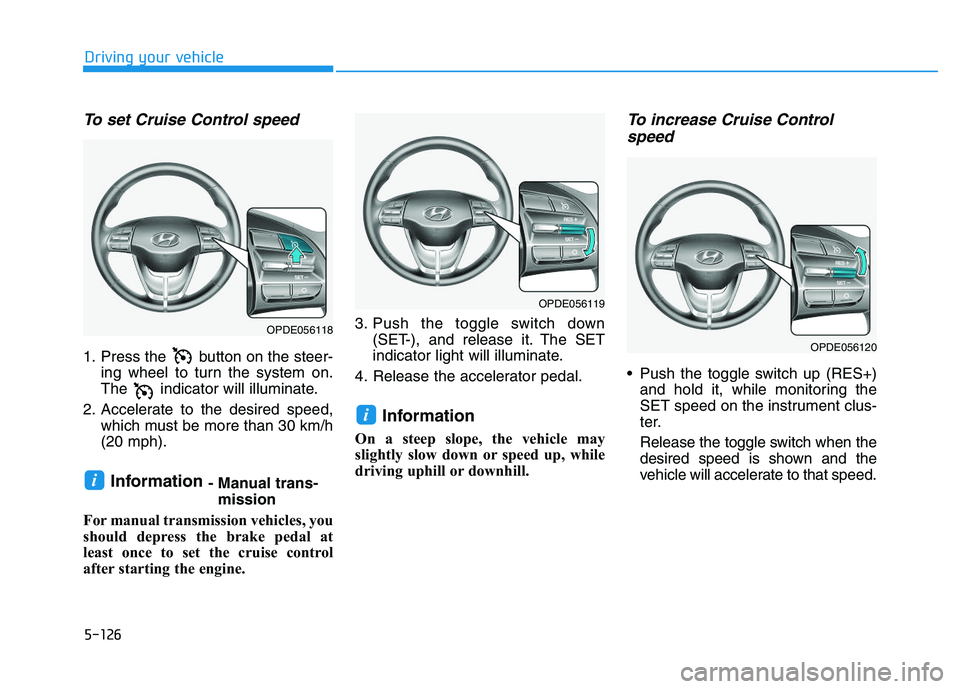
To set Cruise Control speed
1. Press the button on the steer-ing wheel to turn the system on.
The indicator will illuminate.
2. Accelerate to the desired speed, which must be more than 30 km/h
(20 mph).
Information - Manual trans-mission
For manual transmission vehicles, you
should depress the brake pedal at
least once to set the cruise control
after starting the engine. 3. Push the toggle switch down
(SET-), and release it. The SET
indicator light will illuminate.
4. Release the accelerator pedal.
Information
On a steep slope, the vehicle may
slightly slow down or speed up, while
driving uphill or downhill.
To increase Cruise Control speed
Push the toggle switch up (RES+)
and hold it, while monitoring the
SET speed on the instrument clus-
ter.
Release the toggle switch when the
desired speed is shown and the
vehicle will accelerate to that speed.
i
i
OPDE056118
OPDE056119
OPDE056120
Page 431 of 659
5-127
Driving your vehicle
5
Push the toggle switch up (RES+)and release it immediately. The
cruising speed will increase 2.0
km/h (1.2 mph) each time the tog-
gle switch is operated in this man-
ner.
Depress the accelerator pedal. When the vehicle attains the
desired speed, push the toggle
switch down (SET-).To decrease Cruise Controlspeed
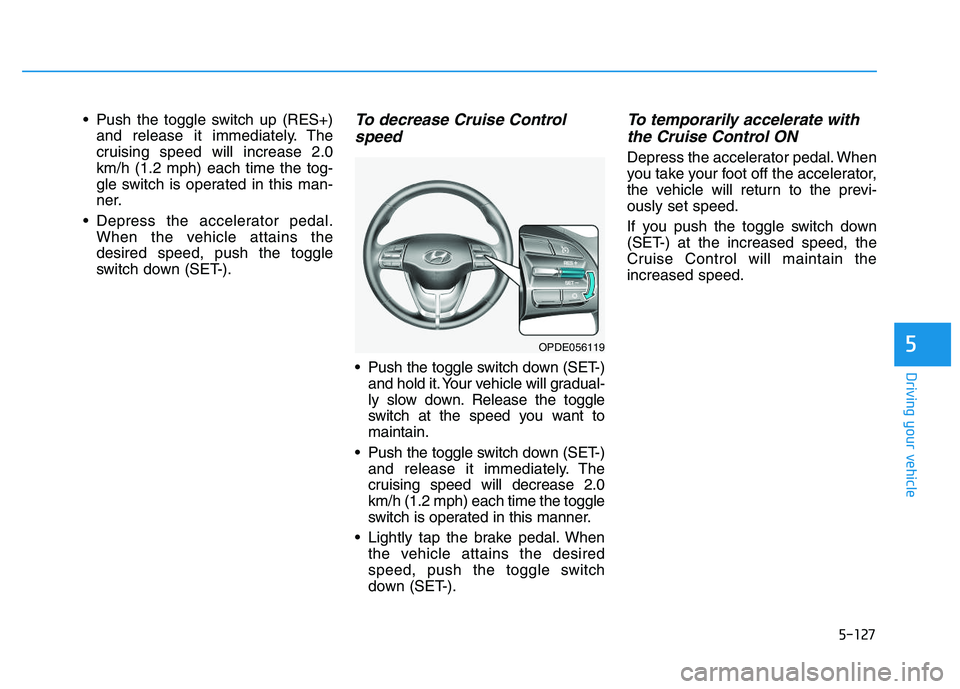
Push the toggle switch down (SET-)
and hold it. Your vehicle will gradual-
ly slow down. Release the toggle
switch at the speed you want to
maintain.
Push the toggle switch down (SET-) and release it immediately. The
cruising speed will decrease 2.0
km/h (1.2 mph) each time the toggle
switch is operated in this manner.
Lightly tap the brake pedal. When the vehicle attains the desired
speed, push the toggle switch
down (SET-).
To temporarily accelerate withthe Cruise Control ON
Depress the accelerator pedal. When
you take your foot off the accelerator,
the vehicle will return to the previ-
ously set speed.
If you push the toggle switch down
(SET-) at the increased speed, the
Cruise Control will maintain the
increased speed.
OPDE056119
Page 434 of 659
5-130
Driving your vehicle
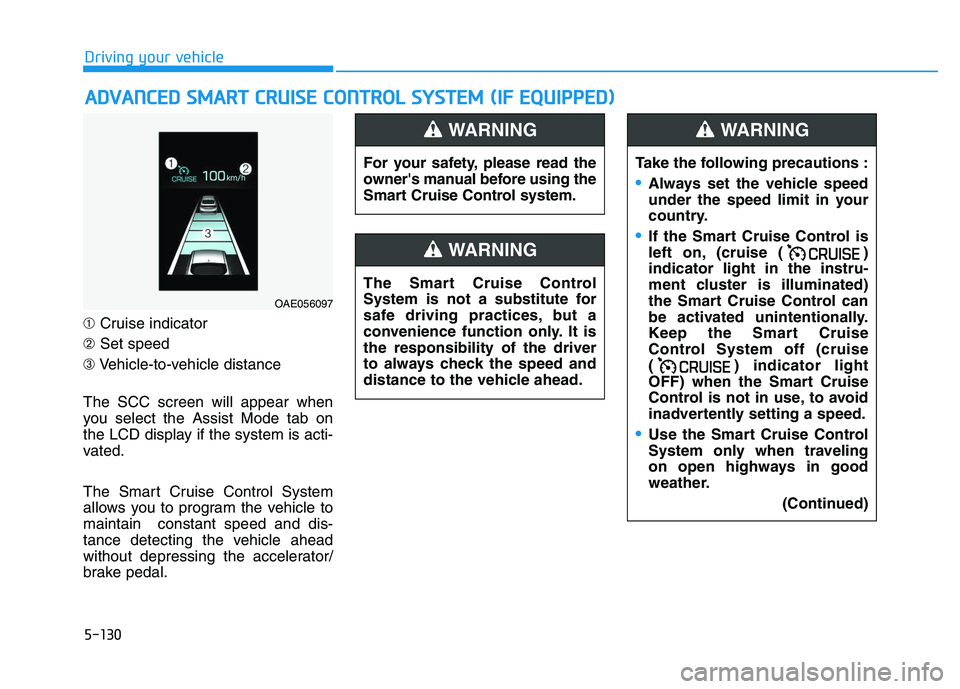
➀ Cruise indicator
➁ Set speed
➂ Vehicle-to-vehicle distance
The SCC screen will appear when
you select the Assist Mode tab on
the LCD display if the system is acti-
vated.
The Smart Cruise Control System
allows you to program the vehicle to
maintain constant speed and dis-
tance detecting the vehicle ahead
without depressing the accelerator/
brake pedal.
A
A D
D V
V A
A N
N C
C E
E D
D
S
S M
M A
A R
R T
T
C
C R
R U
U I
I S
S E
E
C
C O
O N
N T
T R
R O
O L
L
S
S Y
Y S
S T
T E
E M
M
(
( I
I F
F
E
E Q
Q U
U I
I P
P P
P E
E D
D )
)
For your safety, please read the
owner's manual before using the
Smart Cruise Control system.
WARNING
The Smart Cruise Control
System is not a substitute for
safe driving practices, but a
convenience function only. It is
the responsibility of the driver
to always check the speed and
distance to the vehicle ahead.
WARNING
Take the following precautions :
Always set the vehicle speed
under the speed limit in your
country.
If the Smart Cruise Control is
left on, (cruise ( )
indicator light in the instru-
ment cluster is illuminated)
the Smart Cruise Control can
be activated unintentionally.
Keep the Smart Cruise
Control System off (cruise
( ) indicator light
OFF) when the Smart Cruise
Control is not in use, to avoid
inadvertently setting a speed.
Use the Smart Cruise Control
System only when traveling
on open highways in good
weather.
(Continued)
WARNING
OAE056097
Page 436 of 659
5-132
Driving your vehicle
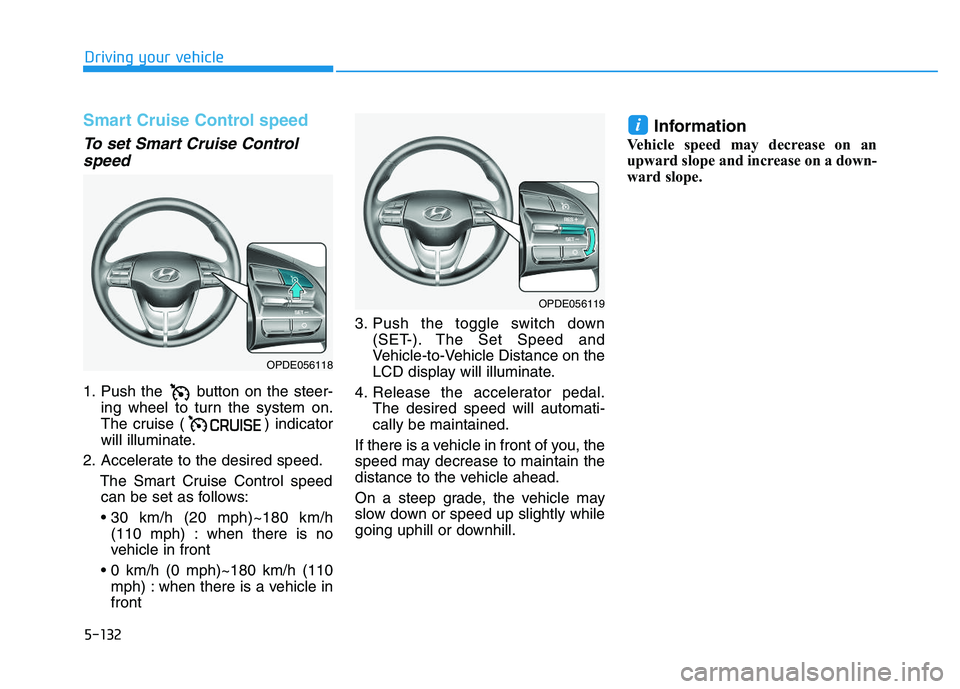
Smart Cruise Control speed
To set Smart Cruise Controlspeed
1. Push the button on the steer-
ing wheel to turn the system on.
The cruise ( ) indicator
will illuminate.
2. Accelerate to the desired speed. The Smart Cruise Control speedcan be set as follows:
(110 mph) : when there is no
vehicle in front
mph) : when there is a vehicle in
front 3. Push the toggle switch down
(SET-). The Set Speed and
Vehicle-to-Vehicle Distance on the
LCD display will illuminate.
4. Release the accelerator pedal. The desired speed will automati-
cally be maintained.
If there is a vehicle in front of you, the
speed may decrease to maintain the
distance to the vehicle ahead.
On a steep grade, the vehicle may
slow down or speed up slightly while
going uphill or downhill.
Information
Vehicle speed may decrease on an
upward slope and increase on a down-
ward slope.
i
OPDE056118
OPDE056119
Page 438 of 659
5-134
Driving your vehicle
To temporarily accelerate withthe Smart Cruise Control on
If you want to speed up temporarily
when the Smart Cruise Control is on,
depress the accelerator pedal.
Increased speed will not interfere
with Smart Cruise Control operation
or change the set speed.
To return to the set speed, take your
foot off the accelerator pedal.
If you push the toggle switch down
(SET-) at increased speed, the cruis-
ing speed will be set again pedal.
Information
Be careful when accelerating tem-
porarily, because the speed is not con-
trolled automatically at this time even
if there is a vehicle in front of you.
Smart Cruise Control will betemporarily canceled when:
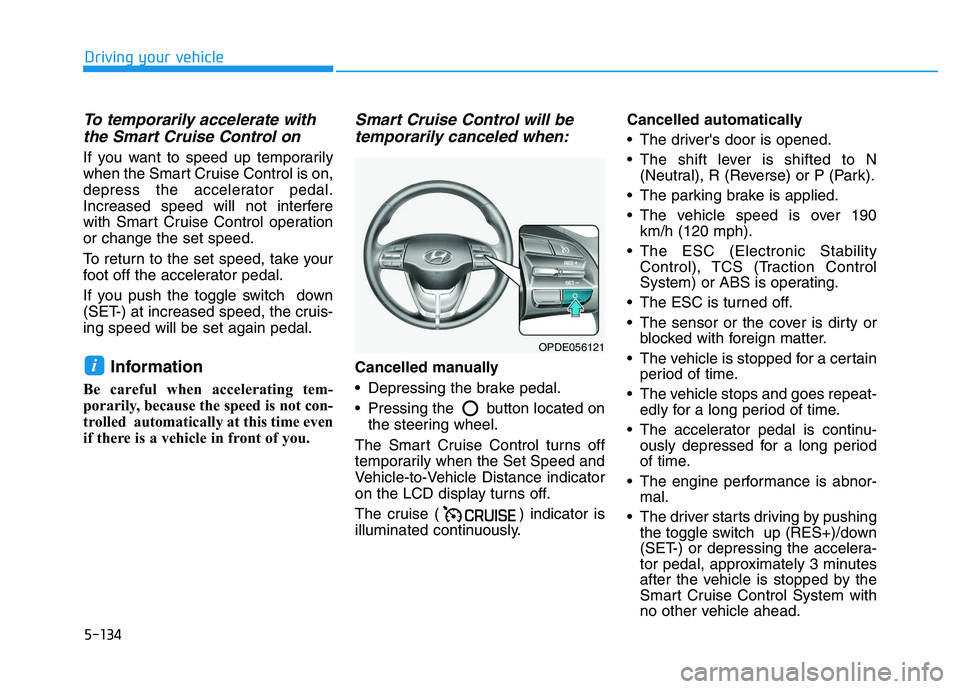
Cancelled manually
Depressing the brake pedal.
Pressing the button located on
the steering wheel.
The Smart Cruise Control turns off
temporarily when the Set Speed and
Vehicle-to-Vehicle Distance indicator
on the LCD display turns off.
The cruise ( ) indicator is
illuminated continuously. Cancelled automatically
The driver's door is opened.
The shift lever is shifted to N
(Neutral), R (Reverse) or P (Park).
The parking brake is applied.
The vehicle speed is over 190 km/h (120 mph).
The ESC (Electronic Stability Control), TCS (Traction Control
System) or ABS is operating.
The ESC is turned off.
The sensor or the cover is dirty or blocked with foreign matter.
The vehicle is stopped for a certain period of time.
The vehicle stops and goes repeat- edly for a long period of time.
The accelerator pedal is continu- ously depressed for a long period
of time.
The engine performance is abnor- mal.
The driver starts driving by pushing the toggle switch up (RES+)/down
(SET-) or depressing the accelera-
tor pedal, approximately 3 minutes
after the vehicle is stopped by the
Smart Cruise Control System with
no other vehicle ahead.i
OPDE056121
Page 439 of 659
5-135
Driving your vehicle
5
The driver starts driving by pushingthe toggle switch up (RES+)/down
(SET-) or depressing the accelera-
tor pedal, after stopping the vehicle
with a vehicle stopped far away in
front.
The AEB is activated.
Each of these actions will cancel the
Smart Cruise Control operation. The
Set Speed and Vehicle-to-Vehicle
Distance on the LCD display will go
off.
In a condition the Smart Cruise
Control is cancelled automatically,
the Smart Cruise Control will not
resume even though the RES+ or
SET- toggle switch is pushed.
Information
If the Smart Cruise Control is can-
celled by other than the reasons men-
tioned, we recommend that the system
be checked by an authorized
HYUNDAI dealer.
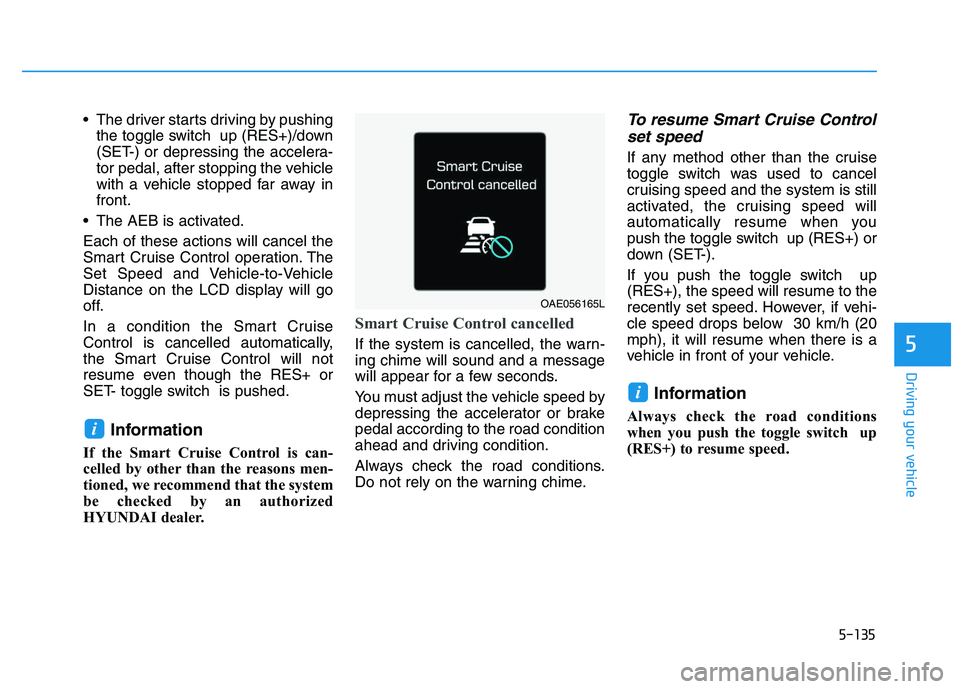
Smart Cruise Control cancelled
If the system is cancelled, the warn-
ing chime will sound and a message
will appear for a few seconds.
You must adjust the vehicle speed by
depressing the accelerator or brake
pedal according to the road condition
ahead and driving condition.
Always check the road conditions.
Do not rely on the warning chime.
To resume Smart Cruise Control set speed
If any method other than the cruise
toggle switch was used to cancel
cruising speed and the system is still
activated, the cruising speed will
automatically resume when you
push the toggle switch up (RES+) or
down (SET-).
If you push the toggle switch up
(RES+), the speed will resume to the
recently set speed. However, if vehi-
cle speed drops below 30 km/h (20
mph), it will resume when there is a
vehicle in front of your vehicle.
Information
Always check the road conditions
when you push the toggle switch up
(RES+) to resume speed.
i
i
OAE056165L