brakes HYUNDAI I30 2020 Owner's Manual
[x] Cancel search | Manufacturer: HYUNDAI, Model Year: 2020, Model line: I30, Model: HYUNDAI I30 2020Pages: 659, PDF Size: 17.14 MB
Page 385 of 659
5-81
Driving your vehicle
5
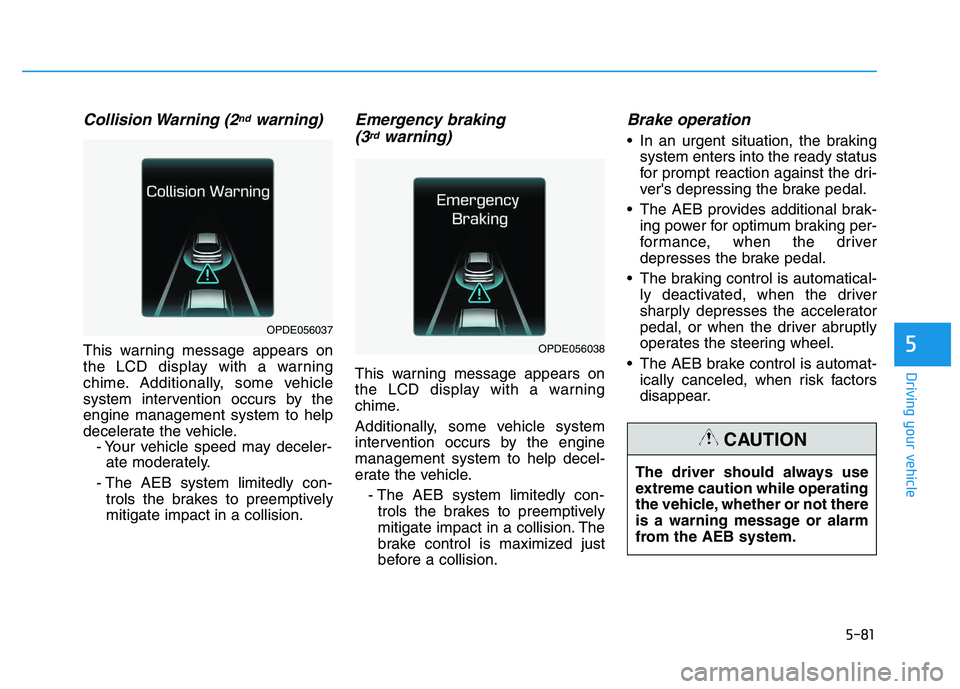
Collision Warning (2ndwarning)
This warning message appears on
the LCD display with a warning
chime. Additionally, some vehicle
system intervention occurs by the
engine management system to help
decelerate the vehicle.- Your vehicle speed may deceler-ate moderately.
- The AEB system limitedly con- trols the brakes to preemptively
mitigate impact in a collision.
Emergency braking (3rdwarning)
This warning message appears on
the LCD display with a warning
chime.
Additionally, some vehicle system
intervention occurs by the engine
management system to help decel-
erate the vehicle.
- The AEB system limitedly con-trols the brakes to preemptively
mitigate impact in a collision. The
brake control is maximized just
before a collision.
Brake operation
In an urgent situation, the braking system enters into the ready status
for prompt reaction against the dri-
ver's depressing the brake pedal.
The AEB provides additional brak- ing power for optimum braking per-
formance, when the driver
depresses the brake pedal.
The braking control is automatical- ly deactivated, when the driver
sharply depresses the accelerator
pedal, or when the driver abruptly
operates the steering wheel.
The AEB brake control is automat- ically canceled, when risk factors
disappear.
OPDE056038
OPDE056037
The driver should always use
extreme caution while operating
the vehicle, whether or not there
is a warning message or alarm
from the AEB system.
CAUTION
Page 396 of 659
5-92
Driving your vehicle
AEB warning message and
system control
The AEB produces warning mes-
sages and warning alarms in accor-
dance with the collision risk levels,
such as abrupt stopping of the vehi-
cle in front, insufficient braking dis-
tance, or detection. Also, it controls
the brakes in accordance with the
collision risk levels.
The driver can select the initial warn-
ing activation time in the User
Settings in the LCD display. The
options for the initial Forward
Collision Warning include Early,
Normal or Late initial warning time.
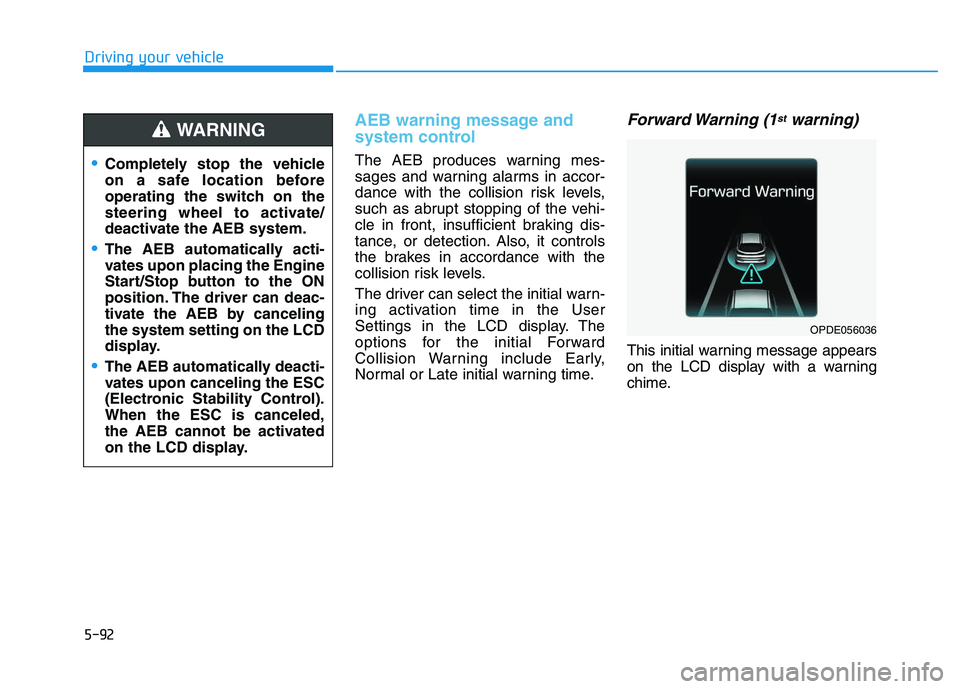
Forward Warning (1stwarning)
This initial warning message appears
on the LCD display with a warning
chime.
Completely stop the vehicle
on a safe location before
operating the switch on the
steering wheel to activate/
deactivate the AEB system.
The AEB automatically acti-
vates upon placing the Engine
Start/Stop button to the ON
position. The driver can deac-
tivate the AEB by canceling
the system setting on the LCD
display.
The AEB automatically deacti-
vates upon canceling the ESC
(Electronic Stability Control).
When the ESC is canceled,
the AEB cannot be activated
on the LCD display.
WARNING
OPDE056036
Page 397 of 659
5-93
Driving your vehicle
5
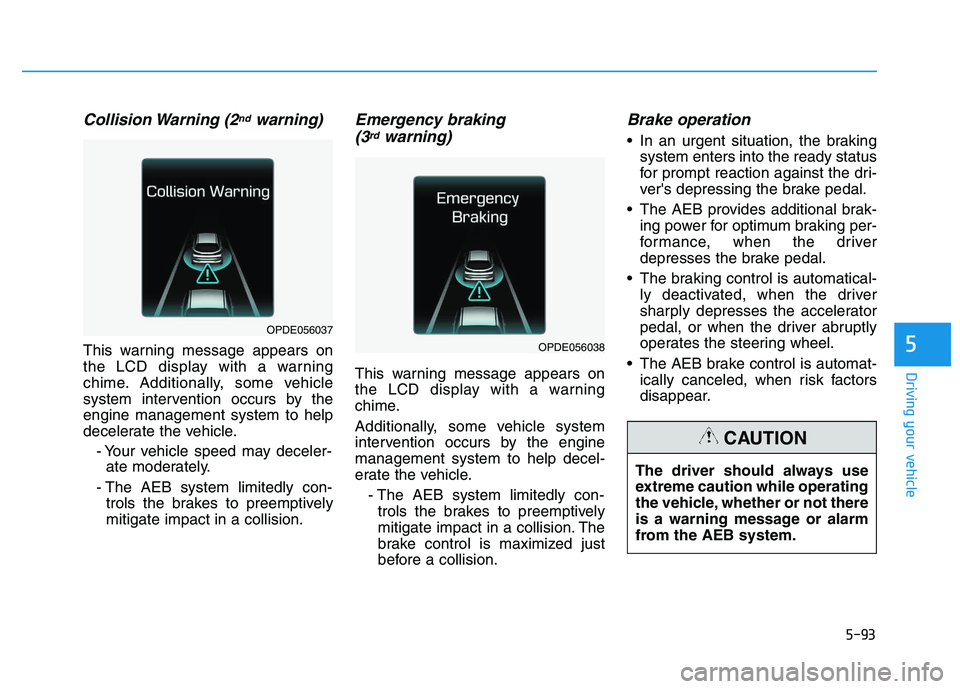
Collision Warning (2ndwarning)
This warning message appears on
the LCD display with a warning
chime. Additionally, some vehicle
system intervention occurs by the
engine management system to help
decelerate the vehicle.- Your vehicle speed may deceler-ate moderately.
- The AEB system limitedly con- trols the brakes to preemptively
mitigate impact in a collision.
Emergency braking (3rdwarning)
This warning message appears on
the LCD display with a warning
chime.
Additionally, some vehicle system
intervention occurs by the engine
management system to help decel-
erate the vehicle.
- The AEB system limitedly con-trols the brakes to preemptively
mitigate impact in a collision. The
brake control is maximized just
before a collision.
Brake operation
In an urgent situation, the braking system enters into the ready status
for prompt reaction against the dri-
ver's depressing the brake pedal.
The AEB provides additional brak- ing power for optimum braking per-
formance, when the driver
depresses the brake pedal.
The braking control is automatical- ly deactivated, when the driver
sharply depresses the accelerator
pedal, or when the driver abruptly
operates the steering wheel.
The AEB brake control is automat- ically canceled, when risk factors
disappear.
OPDE056038
OPDE056037
The driver should always use
extreme caution while operating
the vehicle, whether or not there
is a warning message or alarm
from the AEB system.
CAUTION
Page 415 of 659
5-111
Driving your vehicle
5
The LKAS system will not be in the
ENABLED state and the steering
wheel will not be assisted when:
Vehicle speed is below 60 km/h (40mph) and over 200 km/h (125 mph).
Only one lane line is detected.
The turn signal is turned on before changing a lane. If you change
lanes without the turn signal on,
the steering wheel might be con-
trolled.
The hazard warning flasher is on.
The width of the lane is below 2.6 m (8.5 feet) and over 4.5 m (15 feet).
ESC (Electronic Stability Control) or VSM (Vehicle Stability Management)
is activated.
The vehicle is driven on a sharp curve.
The vehicle brakes suddenly.
The vehicle makes sharp lane changes.
There are more than two lane lines on the road. (e.g. construction
area)
The vehicle is driven on a steep incline.
Information
When the system is turned on or right
after changing a lane, drive in the
middle of the lane. If not, the system
will not provide steering assist func-
tion.
Warning light and message
Check LKAS
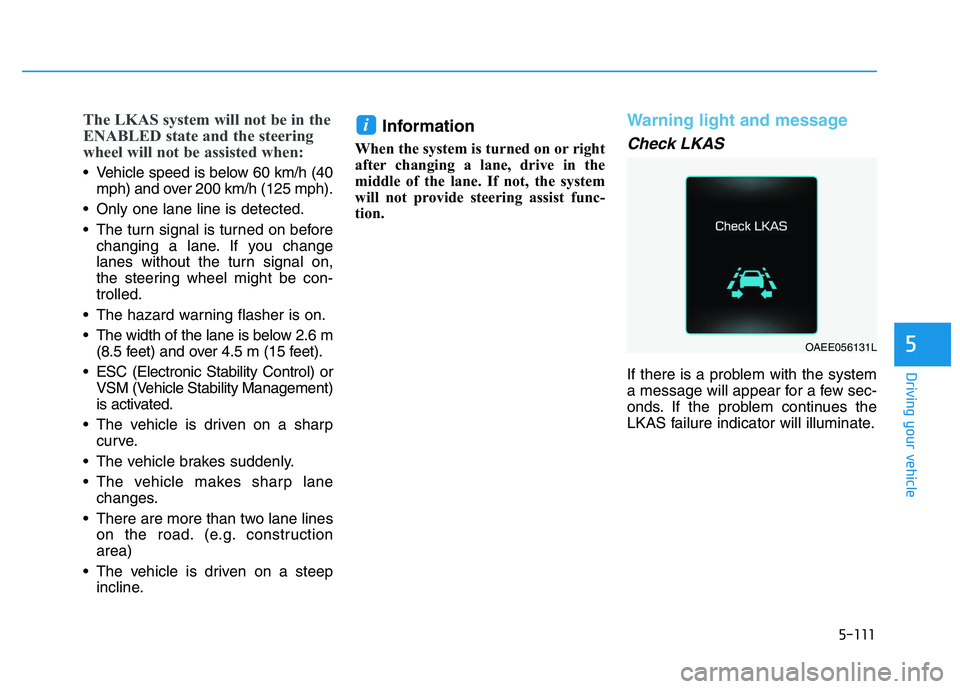
If there is a problem with the system
a message will appear for a few sec-
onds. If the problem continues the
LKAS failure indicator will illuminate.
i
OAEE056131L
Page 429 of 659
5-125
Driving your vehicle
5
Information
• During normal cruise control opera-tion, when the SET switch is activat-
ed or reactivated after applying the
brakes, the cruise control will ener-
gize after approximately 3 seconds.
This delay is normal.
• Before activating the cruise control function, the system will check to
verify that the brake switch is oper-
ating normally. Depress the brake
pedal at least once after turning ON
the ignition or starting the vehicle.
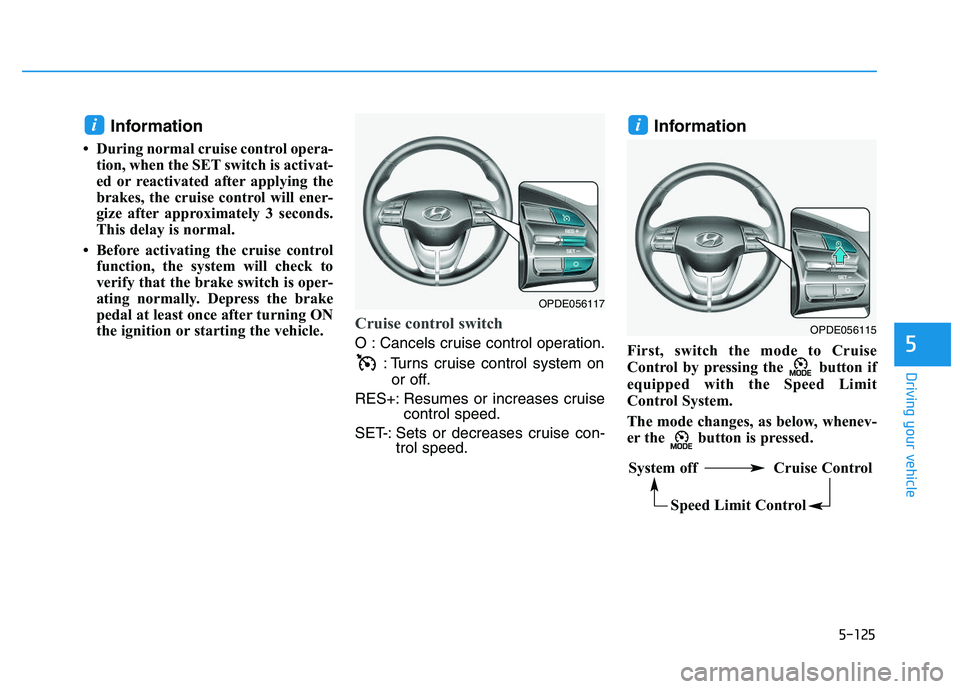
Cruise control switch
O : Cancels cruise control operation.
: Turns cruise control system onor off.
RES+: Resumes or increases cruise control speed.
SET-: Sets or decreases cruise con- trol speed.
Information
First, switch the mode to Cruise
Control by pressing the button if
equipped with the Speed Limit
Control System.
The mode changes, as below, whenev-
er the button is pressed.
ii
OPDE056115
System off Cruise Control
Speed Limit Control
OPDE056117
Page 446 of 659
5-142
Driving your vehicle
Limitations of the system
The Smart Cruise Control System
may have limits to its ability to detect
distance to the vehicle ahead due to
road and traffic conditions.
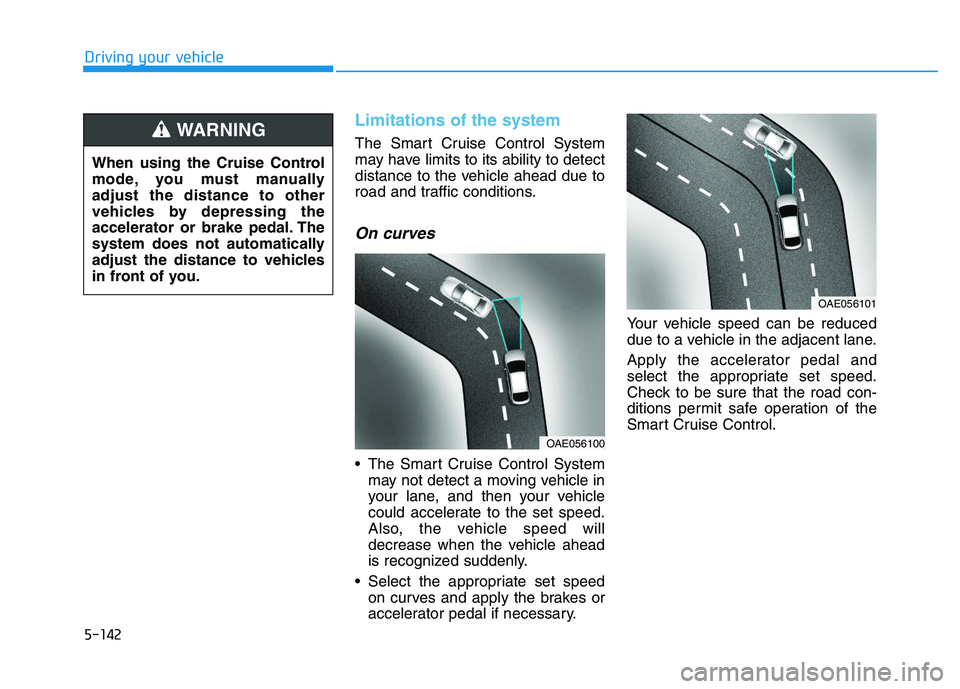
On curves
The Smart Cruise Control Systemmay not detect a moving vehicle in
your lane, and then your vehicle
could accelerate to the set speed.
Also, the vehicle speed will
decrease when the vehicle ahead
is recognized suddenly.
Select the appropriate set speed on curves and apply the brakes or
accelerator pedal if necessary. Your vehicle speed can be reduced
due to a vehicle in the adjacent lane.
Apply the accelerator pedal and
select the appropriate set speed.
Check to be sure that the road con-
ditions permit safe operation of the
Smart Cruise Control.
OAE056101
OAE056100
When using the Cruise Control
mode, you must manually
adjust the distance to other
vehicles by depressing the
accelerator or brake pedal. The
system does not automatically
adjust the distance to vehicles
in front of you.
WARNING
Page 449 of 659
5-145
Driving your vehicle
5
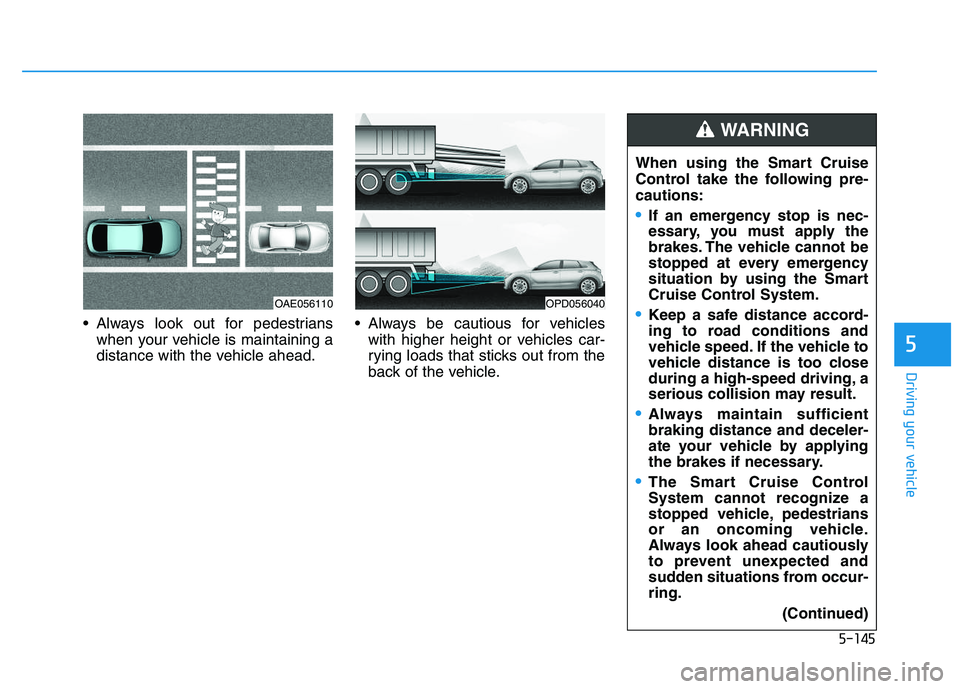
Always look out for pedestrianswhen your vehicle is maintaining a
distance with the vehicle ahead. Always be cautious for vehicles
with higher height or vehicles car-
rying loads that sticks out from the
back of the vehicle. When using the Smart Cruise
Control take the following pre-
cautions:
If an emergency stop is nec-
essary, you must apply the
brakes. The vehicle cannot be
stopped at every emergency
situation by using the Smart
Cruise Control System.
Keep a safe distance accord-
ing to road conditions and
vehicle speed. If the vehicle to
vehicle distance is too close
during a high-speed driving, a
serious collision may result.
Always maintain sufficient
braking distance and deceler-
ate your vehicle by applying
the brakes if necessary.
The Smart Cruise Control
System cannot recognize a
stopped vehicle, pedestrians
or an oncoming vehicle.
Always look ahead cautiously
to prevent unexpected and
sudden situations from occur-
ring.
(Continued)
WARNING
OPD056040OAE056110
Page 452 of 659
5-148
Driving your vehicle
Information
The ESC system (if equipped) must be
turned OFF before rocking the vehi-
cle.
If you are still stuck after rocking
the vehicle a few times, have the
vehicle pulled out by a tow vehicle
to avoid engine overheating, pos-
sible damage to the transmission,
and tire damage. See "Towing" in
chapter 6.
Smooth cornering
Avoid braking or gear changing in
corners, especially when roads are
wet. Ideally, corners should always
be taken under gentle acceleration.
Driving at night
Night driving presents more hazards
than driving in the daylight. Here are
some important tips to remember:
Slow down and keep more dis-tance between you and other vehi-
cles, as it may be more difficult to
see at night, especially in areas
where there may not be any street
lights.
Adjust your mirrors to reduce the glare from other driver's head-
lamps.
Keep your headlamps clean and properly aimed. Dirty or improperly
aimed headlamps will make it
much more difficult to see at night.
Avoid staring directly at the head- lamps of oncoming vehicles. You
could be temporarily blinded, and it
will take several seconds for your
eyes to readjust to the darkness.
Driving in the rain
Rain and wet roads can make driving
dangerous. Here are a few things to
consider when driving in the rain or
on slick pavement:
Slow down and allow extra follow-ing distance. A heavy rainfall
makes it harder to see and increas-
es the distance needed to stop
your vehicle.
Turn OFF your Cruise Control. (if equipped)
Replace your windshield wiper blades when they show signs of
streaking or missing areas on the
windshield.
Be sure your tires have enough tread. If your tires do not have
enough tread, making a quick stop
on wet pavement can cause a skid
and possibly lead to an accident.
See "Tire Tread" in chapter 7 .
Turn on your headlamps to make it easier for others to see you.
Driving too fast through large pud- dles can affect your brakes. If you
must go through puddles, try to
drive through them slowly.
NOTICE
i
Page 453 of 659
5-149
Driving your vehicle
5
If you believe your brakes may bewet, apply them lightly while driv-
ing until normal braking operation
returns.
Hydroplaning
If the road is wet enough and you are
going fast enough, your vehicle may
have little or no contact with the road
surface and actually ride on the
water. The best advice is SLOW
DOWN when the road is wet.
The risk of hydroplaning increas-
es as the depth of tire tread
decreases, refer to "Tire Tread" in
chapter 7.
Driving in flooded areas
Avoid driving through flooded areas
unless you are sure the water is no
higher than the bottom of the wheel
hub. Drive through any water slowly.
Allow adequate stopping distance
because brake performance may be
reduced.
After driving through water, dry the
brakes by gently applying them sev-
eral times while the vehicle is moving
slowly.
Highway driving
Tires
Adjust the tire inflation, as specified.
Under-inflation may overheat or
damage the tires.
Do not install worn-out or damaged
tires, which may reduce traction or
fail the braking operation.
Information
Never over-inflate your tires above the
maximum inflation pressure, as speci-
fied on your tires.
Fuel, engine coolant and engineoil
Driving at higher speeds on the high-
way consumes more fuel and is less
efficient than driving at a slower,
more moderate speed. Maintain a
moderate speed in order to conserve
fuel when driving on the highway.
Be sure to check both the engine
coolant level and the engine oil
before driving.
Drive belt
A loose or damaged drive belt may
overheat the engine.
i
Page 455 of 659
5-151
Driving your vehicle
5
The severe weather conditions of
winter quickly wear out tires and
cause other problems. To minimize
winter driving problems, you should
take the following suggestions:
Information
Information for Snow Tires and Tire
Chains in the national language
(Bulgarian, Hungarian, Icelandic,
Polish) is provided in the Appendix.
Snow or icy conditions
You need to keep sufficient distance
between your vehicle and the vehicle
in front of you.
Apply the brakes gently. Speeding,
rapid acceleration, sudden brake
applications, and sharp turns are
potentially very hazardous practices.
During deceleration, use engine
braking to the fullest extent. Sudden
brake applications on snowy or icy
roads may cause skids to occur.
To drive your vehicle in deep snow, it
may be necessary to use snow tires
or to install tire chains on your tires.
Always carry emergency equipment.
Some of the items you may want to
carry include tire chains, tow straps
or chains, a flashlight, emergency
flares, sand, a shovel, jumper cables,
a window scraper, gloves, ground
cloth, coveralls, a blanket, etc.
Snow tires
If you mount snow tires on your vehi-
cle, make sure to use radial tires of
the same size and load range as the
original tires. Mount snow tires on all
four wheels to balance your vehicle’s
handling in all weather conditions.
The traction provided by snow tires
on dry roads may not be as high as
your vehicle's original equipment
tires. Check with the tire dealer for
maximum speed recommendations.
Information
Do not install studded tires without first
checking local and municipal regula-
tions for possible restrictions against
their use.
i
i
W
W I
I N
N T
T E
E R
R
D
D R
R I
I V
V I
I N
N G
G
Snow tires should be equivalent
in size and type to the vehicle's
standard tires. Otherwise, the
safety and handling of your vehi-
cle may be adversely affected.
WARNING