Setting HYUNDAI I40 2011 User Guide
[x] Cancel search | Manufacturer: HYUNDAI, Model Year: 2011, Model line: I40, Model: HYUNDAI I40 2011Pages: 534, PDF Size: 11.05 MB
Page 142 of 534
Downloaded from www.Manualslib.com manuals search engine 455
Features of your vehicle
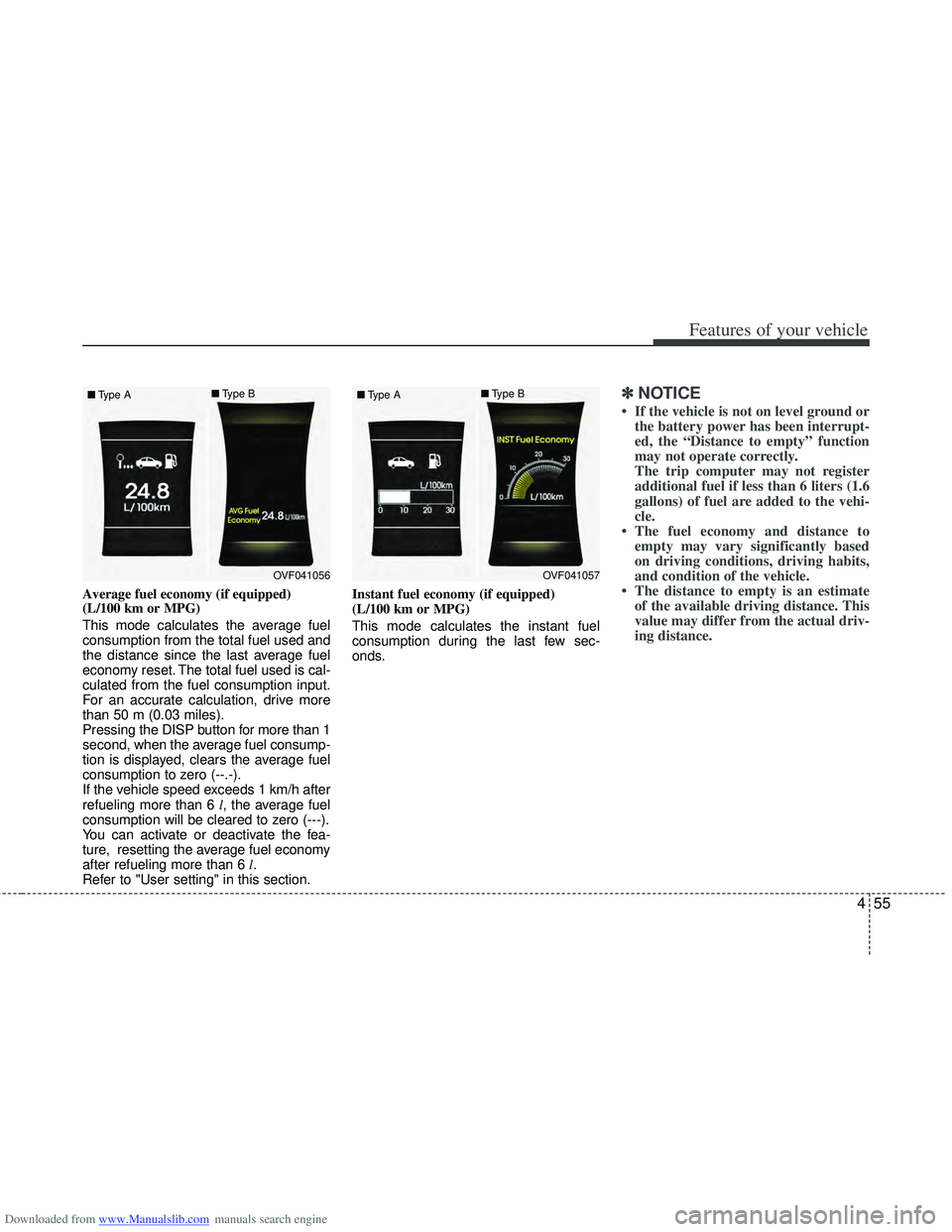
Average fuel economy (if equipped)
(L/100 km or MPG)
This mode calculates the average fuel
consumption from the total fuel used and
the distance since the last average fuel
economy reset. The total fuel used is cal-
culated from the fuel consumption input.
For an accurate calculation, drive more
than 50 m (0.03 miles).
Pressing the DISP button for more than 1
second, when the average fuel consump-
tion is displayed, clears the average fuel
consumption to zero (--.-).
If the vehicle speed exceeds 1 km/h after
refueling more than 6 l, the average fuel
consumption will be cleared to zero (---).
You can activate or deactivate the fea-
ture, resetting the average fuel economy
after refueling more than 6 l.
Refer to "User setting" in this section. Instant fuel economy (if equipped)
(L/100 km or MPG)
This mode calculates the instant fuel
consumption during the last few sec-
onds.
✽ ✽
NOTICE
• If the vehicle is not on level ground or
the battery power has been interrupt-
ed, the “Distance to empty” function
may not operate correctly.
The trip computer may not register
additional fuel if less than 6 liters (1.6
gallons) of fuel are added to the vehi-
cle.
• The fuel economy and distance to empty may vary significantly based
on driving conditions, driving habits,
and condition of the vehicle.
• The distance to empty is an estimate of the available driving distance. This
value may differ from the actual driv-
ing distance.
OVF041056
■
Type A ■
Type BOVF041057
■
Type A ■
Type B
Page 143 of 534
Downloaded from www.Manualslib.com manuals search engine Features of your vehicle
56
4
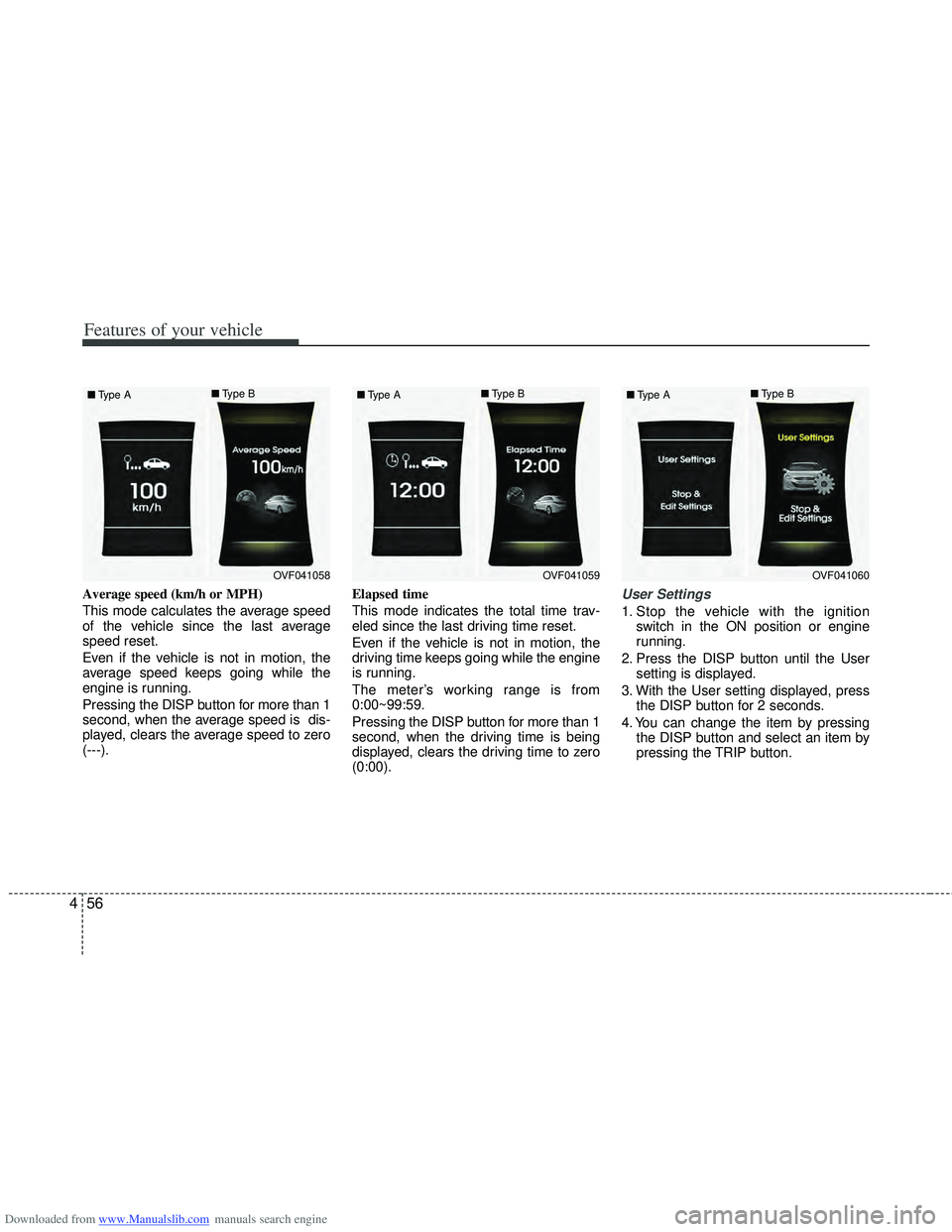
Average speed (km/h or MPH)
This mode calculates the average speed
of the vehicle since the last average
speed reset.
Even if the vehicle is not in motion, the
average speed keeps going while the
engine is running.
Pressing the DISP button for more than 1
second, when the average speed is dis-
played, clears the average speed to zero
(---). Elapsed time
This mode indicates the total time trav-
eled since the last driving time reset.
Even if the vehicle is not in motion, the
driving time keeps going while the engine
is running.
The meter’s working range is from
0:00~99:59.
Pressing the DISP button for more than 1
second, when the driving time is being
displayed, clears the driving time to zero
(0:00).User Settings
1. Stop the vehicle with the ignition
switch in the ON position or engine
running.
2. Press the DISP button until the User setting is displayed.
3. With the User setting displayed, press the DISP button for 2 seconds.
4. You can change the item by pressing the DISP button and select an item by
pressing the TRIP button.
OVF041058
■
Type A ■
Type BOVF041059
■
Type A ■
Type BOVF041060
■
Type A ■
Type B
Page 145 of 534
Downloaded from www.Manualslib.com manuals search engine Features of your vehicle
58
4
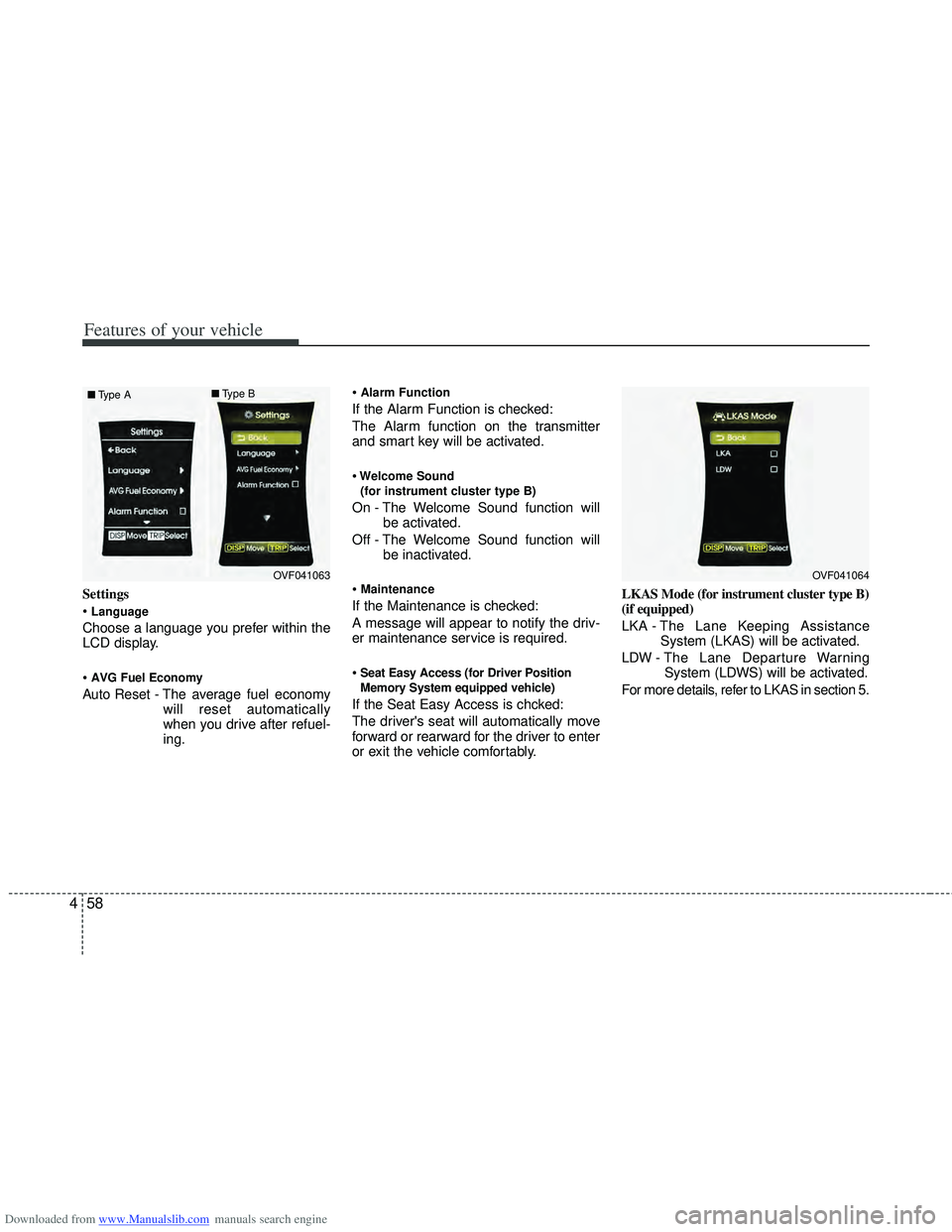
Settings
Language
Choose a language you prefer within the
LCD display.
AVG Fuel Economy
Auto Reset - The average fuel economy
will reset automatically
when you drive after refuel-
ing.
Alarm Function
If the Alarm Function is checked:
The Alarm function on the transmitter
and smart key will be activated.
Welcome Sound
(for instrument cluster type B)
On - The Welcome Sound function will be activated.
Off - The Welcome Sound function will be inactivated.
Maintenance
If the Maintenance is checked:
A message will appear to notify the driv-
er maintenance service is required.
Seat Easy Access (for Driver Position
Memory System equipped vehicle)
If the Seat Easy Access is chcked:
The driver's seat will automatically move
forward or rearward for the driver to enter
or exit the vehicle comfortably. LKAS Mode (for instrument cluster type B)
(if equipped)
LKA -
The Lane Keeping Assistance
System (LKAS) will be activated.
LDW - The Lane Departure Warning System (LDWS) will be activated.
For more details, refer to LKAS in section 5.
OVF041063
■
Type A ■
Type BOVF041064
Page 189 of 534
Downloaded from www.Manualslib.com manuals search engine Features of your vehicle
102
4
Daytime running light
(if equipped)
Daytime Running Lights (DRL) can make
it easier for others to see the front of your
vehicle during the day. DRL can be help-
ful in many different driving conditions,
and it is especially helpful after dawn and
before sunset.
The DRL system will turn off the dedicat-
ed lamp when:
1. The parklight or headlight (low beam)
switch is ON.
2. The engine is OFF.
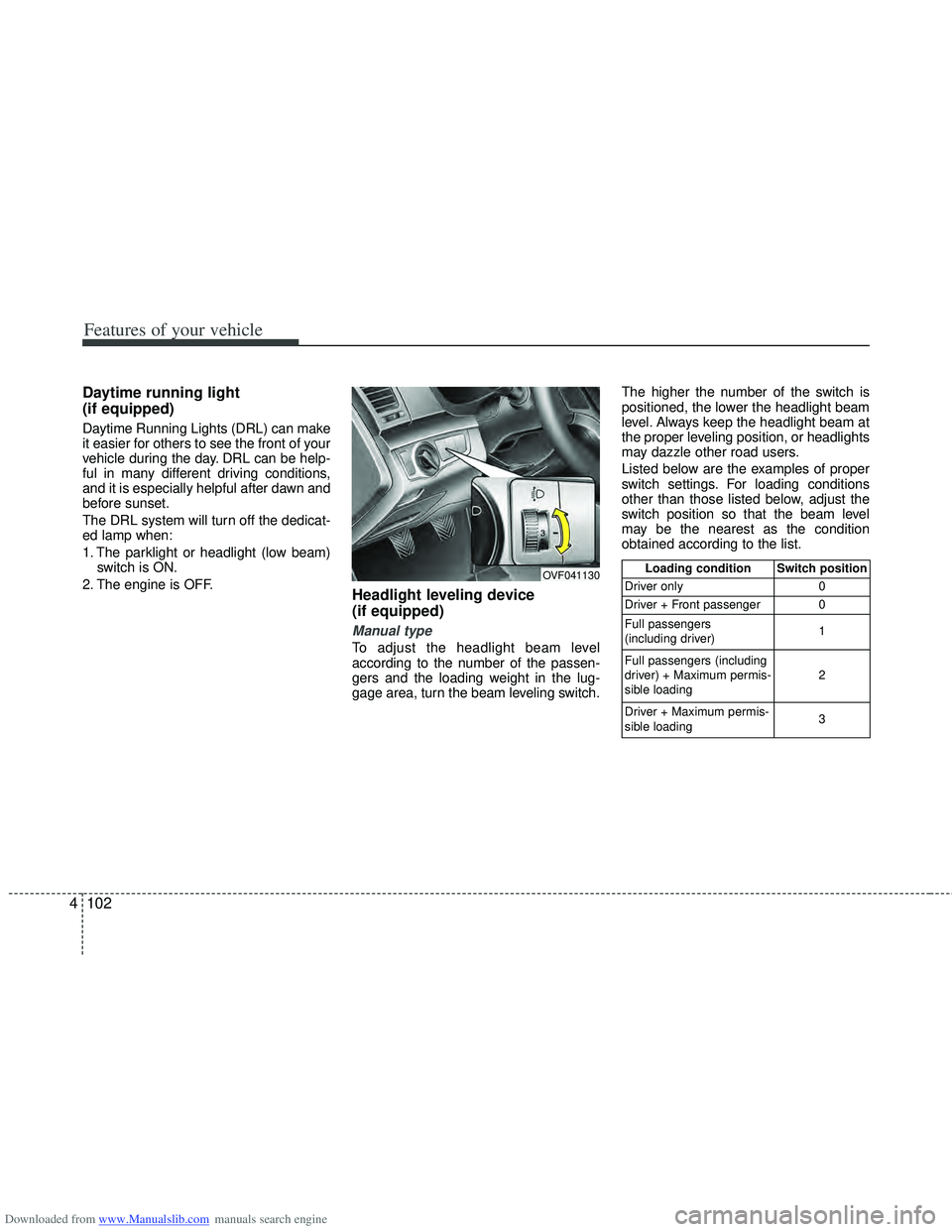
Headlight leveling device
(if equipped)
Manual type
To adjust the headlight beam level
according to the number of the passen-
gers and the loading weight in the lug-
gage area, turn the beam leveling switch. The higher the number of the switch is
positioned, the lower the headlight beam
level. Always keep the headlight beam at
the proper leveling position, or headlights
may dazzle other road users.
Listed below are the examples of proper
switch settings. For loading conditions
other than those listed below, adjust the
switch position so that the beam level
may be the nearest as the condition
obtained according to the list.
OVF041130Loading condition Switch position
Driver only 0
Driver + Front passenger 0
Full passengers
(including driver) 1
Full passengers (including
driver) + Maximum permis-
sible loading 2
Driver + Maximum permis-
sible loading 3
Page 192 of 534
Downloaded from www.Manualslib.com manuals search engine 4105
Features of your vehicle
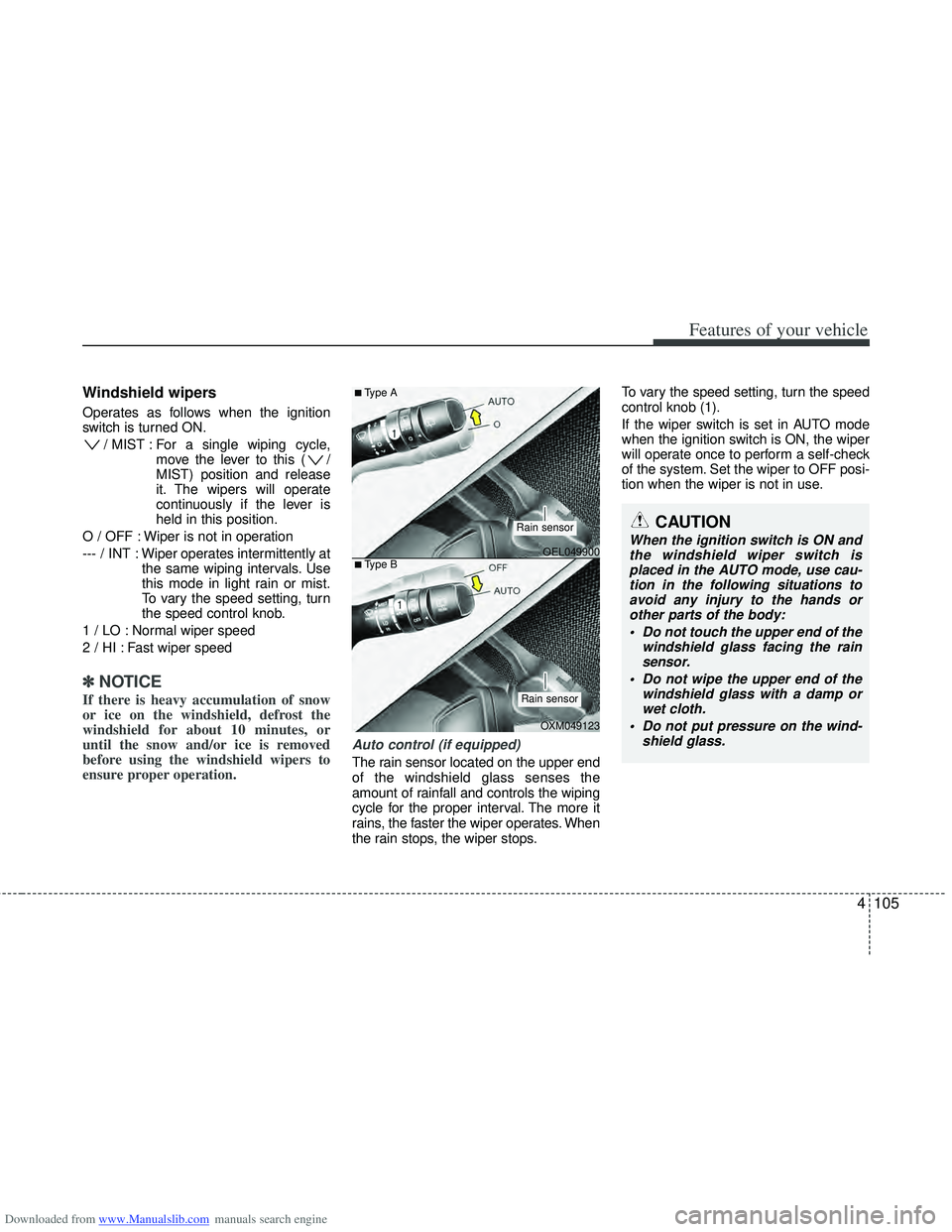
Windshield wipers
Operates as follows when the ignition
switch is turned ON./ MIST : For a single wiping cycle, move the lever to this ( /
MIST) position and release
it. The wipers will operate
continuously if the lever is
held in this position.
O / OFF : Wiper is not in operation
--- / INT : Wiper operates intermittently at the same wiping intervals. Use
this mode in light rain or mist.
To vary the speed setting, turn
the speed control knob.
1 / LO : Normal wiper speed
2 / HI : Fast wiper speed
✽ ✽ NOTICE
If there is heavy accumulation of snow
or ice on the windshield, defrost the
windshield for about 10 minutes, or
until the snow and/or ice is removed
before using the windshield wipers to
ensure proper operation.
Auto control (if equipped)
The rain sensor located on the upper end
of the windshield glass senses the
amount of rainfall and controls the wiping
cycle for the proper interval. The more it
rains, the faster the wiper operates. When
the rain stops, the wiper stops. To vary the speed setting, turn the speed
control knob (1).
If the wiper switch is set in AUTO mode
when the ignition switch is ON, the wiper
will operate once to perform a self-check
of the system. Set the wiper to OFF posi-
tion when the wiper is not in use.
CAUTION
When the ignition switch is ON and
the windshield wiper switch isplaced in the AUTO mode, use cau- tion in the following situations toavoid any injury to the hands orother parts of the body:
Do not touch the upper end of the windshield glass facing the rainsensor.
Do not wipe the upper end of the windshield glass with a damp orwet cloth.
Do not put pressure on the wind- shield glass.OEL049900
OXM049123
■Type A
■Type B
Rain sensor
Rain sensor
Page 209 of 534
Downloaded from www.Manualslib.com manuals search engine Features of your vehicle
122
4
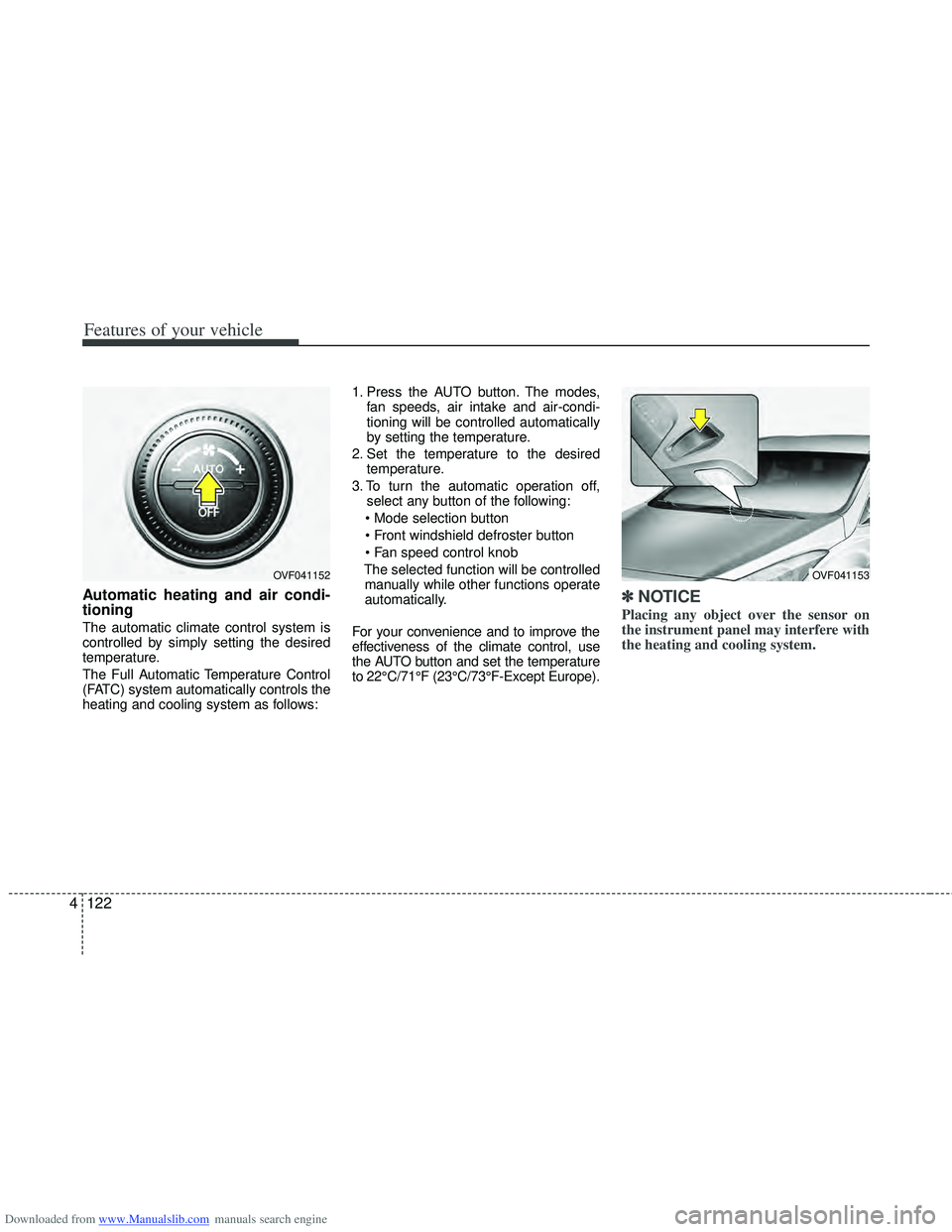
Automatic heating and air condi-
tioning
The automatic climate control system is
controlled by simply setting the desired
temperature.
The Full Automatic Temperature Control
(FATC) system automatically controls the
heating and cooling system as follows: 1. Press the AUTO button. The modes,
fan speeds, air intake and air-condi-
tioning will be controlled automatically
by setting the temperature.
2. Set the temperature to the desired temperature.
3. To turn the automatic operation off, select any button of the following:
The selected function will be controlled manually while other functions operate
automatically.
For your convenience and to improve the
effectiveness of the climate control, use
the AUTO button and set the temperature
to 22°C/71°F (23°C/73°F-Except Europe).
✽ ✽ NOTICE
Placing any object over the sensor on
the instrument panel may interfere with
the heating and cooling system.
OVF041153OVF041152
Page 248 of 534
Downloaded from www.Manualslib.com manuals search engine 4161
Features of your vehicle
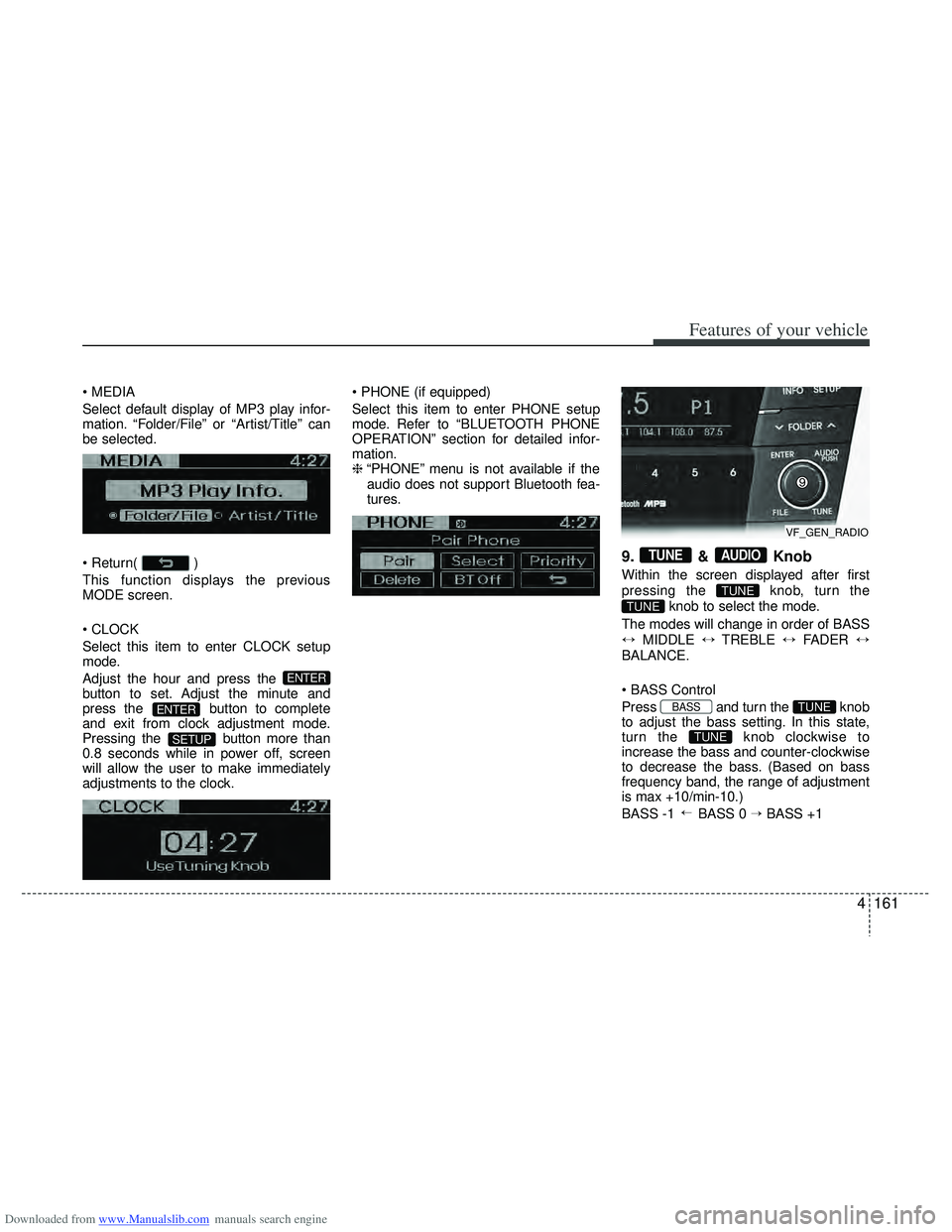
Select default display of MP3 play infor-
mation. “Folder/File” or “Artist/Title” can
be selected.
)
This function displays the previous
MODE screen.
Select this item to enter CLOCK setup
mode.
Adjust the hour and press the
button to set. Adjust the minute and
press the button to complete
and exit from clock adjustment mode.
Pressing the button more than
0.8 seconds while in power off, screen
will allow the user to make immediately
adjustments to the clock.
Select this item to enter PHONE setup
mode. Refer to “BLUETOOTH PHONE
OPERATION” section for detailed infor-
mation.
❈
“PHONE” menu is not available if the
audio does not support Bluetooth fea-
tures.
9. & Knob
Within the screen displayed after first
pressing the knob, turn the
knob to select the mode.
The modes will change in order of BASS
↔ MIDDLE ↔TREBLE ↔FADER ↔
BALANCE.
Press and turn the knob
to adjust the bass setting. In this state,
turn the knob clockwise to
increase the bass and counter-clockwise
to decrease the bass. (Based on bass
frequency band, the range of adjustment
is max +10/min-10.)
BASS -1 BASS 0 → BASS +1
→
TUNE
TUNEBASS
TUNE
TUNE
AUDIOTUNE
SETUP
ENTER
ENTER
VF_GEN_RADIO
Page 249 of 534
Downloaded from www.Manualslib.com manuals search engine Features of your vehicle
162
4
Press and turn the knob
to adjust the middle setting. In this state,
turn the knob clockwise to
increase the middle and counter-clock-
wise to decrease the middle. (Based on
middle frequency band, the range of
adjustment is max +10/min-10.)
MIDDLE -1 MIDDLE 0 → MIDDLE +1
Control
Press and turn the knob
to adjust the treble setting. In this state,
turn the knob clockwise to
increase the treble and counter-clock-
wise to decrease the treble. (Based on
treble frequency band, the range of
adjustment is max +10/min-10.)
TREBLE -1 TREBLE → TREBLE
Press and turn the knob
clockwise and counter-clockwise to
adjust the front/rear volume levels. In this
state, turn the knob clockwise to
increase the front speaker volume and
counter-clockwise to increase the rear
speaker volume. (The front/rear can each
be adjusted to F=10/R=10.)
FADER F=1 FADER F=R →
FADER
R=1
Press and turn the
knob to adjust the left/right volume set-
ting. In this state, turn the knob
clockwise to decrease the left speaker
volume and counter-clockwise to
decrease the right speaker volume.
(The left/right can each be adjusted to
L=10/R=10.)
TUNE
TUNEBALANCE
→
TUNE
TUNEFADER
→
TUNE
TUNETRBLE
→
TUNE
TUNEMIDDLE
Page 256 of 534
Downloaded from www.Manualslib.com manuals search engine 4169
Features of your vehicle
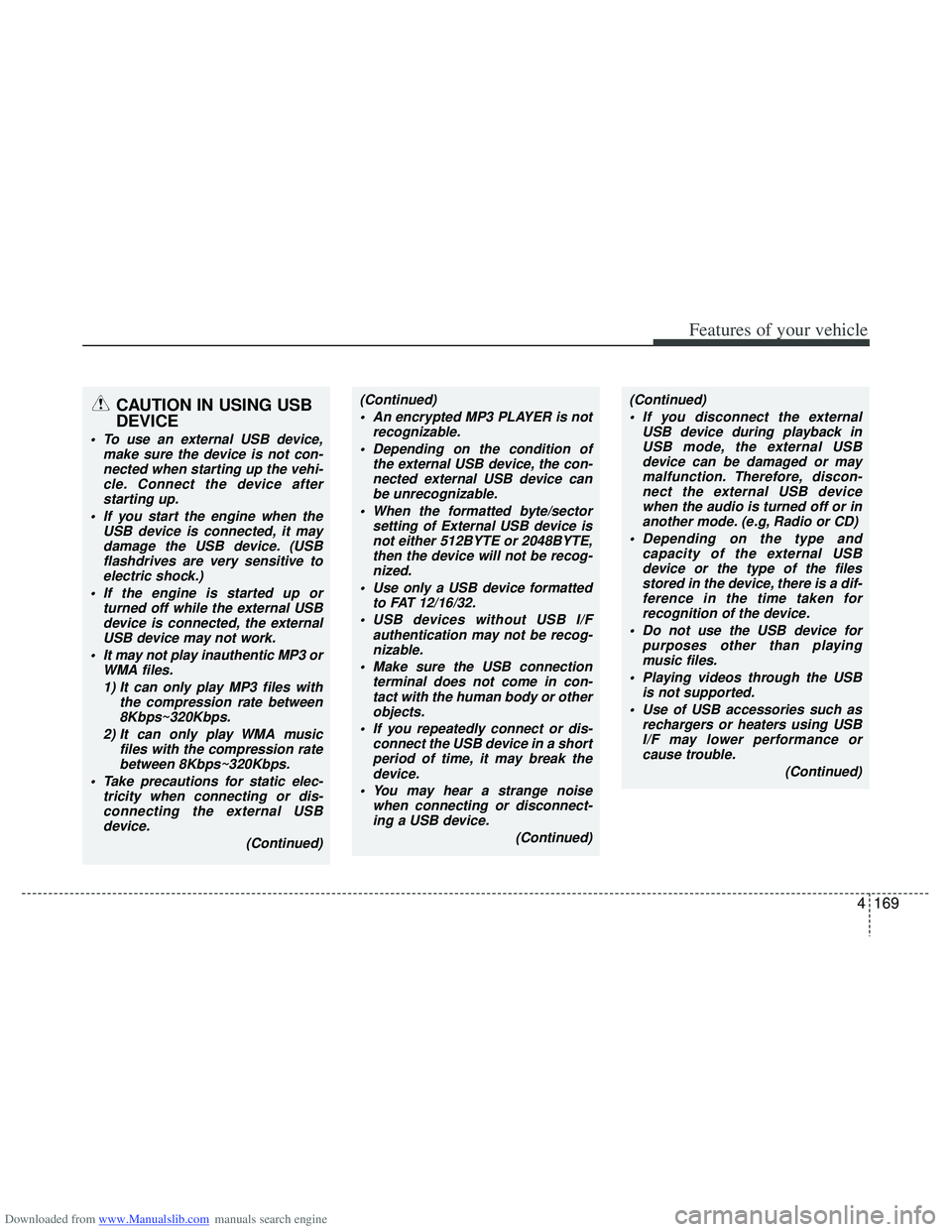
CAUTION IN USING USB
DEVICE
To use an external USB device,make sure the device is not con-nected when starting up the vehi-cle. Connect the device afterstarting up.
If you start the engine when the USB device is connected, it maydamage the USB device. (USBflashdrives are very sensitive toelectric shock.)
If the engine is started up or turned off while the external USBdevice is connected, the externalUSB device may not work.
It may not play inauthentic MP3 or WMA files.
1) It can only play MP3 files with the compression rate between8Kbps~320Kbps.
2) It can only play WMA music files with the compression ratebetween 8Kbps~320Kbps.
Take precautions for static elec- tricity when connecting or dis-connecting the external USBdevice.
(Continued)
(Continued) An encrypted MP3 PLAYER is not recognizable.
Depending on the condition of the external USB device, the con-nected external USB device canbe unrecognizable.
When the formatted byte/sector setting of External USB device isnot either 512BYTE or 2048BYTE,then the device will not be recog- nized.
Use only a USB device formatted to FAT 12/16/32.
USB devices without USB I/F authentication may not be recog-nizable.
Make sure the USB connection terminal does not come in con-tact with the human body or otherobjects.
If you repeatedly connect or dis- connect the USB device in a shortperiod of time, it may break thedevice.
You may hear a strange noise when connecting or disconnect-ing a USB device.
(Continued)(Continued) If you disconnect the external USB device during playback inUSB mode, the external USBdevice can be damaged or may malfunction. Therefore, discon-nect the external USB device when the audio is turned off or inanother mode. (e.g, Radio or CD)
Depending on the type and capacity of the external USBdevice or the type of the filesstored in the device, there is a dif- ference in the time taken forrecognition of the device.
Do not use the USB device for purposes other than playingmusic files.
Playing videos through the USB is not supported.
Use of USB accessories such as rechargers or heaters using USBI/F may lower performance or cause trouble.
(Continued)
Page 267 of 534
Downloaded from www.Manualslib.com manuals search engine Features of your vehicle
180
4
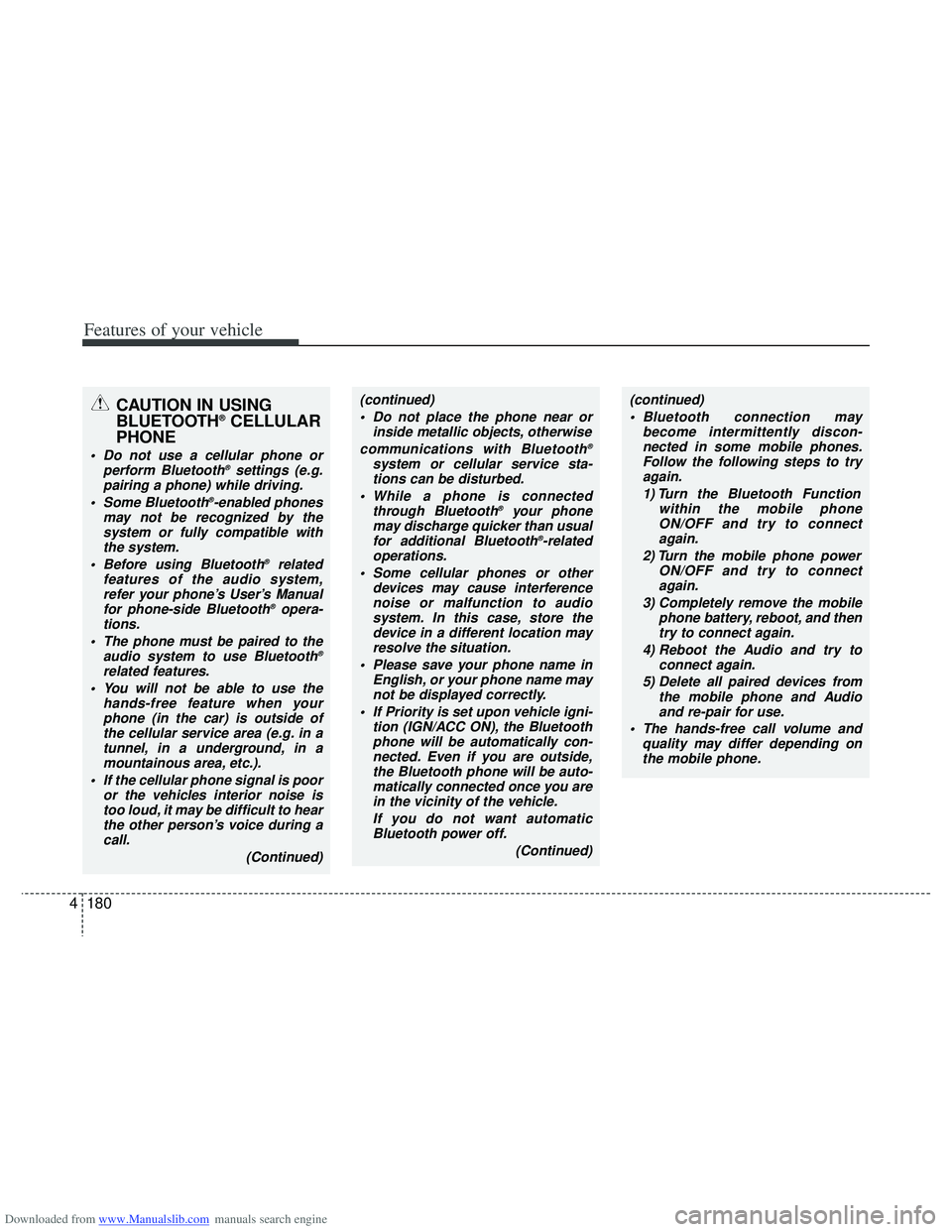
CAUTION IN USING
BLUETOOTH®CELLULAR
PHONE
Do not use a cellular phone or
perform Bluetooth®settings (e.g.
pairing a phone) while driving.
Some Bluetooth
®-enabled phones
may not be recognized by the system or fully compatible withthe system.
Before using Bluetooth
®related
features of the audio system, refer your phone’s User’s Manual for phone-side Bluetooth
®opera-
tions.
The phone must be paired to the audio system to use Bluetooth
®
related features.
You will not be able to use the hands-free feature when yourphone (in the car) is outside ofthe cellular service area (e.g. in atunnel, in a underground, in amountainous area, etc.).
If the cellular phone signal is poor or the vehicles interior noise istoo loud, it may be difficult to hearthe other person’s voice during a call.
(Continued)
(continued) Do not place the phone near or inside metallic objects, otherwise
communications with Bluetooth
®
system or cellular service sta- tions can be disturbed.
While a phone is connected through Bluetooth
®your phone
may discharge quicker than usual for additional Bluetooth
®-related
operations.
Some cellular phones or other devices may cause interferencenoise or malfunction to audiosystem. In this case, store thedevice in a different location mayresolve the situation.
Please save your phone name in English, or your phone name maynot be displayed correctly.
If Priority is set upon vehicle igni- tion (IGN/ACC ON), the Bluetoothphone will be automatically con-nected. Even if you are outside,the Bluetooth phone will be auto-matically connected once you arein the vicinity of the vehicle.
If you do not want automaticBluetooth power off.
(Continued)
(continued) Bluetooth connection may become intermittently discon-nected in some mobile phones.Follow the following steps to try again.
1) Turn the Bluetooth Function within the mobile phoneON/OFF and try to connect again.
2) Turn the mobile phone power ON/OFF and try to connectagain.
3) Completely remove the mobile phone battery, reboot, and thentry to connect again.
4) Reboot the Audio and try to connect again.
5) Delete all paired devices from the mobile phone and Audioand re-pair for use.
The hands-free call volume and quality may differ depending onthe mobile phone.