ESP HYUNDAI I40 2011 Workshop Manual
[x] Cancel search | Manufacturer: HYUNDAI, Model Year: 2011, Model line: I40, Model: HYUNDAI I40 2011Pages: 534, PDF Size: 11.05 MB
Page 349 of 534
Downloaded from www.Manualslib.com manuals search engine Driving your vehicle
56
5
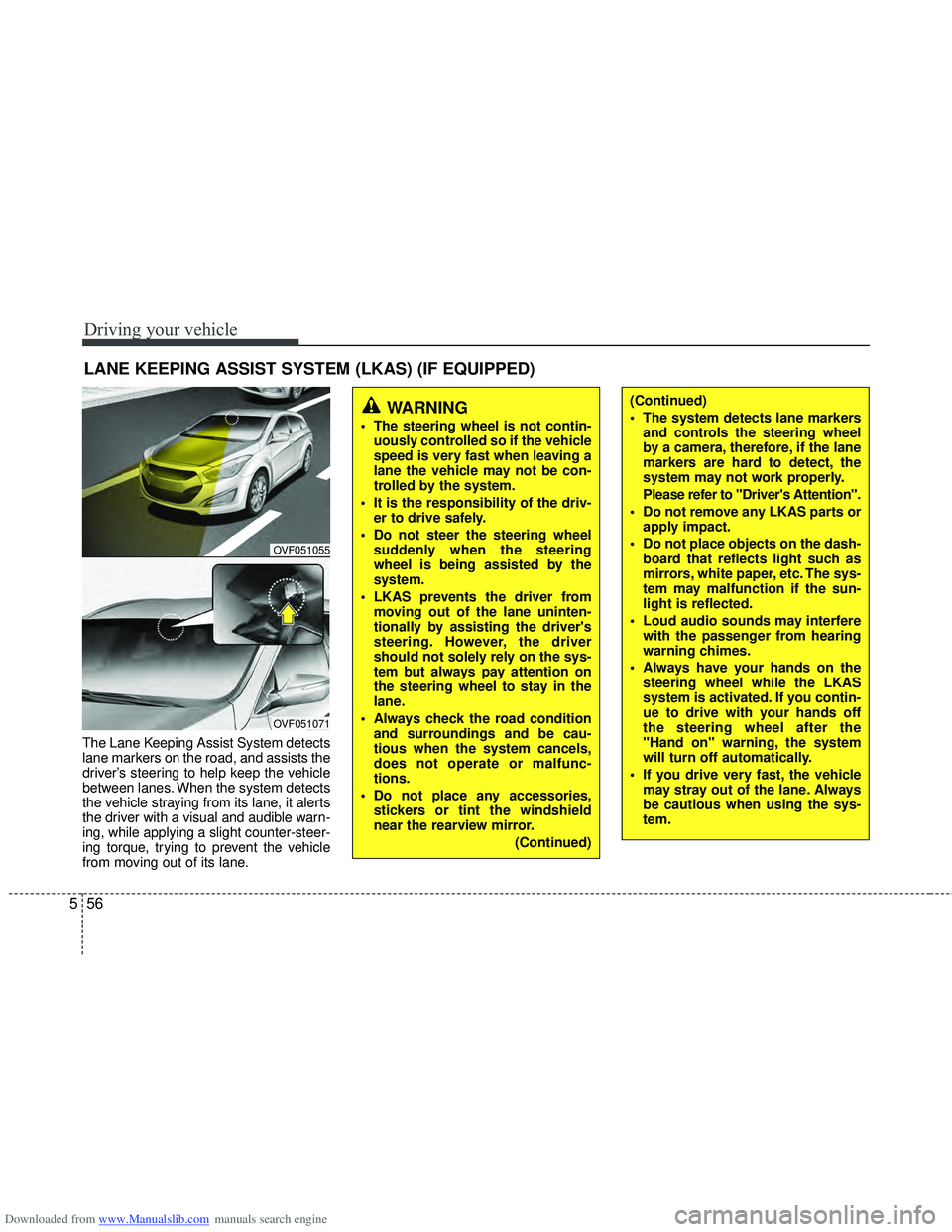
The Lane Keeping Assist System detects
lane markers on the road, and assists the
driver’s steering to help keep the vehicle
between lanes. When the system detects
the vehicle straying from its lane, it alerts
the driver with a visual and audible warn-
ing, while applying a slight counter-steer-
ing torque, trying to prevent the vehicle
from moving out of its lane.
LANE KEEPING ASSIST SYSTEM (LKAS) (IF EQUIPPED)
OVF051055
OVF051071
WARNING
The steering wheel is not contin-
uously controlled so if the vehicle
speed is very fast when leaving a
lane the vehicle may not be con-
trolled by the system.
It is the responsibility of the driv- er to drive safely.
Do not steer the steering wheel suddenly when the steering
wheel is being assisted by the
system.
LKAS prevents the driver from moving out of the lane uninten-
tionally by assisting the driver's
steering. However, the driver
should not solely rely on the sys-
tem but always pay attention on
the steering wheel to stay in the
lane.
Always check the road condition and surroundings and be cau-
tious when the system cancels,
does not operate or malfunc-
tions.
Do not place any accessories, stickers or tint the windshield
near the rearview mirror.
(Continued)
(Continued)
The system detects lane markersand controls the steering wheel
by a camera, therefore, if the lane
markers are hard to detect, the
system may not work properly.
Please refer to "Driver's Attention".
Do not remove any LKAS parts or apply impact.
Do not place objects on the dash- board that reflects light such as
mirrors, white paper, etc. The sys-
tem may malfunction if the sun-
light is reflected.
Loud audio sounds may interfere with the passenger from hearing
warning chimes.
Always have your hands on the steering wheel while the LKAS
system is activated. If you contin-
ue to drive with your hands off
the steering wheel after the
"Hand on" warning, the system
will turn off automatically.
If you drive very fast, the vehicle may stray out of the lane. Always
be cautious when using the sys-
tem.
Page 352 of 534
Downloaded from www.Manualslib.com manuals search engine 559
Driving your vehicle
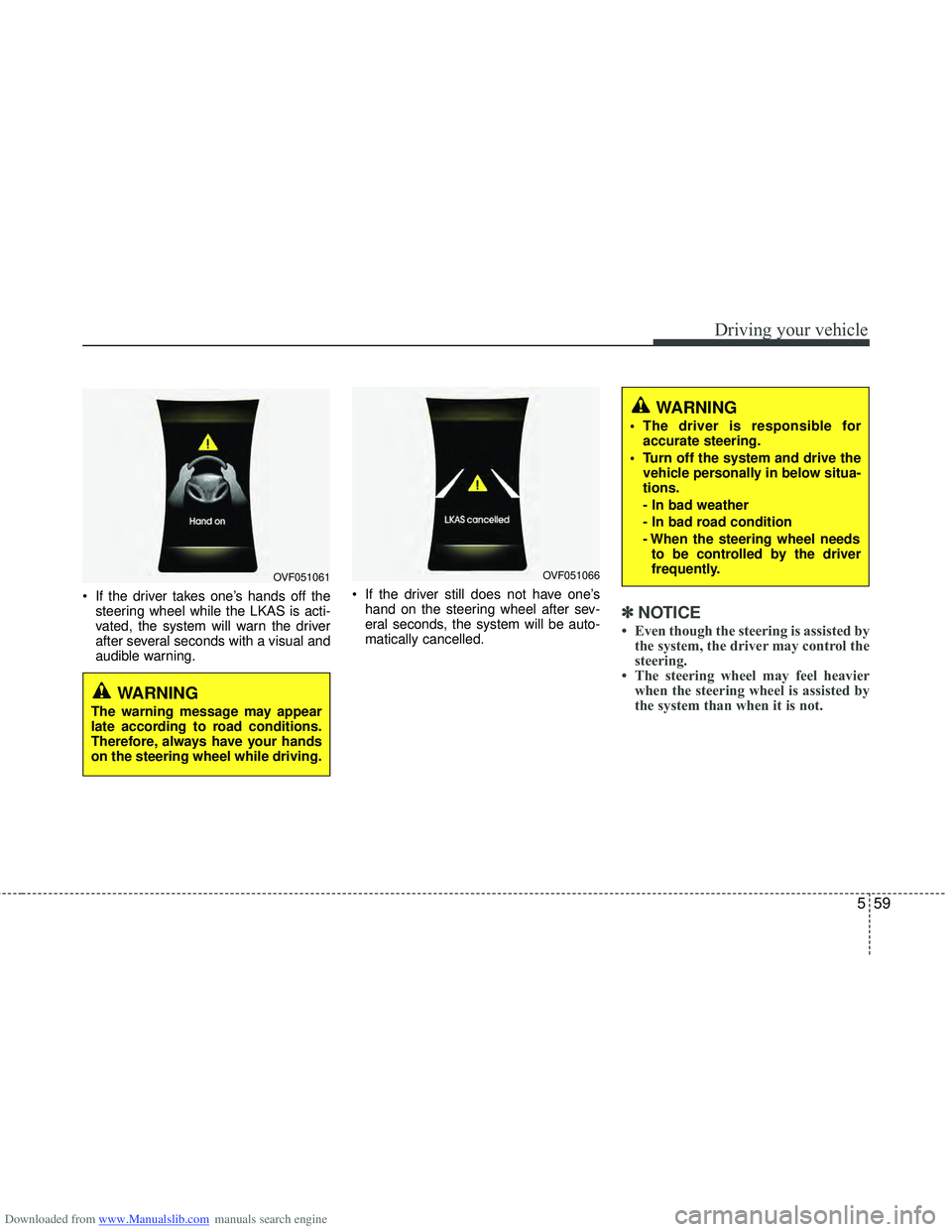
If the driver takes one’s hands off thesteering wheel while the LKAS is acti-
vated, the system will warn the driver
after several seconds with a visual and
audible warning. If the driver still does not have one’s
hand on the steering wheel after sev-
eral seconds, the system will be auto-
matically cancelled.
✽ ✽ NOTICE
• Even though the steering is assisted by
the system, the driver may control the
steering.
• The steering wheel may feel heavier when the steering wheel is assisted by
the system than when it is not.
WARNING
The warning message may appear
late according to road conditions.
Therefore, always have your hands
on the steering wheel while driving.
WARNING
The driver is responsible for
accurate steering.
Turn off the system and drive the vehicle personally in below situa-
tions.
- In bad weather
- In bad road condition
- When the steering wheel needsto be controlled by the driver
frequently.
OVF051061OVF051066
Page 353 of 534
Downloaded from www.Manualslib.com manuals search engine Driving your vehicle
60
5
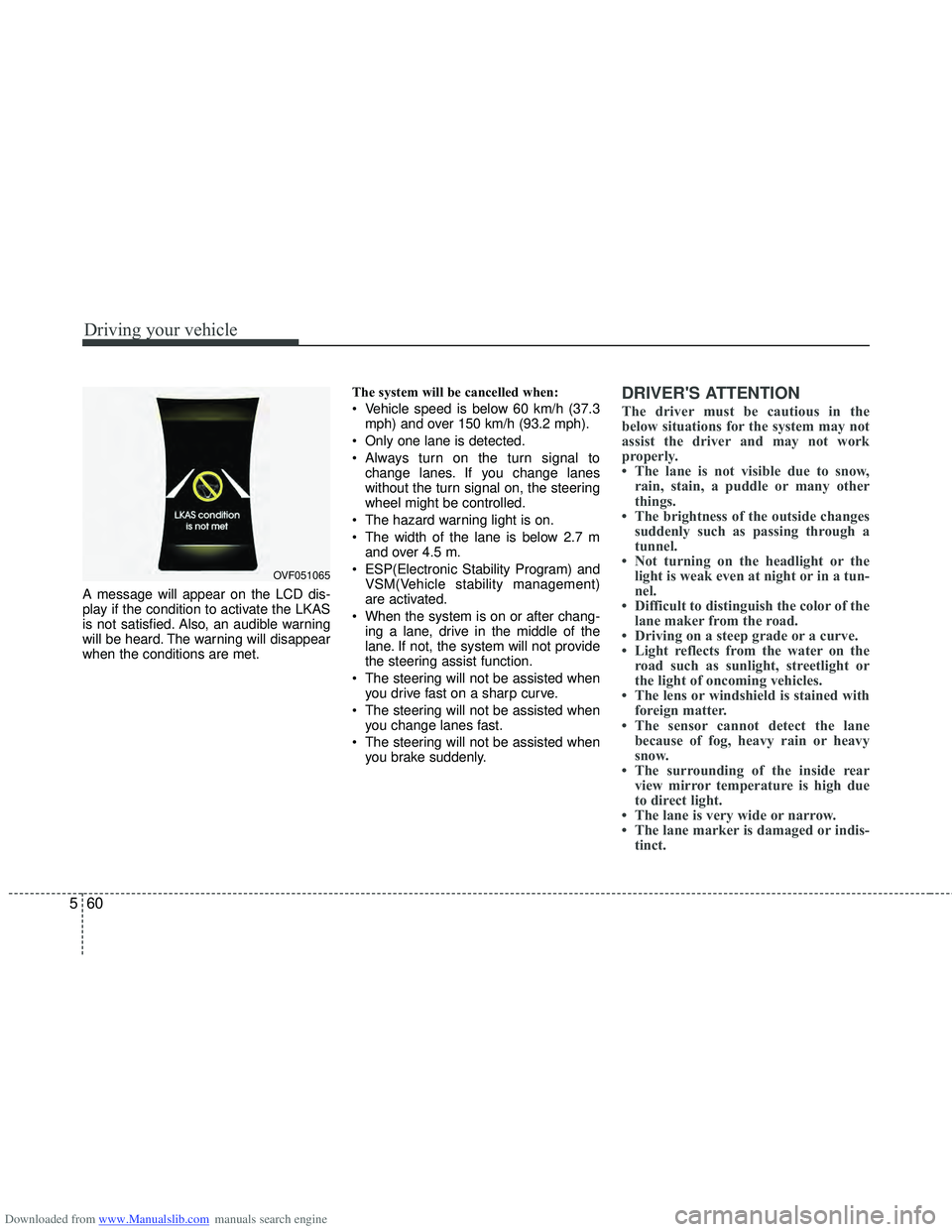
A message will appear on the LCD dis-
play if the condition to activate the LKAS
is not satisfied. Also, an audible warning
will be heard. The warning will disappear
when the conditions are met. The system will be cancelled when:
Vehicle speed is below 60 km/h (37.3
mph) and over 150 km/h (93.2 mph).
Only one lane is detected.
Always turn on the turn signal to change lanes. If you change lanes
without the turn signal on, the steering
wheel might be controlled.
The hazard warning light is on.
The width of the lane is below 2.7 m and over 4.5 m.
ESP(Electronic Stability Program) and VSM(Vehicle stability management)
are activated.
When the system is on or after chang- ing a lane, drive in the middle of the
lane. If not, the system will not provide
the steering assist function.
The steering will not be assisted when you drive fast on a sharp curve.
The steering will not be assisted when you change lanes fast.
The steering will not be assisted when you brake suddenly.
DRIVER'S ATTENTION
The driver must be cautious in the
below situations for the system may not
assist the driver and may not work
properly.
• The lane is not visible due to snow,rain, stain, a puddle or many other
things.
• The brightness of the outside changes suddenly such as passing through a
tunnel.
• Not turning on the headlight or the light is weak even at night or in a tun-
nel.
• Difficult to distinguish the color of the lane maker from the road.
• Driving on a steep grade or a curve.
• Light reflects from the water on the road such as sunlight, streetlight or
the light of oncoming vehicles.
• The lens or windshield is stained with foreign matter.
• The sensor cannot detect the lane because of fog, heavy rain or heavy
snow.
• The surrounding of the inside rear view mirror temperature is high due
to direct light.
• The lane is very wide or narrow.
• The lane marker is damaged or indis- tinct.
OVF051065
Page 356 of 534
Downloaded from www.Manualslib.com manuals search engine 563
Driving your vehicle
ECONOMICAL OPERATION
Your vehicle's fuel economy depends
mainly on your style of driving, where you
drive and when you drive.
Each of these factors affects how many
kilometers (miles) you can get from a
liter (gallon) of fuel. To operate your vehi-
cle as economically as possible, use the
following driving suggestions to help
save money in both fuel and repairs:
Drive smoothly. Accelerate at a moder-ate rate. Do not make "jack-rabbit"
starts or full-throttle shifts and maintain
a steady cruising speed. Do not race
between stoplights. Try to adjust your
speed to the traffic so you do not have
to change speeds unnecessarily. Avoid
heavy traffic whenever possible.
Always maintain a safe distance from
other vehicles so you can avoid unnec-
essary braking. This also reduces
brake wear.
Drive at a moderate speed. The faster you drive, the more fuel your vehicle
uses. Driving at a moderate speed,
especially on the highway, is one of the
most effective ways to reduce fuel con-
sumption. Do not "ride" the brake or clutch pedal.
This can increase fuel consumption
and also increase wear on these com-
ponents. In addition, driving with your
foot resting on the brake pedal may
cause the brakes to overheat, which
reduces their effectiveness and may
lead to more serious consequences.
Take care of your tires. Keep them inflated to the recommended pressure.
Incorrect inflation, either too much or
too little, results in unnecessary tire
wear. Check the tire pressures at least
once a month.
Be sure that the wheels are aligned correctly. Improper alignment can
result from hitting curbs or driving too
fast over irregular surfaces. Poor align-
ment causes faster tire wear and may
also result in other problems as well as
greater fuel consumption. Keep your vehicle in good condition.
For better fuel economy and reduced
maintenance costs, maintain your vehi-
cle in accordance with the mainte-
nance schedule in section 7. If you
drive your vehicle in severe conditions,
more frequent maintenance is required
(see section 7 for details).
Keep your vehicle clean. For maximum service, your vehicle should be kept
clean and free of corrosive materials. It
is especially important that mud, dirt,
ice, etc. not be allowed to accumulate
on the underside of the vehicle. This
extra weight can result in increased
fuel consumption and also contribute
to corrosion.
Travel lightly. Do not carry unnecessary weight in your vehicle. Weight reduces
fuel economy.
Do not let the engine idle longer than necessary. If you are waiting (and not
in traffic), turn off your engine and
restart only when you're ready to go.
Page 360 of 534
Downloaded from www.Manualslib.com manuals search engine 567
Driving your vehicle
✽
✽NOTICE
The ESP system should be turned OFF
prior to rocking the vehicle.
Smooth cornering
Avoid braking or gear changing in cor-
ners, especially when roads are wet.
Ideally, corners should always be taken
under gentle acceleration. If you follow
these suggestions, tire wear will be held
to a minimum.
Driving at night
Because night driving presents more
hazards than driving in the daylight, here
are some important tips to remember:
Slow down and keep more distance
between you and other vehicles, as it
may be more difficult to see at night,
especially in areas where there may
not be any street lights.
Adjust your mirrors to reduce the glare from other driver's headlights.
Keep your headlights clean and prop- erly aimed on vehicles not equipped
with the automatic headlight aiming
feature. Dirty or improperly aimed
headlights will make it much more diffi-
cult to see at night.
Avoid staring directly at the headlights of oncoming vehicles. You could be
temporarily blinded, and it will take
several seconds for your eyes to read-
just to the darkness.
Driving in the rain
Rain and wet roads can make driving
dangerous, especially if you’re not pre-
pared for the slick pavement. Here are a
few things to consider when driving in the
rain:
A heavy rainfall will make it harder tosee and will increase the distance
needed to stop your vehicle, so slow
down.
Keep your windshield wiping equip- ment in good shape. Replace your
windshield wiper blades when they
show signs of streaking or missing
areas on the windshield.
If your tires are not in good condition, making a quick stop on wet pavement
can cause a skid and possibly lead to
an accident. Be sure your tires are in
good shape.
Turn on your headlights to make it eas- ier for others to see you.
Driving too fast through large puddles can affect your brakes. If you must go
through puddles, try to drive through
them slowly.
If you believe you may have gotten your brakes wet, apply them lightly
while driving until normal braking oper-
ation returns.WARNING- Spinning tires
Do not spin the wheels, especially
at speeds more than 56 km/h (35
mph). Spinning the wheels at high
speeds when the vehicle is station-
ary could cause a tire to overheat
which could result in tire damage
that may injure bystanders.
WARNING
If your vehicle becomes stuck in
snow, mud, sand, etc., then you
may attempt to rock the vehicle free
by moving it forward and backward.
Do not attempt this procedure if
people or objects are anywhere
near the vehicle. During the rocking
operation the vehicle may suddenly
move forward or backward as it
becomes unstuck, causing injury
or damage to nearby people or
objects.
Page 368 of 534
Downloaded from www.Manualslib.com manuals search engine 575
Driving your vehicle
Trailer brakes
If your trailer is equipped with a braking
system, make sure it conforms to your
country’s regulations and that it is prop-
erly installed and operating correctly.
If your trailer weight exceeds the maxi-
mum allowed weight without trailer
brakes, then the trailer will also require its
own brakes as well. Be sure to read and
follow the instructions for the trailer
brakes so you’ll be able to install, adjust
and maintain them properly.
Do not tap into or modify your vehicle'sbrake system.
Driving with a trailer
Towing a trailer requires a certain
amount of experience. Before setting out
for the open road, you must get to know
your trailer. Acquaint yourself with the
feel of handling and braking with the
added weight of the trailer. And always
keep in mind that the vehicle you are
driving is now a good deal longer and not
nearly so responsive as your vehicle is
by itself.
Before you start, check the trailer hitch
and platform, safety chains, electrical
connector(s), lights, tires and mirror
adjustment. If the trailer has electric
brakes, start your vehicle and trailer mov-
ing and then apply the trailer brake con-
troller by hand to be sure the brakes are
working. This lets you check your electri-
cal connection at the same time.
During your trip, check occasionally to be
sure that the load is secure, and that the
lights and any trailer brakes are still work-
ing.
Following distance
Stay at least twice as far behind the vehi-
cle ahead as you would when driving
your vehicle without a trailer. This can
help you avoid situations that require
heavy braking and sudden turns.
Passing
You’ll need more passing distance up
ahead when you’re towing a trailer. And,
because of the increased vehicle length,
you’ll need to go much farther beyond the
passed vehicle before you can return to
your lane.
Backing up
Hold the bottom of the steering wheel
with one hand. Then, to move the trailer
to the left, just move your hand to the left.
To move the trailer to the right, move your
hand to the right. Always back up slowly
and, if possible, have someone guide
you.
Making turns
When you’re turning with a trailer, make
wider turns than normal. Do this so your
trailer won’t strike soft shoulders, curbs,
road signs, trees, or other objects. Avoid
jerky or sudden maneuvers. Signal well
in advance.
WARNING- Trailer brakes
Do not use a trailer with its own
brakes unless you are absolutely
certain that you have properly set
up the brake system. This is not a
task for amateurs. Use an experi-
enced, competent trailer shop for
this work.
Page 390 of 534
Downloaded from www.Manualslib.com manuals search engine 615
What to do in an emergency
Do not take this vehicle through anautomatic car wash while the com-
pact spare tire is installed.
Do not use tire chains on the com- pact spare tire. Because of the
smaller size, a tire chain will not fit
properly. This could damage the
vehicle and result in loss of the
chain.
The compact spare tire should not be installed on the front axle if the
vehicle must be driven in snow or
on ice.
Do not use the compact spare tire on any other vehicle because this
tire has been designed especially
for your vehicle.
The compact spare tire’s tread life is shorter than a regular tire.
Inspect your compact spare tire
regularly and replace worn com-
pact spare tires with the same size
and design, mounted on the same
wheel. The compact spare tire should not
be used on any other wheels, nor
should standard tires, snow tires,
wheel covers or trim rings be used
with the compact spare wheel. If
such use is attempted, damage to
these items or other car compo-
nents may occur.
Do not use more than one compact spare tire at a time.
Do not tow a trailer while the com- pact spare tire is installed.
Page 391 of 534
Downloaded from www.Manualslib.com manuals search engine What to do in an emergency
16
6
TIRE PRESSURE MONITORING SYSTEM (TPMS) (IF EQUIPPED)
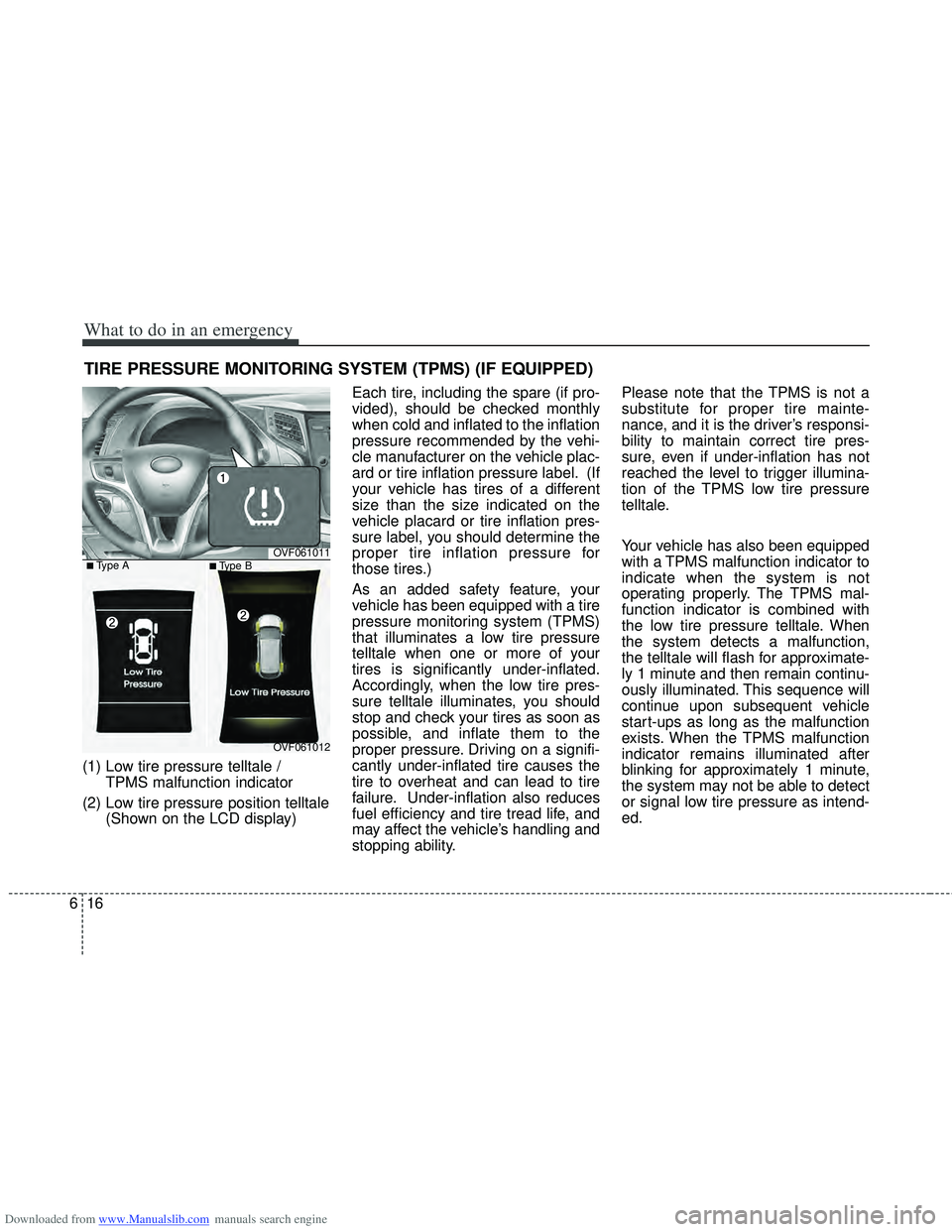
(1) Low tire pressure telltale /
TPMS malfunction indicator
(2) Low tire pressure position telltale (Shown on the LCD display) Each tire, including the spare (if pro-
vided), should be checked monthly
when cold and inflated to the inflation
pressure recommended by the vehi-
cle manufacturer on the vehicle plac-
ard or tire inflation pressure label. (If
your vehicle has tires of a different
size than the size indicated on the
vehicle placard or tire inflation pres-
sure label, you should determine the
proper tire inflation pressure for
those tires.)
As an added safety feature, your
vehicle has been equipped with a tire
pressure monitoring system (TPMS)
that illuminates a low tire pressure
telltale when one or more of your
tires is significantly under-inflated.
Accordingly, when the low tire pres-
sure telltale illuminates, you should
stop and check your tires as soon as
possible, and inflate them to the
proper pressure. Driving on a signifi-
cantly under-inflated tire causes the
tire to overheat and can lead to tire
failure. Under-inflation also reduces
fuel efficiency and tire tread life, and
may affect the vehicle’s handling and
stopping ability. Please note that the TPMS is not a
substitute for proper tire mainte-
nance, and it is the driver’s responsi-
bility to maintain correct tire pres-
sure, even if under-inflation has not
reached the level to trigger illumina-
tion of the TPMS low tire pressure
telltale.
Your vehicle has also been equipped
with a TPMS malfunction indicator to
indicate when the system is not
operating properly. The TPMS mal-
function indicator is combined with
the low tire pressure telltale. When
the system detects a malfunction,
the telltale will flash for approximate-
ly 1 minute and then remain continu-
ously illuminated. This sequence will
continue upon subsequent vehicle
start-ups as long as the malfunction
exists. When the TPMS malfunction
indicator remains illuminated after
blinking for approximately 1 minute,
the system may not be able to detect
or signal low tire pressure as intend-
ed.
OVF061011
OVF061012
■Type A■Type B
Page 392 of 534
Downloaded from www.Manualslib.com manuals search engine 617
What to do in an emergency
TPMS malfunctions may occur for a
variety of reasons, including the
installation of replacement or alter-
nate tires or wheels on the vehicle
that prevent the TPMS from function-
ing properly. Always check the
TPMS malfunction telltale after
replacing one or more tires or wheels
on your vehicle to ensure that the
replacement or alternate tires and
wheels allow the TPMS to continue
to function properly.
✽ ✽NOTICE
Take your vehicle to the nearest
authorized HYUNDAI dealer and
have the system checked if any of
the below happens:
1.The low tire pressure telltale/
TPMS malfunction indicator and
low tire pressure position telltale
do not illuminate.
2. The TPMS malfunction indicator remains illuminated after blinking
for approximately 1 minute.
3. The Low tire pressure position telltale remains illuminated.
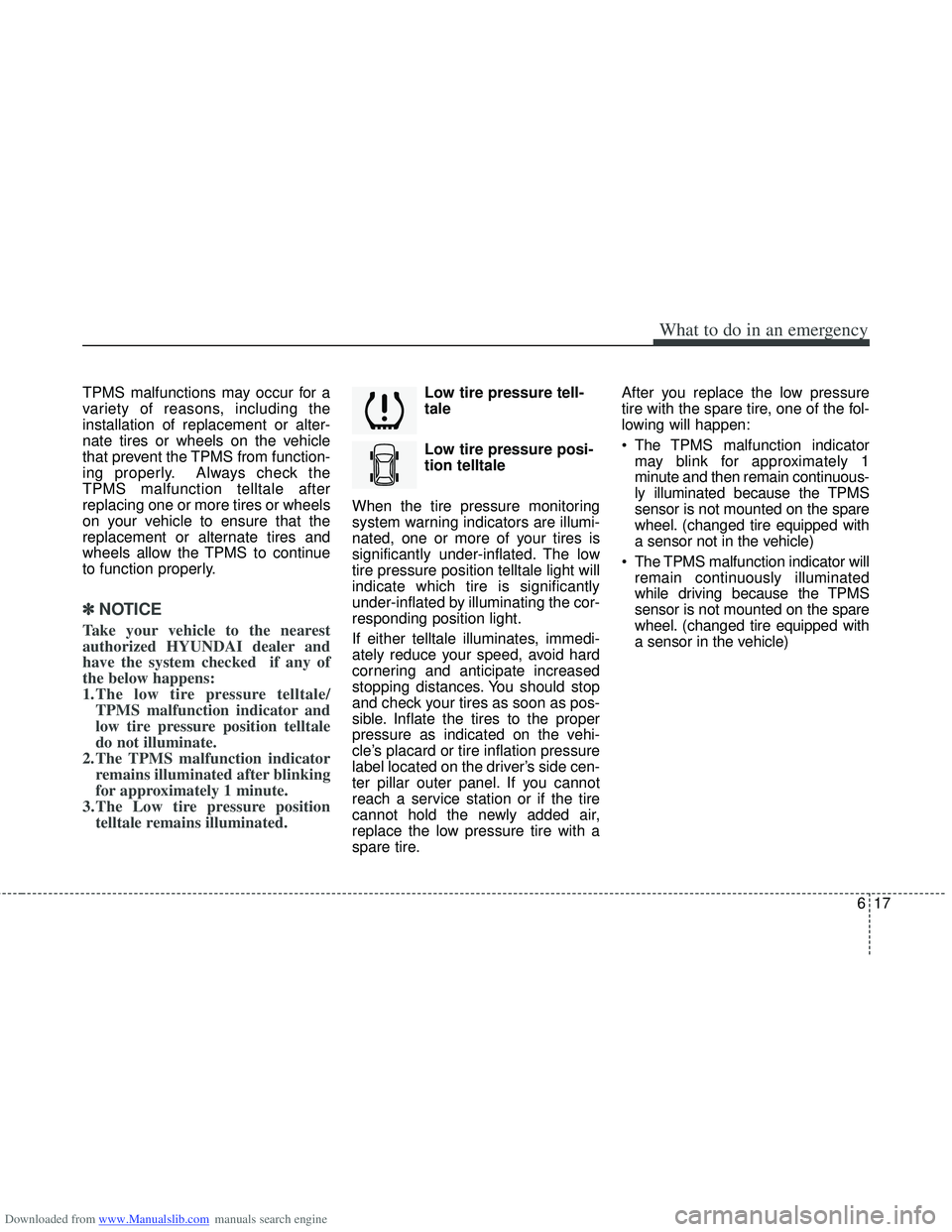
Low tire pressure tell-
tale
Low tire pressure posi-
tion telltale
When the tire pressure monitoring
system warning indicators are illumi-
nated, one or more of your tires is
significantly under-inflated. The low
tire pressure position telltale light will
indicate which tire is significantly
under-inflated by illuminating the cor-
responding position light.
If either telltale illuminates, immedi-
ately reduce your speed, avoid hard
cornering and anticipate increased
stopping distances. You should stop
and check your tires as soon as pos-
sible. Inflate the tires to the proper
pressure as indicated on the vehi-
cle’s placard or tire inflation pressure
label located on the driver’s side cen-
ter pillar outer panel. If you cannot
reach a service station or if the tire
cannot hold the newly added air,
replace the low pressure tire with a
spare tire. After you replace the low pressure
tire with the spare tire, one of the fol-
lowing will happen:
The TPMS malfunction indicator
may blink for approximately 1
minute and then remain continuous-
ly illuminated because the TPMS
sensor is not mounted on the spare
wheel. (changed tire equipped with
a sensor not in the vehicle)
The TPMS malfunction indicator will remain continuously illuminated
while driving because the TPMS
sensor is not mounted on the spare
wheel. (changed tire equipped with
a sensor in the vehicle)
Page 396 of 534
Downloaded from www.Manualslib.com manuals search engine 621
What to do in an emergency
IF YOU HAVE A FLAT TIRE (WITH TIREMOBILITYKIT, IF EQUIPPED)
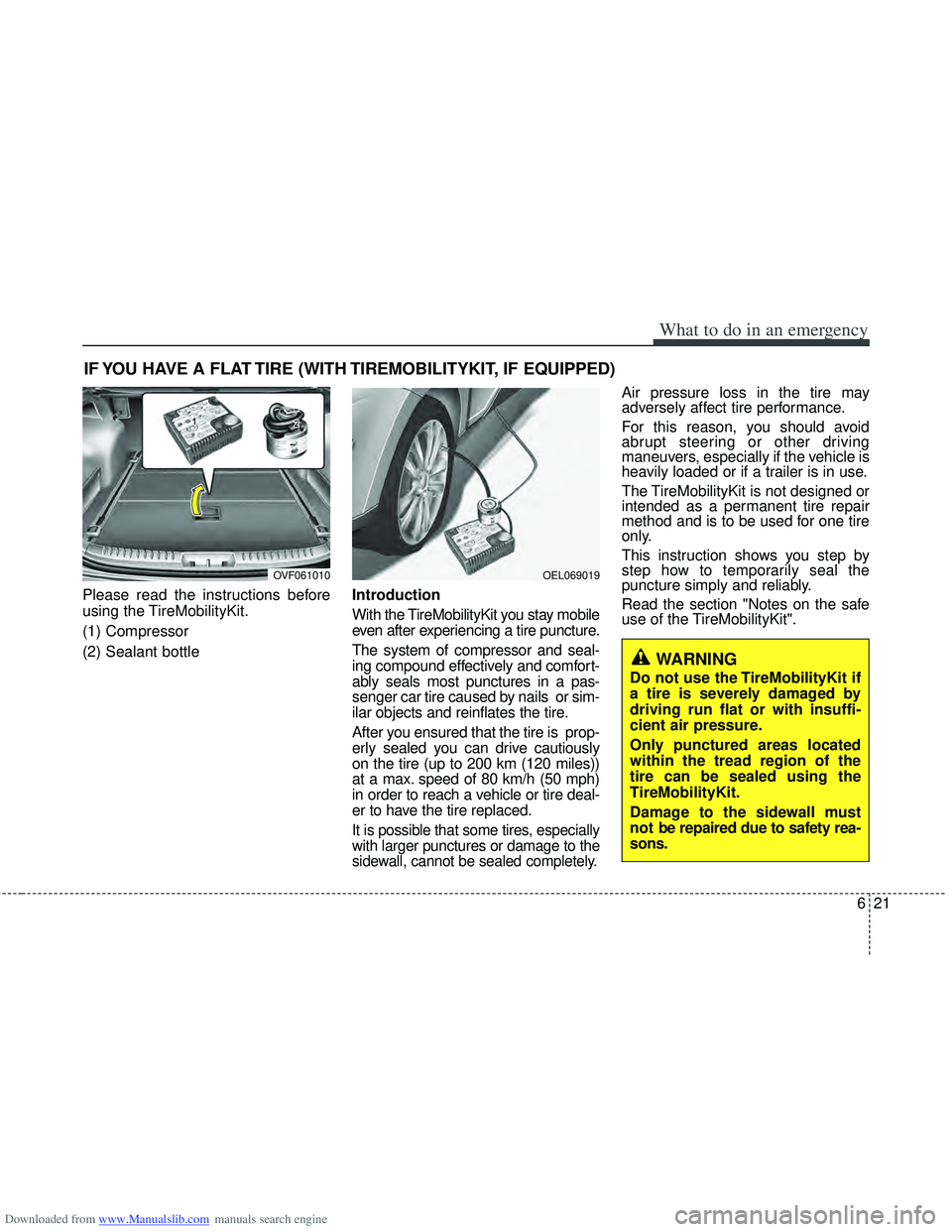
Please read the instructions before
using the TireMobilityKit.
(1) Compressor
(2) Sealant bottleIntroduction
With the TireMobilityKit you stay mobile
even after experiencing a tire puncture.
The system of compressor and seal-
ing compound effectively and comfort-
ably seals most punctures in a pas-
senger car tire caused by nails or sim-
ilar objects and reinflates the tire.
After you ensured that the tire is prop-
erly sealed you can drive cautiously
on the tire (up to 200 km (120 miles))
at a max. speed of 80 km/h (50 mph)
in order to reach a vehicle or tire deal-
er to have the tire replaced.
It is possible that some tires, especially
with larger punctures or damage to the
sidewall, cannot be sealed completely.
Air pressure loss in the tire may
adversely affect tire performance.
For this reason, you should avoid
abrupt steering or other driving
maneuvers, especially if the vehicle is
heavily loaded or if a trailer is in use.
The TireMobilityKit is not designed or
intended as a permanent tire repair
method and is to be used for one tire
only.
This instruction shows you step by
step how to temporarily seal the
puncture simply and reliably.
Read the section "Notes on the safe
use of the TireMobilityKit".
OEL069019
WARNING
Do not use the TireMobilityKit if
a tire is severely damaged by
driving run flat or with insuffi-
cient air pressure.
Only punctured areas located
within the tread region of the
tire can be sealed using the
TireMobilityKit.
Damage to the sidewall must
not be repaired due to safety rea-
sons.
OVF061010