AUX HYUNDAI I40 2012 User Guide
[x] Cancel search | Manufacturer: HYUNDAI, Model Year: 2012, Model line: I40, Model: HYUNDAI I40 2012Pages: 534, PDF Size: 11.05 MB
Page 276 of 534
Downloaded from www.Manualslib.com manuals search engine 4189
Features of your vehicle
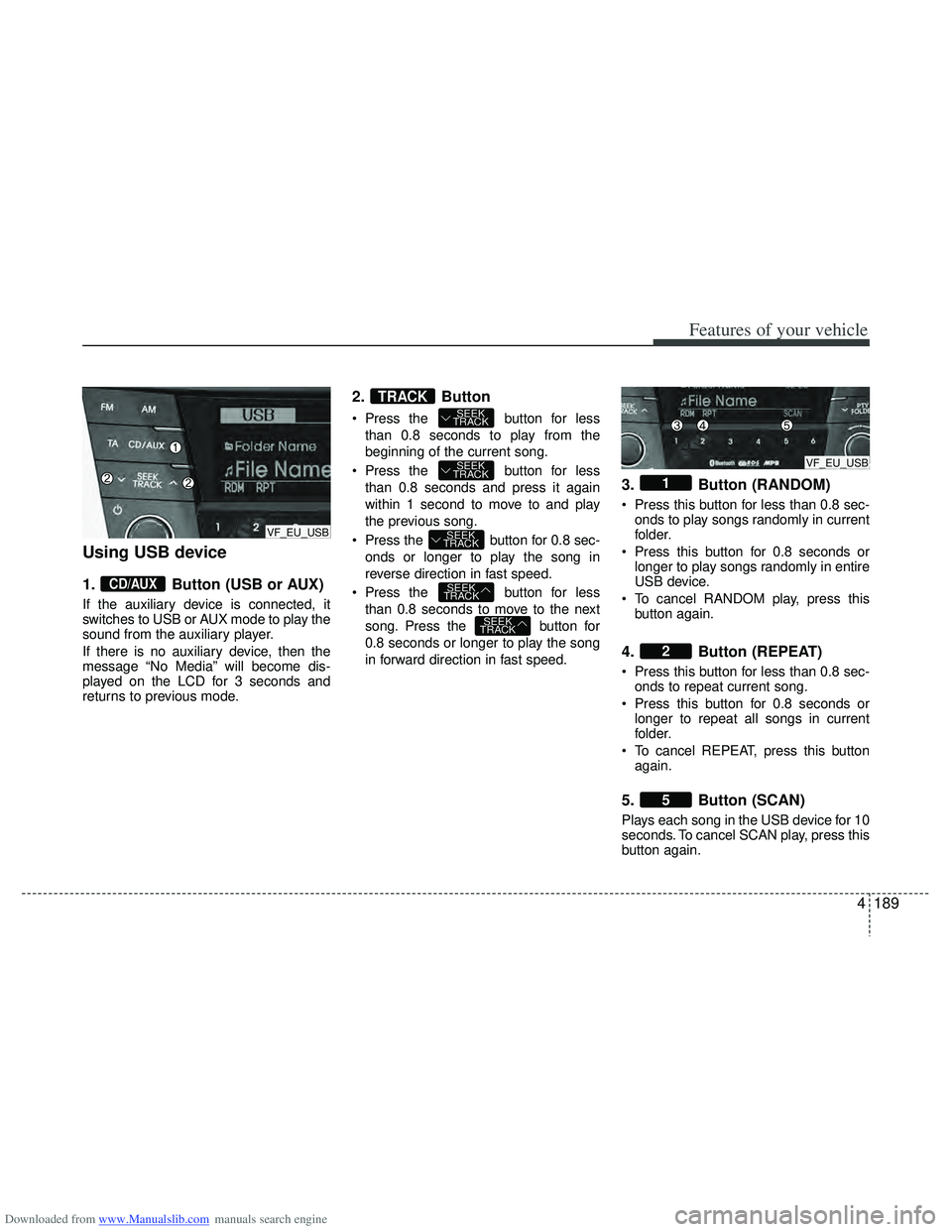
Using USB device
1.Button (USB or AUX)
If the auxiliary device is connected, it
switches to USB or AUX mode to play the
sound from the auxiliary player.
If there is no auxiliary device, then the
message “No Media” will become dis-
played on the LCD for 3 seconds and
returns to previous mode.
2. Button
Press the button for less
than 0.8 seconds to play from the
beginning of the current song.
Press the button for less than 0.8 seconds and press it again
within 1 second to move to and play
the previous song.
Press the button for 0.8 sec- onds or longer to play the song in
reverse direction in fast speed.
Press the button for less than 0.8 seconds to move to the next
song. Press the button for
0.8 seconds or longer to play the song
in forward direction in fast speed.
3. Button (RANDOM)
Press this button for less than 0.8 sec-onds to play songs randomly in current
folder.
Press this button for 0.8 seconds or longer to play songs randomly in entire
USB device.
To cancel RANDOM play, press this button again.
4. Button (REPEAT)
Press this button for less than 0.8 sec-onds to repeat current song.
Press this button for 0.8 seconds or longer to repeat all songs in current
folder.
To cancel REPEAT, press this button again.
5. Button (SCAN)
Plays each song in the USB device for 10
seconds. To cancel SCAN play, press this
button again.
5
2
1
SEEK
TRACK
SEEK
TRACK
SEEK
TRACK
SEEK
TRACK
SEEK
TRACKTRACK
CD/AUX
VF_EU_USB
VF_EU_USB
Page 280 of 534
Downloaded from www.Manualslib.com manuals search engine 4193
Features of your vehicle
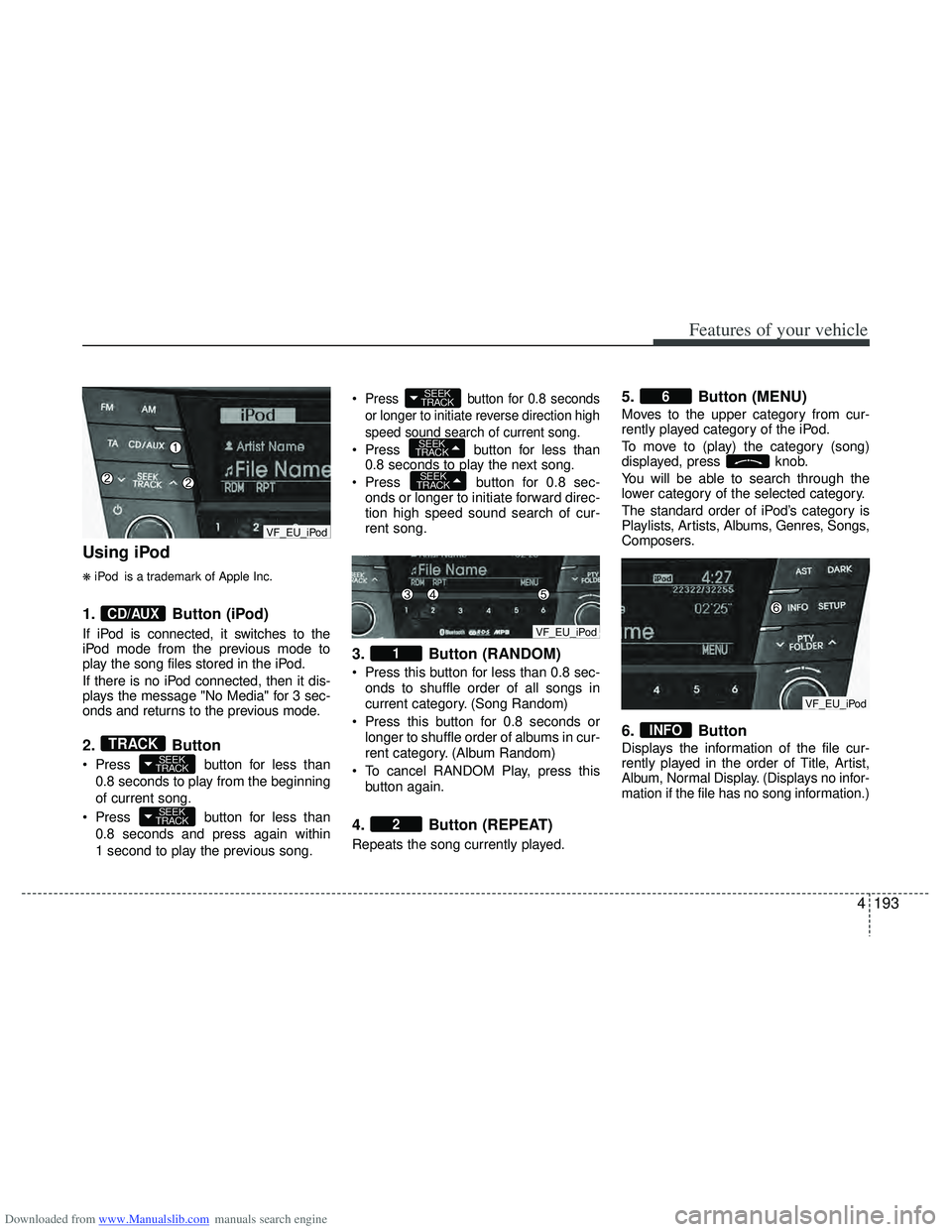
Using iPod
❋iPod is a trademark of Apple Inc.
1.Button (iPod)
If iPod is connected, it switches to the
iPod mode from the previous mode to
play the song files stored in the iPod.
If there is no iPod connected, then it dis-
plays the message "No Media" for 3 sec-
onds and returns to the previous mode.
2.Button
Press button for less than
0.8 seconds to play from the beginning
of current song.
Press button for less than 0.8 seconds and press again within
1 second to play the previous song.
Press button for 0.8 seconds
or longer to initiate reverse direction high
speed sound search of current song.
Press button for less than
0.8 seconds to play the next song.
Press button for 0.8 sec-
onds or longer to initiate forward direc-
tion high speed sound search of cur-
rent song.
3. Button (RANDOM)
Press this button for less than 0.8 sec-
onds to shuffle order of all songs in
current category. (Song Random)
Press this button for 0.8 seconds or longer to shuffle order of albums in cur-
rent category. (Album Random)
To cancel RANDOM Play, press this button again.
4. Button (REPEAT)
Repeats the song currently played.
5. Button (MENU)
Moves to the upper category from cur-
rently played category of the iPod.
To move to (play) the category (song)
displayed, press knob.
You will be able to search through the
lower category of the selected category.
The standard order of iPod’s category is
Playlists, Artists, Albums, Genres, Songs,
Composers.
6. Button
Displays the information of the file cur-
rently played in the order of Title, Artist,
Album, Normal Display. (Displays no infor-
mation if the file has no song information.)
INFO
6
2
1
SEEK
TRACK
SEEK
TRACK
SEEK
TRACK
SEEK
TRACK
SEEK
TRACKTRACK
CD/AUX
VF_EU_iPod
VF_EU_iPod
VF_EU_iPod
Page 282 of 534
Downloaded from www.Manualslib.com manuals search engine 4195
Features of your vehicle
✽
✽NOTICE FOR USING THE
iPod DEVICE
• Some iPod models might not sup-
port the communication protocol
and the files will not be played.
Supported iPod models:
- iPod Mini
- iPod 4th(Photo) ~ 6th(Classic)
generation
- iPod Nano 1st~4th generation
- iPod Touch 1st~2nd generation
• The order of search or playback of songs in the iPod can be different
from the order searched in the
audio system.
• If the iPod disabled due to its own malfunction, reset the iPod. (Reset:
Refer to iPod manual)
• An iPod may not operate normally on low battery.
• Some iPod devices, such as the iPhone, can be connected through the
Bluetooth
®interface. The device
must have audio Bluetooth®capabili-
ty (such as for stereo headphone
Bluetooth
®). The device can play, but
it will not be controlled by the audio
system.
CAUTION IN USING THE
iPod DEVICE
The Hyundai iPod Power Cable is
needed in order to operate iPodwith the audio buttons on theaudio system. The USB cable pro-vided by Apple may cause mal-function and should not be usedfor Hyundai vehicles.
❋ The Hyundai iPod Power Cablemay be purchased through yourHyundai Dealership.
When connecting iPod with the iPod Power Cable, insert the con-nector to the multimedia socket completely. If not inserted com-pletely, communications betweeniPod and audio may be interrupted.
When adjusting the sound effects of the iPod and the audio system, thesound effects of both devices willoverlap and might reduce or distort the quality of the sound.
Deactivate (turn off) the equalizer function of an iPod when adjust-ing the audio system’s volume,and turn off the equalizer of theaudio system when using theequalizer of an iPod.
(Continued)
(Continued) When the iPod cable is connected, the system can be switched to AUXmode even without iPod deviceand may cause noise. D isconnect
the iPod cable when you are not using the iPod device.
When not using iPod with car audio, detach the iPod cable fromiPod. Otherwise, iPod may remainin accessory mode, and may notwork properly.
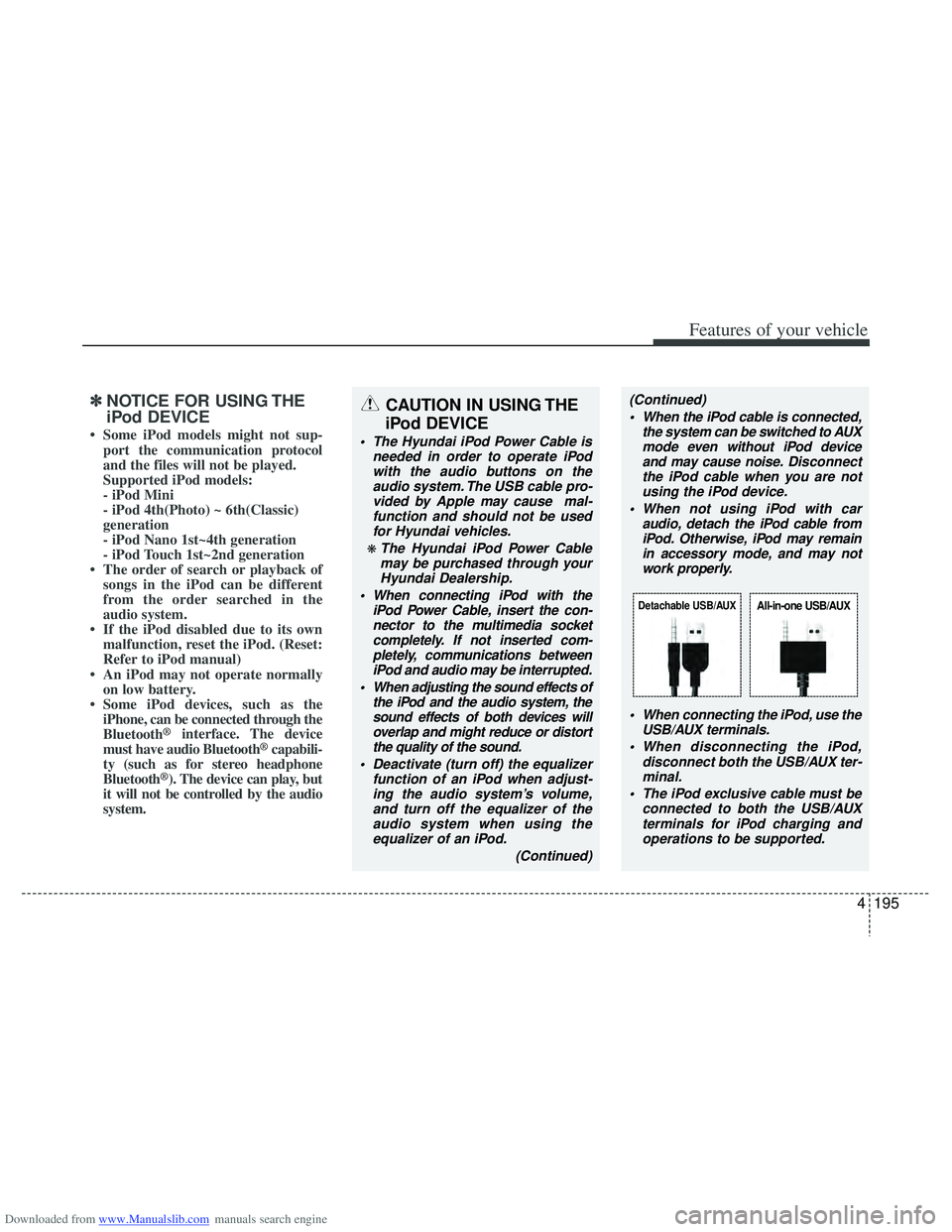
When connecting the iPod, use theUSB/AUX terminals.
When disconnecting the iPod, disconnect both the USB/AUX ter-minal.
The iPod exclusive cable must be connected to both the USB/AUXterminals for iPod charging and operations to be supported.
Detachable USB/AUXAll-in-one USB/AUX
Page 291 of 534
Downloaded from www.Manualslib.com manuals search engine Features of your vehicle
204
4
■Bluetooth®Audio Music Streaming
The audio system supports Bluetooth®
A2DP (Audio Advanced Distribution
Profile) and AVRCP (Audio Video
Remote Control Profile) technologies.
Both profiles provide steaming of music
via compatible “PAIRED” Bluetooth
®
Cellular phone.
To stream music from the Bluetooth® cel-
lular phone, play your music files on your
cellular phone according to your cellular
phone user’s manual and press the button on the audio system until
“MP3 play” is displayed on the LCD.
The audio system head unit displays
‘MP3 MODE’.
NOTE:
all music and sound files your cellu-
lar phone supports can be played
by the audio system.
®compatible cellular
phones must include A2DP and
AVRCP capabilities.
AVRCP compatible Bluetooth
®cellular phones may not
play music through the audio sys-
tem initially. These cellular phones
may need to have the Bluetooth
®
streaming enabled, for example;
i.e : Menu
\bFilemanager\bMusic\bOption\bPlay via Bluetooth
cellular phone for more information.
To cancel Bluetooth
®cellular phone
music streaming, stop music play-
back on the cellular phone or
change the audio mode to AM/FM,
CD, iPod, ect.
CD/AUX
Page 525 of 534
Downloaded from www.Manualslib.com manuals search engine Index
2I
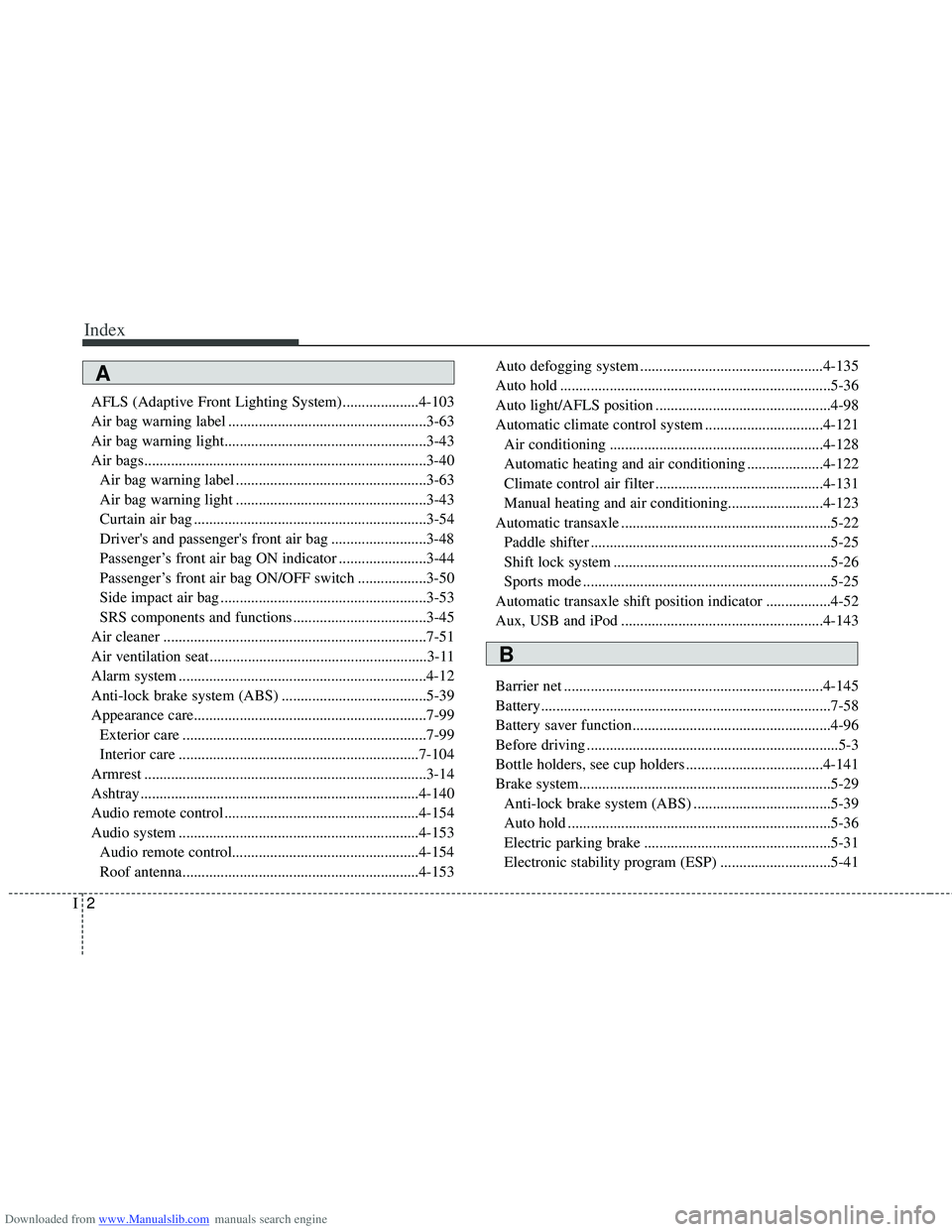
AFLS (Adaptive Front Lighting System)....................4-103
Air bag warning label ....................................................3-63
Air bag warning light.....................................................3-43
Air bags........................................................................\
..3-40Air bag warning label ..................................................3-63
Air bag warning light ..................................................3-43
Curtain air bag .............................................................3-54
Driver's and passenger's front air bag .........................3-48
Passenger’s front air bag ON indicator .......................3-44
Passenger’s front air bag ON/OFF switch ..................3-50
Side impact air bag ......................................................3-53
SRS components and functions ...................................3-45
Air cleaner .....................................................................7-5\
1
Air ventilation seat .........................................................3-11
Alarm system .................................................................4-12
Anti-lock brake system (ABS) ......................................5-39
Appearance care.............................................................7-99 Exterior care ................................................................7-99
Interior care ...............................................................7-104
Armrest ........................................................................\
..3-14
Ashtray ........................................................................\
.4-140
Audio remote control ...................................................4-154
Audio system ...............................................................4-153 Audio remote control.................................................4-1\
54
Roof antenna..............................................................4-153 Auto defogging system ................................................4-135
Auto hold .......................................................................5\
-36
Auto light/AFLS position ..............................................4-98
Automatic climate control system ...............................4-121
Air conditioning ........................................................4-128
Automatic heating and air conditioning ....................4-122
Climate control air filter ............................................4-131
Manual heating and air conditioning.........................4-123
Automatic transaxle .......................................................5-22 Paddle shifter ...............................................................5-25
Shift lock system .........................................................5-26
Sports mode .................................................................5-25
Automatic transaxle shift position indicator .................4-52
Aux, USB and iPod .....................................................4-143
Barrier net ....................................................................4-14\
5
Battery........................................................................\
....7-58
Battery saver function....................................................4-96
Before driving ..................................................................5-3
Bottle holders, see cup holders ....................................4-141
Brake system..................................................................5-29 Anti-lock brake system (ABS) ....................................5-39
Auto hold .....................................................................5-3\
6
Electric parking brake .................................................5-31
Electronic stability program (ESP) .............................5-41
A
B
Page 529 of 534
Downloaded from www.Manualslib.com manuals search engine Index
6I
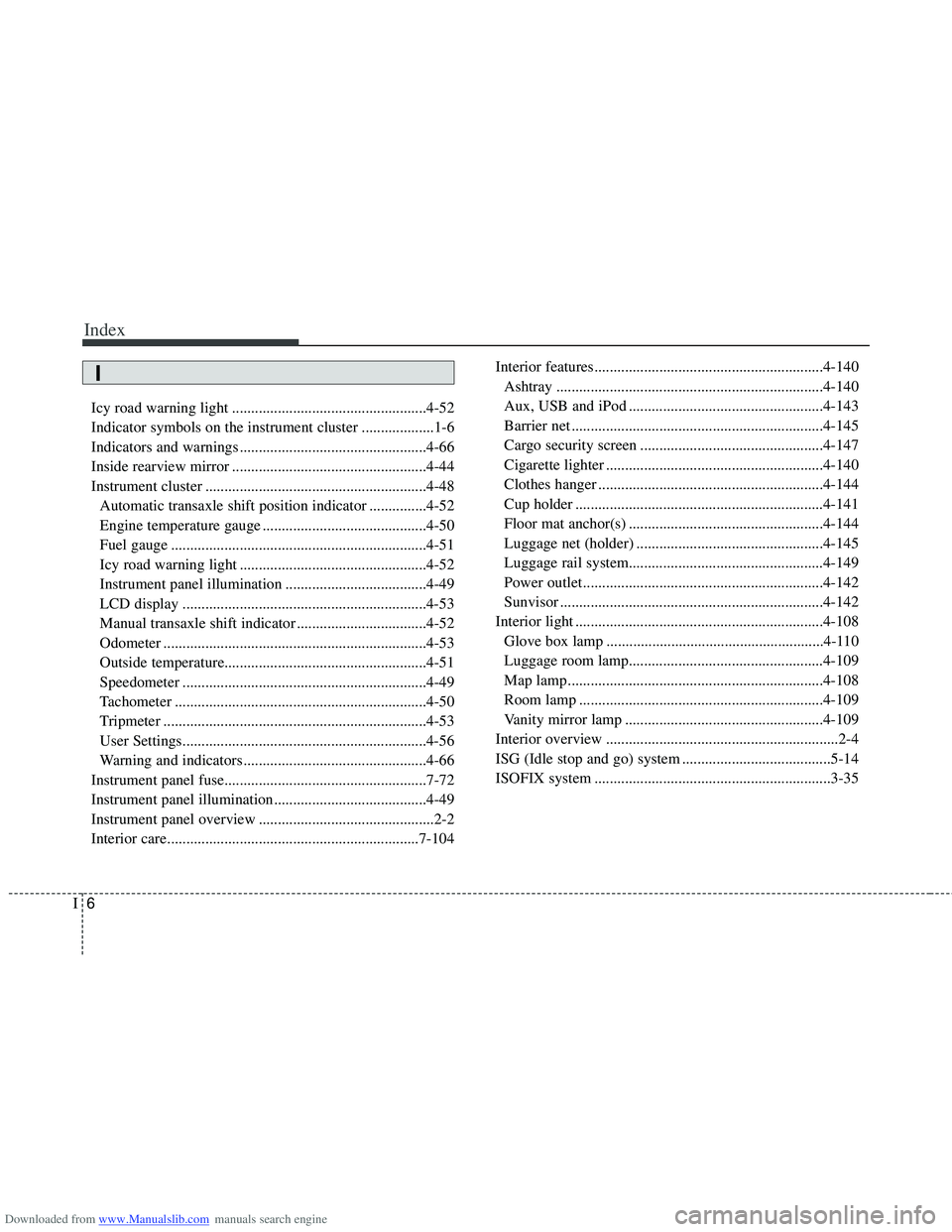
Icy road warning light ...................................................4-52
Indicator symbols on the instrument cluster ...................1-6
Indicators and warnings .................................................4-66
Inside rearview mirror ...................................................4-44
Instrument cluster ..........................................................4-48Automatic transaxle shift position indicator ...............4-52
Engine temperature gauge ...........................................4-50
Fuel gauge ...................................................................4-51
Icy road warning light .................................................4-52
Instrument panel illumination .....................................4-49
LCD display ................................................................4-53
Manual transaxle shift indicator ..................................4-52
Odometer .....................................................................4-5\
3
Outside temperature.....................................................\
4-51
Speedometer ................................................................4-49
Tachometer ..................................................................4-50
Tripmeter .....................................................................4-5\
3
User Settings................................................................4-56
Warning and indicators ................................................4-66
Instrument panel fuse.....................................................7-72
Instrument panel illumination........................................4-49
Instrument panel overview ..............................................2-2
Interior care..................................................................7-104 Interior features............................................................4-140
Ashtray ......................................................................4-\
140
Aux, USB and iPod ...................................................4-143
Barrier net ..................................................................4-145
Cargo security screen ................................................4-147
Cigarette lighter .........................................................4-140
Clothes hanger ...........................................................4-144
Cup holder .................................................................4-141
Floor mat anchor(s) ...................................................4-144
Luggage net (holder) .................................................4-145
Luggage rail system...................................................4-\
149
Power outlet ...............................................................4-142
Sunvisor .....................................................................4-1\
42
Interior light .................................................................4-108 Glove box lamp .........................................................4-110
Luggage room lamp...................................................4-10\
9
Map lamp ...................................................................4-108\
Room lamp ................................................................4-109
Vanity mirror lamp ....................................................4-109
Interior overview .............................................................2-4
ISG (Idle stop and go) system .......................................5-14
ISOFIX system ..............................................................3-35
I