head HYUNDAI I40 2012 Service Manual
[x] Cancel search | Manufacturer: HYUNDAI, Model Year: 2012, Model line: I40, Model: HYUNDAI I40 2012Pages: 534, PDF Size: 11.05 MB
Page 281 of 534
Downloaded from www.Manualslib.com manuals search engine Features of your vehicle
194
4
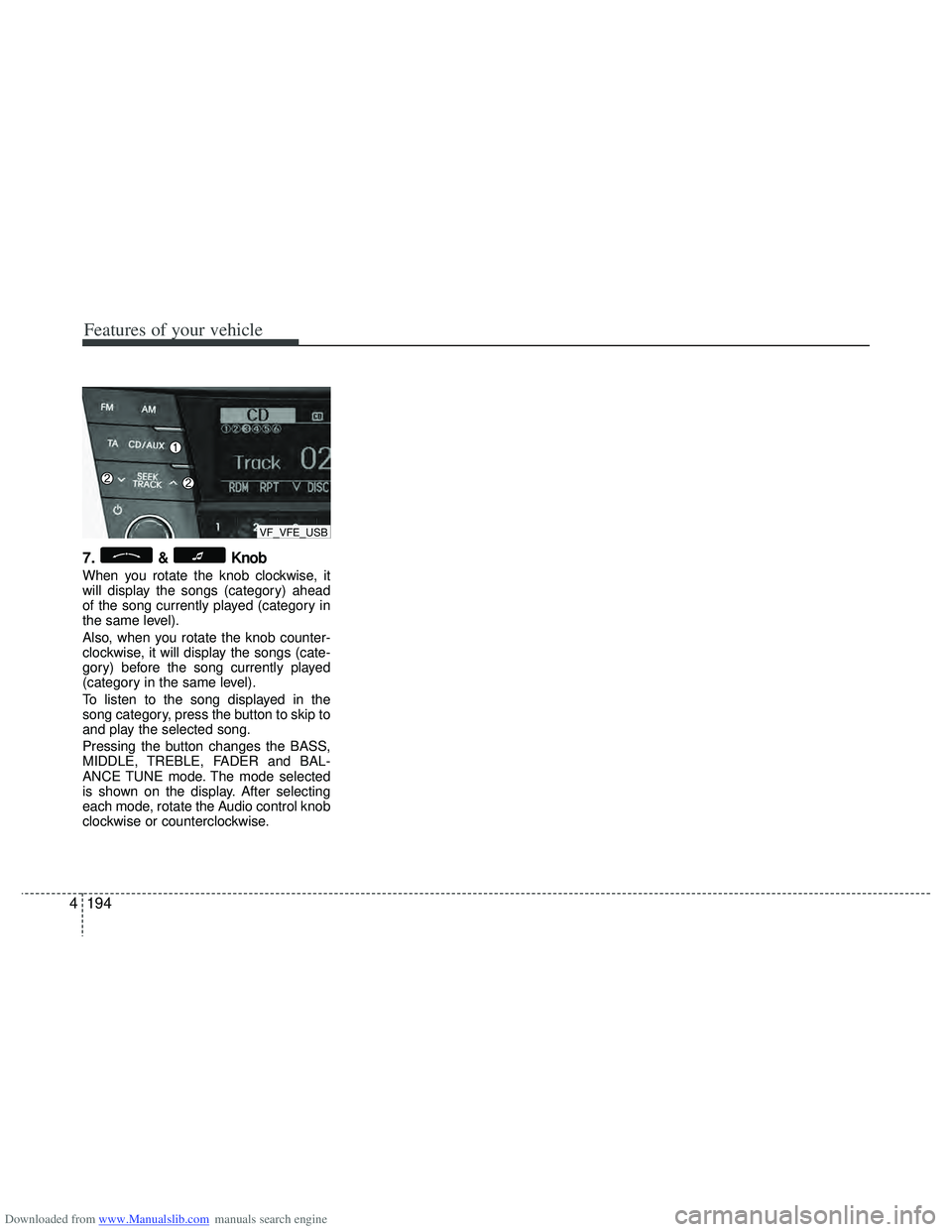
7.& Knob
When you rotate the knob clockwise, it
will display the songs (category) ahead
of the song currently played (category in
the same level).
Also, when you rotate the knob counter-
clockwise, it will display the songs (cate-
gory) before the song currently played
(category in the same level).
To listen to the song displayed in the
song category, press the button to skip to
and play the selected song.
Pressing the button changes the BASS,
MIDDLE, TREBLE, FADER and BAL-
ANCE TUNE mode. The mode selected
is shown on the display. After selecting
each mode, rotate the Audio control knob
clockwise or counterclockwise.
VF_VFE_USB
Page 282 of 534
Downloaded from www.Manualslib.com manuals search engine 4195
Features of your vehicle
✽
✽NOTICE FOR USING THE
iPod DEVICE
• Some iPod models might not sup-
port the communication protocol
and the files will not be played.
Supported iPod models:
- iPod Mini
- iPod 4th(Photo) ~ 6th(Classic)
generation
- iPod Nano 1st~4th generation
- iPod Touch 1st~2nd generation
• The order of search or playback of songs in the iPod can be different
from the order searched in the
audio system.
• If the iPod disabled due to its own malfunction, reset the iPod. (Reset:
Refer to iPod manual)
• An iPod may not operate normally on low battery.
• Some iPod devices, such as the iPhone, can be connected through the
Bluetooth
®interface. The device
must have audio Bluetooth®capabili-
ty (such as for stereo headphone
Bluetooth
®). The device can play, but
it will not be controlled by the audio
system.
CAUTION IN USING THE
iPod DEVICE
The Hyundai iPod Power Cable is
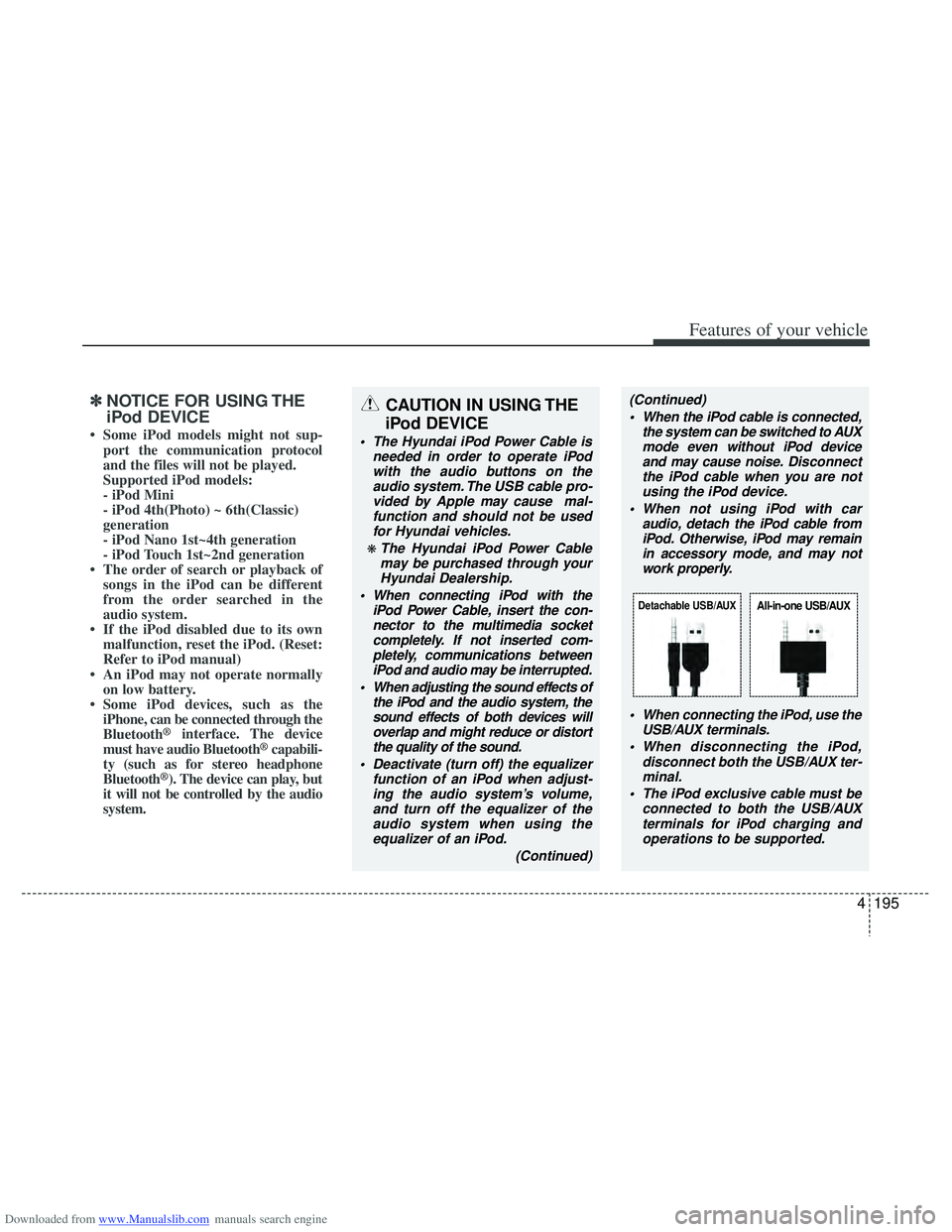
needed in order to operate iPodwith the audio buttons on theaudio system. The USB cable pro-vided by Apple may cause mal-function and should not be usedfor Hyundai vehicles.
❋ The Hyundai iPod Power Cablemay be purchased through yourHyundai Dealership.
When connecting iPod with the iPod Power Cable, insert the con-nector to the multimedia socket completely. If not inserted com-pletely, communications betweeniPod and audio may be interrupted.
When adjusting the sound effects of the iPod and the audio system, thesound effects of both devices willoverlap and might reduce or distort the quality of the sound.
Deactivate (turn off) the equalizer function of an iPod when adjust-ing the audio system’s volume,and turn off the equalizer of theaudio system when using theequalizer of an iPod.
(Continued)
(Continued) When the iPod cable is connected, the system can be switched to AUXmode even without iPod deviceand may cause noise. D isconnect
the iPod cable when you are not using the iPod device.
When not using iPod with car audio, detach the iPod cable fromiPod. Otherwise, iPod may remainin accessory mode, and may notwork properly.
When connecting the iPod, use theUSB/AUX terminals.
When disconnecting the iPod, disconnect both the USB/AUX ter-minal.
The iPod exclusive cable must be connected to both the USB/AUXterminals for iPod charging and operations to be supported.
Detachable USB/AUXAll-in-one USB/AUX
Page 283 of 534
Downloaded from www.Manualslib.com manuals search engine Features of your vehicle
196
4
BLUETOOTH®PHONE OPERATION
(if equipped)
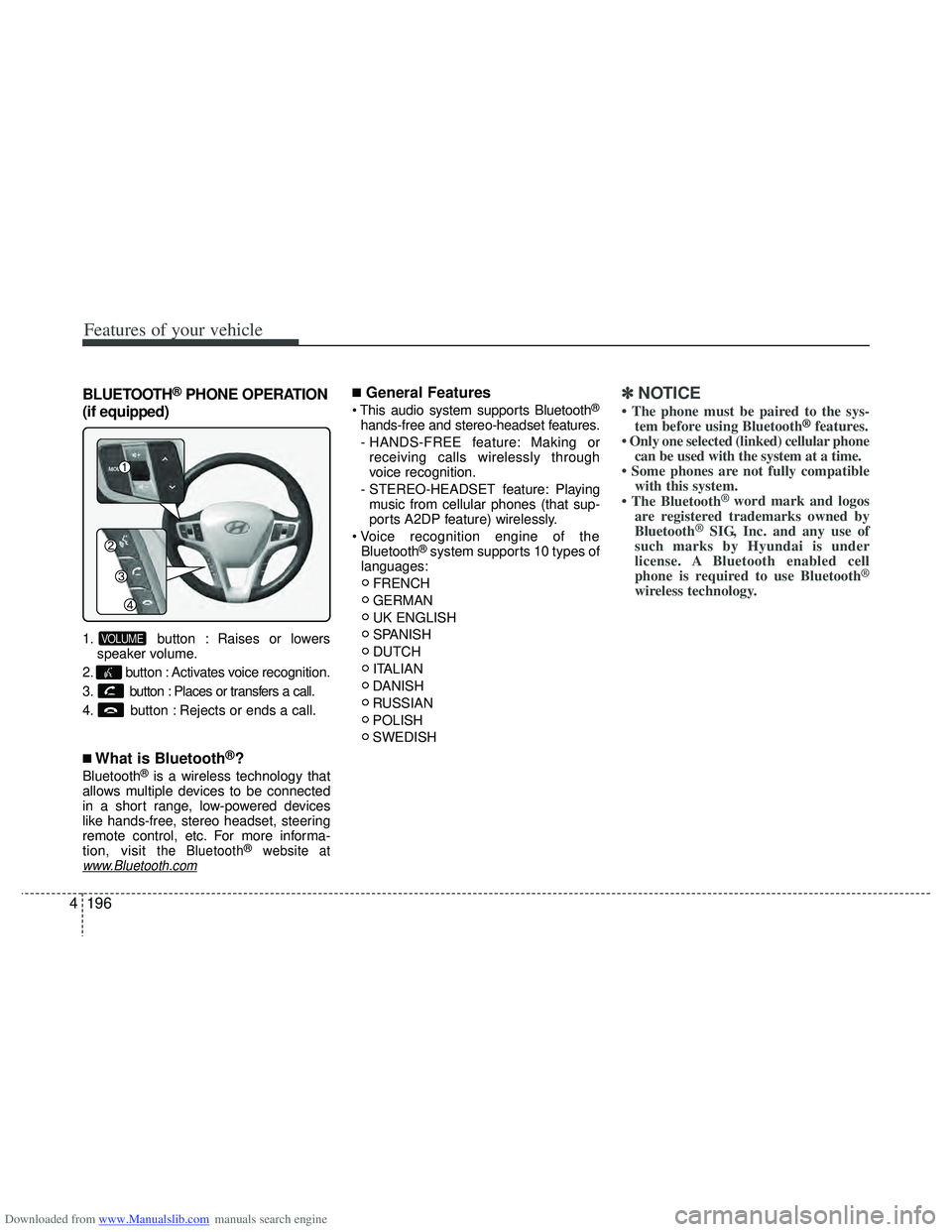
1. button : Raises or lowers speaker volume.
2. button : Activates voice recognition.
3. button : Places or transfers a call.
4. button : Rejects or ends a call.
■What is Bluetooth®?
Bluetooth®is a wireless technology that
allows multiple devices to be connected
in a short range, low-powered devices
like hands-free, stereo headset, steering
remote control, etc. For more informa-
tion, visit
the Bluetooth®website atwww.Bluetooth.com
■General Features
®
hands-free and stereo-headset features.
- HANDS-FREE feature: Making or receiving calls wirelessly through
voice recognition.
- STEREO-HEADSET feature: Playing music from cellular phones (that sup-
ports A2DP feature) wirelessly.
Bluetooth
®system supports 10 types of
languages:
FRENCH
GERMAN
UK ENGLISH
SPANISH
DUTCH
ITALIAN
DANISH
RUSSIAN
POLISH
SWEDISH
✽ ✽ NOTICE
• The phone must be paired to the sys-
tem before using Bluetooth®features.
• Only one selected (linked) cellular phone can be used with the system at a time.
• Some phones are not fully compatible with this system.
• The Bluetooth
® word mark and logos
are registered trademarks owned by
Bluetooth
®SIG, Inc. and any use of
such marks by Hyundai is under
license. A Bluetooth enabled cell
phone is required to use Bluetooth
®
wireless technology.
VOLUME
Page 291 of 534
Downloaded from www.Manualslib.com manuals search engine Features of your vehicle
204
4
■Bluetooth®Audio Music Streaming
The audio system supports Bluetooth®
A2DP (Audio Advanced Distribution
Profile) and AVRCP (Audio Video
Remote Control Profile) technologies.
Both profiles provide steaming of music
via compatible “PAIRED” Bluetooth
®
Cellular phone.
To stream music from the Bluetooth® cel-
lular phone, play your music files on your
cellular phone according to your cellular
phone user’s manual and press the button on the audio system until
“MP3 play” is displayed on the LCD.
The audio system head unit displays
‘MP3 MODE’.
NOTE:
all music and sound files your cellu-
lar phone supports can be played
by the audio system.
®compatible cellular
phones must include A2DP and
AVRCP capabilities.
AVRCP compatible Bluetooth
®cellular phones may not
play music through the audio sys-
tem initially. These cellular phones
may need to have the Bluetooth
®
streaming enabled, for example;
i.e : Menu
\bFilemanager\bMusic\bOption\bPlay via Bluetooth
cellular phone for more information.
To cancel Bluetooth
®cellular phone
music streaming, stop music play-
back on the cellular phone or
change the audio mode to AM/FM,
CD, iPod, ect.
CD/AUX
Page 332 of 534
Downloaded from www.Manualslib.com manuals search engine 539
Driving your vehicle
Anti-lock brake system (ABS) The ABS continuously senses the speed
of the wheels. If the wheels are going to
lock, the ABS system repeatedly modu-
lates the hydraulic brake pressure to the
wheels.
When you apply your brakes under con-
ditions which may lock the wheels, you
may hear a “tik-tik’’ sound from the
brakes, or feel a corresponding sensation
in the brake pedal. This is normal and it
means your ABS is active.
In order to obtain the maximum benefit
from your ABS in an emergency situa-
tion, do not attempt to modulate your
brake pressure and do not try to pump
your brakes. Press your brake pedal as
hard as possible or as hard as the situa-
tion warrants and allow the ABS to con-
trol the force being delivered to the
brakes.(Continued)
The safety features of an ABS (or
ESP) equipped vehicle should not
be tested by high speed driving or
cornering. This could endanger the
safety of yourself or others.
WARNING
ABS (or ESP) will not prevent acci-
dents due to improper or danger-
ous driving maneuvers. Even
though vehicle control is improved
during emergency braking, always
maintain a safe distance between
you and objects ahead. Vehicle
speeds should always be reduced
during extreme road conditions.
The braking distance for vehicle
equipped with an anti-lock braking
system (or Electronic Stability
Program System) may be longer
than for those without it in the fol-
lowing road conditions.
During these conditions the vehicle
should be driven at reduced
speeds:
Rough, gravel or snow-coveredroads.
With tire chains installed.
On roads where the road surface is pitted or has different surface
height.
(Continued)
Page 337 of 534
Downloaded from www.Manualslib.com manuals search engine Driving your vehicle
44
5
Vehicle stability management
(VSM)
This system provides further enhance-
ments to vehicle stability and steering
responses when a vehicle is driving on a
slippery road or a vehicle detected
changes in coefficient of friction between
right wheels and left wheels when brak-
ing.
VSM operation
When the VSM is operating:
ESP (Electronic Stability Program)
( ) light will blink.
The steering wheel may be controlled.
When the vehicle stability management
is operating properly, you can feel a slight
pulsation in the vehicle. This is only the
effect of brake control and indicates noth-
ing unusual.
The VSM does not operate when:
Driving on bank road such as gradient or incline
Driving rearward
ESP OFF indicator light ( ) remains on the instrument cluster
EPS (Electronic Power Steering) indi- cator light remains on the instrument
cluster
VSM operation off
If you press the ESP OFF button to turn
off the ESP, the VSM will also cancel and
the ESP OFF indicator light ( ) illumi-
nates.
To turn on the VSM, press the button
again. The ESP OFF indicator light goes
out.
Malfunction indicator
The VSM can be deactivated even if you
don’t cancel the VSM operation by press-
ing the ESP OFF button. It indicates that
a malfunction has been detected some-
where in the EPS (Electronic Power
Steering) system or VSM system. If the
ESP indicator light ( ) or EPS warning
light remains on, take your vehicle to an
authorized HYUNDAI dealer and have
the system checked.
✽ ✽ NOTICE
• The VSM is designed to function
above approximately 15 km/h (9 mph)
on curves.
• The VSM is designed to function above approximately 30 km/h (18
mph) when a vehicle is braking on a
split-mu road. The split-mu road is
made of surfaces which have different
friction forces.
WARNING
The Vehicle Stability Management
system is not a substitute for
safe driving practices but a sup-
plementary function only. It is the
responsibility of the driver to
always check the speed and the
distance to the vehicle ahead.
Always hold the steering wheel
firmly while driving.
Your vehicle is designed to acti- vate according to the driver’s
intention, even with the VSM
installed. Always follow all the
normal precautions for driving at
safe speeds for the conditions –
including driving in inclement
weather and on a slippery road.
Driving with varying tire or wheel sizes may cause the VSM system
to malfunction. When replacing
tires, make sure they are the
same size as your original tires.
Page 339 of 534
Downloaded from www.Manualslib.com manuals search engine Driving your vehicle
46
5
Good braking practices Check to be sure the parking brake is
not engaged and that the parking
brake indicator light is out before driv-
ing away.
Driving through water may get the brakes wet. They can also get wet
when the vehicle is washed. Wet
brakes can be dangerous! Your vehicle
will not stop as quickly if the brakes are
wet. Wet brakes may cause the vehicle
to pull to one side.
To dry the brakes, apply the brakes
lightly until the braking action returns to
normal, taking care to keep the vehicle
under control at all times. If the braking
action does not return to normal, stop
as soon as it is safe to do so and call
an authorized HYUNDAI dealer for
assistance.
Do not coast down hills with the vehicle out of gear. This is extremely haz-
ardous. Keep the vehicle in gear at all
times, use the brakes to slow down,
then shift to a lower gear so that
engine braking will help you maintain a
safe speed.
Do not "ride" the brake pedal. Resting your foot on the brake pedal while driv-
ing can be dangerous because it can
result in the brakes overheating and
losing their effectiveness. It also
increases the wear of the brake com-
ponents. If a tire goes flat while you are driving,
apply the brakes gently and keep the
vehicle pointed straight ahead while
you slow down. When you are moving
slowly enough for it to be safe to do so,
pull off the road and stop in a safe
place.
If your vehicle is equipped with an automatic transaxle, do not let your
vehicle creep forward. To avoid creep-
ing forward, keep your foot firmly on
the brake pedal when the vehicle is
stopped.
Be cautious when parking on a hill. Firmly engage the parking brake and
place the shift lever in P (automatic
transaxle) or in first or reverse gear
(manual transaxle). If your vehicle is
facing downhill, turn the front wheels
into the curb to help keep the vehicle
from rolling. If your vehicle is facing
uphill, turn the front wheels away from
the curb to help keep the vehicle from
rolling. If there is no curb or if it is
required by other conditions to keep
the vehicle from rolling, block the
wheels.
WARNING
Whenever you leave or park yourvehicle, always set the parking
brake as far as possible and fully
engage the vehicle's transaxle
into the P (Park) position. If the
parking brake is not fully
engaged, the vehicle may move
inadvertently and injure yourself
and others.
All vehicles should always have the parking brake fully engaged
when parking to avoid inadver-
tent movement of the vehicle
which can injure occupants or
pedestrians.
Page 353 of 534
Downloaded from www.Manualslib.com manuals search engine Driving your vehicle
60
5
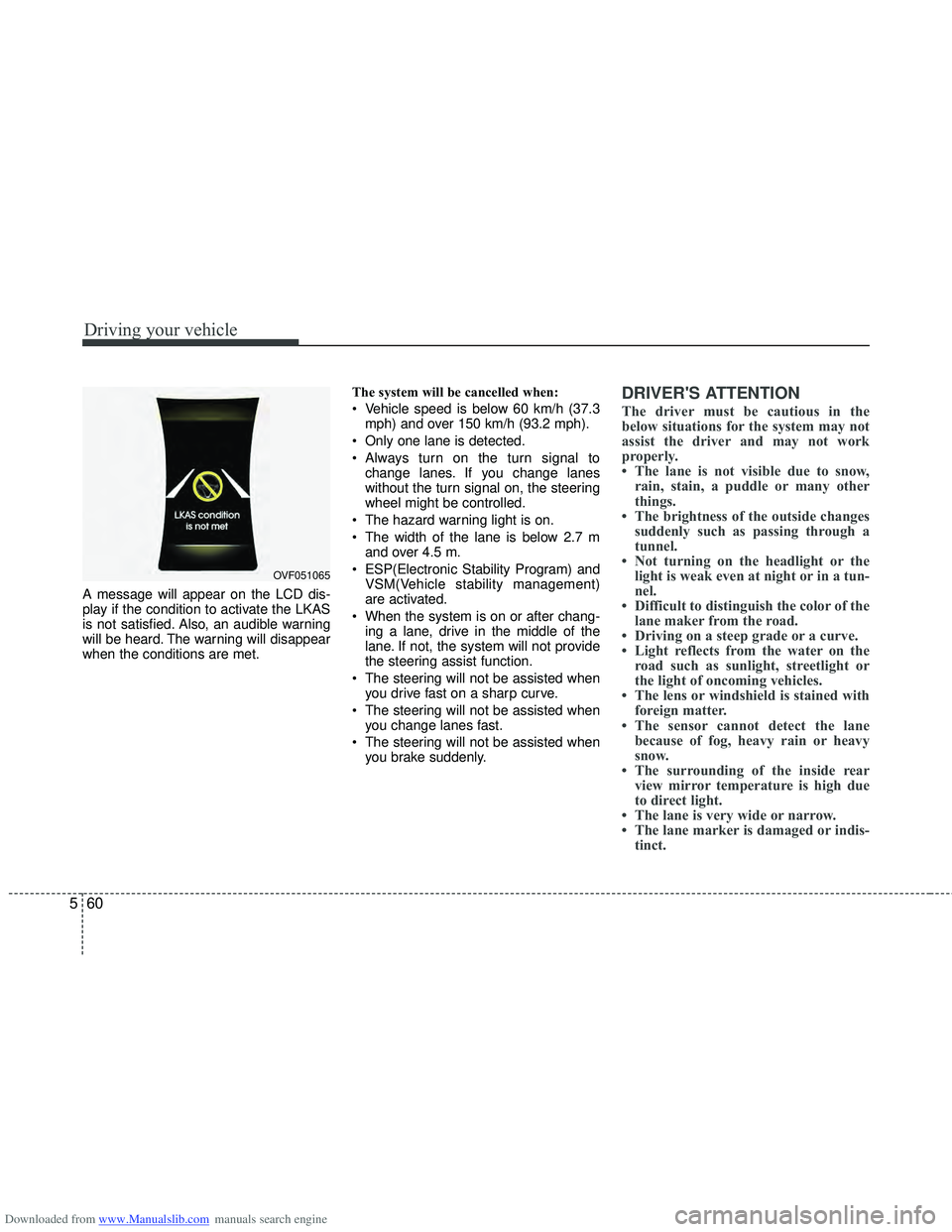
A message will appear on the LCD dis-
play if the condition to activate the LKAS
is not satisfied. Also, an audible warning
will be heard. The warning will disappear
when the conditions are met. The system will be cancelled when:
Vehicle speed is below 60 km/h (37.3
mph) and over 150 km/h (93.2 mph).
Only one lane is detected.
Always turn on the turn signal to change lanes. If you change lanes
without the turn signal on, the steering
wheel might be controlled.
The hazard warning light is on.
The width of the lane is below 2.7 m and over 4.5 m.
ESP(Electronic Stability Program) and VSM(Vehicle stability management)
are activated.
When the system is on or after chang- ing a lane, drive in the middle of the
lane. If not, the system will not provide
the steering assist function.
The steering will not be assisted when you drive fast on a sharp curve.
The steering will not be assisted when you change lanes fast.
The steering will not be assisted when you brake suddenly.
DRIVER'S ATTENTION
The driver must be cautious in the
below situations for the system may not
assist the driver and may not work
properly.
• The lane is not visible due to snow,rain, stain, a puddle or many other
things.
• The brightness of the outside changes suddenly such as passing through a
tunnel.
• Not turning on the headlight or the light is weak even at night or in a tun-
nel.
• Difficult to distinguish the color of the lane maker from the road.
• Driving on a steep grade or a curve.
• Light reflects from the water on the road such as sunlight, streetlight or
the light of oncoming vehicles.
• The lens or windshield is stained with foreign matter.
• The sensor cannot detect the lane because of fog, heavy rain or heavy
snow.
• The surrounding of the inside rear view mirror temperature is high due
to direct light.
• The lane is very wide or narrow.
• The lane marker is damaged or indis- tinct.
OVF051065
Page 354 of 534
Downloaded from www.Manualslib.com manuals search engine 561
Driving your vehicle
• The shadow is on the lane marker bya median strip.
• There is a mark similar to a lane marker.
• There is a boundary structure.
• The distance from vehicle ahead is very short or the vehicle ahead drives
hiding the lane marker.
• The vehicle shakes heavily.
• The lane number increases or decreas- es or the lane marker are crossing
complicatedly.
• Placing something on the dashboard.
• Driving with the sun in front of you.
• Driving in areas under construction.
• The lane marker is more than two.
• The lane marker in a tunnel is hard to distinguish due to dust or grease.
• The lane marker is hard to distinguish after raining at night.
• The lane marker is hard to distinguish due to dust.
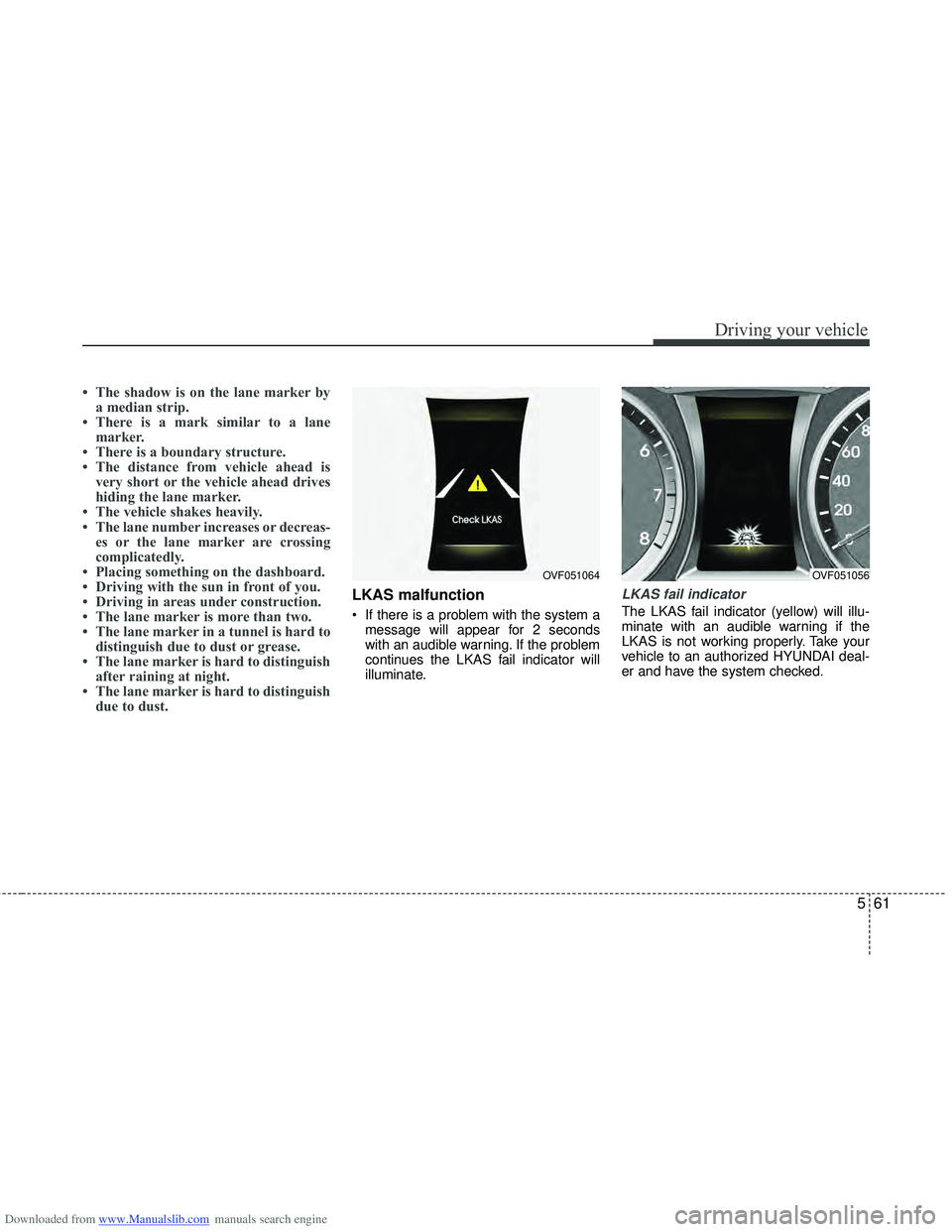
LKAS malfunction
If there is a problem with the system a
message will appear for 2 seconds
with an audible warning. If the problem
continues the LKAS fail indicator will
illuminate.
LKAS fail indicator
The LKAS fail indicator (yellow) will illu-
minate with an audible warning if the
LKAS is not working properly. Take your
vehicle to an authorized HYUNDAI deal-
er and have the system checked.
OVF051064OVF051056
Page 357 of 534
Downloaded from www.Manualslib.com manuals search engine Driving your vehicle
64
5
Remember, your vehicle does not
require extended warm-up. After the
engine has started, allow the engine to
run for 10 to 20 seconds prior to plac-
ing the vehicle in gear. In very cold
weather, however, give your engine a
slightly longer warm-up period.
Do not "lug" or "over-rev" the engine. Lugging is driving too slowly in too
high a gear resulting engine bucking. If
this happens, shift to a lower gear.
Over-revving is racing the engine
beyond its safe limit. This can be avoid-
ed by shifting at the recommended
speeds.
Use your air conditioning sparingly. The air conditioning system is operat-
ed by engine power so your fuel econ-
omy is reduced when you use it.
Open windows at high speeds can reduce fuel economy.
Fuel economy is less in crosswinds and headwinds. To help offset some of
this loss, slow down when driving in
these conditions. Keeping a vehicle in good operating con-
dition is important both for economy and
safety. Therefore, have an authorized
HYUNDAI dealer perform scheduled
inspections and maintenance.
WARNING - Engine off dur-
ing motion
Never turn the engine off to coast
down hills or anytime the vehicle is
in motion. The power steering and
power brakes will not function
properly without the engine run-
ning. Instead, keep the engine on
and downshift to an appropriate
gear for engine braking effect. In
addition, turning off the ignition
while driving could engage the
steering wheel lock (if equipped)
resulting in loss of vehicle steering
which could cause serious injury
or death.