ignition key HYUNDAI I40 2013 User Guide
[x] Cancel search | Manufacturer: HYUNDAI, Model Year: 2013, Model line: I40, Model: HYUNDAI I40 2013Pages: 534, PDF Size: 11.05 MB
Page 114 of 534
Downloaded from www.Manualslib.com manuals search engine 427
Features of your vehicle
Power windows
The ignition switch must be in the ON
position for power windows to operate.
Each door has a power window switch
that controls the door’s window. The dri-
ver’s door has a master power window
switch that controls all the windows in the
vehicle. Also, the driver has a power win-
dow lock switch which can block the
operation of rear passenger windows.
The power windows can be operated for
approximately 30 seconds after the igni-
tion key is removed or turned to the ACC
or LOCK position. However, if the front
doors are opened, the power windows
cannot be operated even within the 30
seconds period.
✽ ✽NOTICE
While driving with the rear windows
down or with the sunroof (if equipped) in
an open (or partially open position), your
vehicle may demonstrate a wind buffet-
ing or pulsation noise. This noise is a
normal occurrence and can be reduced
or eliminated by taking the following
actions. If the noise occurs with one or
both of the rear windows down, partially
lower both front windows approximate-
ly one inch. If you experience the noise
with the sunroof open, slightly reduce the
size of the sunroof opening.
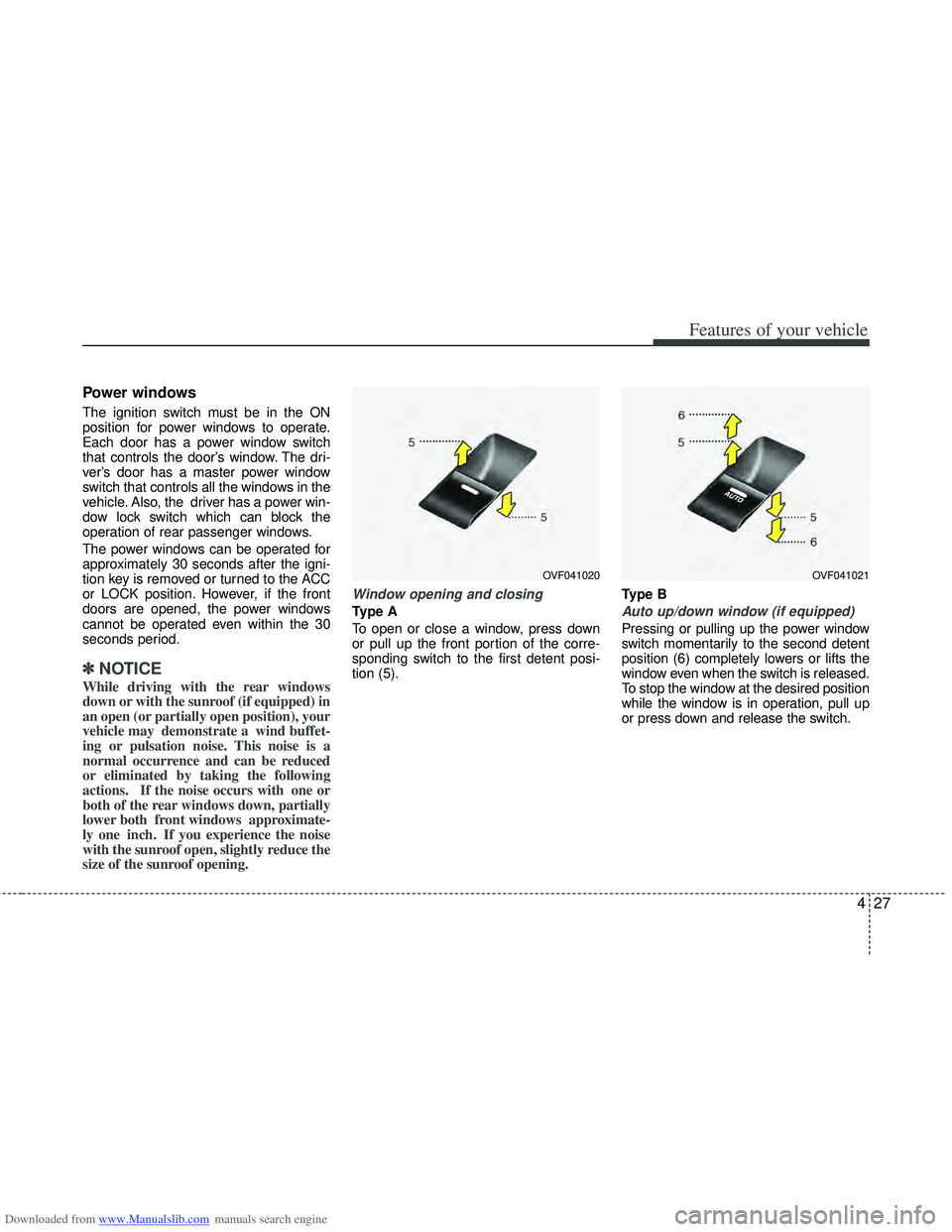
Window opening and closing
Type A
To open or close a window, press down
or pull up the front portion of the corre-
sponding switch to the first detent posi-
tion (5). Type BAuto up/down window (if equipped)
Pressing or pulling up the power window
switch momentarily to the second detent
position (6) completely lowers or lifts the
window even when the switch is released.
To stop the window at the desired position
while the window is in operation, pull up
or press down and release the switch.
OVF041020OVF041021
Page 116 of 534
Downloaded from www.Manualslib.com manuals search engine 429
Features of your vehicle
WARNING - Windows
NEVER leave the ignition key inthe vehicle.
NEVER leave any child unattend- ed in the vehicle. Even very
young children may inadvertently
cause the vehicle to move, entan-
gle themselves in the windows,
or otherwise injure themselves or
others.
Always double check to make sure all arms, hands, head and
other obstructions are safely out
of the way before closing a win-
dow.
Do not allow children to play with the power windows. Keep the dri-
ver’s door power window lock
switch in the LOCK position
(pressed). Serious injury can
result from unintentional window
operation by the child.
Do not extend face or arms out- side the window while driving.
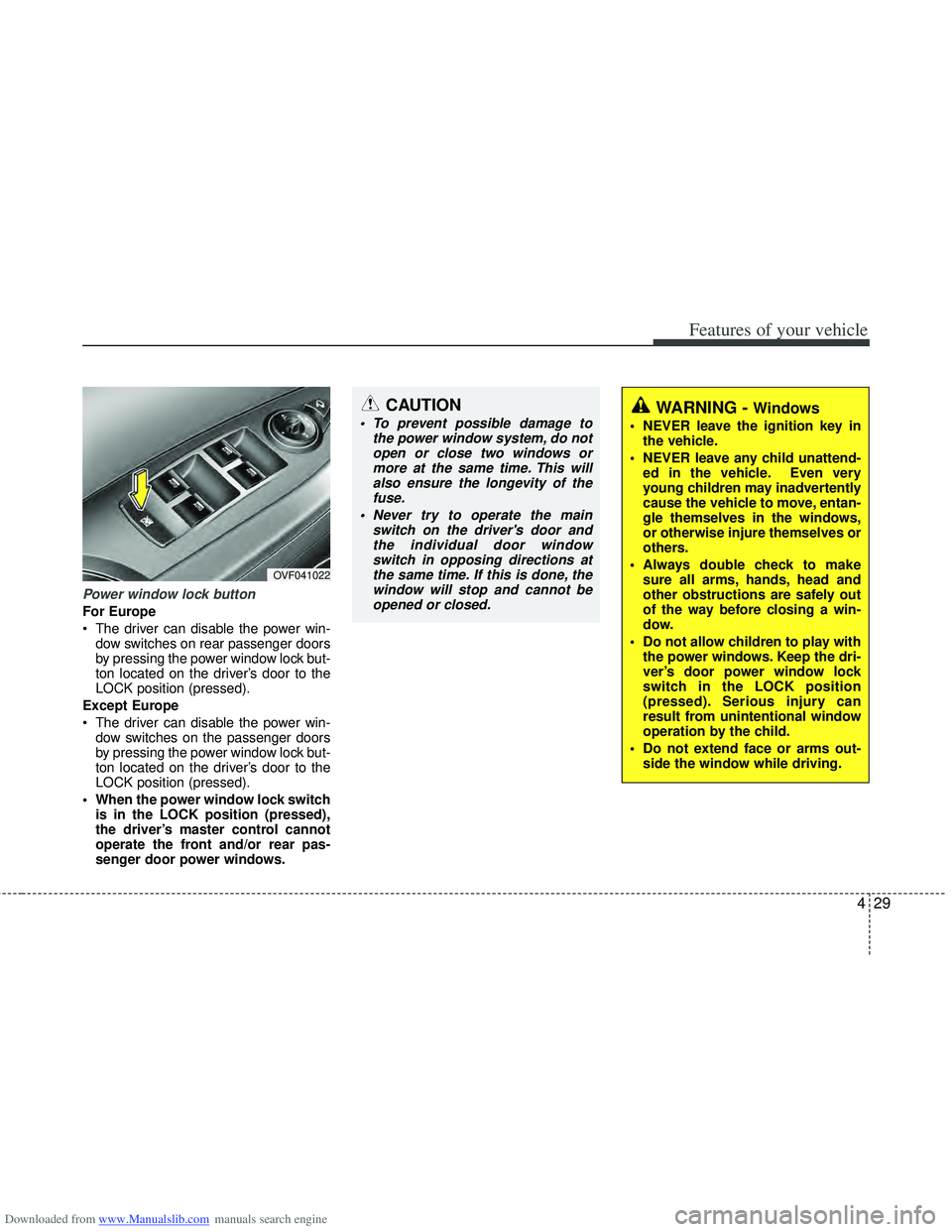
Power window lock button
For Europe
The driver can disable the power win-dow switches on rear passenger doors
by pressing the power window lock but-
ton located on the driver’s door to the
LOCK position (pressed).
Except Europe
The driver can disable the power win- dow switches on the passenger doors
by pressing the power window lock but-
ton located on the driver’s door to the
LOCK position (pressed).
When the power window lock switch is in the LOCK position (pressed),
the driver’s master control cannot
operate the front and/or rear pas-
senger door power windows.
OVF041022
CAUTION
To prevent possible damage to the power window system, do notopen or close two windows ormore at the same time. This willalso ensure the longevity of the fuse.
Never try to operate the main switch on the driver's door andthe individual door windowswitch in opposing directions atthe same time. If this is done, thewindow will stop and cannot beopened or closed.
Page 127 of 534
Downloaded from www.Manualslib.com manuals search engine Features of your vehicle
40
4
Recalling positions from memory
1. Change the ignition switch to the ON
position.
2. To recall the position in the memory, press the desired memory button (1 or
2). The system will beep once, then the
driver’s seat will automatically adjust to
the stored position.
Adjusting the control switch for the dri-
ver’s seat while the system is recalling
the stored position will cause the move-
ment to stop and move in the direction
that the control switch is moved.
Easy access function
(if equipped)
The system will move the driver's seat
automatically as follows:
Without smart key system - It will move the driver’s seat rearwardwhen the ignition key is removed.
- It will move the driver’s seat forward when the ignition key is inserted.
With smart key system - It will move the driver’s seat rearwardwhen the engine start/stop button is
changed to the OFF position.
- It will move the driver’s seat forward when the engine start/stop button is
changed to the ACC or START posi-
tion.
You can activate or deactivate this feature.
Refer to "User setting" in this section.
WARNING
Use caution when recalling the
adjustment memory while sitting in
the vehicle. Push the seat position
control switch to the desired posi-
tion immediately if the seat moves
too far in any direction.
Page 144 of 534
Downloaded from www.Manualslib.com manuals search engine 457
Features of your vehicle
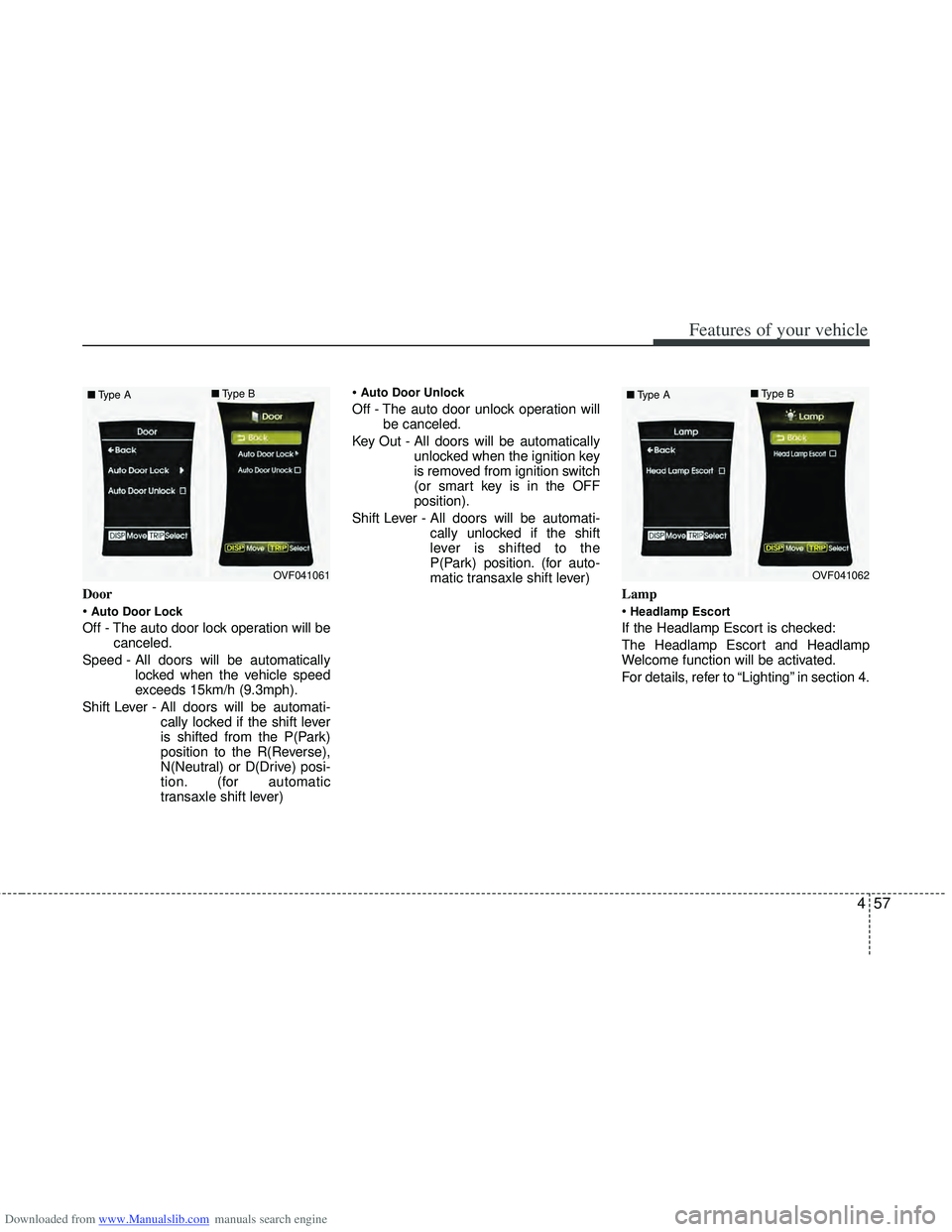
Door
Auto Door Lock
Off - The auto door lock operation will becanceled.
Speed - All doors will be automatically locked when the vehicle speed
exceeds 15km/h (9.3mph).
Shift Lever - All doors will be automati- cally locked if the shift lever
is shifted from the P(Park)
position to the R(Reverse),
N(Neutral) or D(Drive) posi-
tion. (for automatic
transaxle shift lever)
Auto Door Unlock
Off - The auto door unlock operation will
be canceled.
Key Out - All doors will be automatically unlocked when the ignition key
is removed from ignition switch
(or smart key is in the OFF
position).
Shift Lever - All doors will be automati- cally unlocked if the shift
lever is shifted to the
P(Park) position. (for auto-
matic transaxle shift lever)
Lamp
Headlamp Escort
If the Headlamp Escort is checked:
The Headlamp Escort and Headlamp
Welcome function will be activated.
For details, refer to “Lighting” in section 4.
OVF041061
■
Type A ■
Type BOVF041062
■
Type A ■
Type B
Page 154 of 534
Downloaded from www.Manualslib.com manuals search engine 467
Features of your vehicle
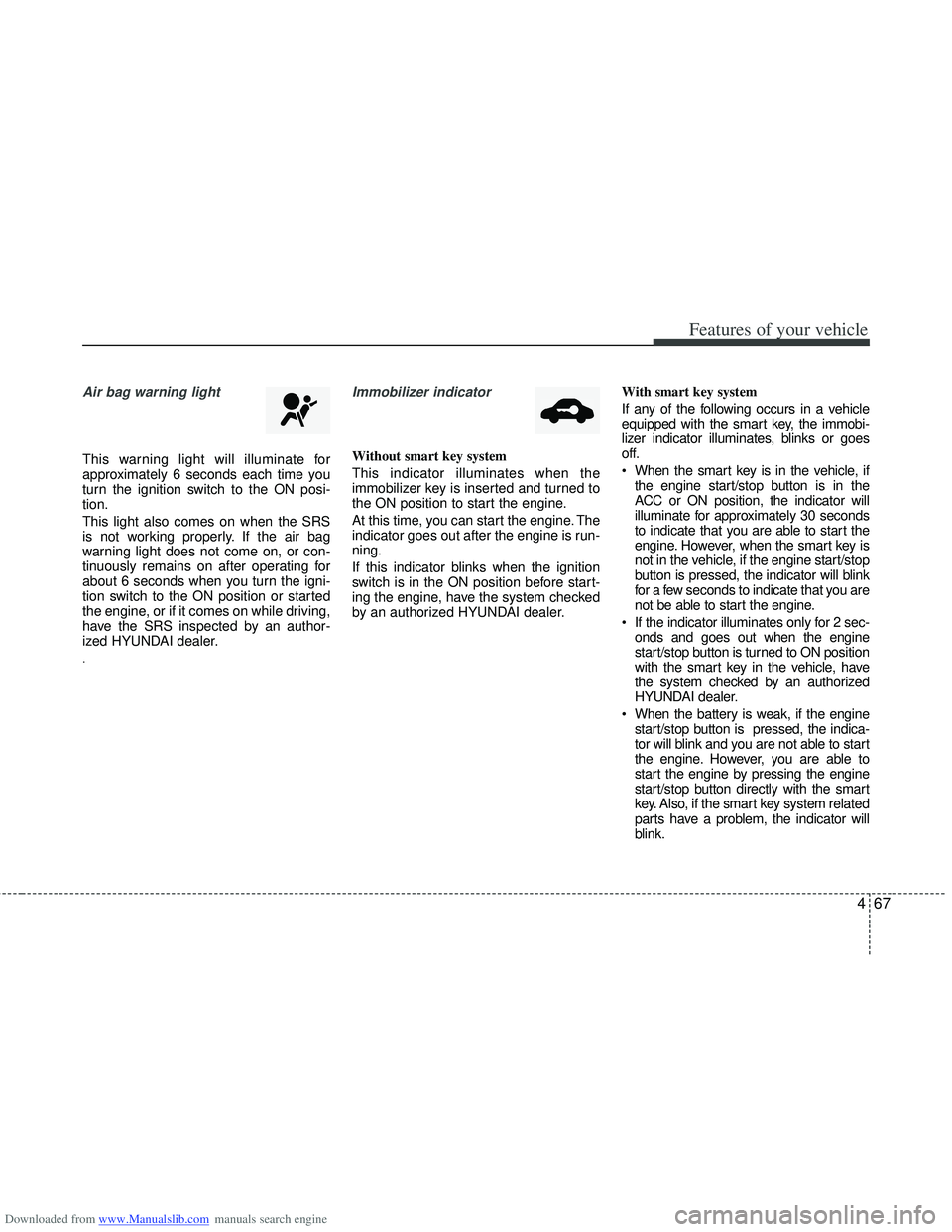
Air bag warning light
This warning light will illuminate for
approximately 6 seconds each time you
turn the ignition switch to the ON posi-
tion.
This light also comes on when the SRS
is not working properly. If the air bag
warning light does not come on, or con-
tinuously remains on after operating for
about 6 seconds when you turn the igni-
tion switch to the ON position or started
the engine, or if it comes on while driving,
have the SRS inspected by an author-
ized HYUNDAI dealer.
.
Immobilizer indicator
Without smart key system
This indicator illuminates when the
immobilizer key is inserted and turned to
the ON position to start the engine.
At this time, you can start the engine. The
indicator goes out after the engine is run-
ning.
If this indicator blinks when the ignition
switch is in the ON position before start-
ing the engine, have the system checked
by an authorized HYUNDAI dealer.With smart key system
If any of the following occurs in a vehicle
equipped with the smart key, the immobi-
lizer indicator illuminates, blinks or goes
off.
When the smart key is in the vehicle, if
the engine start/stop button is in the
ACC or ON position, the indicator will
illuminate for approximately 30 seconds
to indicate that you are able to start the
engine. However, when the smart key is
not in the vehicle, if the engine start/stop
button is pressed, the indicator will blink
for a few seconds to indicate that you are
not be able to start the engine.
If the indicator illuminates only for 2 sec- onds and goes out when the engine
start/stop button is turned to ON position
with the smart key in the vehicle, have
the system checked by an authorized
HYUNDAI dealer.
When the battery is weak, if the engine start/stop button is pressed, the indica-
tor will blink and you are not able to start
the engine. However, you are able to
start the engine by pressing the engine
start/stop button directly with the smart
key. Also, if the smart key system related
parts have a problem, the indicator will
blink.
Page 155 of 534
Downloaded from www.Manualslib.com manuals search engine Features of your vehicle
68
4
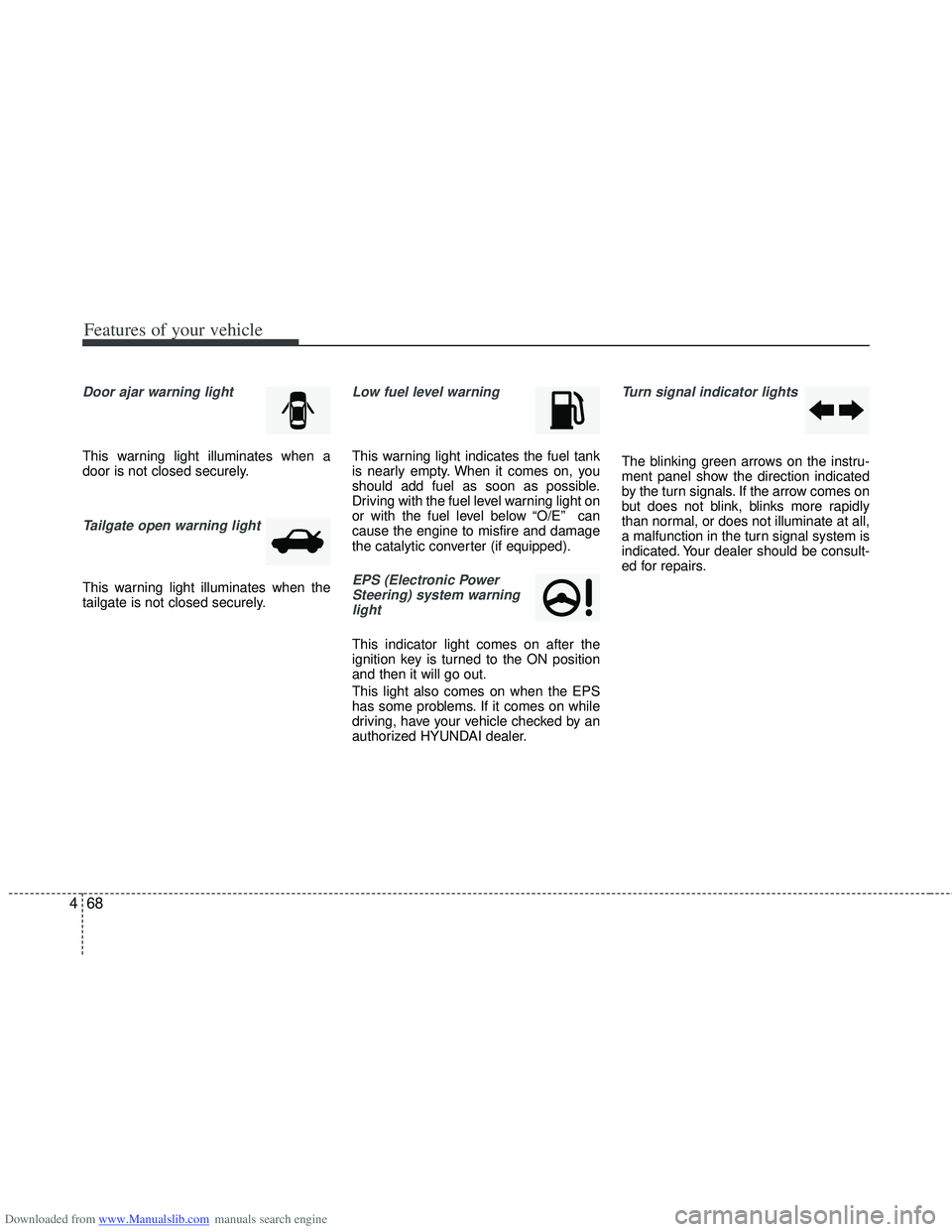
Door ajar warning light
This warning light illuminates when a
door is not closed securely.
Tailgate open warning light
This warning light illuminates when the
tailgate is not closed securely.
Low fuel level warning
This warning light indicates the fuel tank
is nearly empty. When it comes on, you
should add fuel as soon as possible.
Driving with the fuel level warning light on
or with the fuel level below “O/E” can
cause the engine to misfire and damage
the catalytic converter (if equipped).
EPS (Electronic Power
Steering) system warninglight
This indicator light comes on after the
ignition key is turned to the ON position
and then it will go out.
This light also comes on when the EPS
has some problems. If it comes on while
driving, have your vehicle checked by an
authorized HYUNDAI dealer.
Turn signal indicator lights
The blinking green arrows on the instru-
ment panel show the direction indicated
by the turn signals. If the arrow comes on
but does not blink, blinks more rapidly
than normal, or does not illuminate at all,
a malfunction in the turn signal system is
indicated. Your dealer should be consult-
ed for repairs.
Page 163 of 534
Downloaded from www.Manualslib.com manuals search engine Features of your vehicle
76
4
✽
✽
NOTICE
• If you travel approximately 50
km~100 km after the engine warms
up, after adding the engine oil, the
warning light will go off.
• Cycle the ignition from OFF to ON 3 times within 10 seconds, the warning
light will go off immediately. However,
when you turn off the warning light
without adding the engine oil, the light
will come on again after traveling
approximately 50 km ~ 100 km after
the engine warms up.
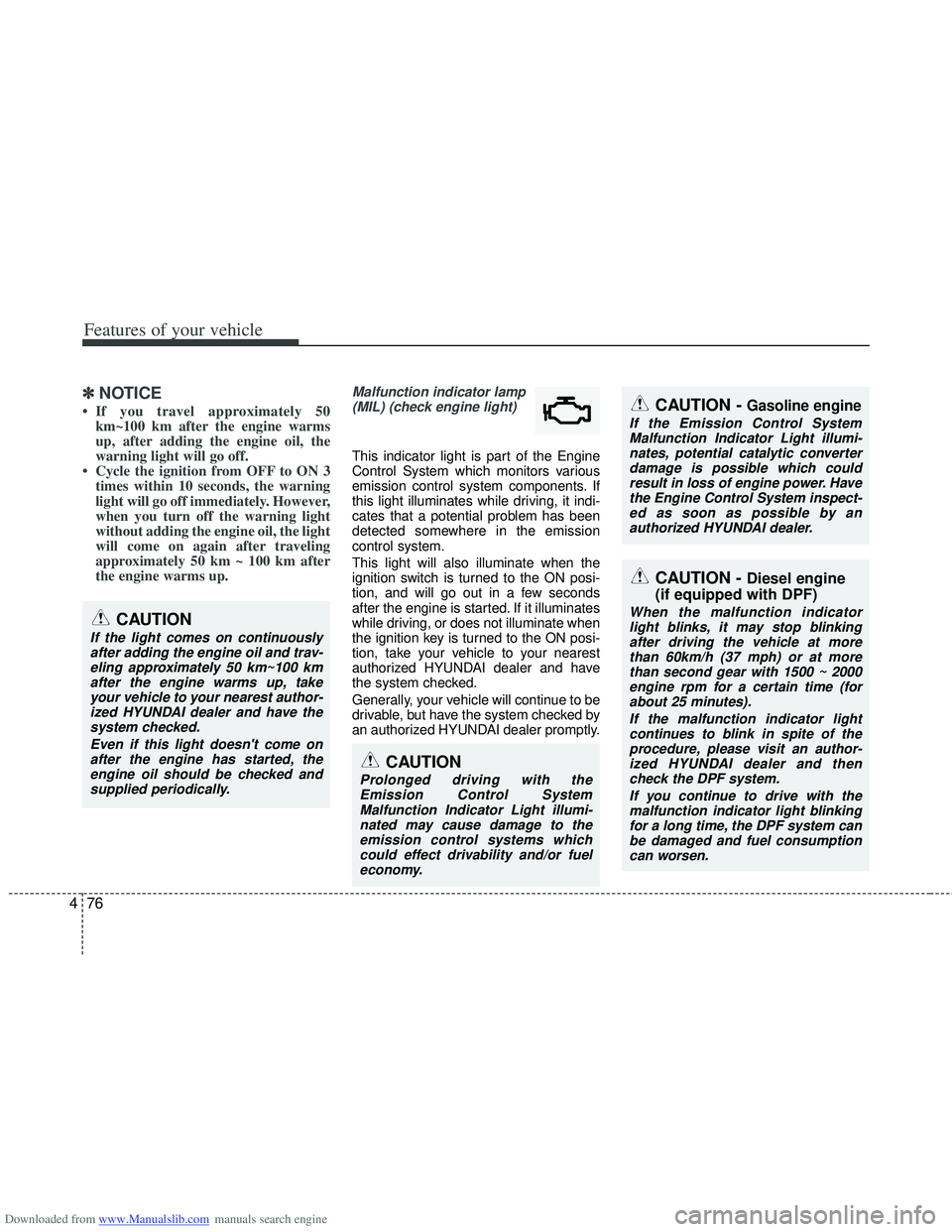
Malfunction indicator lamp
(MIL) (check engine light)
This indicator light is part of the Engine
Control System which monitors various
emission control system components. If
this light illuminates while driving, it indi-
cates that a potential problem has been
detected somewhere in the emission
control system.
This light will also illuminate when the
ignition switch is turned to the ON posi-
tion, and will go out in a few seconds
after the engine is started. If it illuminates
while driving, or does not illuminate when
the ignition key is turned to the ON posi-
tion, take your vehicle to your nearest
authorized HYUNDAI dealer and have
the system checked.
Generally, your vehicle will continue to be
drivable, but have the system checked by
an authorized HYUNDAI dealer promptly.
CAUTION
Prolonged driving with theEmission Control System Malfunction Indicator Light illumi-nated may cause damage to theemission control systems whichcould effect drivability and/or fuel economy.
CAUTION - Gasoline engine
If the Emission Control SystemMalfunction Indicator Light illumi-nates, potential catalytic converter damage is possible which couldresult in loss of engine power. Havethe Engine Control System inspect- ed as soon as possible by anauthorized HYUNDAI dealer.
CAUTION
If the light comes on continuously after adding the engine oil and trav-eling approximately 50 km~100 kmafter the engine warms up, takeyour vehicle to your nearest author-ized HYUNDAI dealer and have thesystem checked.
Even if this light doesn't come onafter the engine has started, theengine oil should be checked and supplied periodically.
CAUTION - Diesel engine
(if equipped with DPF)
When the malfunction indicator
light blinks, it may stop blinking after driving the vehicle at morethan 60km/h (37 mph) or at more than second gear with 1500 ~ 2000engine rpm for a certain time (forabout 25 minutes).
If the malfunction indicator lightcontinues to blink in spite of theprocedure, please visit an author- ized HYUNDAI dealer and thencheck the DPF system.
If you continue to drive with themalfunction indicator light blinkingfor a long time, the DPF system canbe damaged and fuel consumption can worsen.
Page 164 of 534
Downloaded from www.Manualslib.com manuals search engine 477
Features of your vehicle
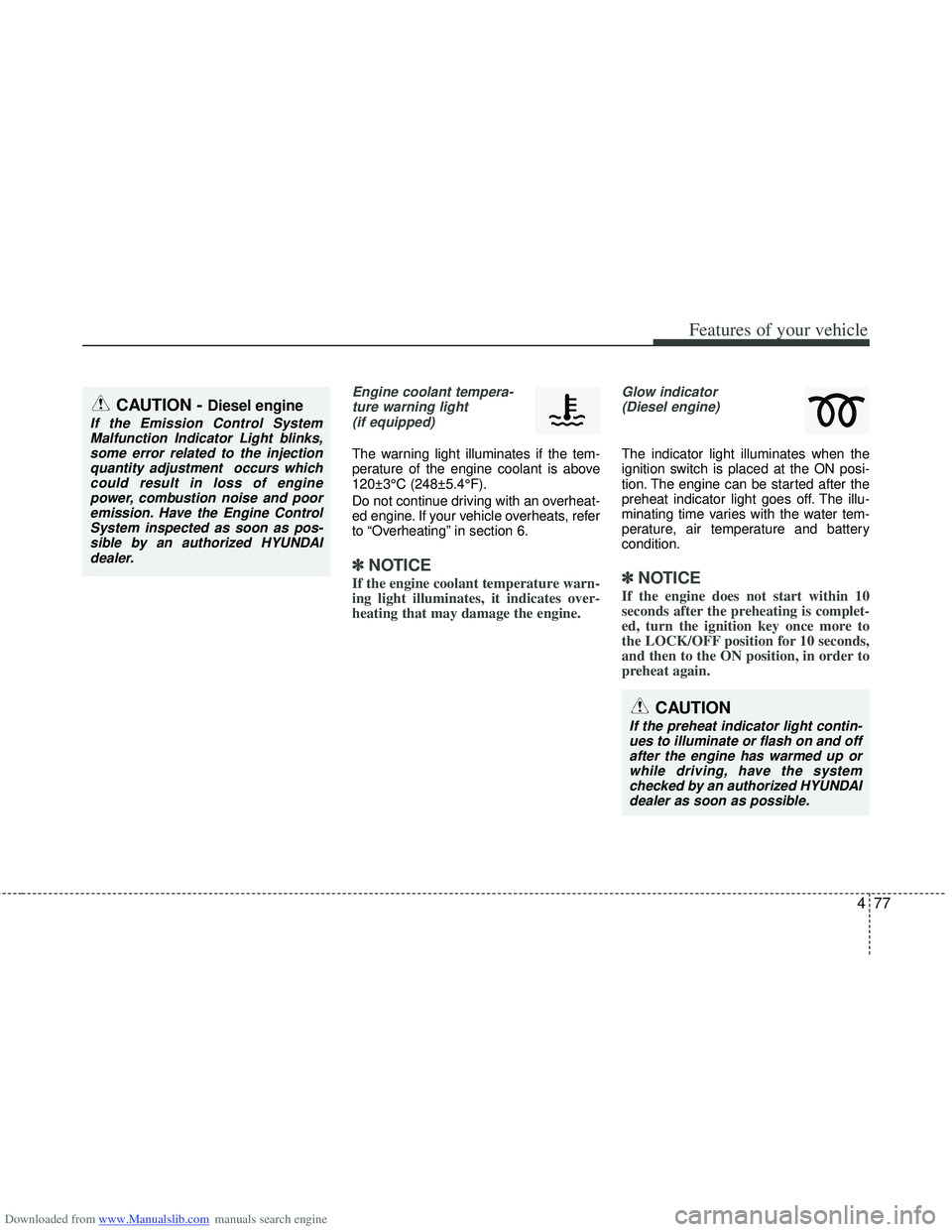
Engine coolant tempera-ture warning light(if equipped)
The warning light illuminates if the tem-
perature of the engine coolant is above
120±3°C (248±5.4°F).
Do not continue driving with an overheat-
ed engine. If your vehicle overheats, refer
to “Overheating” in section 6.
✽ ✽ NOTICE
If the engine coolant temperature warn-
ing light illuminates, it indicates over-
heating that may damage the engine.
Glow indicator
(Diesel engine)
The indicator light illuminates when the
ignition switch is placed at the ON posi-
tion. The engine can be started after the
preheat indicator light goes off. The illu-
minating time varies with the water tem-
perature, air temperature and battery
condition.
✽ ✽ NOTICE
If the engine does not start within 10
seconds after the preheating is complet-
ed, turn the ignition key once more to
the LOCK/OFF position for 10 seconds,
and then to the ON position, in order to
preheat again.
CAUTION
If the preheat indicator light contin-
ues to illuminate or flash on and off after the engine has warmed up orwhile driving, have the systemchecked by an authorized HYUNDAI dealer as soon as possible.
CAUTION - Diesel engine
If the Emission Control SystemMalfunction Indicator Light blinks,some error related to the injectionquantity adjustment occurs whichcould result in loss of engine power, combustion noise and pooremission. Have the Engine ControlSystem inspected as soon as pos-sible by an authorized HYUNDAIdealer.
Page 182 of 534
Downloaded from www.Manualslib.com manuals search engine 495
Features of your vehicle
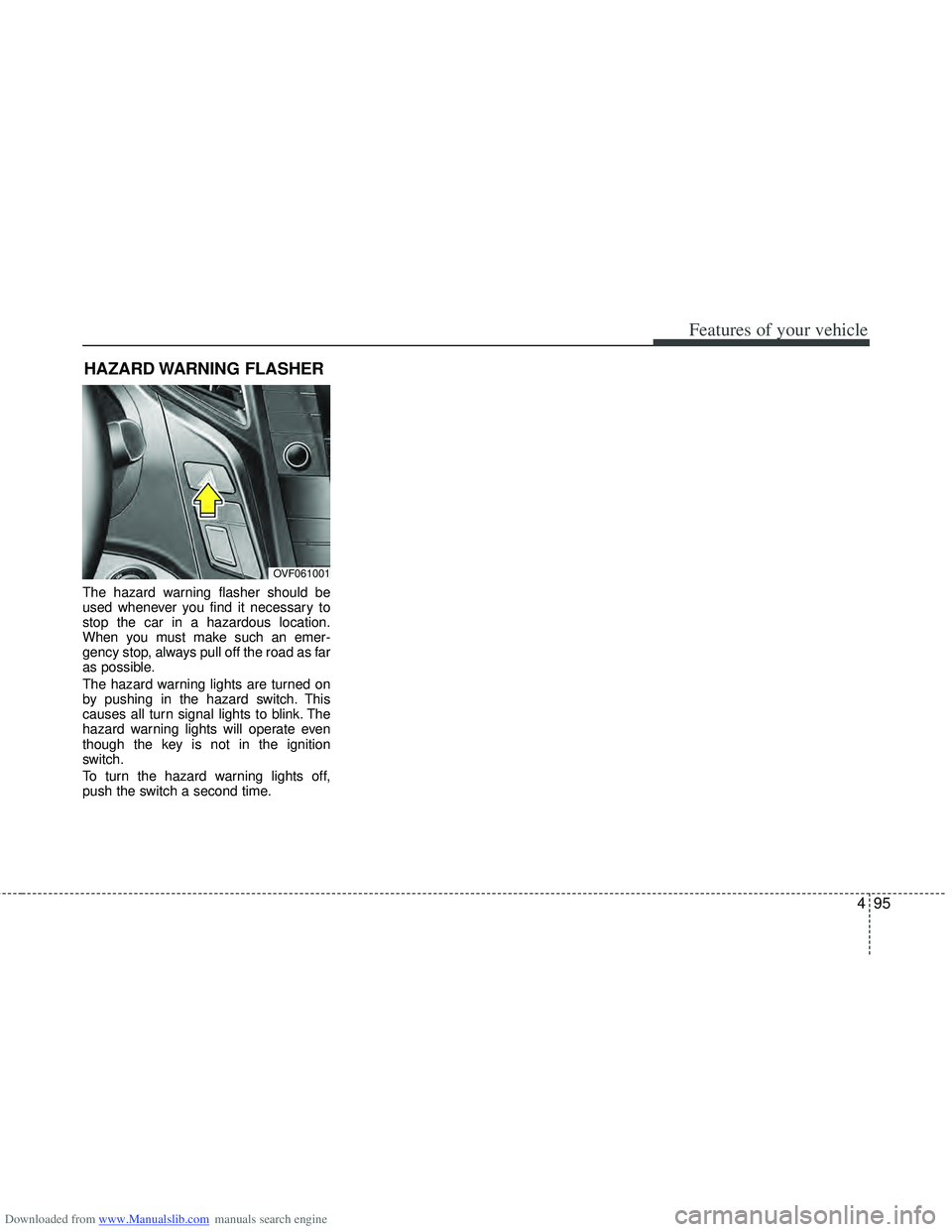
The hazard warning flasher should be
used whenever you find it necessary to
stop the car in a hazardous location.
When you must make such an emer-
gency stop, always pull off the road as far
as possible.
The hazard warning lights are turned on
by pushing in the hazard switch. This
causes all turn signal lights to blink. The
hazard warning lights will operate even
though the key is not in the ignition
switch.
To turn the hazard warning lights off,
push the switch a second time.
HAZARD WARNING FLASHER
OVF061001
Page 183 of 534
Downloaded from www.Manualslib.com manuals search engine Features of your vehicle
96
4
Battery saver function
The purpose of this feature is to pre-
vent the battery from being dis-
charged. The system automatically
turns off the parking lights when the
driver removes the ignition key and
opens the driver- side door.
With this feature, the parking lights will be turned off automatically if the driver
parks on the side of road at night.
If necessary, to keep the lights on
when the ignition key is removed, per-
form the following :
1) Open the driver-side door.
2) Turn the parking lights OFF and ON again using the light switch on the
steering column.
Headlight (Headlamp) escort
function (if equipped)
The headlights (and/or taillights) remain
on for approximately 20 minutes after the
ignition key is removed or turned to the
ACC or LOCK position. However, if the
driver’s door is opened and closed, the
headlights are turned off after 30 sec-
onds.
The headlights can be turned off by
pressing the lock button on the transmit-
ter or smart key twice or turning off the
light switch from the headlight or Auto
light position.
Headlight (Headlamp) welcome
function (if equipped)
When the headlight switch is in the ON or
AUTO position and all doors (and tail-
gate) are closed and locked, if you press
the door unlock button on the transmitter
or smart key, the headlights will come on
for about 15 seconds.
If the headlight switch is in the AUTO
position, the function can only operate at
night.
At this time, if you press the door unlock
button again or door lock button on the
transmitter or smart key, the headlights
will turn off immediately.
LIGHTING
CAUTION
If the driver gets out of the vehiclethrough other doors (except dri-ver’s door), the battery saver func-tion does not operate and the head-light escort function does not turnoff automatically. Therefore, it caus-es the battery to be discharged. Inthis case, make sure to turn off thelamp before getting out of the vehi- cle.