warning HYUNDAI I40 2014 Owners Manual
[x] Cancel search | Manufacturer: HYUNDAI, Model Year: 2014, Model line: I40, Model: HYUNDAI I40 2014Pages: 534, PDF Size: 11.05 MB
Page 336 of 534
Downloaded from www.Manualslib.com manuals search engine 543
Driving your vehicle
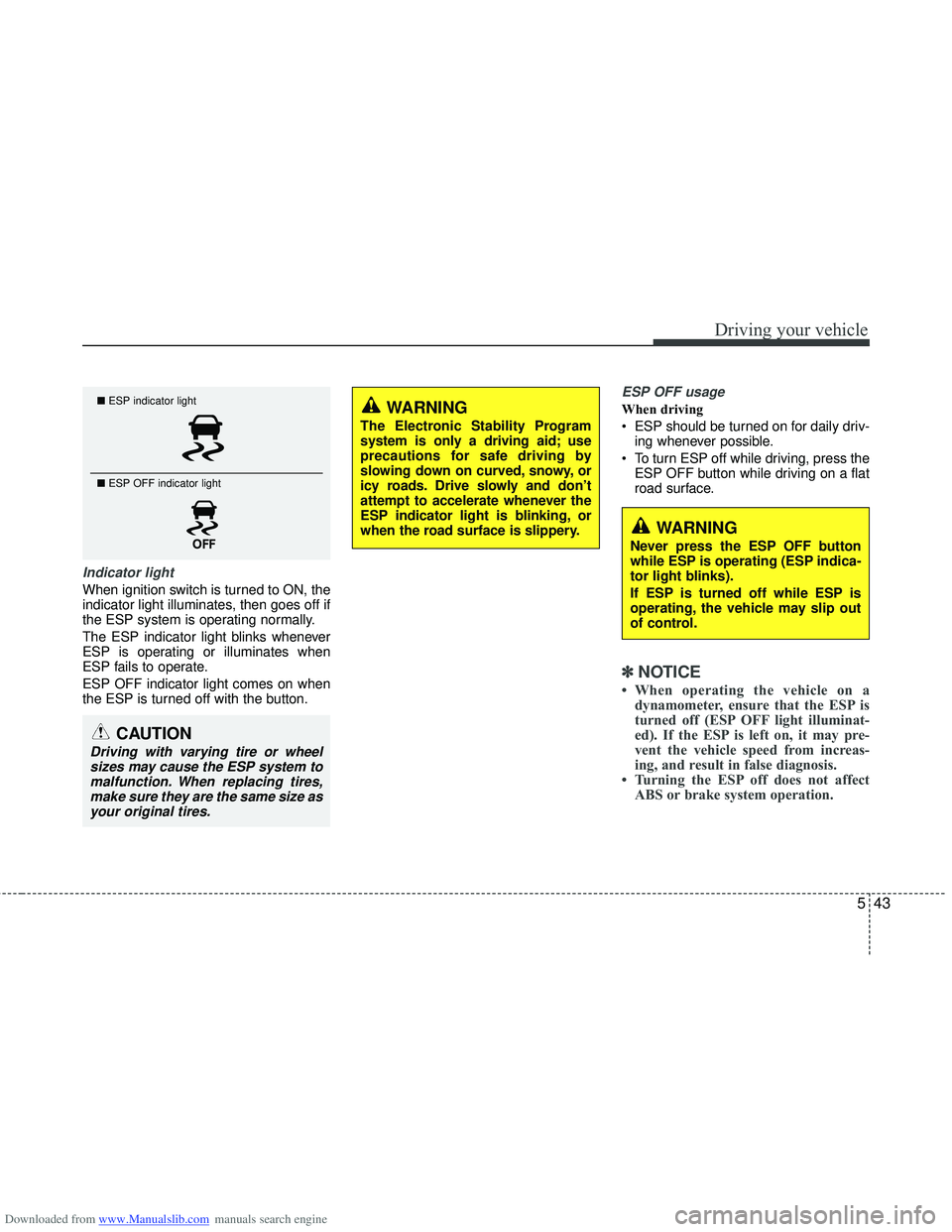
Indicator light
When ignition switch is turned to ON, the
indicator light illuminates, then goes off if
the ESP system is operating normally.
The ESP indicator light blinks whenever
ESP is operating or illuminates when
ESP fails to operate.
ESP OFF indicator light comes on when
the ESP is turned off with the button.
ESP OFF usage
When driving
ESP should be turned on for daily driv-ing whenever possible.
To turn ESP off while driving, press the ESP OFF button while driving on a flat
road surface.
✽ ✽ NOTICE
• When operating the vehicle on a
dynamometer, ensure that the ESP is
turned off (ESP OFF light illuminat-
ed). If the ESP is left on, it may pre-
vent the vehicle speed from increas-
ing, and result in false diagnosis.
• Turning the ESP off does not affect ABS or brake system operation.
■ ESP indicator light
■ ESP OFF indicator light
CAUTION
Driving with varying tire or wheel
sizes may cause the ESP system tomalfunction. When replacing tires,make sure they are the same size asyour original tires.
WARNING
The Electronic Stability Program
system is only a driving aid; use
precautions for safe driving by
slowing down on curved, snowy, or
icy roads. Drive slowly and don’t
attempt to accelerate whenever the
ESP indicator light is blinking, or
when the road surface is slippery.
WARNING
Never press the ESP OFF button
while ESP is operating (ESP indica-
tor light blinks).
If ESP is turned off while ESP is
operating, the vehicle may slip out
of control.
Page 337 of 534
Downloaded from www.Manualslib.com manuals search engine Driving your vehicle
44
5
Vehicle stability management
(VSM)
This system provides further enhance-
ments to vehicle stability and steering
responses when a vehicle is driving on a
slippery road or a vehicle detected
changes in coefficient of friction between
right wheels and left wheels when brak-
ing.
VSM operation
When the VSM is operating:
ESP (Electronic Stability Program)
( ) light will blink.
The steering wheel may be controlled.
When the vehicle stability management
is operating properly, you can feel a slight
pulsation in the vehicle. This is only the
effect of brake control and indicates noth-
ing unusual.
The VSM does not operate when:
Driving on bank road such as gradient or incline
Driving rearward
ESP OFF indicator light ( ) remains on the instrument cluster
EPS (Electronic Power Steering) indi- cator light remains on the instrument
cluster
VSM operation off
If you press the ESP OFF button to turn
off the ESP, the VSM will also cancel and
the ESP OFF indicator light ( ) illumi-
nates.
To turn on the VSM, press the button
again. The ESP OFF indicator light goes
out.
Malfunction indicator
The VSM can be deactivated even if you
don’t cancel the VSM operation by press-
ing the ESP OFF button. It indicates that
a malfunction has been detected some-
where in the EPS (Electronic Power
Steering) system or VSM system. If the
ESP indicator light ( ) or EPS warning
light remains on, take your vehicle to an
authorized HYUNDAI dealer and have
the system checked.
✽ ✽ NOTICE
• The VSM is designed to function
above approximately 15 km/h (9 mph)
on curves.
• The VSM is designed to function above approximately 30 km/h (18
mph) when a vehicle is braking on a
split-mu road. The split-mu road is
made of surfaces which have different
friction forces.
WARNING
The Vehicle Stability Management
system is not a substitute for
safe driving practices but a sup-
plementary function only. It is the
responsibility of the driver to
always check the speed and the
distance to the vehicle ahead.
Always hold the steering wheel
firmly while driving.
Your vehicle is designed to acti- vate according to the driver’s
intention, even with the VSM
installed. Always follow all the
normal precautions for driving at
safe speeds for the conditions –
including driving in inclement
weather and on a slippery road.
Driving with varying tire or wheel sizes may cause the VSM system
to malfunction. When replacing
tires, make sure they are the
same size as your original tires.
Page 338 of 534
Downloaded from www.Manualslib.com manuals search engine 545
Driving your vehicle
Hill-start assist control (HAC)
A vehicle has the tendency to slip back
on a steep hill when it starts to go after
stopping. The Hill-start Assist Control
(HAC) prevents the vehicle from slipping
back by operating the brakes automati-
cally for about 2 seconds. The brakes are
released when the accelerator pedal is
depressed or after about 2 seconds.
✽ ✽NOTICE
• The HAC does not operate when the
transaxle shift lever is in the P (Park)
or N (Neutral) position.
• The HAC activates even though the ESP is off but it does not activate
when the ESP has malfunctioned.
Emergency Stop Signal (ESS)
(if equipped)
The Emergency Stop Signal system
alerts the driver behind by blinking the
stop light when the vehicle is braked rap-
idly and severely.
The system is activated when:
The vehicle suddenly stops (vehicle
speed is over 55km/h and the vehicle
deceleration at greater than 7 m/s
2)
The ABS is activating
When the vehicle speed is under 40 km/h
and the ABS deactivates or the sudden
stop situation is over, the stop light will
not blink. Instead, the hazard warning
flasher will turn on automatically.
The hazard warning flasher will turn off
when vehicle speed is over 10km/h after
the vehicle has stopped. Also, it will turn
off when the vehicle is driven at low
speed for some time. You can turn it off
manually by pushing the hazard warning
flasher switch.
WARNING
The HAC is activated only for about
2 seconds, so when the vehicle is
starting off always depress the
accelerator pedal.
CAUTION
The Emergency Stop Signal (ESS) system will not work if the hazardwarning flasher is already on.
Page 339 of 534
Downloaded from www.Manualslib.com manuals search engine Driving your vehicle
46
5
Good braking practices Check to be sure the parking brake is
not engaged and that the parking
brake indicator light is out before driv-
ing away.
Driving through water may get the brakes wet. They can also get wet
when the vehicle is washed. Wet
brakes can be dangerous! Your vehicle
will not stop as quickly if the brakes are
wet. Wet brakes may cause the vehicle
to pull to one side.
To dry the brakes, apply the brakes
lightly until the braking action returns to
normal, taking care to keep the vehicle
under control at all times. If the braking
action does not return to normal, stop
as soon as it is safe to do so and call
an authorized HYUNDAI dealer for
assistance.
Do not coast down hills with the vehicle out of gear. This is extremely haz-
ardous. Keep the vehicle in gear at all
times, use the brakes to slow down,
then shift to a lower gear so that
engine braking will help you maintain a
safe speed.
Do not "ride" the brake pedal. Resting your foot on the brake pedal while driv-
ing can be dangerous because it can
result in the brakes overheating and
losing their effectiveness. It also
increases the wear of the brake com-
ponents. If a tire goes flat while you are driving,
apply the brakes gently and keep the
vehicle pointed straight ahead while
you slow down. When you are moving
slowly enough for it to be safe to do so,
pull off the road and stop in a safe
place.
If your vehicle is equipped with an automatic transaxle, do not let your
vehicle creep forward. To avoid creep-
ing forward, keep your foot firmly on
the brake pedal when the vehicle is
stopped.
Be cautious when parking on a hill. Firmly engage the parking brake and
place the shift lever in P (automatic
transaxle) or in first or reverse gear
(manual transaxle). If your vehicle is
facing downhill, turn the front wheels
into the curb to help keep the vehicle
from rolling. If your vehicle is facing
uphill, turn the front wheels away from
the curb to help keep the vehicle from
rolling. If there is no curb or if it is
required by other conditions to keep
the vehicle from rolling, block the
wheels.
WARNING
Whenever you leave or park yourvehicle, always set the parking
brake as far as possible and fully
engage the vehicle's transaxle
into the P (Park) position. If the
parking brake is not fully
engaged, the vehicle may move
inadvertently and injure yourself
and others.
All vehicles should always have the parking brake fully engaged
when parking to avoid inadver-
tent movement of the vehicle
which can injure occupants or
pedestrians.
Page 341 of 534
Downloaded from www.Manualslib.com manuals search engine Driving your vehicle
48
5
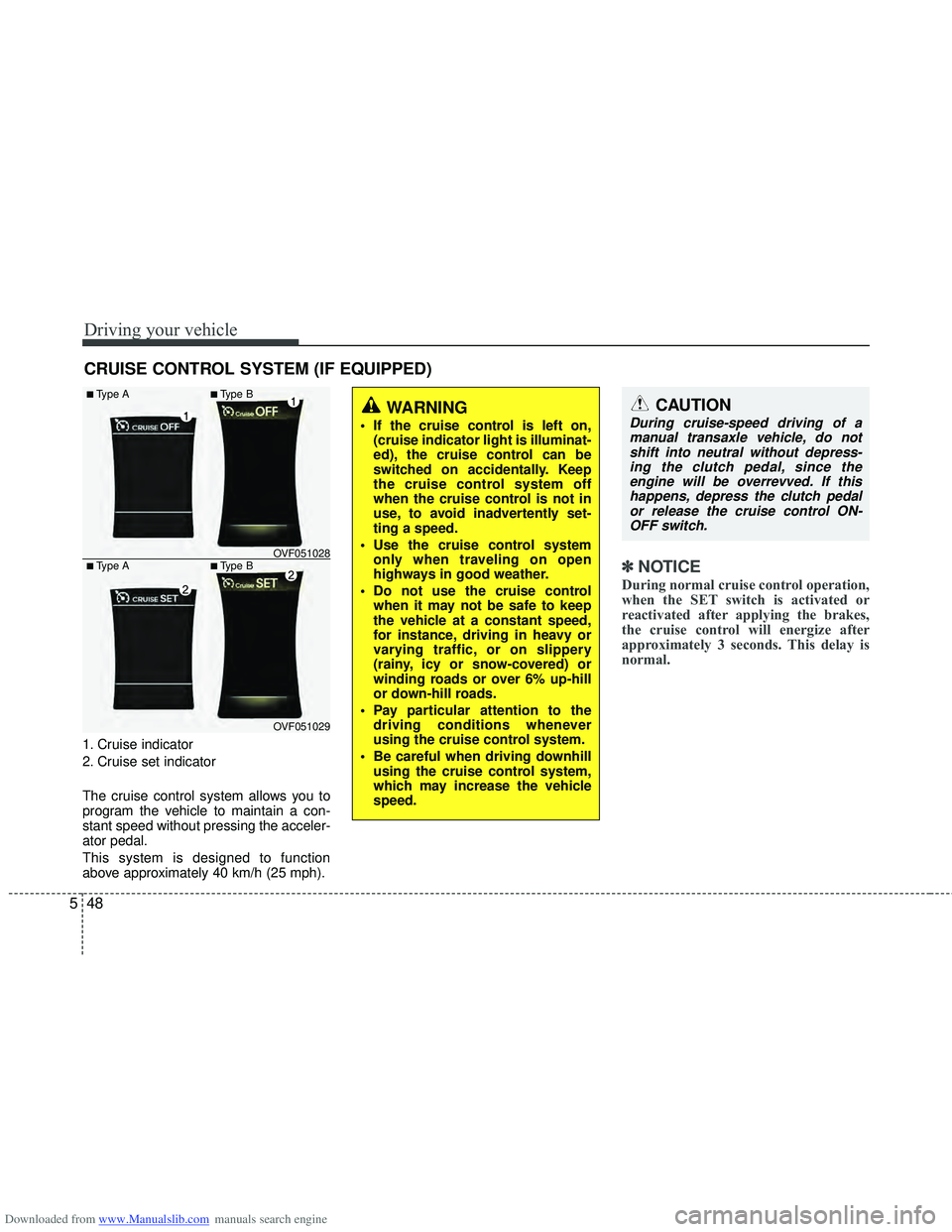
1. Cruise indicator
2. Cruise set indicator
The cruise control system allows you to
program the vehicle to maintain a con-
stant speed without pressing the acceler-
ator pedal.
This system is designed to function
above approximately 40 km/h (25 mph).
✽ ✽
NOTICE
During normal cruise control operation,
when the SET switch is activated or
reactivated after applying the brakes,
the cruise control will energize after
approximately 3 seconds. This delay is
normal.
CRUISE CONTROL SYSTEM (IF EQUIPPED)
WARNING
If the cruise control is left on,
(cruise indicator light is illuminat-
ed), the cruise control can be
switched on accidentally. Keep
the cruise control system off
when the cruise control is not in
use, to avoid inadvertently set-
ting a speed.
Use the cruise control system only when traveling on open
highways in good weather.
Do not use the cruise control when it may not be safe to keep
the vehicle at a constant speed,
for instance, driving in heavy or
varying traffic, or on slippery
(rainy, icy or snow-covered) or
winding roads or over 6% up-hill
or down-hill roads.
Pay particular attention to the driving conditions whenever
using the cruise control system.
Be careful when driving downhill using the cruise control system,
which may increase the vehicle
speed.
CAUTION
During cruise-speed driving of amanual transaxle vehicle, do notshift into neutral without depress-ing the clutch pedal, since theengine will be overrevved. If thishappens, depress the clutch pedalor release the cruise control ON-OFF switch.
OVF051029
■Type A■Type B
■Type A■Type B OVF051028
Page 346 of 534
Downloaded from www.Manualslib.com manuals search engine 553
Driving your vehicle
You can set the speed limit when you do
not want to drive over a specific speed.
If you drive over the preset speed limit,
the warning system operates (set speed
limit will blink and chime will sound) until
the vehicle speed returns within the
speed limit.
✽ ✽NOTICE
While speed limit control is in opera-
tion, the cruise control system cannot be
activated.
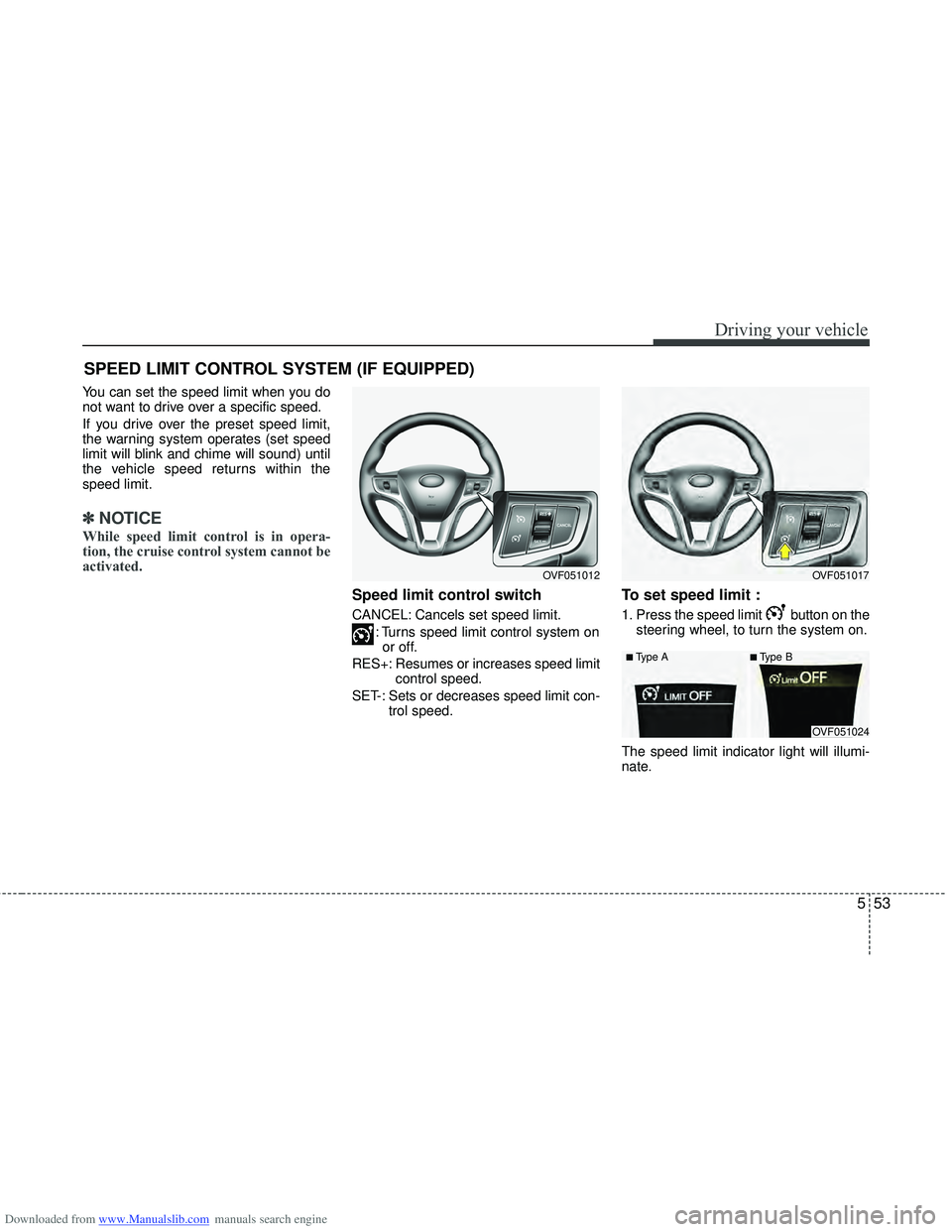
Speed limit control switch
CANCEL: Cancels set speed limit.
: Turns speed limit control system onor off.
RES+: Resumes or increases speed limit control speed.
SET-: Sets or decreases speed limit con- trol speed.
To set speed limit :
1. Press the speed limit button on thesteering wheel, to turn the system on.
The speed limit indicator light will illumi-
nate.
SPEED LIMIT CONTROL SYSTEM (IF EQUIPPED)
OVF051017OVF051012
OVF051024
■Type A■Type B
Page 349 of 534
Downloaded from www.Manualslib.com manuals search engine Driving your vehicle
56
5
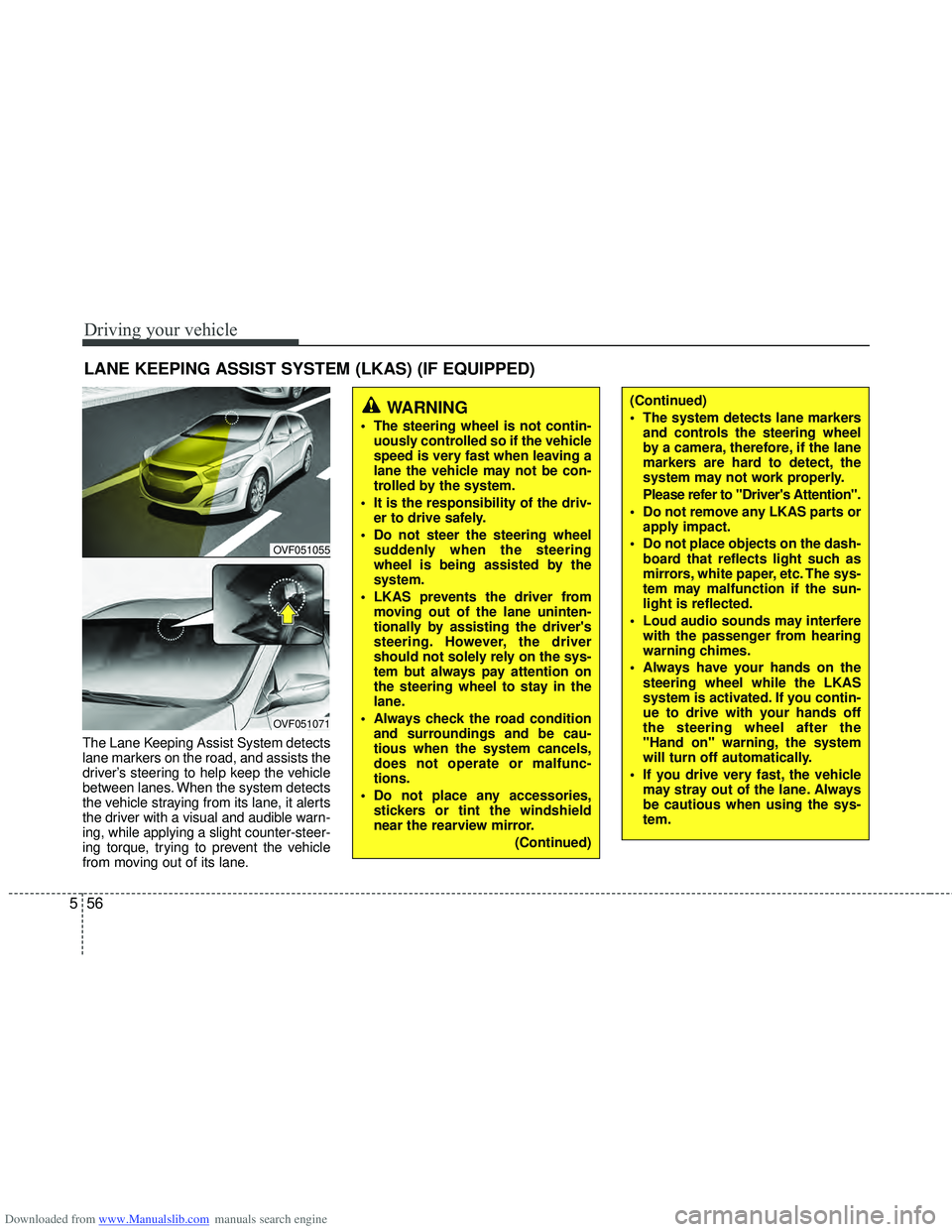
The Lane Keeping Assist System detects
lane markers on the road, and assists the
driver’s steering to help keep the vehicle
between lanes. When the system detects
the vehicle straying from its lane, it alerts
the driver with a visual and audible warn-
ing, while applying a slight counter-steer-
ing torque, trying to prevent the vehicle
from moving out of its lane.
LANE KEEPING ASSIST SYSTEM (LKAS) (IF EQUIPPED)
OVF051055
OVF051071
WARNING
The steering wheel is not contin-
uously controlled so if the vehicle
speed is very fast when leaving a
lane the vehicle may not be con-
trolled by the system.
It is the responsibility of the driv- er to drive safely.
Do not steer the steering wheel suddenly when the steering
wheel is being assisted by the
system.
LKAS prevents the driver from moving out of the lane uninten-
tionally by assisting the driver's
steering. However, the driver
should not solely rely on the sys-
tem but always pay attention on
the steering wheel to stay in the
lane.
Always check the road condition and surroundings and be cau-
tious when the system cancels,
does not operate or malfunc-
tions.
Do not place any accessories, stickers or tint the windshield
near the rearview mirror.
(Continued)
(Continued)
The system detects lane markersand controls the steering wheel
by a camera, therefore, if the lane
markers are hard to detect, the
system may not work properly.
Please refer to "Driver's Attention".
Do not remove any LKAS parts or apply impact.
Do not place objects on the dash- board that reflects light such as
mirrors, white paper, etc. The sys-
tem may malfunction if the sun-
light is reflected.
Loud audio sounds may interfere with the passenger from hearing
warning chimes.
Always have your hands on the steering wheel while the LKAS
system is activated. If you contin-
ue to drive with your hands off
the steering wheel after the
"Hand on" warning, the system
will turn off automatically.
If you drive very fast, the vehicle may stray out of the lane. Always
be cautious when using the sys-
tem.
Page 350 of 534
Downloaded from www.Manualslib.com manuals search engine 557
Driving your vehicle
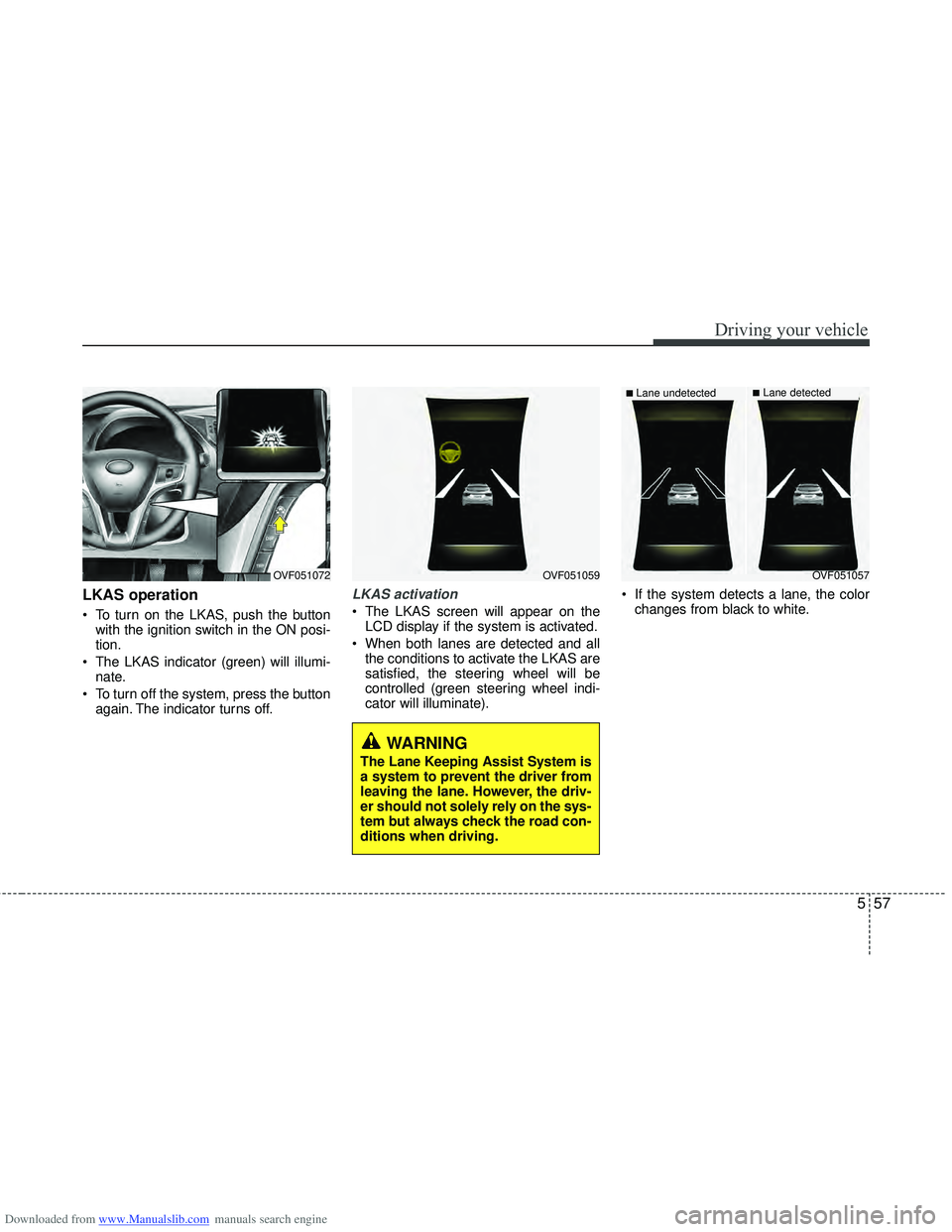
LKAS operation
To turn on the LKAS, push the buttonwith the ignition switch in the ON posi-
tion.
The LKAS indicator (green) will illumi- nate.
To turn off the system, press the button again. The indicator turns off.
LKAS activation
The LKAS screen will appear on theLCD display if the system is activated.
When both lanes are detected and all the conditions to activate the LKAS are
satisfied, the steering wheel will be
controlled (green steering wheel indi-
cator will illuminate). If the system detects a lane, the color
changes from black to white.
OVF051059OVF051072
WARNING
The Lane Keeping Assist System is
a system to prevent the driver from
leaving the lane. However, the driv-
er should not solely rely on the sys-
tem but always check the road con-
ditions when driving.
OVF051057
■Lane undetected■Lane detected
Page 351 of 534
Downloaded from www.Manualslib.com manuals search engine Driving your vehicle
58
5
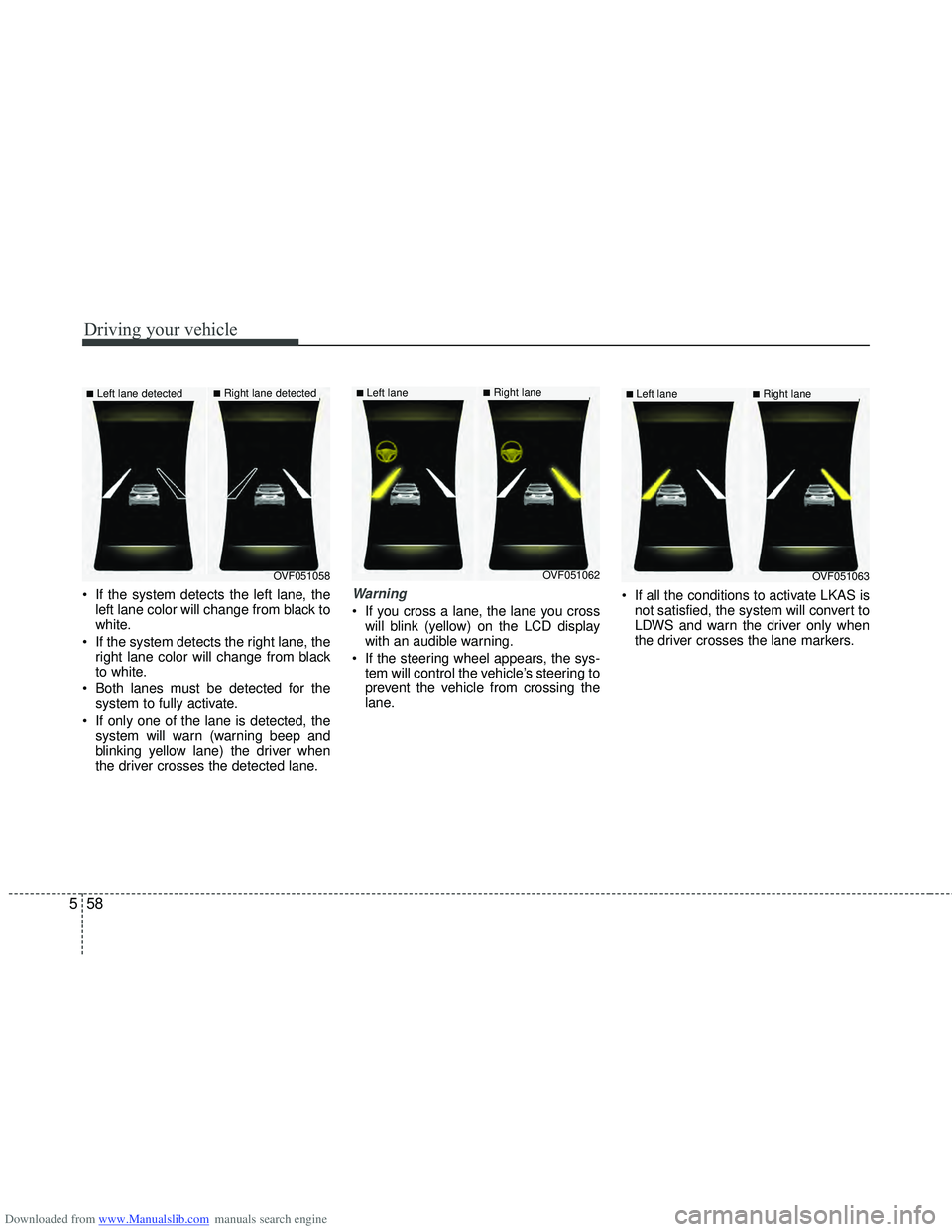
If the system detects the left lane, the
left lane color will change from black to
white.
If the system detects the right lane, the right lane color will change from black
to white.
Both lanes must be detected for the system to fully activate.
If only one of the lane is detected, the system will warn (warning beep and
blinking yellow lane) the driver when
the driver crosses the detected lane.Warning
If you cross a lane, the lane you crosswill blink (yellow) on the LCD display
with an audible warning.
If the steering wheel appears, the sys- tem will control the vehicle’s steering to
prevent the vehicle from crossing the
lane. If all the conditions to activate LKAS is
not satisfied, the system will convert to
LDWS and warn the driver only when
the driver crosses the lane markers.
OVF051058
■Left lane detected■Right lane detected
OVF051062
■Left lane ■Right lane
OVF051063
■Left lane ■Right lane
Page 352 of 534
Downloaded from www.Manualslib.com manuals search engine 559
Driving your vehicle
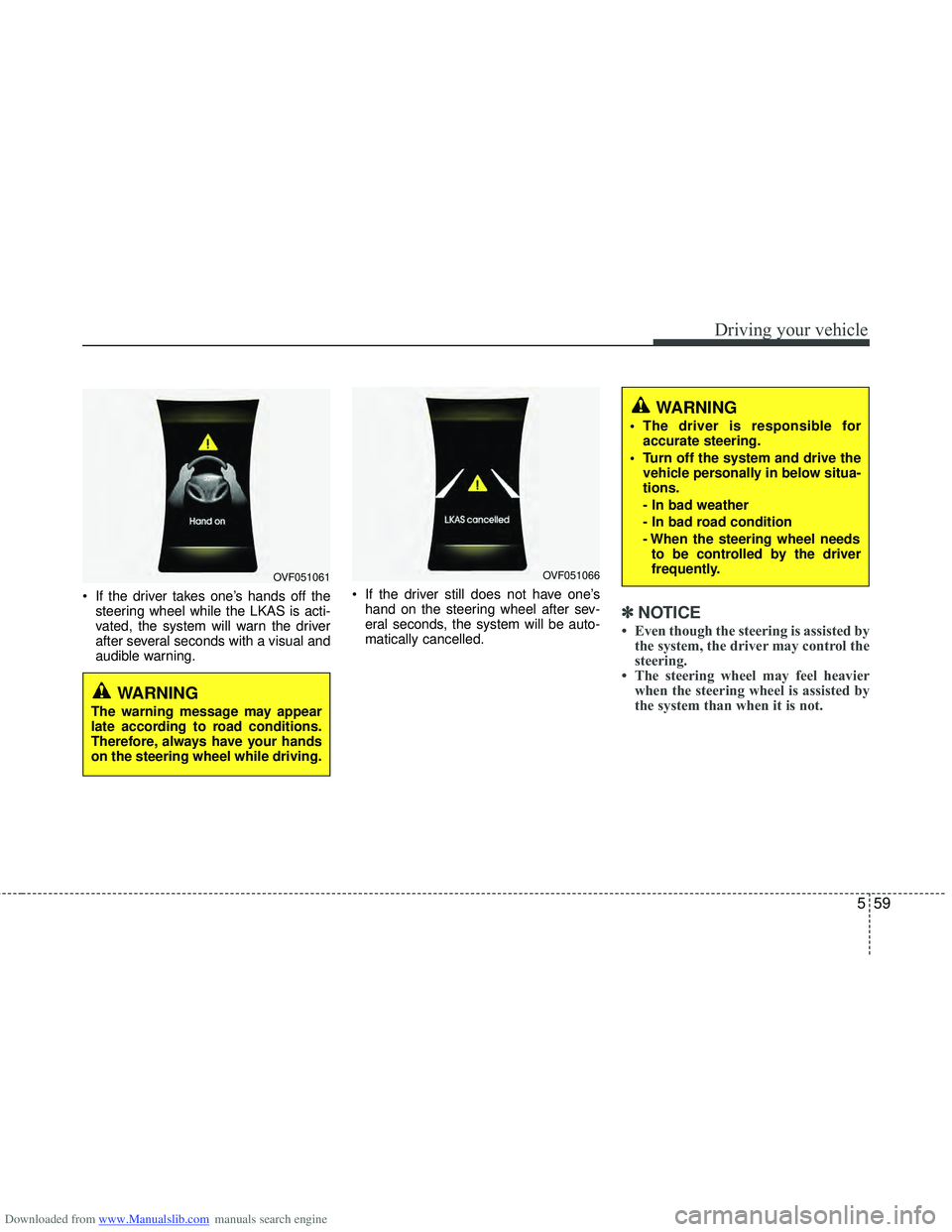
If the driver takes one’s hands off thesteering wheel while the LKAS is acti-
vated, the system will warn the driver
after several seconds with a visual and
audible warning. If the driver still does not have one’s
hand on the steering wheel after sev-
eral seconds, the system will be auto-
matically cancelled.
✽ ✽ NOTICE
• Even though the steering is assisted by
the system, the driver may control the
steering.
• The steering wheel may feel heavier when the steering wheel is assisted by
the system than when it is not.
WARNING
The warning message may appear
late according to road conditions.
Therefore, always have your hands
on the steering wheel while driving.
WARNING
The driver is responsible for
accurate steering.
Turn off the system and drive the vehicle personally in below situa-
tions.
- In bad weather
- In bad road condition
- When the steering wheel needsto be controlled by the driver
frequently.
OVF051061OVF051066