ignition HYUNDAI I40 2014 Workshop Manual
[x] Cancel search | Manufacturer: HYUNDAI, Model Year: 2014, Model line: I40, Model: HYUNDAI I40 2014Pages: 534, PDF Size: 11.05 MB
Page 164 of 534
Downloaded from www.Manualslib.com manuals search engine 477
Features of your vehicle
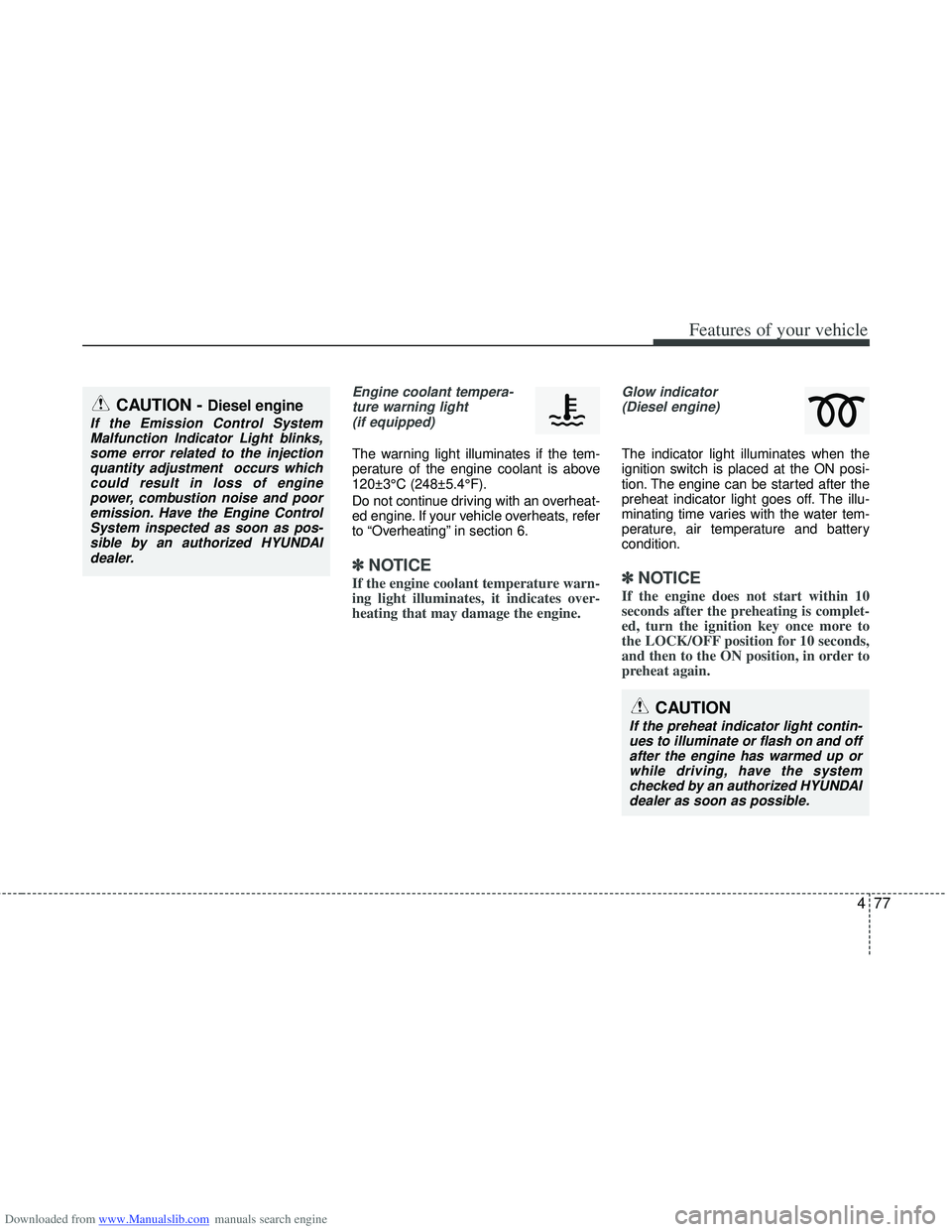
Engine coolant tempera-ture warning light(if equipped)
The warning light illuminates if the tem-
perature of the engine coolant is above
120±3°C (248±5.4°F).
Do not continue driving with an overheat-
ed engine. If your vehicle overheats, refer
to “Overheating” in section 6.
✽ ✽ NOTICE
If the engine coolant temperature warn-
ing light illuminates, it indicates over-
heating that may damage the engine.
Glow indicator
(Diesel engine)
The indicator light illuminates when the
ignition switch is placed at the ON posi-
tion. The engine can be started after the
preheat indicator light goes off. The illu-
minating time varies with the water tem-
perature, air temperature and battery
condition.
✽ ✽ NOTICE
If the engine does not start within 10
seconds after the preheating is complet-
ed, turn the ignition key once more to
the LOCK/OFF position for 10 seconds,
and then to the ON position, in order to
preheat again.
CAUTION
If the preheat indicator light contin-
ues to illuminate or flash on and off after the engine has warmed up orwhile driving, have the systemchecked by an authorized HYUNDAI dealer as soon as possible.
CAUTION - Diesel engine
If the Emission Control SystemMalfunction Indicator Light blinks,some error related to the injectionquantity adjustment occurs whichcould result in loss of engine power, combustion noise and pooremission. Have the Engine ControlSystem inspected as soon as pos-sible by an authorized HYUNDAIdealer.
Page 165 of 534
Downloaded from www.Manualslib.com manuals search engine Features of your vehicle
78
4
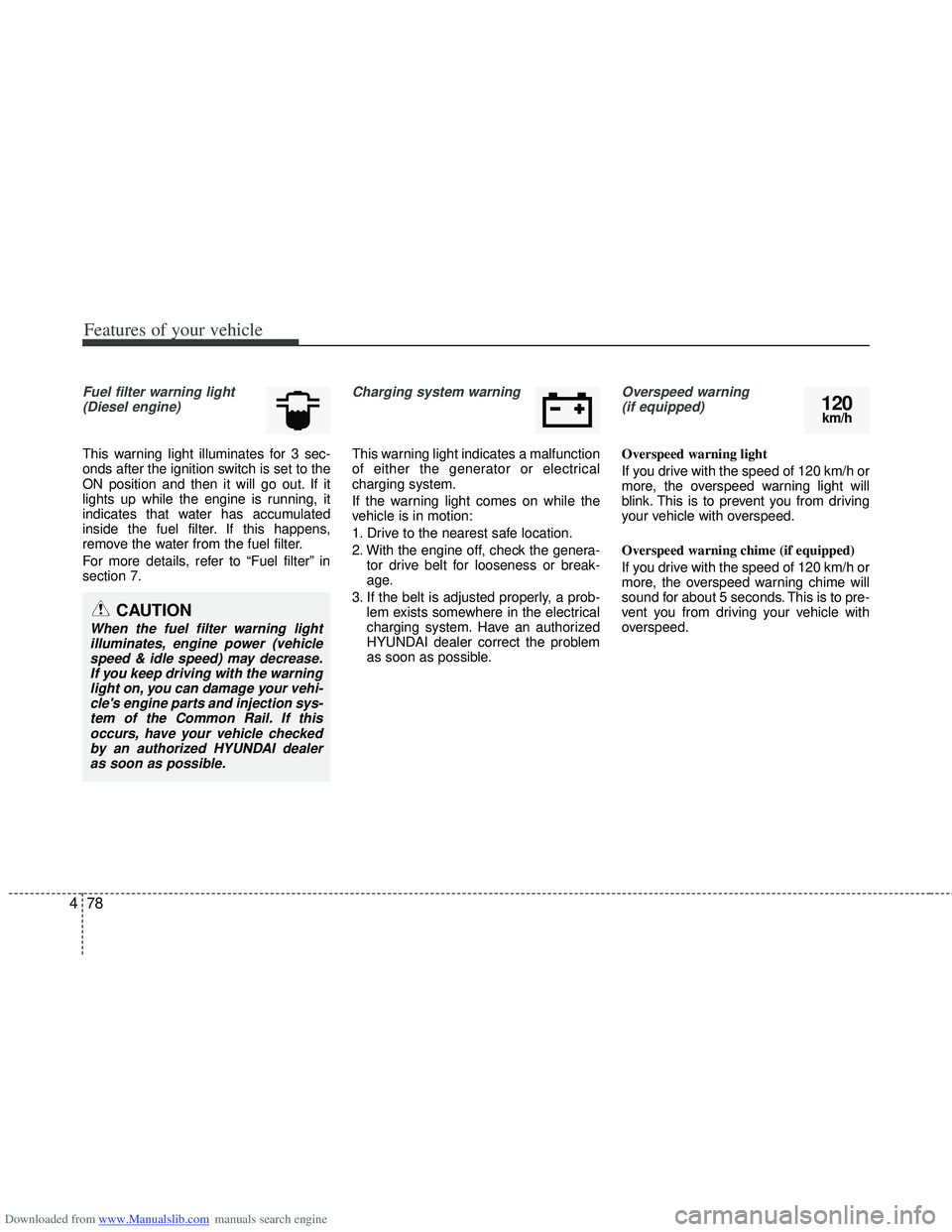
Fuel filter warning light
(Diesel engine)
This warning light illuminates for 3 sec-
onds after the ignition switch is set to the
ON position and then it will go out. If it
lights up while the engine is running, it
indicates that water has accumulated
inside the fuel filter. If this happens,
remove the water from the fuel filter.
For more details, refer to “Fuel filter” in
section 7.
Charging system warning
This warning light indicates a malfunction
of either the generator or electrical
charging system.
If the warning light comes on while the
vehicle is in motion:
1. Drive to the nearest safe location.
2. With the engine off, check the genera- tor drive belt for looseness or break-
age.
3. If the belt is adjusted properly, a prob- lem exists somewhere in the electrical
charging system. Have an authorized
HYUNDAI dealer correct the problem
as soon as possible.
Overspeed warning (if equipped)
Overspeed warning light
If you drive with the speed of 120 km/h or
more, the overspeed warning light will
blink. This is to prevent you from driving
your vehicle with overspeed.
Overspeed warning chime (if equipped)
If you drive with the speed of 120 km/h or
more, the overspeed warning chime will
sound for about 5 seconds. This is to pre-
vent you from driving your vehicle with
overspeed.
CAUTION
When the fuel filter warning light illuminates, engine power (vehiclespeed & idle speed) may decrease.If you keep driving with the warninglight on, you can damage your vehi- cle's engine parts and injection sys-tem of the Common Rail. If thisoccurs, have your vehicle checkedby an authorized HYUNDAI dealeras soon as possible.
120km/h
Page 166 of 534
Downloaded from www.Manualslib.com manuals search engine 479
Features of your vehicle
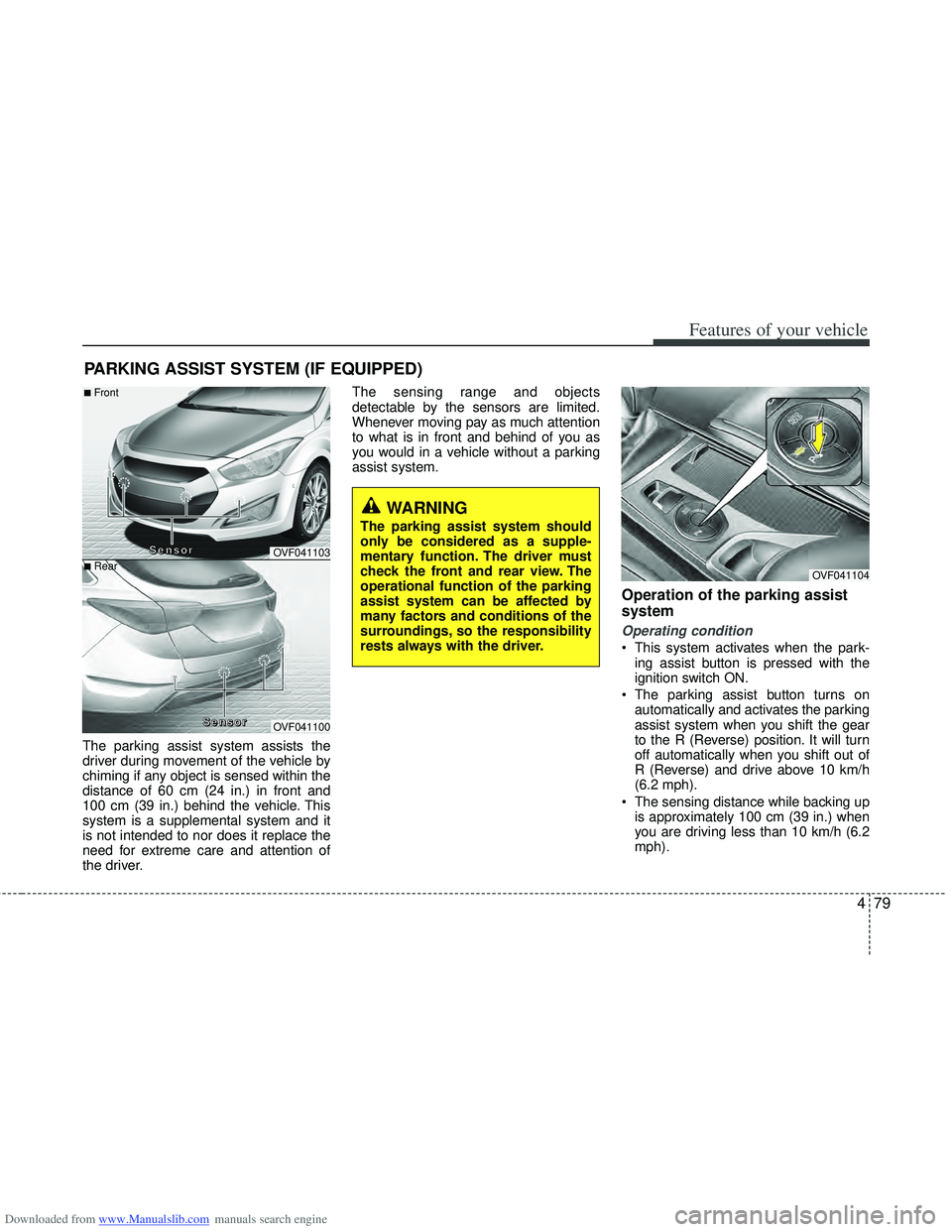
The parking assist system assists the
driver during movement of the vehicle by
chiming if any object is sensed within the
distance of 60 cm (24 in.) in front and
100 cm (39 in.) behind the vehicle. This
system is a supplemental system and it
is not intended to nor does it replace the
need for extreme care and attention of
the driver.The sensing range and objects
detectable by the sensors are limited.
Whenever moving pay as much attention
to what is in front and behind of you as
you would in a vehicle without a parking
assist system.
Operation of the parking assist
system
Operating condition
This system activates when the park-
ing assist button is pressed with the
ignition switch ON.
The parking assist button turns on automatically and activates the parking
assist system when you shift the gear
to the R (Reverse) position. It will turn
off automatically when you shift out of
R (Reverse) and drive above 10 km/h
(6.2 mph).
The sensing distance while backing up is approximately 100 cm (39 in.) when
you are driving less than 10 km/h (6.2
mph).
PARKING ASSIST SYSTEM (IF EQUIPPED)
WARNING
The parking assist system should
only be considered as a supple-
mentary function. The driver must
check the front and rear view. The
operational function of the parking
assist system can be affected by
many factors and conditions of the
surroundings, so the responsibility
rests always with the driver.
OVF041104
OVF041103
OVF041100
■Front
■Rear
S
S
S
S
e
e
e
e
n
n
n
n
s
s
s
s
o
o
o
o
r
r
r
r
S
S
S
S
e
e
e
e
n
n
n
n
s
s
s
s
o
o
o
o
r
r
r
r
Page 175 of 534
Downloaded from www.Manualslib.com manuals search engine Features of your vehicle
88
4
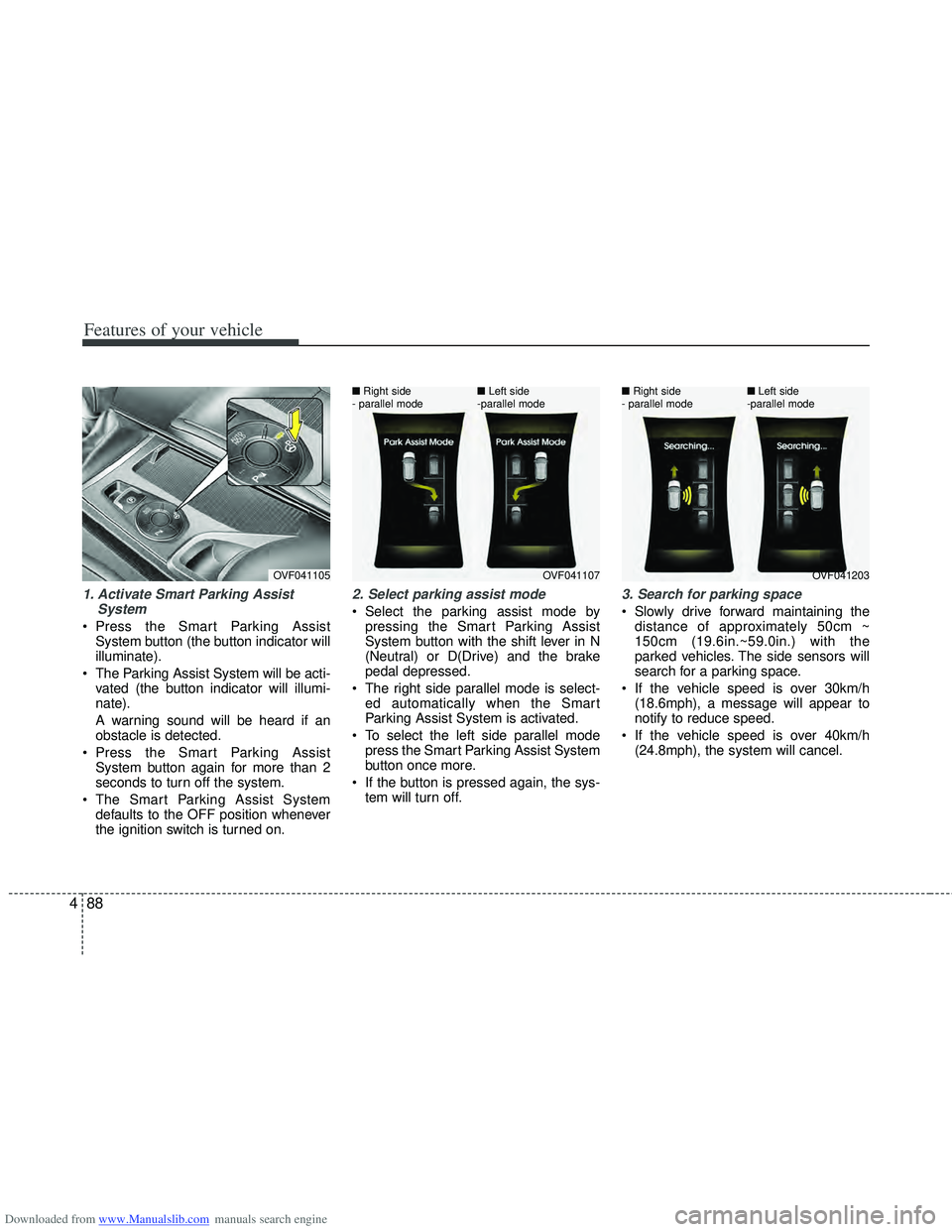
1. Activate Smart Parking Assist
System
Press the Smart Parking AssistSystem button (the button indicator will
illuminate).
The Parking Assist System will be acti- vated (the button indicator will illumi-
nate).
A warning sound will be heard if an
obstacle is detected.
Press the Smart Parking Assist System button again for more than 2
seconds to turn off the system.
The Smart Parking Assist System defaults to the OFF position whenever
the ignition switch is turned on.
2. Select parking assist mode
Select the parking assist mode bypressing the Smart Parking Assist
System button with the shift lever in N
(Neutral) or D(Drive) and the brake
pedal depressed.
The right side parallel mode is select- ed automatically when the Smart
Parking Assist System is activated.
To select the left side parallel mode press the Smart Parking Assist System
button once more.
If the button is pressed again, the sys- tem will turn off.
3. Search for parking space
Slowly drive forward maintaining thedistance of approximately 50cm ~
150cm (19.6in.~59.0in.) with the
parked vehicles. The side sensors will
search for a parking space.
If the vehicle speed is over 30km/h (18.6mph), a message will appear to
notify to reduce speed.
If the vehicle speed is over 40km/h (24.8mph), the system will cancel.
OVF041105OVF041107
■
Right side
- parallel mode ■
Left side
-parallel modeOVF041203
■
Right side
- parallel mode ■
Left side
-parallel mode
Page 181 of 534
Downloaded from www.Manualslib.com manuals search engine Features of your vehicle
94
4
REARVIEW CAMERA (IF EQUIPPED)
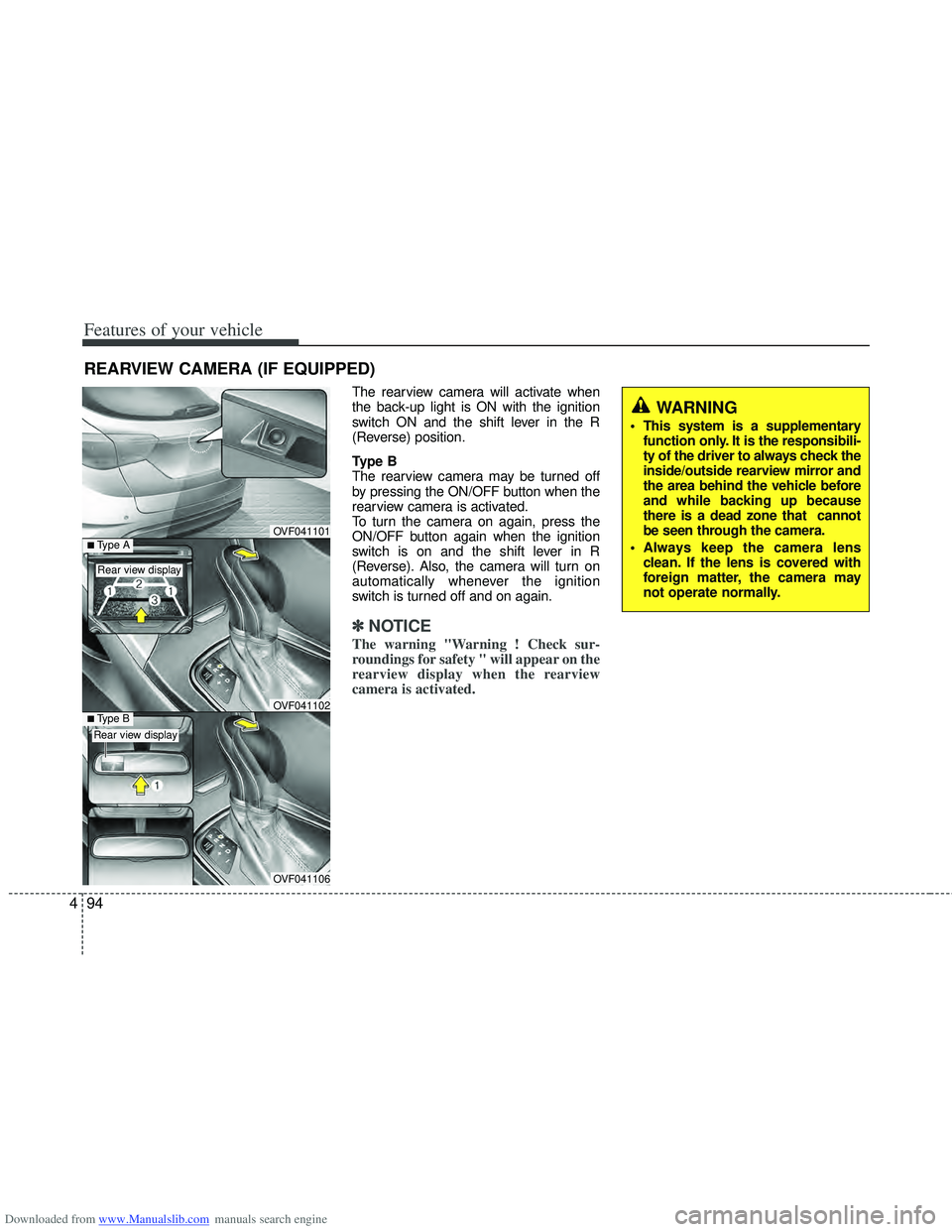
The rearview camera will activate when
the back-up light is ON with the ignition
switch ON and the shift lever in the R
(Reverse) position.
Type B
The rearview camera may be turned off
by pressing the ON/OFF button when the
rearview camera is activated.
To turn the camera on again, press the
ON/OFF button again when the ignition
switch is on and the shift lever in R
(Reverse). Also, the camera will turn on
automatically whenever the ignition
switch is turned off and on again.
✽ ✽
NOTICE
The warning "Warning ! Check sur-
roundings for safety " will appear on the
rearview display when the rearview
camera is activated.
OVF041101
OVF041106
■Type BOVF041102
■Type A
Rear view display
Rear view display
WARNING
This system is a supplementary
function only. It is the responsibili-
ty of the driver to always check the
inside/outside rearview mirror and
the area behind the vehicle before
and while backing up because
there is a dead zone that cannot
be seen through the camera.
Always keep the camera lens clean. If the lens is covered with
foreign matter, the camera may
not operate normally.
Page 182 of 534
Downloaded from www.Manualslib.com manuals search engine 495
Features of your vehicle
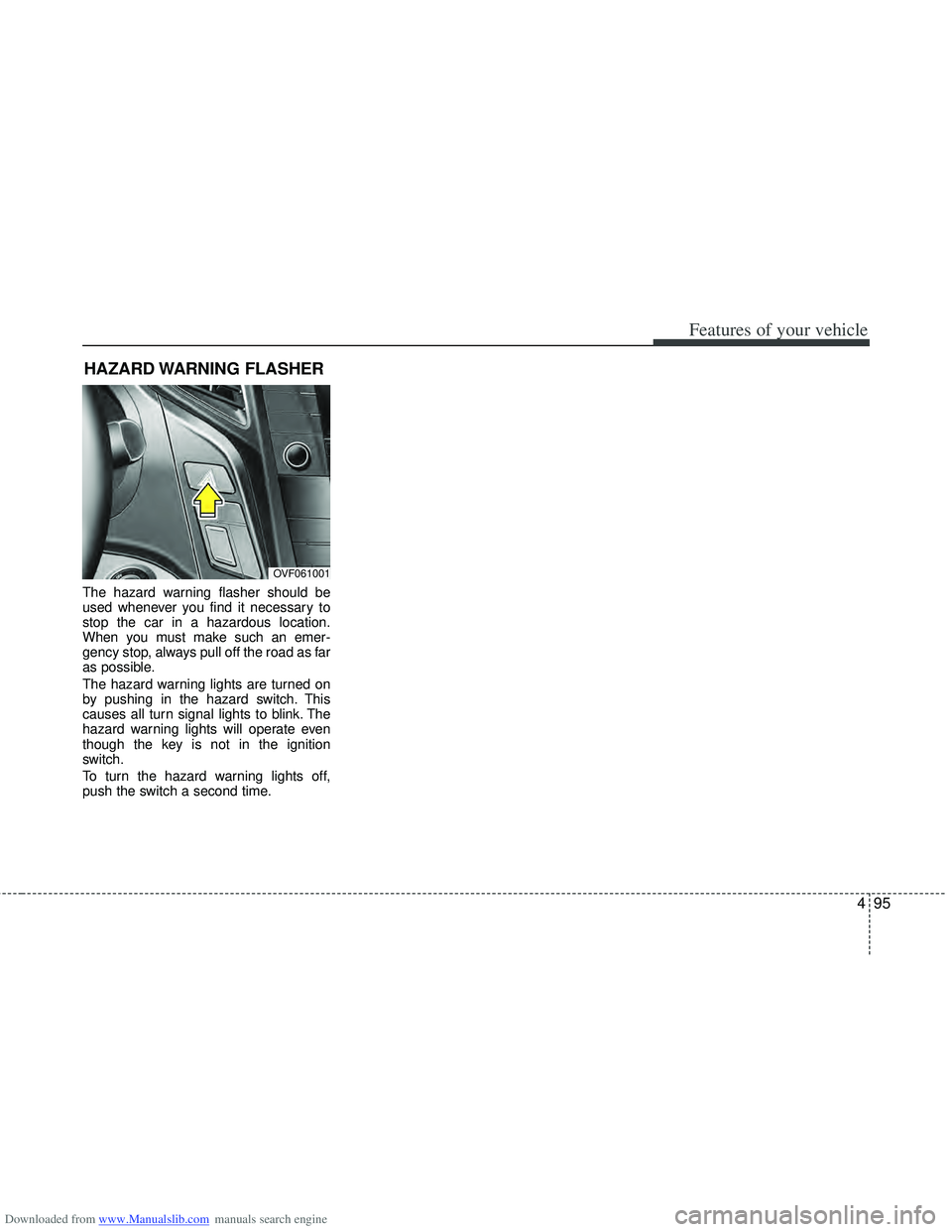
The hazard warning flasher should be
used whenever you find it necessary to
stop the car in a hazardous location.
When you must make such an emer-
gency stop, always pull off the road as far
as possible.
The hazard warning lights are turned on
by pushing in the hazard switch. This
causes all turn signal lights to blink. The
hazard warning lights will operate even
though the key is not in the ignition
switch.
To turn the hazard warning lights off,
push the switch a second time.
HAZARD WARNING FLASHER
OVF061001
Page 183 of 534
Downloaded from www.Manualslib.com manuals search engine Features of your vehicle
96
4
Battery saver function
The purpose of this feature is to pre-
vent the battery from being dis-
charged. The system automatically
turns off the parking lights when the
driver removes the ignition key and
opens the driver- side door.
With this feature, the parking lights will be turned off automatically if the driver
parks on the side of road at night.
If necessary, to keep the lights on
when the ignition key is removed, per-
form the following :
1) Open the driver-side door.
2) Turn the parking lights OFF and ON again using the light switch on the
steering column.
Headlight (Headlamp) escort
function (if equipped)
The headlights (and/or taillights) remain
on for approximately 20 minutes after the
ignition key is removed or turned to the
ACC or LOCK position. However, if the
driver’s door is opened and closed, the
headlights are turned off after 30 sec-
onds.
The headlights can be turned off by
pressing the lock button on the transmit-
ter or smart key twice or turning off the
light switch from the headlight or Auto
light position.
Headlight (Headlamp) welcome
function (if equipped)
When the headlight switch is in the ON or
AUTO position and all doors (and tail-
gate) are closed and locked, if you press
the door unlock button on the transmitter
or smart key, the headlights will come on
for about 15 seconds.
If the headlight switch is in the AUTO
position, the function can only operate at
night.
At this time, if you press the door unlock
button again or door lock button on the
transmitter or smart key, the headlights
will turn off immediately.
LIGHTING
CAUTION
If the driver gets out of the vehiclethrough other doors (except dri-ver’s door), the battery saver func-tion does not operate and the head-light escort function does not turnoff automatically. Therefore, it caus-es the battery to be discharged. Inthis case, make sure to turn off thelamp before getting out of the vehi- cle.
Page 185 of 534
Downloaded from www.Manualslib.com manuals search engine Features of your vehicle
98
4
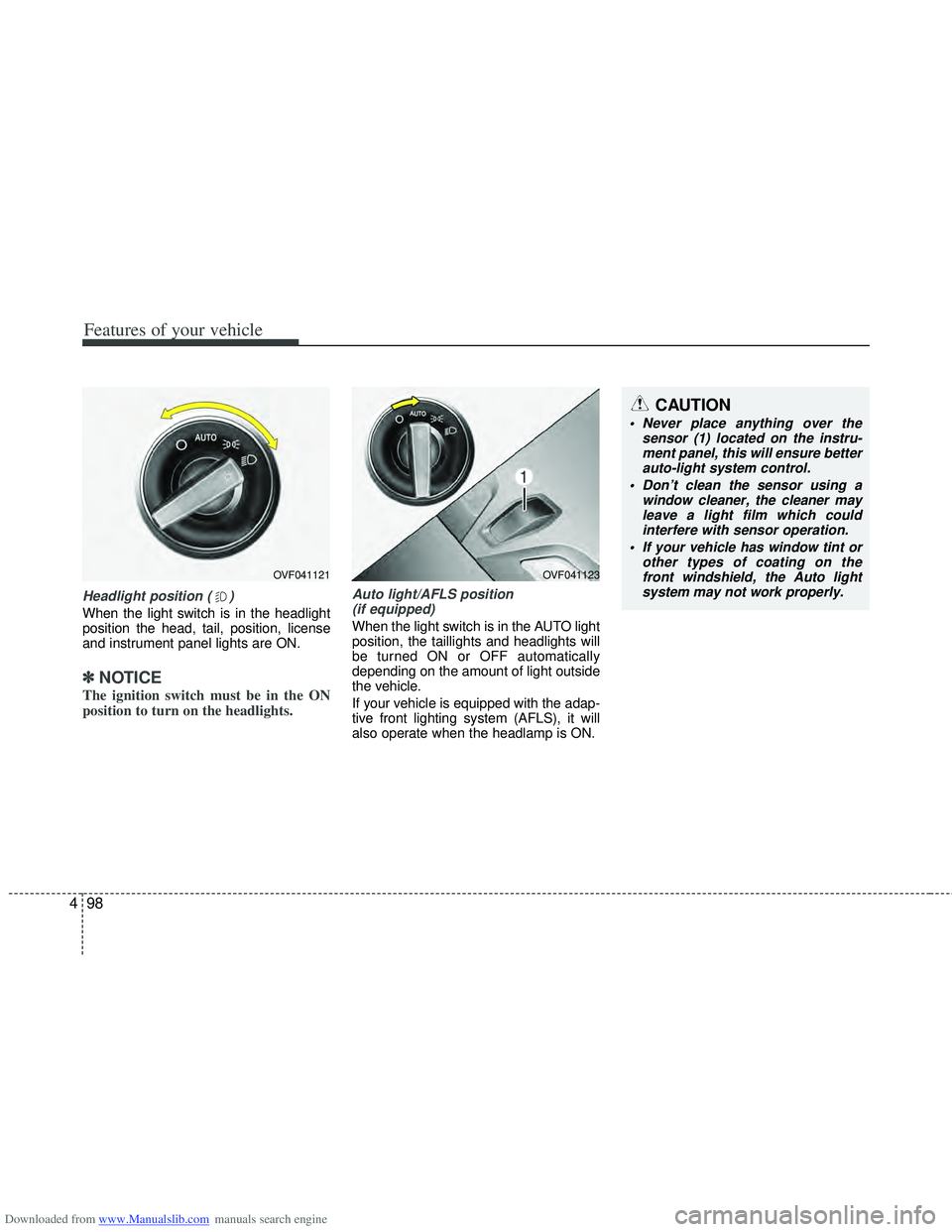
Headlight position ( )
When the light switch is in the headlight
position the head, tail, position, license
and instrument panel lights are ON.
✽ ✽
NOTICE
The ignition switch must be in the ON
position to turn on the headlights.
Auto light/AFLS position
(if equipped)
When the light switch is in the AUTO light
position, the taillights and headlights will
be turned ON or OFF automatically
depending on the amount of light outside
the vehicle.
If your vehicle is equipped with the adap-
tive front lighting system (AFLS), it will
also operate when the headlamp is ON.
OVF041123
CAUTION
Never place anything over the sensor (1) located on the instru-ment panel, this will ensure better auto-light system control.
Don’t clean the sensor using a window cleaner, the cleaner mayleave a light film which could interfere with sensor operation.
If your vehicle has window tint or other types of coating on thefront windshield, the Auto light system may not work properly.
OVF041121
Page 187 of 534
Downloaded from www.Manualslib.com manuals search engine Features of your vehicle
100
4
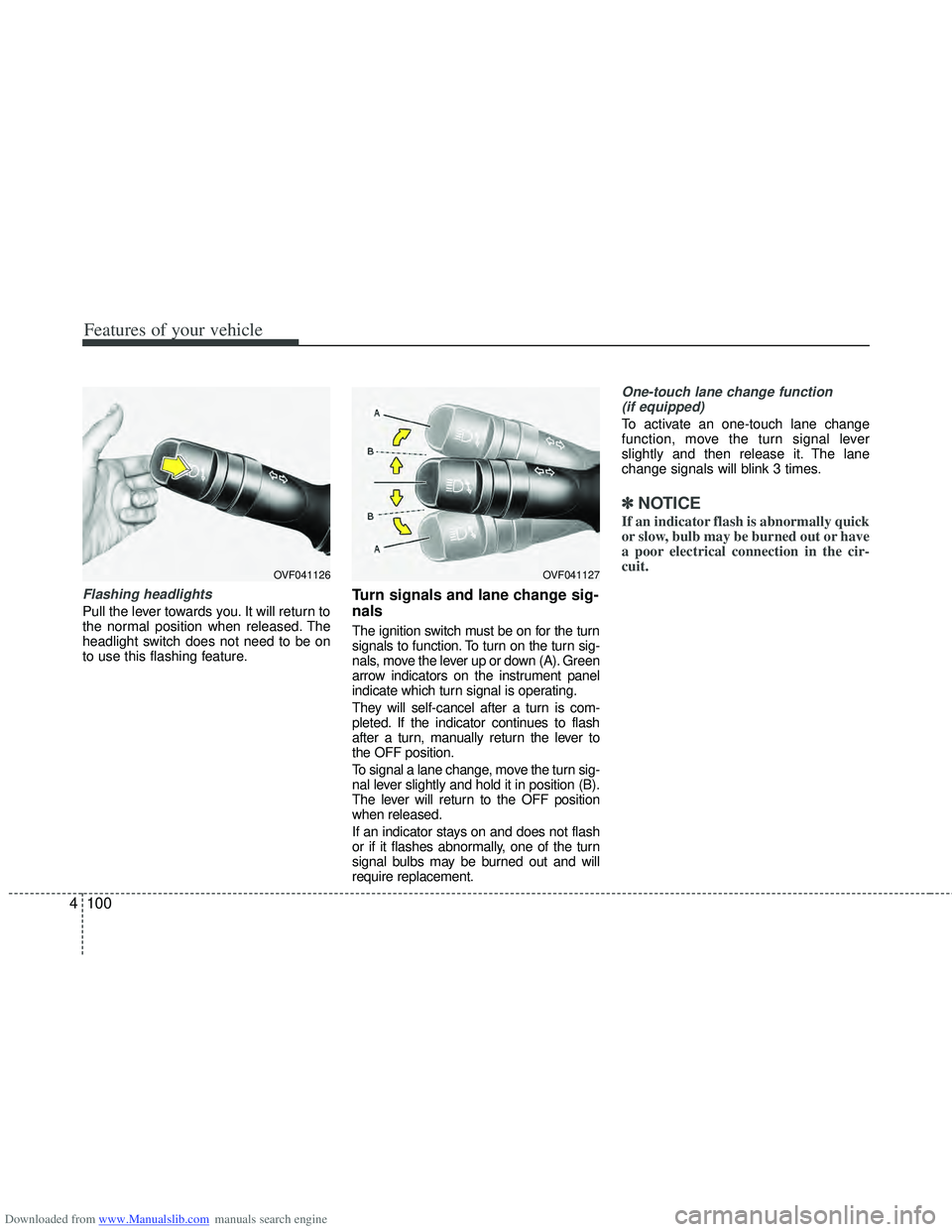
Flashing headlights
Pull the lever towards you. It will return to
the normal position when released. The
headlight switch does not need to be on
to use this flashing feature.
Turn signals and lane change sig-
nals
The ignition switch must be on for the turn
signals to function. To turn on the turn sig-
nals, move the lever up or down (A). Green
arrow indicators on the instrument panel
indicate which turn signal is operating.
They will self-cancel after a turn is com-
pleted. If the indicator continues to flash
after a turn, manually return the lever to
the OFF position.
To signal a lane change, move the turn sig-
nal lever slightly and hold it in position (B).
The lever will return to the OFF position
when released.
If an indicator stays on and does not flash
or if it flashes abnormally, one of the turn
signal bulbs may be burned out and will
require replacement.
One-touch lane change function
(if equipped)
To activate an one-touch lane change
function, move the turn signal lever
slightly and then release it. The lane
change signals will blink 3 times.
✽ ✽ NOTICE
If an indicator flash is abnormally quick
or slow, bulb may be burned out or have
a poor electrical connection in the cir-
cuit.
OVF041127OVF041126
Page 188 of 534
Downloaded from www.Manualslib.com manuals search engine 4101
Features of your vehicle
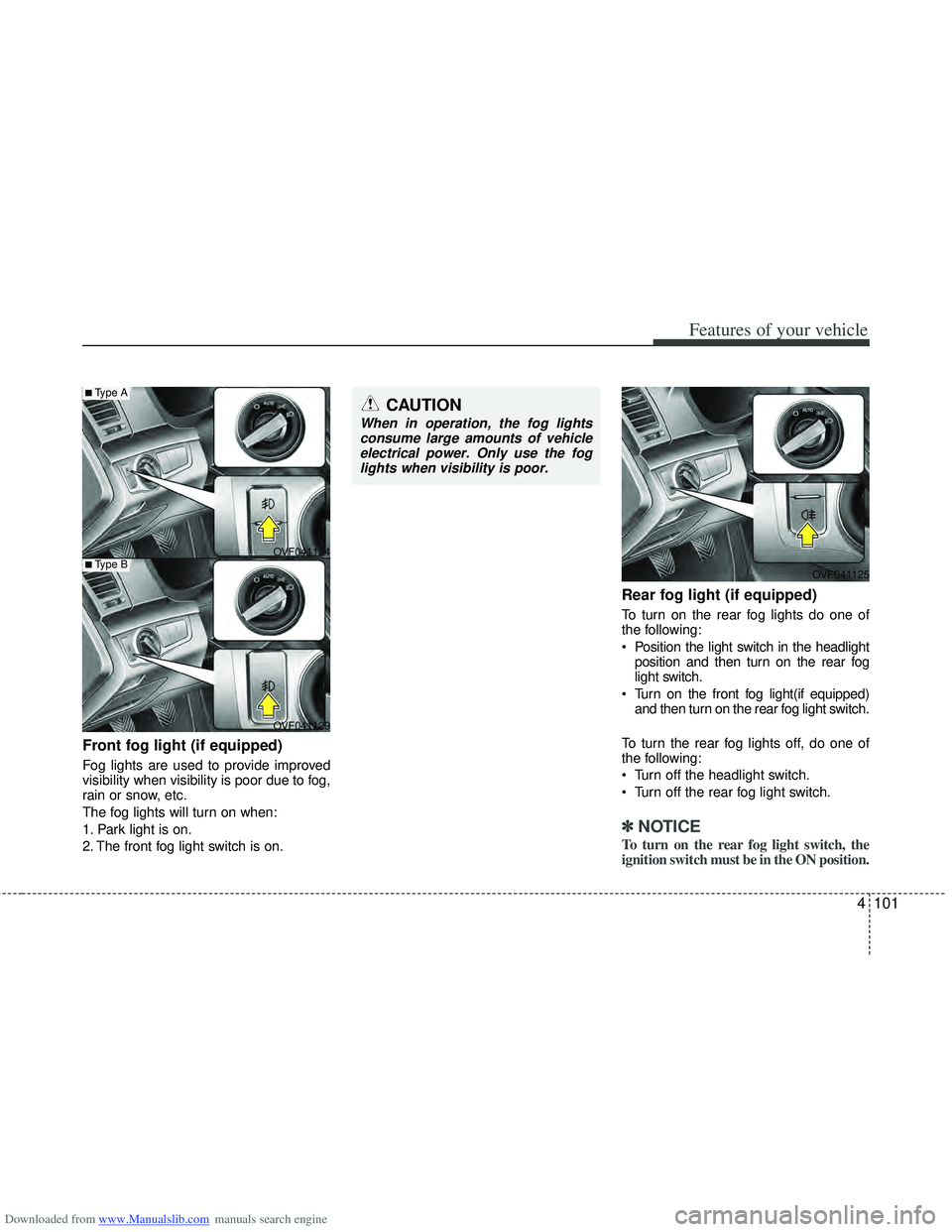
Front fog light (if equipped)
Fog lights are used to provide improved
visibility when visibility is poor due to fog,
rain or snow, etc.
The fog lights will turn on when:
1. Park light is on.
2. The front fog light switch is on.
Rear fog light (if equipped)
To turn on the rear fog lights do one of
the following:
Position the light switch in the headlightposition and then turn on the rear fog
light switch.
Turn on the front fog light(if equipped) and then turn on the rear fog light switch.
To turn the rear fog lights off, do one of
the following:
Turn off the headlight switch.
Turn off the rear fog light switch.
✽ ✽ NOTICE
To turn on the rear fog light switch, the
ignition switch must be in the ON position.
OVF041124
OVF041125
OVF041129
■Type A
■Type B
CAUTION
When in operation, the fog lights consume large amounts of vehicleelectrical power. Only use the foglights when visibility is poor.