ESP HYUNDAI I40 2017 Owner's Manual
[x] Cancel search | Manufacturer: HYUNDAI, Model Year: 2017, Model line: I40, Model: HYUNDAI I40 2017Pages: 534, PDF Size: 11.05 MB
Page 169 of 534
Downloaded from www.Manualslib.com manuals search engine Features of your vehicle
82
4
✽
✽
NOTICE
1. The warning may not sound sequen-
tially depending on the speed and
shapes of the objects detected.
2. The parking assist system may mal- function if the vehicle bumper height
or sensor installation has been modi-
fied. Any non-factory installed equip-
ment or accessories may also interfere
with the sensor performance.
3. Sensor may not recognize objects less than 30 cm from the sensor, or it may
sense an incorrect distance. Use with
caution.
4. When the sensor is frozen or stained with snow or water, the sensor may be
inoperative until the stains are
removed using a soft cloth.
5. Do not push, scratch or strike the sen- sor with any hard objects that could
damage the surface of the sensor.
Sensor damage could occur.
✽ ✽NOTICE
This system can only sense objects with-
in the range and location of the sensors,
it can not detect objects in other areas
where sensors are not installed. Also,
small or slim objects, or objects located
between sensors may not be detected.
Always visually check in front and
behind the vehicle when driving.
Be sure to inform any drivers in the
vehicle that may be unfamiliar with the
system regarding the systems capabili-
ties and limitations.
Self-diagnosis
When you shift the gear to the R
(Reverse) position and if one or more of
the below occurs you may have a mal-
function in the rear parking assist sys-
tem.
You don't hear an audible warning
sound or if the buzzer sounds intermit-
tently.
If this occurs, have your vehicle checked
by an authorized HYUNDAI dealer as
soon as possible.
WARNING
Your new vehicle warranty does not
cover any accidents or damage to
the vehicle or injuries to its occu-
pants related to a parking assist
system. Always drive safely and
cautiously.
WARNING
Pay close attention when the vehi-
cle is driven close to objects on the
road, particularly pedestrians, and
especially children. Be aware that
some objects may not be detected
by the sensors, due to the objects
distance, size or material, all of
which can limit the effectiveness of
the sensor. Always perform a visual
inspection to make sure the vehicle
is clear of all obstructions before
moving the vehicle in any direction.
(blinks)
is displayed. (if equipped)
Page 170 of 534
Downloaded from www.Manualslib.com manuals search engine 483
Features of your vehicle
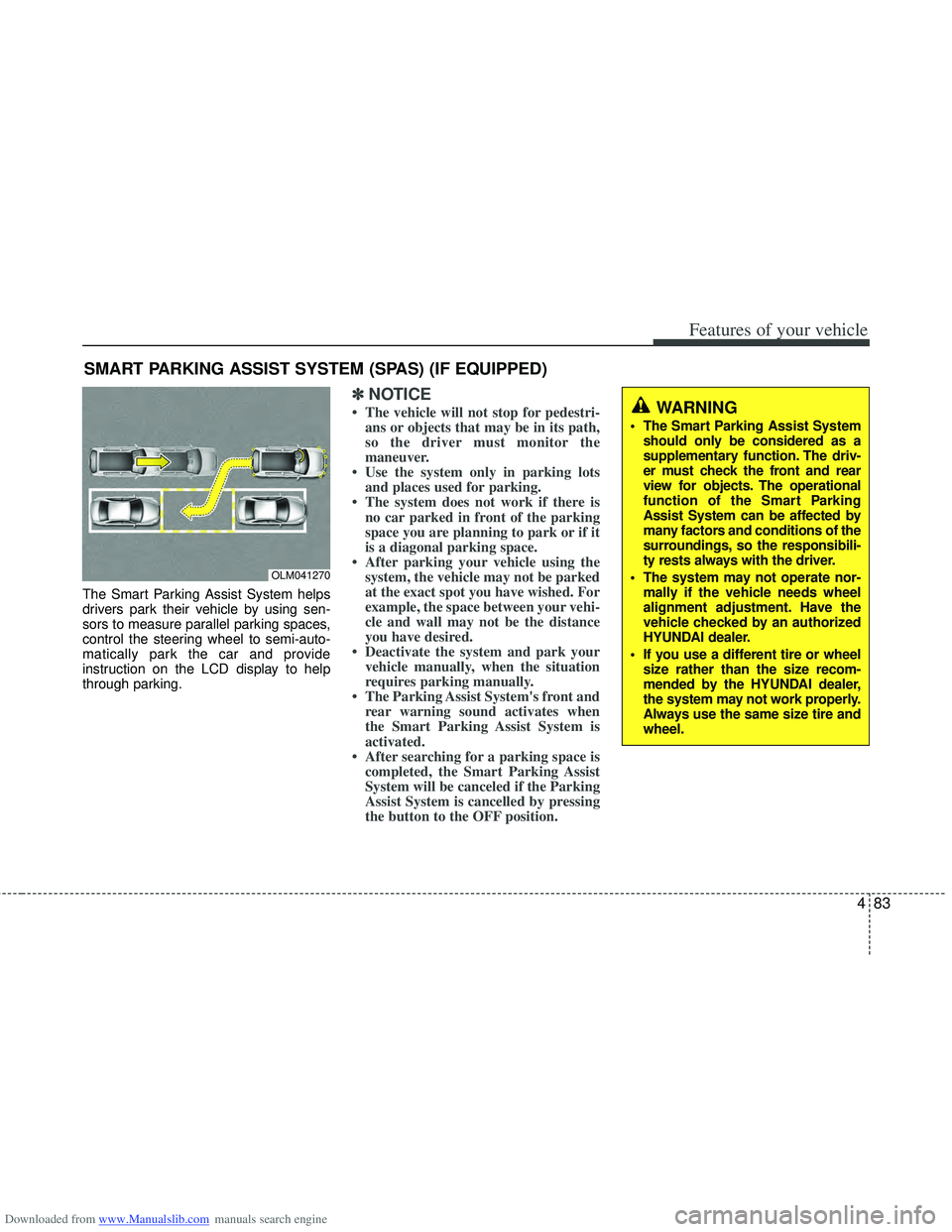
The Smart Parking Assist System helps
drivers park their vehicle by using sen-
sors to measure parallel parking spaces,
control the steering wheel to semi-auto-
matically park the car and provide
instruction on the LCD display to help
through parking.
✽ ✽NOTICE
• The vehicle will not stop for pedestri-
ans or objects that may be in its path,
so the driver must monitor the
maneuver.
• Use the system only in parking lots and places used for parking.
• The system does not work if there is no car parked in front of the parking
space you are planning to park or if it
is a diagonal parking space.
• After parking your vehicle using the system, the vehicle may not be parked
at the exact spot you have wished. For
example, the space between your vehi-
cle and wall may not be the distance
you have desired.
• Deactivate the system and park your vehicle manually, when the situation
requires parking manually.
• The Parking Assist System's front and rear warning sound activates when
the Smart Parking Assist System is
activated.
• After searching for a parking space is completed, the Smart Parking Assist
System will be canceled if the Parking
Assist System is cancelled by pressing
the button to the OFF position.
SMART PARKING ASSIST SYSTEM (SPAS) (IF EQUIPPED)
OLM041270
WARNING
The Smart Parking Assist System
should only be considered as a
supplementary function. The driv-
er must check the front and rear
view for objects. The operational
function of the Smart Parking
Assist System can be affected by
many factors and conditions of the
surroundings, so the responsibili-
ty rests always with the driver.
The system may not operate nor- mally if the vehicle needs wheel
alignment adjustment. Have the
vehicle checked by an authorized
HYUNDAI dealer.
If you use a different tire or wheel size rather than the size recom-
mended by the HYUNDAI dealer,
the system may not work properly.
Always use the same size tire and
wheel.
Page 177 of 534
Downloaded from www.Manualslib.com manuals search engine Features of your vehicle
90
4
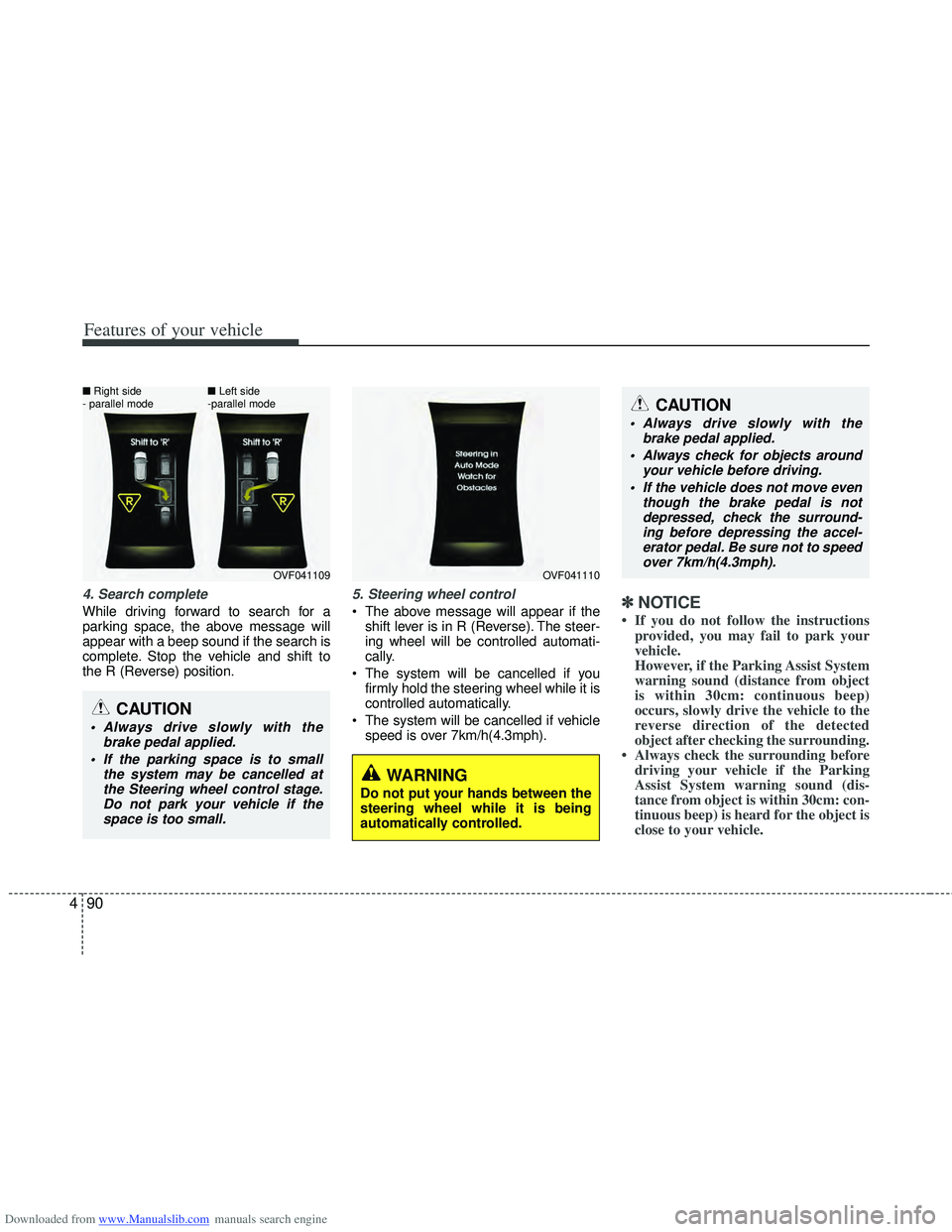
4. Search complete
While driving forward to search for a
parking space, the above message will
appear with a beep sound if the search is
complete. Stop the vehicle and shift to
the R (Reverse) position.
5. Steering wheel control
The above message will appear if the
shift lever is in R (Reverse). The steer-
ing wheel will be controlled automati-
cally.
The system will be cancelled if you firmly hold the steering wheel while it is
controlled automatically.
The system will be cancelled if vehicle speed is over 7km/h(4.3mph).✽ ✽ NOTICE
• If you do not follow the instructions
provided, you may fail to park your
vehicle.
However, if the Parking Assist System
warning sound (distance from object
is within 30cm: continuous beep)
occurs, slowly drive the vehicle to the
reverse direction of the detected
object after checking the surrounding.
• Always check the surrounding before driving your vehicle if the Parking
Assist System warning sound (dis-
tance from object is within 30cm: con-
tinuous beep) is heard for the object is
close to your vehicle.
CAUTION
Always drive slowly with the
brake pedal applied.
Always check for objects around your vehicle before driving.
If the vehicle does not move even though the brake pedal is notdepressed, check the surround-ing before depressing the accel- erator pedal. Be sure not to speedover 7km/h(4.3mph).
CAUTION
Always drive slowly with the brake pedal applied.
If the parking space is to small the system may be cancelled atthe Steering wheel control stage.Do not park your vehicle if thespace is too small.
OVF041109
■
Right side
- parallel mode ■
Left side
-parallel modeOVF041110
WARNING
Do not put your hands between the
steering wheel while it is being
automatically controlled.
Page 180 of 534
Downloaded from www.Manualslib.com manuals search engine 493
Features of your vehicle
✽
✽NOTICE
• In the below conditions the system
will be cancelled. Park your vehicle
manually.
1. Search for parking space
- When the ABS/ESP is activated
- When the vehicle speed is over40km/h (24.8mph)
- When you press the Smart Parking Assist System button (the front and
rear Parking Assist System operates)
- When you shift the shift lever to R (Reverse)
2. Steering wheel control - When the ABS/ESP is activated
- When the vehicle speed is over7km/h (4.3 mph)
- When you press the Smart Parking Assist System button (the front and
rear Parking Assist System operates)
- When you shift the shift lever to D (Drive) before entering the parking
space
- When you hold the steering wheel firmly
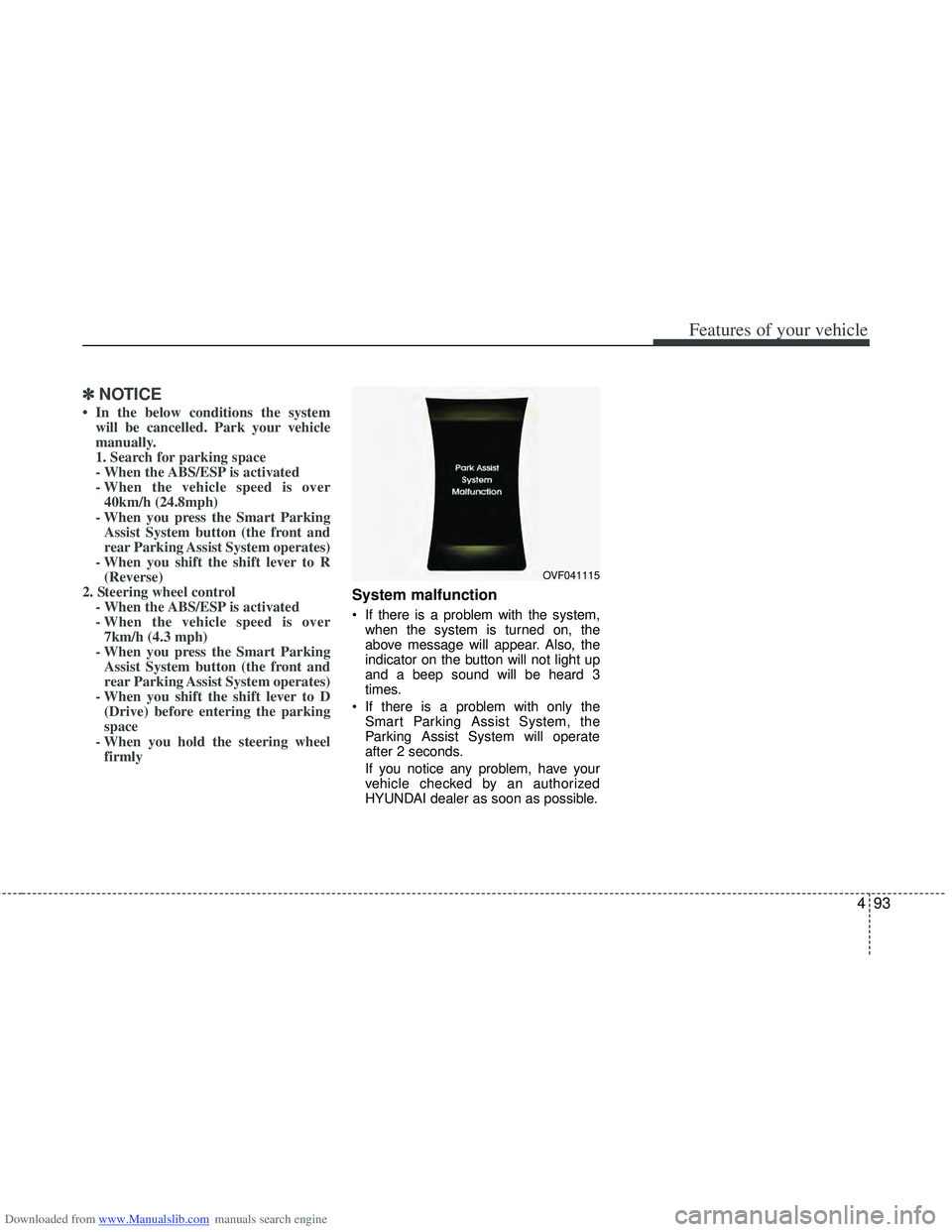
System malfunction
If there is a problem with the system,
when the system is turned on, the
above message will appear. Also, the
indicator on the button will not light up
and a beep sound will be heard 3
times.
If there is a problem with only the Smart Parking Assist System, the
Parking Assist System will operate
after 2 seconds.
If you notice any problem, have your
vehicle checked by an authorized
HYUNDAI dealer as soon as possible.
OVF041115
Page 181 of 534
Downloaded from www.Manualslib.com manuals search engine Features of your vehicle
94
4
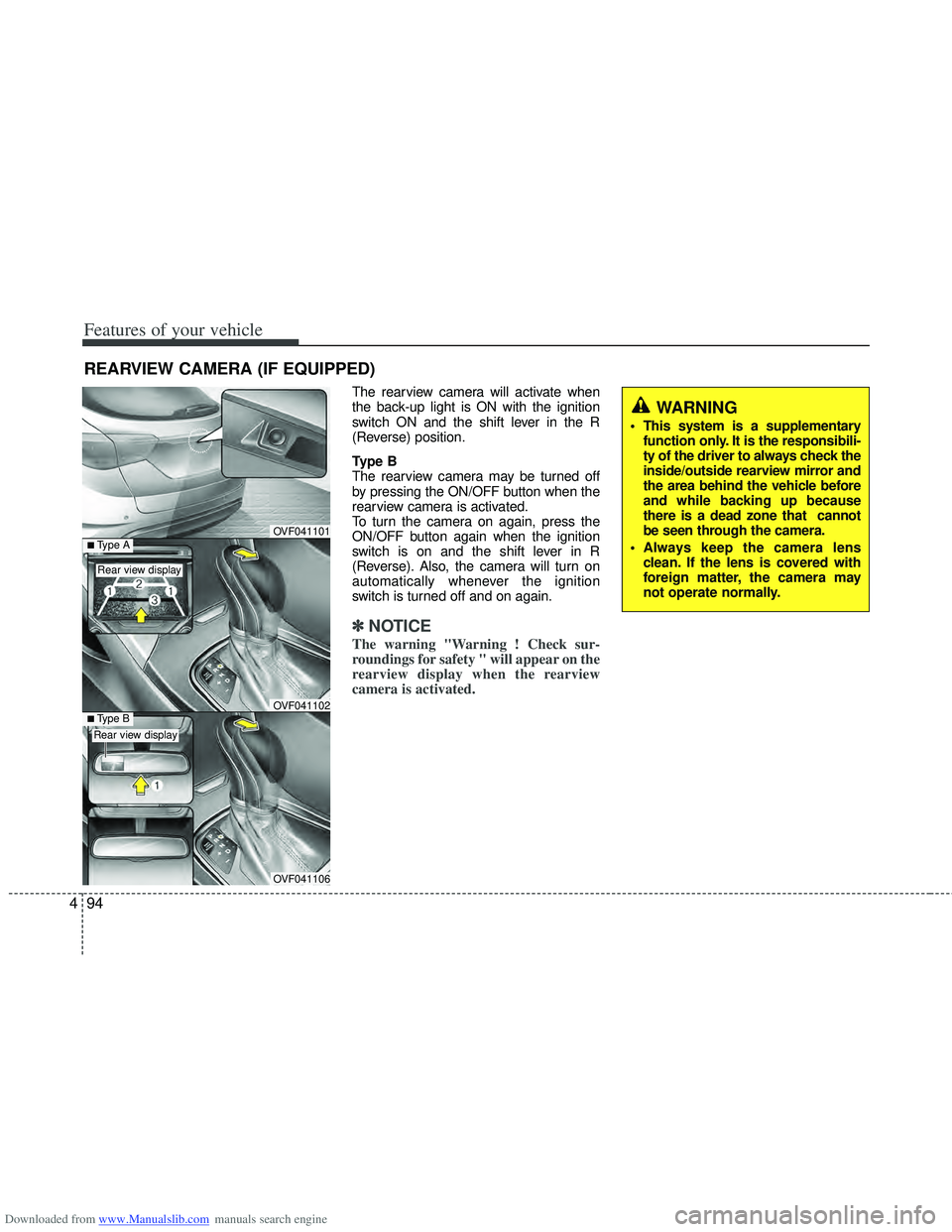
REARVIEW CAMERA (IF EQUIPPED)
The rearview camera will activate when
the back-up light is ON with the ignition
switch ON and the shift lever in the R
(Reverse) position.
Type B
The rearview camera may be turned off
by pressing the ON/OFF button when the
rearview camera is activated.
To turn the camera on again, press the
ON/OFF button again when the ignition
switch is on and the shift lever in R
(Reverse). Also, the camera will turn on
automatically whenever the ignition
switch is turned off and on again.
✽ ✽
NOTICE
The warning "Warning ! Check sur-
roundings for safety " will appear on the
rearview display when the rearview
camera is activated.
OVF041101
OVF041106
■Type BOVF041102
■Type A
Rear view display
Rear view display
WARNING
This system is a supplementary
function only. It is the responsibili-
ty of the driver to always check the
inside/outside rearview mirror and
the area behind the vehicle before
and while backing up because
there is a dead zone that cannot
be seen through the camera.
Always keep the camera lens clean. If the lens is covered with
foreign matter, the camera may
not operate normally.
Page 189 of 534
Downloaded from www.Manualslib.com manuals search engine Features of your vehicle
102
4
Daytime running light
(if equipped)
Daytime Running Lights (DRL) can make
it easier for others to see the front of your
vehicle during the day. DRL can be help-
ful in many different driving conditions,
and it is especially helpful after dawn and
before sunset.
The DRL system will turn off the dedicat-
ed lamp when:
1. The parklight or headlight (low beam)
switch is ON.
2. The engine is OFF.
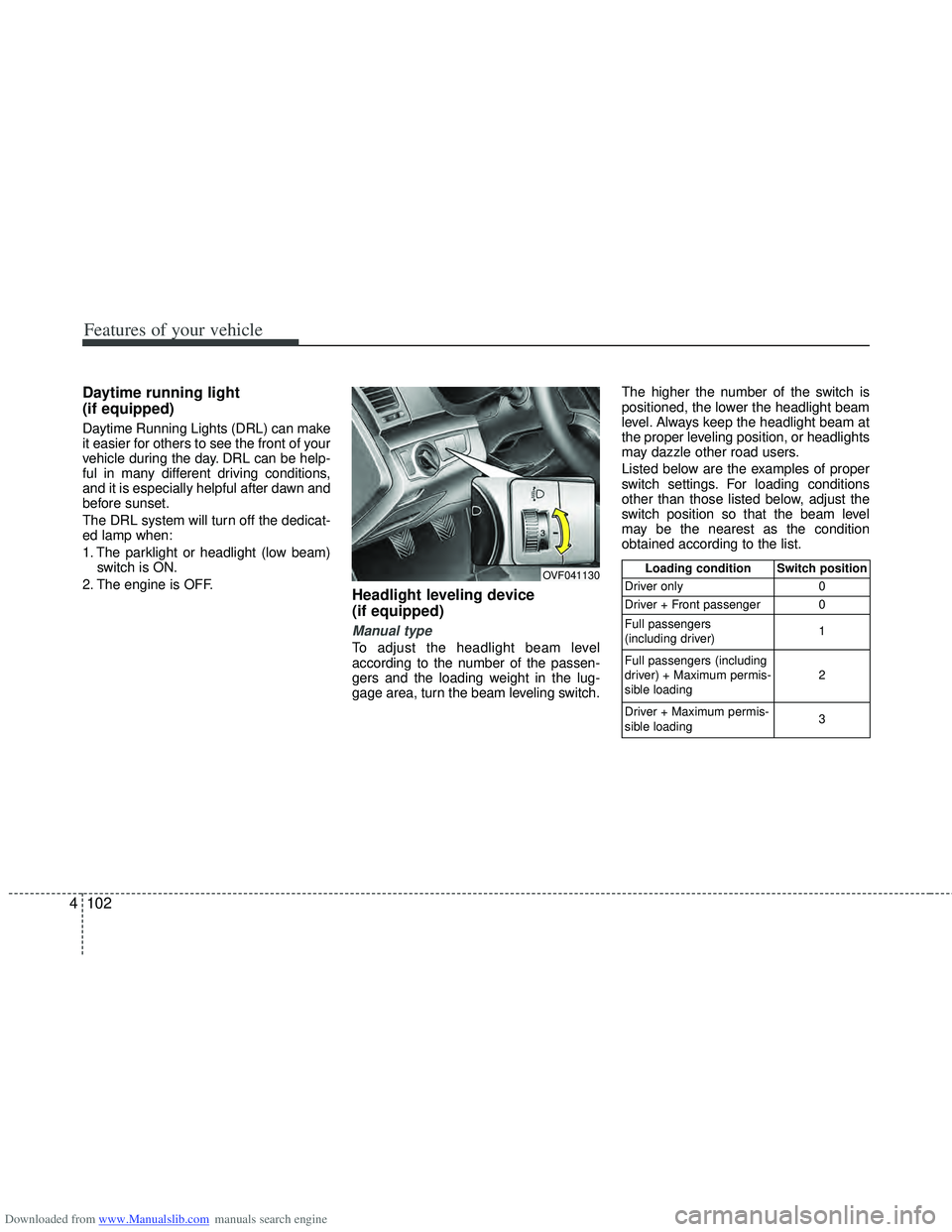
Headlight leveling device
(if equipped)
Manual type
To adjust the headlight beam level
according to the number of the passen-
gers and the loading weight in the lug-
gage area, turn the beam leveling switch. The higher the number of the switch is
positioned, the lower the headlight beam
level. Always keep the headlight beam at
the proper leveling position, or headlights
may dazzle other road users.
Listed below are the examples of proper
switch settings. For loading conditions
other than those listed below, adjust the
switch position so that the beam level
may be the nearest as the condition
obtained according to the list.
OVF041130Loading condition Switch position
Driver only 0
Driver + Front passenger 0
Full passengers
(including driver) 1
Full passengers (including
driver) + Maximum permis-
sible loading 2
Driver + Maximum permis-
sible loading 3
Page 210 of 534
Downloaded from www.Manualslib.com manuals search engine 4123
Features of your vehicle
Manual heating and air condition-
ing
The heating and cooling system can be
controlled manually by pressing buttons
or turning knob(s) other than the AUTO
button. In this case, the system works
sequentially according to the order of
buttons or knob(s) selected.
1. Start the engine.
2. Set the mode to the desired position.To improve the effectiveness of heat-ing and cooling:
- Heating:
- Cooling:
3. Set the temperature control to the desired position.
4. Set the air intake control to the outside (fresh) air position.
5. Set the fan speed control to the desired speed.
6. If air conditioning is desired, turn the air conditioning system on.
Press the AUTO button in order to con-
vert to full automatic control of the sys-
tem.
OVF041146/OVF041154
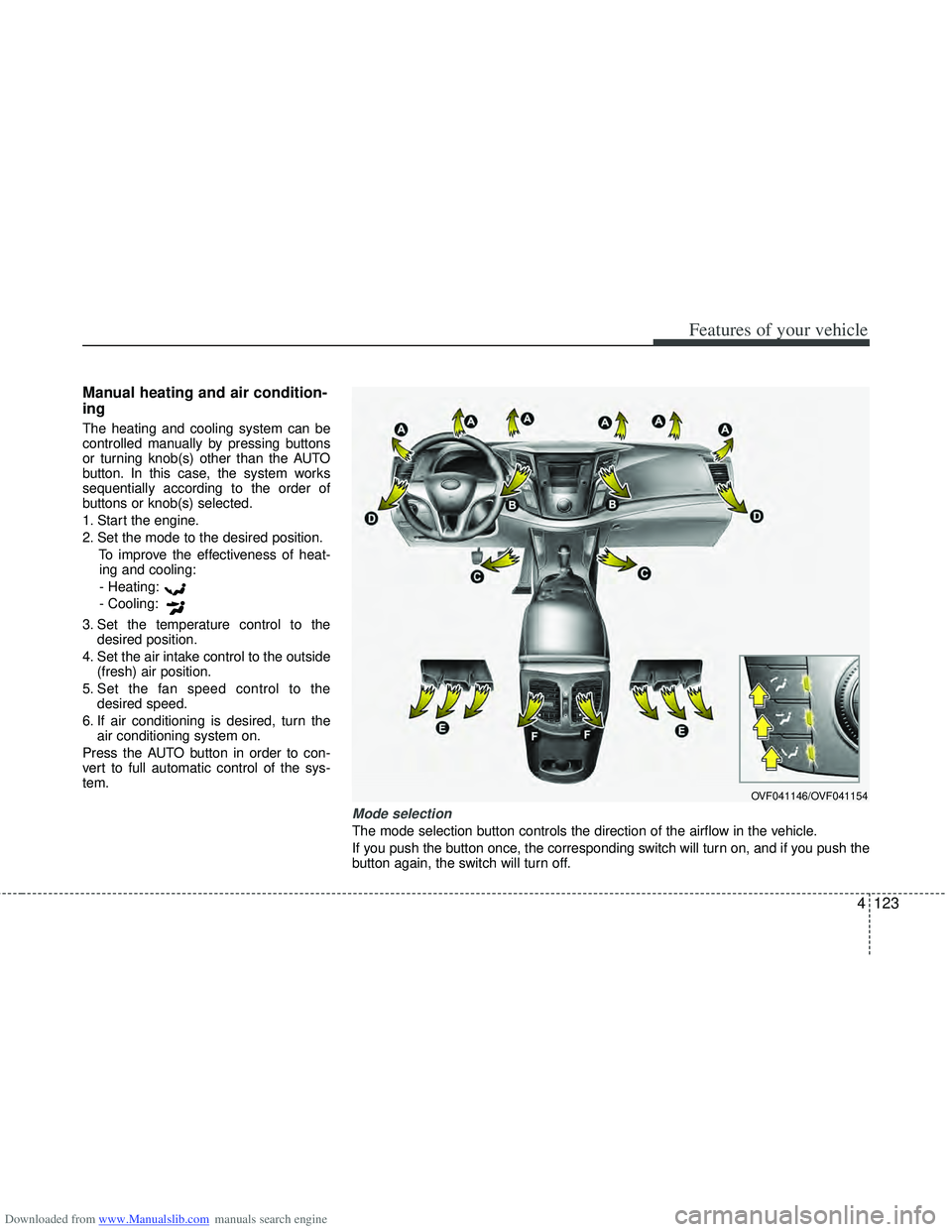
Mode selection
The mode selection button controls the direction of the airflow in the vehicle.
If you push the button once, the corresponding switch will turn on, and if you push the
button again, the switch will turn off.
Page 220 of 534
Downloaded from www.Manualslib.com manuals search engine 4133
Features of your vehicle
For maximum defrosting, set the tem-perature control to the hottest position
and the fan speed control to the high-
est speed.
If warm air to the floor is desired while defrosting or defogging, set the mode
to the floor-defrost position.
Before driving, clear all snow and ice from the windshield, rear window, out-
side rear view mirrors, and all side win-
dows.
Clear all snow and ice from the hood and air inlet in the cowl grill to improve
heater and defroster efficiency and to
reduce the probability of fogging up the
inside of the windshield.
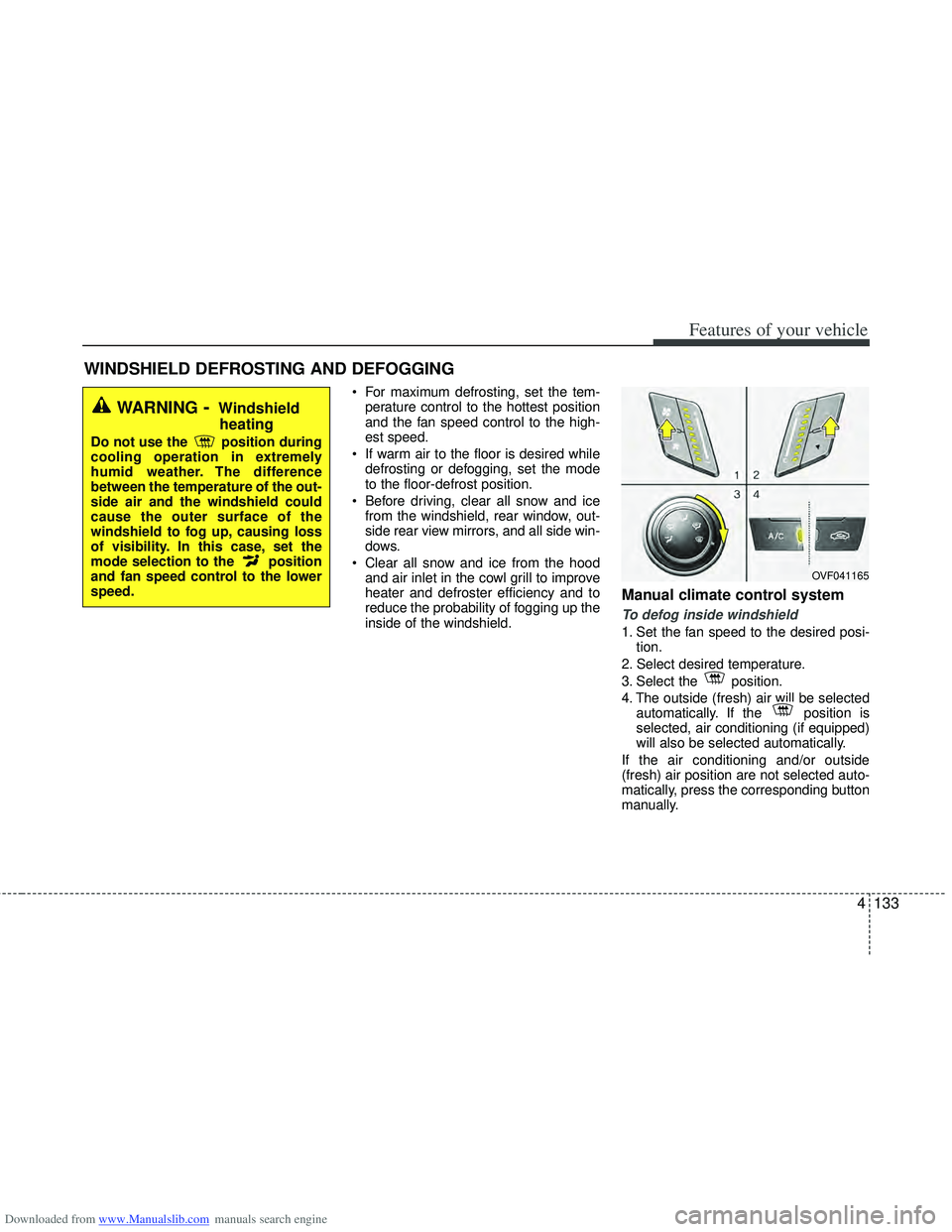
Manual climate control system
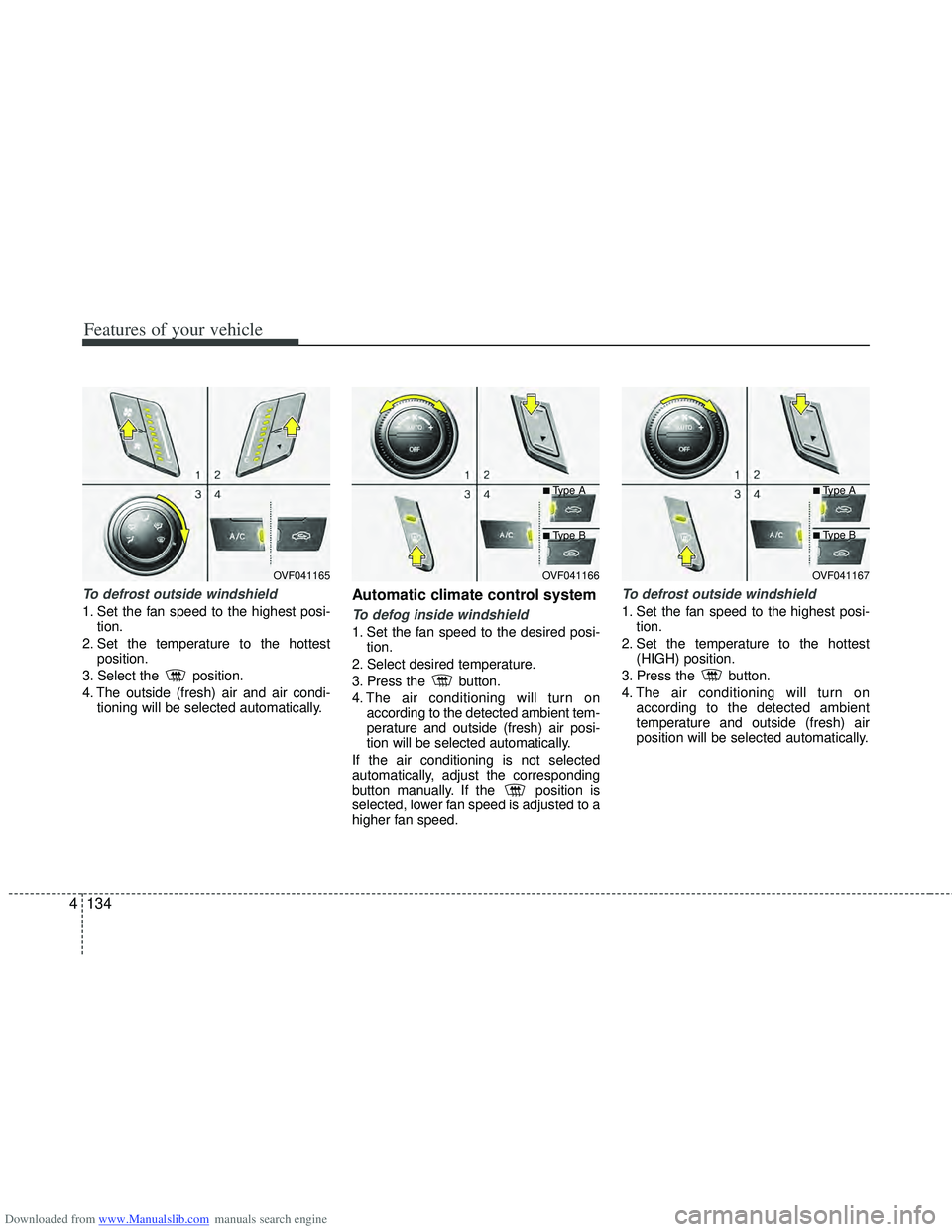
To defog inside windshield
1. Set the fan speed to the desired posi- tion.
2. Select desired temperature.
3. Select the position.
4. The outside (fresh) air will be selected automatically. If the position is
selected, air conditioning (if equipped)
will also be selected automatically.
If the air conditioning and/or outside
(fresh) air position are not selected auto-
matically, press the corresponding button
manually.
WINDSHIELD DEFROSTING AND DEFOGGING
WARNING- Windshield heating
Do not use the position during
cooling operation in extremely
humid weather. The difference
between the temperature of the out-
side air and the windshield could
cause the outer surface of the
windshield to fog up, causing loss
of visibility. In this case, set the
mode selection to the position
and fan speed control to the lower
speed.
OVF041165
Page 221 of 534
Downloaded from www.Manualslib.com manuals search engine Features of your vehicle
134
4
To defrost outside windshield
1. Set the fan speed to the highest posi-
tion.
2. Set the temperature to the hottest position.
3. Select the position.
4. The outside (fresh) air and air condi- tioning will be selected automatically.
Automatic climate control system
To defog inside windshield
1. Set the fan speed to the desired posi-tion.
2. Select desired temperature.
3. Press the button.
4. The air conditioning will turn on according to the detected ambient tem-
perature and outside (fresh) air posi-
tion will be selected automatically.
If the air conditioning is not selected
automatically, adjust the corresponding
button manually. If the position is
selected, lower fan speed is adjusted to a
higher fan speed.
To defrost outside windshield
1. Set the fan speed to the highest posi- tion.
2. Set the temperature to the hottest (HIGH) position.
3. Press the button.
4. The air conditioning will turn on according to the detected ambient
temperature and outside (fresh) air
position will be selected automatically.
OVF041165OVF041166
■Type A
■Type B
OVF041167
■Type A
■Type B
Page 239 of 534
Downloaded from www.Manualslib.com manuals search engine WARNING
The vehicle center of gravity willbe higher when items are loaded
onto the roof. Avoid sudden
starts, braking, sharp turns,
abrupt maneuvers or high speeds
that may result in loss of vehicle
control or rollover resulting in an
accident.
Always drive slowly and turn cor- ners carefully when carrying
items on the roof. Severe wind
updrafts, caused by passing
vehicles or natural causes, can
cause sudden upward pressure
on items loaded on the roof. This
is especially true when carrying
large, flat items such as wood
panels or mattresses. This could
cause the items to fall off the roof
and cause damage to your vehi-
cle or others around you.
To prevent damage or loss of cargo while driving, check fre-
quently before or while driving to
make sure the items on the roof
are securely fastened.
4152
Features of your vehicle