warning light HYUNDAI I40 2017 Workshop Manual
[x] Cancel search | Manufacturer: HYUNDAI, Model Year: 2017, Model line: I40, Model: HYUNDAI I40 2017Pages: 534, PDF Size: 11.05 MB
Page 190 of 534
Downloaded from www.Manualslib.com manuals search engine 4103
Features of your vehicle
Automatic type
It automatically adjusts the headlight
beam level according to the number of
passengers and loading weight in the
luggage area.
And it offers proper headlight beam
under various conditions.
AFLS (Adaptive Front Lighting
System) (if equipped)
Adaptive front lighting system uses the
steering angle and vehicle speed, to
keep your field of vision wide by swiveling
and leveling the headlamp.
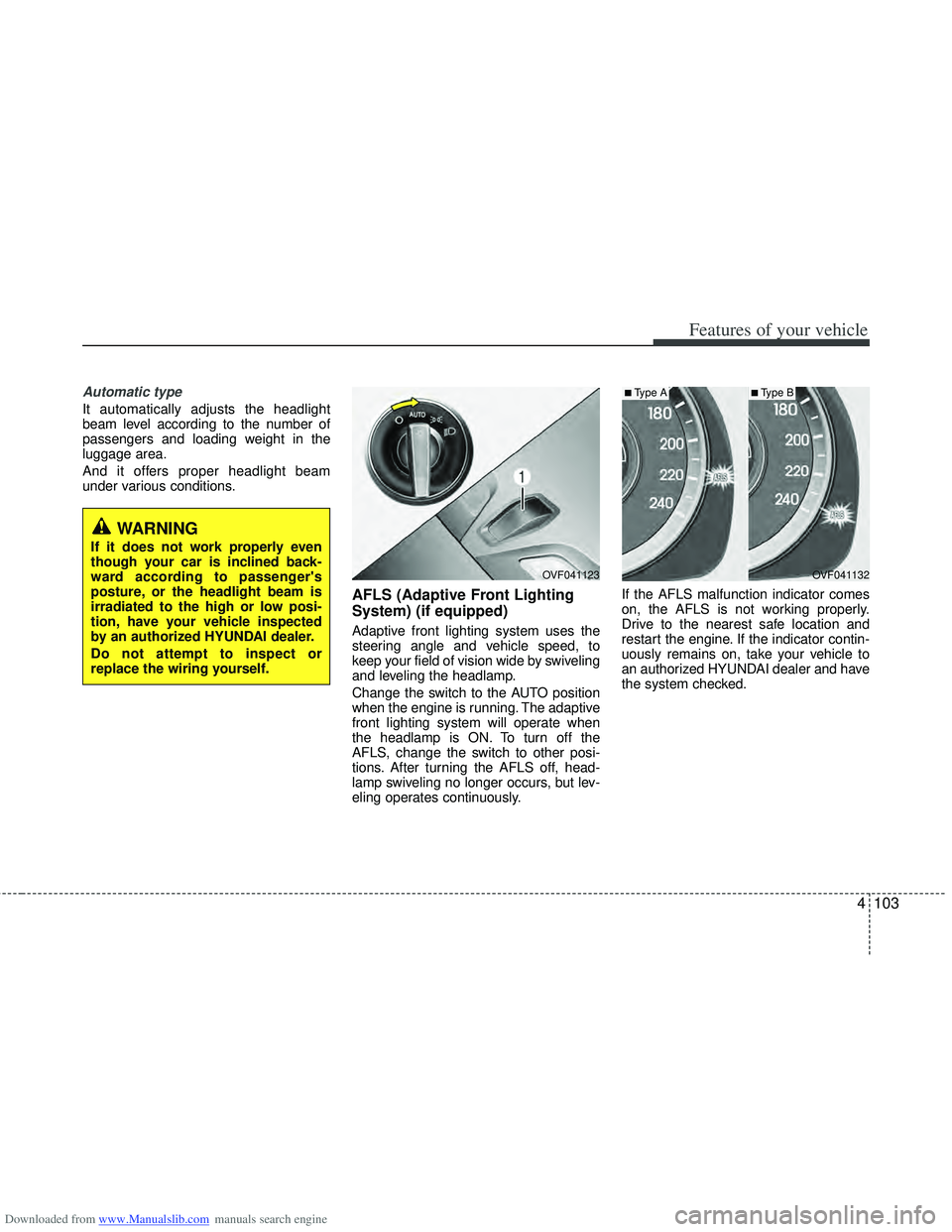
Change the switch to the AUTO position
when the engine is running. The adaptive
front lighting system will operate when
the headlamp is ON. To turn off the
AFLS, change the switch to other posi-
tions. After turning the AFLS off, head-
lamp swiveling no longer occurs, but lev-
eling operates continuously.If the AFLS malfunction indicator comes
on, the AFLS is not working properly.
Drive to the nearest safe location and
restart the engine. If the indicator contin-
uously remains on, take your vehicle to
an authorized HYUNDAI dealer and have
the system checked.
OVF041132
■Type A
OVF041123
■Type B
WARNING
If it does not work properly even
though your car is inclined back-
ward according to passenger's
posture, or the headlight beam is
irradiated to the high or low posi-
tion, have your vehicle inspected
by an authorized HYUNDAI dealer.
Do not attempt to inspect or
replace the wiring yourself.
Page 195 of 534
Downloaded from www.Manualslib.com manuals search engine Features of your vehicle
108
4
Interior lamp AUTO cut
When all entrances are closed, if you
lock the vehicle by using the transmit-
ter or the smart key, all interior lamp
will be off within 5 seconds.
If you do not operate anything in the vehicle after turning off the engine, the
lights will turn off after 20 minutes.
Map lamp
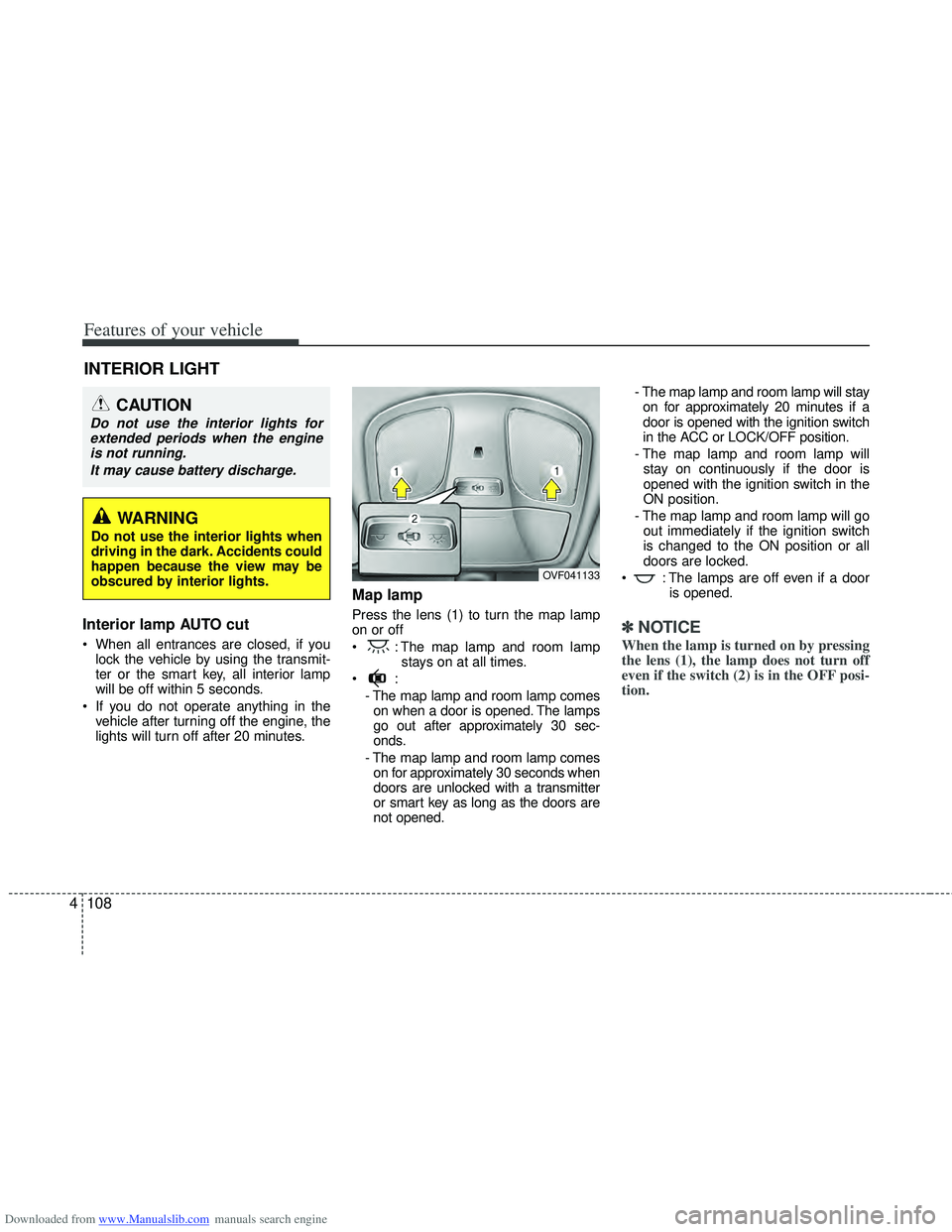
Press the lens (1) to turn the map lamp
on or off
: The map lamp and room lamp stays on at all times.
- The map lamp and room lamp comeson when a door is opened. The lamps
go out after approximately 30 sec-
onds.
- The map lamp and room lamp comes on for approximately 30 seconds when
doors are unlocked with a transmitter
or smart key as long as the doors are
not opened. - The map lamp and room lamp will stay
on for approximately 20 minutes if a
door is opened with the ignition switch
in the ACC or LOCK/OFF position.
- The map lamp and room lamp will stay on continuously if the door is
opened with the ignition switch in the
ON position.
- The map lamp and room lamp will go out immediately if the ignition switch
is changed to the ON position or all
doors are locked.
: The lamps are off even if a door is opened.✽ ✽NOTICE
When the lamp is turned on by pressing
the lens (1), the lamp does not turn off
even if the switch (2) is in the OFF posi-
tion.
INTERIOR LIGHT
CAUTION
Do not use the interior lights for
extended periods when the engineis not running.
It may cause battery discharge.
OVF041133
WARNING
Do not use the interior lights when
driving in the dark. Accidents could
happen because the view may be
obscured by interior lights.
Page 215 of 534
Downloaded from www.Manualslib.com manuals search engine Features of your vehicle
128
4
Fan speed control
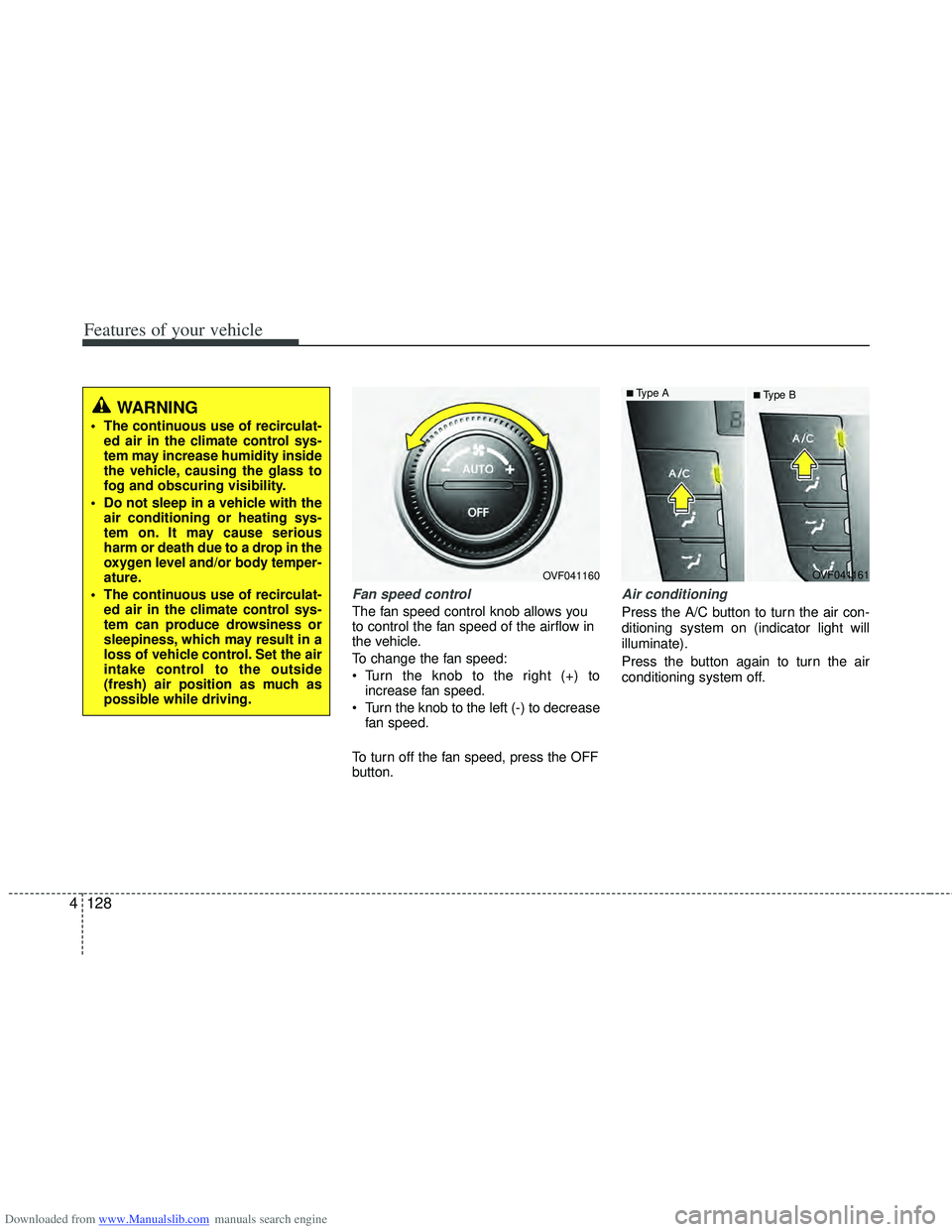
The fan speed control knob allows you
to control the fan speed of the airflow in
the vehicle.
To change the fan speed:
Turn the knob to the right (+) to
increase fan speed.
Turn the knob to the left (-) to decrease fan speed.
To turn off the fan speed, press the OFF
button.
Air conditioning
Press the A/C button to turn the air con-
ditioning system on (indicator light will
illuminate).
Press the button again to turn the air
conditioning system off.
OVF041160
■Type B
OVF041161■Type A
WARNING
The continuous use of recirculat-ed air in the climate control sys-
tem may increase humidity inside
the vehicle, causing the glass to
fog and obscuring visibility.
Do not sleep in a vehicle with the air conditioning or heating sys-
tem on. It may cause serious
harm or death due to a drop in the
oxygen level and/or body temper-
ature.
The continuous use of recirculat- ed air in the climate control sys-
tem can produce drowsiness or
sleepiness, which may result in a
loss of vehicle control. Set the air
intake control to the outside
(fresh) air position as much as
possible while driving.
Page 223 of 534
Downloaded from www.Manualslib.com manuals search engine Features of your vehicle
136
4
Center console storage
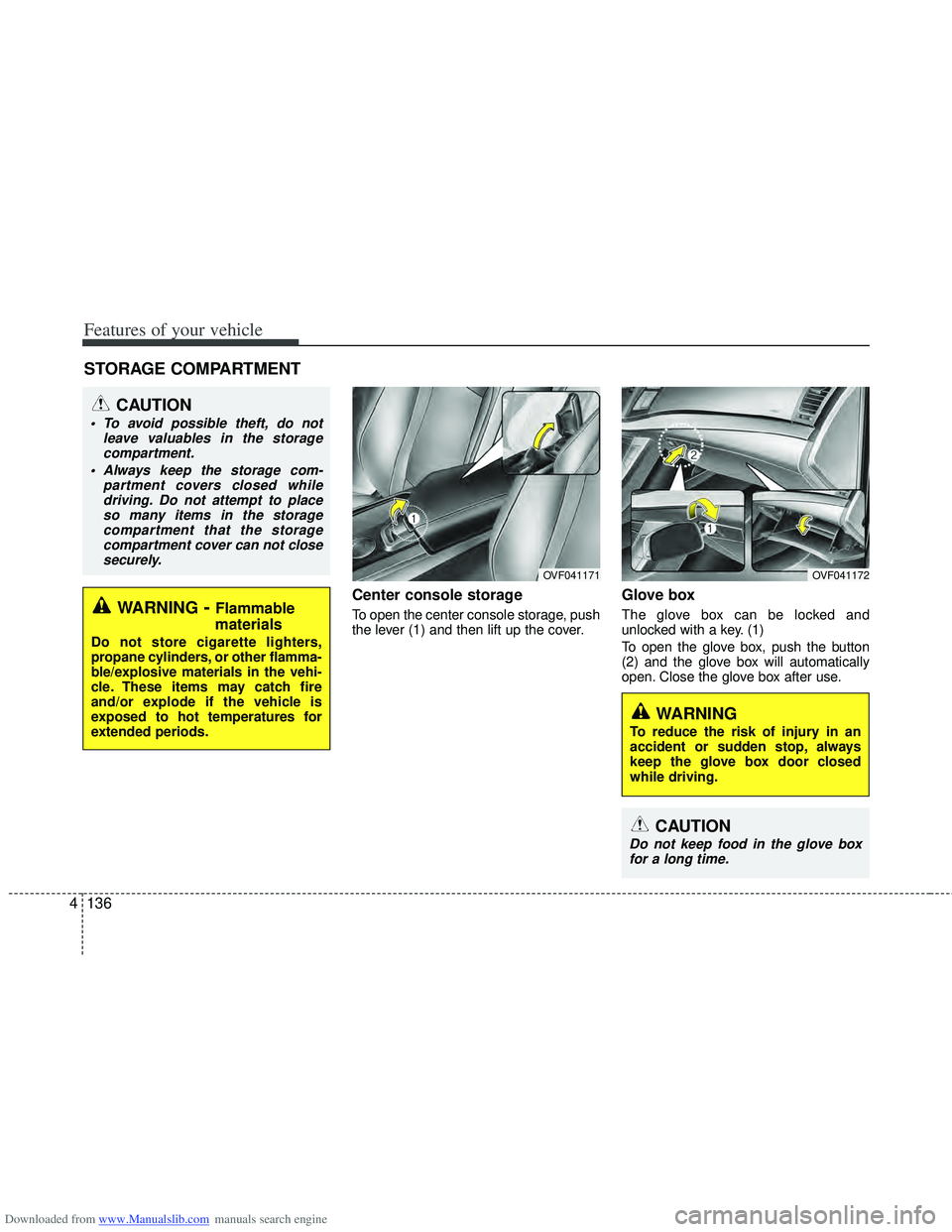
To open the center console storage, push
the lever (1) and then lift up the cover.
Glove box
The glove box can be locked and
unlocked with a key. (1)
To open the glove box, push the button
(2) and the glove box will automatically
open. Close the glove box after use.
STORAGE COMPARTMENT
WARNING- Flammable
materials
Do not store cigarette lighters,
propane cylinders, or other flamma-
ble/explosive materials in the vehi-
cle. These items may catch fire
and/or explode if the vehicle is
exposed to hot temperatures for
extended periods.
CAUTION
To avoid possible theft, do not
leave valuables in the storagecompartment.
Always keep the storage com- partment covers closed whiledriving. Do not attempt to placeso many items in the storage compartment that the storagecompartment cover can not closesecurely.
OVF041171OVF041172
WARNING
To reduce the risk of injury in an
accident or sudden stop, always
keep the glove box door closed
while driving.
CAUTION
Do not keep food in the glove boxfor a long time.
Page 227 of 534
Downloaded from www.Manualslib.com manuals search engine Features of your vehicle
140
4
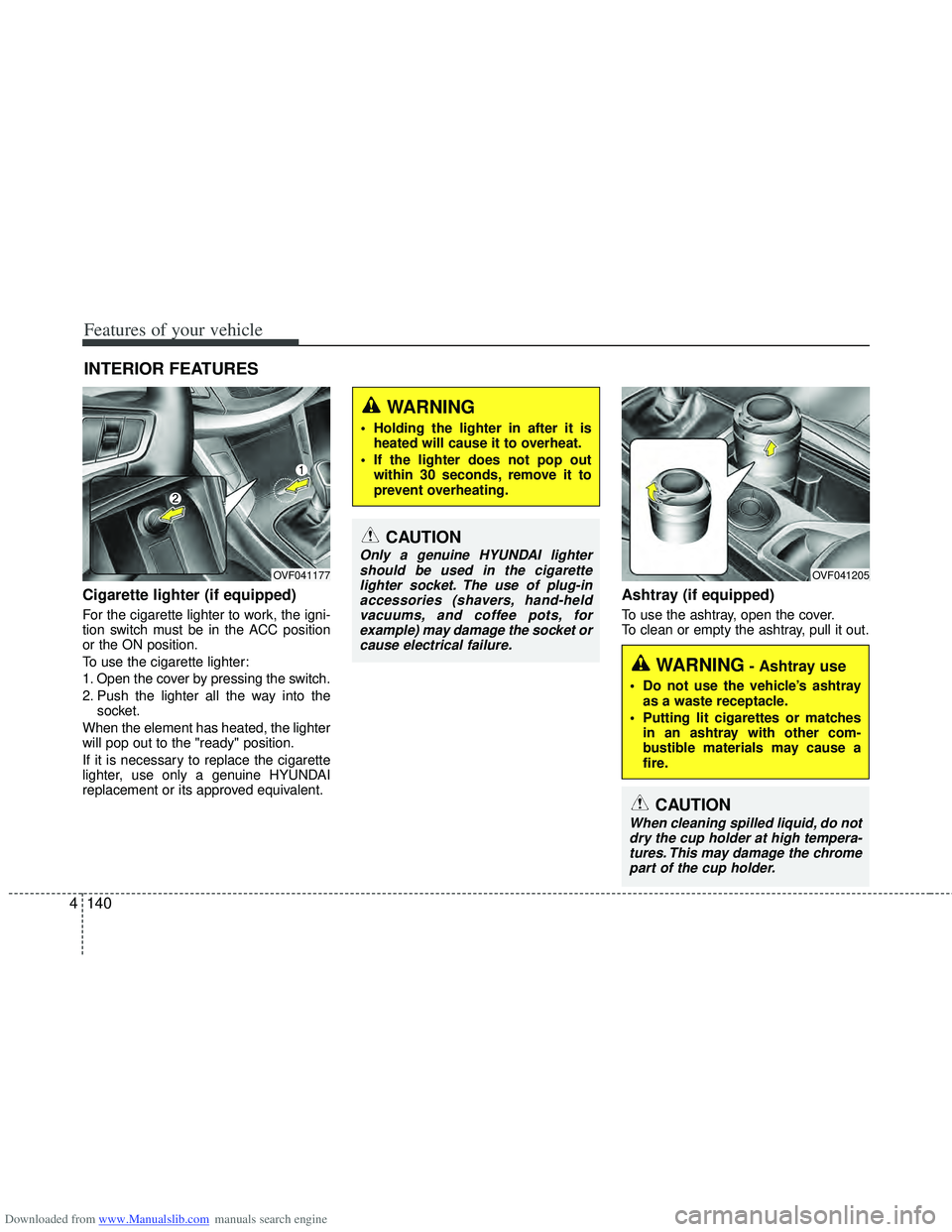
Cigarette lighter (if equipped)
For the cigarette lighter to work, the igni-
tion switch must be in the ACC position
or the ON position.
To use the cigarette lighter:
1. Open the cover by pressing the switch.
2. Push the lighter all the way into the
socket.
When the element has heated, the lighter
will pop out to the "ready" position.
If it is necessary to replace the cigarette
lighter, use only a genuine HYUNDAI
replacement or its approved equivalent.
Ashtray (if equipped)
To use the ashtray, open the cover.
To clean or empty the ashtray, pull it out.
INTERIOR FEATURES
OVF041177
CAUTION
Only a genuine HYUNDAI lighter should be used in the cigarettelighter socket. The use of plug-inaccessories (shavers, hand-heldvacuums, and coffee pots, forexample) may damage the socket or cause electrical failure.
WARNING- Ashtray use
Do not use the vehicle’s ashtray as a waste receptacle.
Putting lit cigarettes or matches in an ashtray with other com-
bustible materials may cause a
fire.
WARNING
Holding the lighter in after it isheated will cause it to overheat.
If the lighter does not pop out within 30 seconds, remove it to
prevent overheating.
OVF041205
CAUTION
When cleaning spilled liquid, do notdry the cup holder at high tempera- tures. This may damage the chromepart of the cup holder.
Page 228 of 534
Downloaded from www.Manualslib.com manuals search engine 4141
Features of your vehicle
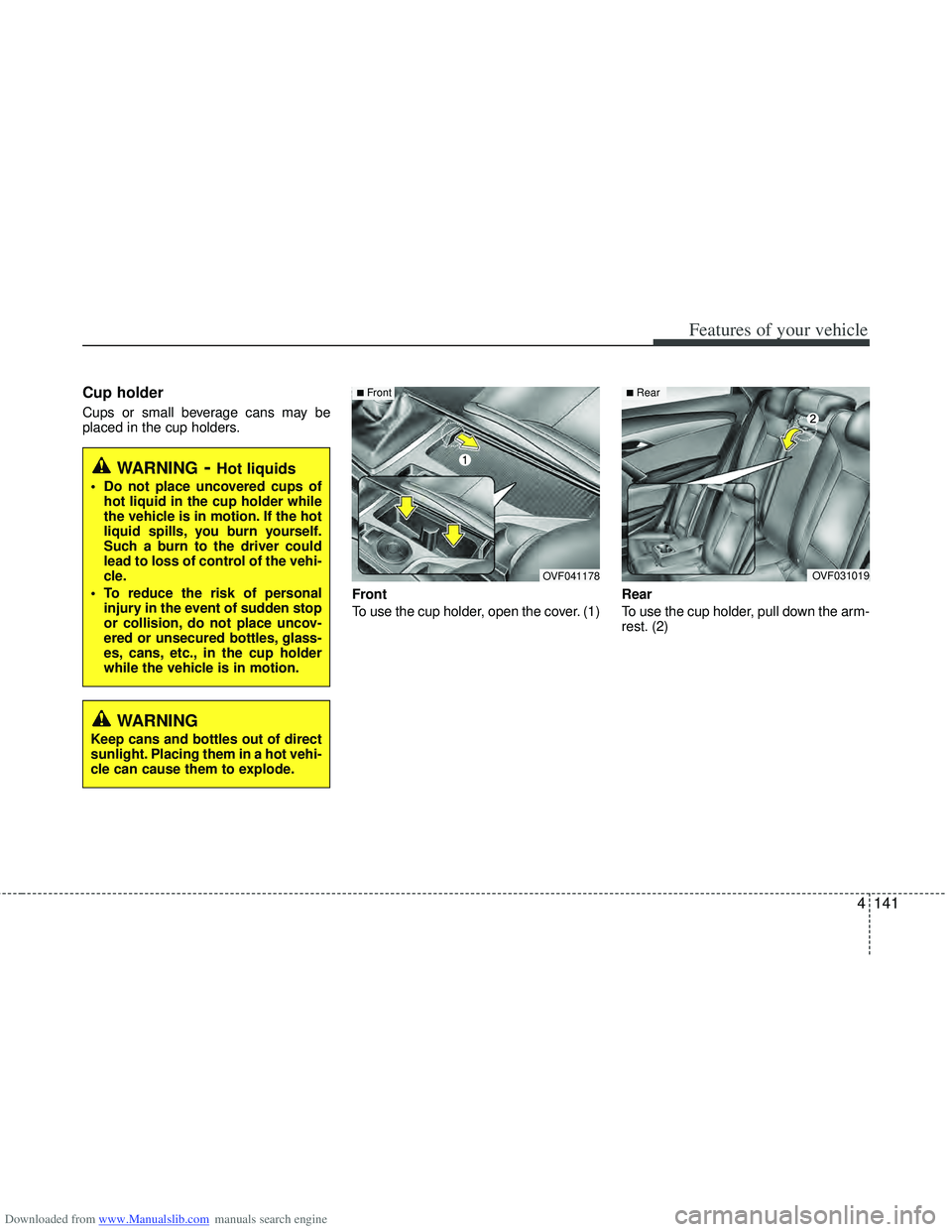
Cup holder
Cups or small beverage cans may be
placed in the cup holders.Front
To use the cup holder, open the cover. (1)Rear
To use the cup holder, pull down the arm-
rest. (2)
WARNING- Hot liquids
Do not place uncovered cups of
hot liquid in the cup holder while
the vehicle is in motion. If the hot
liquid spills, you burn yourself.
Such a burn to the driver could
lead to loss of control of the vehi-
cle.
To reduce the risk of personal injury in the event of sudden stop
or collision, do not place uncov-
ered or unsecured bottles, glass-
es, cans, etc., in the cup holder
while the vehicle is in motion.
OVF031019
■Rear
OVF041178
■Front
WARNING
Keep cans and bottles out of direct
sunlight. Placing them in a hot vehi-
cle can cause them to explode.
Page 229 of 534
Downloaded from www.Manualslib.com manuals search engine Features of your vehicle
142
4
CAUTION
Use power outlet only when the
engine is running and remove theaccessory plug after use. Using the accessory plug for prolongedperiods of time with the engineoff could cause the battery to dis-charge.
Only use 12V electric accessories which are less than 10A in elec-tric capacity.
Adjust the air-conditioner or heater to the lowest operatinglevel when using the power outlet.
Close the cover when not in use. Some electronic devices can cause electronic interferencewhen plugged into a vehicle’s power outlet. These devices maycause excessive audio static and malfunctions in other electronicsystems or devices used in yourvehicle.
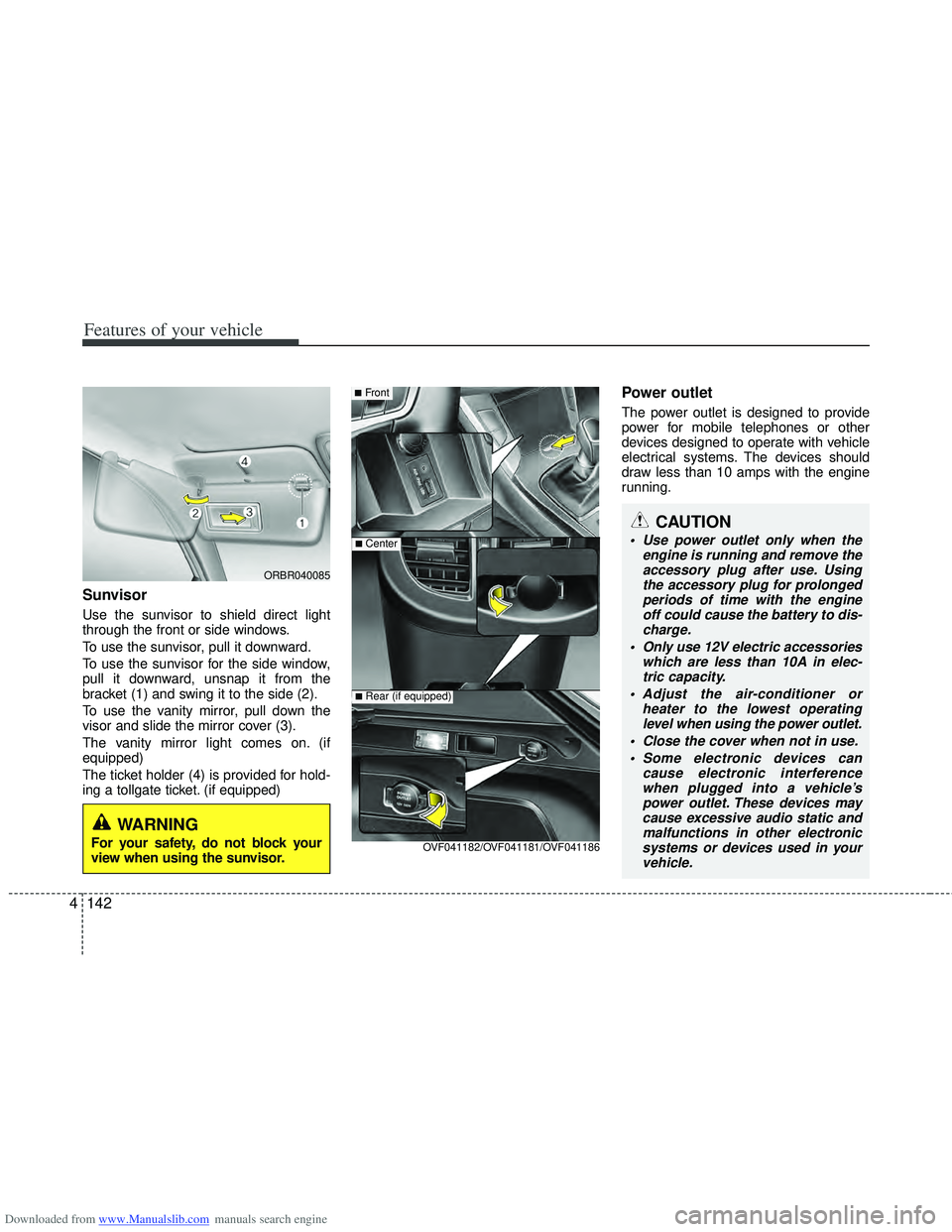
Sunvisor
Use the sunvisor to shield direct light
through the front or side windows.
To use the sunvisor, pull it downward.
To use the sunvisor for the side window,
pull it downward, unsnap it from the
bracket (1) and swing it to the side (2).
To use the vanity mirror, pull down the
visor and slide the mirror cover (3).
The vanity mirror light comes on. (if
equipped)
The ticket holder (4) is provided for hold-
ing a tollgate ticket. (if equipped)
Power outlet
The power outlet is designed to provide
power for mobile telephones or other
devices designed to operate with vehicle
electrical systems. The devices should
draw less than 10 amps with the engine
running.
■Front
■Center
OVF041182/OVF041181/OVF041186
■Rear (if equipped)
ORBR040085
WARNING
For your safety, do not block your
view when using the sunvisor.
Page 269 of 534
Downloaded from www.Manualslib.com manuals search engine Features of your vehicle
182
4
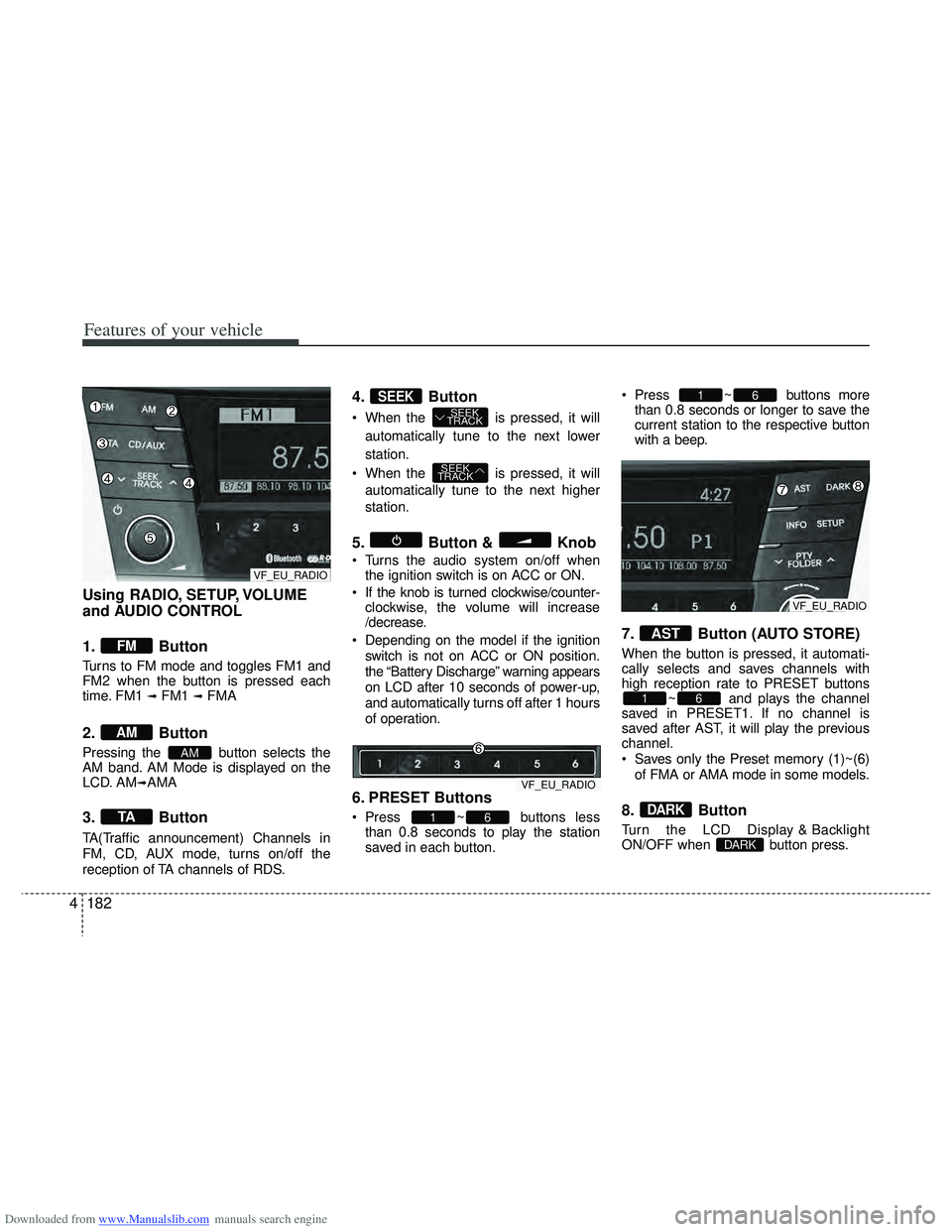
Using RADIO, SETUP, VOLUME
and AUDIO CONTROL
1. Button
Turns to FM mode and toggles FM1 and
FM2 when the button is pressed each
time. FM1
\b FM1 \b FMA
2. Button
Pressing the button selects the
AM band. AM Mode is displayed on the
LCD. AM
\bAMA
3. Button
TA(Traffic announcement) Channels in
FM, CD, AUX mode, turns on/off the
reception of TA channels of RDS.
4. Button
When the is pressed, it will
automatically tune to the next lower
station.
When the is pressed, it will automatically tune to the next higher
station.
5. Button & Knob
Turns the audio system on/off whenthe ignition switch is on ACC or ON.
If the knob is turned clockwise/counter- clockwise, the volume will increase
/decrease.
Depending on the model if the ignition switch is not on ACC or ON position.
the “Battery Discharge” warning appears
on LCD after 10 seconds of power-up,
and automatically turns off after 1 hours
of operation.
6. PRESET Buttons
Press ~ buttons lessthan 0.8 seconds to play the station
saved in each button. Press ~ buttons more
than 0.8 seconds or longer to save the
current station to the respective button
with a beep.
7. Button (AUTO STORE)
When the button is pressed, it automati-
cally selects and saves channels with
high reception rate to PRESET buttons ~ and plays the channel
saved in PRESET1. If no channel is
saved after AST, it will play the previous
channel.
Saves only the Preset memory (1)~(6)
of FMA or AMA mode in some models.
8. Button
Turn the LCD Display & Backlight
ON/OFF when button press.DARK
DARK
61
AST
61
61
SEEK
TRACK
SEEK
TRACKSEEK
TA
AM
AM
FM
VF_EU_RADIO
VF_EU_RADIO
VF_EU_RADIO
Page 296 of 534
Downloaded from www.Manualslib.com manuals search engine 53
Driving your vehicle
Before entering vehicle
• Be sure that all windows, outside mir-ror(s), and outside lights are clean.
Check the condition of the tires.
Check under the vehicle for any sign of leaks.
Be sure there are no obstacles behind you if you intend to back up.
Necessary inspections
Fluid levels, such as engine oil, engine
coolant, brake fluid, and washer fluid
should be checked on a regular basis,
with the exact interval depending on the
fluid. Further details are provided in
Section 7, “Maintenance”.
Before starting
Close and lock all doors.
Position the seat so that all controls areeasily reached.
Adjust the inside and outside rearview mirrors.
Be sure that all lights work.
Check all gauges.
Check the operation of warning lights when the ignition switch is turned to
the ON position.
Release the parking brake and make sure the brake warning light goes out.
For safe operation, be sure you are famil-
iar with your vehicle and its equipment.
BEFORE DRIVING
WARNING
All passengers must be properly
belted whenever the vehicle is mov-
ing. Refer to “Seat belts” in section
3 for more information on their
proper use.
WARNING
Always check the surrounding areas
near your vehicle for people, espe-
cially children, before putting a vehi-
cle into “D (Drive)” or “R (Reverse)”.
WARNING
Driving while distracted can result
in a loss of vehicle control, that
may lead to an accident, severe
personal injury, and death. The dri-
ver’s primary responsibility is in
the safe and legal operation of a
vehicle, and use of any handheld
devices, other equipment, or vehi-
cle systems which take the driver’s
eyes, attention and focus away
from the safe operation of a vehicle
or which are not permissible by law
should never be used during oper-
ation of the vehicle.
Page 297 of 534
Downloaded from www.Manualslib.com manuals search engine Driving your vehicle
45
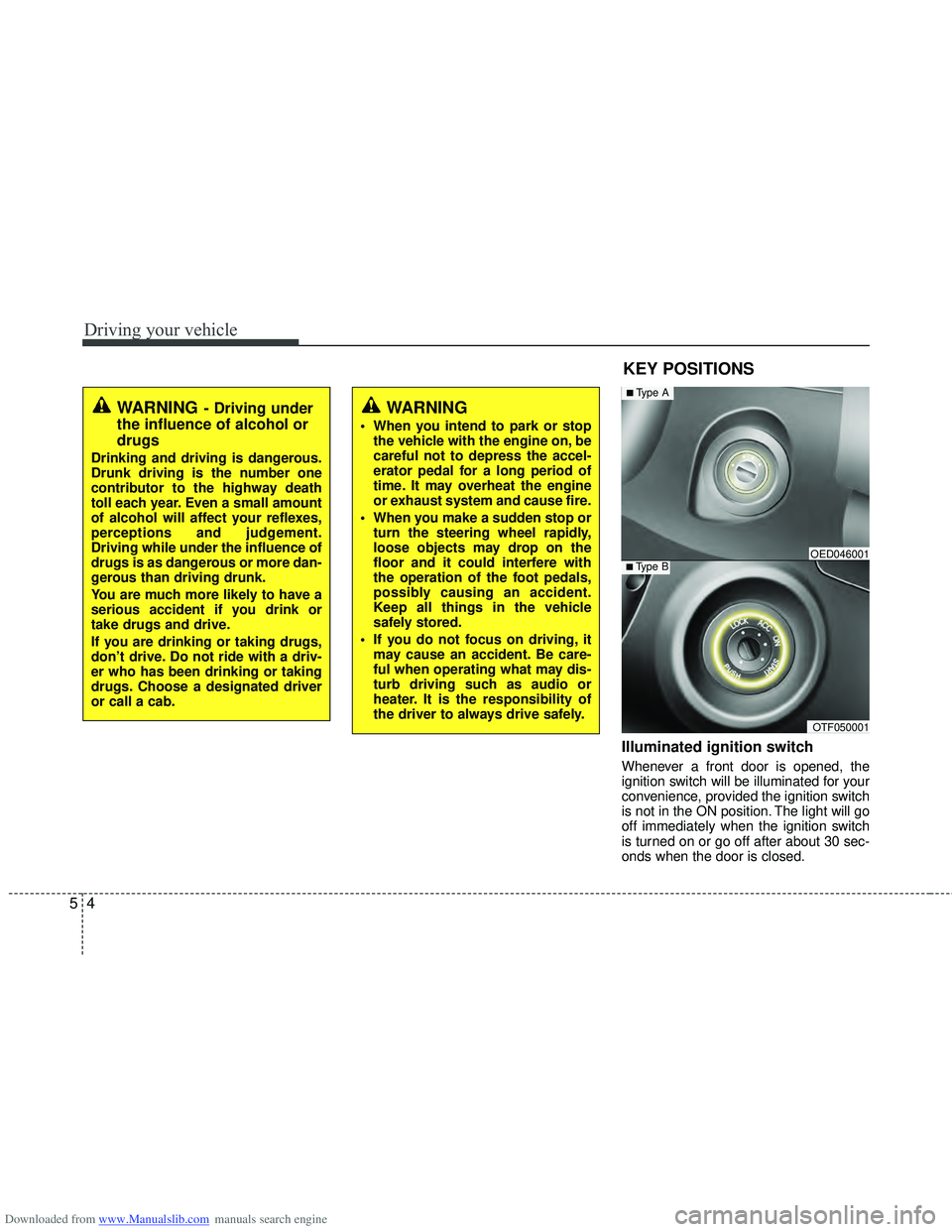
Illuminated ignition switch
Whenever a front door is opened, the
ignition switch will be illuminated for your
convenience, provided the ignition switch
is not in the ON position. The light will go
off immediately when the ignition switch
is turned on or go off after about 30 sec-
onds when the door is closed.
KEY POSITIONS
WARNING- Driving under
the influence of alcohol or
drugs
Drinking and driving is dangerous.
Drunk driving is the number one
contributor to the highway death
toll each year. Even a small amount
of alcohol will affect your reflexes,
perceptions and judgement.
Driving while under the influence of
drugs is as dangerous or more dan-
gerous than driving drunk.
You are much more likely to have a
serious accident if you drink or
take drugs and drive.
If you are drinking or taking drugs,
don’t drive. Do not ride with a driv-
er who has been drinking or taking
drugs. Choose a designated driver
or call a cab.
WARNING
When you intend to park or stop
the vehicle with the engine on, be
careful not to depress the accel-
erator pedal for a long period of
time. It may overheat the engine
or exhaust system and cause fire.
When you make a sudden stop or turn the steering wheel rapidly,
loose objects may drop on the
floor and it could interfere with
the operation of the foot pedals,
possibly causing an accident.
Keep all things in the vehicle
safely stored.
If you do not focus on driving, it may cause an accident. Be care-
ful when operating what may dis-
turb driving such as audio or
heater. It is the responsibility of
the driver to always drive safely.
OTF050001
■Type BOED046001
■Type A