warning HYUNDAI I800 2015 Owners Manual
[x] Cancel search | Manufacturer: HYUNDAI, Model Year: 2015, Model line: I800, Model: HYUNDAI I800 2015Pages: 339, PDF Size: 7.25 MB
Page 209 of 339
519
Driving your vehicle
E070100BUN-UK
Power brakes
Your vehicle has power-assisted brakes
that adjust automatically through normal
usage.
In the event that the power-assisted
brakes lose power because of a stalled
engine or some other reason, you can
still stop your vehicle by applying greater
force to the brake pedal than you nor-
mally would. The stopping distance, how-
ever, will be longer.
When the engine is not running, the
reserve brake power is partially depleted
each time the brake pedal is applied. Do
not pump the brake pedal when the
power assist has been interrupted.
Pump the brake pedal only when neces-
sary to maintain steering control on slip-
pery surfaces.
E070101AUN-UK
In the event of brake failure
If service brakes fail to operate whilst the
vehicle is in motion, you can make an
emergency stop with the parking brake.
The stopping distance, however, will be
much greater than normal.
BRAKE SYSTEM
WARNING - Brakes
• Do not drive with your foot rest-
ing on the brake pedal. This will
create abnormal high brake tem-
peratures, excessive brake lining
and pad wear, and increased
stopping distances.
• When descending a long or steep
hill, shift to a lower gear and
avoid continuous application of
the brakes. Continuous brake
application will cause the brakes
to overheat and could result in a
temporary loss of braking per-
formance.
• Wet brakes may impair the vehi-
cle’s ability to sefely slow down;
the vehicle may also pull to one
side when the brakes are applied.
Applying the brakes lightly will
indicate whether they have been
affected in this way. Always test
your brakes in this fashion after
driving through deep water. To
dry the brakes, apply them lightly
whilst maintaining a safe forward
speed until brake performance
returns to normal.
WARNING- Parking brake
Applying the parking brake whilst
the vehicle is moving at normal
speeds can cause a sudden loss of
control of the vehicle. If you must
use the parking brake to stop the
vehicle, use great caution in apply-
ing the brake.
(Continued)
• Always, confirm the position of
the brake and accelerator pedal
before driving. If you do not
check the position of the acceler-
ator and brake pedal before driv-
ing, you may depress the acceler-
ator instead of the brake pedal. It
may cause a serious accident.
procarmanuals.com
Page 210 of 339
Driving your vehicle
20 5
E070102AUN
Disc brakes wear indicator
Your vehicle has disc brakes. When your
brake pads are worn and new pads are
required, you will hear a high-pitched
warning sound from your front brakes or
rear brakes (if equipped). You may hear
this sound come and go or it may occur
whenever you depress the brake pedal.
Please remember that some driving con-
ditions or climates may cause a brake
squeal when you first apply (or lightly
apply) the brakes. This is normal and
does not indicate a problem with your
brakes.
Parking brake
E070201AFD
Applying the parking brake
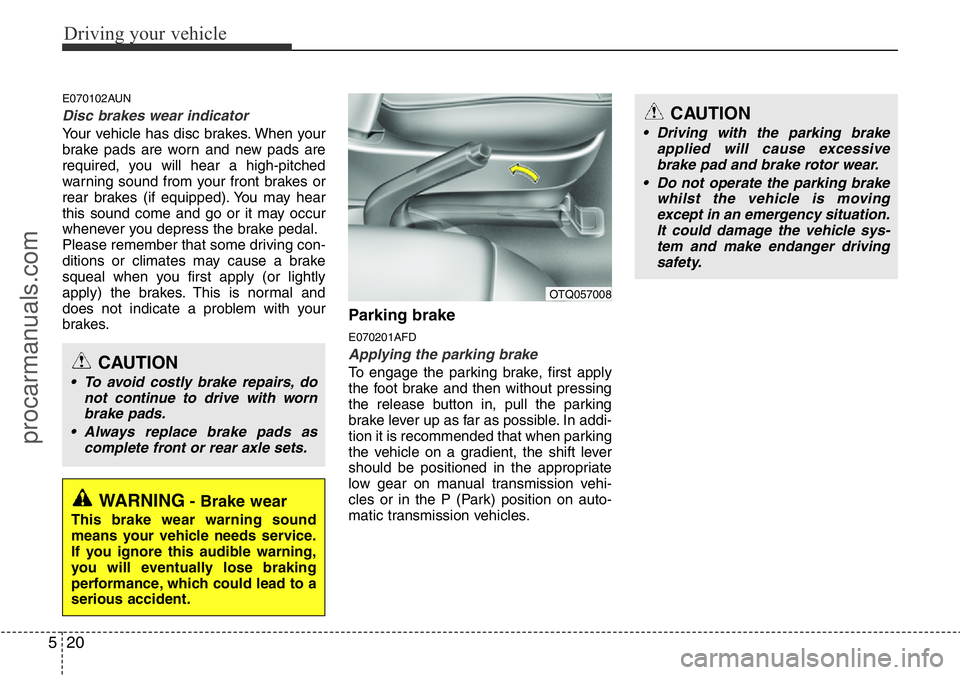
To engage the parking brake, first apply
the foot brake and then without pressing
the release button in, pull the parking
brake lever up as far as possible. In addi-
tion it is recommended that when parking
the vehicle on a gradient, the shift lever
should be positioned in the appropriate
low gear on manual transmission vehi-
cles or in the P (Park) position on auto-
matic transmission vehicles.
WARNING- Brake wear
This brake wear warning sound
means your vehicle needs service.
If you ignore this audible warning,
you will eventually lose braking
performance, which could lead to a
serious accident.
CAUTION
• To avoid costly brake repairs, do
not continue to drive with worn
brake pads.
• Always replace brake pads as
complete front or rear axle sets.
OTQ057008
CAUTION
• Driving with the parking brake
applied will cause excessive
brake pad and brake rotor wear.
• Do not operate the parking brake
whilst the vehicle is moving
except in an emergency situation.
It could damage the vehicle sys-
tem and make endanger driving
safety.
procarmanuals.com
Page 211 of 339
521
Driving your vehicle
E070202AFD-UK
Releasing the parking brake
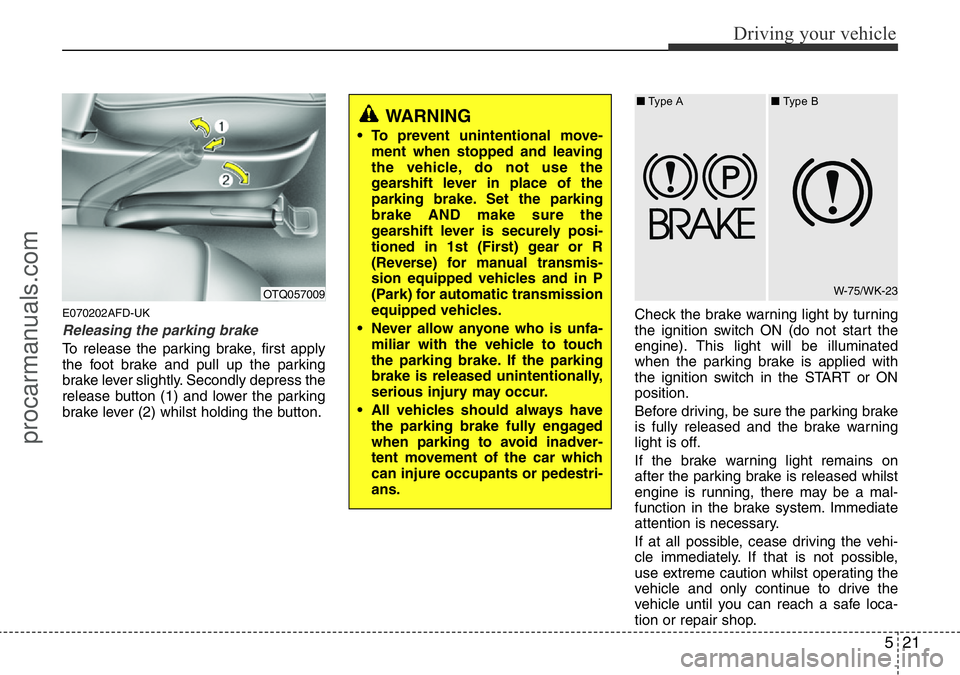
To release the parking brake, first apply
the foot brake and pull up the parking
brake lever slightly. Secondly depress the
release button (1) and lower the parking
brake lever (2) whilst holding the button.Check the brake warning light by turning
the ignition switch ON (do not start the
engine). This light will be illuminated
when the parking brake is applied with
the ignition switch in the START or ON
position.
Before driving, be sure the parking brake
is fully released and the brake warning
light is off.
If the brake warning light remains on
after the parking brake is released whilst
engine is running, there may be a mal-
function in the brake system. Immediate
attention is necessary.
If at all possible, cease driving the vehi-
cle immediately. If that is not possible,
use extreme caution whilst operating the
vehicle and only continue to drive the
vehicle until you can reach a safe loca-
tion or repair shop.
WARNING
• To prevent unintentional move-
ment when stopped and leaving
the vehicle, do not use the
gearshift lever in place of the
parking brake. Set the parking
brake AND make sure the
gearshift lever is securely posi-
tioned in 1st (First) gear or R
(Reverse) for manual transmis-
sion equipped vehicles and in P
(Park) for automatic transmission
equipped vehicles.
• Never allow anyone who is unfa-
miliar with the vehicle to touch
the parking brake. If the parking
brake is released unintentionally,
serious injury may occur.
• All vehicles should always have
the parking brake fully engaged
when parking to avoid inadver-
tent movement of the car which
can injure occupants or pedestri-
ans.
OTQ057009W-75/WK-23 ■Type A■Type B
procarmanuals.com
Page 212 of 339
Driving your vehicle
22 5
E070300AEN-UK
Anti-lock brake system (ABS)
(if equipped)
The ABS continuously senses the speed
of the wheels. If the wheels are going to
lock, the ABS system repeatedly modu-
lates the hydraulic brake pressure to the
wheels.
When you apply your brakes under con-
ditions which may lock the wheels, you
may hear a “tik-tik’’ sound from the
brakes, or feel a corresponding sensation
in the brake pedal. This is normal and it
means your ABS is active.
In order to obtain the maximum benefit
from your ABS in an emergency situa-
tion, do not attempt to modulate your
brake pressure and do not try to pump
your brakes. Press your brake pedal as
hard as possible or as hard as the situa-
tion warrants and allow the ABS to con-
trol the force being delivered to the
brakes.
WARNING
ABS (or ESP) will not prevent acci-
dents due to improper or danger-
ous driving manoeuvres. Even
though vehicle control is improved
during emergency braking, always
maintain a safe distance between
you and objects ahead. Vehicle
speeds should always be reduced
during extreme road conditions.
The braking distance for cars
equipped with an anti-lock braking
system (or Electronic Stability
Program System) may be longer
than for those without it in the fol-
lowing road conditions.
During these conditions the vehicle
should be driven at reduced
speeds:
• Rough, gravel or snow-covered
roads.
• With tyre chains installed.
(Continued)
(Continued)
• On roads where the road surface
is pitted or has different surface
height.
The safety features of an ABS (or
ESP) equipped vehicle should not
be tested by high speed driving or
cornering. This could endanger the
safety of yourself or others.
procarmanuals.com
Page 213 of 339
523
Driving your vehicle
✽NOTICE
A click sound may be heard in the
engine compartment when the vehicle
begins to move after the engine is start-
ed. These conditions are normal and
indicate that the anti-lock brake system
is functioning properly.
• Even with the anti-lock brake system,
your vehicle still requires sufficient
stopping distance. Always maintain a
safe distance from the vehicle in front
of you.
• Always slow down when cornering.
The anti-lock brake system cannot pre-
vent accidents resulting from exces-
sive speeds.
• On loose or uneven road surfaces,
operation of the anti-lock brake system
may result in a longer stopping dis-
tance than for vehicles equipped with a
conventional brake system.
✽NOTICE
When you jump start your vehicle
because of a drained battery, the engine
may not run as smoothly and the ABS
warning light may turn on at the same
time. This happens because of the low
battery voltage. It does not mean your
ABS is malfunctioning.
• Do not pump your brakes!
• Have the battery recharged before
driving the vehicle.
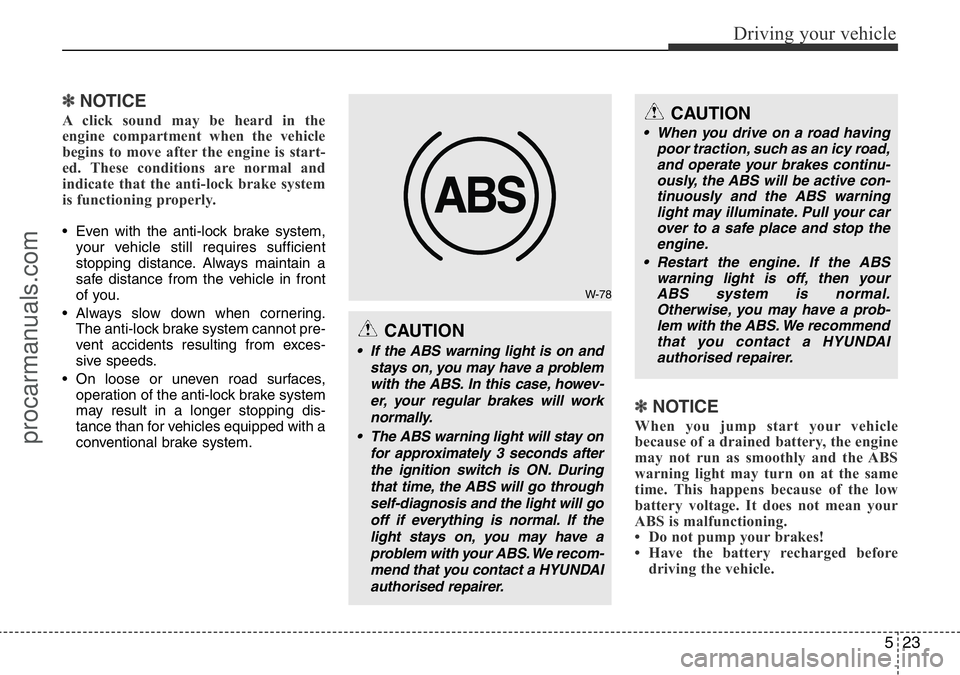
W-78
CAUTION
• If the ABS warning light is on and
stays on, you may have a problem
with the ABS. In this case, howev-
er, your regular brakes will work
normally.
• The ABS warning light will stay on
for approximately 3 seconds after
the ignition switch is ON. During
that time, the ABS will go through
self-diagnosis and the light will go
off if everything is normal. If the
light stays on, you may have a
problem with your ABS. We recom-
mend that you contact a HYUNDAI
authorised repairer.
CAUTION
• When you drive on a road having
poor traction, such as an icy road,
and operate your brakes continu-
ously, the ABS will be active con-
tinuously and the ABS warning
light may illuminate. Pull your car
over to a safe place and stop the
engine.
• Restart the engine. If the ABS
warning light is off, then your
ABS system is normal.
Otherwise, you may have a prob-
lem with the ABS. We recommend
that you contact a HYUNDAI
authorised repairer.
procarmanuals.com
Page 214 of 339
Driving your vehicle
24 5
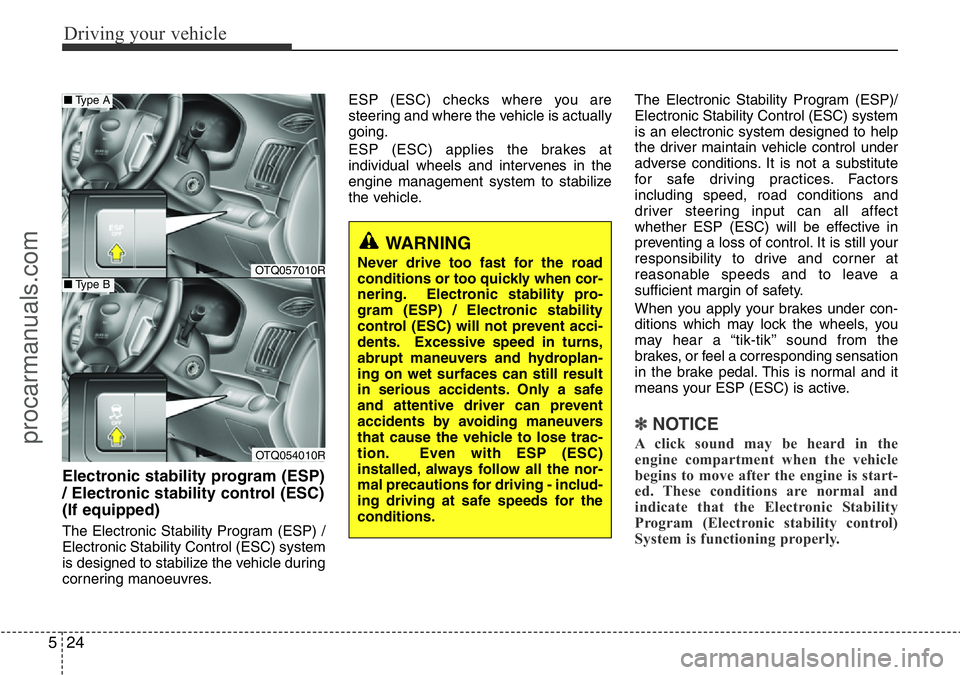
Electronic stability program (ESP)
/ Electronic stability control (ESC)
(If equipped)
The Electronic Stability Program (ESP) /
Electronic Stability Control (ESC) system
is designed to stabilize the vehicle during
cornering manoeuvres.ESP (ESC) checks where you are
steering and where the vehicle is actually
going.
ESP (ESC) applies the brakes at
individual wheels and intervenes in the
engine management system to stabilize
the vehicle.The Electronic Stability Program (ESP)/
Electronic Stability Control (ESC) system
is an electronic system designed to help
the driver maintain vehicle control under
adverse conditions. It is not a substitute
for safe driving practices. Factors
including speed, road conditions and
driver steering input can all affect
whether ESP (ESC) will be effective in
preventing a loss of control. It is still your
responsibility to drive and corner at
reasonable speeds and to leave a
sufficient margin of safety.
When you apply your brakes under con-
ditions which may lock the wheels, you
may hear a “tik-tik’’ sound from the
brakes, or feel a corresponding sensation
in the brake pedal. This is normal and it
means your ESP (ESC) is active.
✽NOTICE
A click sound may be heard in the
engine compartment when the vehicle
begins to move after the engine is start-
ed. These conditions are normal and
indicate that the Electronic Stability
Program (Electronic stability control)
System is functioning properly.
WARNING
Never drive too fast for the road
conditions or too quickly when cor-
nering. Electronic stability pro-
gram (ESP) / Electronic stability
control (ESC) will not prevent acci-
dents. Excessive speed in turns,
abrupt maneuvers and hydroplan-
ing on wet surfaces can still result
in serious accidents. Only a safe
and attentive driver can prevent
accidents by avoiding maneuvers
that cause the vehicle to lose trac-
tion. Even with ESP (ESC)
installed, always follow all the nor-
mal precautions for driving - includ-
ing driving at safe speeds for the
conditions.OTQ057010R
OTQ054010R
■Type A
■Type B
procarmanuals.com
Page 216 of 339
Driving your vehicle
26 5
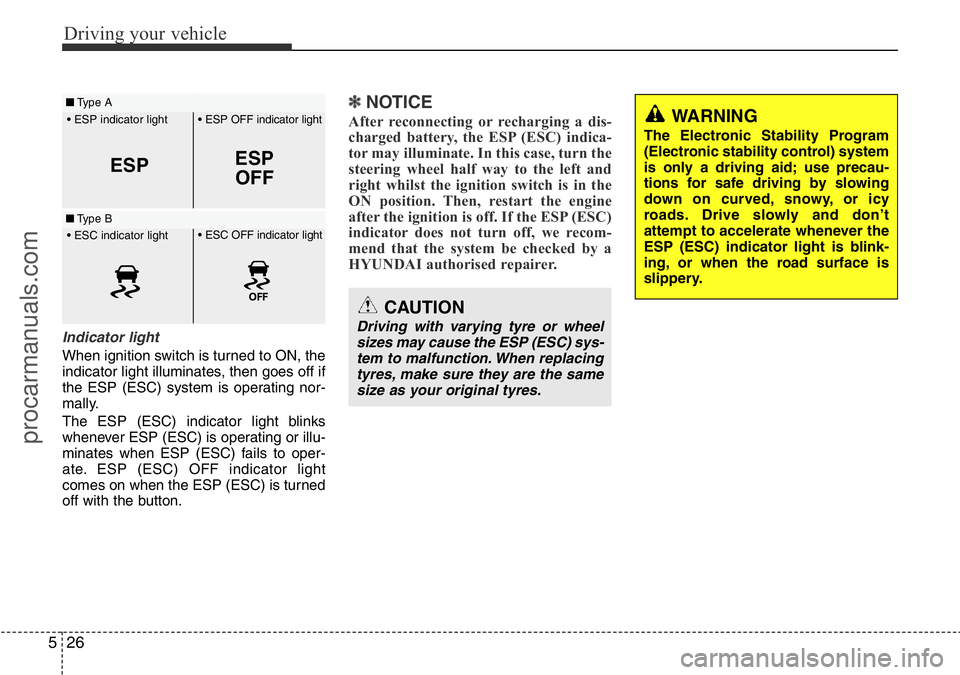
Indicator light
When ignition switch is turned to ON, the
indicator light illuminates, then goes off if
the ESP (ESC) system is operating nor-
mally.
The ESP (ESC) indicator light blinks
whenever ESP (ESC) is operating or illu-
minates when ESP (ESC) fails to oper-
ate. ESP (ESC) OFF indicator light
comes on when the ESP (ESC) is turned
off with the button.
✽NOTICE
After reconnecting or recharging a dis-
charged battery, the ESP (ESC) indica-
tor may illuminate. In this case, turn the
steering wheel half way to the left and
right whilst the ignition switch is in the
ON position. Then, restart the engine
after the ignition is off. If the ESP (ESC)
indicator does not turn off, we recom-
mend that the system be checked by a
HYUNDAI authorised repairer.
ESPESP
OFF
• ESP OFF indicator light
• ESP indicator light
■Type A
■Type B• ESC OFF indicator light
• ESC indicator light
CAUTION
Driving with varying tyre or wheel
sizes may cause the ESP (ESC) sys-
tem to malfunction. When replacing
tyres, make sure they are the same
size as your original tyres.
WARNING
The Electronic Stability Program
(Electronic stability control) system
is only a driving aid; use precau-
tions for safe driving by slowing
down on curved, snowy, or icy
roads. Drive slowly and don’t
attempt to accelerate whenever the
ESP (ESC) indicator light is blink-
ing, or when the road surface is
slippery.
procarmanuals.com
Page 217 of 339
527
Driving your vehicle
ESP (ESC) OFF usage
When driving
• The ESP (ESC) turned on for daily
driving whenever possible.
• To turn ESP (ESC) off whilst driving,
press the ESP (ESC) OFF button
whilst driving on a flat road surface.
Never press the ESP (ESC) OFF button
whilst ESP (ESC) is operating (ESP
(ESC) indicator light blinks).
If ESP (ESC) is turned off whilst ESP
(ESC) is operating, the vehicle may slip
out of control.
✽NOTICE
• When operating the vehicle on a
dynamometer, ensure that the ESP
(ESC) is turned off (ESP (ESC) OFF
light illuminated). If the ESP (ESC) is
left on, it may prevent the vehicle
speed from increasing, and result in
false diagnosis.
• Turning the ESP (ESC) off does not
affect ABS or brake system operation.
E070600AFD-UK
Good braking practices
WARNING
• Whenever leaving vehicle or
parking, always set the parking
brake as far as possible and fully
engage the vehicle's transmis-
sion into the park position.
Vehicles not fully engaged in park
with the parking brake set are at
risk for moving inadvertently and
injuring yourself or others.
• All vehicles should always have
the parking brake fully engaged
when parking to avoid inadver-
tent movement of the car which
can injure occupants or pedestri-
ans.
WARNING
Never press the ESP (ESC) OFF
button whilst ESP (ESC) is operat-
ing.
If the ESP (ESC) is turned off whilst
ESP (ESC) is operating, the vehicle
may go out of control.
To turn ESP (ESC) off whilst driv-
ing, press the ESP (ESC) OFF but-
ton whilst driving on a flat road sur-
face.
procarmanuals.com
Page 221 of 339
531
Driving your vehicle
• Use your air conditioning sparingly.
The air conditioning system is operat-
ed by engine power so your fuel econ-
omy is reduced when you use it.
• Open windows at high speeds can
reduce fuel economy.
• Fuel economy is less in crosswinds
and headwinds. To help offset some of
this loss, slow down when driving in
these conditions.
Keeping a vehicle in good operating con-
dition is important both for economy and
safety. Therefore, we recommend that the
system be serviced by a HYUNDAI
authorised repairer.
WARNING - Engine off dur-
ing motion
Never turn the engine off to coast
down hills or anytime the vehicle is
in motion. The power steering and
power brakes will not function
properly without the engine run-
ning. Instead, keep the engine on
and downshift to an appropriate
gear for engine braking effect. In
addition, turning off the ignition
whilst driving could engage the
steering wheel lock resulting in
loss of vehicle steering which
could cause serious injury or
death.
procarmanuals.com
Page 222 of 339
Driving your vehicle
32 5
E110100AUN-UK
Hazardous driving conditions
When hazardous driving conditions are
encountered such as water, snow, ice,
mud, sand, or similar hazards, follow
these suggestions:
• Drive cautiously and allow extra dis-
tance for braking.
• Avoid sudden movements in braking or
steering.
• When braking with non-ABS brakes
pump the brake pedal with a light up-
and-down motion until the vehicle is
stopped.• If stalled in snow, mud, or sand, use
second gear. Accelerate slowly to
avoid spinning the drive wheels.
• Use sand, rock salt, tyre chains, or
other non-slip material under the drive
wheels to provide traction when stalled
in ice, snow, or mud.
E110200ATQ-UK
Rocking the vehicle
If it is necessary to rock the vehicle to free
it from snow, sand, or mud, first turn the
steering wheel right and left to clear the
area around your drive wheels. Then,
shift back and forth between 1st (First)
and R (Reverse) in vehicles equipped
with a manual transmission or R
(Reverse) and any forward gear in vehi-
cles equipped with an automatic trans-
mission. Do not race the engine, and spin
the wheels as little as possible. If you are
still stuck after a few tries, have the vehi-
cle pulled out by a tow vehicle to avoid
engine overheating and possible damage
to the transmission.
SPECIAL DRIVING CONDITIONS
WARNING - ABS
Do not pump the brake pedal on a
vehicle equipped with ABS.
WARNING - Downshifting
Downshifting with an automatic
transmission, whilst driving on
slippery surfaces can cause an
accident. The sudden change in
tyre speed could cause the tyres to
skid. Be careful when downshifting
on slippery surfaces.
CAUTION
Prolonged rocking may cause
engine over-heating, transmission
damage or failure, and tyre damage.
procarmanuals.com