Trip HYUNDAI I800 2015 Owners Manual
[x] Cancel search | Manufacturer: HYUNDAI, Model Year: 2015, Model line: I800, Model: HYUNDAI I800 2015Pages: 339, PDF Size: 7.25 MB
Page 62 of 339
Safety features of your vehicle
46 3
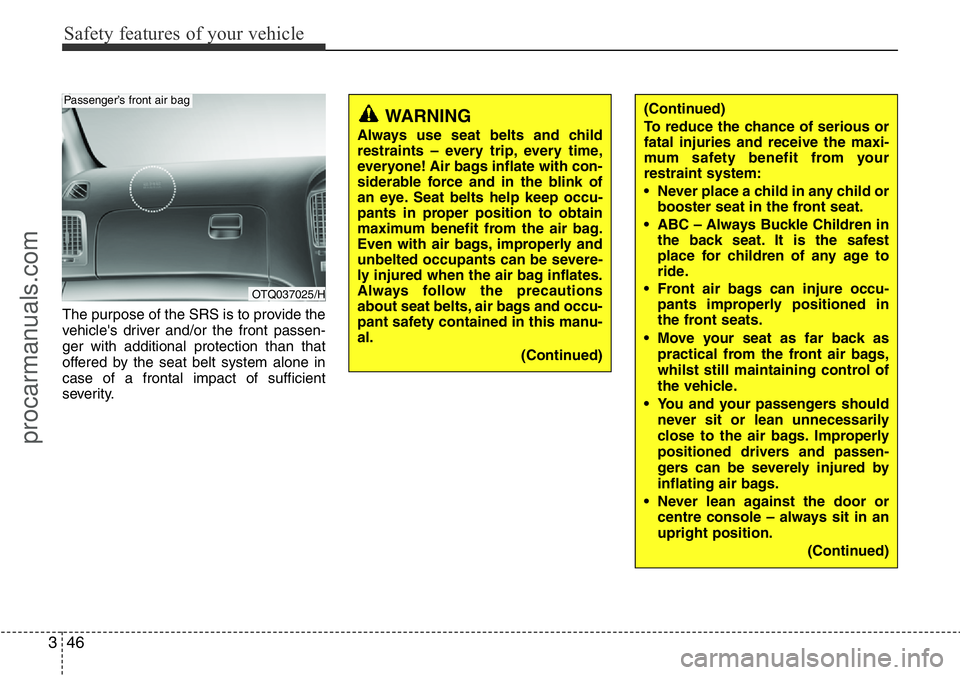
The purpose of the SRS is to provide the
vehicle's driver and/or the front passen-
ger with additional protection than that
offered by the seat belt system alone in
case of a frontal impact of sufficient
severity.
(Continued)
To reduce the chance of serious or
fatal injuries and receive the maxi-
mum safety benefit from your
restraint system:
• Never place a child in any child or
booster seat in the front seat.
• ABC – Always Buckle Children in
the back seat. It is the safest
place for children of any age to
ride.
• Front air bags can injure occu-
pants improperly positioned in
the front seats.
• Move your seat as far back as
practical from the front air bags,
whilst still maintaining control of
the vehicle.
• You and your passengers should
never sit or lean unnecessarily
close to the air bags. Improperly
positioned drivers and passen-
gers can be severely injured by
inflating air bags.
• Never lean against the door or
centre console – always sit in an
upright position.
(Continued)WARNING
Always use seat belts and child
restraints – every trip, every time,
everyone! Air bags inflate with con-
siderable force and in the blink of
an eye. Seat belts help keep occu-
pants in proper position to obtain
maximum benefit from the air bag.
Even with air bags, improperly and
unbelted occupants can be severe-
ly injured when the air bag inflates.
Always follow the precautions
about seat belts, air bags and occu-
pant safety contained in this manu-
al.
(Continued)
OTQ037025/H
Passenger’s front air bag
procarmanuals.com
Page 103 of 339
Features of your vehicle
32 4
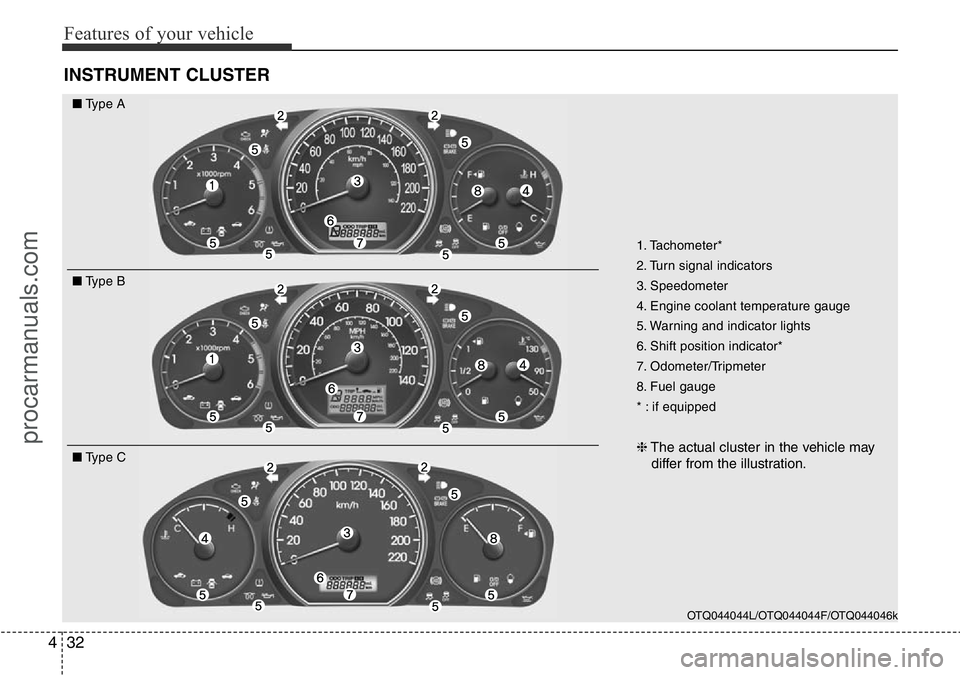
INSTRUMENT CLUSTER
1. Tachometer*
2. Turn signal indicators
3. Speedometer
4. Engine coolant temperature gauge
5. Warning and indicator lights
6. Shift position indicator*
7. Odometer/Tripmeter
8. Fuel gauge
* : if equipped
❈The actual cluster in the vehicle may
differ from the illustration.
OTQ044044L/OTQ044044F/OTQ044046k
■Type A
■Type B
■Type C
procarmanuals.com
Page 106 of 339
435
Features of your vehicle
D150205AUN
Odometer/Tripmeter (if equipped)
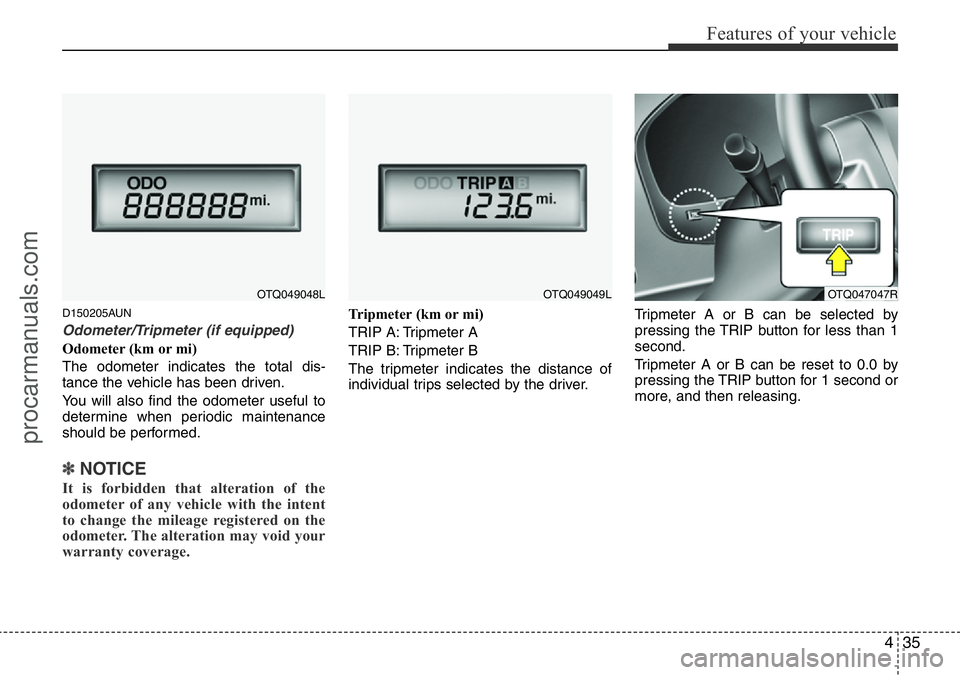
Odometer (km or mi)
The odometer indicates the total dis-
tance the vehicle has been driven.
You will also find the odometer useful to
determine when periodic maintenance
should be performed.
✽NOTICE
It is forbidden that alteration of the
odometer of any vehicle with the intent
to change the mileage registered on the
odometer. The alteration may void your
warranty coverage.
Tripmeter (km or mi)
TRIP A: Tripmeter A
TRIP B: Tripmeter B
The tripmeter indicates the distance of
individual trips selected by the driver.Tripmeter A or B can be selected by
pressing the TRIP button for less than 1
second.
Tripmeter A or B can be reset to 0.0 by
pressing the TRIP button for 1 second or
more, and then releasing.
OTQ049048LOTQ049049LOTQ047047R
procarmanuals.com
Page 107 of 339
Features of your vehicle
36 4
D150206ATQ-UK
Trip computer (if equipped)
The trip computer is a microcomputer-
controlled driver information system that
displays information related to driving,
including distance to empty, tripmeter
and average speed on the display when
the ignition switch is in the ON position.All stored driving information (except
odometer) is reset if the battery is dis-
connected. The odometer is always dis-
played until the display is turned off.
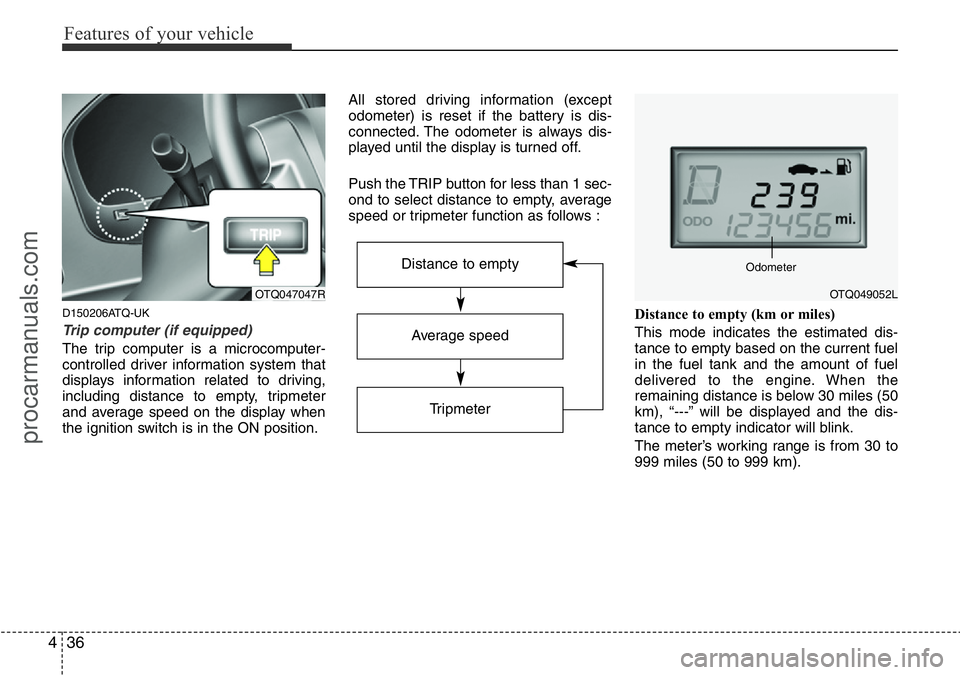
Push the TRIP button for less than 1 sec-
ond to select distance to empty, average
speed or tripmeter function as follows :
Distance to empty (km or miles)
This mode indicates the estimated dis-
tance to empty based on the current fuel
in the fuel tank and the amount of fuel
delivered to the engine. When the
remaining distance is below 30 miles (50
km), “---” will be displayed and the dis-
tance to empty indicator will blink.
The meter’s working range is from 30 to
999 miles (50 to 999 km).
OTQ047047R
Average speed
Tripmeter
Distance to empty
OTQ049052L Odometer
procarmanuals.com
Page 108 of 339
437
Features of your vehicle
✽NOTICE
• If the vehicle is not on level ground or
the battery power has been interrupt-
ed, the “Distance to empty” function
may not operate correctly.
The trip computer may not register
additional fuel if less than 6 litres (1.6
gallons) of fuel are added to the vehi-
cle.
• The fuel consumption and distance to
empty values may vary significantly
based on driving conditions, driving
habits, and condition of the vehicle.
• The distance to empty value is an esti-
mate of the available driving distance.
This value may differ from the actual
driving distance available.
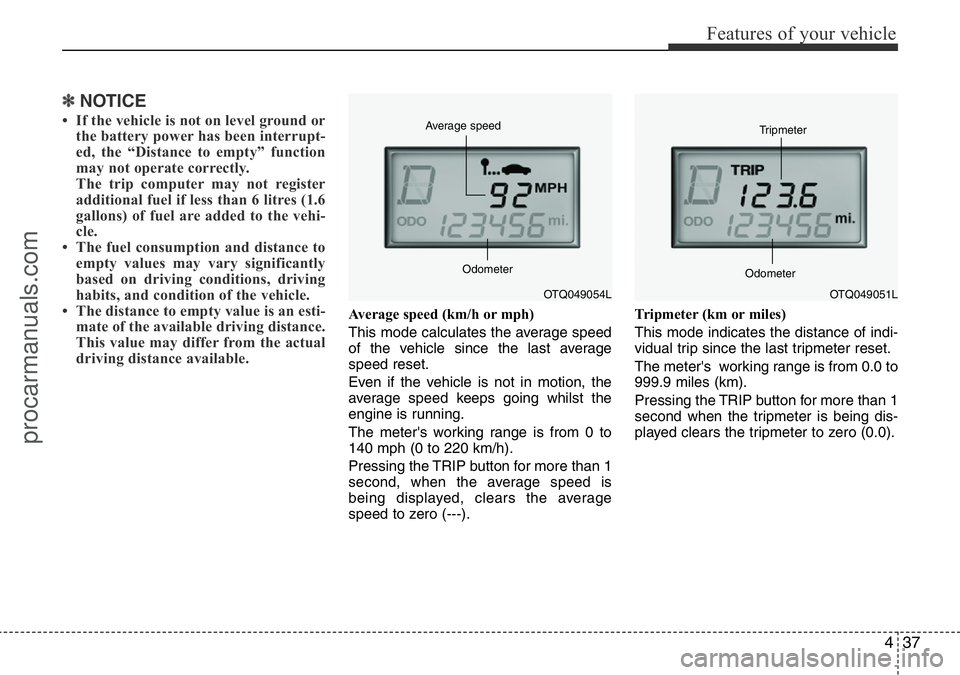
Average speed (km/h or mph)
This mode calculates the average speed
of the vehicle since the last average
speed reset.
Even if the vehicle is not in motion, the
average speed keeps going whilst the
engine is running.
The meter's working range is from 0 to
140 mph (0 to 220 km/h).
Pressing the TRIP button for more than 1
second, when the average speed is
being displayed, clears the average
speed to zero (---).Tripmeter (km or miles)
This mode indicates the distance of indi-
vidual trip since the last tripmeter reset.
The meter's working range is from 0.0 to
999.9 miles (km).
Pressing the TRIP button for more than 1
second when the tripmeter is being dis-
played clears the tripmeter to zero (0.0).
OTQ049054L Average speed
OdometerOTQ049051L Tripmeter
Odometer
procarmanuals.com
Page 233 of 339
543
Driving your vehicle
E140400AUN-UK
Driving with a trailer
Towing a trailer requires a certain
amount of experience. Before setting out
for the open road, you must get to know
your trailer. Acquaint yourself with the
feel of handling and braking with the
added weight of the trailer. And always
keep in mind that the vehicle you are
driving is now a good deal longer and not
nearly so responsive as your vehicle is
by itself.
Before you start, check the trailer towbar
and platform, safety cables, electrical
connector(s), lights, tyres and mirror
adjustment. If the trailer has electric
brakes, start your vehicle and trailer mov-
ing and then apply the trailer brake con-
troller by hand to be sure the brakes are
working. This lets you check your electri-
cal connection at the same time.
During your trip, check occasionally to be
sure that the load is secure, and that the
lights and any trailer brakes are still work-
ing.
E140401AUN
Following distance
Stay at least twice as far behind the vehi-
cle ahead as you would when driving
your vehicle without a trailer. This can
help you avoid situations that require
heavy braking and sudden turns.
E140402AUN
Passing
You’ll need more passing distance up
ahead when you’re towing a trailer. And,
because of the increased vehicle length,
you’ll need to go much farther beyond the
passed vehicle before you can return to
your lane.
E140403AUN-UK
Reversing
Hold the bottom of the steering wheel
with one hand. Then, to move the trailer
to the left, just move your hand to the left.
To move the trailer to the right, move your
hand to the right. Always reverse slowly
and, if possible, have someone guide
you.
E140404AUN-UK
Making turns
When you’re turning with a trailer, make
wider turns than normal. Do this so your
trailer won’t strike soft shoulders, kerbs,
road signs, trees, or other objects. Avoid
jerky or sudden manoeuvres. Signal well
in advance.
E140405AFD-UK
Turn signals when towing a trailer
When you tow a trailer, your vehicle has
to have a different turn signal flasher and
extra wiring. The green arrows on your
instrument panel will flash whenever you
signal a turn or lane change. Properly
connected, the trailer lights will also flash
to alert other drivers you’re about to turn,
change lanes, or stop.
When towing a trailer, the green arrows
on your instrument panel will flash for
turns even if the bulbs on the trailer are
burned out. Thus, you may think drivers
behind you are seeing your signals
when, in fact, they are not. It’s important
to check occasionally to be sure the trail-
er bulbs are still working. You must also
check the lights every time you discon-
nect and then reconnect the wires.
Do not connect a trailer lighting system
directly to your vehicle’s lighting system.
Use only an approved trailer wiring har-
ness.
A HYUNDAI authorised repairer can
assist you in installing the wiring harness.
WARNING
Failure to use an approved trailer
wiring harness could result in dam-
age to the vehicle electrical system
and/or personal injury.
procarmanuals.com
Page 235 of 339
545
Driving your vehicle
5. Start the vehicle, hold the brakes, shift
to neutral, release the parking brake
and slowly release the brakes until the
trailer chocks absorb the load.
6. Reapply the brakes, reapply the park-
ing brake and shift the vehicle to R
(Reverse) for manual transmission or
P (Park) automatic transmission.
7. Shut off the vehicle and release the
vehicle brakes but leave the parking
brake set.
When you are ready to leave after park-
ing on a hill
1. With the manual transmission in
Neutral or automatic transmission in P
(Park), apply your brakes and hold the
brake pedal down whilst you:
• Start your engine;
• Shift into gear; and
• Release the parking brake.2. Slowly remove your foot from the
brake pedal.
3. Drive slowly until the trailer is clear of
the chocks.
4. Stop and have someone pick up and
store the chocks.
E140500AUN-UK
Maintenance when trailer towing
Your vehicle will need service more often
when you regularly pull a trailer.
Important items to pay particular atten-
tion to include engine oil, automatic
transmission fluid, axle lubricant and
cooling system fluid. Brake condition is
another important item to frequently
check. Each item is covered in this man-
ual, and the Index will help you find them
quickly. If you’re trailering, it’s a good idea
to review these sections before you start
your trip.
Don’t forget to also maintain your trailer
and towbar. Follow the maintenance
schedule that accompanied your trailer
and check it periodically. Preferably, con-
duct the check at the start of each day’s
driving. Most importantly, all towbar nuts
and bolts should be tight.
WARNING- Parking brake
It can be dangerous to get out of
your vehicle if the parking brake is
not firmly set.
If you have left the engine running,
the vehicle can move suddenly. You
or others could be seriously or
fatally injured.
CAUTION
• Due to higher load during trailer
usage, overheating might occur
in hot days or during uphill driv-
ing. If the coolant gauge indicates
over-heating, switch off the A/C
and stop the vehicle in a safe area
to cool down the engine.
• When towing check transmission
fluid more frequently.
• If your vehicle is not equipped
with the air conditioner, you
should install a condenser fan to
improve engine performance
when towing a trailer.
procarmanuals.com
Page 269 of 339
77
Maintenance
G030103AUN-UK
At least monthly:
• Check coolant level in the engine
coolant reservoir.
• Check the operation of all exterior
lights, including the stoplights, turn sig-
nals and hazard warning flashers.
• Check the inflation pressures of all
tyres including the spare.
G030104AUN-UK
At least twice a year
(i.e., every Spring and Fall) :
• Check radiator, heater and air condi-
tioning hoses for leaks or damage.
• Check windscreen washer spray and
wiper operation. Clean wiper blades
with clean cloth dampened with wash-
er fluid.
• Check headlight alignment.
• Check muffler, exhaust pipes, shields
and clamps.
• Check the lap/shoulder belts for wear
and function.
• Check for worn tyres and loose wheel
lug nuts.
G030105AUN-UK
At least once a year:
• Clean body and door drain holes.
• Lubricate door hinges and checks, and
bonnet hinges.
• Lubricate door and bonnet locks and
latches.
• Lubricate door rubber weatherstrips.
• Check the air conditioning system.
• Check the power steering fluid level.
• Inspect and lubricate automatic trans-
mission linkage and controls.
• Clean battery and terminals.
• Check the brake fluid level.
procarmanuals.com
Page 292 of 339
Maintenance
30 7
G190200AUN-UK
Battery recharging
Your vehicle has a maintenance-free,
calcium-based battery.
• If the battery becomes discharged in a
short time (because, for example, the
headlights or interior lights were left on
whilst the vehicle was not in use),
recharge it by slow charging (trickle)
for 10 hours.
• If the battery gradually discharges
because of high electric load whilst the
vehicle is being used, recharge it at 20-
30A for two hours.
G190300BTQ
Reset items
Items should be reset after the battery
has been discharged or the battery has
been disconnected.
• Climate control system
(See section 4)
• Clock (See section 4)
• Audio (See section 4)
• Auto up/down window (See section 4)
• Trip computer (See section 4)
(Continued)
• Before performing maintenance
or recharging the battery, turn off
all accessories and stop the
engine.
• The negative battery cable must
be removed first and installed
last when the battery is discon-
nected.WARNING- Recharging
battery
When recharging the battery,
observe the following precautions:
• The battery must be removed
from the vehicle and placed in an
area with good ventilation.
• Do not allow cigarettes, sparks,
or flame near the battery.
• Watch the battery during charg-
ing, and stop or reduce the charg-
ing rate if the battery cells begin
gassing (boiling) violently or if
the temperature of the electrolyte
of any cell exceeds 49°C (120°F).
• Wear eye protection when check-
ing the battery during charging.
• Disconnect the battery charger in
the following order.
1. Turn off the battery charger main
switch.
2. Unhook the negative clamp from
the negative battery terminal.
3. Unhook the positive clamp from
the positive battery terminal.
(Continued)
procarmanuals.com
Page 321 of 339
759
Maintenance
Exterior care
G230101AUN
Exterior general caution
It is very important to follow the label
directions when using any chemical
cleaner or polish. Read all warning and
caution statements that appear on the
label.
G230102CEN-UK
Finish maintenance
Washing
To help protect your vehicle’s finish from
rust and deterioration, wash it thoroughly
and frequently at least once a month with
lukewarm or cold water.
If you use your vehicle for off-road driv-
ing, you should wash it after each off-
road trip. Pay special attention to the
removal of any accumulation of salt, dirt,
mud, and other foreign materials. Make
sure the drain holes in the lower edges of
the doors and rocker panels are kept
clear and clean.
Insects, tar, tree sap, bird droppings,
industrial pollution and similar deposits
can damage your vehicle’s finish if not
removed immediately.
Even prompt washing with plain water
may not completely remove all these
deposits. A mild soap, safe for use on
painted surfaces, may be used.After washing, rinse the vehicle thor-
oughly with lukewarm or cold water. Do
not allow soap to dry on the finish.
APPEARANCE CARE
CAUTION
• Do not use strong soap, chemical
detergents or hot water, and do
not wash the vehicle in direct
sunlight or when the body of the
vehicle is warm.
• Be careful when washing the side
windows of your vehicle.
Especially, with high-pressure
water. Water may leak through the
windows and wet the interior.
• To prevent damage to the plastic
parts and lamps, do not clean
with chemical solvents or strong
detergents.
WARNING - Wet brakes
After washing the vehicle, test the
brakes whilst driving slowly to see
if they have been affected by water.
If braking performance is impaired,
dry the brakes by applying them
lightly whilst maintaining a slow
forward speed.
CAUTION
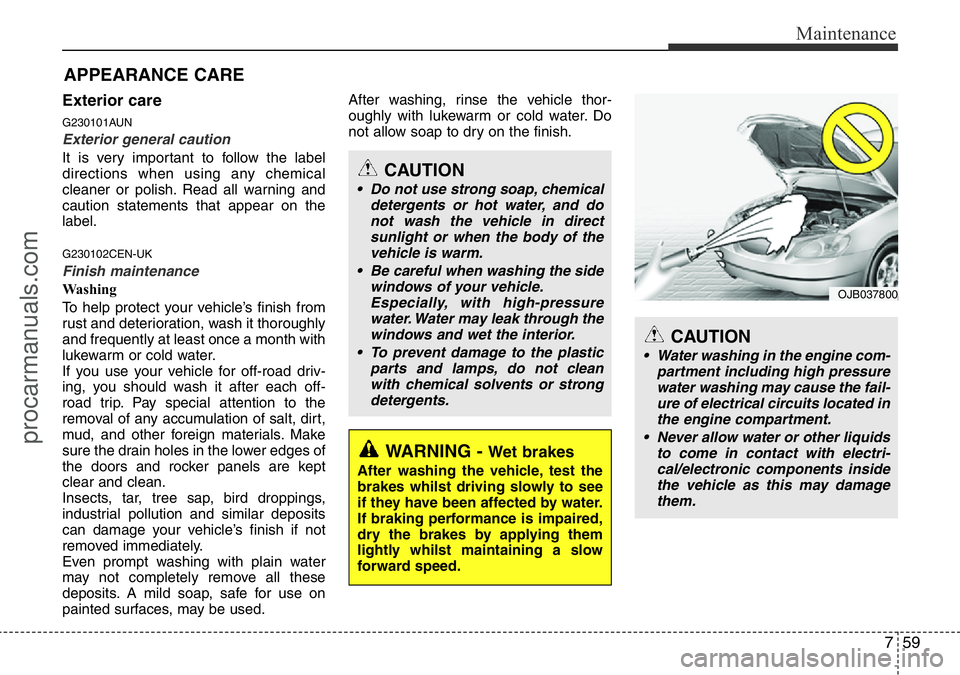
• Water washing in the engine com-
partment including high pressure
water washing may cause the fail-
ure of electrical circuits located in
the engine compartment.
• Never allow water or other liquids
to come in contact with electri-
cal/electronic components inside
the vehicle as this may damage
them.
OJB037800
procarmanuals.com