radio HYUNDAI I800 2016 User Guide
[x] Cancel search | Manufacturer: HYUNDAI, Model Year: 2016, Model line: I800, Model: HYUNDAI I800 2016Pages: 419, PDF Size: 9.23 MB
Page 205 of 419
4131
Features of your vehicle
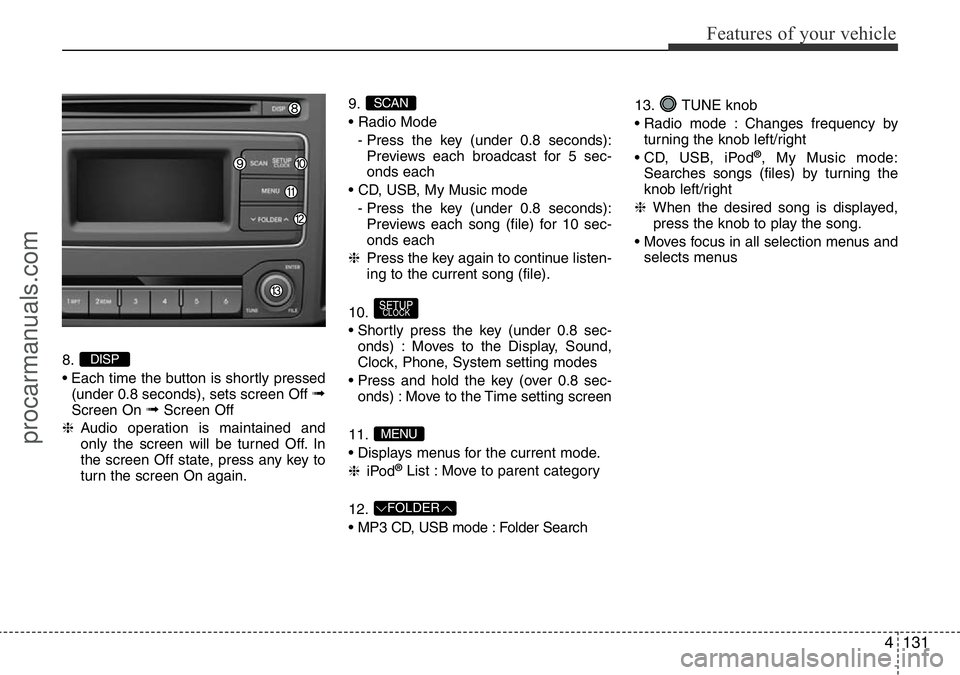
8.
• Each time the button is shortly pressed
(under 0.8 seconds), sets screen Off
➟Screen On ➟Screen Off
❈Audio operation is maintained and
only the screen will be turned Off. In
the screen Off state, press any key to
turn the screen On again.9.
• Radio Mode
- Press the key (under 0.8 seconds):
Previews each broadcast for 5 sec-
onds each
• CD, USB, My Music mode
- Press the key (under 0.8 seconds):
Previews each song (file) for 10 sec-
onds each
❈Press the key again to continue listen-
ing to the current song (file).
10.
• Shortly press the key (under 0.8 sec-
onds) : Moves to the Display, Sound,
Clock, Phone, System setting modes
• Press and hold the key (over 0.8 sec-
onds) : Move to the Time setting screen
11.
• Displays menus for the current mode.
❈iPod
®List : Move to parent category
12.
• MP3 CD, USB mode : Folder Search13. TUNE knob
• Radio mode : Changes frequency by
turning the knob left/right
• CD, USB, iPod
®, My Music mode:
Searches songs (files) by turning the
knob left/right
❈When the desired song is displayed,
press the knob to play the song.
• Moves focus in all selection menus and
selects menus
FOLDER
MENU
SETUPCLOCK
SCAN
DISP
procarmanuals.com
Page 206 of 419
![HYUNDAI I800 2016 User Guide Features of your vehicle
132 4
SETUP (For EUROPE)
Display Settings
Press the key Select [Display]
through TUNE knob or key
Select menu through TUNE knob
Mode Pop up
[Mode Pop up] Changes . selec-](/img/35/57914/w960_57914-205.png "HYUNDAI I800 2016 User Guide Features of your vehicle
132 4
SETUP (For EUROPE)
Display Settings
Press the key Select [Display]
through TUNE knob or key
Select menu through TUNE knob
Mode Pop up
[Mode Pop up] Changes . selec-")
Features of your vehicle
132 4
SETUP (For EUROPE)
Display Settings
Press the key Select [Display]
through TUNE knob or key
Select menu through TUNE knob
Mode Pop up
[Mode Pop up] Changes . selec-
tion mode
• During On state, press the or
key to display the mode
change pop up screen.
• When the pop up screen is displayed,
use the TUNE knob or keys ~
to select the desired mode.
Scroll text
[Scroll text] Set /
• : Maintains scroll
• : Scrolls only one (1) time.
Song Info
When playing an MP3 file, select the
desired display info from ‘Folder/File’ or
‘Album/Artist/Song’.
Off
On
OffOn
6
1
MEDIARADIO
On
1 RPT
SETUPCLOCK
procarmanuals.com
Page 210 of 419
![HYUNDAI I800 2016 User Guide Features of your vehicle
136 4
SETUP (Except EUROPE)
Display Settings
Press the key Select [Display]
through TUNE knob or key
Select menu through TUNE knob
Mode Pop up
[Mode Pop up] Changes . s](/img/35/57914/w960_57914-209.png "HYUNDAI I800 2016 User Guide Features of your vehicle
136 4
SETUP (Except EUROPE)
Display Settings
Press the key Select [Display]
through TUNE knob or key
Select menu through TUNE knob
Mode Pop up
[Mode Pop up] Changes . s")
Features of your vehicle
136 4
SETUP (Except EUROPE)
Display Settings
Press the key Select [Display]
through TUNE knob or key
Select menu through TUNE knob
Mode Pop up
[Mode Pop up] Changes . selec-
tion mode
• During On state, press the or
key to display the mode
change pop up screen.
• When the pop up screen is displayed,
use the TUNE knob or keys ~
to select the desired mode.
Text Scroll
[Text Scroll] Set /
• : Maintains scroll
• : Scrolls only one (1) time.
Media Display
When playing an MP3 file, select the
desired display info from ‘Folder/File’ or
‘Album/Artist/Song’.
Sound Settings
Press the key Select [Sound]
through TUNE knob or key
Select menu through TUNE knob.2 RDM
SETUPCLOCK
Off
On
OffOn
6
1
MEDIARADIO
On
1 RPT
SETUPCLOCK
procarmanuals.com
Page 219 of 419
4145
Features of your vehicle
RADIO (For EUROPE)
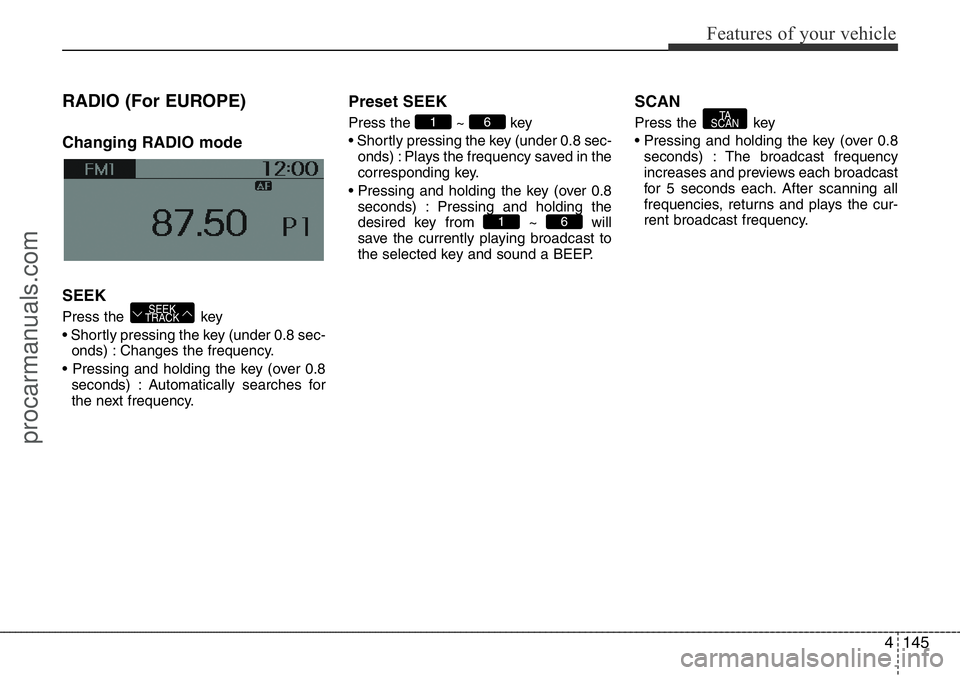
Changing RADIO mode
SEEK
Press the key
• Shortly pressing the key (under 0.8 sec-
onds) : Changes the frequency.
• Pressing and holding the key (over 0.8
seconds) : Automatically searches for
the next frequency.
Preset SEEK
Press the ~ key
• Shortly pressing the key (under 0.8 sec-
onds) : Plays the frequency saved in the
corresponding key.
• Pressing and holding the key (over 0.8
seconds) : Pressing and holding the
desired key from ~ will
save the currently playing broadcast to
the selected key and sound a BEEP.
SCAN
Press the key
• Pressing and holding the key (over 0.8
seconds) : The broadcast frequency
increases and previews each broadcast
for 5 seconds each. After scanning all
frequencies, returns and plays the cur-
rent broadcast frequency.TA
SCAN
61
61
SEEK
TRACK
procarmanuals.com
Page 220 of 419
Features of your vehicle
146 4
Selecting through manual
search
Turn the TUNE knob left/right to adjust
the frequency.
Traffic Announcement (TA)
Shortly pressing the key (under
0.8 seconds) : Set / TA Traffic
Announcement) mode.
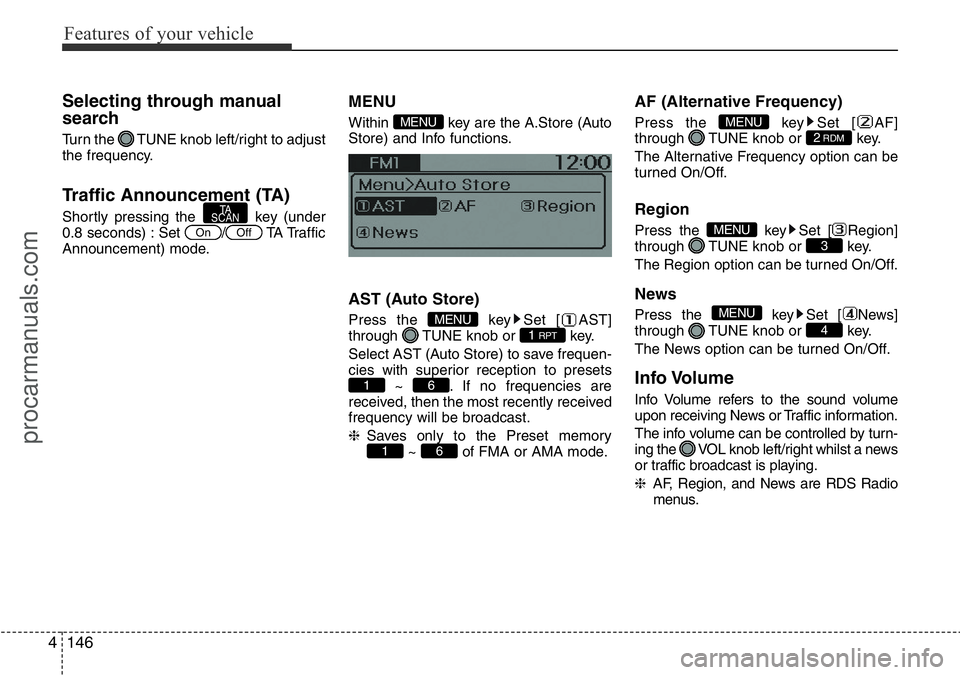
MENU
Within key are the A.Store (Auto
Store) and Info functions.
AST (Auto Store)
Press the key Set [ AST]
through TUNE knob or key.
Select AST (Auto Store) to save frequen-
cies with superior reception to presets
~ . If no frequencies are
received, then the most recently received
frequency will be broadcast.
❈Saves only to the Preset memory
~ of FMA or AMA mode.
AF (Alternative Frequency)
Press the key Set [ AF]
through TUNE knob or key.
The Alternative Frequency option can be
turned On/Off.
Region
Press the key Set [ Region]
through TUNE knob or key.
The Region option can be turned On/Off.
News
Press the key Set [ News]
through TUNE knob or key.
The News option can be turned On/Off.
Info Volume
Info Volume refers to the sound volume
upon receiving News or Traffic information.
The info volume can be controlled by turn-
ing the VOL knob left/right whilst a news
or traffic broadcast is playing.
❈AF, Region, and News are RDS Radio
menus.
4
MENU
3MENU
2RDMMENU
61
61
1 RPTMENU
MENU
OffOn
TA
SCAN
procarmanuals.com
Page 221 of 419
4147
Features of your vehicle
DAB RADIO (For DAB Model)
❈RADIO may differ depending on the
selected audio.
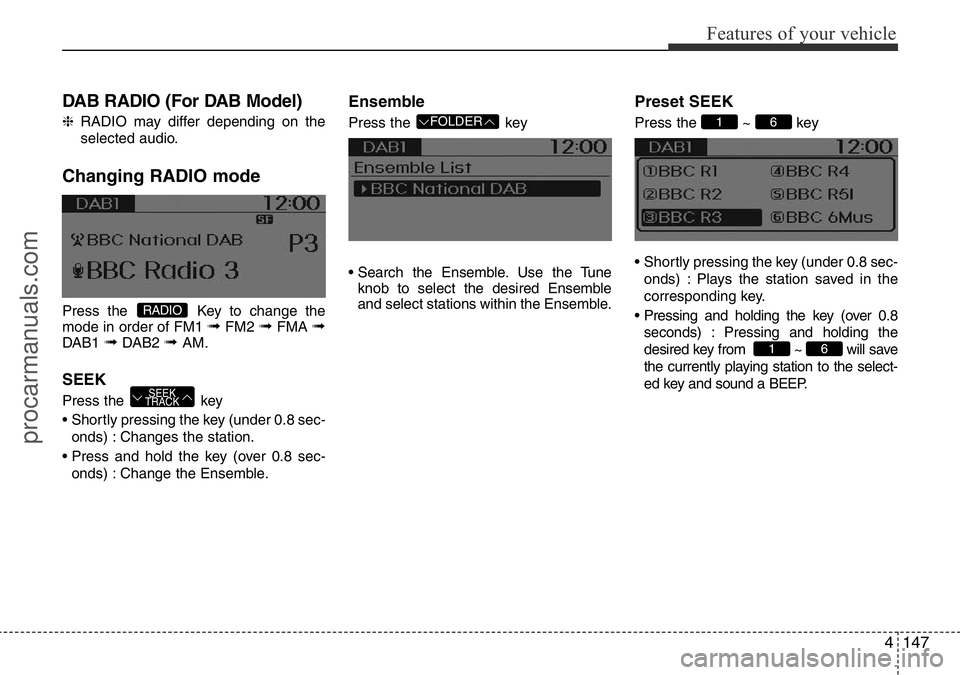
Changing RADIO mode
Press the Key to change the
mode in order of FM1 ➟FM2 ➟FMA ➟DAB1 ➟DAB2 ➟ AM.
SEEK
Press the key
• Shortly pressing the key (under 0.8 sec-
onds) : Changes the station.
• Press and hold the key (over 0.8 sec-
onds) : Change the Ensemble.
Ensemble
Press the key
• Search the Ensemble. Use the Tune
knob to select the desired Ensemble
and select stations within the Ensemble.
Preset SEEK
Press the ~ key
• Shortly pressing the key (under 0.8 sec-
onds) : Plays the station saved in the
corresponding key.
• Pressing and holding the key (over 0.8
seconds) : Pressing and holding the
desired key from ~ will save
the currently playing station to the select-
ed key and sound a BEEP.
61
61 FOLDER
SEEK
TRACK
RADIO
procarmanuals.com
Page 223 of 419
4149
Features of your vehicle
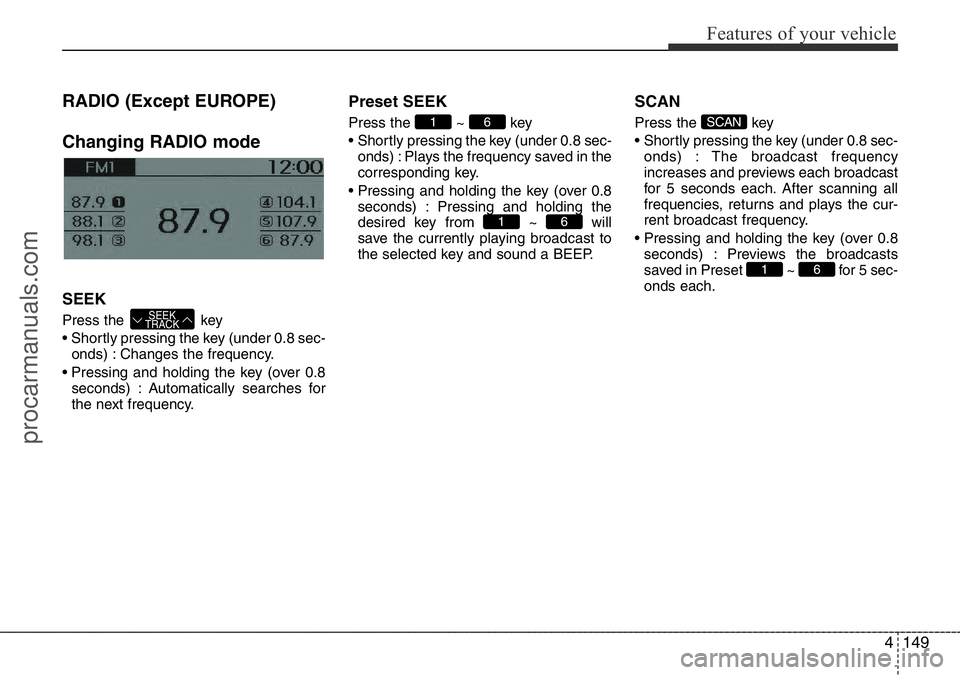
RADIO (Except EUROPE)
Changing RADIO mode
SEEK
Press the key
• Shortly pressing the key (under 0.8 sec-
onds) : Changes the frequency.
• Pressing and holding the key (over 0.8
seconds) : Automatically searches for
the next frequency.
Preset SEEK
Press the ~ key
• Shortly pressing the key (under 0.8 sec-
onds) : Plays the frequency saved in the
corresponding key.
• Pressing and holding the key (over 0.8
seconds) : Pressing and holding the
desired key from ~ will
save the currently playing broadcast to
the selected key and sound a BEEP.
SCAN
Press the key
• Shortly pressing the key (under 0.8 sec-
onds) : The broadcast frequency
increases and previews each broadcast
for 5 seconds each. After scanning all
frequencies, returns and plays the cur-
rent broadcast frequency.
• Pressing and holding the key (over 0.8
seconds) : Previews the broadcasts
saved in Preset ~ for 5 sec-
onds each.
61
SCAN
61
61
SEEK
TRACK
procarmanuals.com
Page 239 of 419
4165
Features of your vehicle
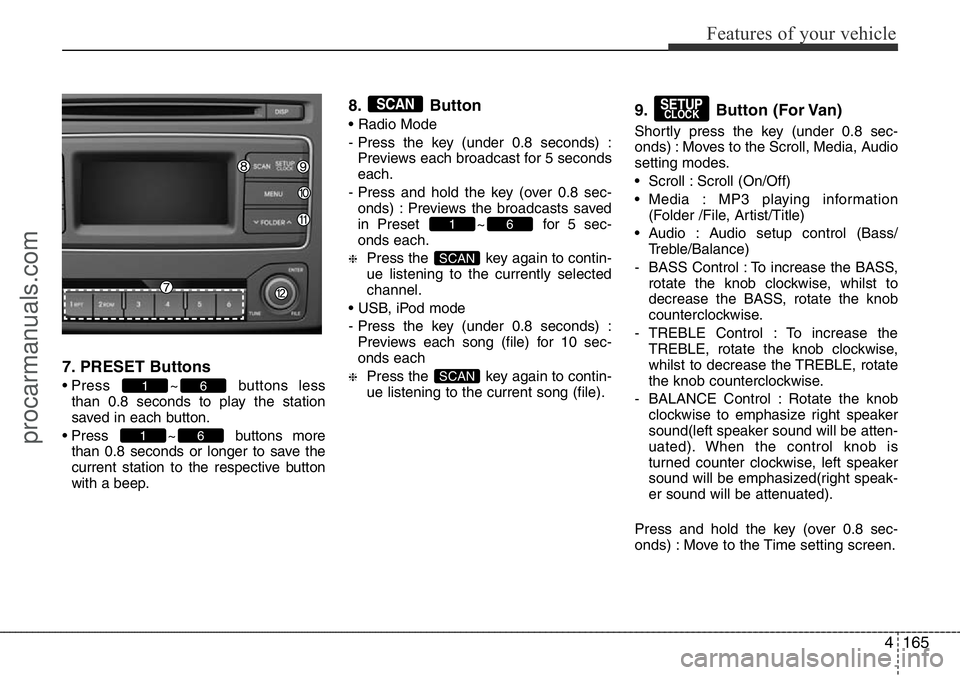
7. PRESET Buttons
• Press ~ buttons less
than 0.8 seconds to play the station
saved in each button.
• Press ~ buttons more
than 0.8 seconds or longer to save the
current station to the respective button
with a beep.
8. Button
• Radio Mode
- Press the key (under 0.8 seconds) :
Previews each broadcast for 5 seconds
each.
- Press and hold the key (over 0.8 sec-
onds) : Previews the broadcasts saved
in Preset ~ for 5 sec-
onds each.
❈Press the key again to contin-
ue listening to the currently selected
channel.
• USB, iPod mode
- Press the key (under 0.8 seconds) :
Previews each song (file) for 10 sec-
onds each
❈Press the key again to contin-
ue listening to the current song (file).
9. Button (For Van)
Shortly press the key (under 0.8 sec-
onds) : Moves to the Scroll, Media, Audio
setting modes.
• Scroll : Scroll (On/Off)
• Media : MP3 playing information
(Folder /File, Artist/Title)
• Audio : Audio setup control (Bass/
Treble/Balance)
- BASS Control : To increase the BASS,
rotate the knob clockwise, whilst to
decrease the BASS, rotate the knob
counterclockwise.
- TREBLE Control : To increase the
TREBLE, rotate the knob clockwise,
whilst to decrease the TREBLE, rotate
the knob counterclockwise.
- BALANCE Control : Rotate the knob
clockwise to emphasize right speaker
sound(left speaker sound will be atten-
uated). When the control knob is
turned counter clockwise, left speaker
sound will be emphasized(right speak-
er sound will be attenuated).
Press and hold the key (over 0.8 sec-
onds) : Move to the Time setting screen.
SETUPCLOCK
SCAN
SCAN
61
SCAN
61
61
procarmanuals.com
Page 240 of 419
Features of your vehicle
166 4
9. Button (For Wagon)
Shortly press the key (under 0.8 sec-
onds) : Moves to the Scroll, Media, Audio
setting modes.
• Scroll : Scroll (On/Off)
• Media : MP3 playing information (Folder/
File, Artist/Title)
• Audio : Audio setup control (Bass/Treble/
Fader/Balance)
- BASS Control : To increase the BASS,
rotate the knob clockwise, whilst to
decrease the BASS, rotate the knob
counterclockwise.
- TREBLE Control : To increase the TRE-
BLE, rotate the knob clockwise, whilst
to decrease the TREBLE, rotate the
knob counterclockwise.
- FADER Control : Turn the knob clock-
wise to emphasize rear speaker
sound(front speaker sound will be
attenuated). When the control knob is
turned counterclockwise, front speaker
sound will be emphasized(rear speaker
sound will be attenuated).
- BALANCE Control : Rotate the knob
clockwise to emphasize right speaker
sound(left speaker sound will be atten-
uated). When the control knob is turned
counter clockwise, left speaker sound
will be emphasized(right speaker sound
will be attenuated).Press and hold the key (over 0.8 sec-
onds) : Move to the Time setting screen.
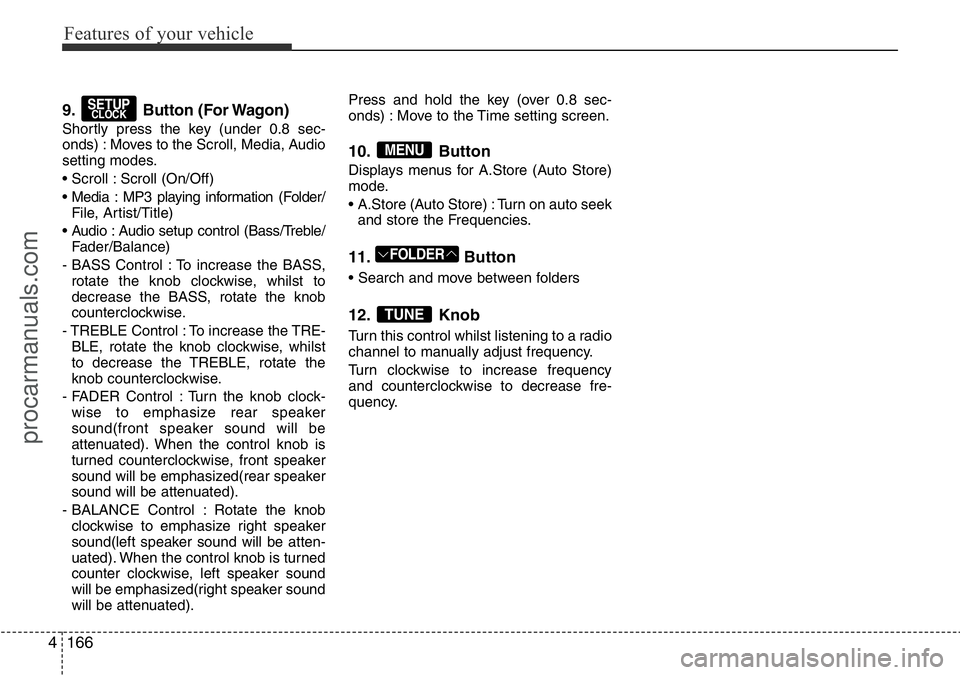
10. Button
Displays menus for A.Store (Auto Store)
mode.
• A.Store (Auto Store) : Turn on auto seek
and store the Frequencies.
11. Button
• Search and move between folders
12. Knob
Turn this control whilst listening to a radio
channel to manually adjust frequency.
Turn clockwise to increase frequency
and counterclockwise to decrease fre-
quency.
TUNE
FOLDER
MENU
SETUPCLOCK
procarmanuals.com
Page 314 of 419
What to do in an emergency
10 6
The Low Tyre Pressure Telltale will
remain on and the TPMS Malfunction
Indicator may blink for one minute
and then remain illuminated (when
the vehicle is driven approximately
10 minutes at speed above 25 km/h
(15.5 mph)) until you have the low
pressure tyre repaired and replaced
on the vehicle.
✽NOTICE
The spare tyre is not equipped with
a tyre pressure sensor.
TPMS Malfunction
Indicator
The TPMS Malfunction Indicator
comes on after it blinks for approxi-
mately one minute when there is a
problem with the Tyre Pressure
Monitoring System.
We recommend that the system be
checked by a HYUNDAI authorised
repairer.
✽NOTICE
The TPMS Malfunction Indicator
may illuminate after blinking for one
minute if the vehicle is near electric
power supply cables or radio trans-
mitters such as police stations, gov-
ernment and public offices, broad-
casting stations, military installations,
airports, transmitting towers, etc.
Additionally, the TPMS Malfunction
Indicator may illuminate if snow
chains are used or electronic devices
such as computers, chargers, remote
starters, navigation, etc. This may
interfere with normal operation of
the TPMS.
(Continued)
When you drive your vehicle
from a warm area to a cold area
or from a cold area to a warm
area, or the outside temperature
is greatly higher or lower, you
should check the tyre inflation
pressure and adjust the tyres to
the recommended tyre inflation
pressure.
CAUTION
In winter or cold weather, the
Low Tyre Pressure Telltale may
be illuminated if the tyre pres-
sure was adjusted to the recom-
mended tyre inflation pressure
in warm weather. It does not
mean your TPMS is malfunction-
ing because the decreased tem-
perature leads to a proportional
lowering of tyre pressure.
(Continued)
WARNING
• Significantly low tyre pres-
sure makes the vehicle unsta-
ble and can contribute to loss
of vehicle control and
increased braking distances.
• Continued driving on low
pressure tyres can cause the
tyres to overheat and fail.
procarmanuals.com