phone HYUNDAI IONIQ 2020 User Guide
[x] Cancel search | Manufacturer: HYUNDAI, Model Year: 2020, Model line: IONIQ, Model: HYUNDAI IONIQ 2020Pages: 561, PDF Size: 24.5 MB
Page 227 of 561
3-142
Convenient features of your vehicle
(Continued)
The wireless charging process
may temporarily stop, when tem-
perature abnormally increases
inside the wireless cellular
phone charging system. The
wireless charging process
restarts, when temperature falls
to a proper level.
The wireless charging process
may temporarily stop when
there is any metallic item, such
as a coin, between the wireless
cellular phone charging system
and a cellular phone.
For certain cellular phone with
their own protection, the wire-
less charging speed may
decrease and the wireless
charging may stop.
If the cellular phone has a thick
cover, the wireless charging may
not be possible.
If the cell phone is not complete-
ly contacting the charging pad,
wireless charging may not oper-
ate properly.
(Continued)(Continued)
Some magnetic items like credit
cards, phone cards or rail tickets
may be damaged if left with the
cellular phone during the charg-
ing process.
If the cellular phone without the
wireless charging function or
the metallic items are placed on
the charging pad, it may cause
slight noise. This noise does not
affect the cellular phone and the
vehicle, because this noise is an
operating sound during deter-
mining the item on the charging
pad.
If the POWER button is in the
OFF position, the charging also
stops.
Clock
Vehicles with Audio system
Select the [SETUP]button on the
audio system ➟Select [Date/Time].
Set time : Set the time displayed on
the audio screen.
Time format : Choose between 12-
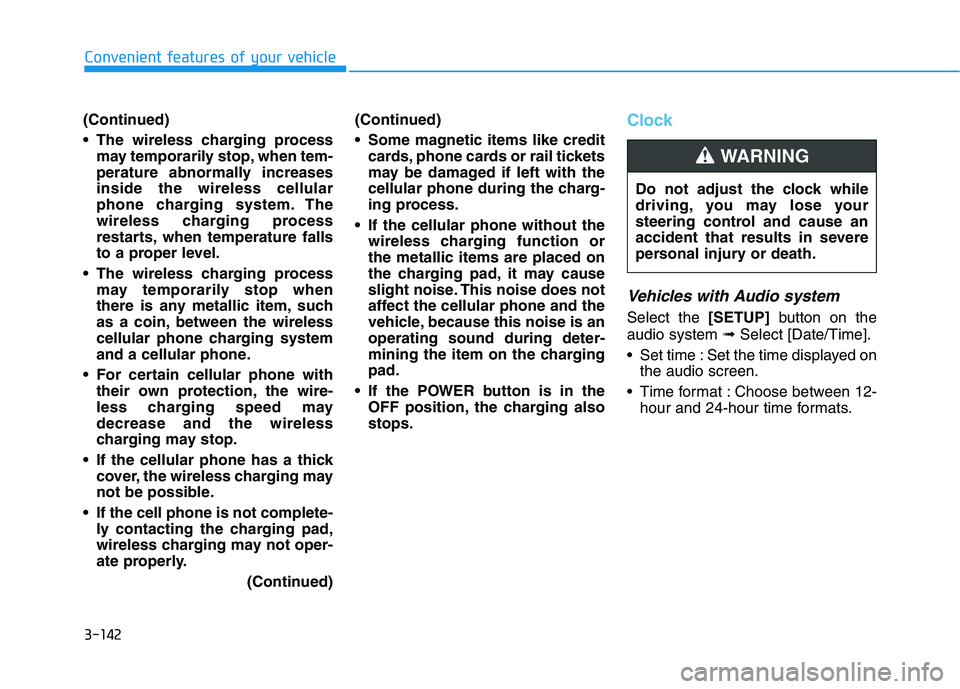
hour and 24-hour time formats. Do not adjust the clock while
driving, you may lose your
steering control and cause an
accident that results in severe
personal injury or death.
WARNING
Page 235 of 561
4-4
Infotainment System
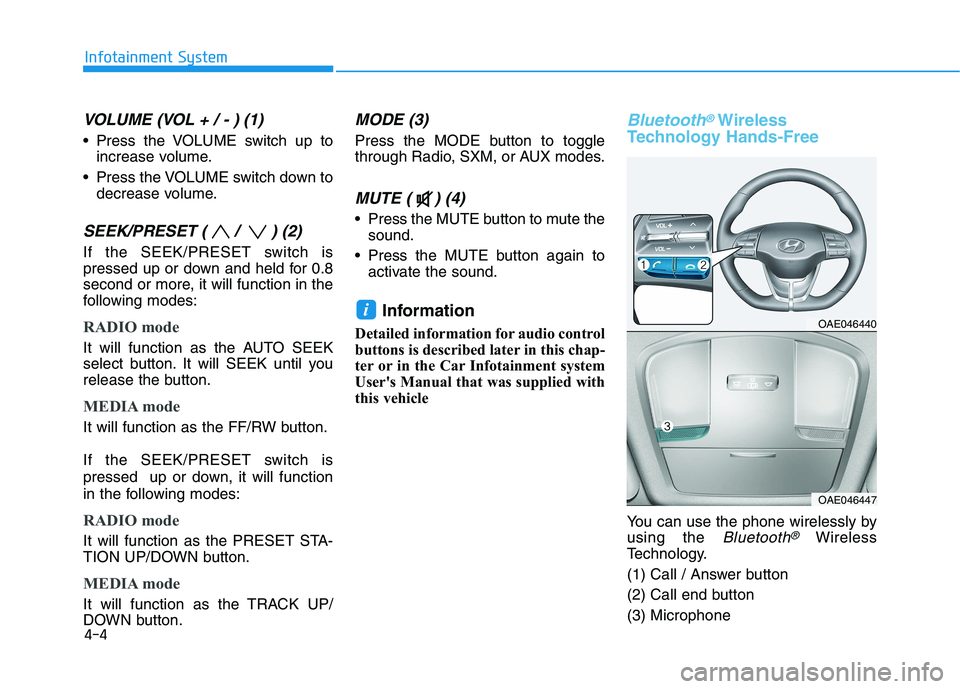
VOLUME (VOL + / - ) (1)
Press the VOLUME switch up to
increase volume.
Press the VOLUME switch down to
decrease volume.
SEEK/PRESET ( / ) (2)
If the SEEK/PRESET switch is
pressed up or down and held for 0.8
second or more, it will function in the
following modes:
RADIO mode
It will function as the AUTO SEEK
select button. It will SEEK until you
release the button.
MEDIA mode
It will function as the FF/RW button.
If the SEEK/PRESET switch is
pressed up or down, it will function
in the following modes:
RADIO mode
It will function as the PRESET STA-
TION UP/DOWN button.
MEDIA mode
It will function as the TRACK UP/
DOWN button.
MODE (3)
Press the MODE button to toggle
through Radio, SXM, or AUX modes.
MUTE ( ) (4)
Press the MUTE button to mute the
sound.
Press the MUTE button again to
activate the sound.
Information
Detailed information for audio control
buttons is described later in this chap-
ter or in the Car Infotainment system
User's Manual that was supplied with
this vehicle
Bluetooth®Wireless
Technology Hands-Free
You can use the phone wirelessly by
using the
Bluetooth®Wireless
Technology.
(1) Call / Answer button
(2) Call end button
(3) Microphone
iOAE046440
OAE046447
Page 558 of 561
I-5
Power Outlet.............................................................3-139
Sunvisor ....................................................................3-139
Wireless Cellular Phone Charging System .............3-140
Interior Overview..............................................................1-4
Jump Starting (12V Battery) .............................................6-4
Lane Following Assist (LFA)........................................5-111
LFA operation ...........................................................5-113
Limitations of the system .........................................5-116
Warning message ......................................................5-114
Lane Keeping Assist (LKA) ...........................................5-62
Limitations of the System ..........................................5-68
LKA operation ............................................................5-64
LKA system function change .....................................5-70
Warning light and message ........................................5-67
LCD Display ..................................................................3-83
LCD Display Control .................................................3-83
LCD display modes ....................................................3-84
Light ..............................................................................3-101
Exterior Lights..........................................................3-101
Interior Lights...........................................................3-109
Welcome System .....................................................3-112Light Bulbs .....................................................................7-52
Daytime Running Light (DRL) ..................................7-57
Headlamp, Parking Lamp, Turn Signal Lamp and
Side Marker ..............................................................7-53
High Mounted Stop Light Replacement ....................7-60
Interior Light Bulb Replacement ...............................7-61
License Plate Light Bulb Replacement ......................7-61
Rear Combination Light Bulb Replacement ..............7-58
Side Repeater Lamp Replacement .............................7-58
Maintenance Services .......................................................7-4
Owner Maintenance Precautions..................................7-4
Owner's Responsibility.................................................7-4
Mirrors ............................................................................3-19
Inside Rearview Mirror ..............................................3-19
Reverse Parking Aid Function ..................................3-40
Side View Mirrors ....................................................3-37
Motor Compartment ..................................................1-6, 7-3
Motor Number ..................................................................8-8
Owner Maintenance ..........................................................7-5
Owner Maintenance Schedule......................................7-6
I
Index
J
L
M
O