reset HYUNDAI IONIQ 2020 User Guide
[x] Cancel search | Manufacturer: HYUNDAI, Model Year: 2020, Model line: IONIQ, Model: HYUNDAI IONIQ 2020Pages: 561, PDF Size: 24.5 MB
Page 181 of 561
3-96
The trip computer is a microcomput-
er-controlled driver information sys-
tem that displays information related
to driving.
Information
Some driving information stored in the
trip computer (for example Average
Vehicle Speed) resets if the battery is
disconnected.
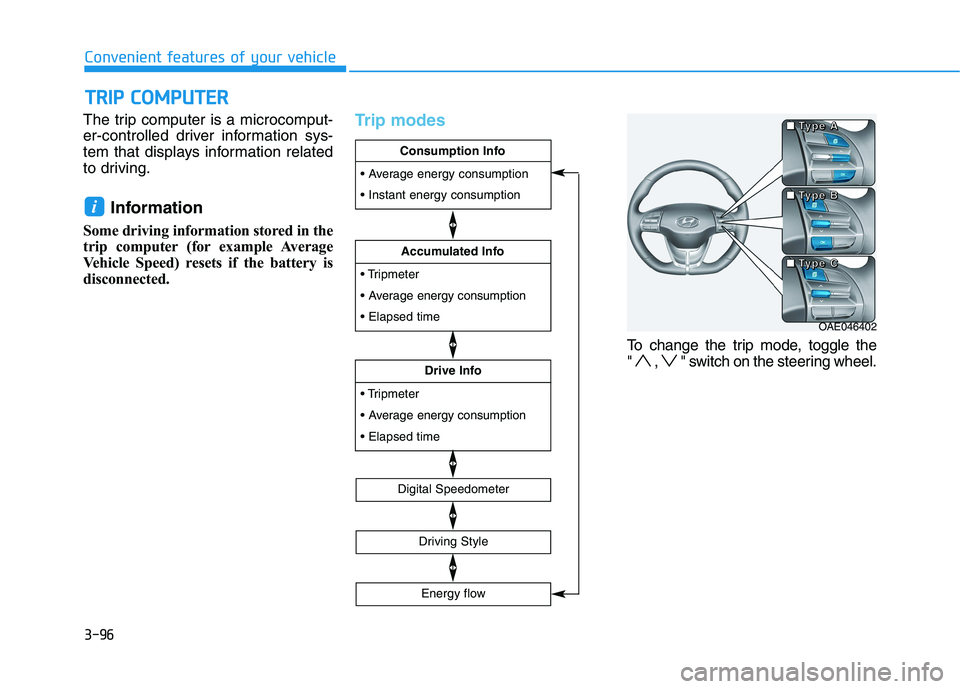
Trip modes
To change the trip mode, toggle the
" , " switch on the steering wheel.
i
T TR
RI
IP
P
C
CO
OM
MP
PU
UT
TE
ER
R
Convenient features of your vehicle
OAE046402 ■ ■ ■ ■
T T T T
y y y y
p p p p
e e e e
B B B B ■ ■ ■ ■
T T T T
y y y y
p p p p
e e e e
A A A A
■ ■ ■ ■
T T T T
y y y y
p p p p
e e e e
C C C C
energy consumption
Drive Info
energy consumption
Accumulated Info
Consumption Info
Digital Speedometer
Driving Style
Energy flow
Page 182 of 561
3-97
Convenient features of your vehicle
Consumption info display
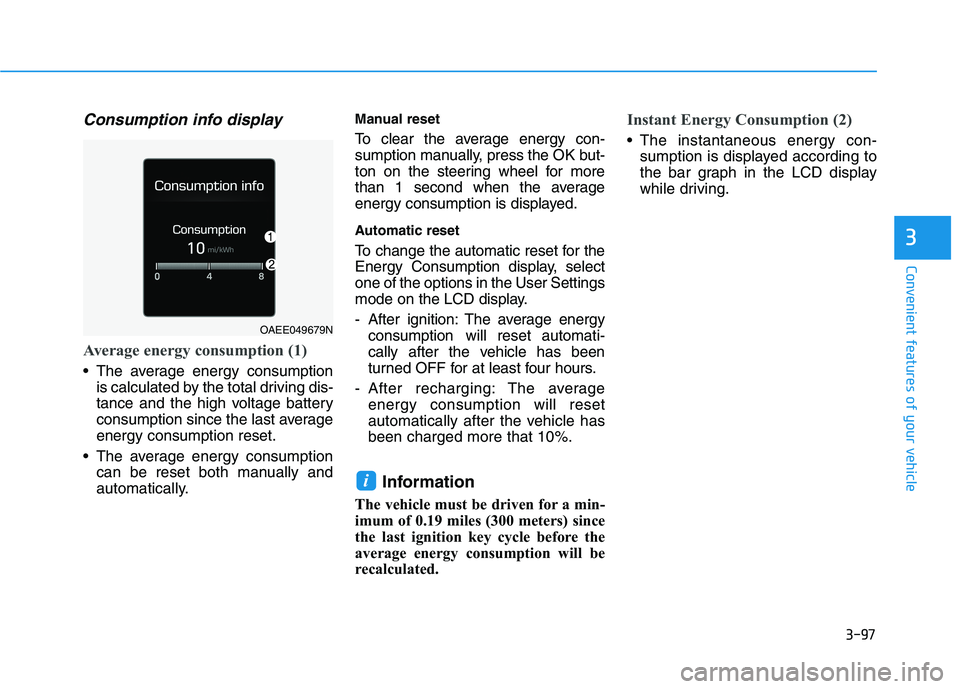
Average energy consumption (1)
The average energy consumption
is calculated by the total driving dis-
tance and the high voltage battery
consumption since the last average
energy consumption reset.
The average energy consumption
can be reset both manually and
automatically.
Manual reset
To clear the average energy con-
sumption manually, press the OK but-
ton on the steering wheel for more
than 1 second when the average
energy consumption is displayed.
Automatic reset
To change the automatic reset for the
Energy Consumption display, select
one of the options in the User Settings
mode on the LCD display.
- After ignition: The average energy
consumption will reset automati-
cally after the vehicle has been
turned OFF for at least four hours.
- After recharging: The average
energy consumption will reset
automatically after the vehicle has
been charged more that 10%.
Information
The vehicle must be driven for a min-
imum of 0.19 miles (300 meters) since
the last ignition key cycle before the
average energy consumption will be
recalculated.
Instant Energy Consumption (2)
The instantaneous energy con-
sumption is displayed according to
the bar graph in the LCD display
while driving.
i
3
OAEE049679N
Page 183 of 561
3-98
Convenient features of your vehicle
Accumulated info display
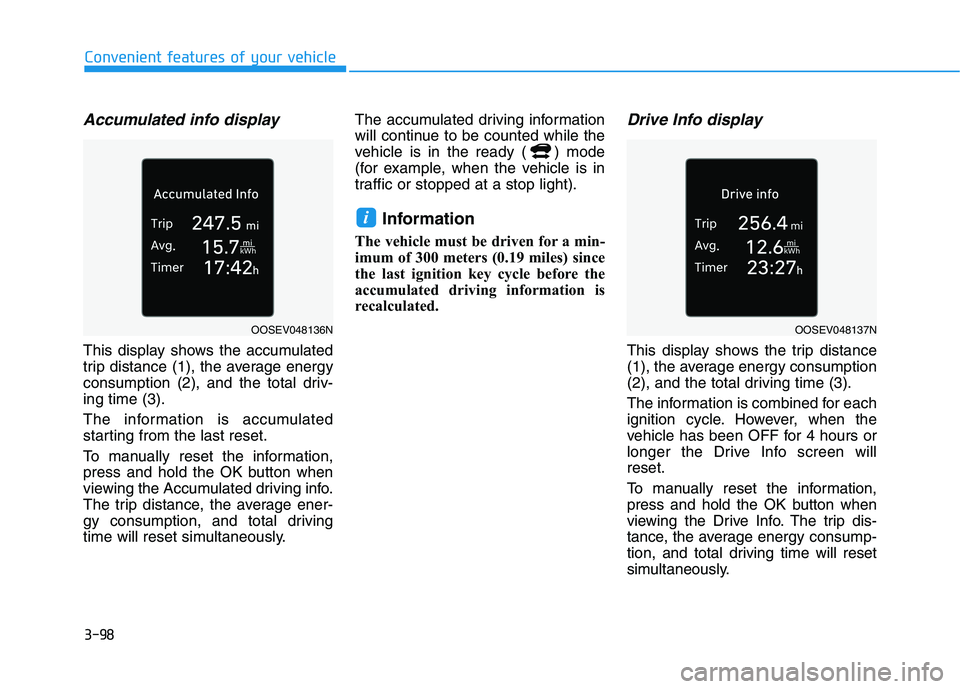
This display shows the accumulated
trip distance (1), the average energy
consumption (2), and the total driv-
ing time (3).
The information is accumulated
starting from the last reset.
To manually reset the information,
press and hold the OK button when
viewing the Accumulated driving info.
The trip distance, the average ener-
gy consumption, and total driving
time will reset simultaneously.The accumulated driving information
will continue to be counted while the
vehicle is in the ready ( ) mode
(for example, when the vehicle is in
traffic or stopped at a stop light).
Information
The vehicle must be driven for a min-
imum of 300 meters (0.19 miles) since
the last ignition key cycle before the
accumulated driving information is
recalculated.
Drive Info display
This display shows the trip distance
(1), the average energy consumption
(2), and the total driving time (3).
The information is combined for each
ignition cycle. However, when the
vehicle has been OFF for 4 hours or
longer the Drive Info screen will
reset.
To manually reset the information,
press and hold the OK button when
viewing the Drive Info. The trip dis-
tance, the average energy consump-
tion, and total driving time will reset
simultaneously.
i
OOSEV048136NOOSEV048137N
Page 209 of 561
3-124
Convenient features of your vehicle
Interior panel vents
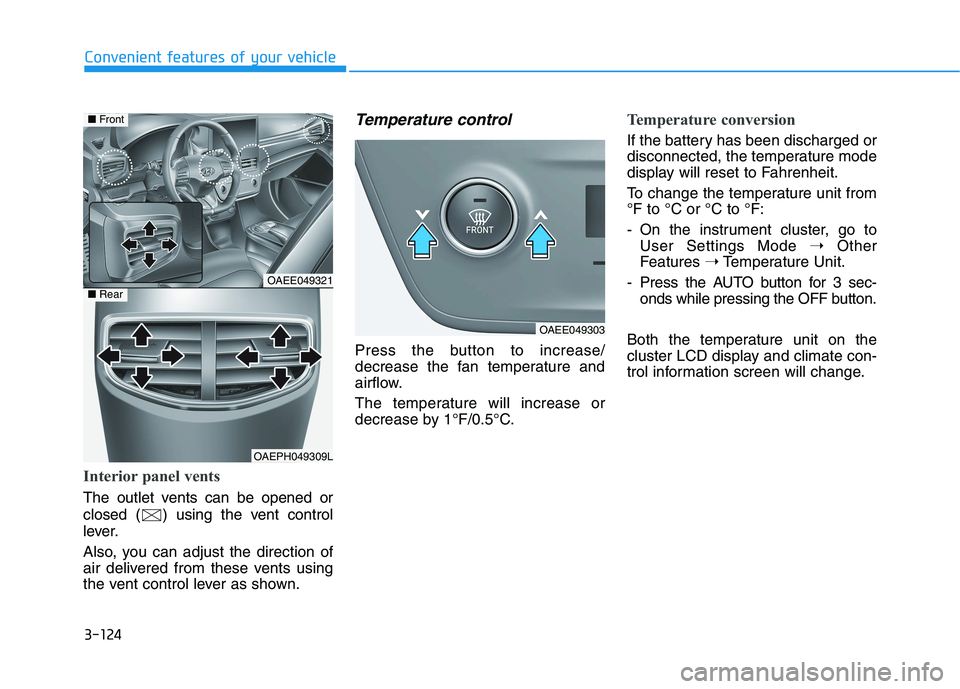
The outlet vents can be opened or
closed ( ) using the vent control
lever.
Also, you can adjust the direction of
air delivered from these vents using
the vent control lever as shown.
Temperature control
Press the button to increase/
decrease the fan temperature and
airflow.
The temperature will increase or
decrease by 1°F/0.5°C.
Temperature conversion
If the battery has been discharged or
disconnected, the temperature mode
display will reset to Fahrenheit.
To change the temperature unit from
°F to °C or °C to °F:
- On the instrument cluster, go to
User Settings Mode ➝Other
Features ➝Temperature Unit.
- Press the AUTO button for 3 sec-
onds while pressing the OFF button.
Both the temperature unit on the
cluster LCD display and climate con-
trol information screen will change.
OAEE049321
OAEPH049309L
■Front
■Rear
OAEE049303
Page 218 of 561
3-133
Convenient features of your vehicle
3
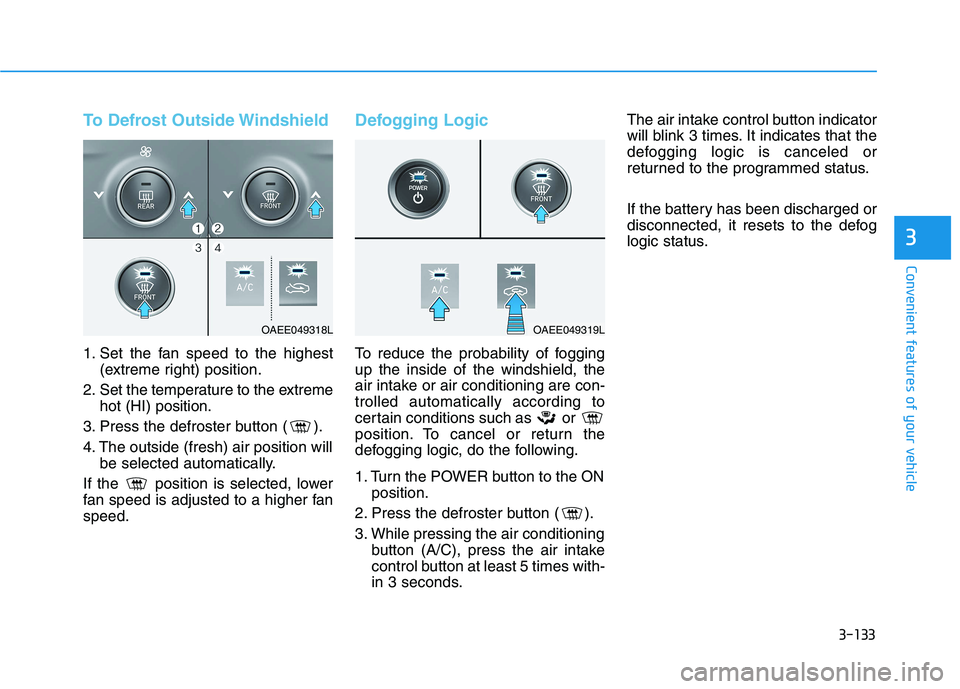
To Defrost Outside Windshield
1. Set the fan speed to the highest
(extreme right) position.
2. Set the temperature to the extreme
hot (HI) position.
3. Press the defroster button ( ).
4. The outside (fresh) air position will
be selected automatically.
If the position is selected, lower
fan speed is adjusted to a higher fan
speed.
Defogging Logic
To reduce the probability of fogging
up the inside of the windshield, the
air intake or air conditioning are con-
trolled automatically according to
certain conditions such as or
position. To cancel or return the
defogging logic, do the following.
1. Turn the POWER button to the ON
position.
2. Press the defroster button ( ).
3. While pressing the air conditioning
button (A/C), press the air intake
control button at least 5 times with-
in 3 seconds.The air intake control button indicator
will blink 3 times. It indicates that the
defogging logic is canceled or
returned to the programmed status.
If the battery has been discharged or
disconnected, it resets to the defog
logic status.
OAEE049318LOAEE049319L
Page 219 of 561
3-134
Convenient features of your vehicle
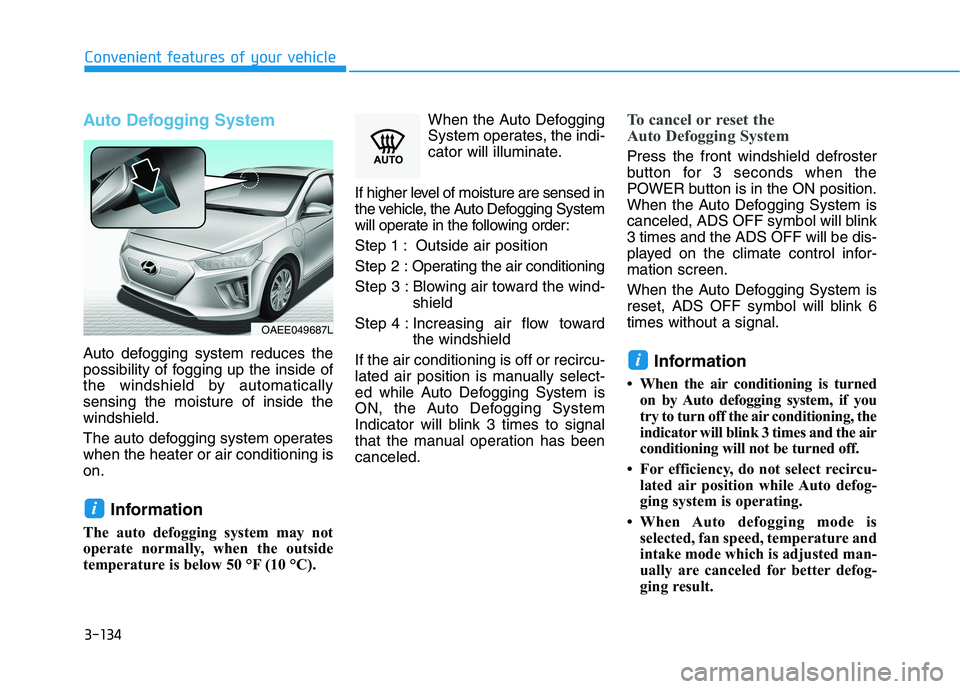
Auto Defogging System
Auto defogging system reduces the
possibility of fogging up the inside of
the windshield by automatically
sensing the moisture of inside the
windshield.
The auto defogging system operates
when the heater or air conditioning is
on.
Information
The auto defogging system may not
operate normally, when the outside
temperature is below 50 °F (10 °C).When the Auto Defogging
System operates, the indi-
cator will illuminate.
If higher level of moisture are sensed in
the vehicle, the Auto Defogging System
will operate in the following order:
Step 1 : Outside air position
Step 2 :Operating the air conditioning
Step 3 : Blowing air toward the wind-
shield
Step 4 : Increasing air flow toward
the windshield
If the air conditioning is off or recircu-
lated air position is manually select-
ed while Auto Defogging System is
ON, the Auto Defogging System
Indicator will blink 3 times to signal
that the manual operation has been
canceled.
To cancel or reset the
Auto Defogging System
Press the front windshield defroster
button for 3 seconds when the
POWER button is in the ON position.
When the Auto Defogging System is
canceled, ADS OFF symbol will blink
3 times and the ADS OFF will be dis-
played on the climate control infor-
mation screen.
When the Auto Defogging System is
reset, ADS OFF symbol will blink 6
times without a signal.
Information
• When the air conditioning is turned
on by Auto defogging system, if you
try to turn off the air conditioning, the
indicator will blink 3 times and the air
conditioning will not be turned off.
• For efficiency, do not select recircu-
lated air position while Auto defog-
ging system is operating.
• When Auto defogging mode is
selected, fan speed, temperature and
intake mode which is adjusted man-
ually are canceled for better defog-
ging result.
i
i
OAEE049687L
Page 220 of 561
3-135
Convenient features of your vehicle
3
Do not remove the sensor cover
located on the upper end of the
windshield glass.
Damage to system parts could
occur and may not be covered by
your vehicle warranty.
Automatic Ventilation
(if equipped)
When the POWER button is in the
ON position or when the vehicle is in
the ready ( ) mode and tempera-
ture is below 59°F (15°C) with the
recirculated air position selected
more than five minutes, the air intake
position will automatically change to
the outside (fresh) air position.
To cancel or reset the Automatic
Ventilation
When the air conditioning system is
on, select Face Level mode,
press the recirculated air position
button for three seconds.
NOTICE
C CL
LI
IM
MA
AT
TE
E
C
CO
ON
NT
TR
RO
OL
L
A AD
DD
DI
IT
TI
IO
ON
NA
AL
L
F
FE
EA
AT
TU
UR
RE
ES
S
( (I
IF
F
E
EQ
QU
UI
IP
PP
PE
ED
D)
)
Page 235 of 561
4-4
Infotainment System
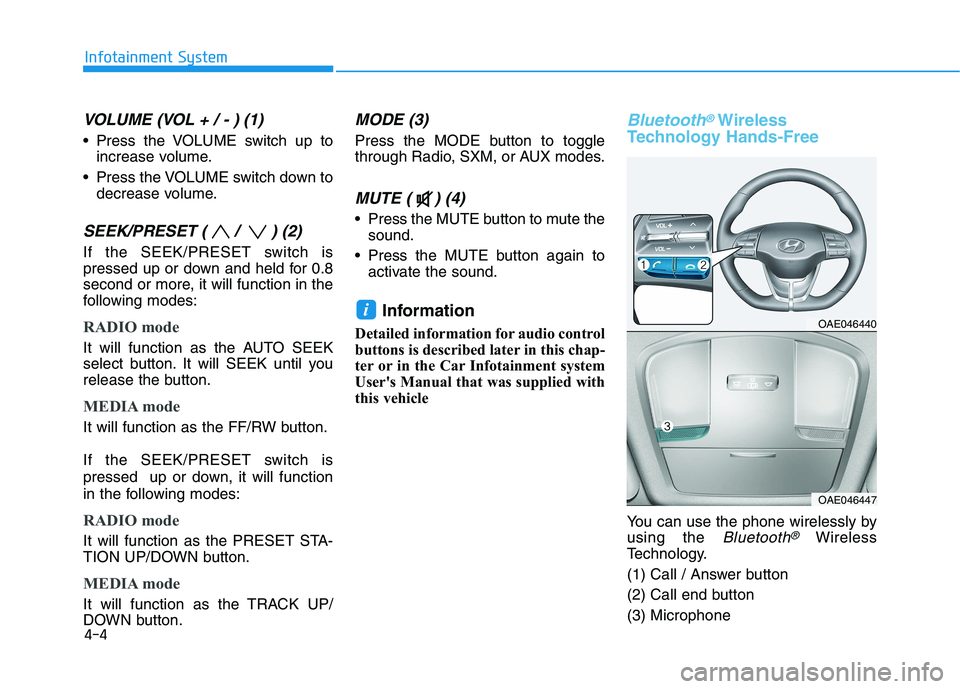
VOLUME (VOL + / - ) (1)
Press the VOLUME switch up to
increase volume.
Press the VOLUME switch down to
decrease volume.
SEEK/PRESET ( / ) (2)
If the SEEK/PRESET switch is
pressed up or down and held for 0.8
second or more, it will function in the
following modes:
RADIO mode
It will function as the AUTO SEEK
select button. It will SEEK until you
release the button.
MEDIA mode
It will function as the FF/RW button.
If the SEEK/PRESET switch is
pressed up or down, it will function
in the following modes:
RADIO mode
It will function as the PRESET STA-
TION UP/DOWN button.
MEDIA mode
It will function as the TRACK UP/
DOWN button.
MODE (3)
Press the MODE button to toggle
through Radio, SXM, or AUX modes.
MUTE ( ) (4)
Press the MUTE button to mute the
sound.
Press the MUTE button again to
activate the sound.
Information
Detailed information for audio control
buttons is described later in this chap-
ter or in the Car Infotainment system
User's Manual that was supplied with
this vehicle
Bluetooth®Wireless
Technology Hands-Free
You can use the phone wirelessly by
using the
Bluetooth®Wireless
Technology.
(1) Call / Answer button
(2) Call end button
(3) Microphone
iOAE046440
OAE046447
Page 238 of 561
5
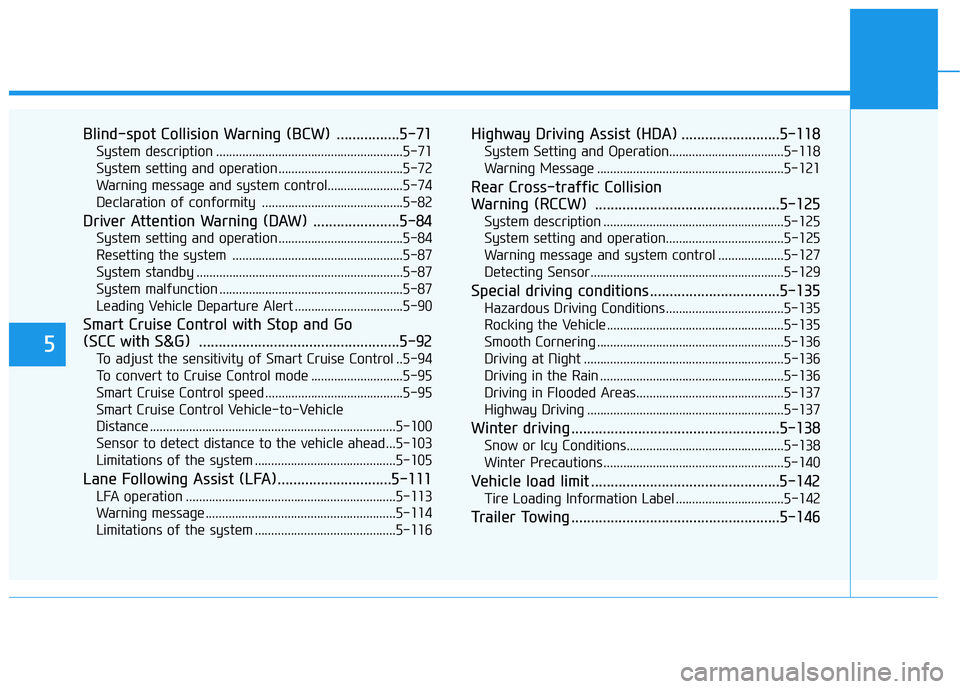
Blind-spot Collision Warning (BCW) ................5-71
System description .........................................................5-71
System setting and operation ......................................5-72
Warning message and system control.......................5-74
Declaration of conformity ...........................................5-82
Driver Attention Warning (DAW) ......................5-84
System setting and operation ......................................5-84
Resetting the system ....................................................5-87
System standby ...............................................................5-87
System malfunction ........................................................5-87
Leading Vehicle Departure Alert .................................5-90
Smart Cruise Control with Stop and Go
(SCC with S&G) ...................................................5-92
To adjust the sensitivity of Smart Cruise Control ..5-94
To convert to Cruise Control mode ............................5-95
Smart Cruise Control speed ..........................................5-95
Smart Cruise Control Vehicle-to-Vehicle
Distance ...........................................................................5-100
Sensor to detect distance to the vehicle ahead ...5-103
Limitations of the system ...........................................5-105
Lane Following Assist (LFA).............................5-111
LFA operation ................................................................5-113
Warning message ..........................................................5-114
Limitations of the system ...........................................5-116
Highway Driving Assist (HDA) .........................5-118
System Setting and Operation...................................5-118
Warning Message .........................................................5-121
Rear Cross-traffic Collision
Warning (RCCW) ...............................................5-125
System description .......................................................5-125
System setting and operation....................................5-125
Warning message and system control ....................5-127
Detecting Sensor...........................................................5-129
Special driving conditions .................................5-135
Hazardous Driving Conditions....................................5-135
Rocking the Vehicle ......................................................5-135
Smooth Cornering .........................................................5-136
Driving at Night .............................................................5-136
Driving in the Rain ........................................................5-136
Driving in Flooded Areas.............................................5-137
Highway Driving ............................................................5-137
Winter driving .....................................................5-138
Snow or Icy Conditions................................................5-138
Winter Precautions .......................................................5-140
Vehicle load limit ................................................5-142
Tire Loading Information Label .................................5-142
Trailer Towing .....................................................5-146
Page 323 of 561
5-87
Driving your vehicle
5
Resetting the system
The last break time is set to 00:00
and the driver's attention level is
set to 5 (very attentive) when the
driver resets Driver Attention
Warning system.
Driver Attention Warning system
resets the last break time to 00:00
and the driver's attention level to 5
in the following situations.
- The vehicle is turned OFF.
- The driver unfastens the seat belt
and then opens the driver's door.
- The vehicle is stopped for more
than 10 minutes.
Driver Attention Warning system
operates again, when the driver
restarts driving.
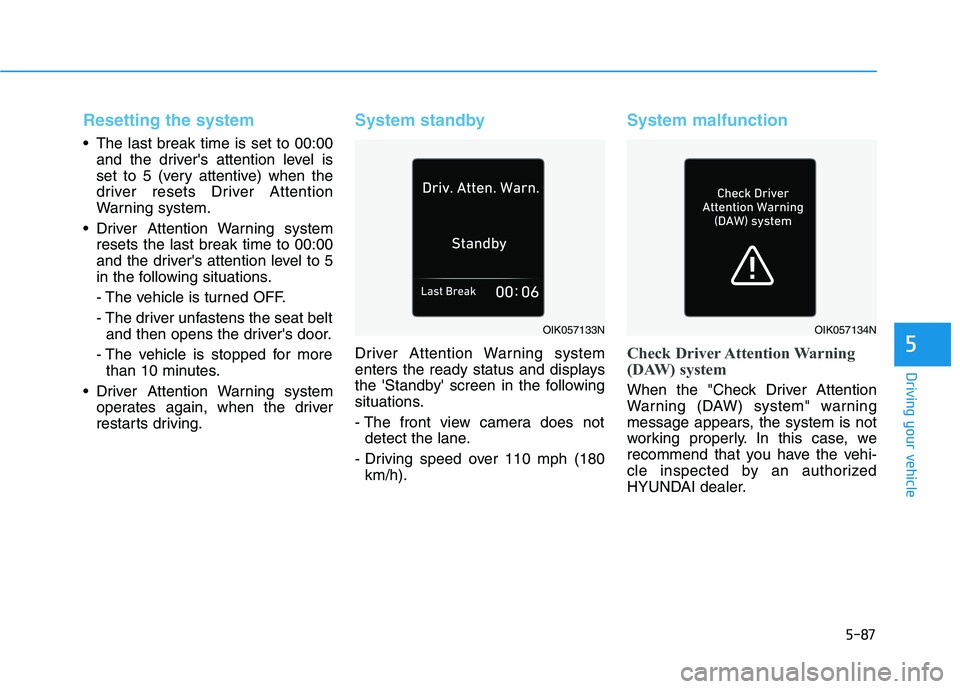
System standby
Driver Attention Warning system
enters the ready status and displays
the 'Standby' screen in the following
situations.
- The front view camera does not
detect the lane.
- Driving speed over 110 mph (180
km/h).
System malfunction
Check Driver Attention Warning
(DAW) system
When the "Check Driver Attention
Warning (DAW) system" warning
message appears, the system is not
working properly. In this case, we
recommend that you have the vehi-
cle inspected by an authorized
HYUNDAI dealer.
OIK057133NOIK057134N