stop start HYUNDAI IONIQ 2020 User Guide
[x] Cancel search | Manufacturer: HYUNDAI, Model Year: 2020, Model line: IONIQ, Model: HYUNDAI IONIQ 2020Pages: 561, PDF Size: 24.5 MB
Page 269 of 561
![HYUNDAI IONIQ 2020 User Guide 5-33
Driving your vehicle
5
Set up
1. With the drivers door and hood
closed, fasten the drivers seat
belt or depress the brake pedal
and then press the [AUTO HOLD]
switch. The white AUTO HOLD
indica](/img/35/58884/w960_58884-268.png "HYUNDAI IONIQ 2020 User Guide 5-33
Driving your vehicle
5
Set up
1. With the drivers door and hood
closed, fasten the drivers seat
belt or depress the brake pedal
and then press the [AUTO HOLD]
switch. The white AUTO HOLD
indica")
5-33
Driving your vehicle
5
Set up
1. With the driver's door and hood
closed, fasten the driver's seat
belt or depress the brake pedal
and then press the [AUTO HOLD]
switch. The white AUTO HOLD
indicator will come on and the sys-
tem will be in the standby position.2. When you stop the vehicle com-
pletely by depressing the brake
pedal, the AUTO HOLD indicator
changes from white to green.
3. The vehicle will remain stationary
even if you release the brake
pedal.
4. If EPB is applied, Auto Hold will be
released.
Leaving
If you press the accelerator pedal
with the gear in D (Drive) or R
(Reverse), the Auto Hold will be
released automatically and the
vehicle will start to move. The
AUTO HOLD indicator changes
from green to white.
If the vehicle is restarted using the
cruise control toggle switch (RES+
or SET-) while Auto Hold and cruise
control is operating, the Auto Hold
will be released regardless of
accelerator pedal operation. The
AUTO HOLD indicator changes
from green to white. (if equipped
with cruise control system)
When driving off from Auto
Hold by depressing the acceler-
ator pedal, always check the
surrounding area near your
vehicle.
Slowly depress the accelerator
pedal for a smooth start.
WARNING
OAEE059007
OAEE059008
W W W W
h h h h
i i i i
t t t t
e e e eW W W W
h h h h
i i i i
t t t t
e e e e
G G G G
r r r r
e e e e
e e e e
n n n n
Page 279 of 561
5-43
Driving your vehicle
5
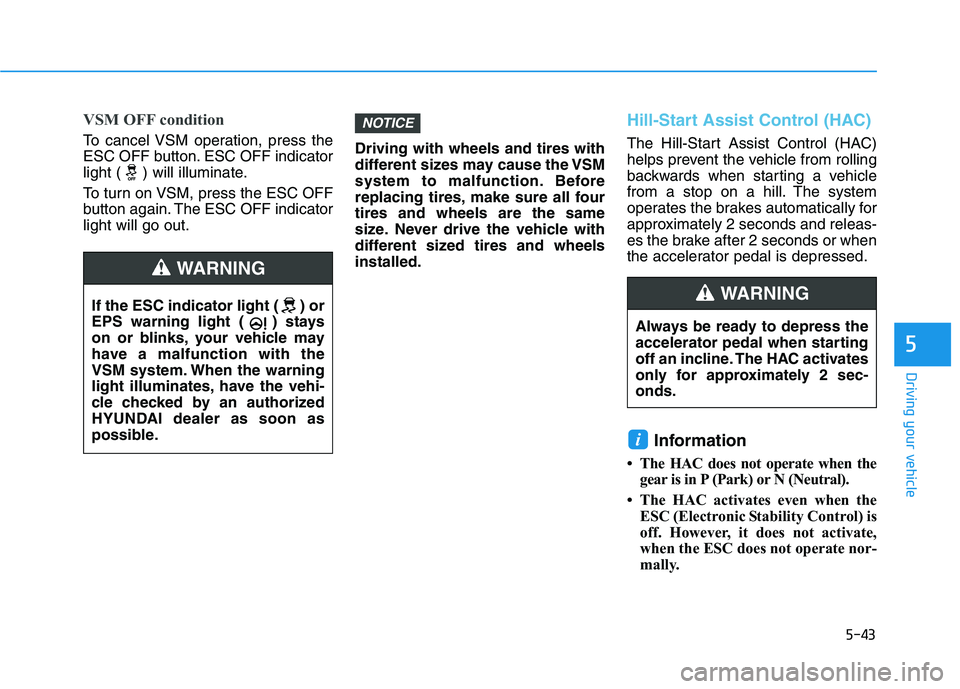
VSM OFF condition
To cancel VSM operation, press the
ESC OFF button. ESC OFF indicator
light ( ) will illuminate.
To turn on VSM, press the ESC OFF
button again. The ESC OFF indicator
light will go out.Driving with wheels and tires with
different sizes may cause the VSM
system to malfunction. Before
replacing tires, make sure all four
tires and wheels are the same
size. Never drive the vehicle with
different sized tires and wheels
installed.
Hill-Start Assist Control (HAC)
The Hill-Start Assist Control (HAC)
helps prevent the vehicle from rolling
backwards when starting a vehicle
from a stop on a hill. The system
operates the brakes automatically for
approximately 2 seconds and releas-
es the brake after 2 seconds or when
the accelerator pedal is depressed.
Information
• The HAC does not operate when the
gear is in P (Park) or N (Neutral).
• The HAC activates even when the
ESC (Electronic Stability Control) is
off. However, it does not activate,
when the ESC does not operate nor-
mally.
i
NOTICE
If the ESC indicator light ( ) or
EPS warning light ( ) stays
on or blinks, your vehicle may
have a malfunction with the
VSM system. When the warning
light illuminates, have the vehi-
cle checked by an authorized
HYUNDAI dealer as soon as
possible.
WARNING
Always be ready to depress the
accelerator pedal when starting
off an incline. The HAC activates
only for approximately 2 sec-
onds.
WARNING
Page 291 of 561
5-55
Driving your vehicle
5
Limitations of the system
Forward Collision-Avoidance Assist
system is designed to monitor the
vehicle ahead or a pedestrian or
cyclist in the roadway through front
view camera and radar signals recog-
nition to warn the driver that a colli-
sion is imminent, and if necessary,
apply emergency braking.
In certain situations, the front view
camera or the front radar sensor may
not be able to detect the vehicle,
pedestrian or cyclist ahead. In these
cases, FCA system may not operate
normally. The driver must pay careful
attention in the following situations
where the FCA operation may be lim-
ited.
Detecting vehicles
The sensor may be limited when:
The system may not operate for 15
seconds after the vehicle is started
or the front view camera is initial-
ized
The front view camera or front
radar sensor is covered with a for-
eign object or debris
The front view camera lens is con-
taminated due to tinted, filmed or
coated windshield, damaged
glass, or stuck of foreign matter
(sticker, bug, etc.) on the glass
Inclement weather such as heavy
rain or snow obscures the field of
view of the front view camera or
front radar sensor
There is interference by electro-
magnetic waves
There is severe irregular reflection
from the front radar sensor
The front view camera/front radar
sensor recognition is limited
The vehicle in front is too small to
be detected (for example a motor-
cycle etc.) (Continued)
FCA system does not detect
vehicles in the opposite lane.
FCA system does not detect
cross traffic vehicles that are
approaching.
FCA system cannot detect
vehicles that are stopped ver-
tically to your vehicle at a
intersection or dead end
street.
FCA system cannot detect the
cross traffic cyclist that are
approaching.
In these cases, you must main-
tain a safe braking distance,
and if necessary, depress the
brake pedal to reduce the driv-
ing speed in order to maintain a
safe distance or to stop the
vehicle.
Page 314 of 561
5-78
Driving your vehicle
Limitations of the system
The driver must be cautious in the
below situations because the system
may not detect other vehicles or
objects in certain circumstances:
When a trailer or carrier is
installed.
The vehicle drives in inclement
weather such as heavy rain or
snow.
The sensor is covered with rain,
snow, mud, etc.
The rear bumper where the sensor
is located is covered with a foreign
object such as a bumper sticker, a
bumper guard, a bike rack, etc.
The rear bumper is damaged, or
the sensor is out of the original
default position.
The vehicle height gets lower or
higher due to heavy loading in a
tailgate, abnormal tire pressure,
etc.
When the temperature of the rear
bumper is high.
When the sensors are blocked by
other vehicles, walls or parking-lot
pillars. The vehicle is driven on a curved
road.
The vehicle is driven through a toll-
gate.
The road pavement (or the periph-
eral ground) abnormally contains
metallic components (i.e. possibly
due to subway construction).
There is a fixed object near the
vehicle, such as a guardrail.
While going down or up a steep
road where the height of the lane is
different.
Driving on a narrow road where
trees or grass or overgrown.
Driving in rural areas where the
sensor does not detect another
vehicle or structure for an extended
period of time.
Driving on a wet road.
Driving on a road where the
guardrail or wall is in double struc-
ture.
A big vehicle is near such as a bus
or truck. When the other vehicle approach-
es very close.
When the other vehicle passes at a
very fast speed.
While changing lanes.
If the vehicle has started at the
same time as the vehicle next to
you and has accelerated.
When the vehicle in the next lane
moves two lanes away from you
OR when the vehicle two lanes
away moves to the next lane from
you.
A motorcycle or bicycle is near.
A flat trailer is near.
If there are small objects in the
detecting area such as a shopping
cart or a baby stroller.
If there is a low height vehicle such
as a sports car.
The vehicle abruptly changes driv-
ing direction.
The vehicle makes sharp lane
changes.
The vehicle sharply stops.
Page 323 of 561
5-87
Driving your vehicle
5
Resetting the system
The last break time is set to 00:00
and the driver's attention level is
set to 5 (very attentive) when the
driver resets Driver Attention
Warning system.
Driver Attention Warning system
resets the last break time to 00:00
and the driver's attention level to 5
in the following situations.
- The vehicle is turned OFF.
- The driver unfastens the seat belt
and then opens the driver's door.
- The vehicle is stopped for more
than 10 minutes.
Driver Attention Warning system
operates again, when the driver
restarts driving.
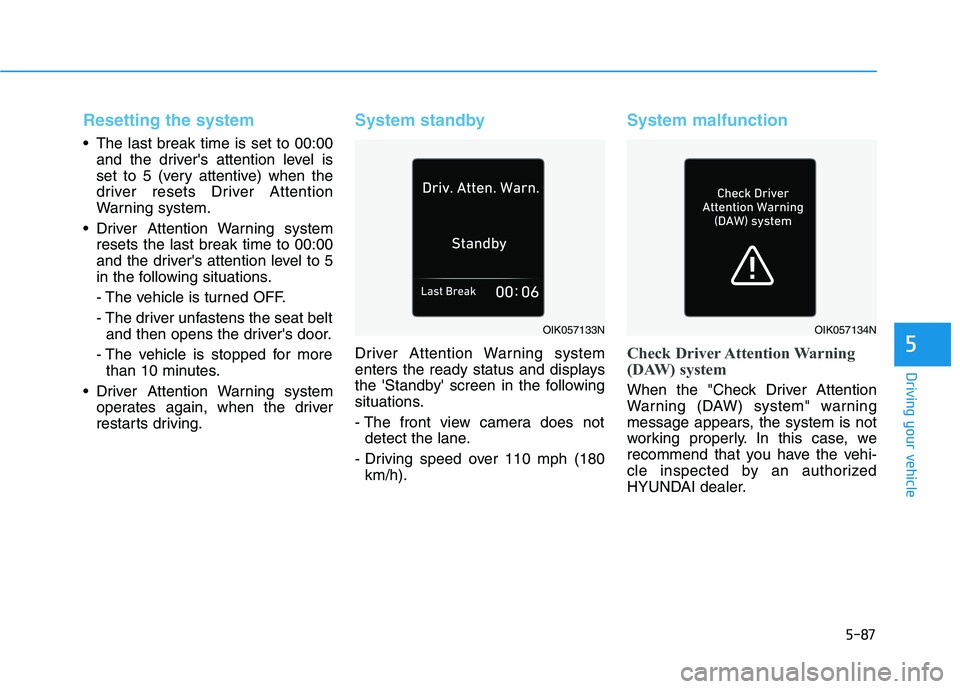
System standby
Driver Attention Warning system
enters the ready status and displays
the 'Standby' screen in the following
situations.
- The front view camera does not
detect the lane.
- Driving speed over 110 mph (180
km/h).
System malfunction
Check Driver Attention Warning
(DAW) system
When the "Check Driver Attention
Warning (DAW) system" warning
message appears, the system is not
working properly. In this case, we
recommend that you have the vehi-
cle inspected by an authorized
HYUNDAI dealer.
OIK057133NOIK057134N
Page 327 of 561
5-91
Driving your vehicle
5
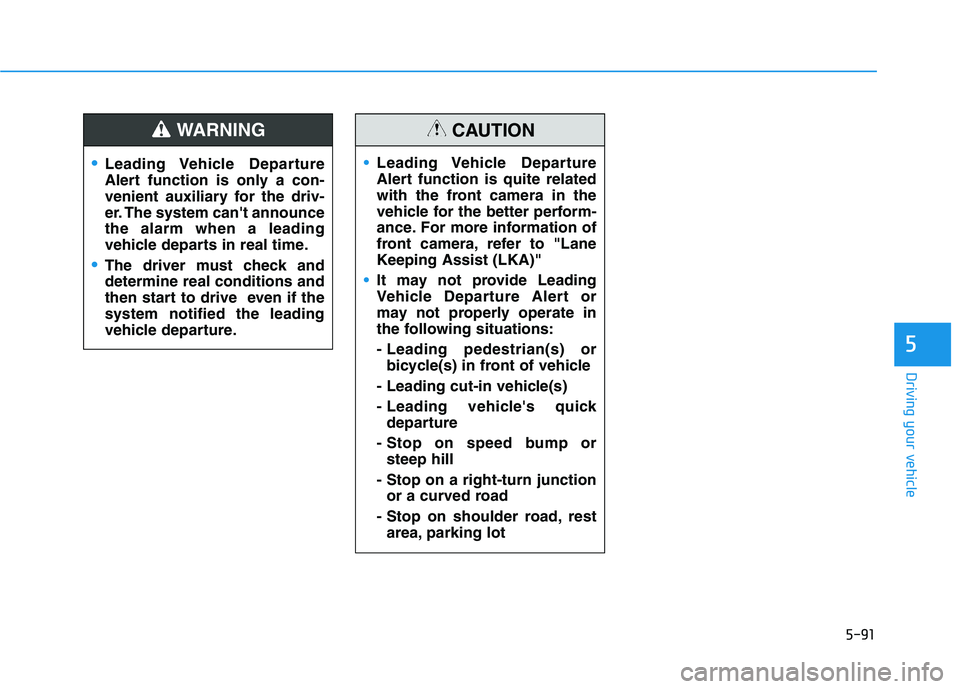
Leading Vehicle Departure
Alert function is only a con-
venient auxiliary for the driv-
er. The system can't announce
the alarm when a leading
vehicle departs in real time.
The driver must check and
determine real conditions and
then start to drive even if the
system notified the leading
vehicle departure.
WARNING
Leading Vehicle Departure
Alert function is quite related
with the front camera in the
vehicle for the better perform-
ance. For more information of
front camera, refer to "Lane
Keeping Assist (LKA)"
It may not provide Leading
Vehicle Departure Alert or
may not properly operate in
the following situations:
- Leading pedestrian(s) or
bicycle(s) in front of vehicle
- Leading cut-in vehicle(s)
- Leading vehicle's quick
departure
- Stop on speed bump or
steep hill
- Stop on a right-turn junction
or a curved road
- Stop on shoulder road, rest
area, parking lot
CAUTION
Page 334 of 561
5-98
Driving your vehicle
Smart Cruise Control will be
temporarily cancelled when:
Cancelled manually
Depressing the brake pedal.
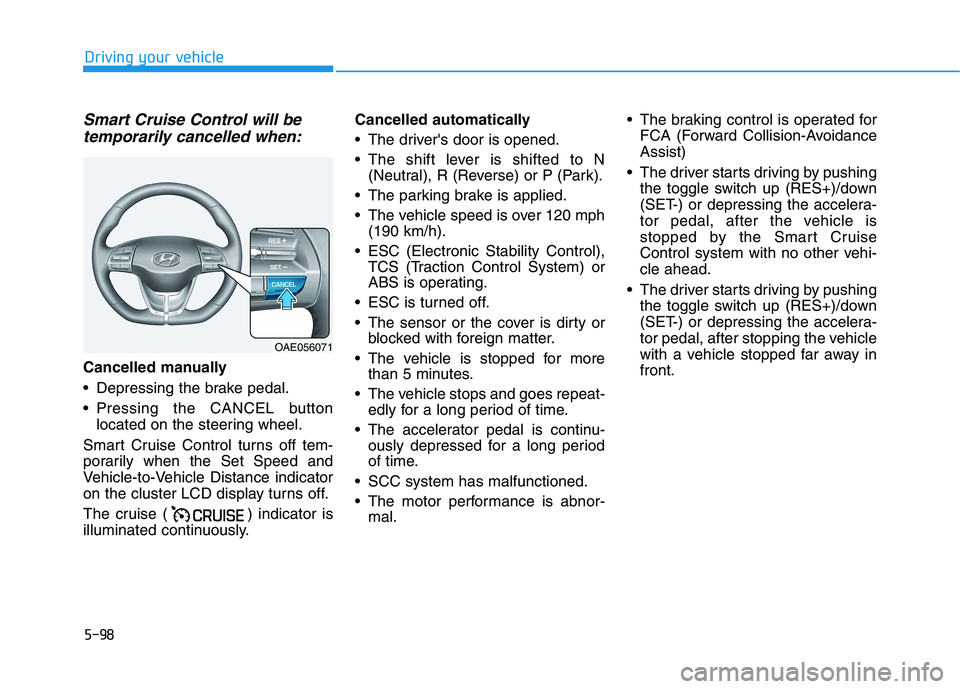
Pressing the CANCEL button
located on the steering wheel.
Smart Cruise Control turns off tem-
porarily when the Set Speed and
Vehicle-to-Vehicle Distance indicator
on the cluster LCD display turns off.
The cruise ( ) indicator is
illuminated continuously.Cancelled automatically
The driver's door is opened.
The shift lever is shifted to N
(Neutral), R (Reverse) or P (Park).
The parking brake is applied.
The vehicle speed is over 120 mph
(190 km/h).
ESC (Electronic Stability Control),
TCS (Traction Control System) or
ABS is operating.
ESC is turned off.
The sensor or the cover is dirty or
blocked with foreign matter.
The vehicle is stopped for more
than 5 minutes.
The vehicle stops and goes repeat-
edly for a long period of time.
The accelerator pedal is continu-
ously depressed for a long period
of time.
SCC system has malfunctioned.
The motor performance is abnor-
mal. The braking control is operated for
FCA (Forward Collision-Avoidance
Assist)
The driver starts driving by pushing
the toggle switch up (RES+)/down
(SET-) or depressing the accelera-
tor pedal, after the vehicle is
stopped by the Smart Cruise
Control system with no other vehi-
cle ahead.
The driver starts driving by pushing
the toggle switch up (RES+)/down
(SET-) or depressing the accelera-
tor pedal, after stopping the vehicle
with a vehicle stopped far away in
front.
OAE056071
Page 339 of 561
5-103
Driving your vehicle
5
In traffic situation
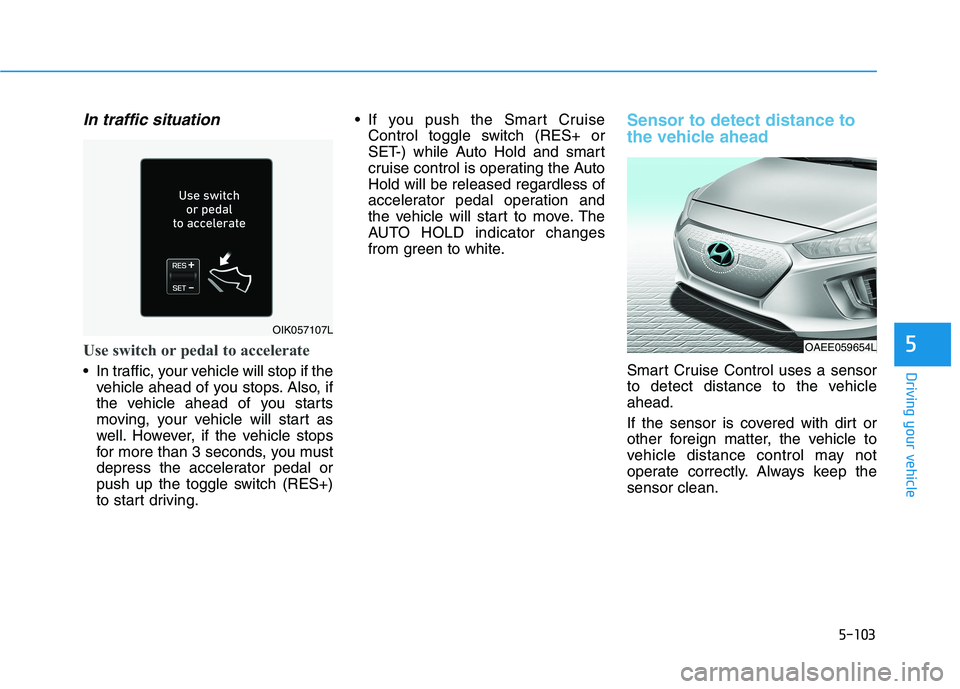
Use switch or pedal to accelerate
In traffic, your vehicle will stop if the
vehicle ahead of you stops. Also, if
the vehicle ahead of you starts
moving, your vehicle will start as
well. However, if the vehicle stops
for more than 3 seconds, you must
depress the accelerator pedal or
push up the toggle switch (RES+)
to start driving. If you push the Smart Cruise
Control toggle switch (RES+ or
SET-) while Auto Hold and smart
cruise control is operating the Auto
Hold will be released regardless of
accelerator pedal operation and
the vehicle will start to move. The
AUTO HOLD indicator changes
from green to white.
Sensor to detect distance to
the vehicle ahead
Smart Cruise Control uses a sensor
to detect distance to the vehicle
ahead.
If the sensor is covered with dirt or
other foreign matter, the vehicle to
vehicle distance control may not
operate correctly. Always keep the
sensor clean.
OIK057107L
OAEE059654L
Page 384 of 561
6-2
The hazard warning flasher serves
as a warning to other drivers to exer-
cise extreme caution when approach-
ing, overtaking, or passing your vehi-
cle.
It should be used whenever emer-
gency repairs are being made or
when the vehicle is stopped near the
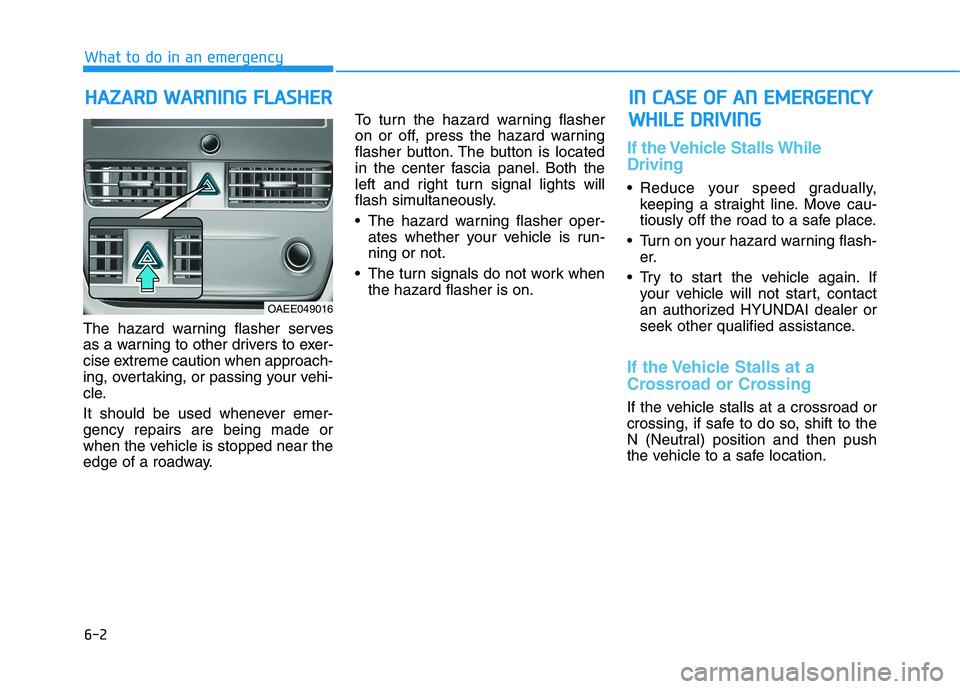
edge of a roadway.To turn the hazard warning flasher
on or off, press the hazard warning
flasher button. The button is located
in the center fascia panel. Both the
left and right turn signal lights will
flash simultaneously.
• The hazard warning flasher oper-
ates whether your vehicle is run-
ning or not.
The turn signals do not work when
the hazard flasher is on.
If the Vehicle Stalls While
Driving
Reduce your speed gradually,
keeping a straight line. Move cau-
tiously off the road to a safe place.
Turn on your hazard warning flash-
er.
Try to start the vehicle again. If
your vehicle will not start, contact
an authorized HYUNDAI dealer or
seek other qualified assistance.
If the Vehicle Stalls at a
Crossroad or Crossing
If the vehicle stalls at a crossroad or
crossing, if safe to do so, shift to the
N (Neutral) position and then push
the vehicle to a safe location.
H HA
AZ
ZA
AR
RD
D
W
WA
AR
RN
NI
IN
NG
G
F
FL
LA
AS
SH
HE
ER
R
What to do in an emergency
I
IN
N
C
CA
AS
SE
E
O
OF
F
A
AN
N
E
EM
ME
ER
RG
GE
EN
NC
CY
Y
W WH
HI
IL
LE
E
D
DR
RI
IV
VI
IN
NG
G
OAEE049016
Page 385 of 561
6-3
What to do in an emergency
If you Have a Flat Tire While
Driving
If a tire goes flat while you are driving:
Take your foot off the accelerator
pedal and let the vehicle slow down
while driving straight ahead. Do not
apply the brakes immediately to
slow down the vehicle, but use the
paddle shifter (left side lever) to
increase regenerative braking con-
trol. Also, do not or attempt to pull
off the road as this may cause loss
of vehicle control resulting in an
accident. When the vehicle has
slowed to such a speed that it is
safe to do so, brake carefully and
pull off the road. Drive off the road
as far as possible and park on firm,
level ground. If you are on a divided
highway, do not park in the median
area between the two traffic lanes.
When the vehicle is stopped, press
the hazard warning flasher button,
shift to P(Park), apply the parking
brake, and place the POWER but-
ton in the OFF position. Have all passengers get out of the
vehicle. Be sure they all get out on
the side of the vehicle that is away
from traffic.
When changing a flat tire, follow
the instructions provided later in
this chapter.
Confirm the EV Battery Is Not
Low on the Charge Gauge
Be sure the gear is in P (Park). The
vehicle starts only when the gear is
in P (Park).
Check the 12-volt battery connec-
tions to be sure they are clean and
tight.
Turn on the interior light. If the light
dims or goes out when you operate
the starter, the battery is drained.
Do not push or pull the vehicle to
start it. This could cause damage to
your vehicle. See instructions for
"Jump Starting" provided in this
chapter.
6
I IF
F
T
TH
HE
E
V
VE
EH
HI
IC
CL
LE
E
W
WI
IL
LL
L
N
NO
OT
T
S ST
TA
AR
RT
T