steering HYUNDAI IONIQ 2020 Workshop Manual
[x] Cancel search | Manufacturer: HYUNDAI, Model Year: 2020, Model line: IONIQ, Model: HYUNDAI IONIQ 2020Pages: 561, PDF Size: 24.5 MB
Page 351 of 561
5-115
Driving your vehicle
5
Information
• Even though the steering is assisted
by the system, the driver may con-
trol the steering wheel.
• The steering wheel may feel heavier
when the steering wheel is assisted
by the system than when it is not.
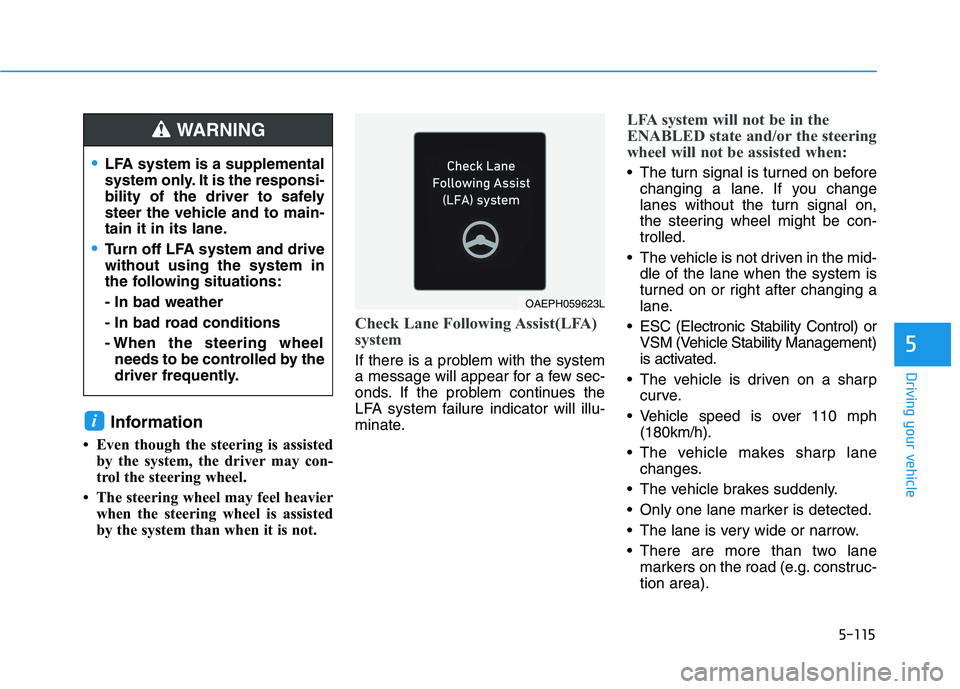
Check Lane Following Assist(LFA)
system
If there is a problem with the system
a message will appear for a few sec-
onds. If the problem continues the
LFA system failure indicator will illu-
minate.
LFA system will not be in the
ENABLED state and/or the steering
wheel will not be assisted when:
The turn signal is turned on before
changing a lane. If you change
lanes without the turn signal on,
the steering wheel might be con-
trolled.
The vehicle is not driven in the mid-
dle of the lane when the system is
turned on or right after changing a
lane.
ESC (Electronic Stability Control) or
VSM (Vehicle Stability Management)
is activated.
The vehicle is driven on a sharp
curve.
Vehicle speed is over 110 mph
(180km/h).
The vehicle makes sharp lane
changes.
The vehicle brakes suddenly.
Only one lane marker is detected.
The lane is very wide or narrow.
There are more than two lane
markers on the road (e.g. construc-
tion area).
i
LFA system is a supplemental
system only. It is the responsi-
bility of the driver to safely
steer the vehicle and to main-
tain it in its lane.
Turn off LFA system and drive
without using the system in
the following situations:
- In bad weather
- In bad road conditions
- When the steering wheel
needs to be controlled by the
driver frequently.
WARNING
OAEPH059623L
Page 352 of 561
5-116
Driving your vehicle
Radius of a curve is too small.
The vehicle is driven on a steep
incline.
The steering wheel is turned sud-
denly.
The system may not operate for 15
seconds after the vehicle is started
or the camera is initialized or
rebooting of the front view camera.
Limitations of the system
LFA system may operate premature-
ly even if the vehicle does not depart
from the intended lane, OR, LFA sys-
tem may not assist your steering or
warn you if the vehicle leaves the
intended lane under the following cir-
cumstances:When the lane and road condi-
tions are poor
It is difficult to distinguish the lane
marking from the road surface or
the lane marking is faded or not
clearly marked.
It is difficult to distinguish the color
of the lane marker from the road.
There are markings on the road
surface that look like a lane marker
that is inadvertently being detected
by the camera.
The lane marker is indistinct or
damaged.
The lane marker is merged or
divided. (e.g. tollgate)
The lane number increases or
decreases or the lane marker are
crossing complicatedly.
There are more than two lane
markers on the road in front of you.
Page 355 of 561
5-119
Driving your vehicle
5
Operating conditions
Select 'Highway Driving Assist' from
the Settings menu in the infotain-
ment system screen and satisfy the
following conditions for the system to
operate.
Driving on the highway main line
Smart Cruise Control is operating
- If Smart Cruise Control is in the
READY state the Highway
Driving Assist will be in the
READY state. The indicator
on the cluster will illuminate
white.
Vehicle speed is under 90 mph
(145 km/h)
If all the mentioned conditions are
satisfied, the system is ENABLED
and the indicator on the cluster
will illuminate green.
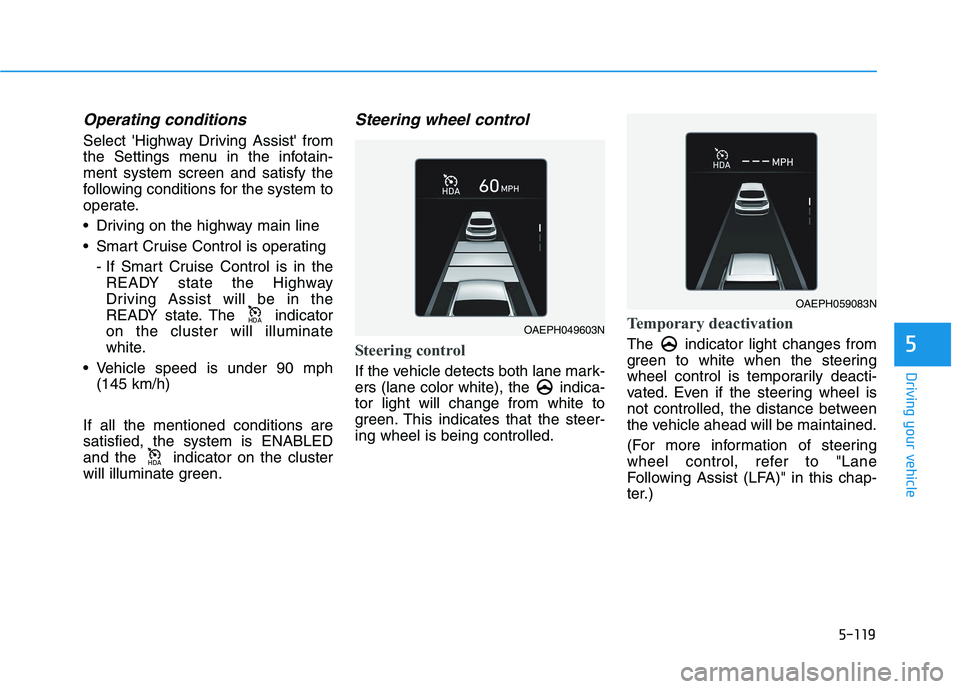
Steering wheel control
Steering control
If the vehicle detects both lane mark-
ers (lane color white), the indica-
tor light will change from white to
green. This indicates that the steer-
ing wheel is being controlled.
Temporary deactivation
The indicator light changes from
green to white when the steering
wheel control is temporarily deacti-
vated. Even if the steering wheel is
not controlled, the distance between
the vehicle ahead will be maintained.
(For more information of steering
wheel control, refer to "Lane
Following Assist (LFA)" in this chap-
ter.)
+'$
+'$OAEPH049603N
OAEPH059083N
Page 356 of 561
5-120
Driving your vehicle
Speed setting
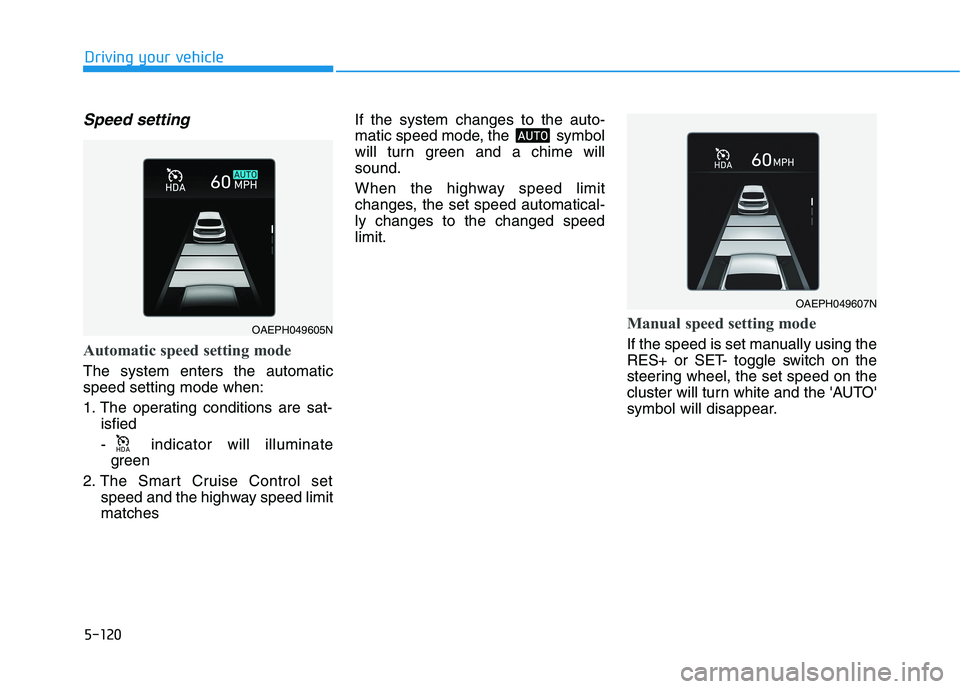
Automatic speed setting mode
The system enters the automatic
speed setting mode when:
1. The operating conditions are sat-
isfied
- indicator will illuminate
green
2. The Smart Cruise Control set
speed and the highway speed limit
matches If the system changes to the auto-
matic speed mode, the symbol
will turn green and a chime will
sound.
When the highway speed limit
changes, the set speed automatical-
ly changes to the changed speed
limit.
Manual speed setting mode
If the speed is set manually using the
RES+ or SET- toggle switch on the
steering wheel, the set speed on the
cluster will turn white and the 'AUTO'
symbol will disappear.
002b00270024
OAEPH049607N
OAEPH049605N
Page 357 of 561
5-121
Driving your vehicle
5
Warning Message
Hands-off warning
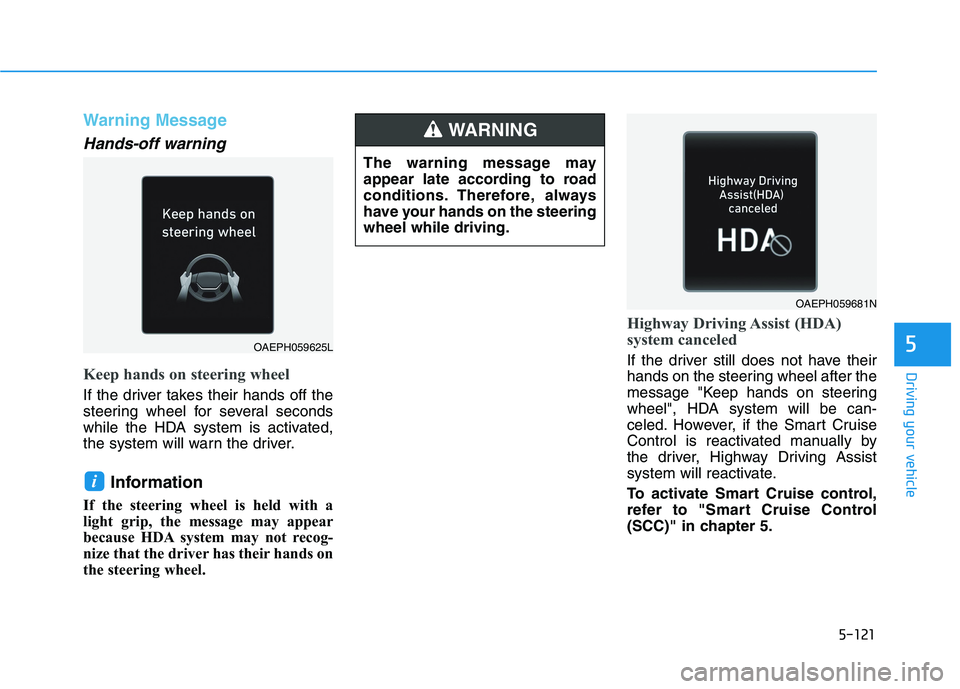
Keep hands on steering wheel
If the driver takes their hands off the
steering wheel for several seconds
while the HDA system is activated,
the system will warn the driver.
Information
If the steering wheel is held with a
light grip, the message may appear
because HDA system may not recog-
nize that the driver has their hands on
the steering wheel.
Highway Driving Assist (HDA)
system canceled
If the driver still does not have their
hands on the steering wheel after the
message "Keep hands on steering
wheel", HDA system will be can-
celed. However, if the Smart Cruise
Control is reactivated manually by
the driver, Highway Driving Assist
system will reactivate.
To activate Smart Cruise control,
refer to "Smart Cruise Control
(SCC)" in chapter 5.
i
OAEPH059681N
OAEPH059625L
The warning message may
appear late according to road
conditions. Therefore, always
have your hands on the steering
wheel while driving.
WARNING
Page 358 of 561
5-122
Driving your vehicle
HDA system will not be in the
ENABLED state and/or the steer-
ing wheel will not be assisted
when:
The turn signal is turned on before
changing a lane. If you change
lanes without the turn signal on,
the steering wheel might be con-
trolled.
The vehicle is not driven in the mid-
dle of the lane when the system is
turned on or right after changing a
lane.
ESC (Electronic Stability Control)
or VSM (Vehicle Stability
Management) is activated.
The vehicle is driven on a sharp
curve.
Vehicle speed is over 95 mph (153
km/h).
The vehicle makes sharp lane
changes.
The vehicle brakes suddenly.
Only one lane marker is detected.
The lane is very wide or narrow. There are more than two lane
markers on the road (e.g. construc-
tion area).
Radius of a curve is too small.
The vehicle is driven on a steep
incline.
The steering wheel is turned sud-
denly.
System malfunction
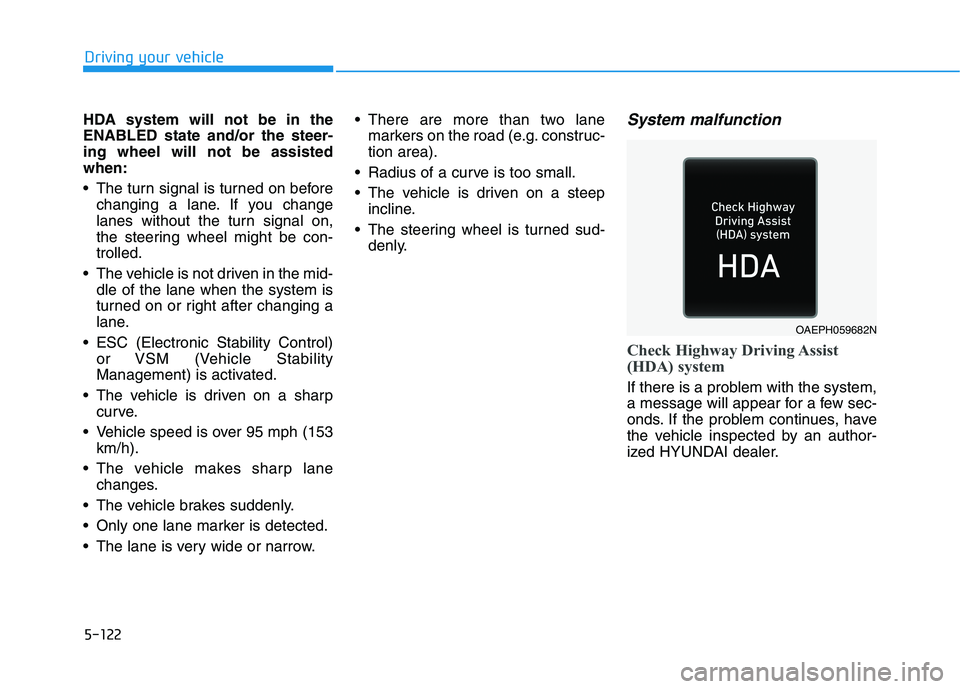
Check Highway Driving Assist
(HDA) system
If there is a problem with the system,
a message will appear for a few sec-
onds. If the problem continues, have
the vehicle inspected by an author-
ized HYUNDAI dealer.
OAEPH059682N
Page 360 of 561
5-124
Driving your vehicle
Information
• For information's on vehicle to vehi-
cle distance control and the front
radar, refer to "Smart Cruise
Control (SCC)" in this chapter.
• For information's on steering con-
trol and distance control and the
front camera, refer to "Lane
Following Assist (LFA)" in this
chapter.
Information
This device complies with Part 15 of
the FCC rules.
Operation is subject to the following
three conditions:
1. This device may not cause harmful
interference, and
2. This device must accept any inter-
ference received, including interfer-
ence that may cause undesired
operation.
3. Changes or modifications not
expressly approved by the party
responsible for compliance could
void the user's authority to operate
the device.
Information
Radio frequency radiation exposure
information:
This equipment complies with FCC
radiation exposure limits set forth for
an uncontrolled environment.
This equipment should be installed
and operated with minimum distance
of 8 in. (20 cm) between the radiator
(antenna) and your body.
This transmitter must not be co-locat-
ed or operating in conjunction with
any other antenna or transmitter.
i
i
i(Continued)
The speed limit of selected
highway section is changed
due to road conditions.
Android Auto or Car Play is
operating.
The navigation cannot detect
the current vehicle position
(ex: elevated roads including
overpass adjacent to general
roads or nearby roads exist in
a parallel way).
The navigation is being updat-
ed while driving.
The navigation is being reset
while driving.
The road is slippery due to
bad weather such as rain or
snow.
If your vehicle tows a trailer or
another vehicle, you should
release Highway Driving
Assist (HDA) system.
Operating the brake system or
steering system while towing
may adversely affect the safe-
ty.
Page 371 of 561
5-135
Driving your vehicle
5
Hazardous Driving Conditions
When hazardous driving elements
are encountered such as water,
snow, ice, mud and sand, take the
bellow suggestions:
Drive cautiously and keep a longer
braking distance.
Avoid abrupt braking or steering.
When your vehicle is stuck in snow,
mud, or sand, use second gear.
Accelerate slowly to avoid unnec-
essary wheel spin.
Put sand, rock salt, tire chains or
other non-slip materials under the
wheels to provide additional trac-
tion while the vehicle becomes
stuck in ice, snow, or mud.
Rocking the Vehicle
If it is necessary to rock the vehicle
to free it from snow, sand, or mud,
first turn the steering wheel right and
left to clear the area around your
front wheels. Then, shift back and
forth between R (Reverse) and a for-
ward gear.
Try to avoid spinning the wheels, and
do not race the vehicle.
To prevent reduction gear wear, wait
until the wheels stop spinning before
shifting gears. Release the accelera-
tor pedal while shifting, and press
lightly on the accelerator pedal while
the reduction gear is in gear. Slowly
spinning the wheels in forward and
reverse directions causes a rocking
motion that may free the vehicle.
S SP
PE
EC
CI
IA
AL
L
D
DR
RI
IV
VI
IN
NG
G
C
CO
ON
ND
DI
IT
TI
IO
ON
NS
S
If the vehicle is stuck and
excessive wheel spin occurs,
the temperature in the tires can
increase very quickly. If the tires
become damaged, a tire blow
out or tire explosion can occur.
This condition is dangerous -
you and others may be injured.
Do not attempt this procedure if
people or objects are anywhere
near the vehicle.
If you attempt to free the vehi-
cle, the vehicle can overheat
quickly, possibly causing an
motor compartment fire or
other damage. Try to avoid spin-
ning the wheels as much as
possible to prevent overheating
of either the tires or the vehicle.
DO NOT allow the vehicle to
spin the wheels above 56 km/h
(35 mph).
WARNING
Page 377 of 561
5-141
Driving your vehicle
5
Do not let ice and snow accu-
mulate underneath
Under some conditions, snow and
ice can build up under the fenders
and interfere with the steering. When
driving in severe winter conditions
where this may happen, you should
periodically check underneath the
car to be sure the movement of the
front wheels and the steering com-
ponents is not obstructed.
Don't place foreign objects or
materials in the motor compart-
ment
Placement of foreign object or mate-
rials which prevent cooling of the
vehicle, in the motor compartment,
may cause a failure. The manufactur-
er is not responsible for the damage
caused by such placement.
To keep locks from freezing
To keep the locks from freezing,
squirt an approved de-icer fluid or
glycerine into the key opening. If a
lock is covered with ice, squirt it with
an approved de-icing fluid to remove
the ice. If the lock is frozen internally,
you may be able to thaw it out by
using a heated key. Handle the heat-
ed key with care to avoid injury.
Page 396 of 561
6-14
What to do in an emergency
With Tire Mobility Kit (TMK)
For safe operation, carefully read
and follow the instructions in this
manual before use.
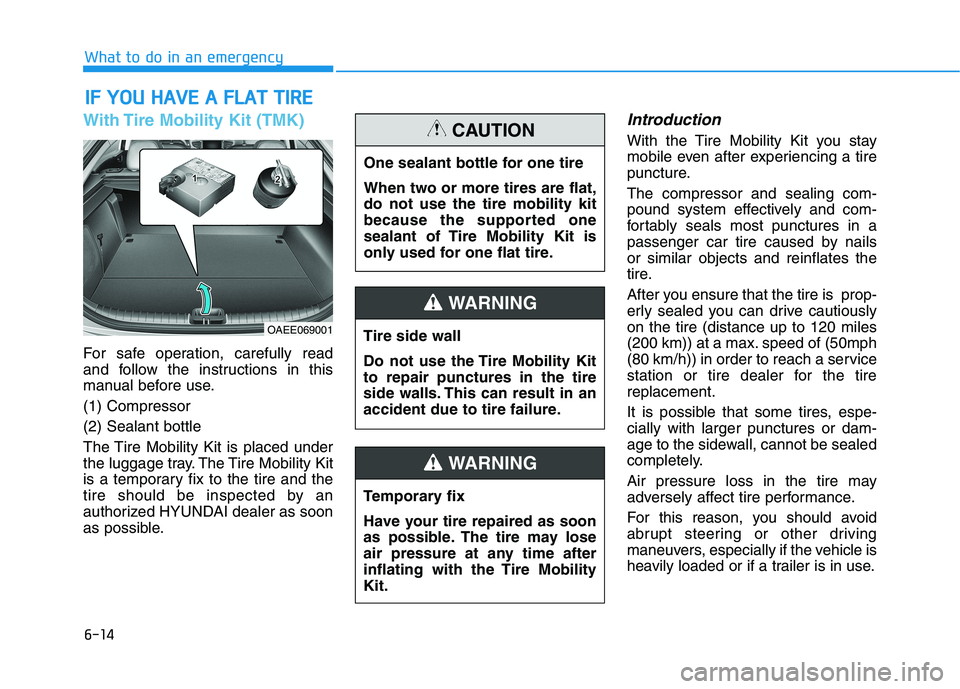
(1) Compressor
(2) Sealant bottle
The Tire Mobility Kit is placed under
the luggage tray. The Tire Mobility Kit
is a temporary fix to the tire and the
tire should be inspected by an
authorized HYUNDAI dealer as soon
as possible.
Introduction
With the Tire Mobility Kit you stay
mobile even after experiencing a tire
puncture.
The compressor and sealing com-
pound system effectively and com-
fortably seals most punctures in a
passenger car tire caused by nails
or similar objects and reinflates the
tire.
After you ensure that the tire is prop-
erly sealed you can drive cautiously
on the tire (distance up to 120 miles
(200 km)) at a max. speed of (50mph
(80 km/h)) in order to reach a service
station or tire dealer for the tire
replacement.
It is possible that some tires, espe-
cially with larger punctures or dam-
age to the sidewall, cannot be sealed
completely.
Air pressure loss in the tire may
adversely affect tire performance.
For this reason, you should avoid
abrupt steering or other driving
maneuvers, especially if the vehicle is
heavily loaded or if a trailer is in use.
I IF
F
Y
YO
OU
U
H
HA
AV
VE
E
A
A
F
FL
LA
AT
T
T
TI
IR
RE
E
OAEE069001
One sealant bottle for one tire
When two or more tires are flat,
do not use the tire mobility kit
because the supported one
sealant of Tire Mobility Kit is
only used for one flat tire.
CAUTION
Tire side wall
Do not use the Tire Mobility Kit
to repair punctures in the tire
side walls. This can result in an
accident due to tire failure.
WARNING
Temporary fix
Have your tire repaired as soon
as possible. The tire may lose
air pressure at any time after
inflating with the Tire Mobility
Kit.
WARNING