wheel HYUNDAI IONIQ 2020 Workshop Manual
[x] Cancel search | Manufacturer: HYUNDAI, Model Year: 2020, Model line: IONIQ, Model: HYUNDAI IONIQ 2020Pages: 561, PDF Size: 24.5 MB
Page 349 of 561
5-113
Driving your vehicle
5
LFA operation
System setting
With the ignition switch is in the ON
position, Lane Following Assist can
be activated by selecting 'User
Settings →Driver Assistance →
Driving Assist →Lane Following
Assist' in the cluster LCD display.
Deselect the setting to turn off the
system.
If the vehicle is turned off then on
again, the system maintains the
last setting.
Operating conditions
Select 'Lane Following Assist' from
the User settings mode in the cluster
LCD display and meet the following
conditions for the system to operate.
- Smart Cruise Control is operating
- Vehicle speed is below 110 mph
(180 km/h)
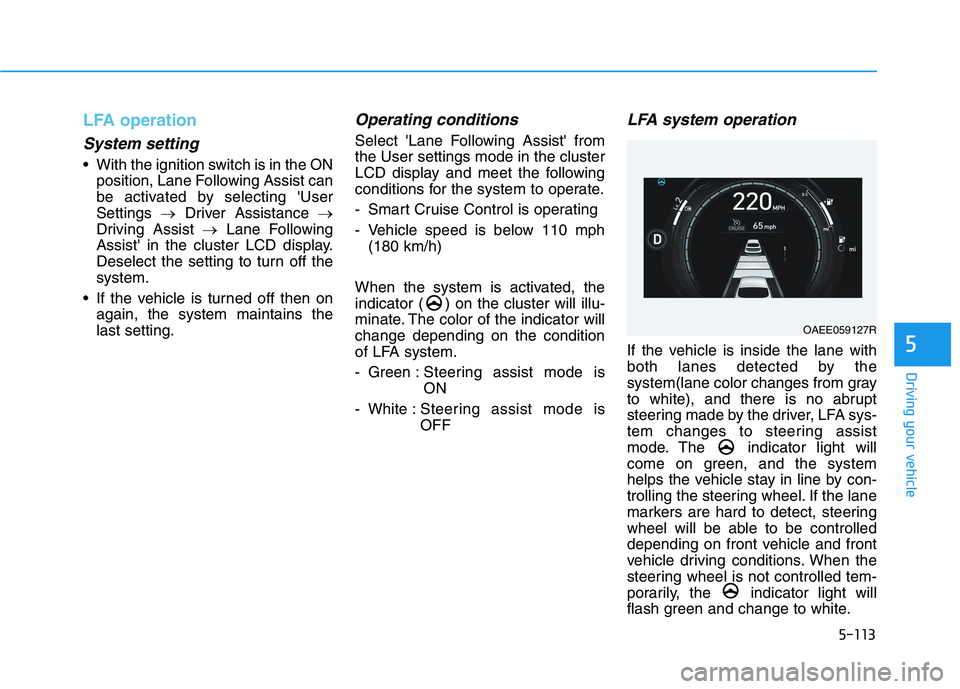
When the system is activated, the
indicator ( ) on the cluster will illu-
minate. The color of the indicator will
change depending on the condition
of LFA system.
- Green : Steering assist mode is
ON
- White :Steering assist mode is
OFF
LFA system operation
If the vehicle is inside the lane with
both lanes detected by the
system(lane color changes from gray
to white), and there is no abrupt
steering made by the driver, LFA sys-
tem changes to steering assist
mode. The indicator light will
come on green, and the system
helps the vehicle stay in line by con-
trolling the steering wheel. If the lane
markers are hard to detect, steering
wheel will be able to be controlled
depending on front vehicle and front
vehicle driving conditions. When the
steering wheel is not controlled tem-
porarily, the indicator light will
flash green and change to white.
OAEE059127R
Page 350 of 561
5-114
Driving your vehicle
Warning message
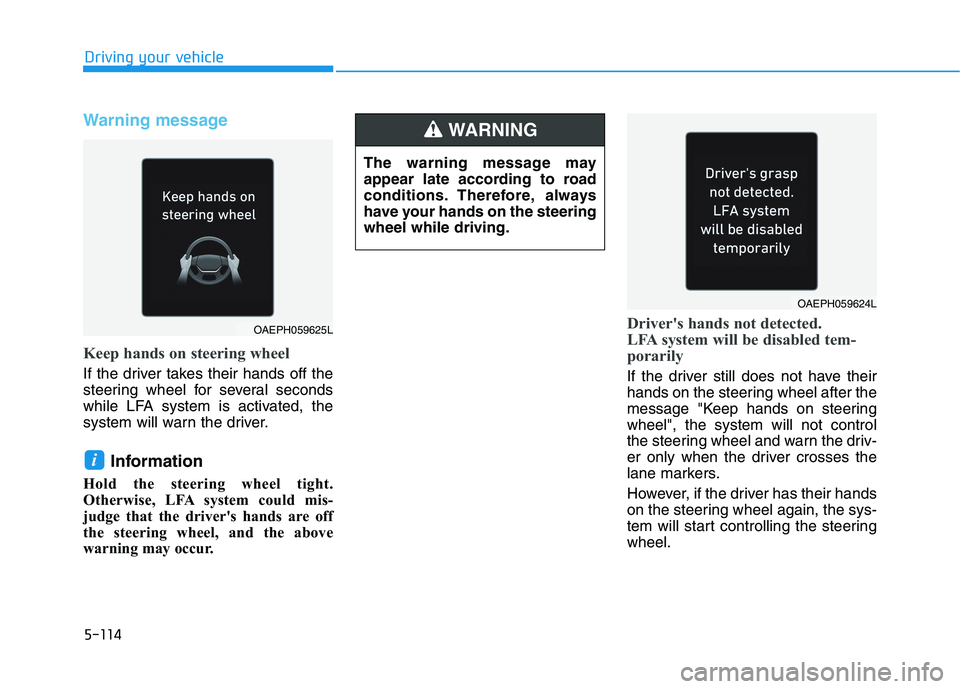
Keep hands on steering wheel
If the driver takes their hands off the
steering wheel for several seconds
while LFA system is activated, the
system will warn the driver.
Information
Hold the steering wheel tight.
Otherwise, LFA system could mis-
judge that the driver's hands are off
the steering wheel, and the above
warning may occur.
Driver's hands not detected.
LFA system will be disabled tem-
porarily
If the driver still does not have their
hands on the steering wheel after the
message "Keep hands on steering
wheel", the system will not control
the steering wheel and warn the driv-
er only when the driver crosses the
lane markers.
However, if the driver has their hands
on the steering wheel again, the sys-
tem will start controlling the steering
wheel.
i
OAEPH059625L
The warning message may
appear late according to road
conditions. Therefore, always
have your hands on the steering
wheel while driving.
WARNING
OAEPH059624L
Page 351 of 561
5-115
Driving your vehicle
5
Information
• Even though the steering is assisted
by the system, the driver may con-
trol the steering wheel.
• The steering wheel may feel heavier
when the steering wheel is assisted
by the system than when it is not.
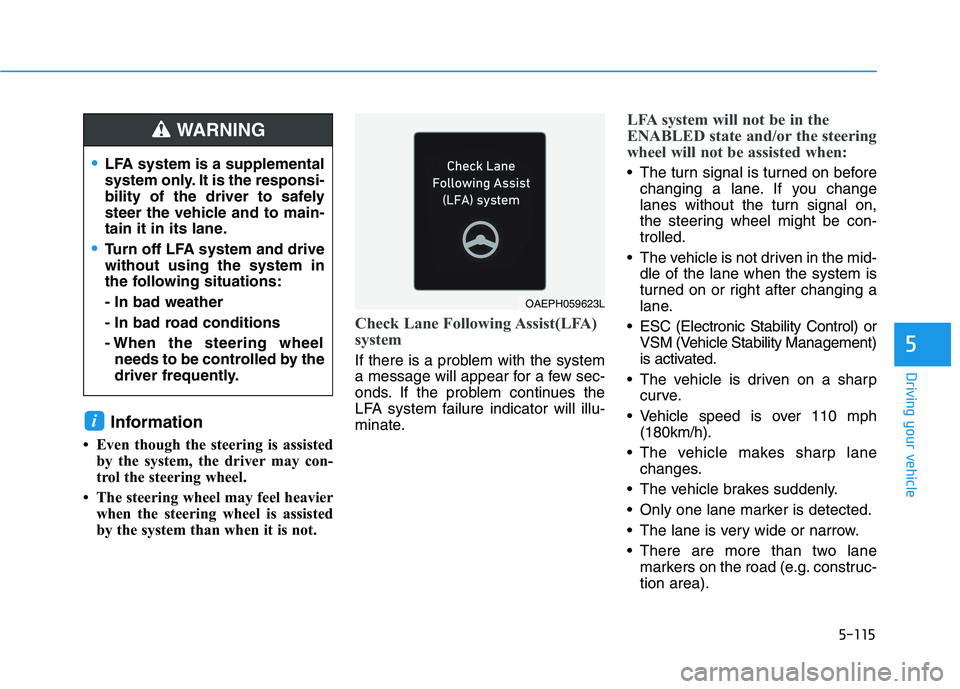
Check Lane Following Assist(LFA)
system
If there is a problem with the system
a message will appear for a few sec-
onds. If the problem continues the
LFA system failure indicator will illu-
minate.
LFA system will not be in the
ENABLED state and/or the steering
wheel will not be assisted when:
The turn signal is turned on before
changing a lane. If you change
lanes without the turn signal on,
the steering wheel might be con-
trolled.
The vehicle is not driven in the mid-
dle of the lane when the system is
turned on or right after changing a
lane.
ESC (Electronic Stability Control) or
VSM (Vehicle Stability Management)
is activated.
The vehicle is driven on a sharp
curve.
Vehicle speed is over 110 mph
(180km/h).
The vehicle makes sharp lane
changes.
The vehicle brakes suddenly.
Only one lane marker is detected.
The lane is very wide or narrow.
There are more than two lane
markers on the road (e.g. construc-
tion area).
i
LFA system is a supplemental
system only. It is the responsi-
bility of the driver to safely
steer the vehicle and to main-
tain it in its lane.
Turn off LFA system and drive
without using the system in
the following situations:
- In bad weather
- In bad road conditions
- When the steering wheel
needs to be controlled by the
driver frequently.
WARNING
OAEPH059623L
Page 352 of 561
5-116
Driving your vehicle
Radius of a curve is too small.
The vehicle is driven on a steep
incline.
The steering wheel is turned sud-
denly.
The system may not operate for 15
seconds after the vehicle is started
or the camera is initialized or
rebooting of the front view camera.
Limitations of the system
LFA system may operate premature-
ly even if the vehicle does not depart
from the intended lane, OR, LFA sys-
tem may not assist your steering or
warn you if the vehicle leaves the
intended lane under the following cir-
cumstances:When the lane and road condi-
tions are poor
It is difficult to distinguish the lane
marking from the road surface or
the lane marking is faded or not
clearly marked.
It is difficult to distinguish the color
of the lane marker from the road.
There are markings on the road
surface that look like a lane marker
that is inadvertently being detected
by the camera.
The lane marker is indistinct or
damaged.
The lane marker is merged or
divided. (e.g. tollgate)
The lane number increases or
decreases or the lane marker are
crossing complicatedly.
There are more than two lane
markers on the road in front of you.
Page 355 of 561
5-119
Driving your vehicle
5
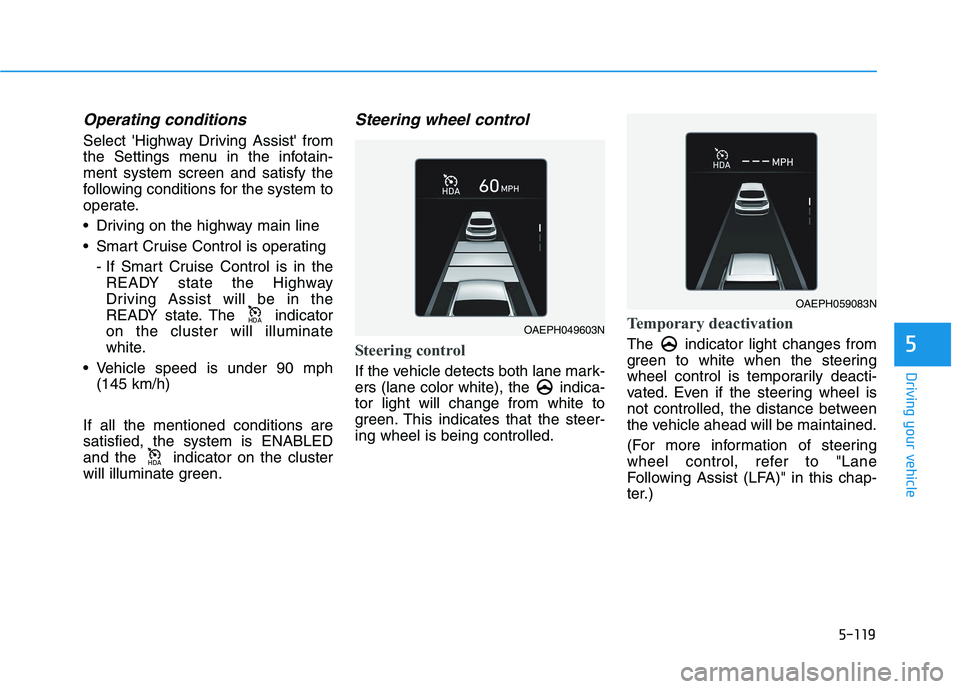
Operating conditions
Select 'Highway Driving Assist' from
the Settings menu in the infotain-
ment system screen and satisfy the
following conditions for the system to
operate.
Driving on the highway main line
Smart Cruise Control is operating
- If Smart Cruise Control is in the
READY state the Highway
Driving Assist will be in the
READY state. The indicator
on the cluster will illuminate
white.
Vehicle speed is under 90 mph
(145 km/h)
If all the mentioned conditions are
satisfied, the system is ENABLED
and the indicator on the cluster
will illuminate green.
Steering wheel control
Steering control
If the vehicle detects both lane mark-
ers (lane color white), the indica-
tor light will change from white to
green. This indicates that the steer-
ing wheel is being controlled.
Temporary deactivation
The indicator light changes from
green to white when the steering
wheel control is temporarily deacti-
vated. Even if the steering wheel is
not controlled, the distance between
the vehicle ahead will be maintained.
(For more information of steering
wheel control, refer to "Lane
Following Assist (LFA)" in this chap-
ter.)
+'$
+'$OAEPH049603N
OAEPH059083N
Page 356 of 561
5-120
Driving your vehicle
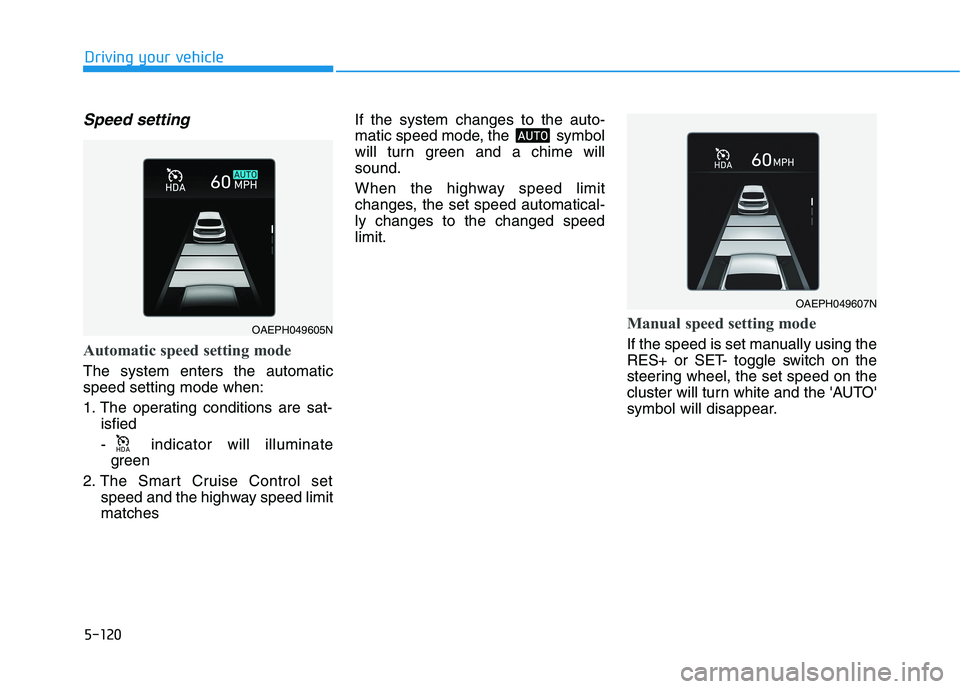
Speed setting
Automatic speed setting mode
The system enters the automatic
speed setting mode when:
1. The operating conditions are sat-
isfied
- indicator will illuminate
green
2. The Smart Cruise Control set
speed and the highway speed limit
matches If the system changes to the auto-
matic speed mode, the symbol
will turn green and a chime will
sound.
When the highway speed limit
changes, the set speed automatical-
ly changes to the changed speed
limit.
Manual speed setting mode
If the speed is set manually using the
RES+ or SET- toggle switch on the
steering wheel, the set speed on the
cluster will turn white and the 'AUTO'
symbol will disappear.
002b00270024
OAEPH049607N
OAEPH049605N
Page 357 of 561
5-121
Driving your vehicle
5
Warning Message
Hands-off warning
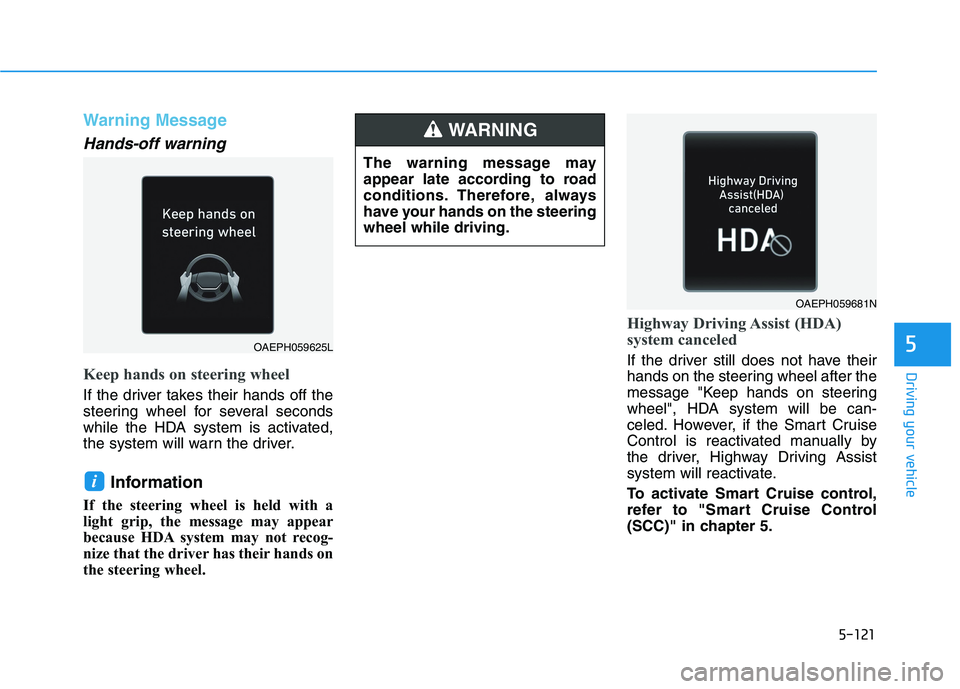
Keep hands on steering wheel
If the driver takes their hands off the
steering wheel for several seconds
while the HDA system is activated,
the system will warn the driver.
Information
If the steering wheel is held with a
light grip, the message may appear
because HDA system may not recog-
nize that the driver has their hands on
the steering wheel.
Highway Driving Assist (HDA)
system canceled
If the driver still does not have their
hands on the steering wheel after the
message "Keep hands on steering
wheel", HDA system will be can-
celed. However, if the Smart Cruise
Control is reactivated manually by
the driver, Highway Driving Assist
system will reactivate.
To activate Smart Cruise control,
refer to "Smart Cruise Control
(SCC)" in chapter 5.
i
OAEPH059681N
OAEPH059625L
The warning message may
appear late according to road
conditions. Therefore, always
have your hands on the steering
wheel while driving.
WARNING
Page 358 of 561
5-122
Driving your vehicle
HDA system will not be in the
ENABLED state and/or the steer-
ing wheel will not be assisted
when:
The turn signal is turned on before
changing a lane. If you change
lanes without the turn signal on,
the steering wheel might be con-
trolled.
The vehicle is not driven in the mid-
dle of the lane when the system is
turned on or right after changing a
lane.
ESC (Electronic Stability Control)
or VSM (Vehicle Stability
Management) is activated.
The vehicle is driven on a sharp
curve.
Vehicle speed is over 95 mph (153
km/h).
The vehicle makes sharp lane
changes.
The vehicle brakes suddenly.
Only one lane marker is detected.
The lane is very wide or narrow. There are more than two lane
markers on the road (e.g. construc-
tion area).
Radius of a curve is too small.
The vehicle is driven on a steep
incline.
The steering wheel is turned sud-
denly.
System malfunction
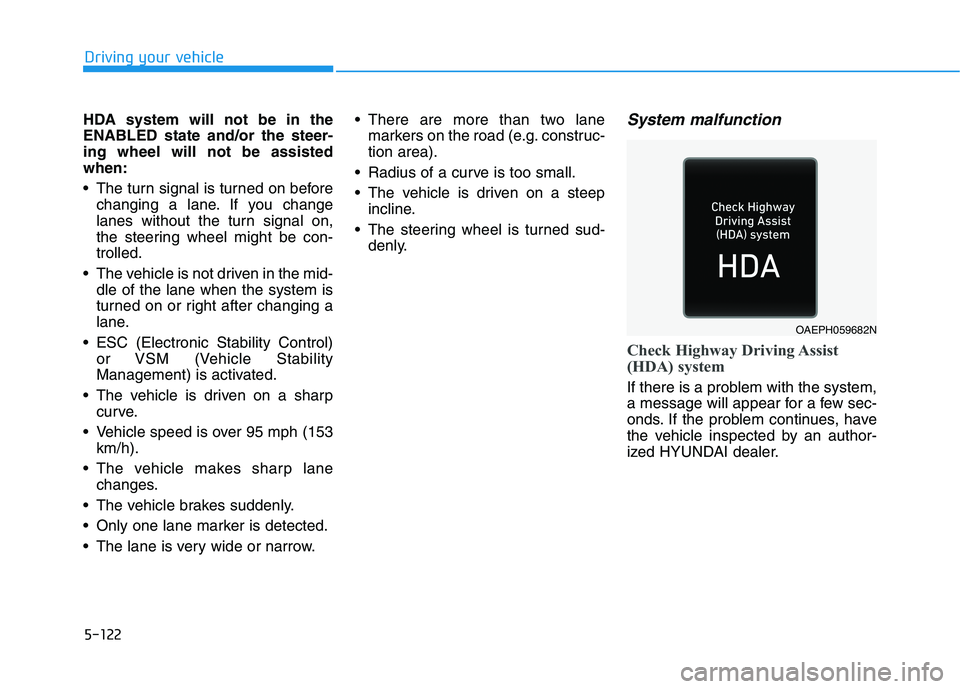
Check Highway Driving Assist
(HDA) system
If there is a problem with the system,
a message will appear for a few sec-
onds. If the problem continues, have
the vehicle inspected by an author-
ized HYUNDAI dealer.
OAEPH059682N
Page 371 of 561
5-135
Driving your vehicle
5
Hazardous Driving Conditions
When hazardous driving elements
are encountered such as water,
snow, ice, mud and sand, take the
bellow suggestions:
Drive cautiously and keep a longer
braking distance.
Avoid abrupt braking or steering.
When your vehicle is stuck in snow,
mud, or sand, use second gear.
Accelerate slowly to avoid unnec-
essary wheel spin.
Put sand, rock salt, tire chains or
other non-slip materials under the
wheels to provide additional trac-
tion while the vehicle becomes
stuck in ice, snow, or mud.
Rocking the Vehicle
If it is necessary to rock the vehicle
to free it from snow, sand, or mud,
first turn the steering wheel right and
left to clear the area around your
front wheels. Then, shift back and
forth between R (Reverse) and a for-
ward gear.
Try to avoid spinning the wheels, and
do not race the vehicle.
To prevent reduction gear wear, wait
until the wheels stop spinning before
shifting gears. Release the accelera-
tor pedal while shifting, and press
lightly on the accelerator pedal while
the reduction gear is in gear. Slowly
spinning the wheels in forward and
reverse directions causes a rocking
motion that may free the vehicle.
S SP
PE
EC
CI
IA
AL
L
D
DR
RI
IV
VI
IN
NG
G
C
CO
ON
ND
DI
IT
TI
IO
ON
NS
S
If the vehicle is stuck and
excessive wheel spin occurs,
the temperature in the tires can
increase very quickly. If the tires
become damaged, a tire blow
out or tire explosion can occur.
This condition is dangerous -
you and others may be injured.
Do not attempt this procedure if
people or objects are anywhere
near the vehicle.
If you attempt to free the vehi-
cle, the vehicle can overheat
quickly, possibly causing an
motor compartment fire or
other damage. Try to avoid spin-
ning the wheels as much as
possible to prevent overheating
of either the tires or the vehicle.
DO NOT allow the vehicle to
spin the wheels above 56 km/h
(35 mph).
WARNING
Page 373 of 561
5-137
Driving your vehicle
5
If you believe your brakes may be
wet, apply them lightly while driv-
ing until normal braking operation
returns.
Hydroplaning
If the road is wet enough and you are
going fast enough, your vehicle may
have little or no contact with the road
surface and actually ride on the
water. The best advice is SLOW
DOWN when the road is wet.
The risk of hydroplaning increas-
es as the depth of tire tread
decreases, refer to "Tire Tread" in
chapter 7.
Driving in Flooded Areas
Avoid driving through flooded areas
unless you are sure the water is no
higher than the bottom of the wheel
hub. Drive through any water slowly.
Allow adequate stopping distance
because brake performance may be
reduced.
After driving through water, dry the
brakes by gently applying them sev-
eral times while the vehicle is moving
slowly.
Highway Driving
Tires
Adjust the tire inflation, as specified.
Under-inflation may overheat or
damage the tires.
Do not install worn-out or damaged
tires, which may reduce traction or
fail the braking operation.
Information
Never over-inflate your tires above the
maximum inflation pressure, as speci-
fied on your tires.
Coolant and high voltage bat-
tery
Be sure to check both the coolant
level and the high voltage battery
level before driving.
i