infotainment HYUNDAI IONIQ 2020 Owners Manual
[x] Cancel search | Manufacturer: HYUNDAI, Model Year: 2020, Model line: IONIQ, Model: HYUNDAI IONIQ 2020Pages: 561, PDF Size: 24.5 MB
Page 9 of 561
1
2
3
4
5
6
7
8
I
Your vehicle at a glance
Safety system of your vehicle
Convenient features of your vehicle
Infotainment system
Driving your vehicle
What to do in an emergency
Maintenance
Specifications, Consumer information and
Reporting safety defects
Index
TABLE OF CONTENTS
Page 201 of 561
3-116
Convenient features of your vehicle
R RE
EA
AR
R
V
VI
IE
EW
W
M
MO
ON
NI
IT
TO
OR
R
(
(R
RV
VM
M)
)
(
(I
IF
F
E
EQ
QU
UI
IP
PP
PE
ED
D)
)
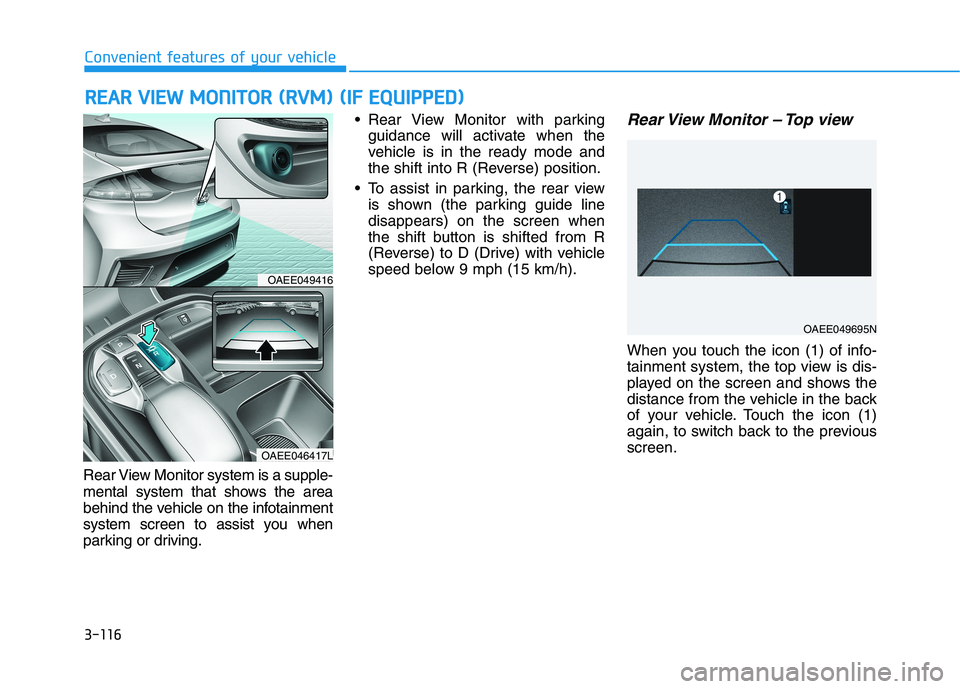
Rear View Monitor system is a supple-
mental system that shows the area
behind the vehicle on the infotainment
system screen to assist you when
parking or driving. Rear View Monitor with parking
guidance will activate when the
vehicle is in the ready mode and
the shift into R (Reverse) position.
To assist in parking, the rear view
is shown (the parking guide line
disappears) on the screen when
the shift button is shifted from R
(Reverse) to D (Drive) with vehicle
speed below 9 mph (15 km/h).
Rear View Monitor – Top view
When you touch the icon (1) of info-
tainment system, the top view is dis-
played on the screen and shows the
distance from the vehicle in the back
of your vehicle. Touch the icon (1)
again, to switch back to the previous
screen.
OAEE049416
OAEE046417L
OAEE049695N
Page 212 of 561
3-127
Convenient features of your vehicle
3
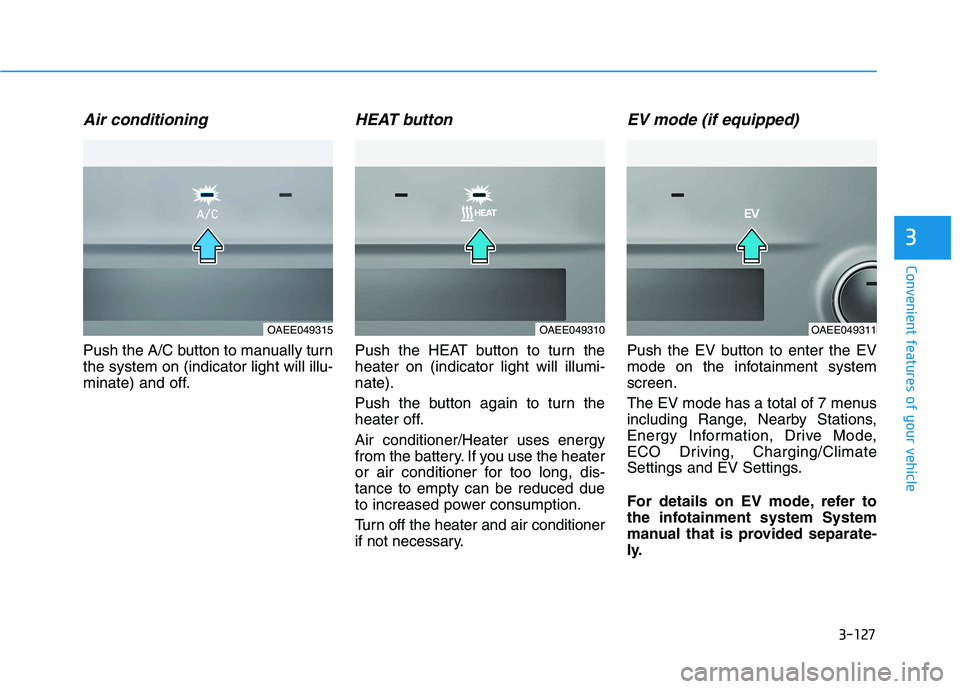
Air conditioning
Push the A/C button to manually turn
the system on (indicator light will illu-
minate) and off.
HEAT button
Push the HEAT button to turn the
heater on (indicator light will illumi-
nate).
Push the button again to turn the
heater off.
Air conditioner/Heater uses energy
from the battery. If you use the heater
or air conditioner for too long, dis-
tance to empty can be reduced due
to increased power consumption.
Turn off the heater and air conditioner
if not necessary.
EV mode (if equipped)
Push the EV button to enter the EV
mode on the infotainment system
screen.
The EV mode has a total of 7 menus
including Range, Nearby Stations,
Energy Information, Drive Mode,
ECO Driving, Charging/Climate
Settings and EV Settings.
For details on EV mode, refer to
the infotainment system System
manual that is provided separate-
ly.
OAEE049315OAEE049310OAEE049311
Page 228 of 561
![HYUNDAI IONIQ 2020 Owners Manual 3-143
Convenient features of your vehicle
3
Vehicles with Navigation system
Select the Settings menu on the
Navigation system➟Select
[Date/Time].
GPS time : Displays time according
to the received](/img/35/58884/w960_58884-227.png "HYUNDAI IONIQ 2020 Owners Manual 3-143
Convenient features of your vehicle
3
Vehicles with Navigation system
Select the Settings menu on the
Navigation system➟Select
[Date/Time].
GPS time : Displays time according
to the received")
3-143
Convenient features of your vehicle
3
Vehicles with Navigation system
Select the Settings menu on the
Navigation system➟Select
[Date/Time].
GPS time : Displays time according
to the received GNSS time.
24-hour : Switches to 12 hour or 24
hour.
❈Detailed information for the
Infotainment system is described
in a separately supplied manual.
Clothes Hanger (if equipped)
These hangers are not designed to
hold large or heavy items.
OAEE046434
Do not hang other objects such
as hangers or hard objects
except clothes. Also, do not put
heavy, sharp or breakable
objects in the clothes pockets.
In an accident or when the cur-
tain air bag is inflated, it may
cause vehicle damage or per-
sonal injury.
WARNING
OGSB047265L
Page 232 of 561
Infotainment System
Infotainment System..............................................4-2
USB and iPod®Port ..........................................................4-2
Antenna ...............................................................................4-2
Steering Wheel Audio Control........................................4-3
Bluetooth
®Wireless Technology Hands-Free ...........4-4
Audio (Display Audio) / Video /
Navigation System.............................................................4-5
4
Page 233 of 561
4-2
Infotainment System
• If you install an aftermarket HID
head lamp, your vehicle's audio
and electronic devices may not
function properly.
Prevent chemicals such as per-
fume, cosmetic oil, sun cream,
hand cleaner, and air freshener
from contacting the interior
parts because they may cause
damage or discoloration.
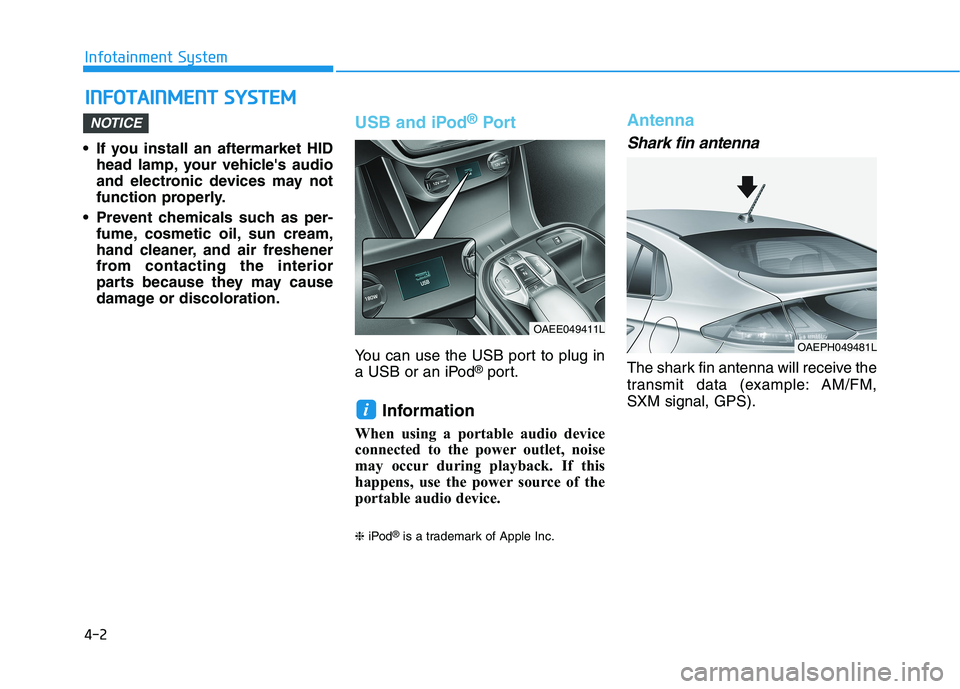
USB and iPod®Por t
You can use the USB port to plug in
a USB or an iPod®port.
Information
When using a portable audio device
connected to the power outlet, noise
may occur during playback. If this
happens, use the power source of the
portable audio device.
❈iPod®is a trademark of Apple Inc.
Antenna
Shark fin antenna
The shark fin antenna will receive the
transmit data (example: AM/FM,
SXM signal, GPS).
i
NOTICE
I IN
NF
FO
OT
TA
AI
IN
NM
ME
EN
NT
T
S
SY
YS
ST
TE
EM
M
OAEE049411L
OAEPH049481L
Page 234 of 561
4-3
Infotainment System
4
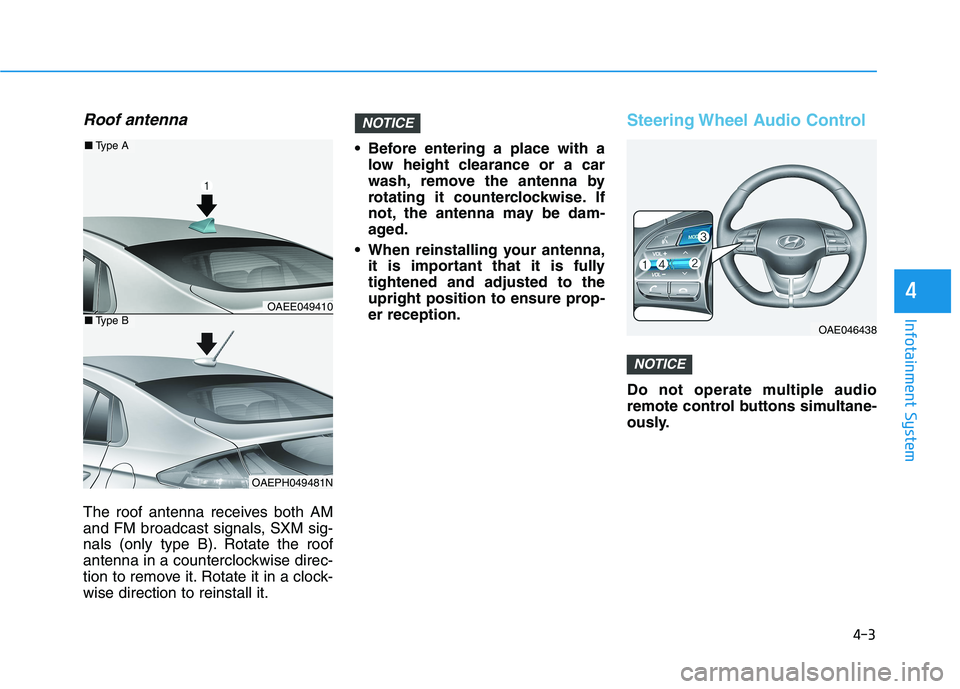
Roof antenna
The roof antenna receives both AM
and FM broadcast signals, SXM sig-
nals (only type B). Rotate the roof
antenna in a counterclockwise direc-
tion to remove it. Rotate it in a clock-
wise direction to reinstall it. Before entering a place with a
low height clearance or a car
wash, remove the antenna by
rotating it counterclockwise. If
not, the antenna may be dam-
aged.
When reinstalling your antenna,
it is important that it is fully
tightened and adjusted to the
upright position to ensure prop-
er reception.
Steering Wheel Audio Control
Do not operate multiple audio
remote control buttons simultane-
ously.
NOTICE
NOTICE
OAE046438
OAEE049410
OAEPH049481N
■Type A
■Type B
Page 235 of 561
4-4
Infotainment System
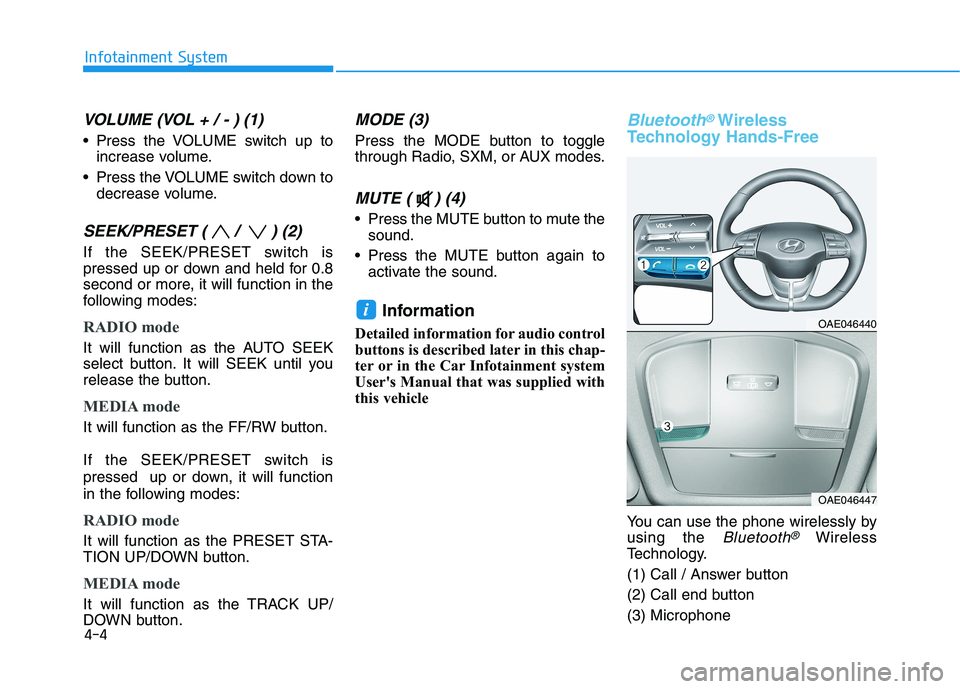
VOLUME (VOL + / - ) (1)
Press the VOLUME switch up to
increase volume.
Press the VOLUME switch down to
decrease volume.
SEEK/PRESET ( / ) (2)
If the SEEK/PRESET switch is
pressed up or down and held for 0.8
second or more, it will function in the
following modes:
RADIO mode
It will function as the AUTO SEEK
select button. It will SEEK until you
release the button.
MEDIA mode
It will function as the FF/RW button.
If the SEEK/PRESET switch is
pressed up or down, it will function
in the following modes:
RADIO mode
It will function as the PRESET STA-
TION UP/DOWN button.
MEDIA mode
It will function as the TRACK UP/
DOWN button.
MODE (3)
Press the MODE button to toggle
through Radio, SXM, or AUX modes.
MUTE ( ) (4)
Press the MUTE button to mute the
sound.
Press the MUTE button again to
activate the sound.
Information
Detailed information for audio control
buttons is described later in this chap-
ter or in the Car Infotainment system
User's Manual that was supplied with
this vehicle
Bluetooth®Wireless
Technology Hands-Free
You can use the phone wirelessly by
using the
Bluetooth®Wireless
Technology.
(1) Call / Answer button
(2) Call end button
(3) Microphone
iOAE046440
OAE046447
Page 236 of 561
Detailed information for the
Bluetooth®Wireless Technology
hands-free is described later in this
chapter or in the Car Multimedia
User's Manual.
Audio (Display Audio) / Video /
Navigation System
(if equipped)
Detailed information for the naviga-
tion system is described in a sepa-
rately supplied manual.
4-5
Infotainment System
4
Page 354 of 561
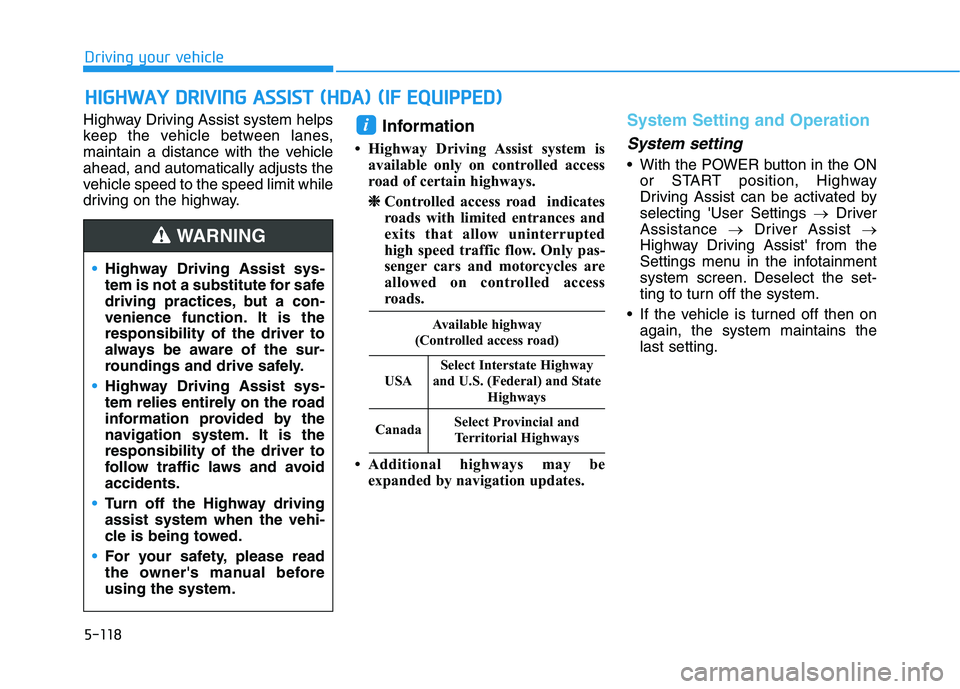
5-118
Driving your vehicle
Highway Driving Assist system helps
keep the vehicle between lanes,
maintain a distance with the vehicle
ahead, and automatically adjusts the
vehicle speed to the speed limit while
driving on the highway.
Information
• Highway Driving Assist system is
available only on controlled access
road of certain highways.
❈ ❈
Controlled access road indicates
roads with limited entrances and
exits that allow uninterrupted
high speed traffic flow. Only pas-
senger cars and motorcycles are
allowed on controlled access
roads.
• Additional highways may be
expanded by navigation updates.
System Setting and Operation
System setting
• With the POWER button in the ON
or START position, Highway
Driving Assist can be activated by
selecting 'User Settings →Driver
Assistance →Driver Assist →
Highway Driving Assist' from the
Settings menu in the infotainment
system screen. Deselect the set-
ting to turn off the system.
If the vehicle is turned off then on
again, the system maintains the
last setting.
i
H HI
IG
GH
HW
WA
AY
Y
D
DR
RI
IV
VI
IN
NG
G
A
AS
SS
SI
IS
ST
T
(
(H
HD
DA
A)
)
(
(I
IF
F
E
EQ
QU
UI
IP
PP
PE
ED
D)
)
•Highway Driving Assist sys-
tem is not a substitute for safe
driving practices, but a con-
venience function. It is the
responsibility of the driver to
always be aware of the sur-
roundings and drive safely.
Highway Driving Assist sys-
tem relies entirely on the road
information provided by the
navigation system. It is the
responsibility of the driver to
follow traffic laws and avoid
accidents.
Turn off the Highway driving
assist system when the vehi-
cle is being towed.
For your safety, please read
the owner's manual before
using the system.
WARNING
Available highway
(Controlled access road)
USA
Select Interstate Highway
and U.S. (Federal) and State
Highways
CanadaSelect Provincial and
Territorial Highways