ABS HYUNDAI IONIQ 5 2023 User Guide
[x] Cancel search | Manufacturer: HYUNDAI, Model Year: 2023, Model line: IONIQ 5, Model: HYUNDAI IONIQ 5 2023Pages: 680, PDF Size: 48.22 MB
Page 362 of 680
Driving Your Vehicle
6-36
Using ABS
To obtain the maximum benefit from
your ABS in an emergency situation,
do not attempt to modulate your brake
pressure and do not try to pump your
brakes. Depress your brake pedal as hard as possible.
When you apply your brakes under
conditions which may lock the wheels,
you may hear sounds from the brakes,
or feel a corresponding sensation in the
brake pedal. This is normal and it means
your ABS is active.
ABS does not reduce the time or distance
it takes to stop the vehicle.
Always maintain a safe distance from the
vehicle in front of you.
ABS will not prevent a skid that results
from sudden changes in direction, such
as trying to take a corner too fast or
making a sudden lane change. Always
drive at a safe speed for the road and
weather conditions.
ABS cannot prevent a loss of stability.
Always steer moderately when braking
hard. Severe or sharp steering wheel
movement can still cause your vehicle to
veer into oncoming traffic or off the road.
On loose or uneven road surfaces,
operation of the anti-lock brake system
may result in a longer stopping distance
than for vehicles equipped with a
conventional brake system. The ABS (
) warning light will stay on
for several seconds after the Start/Stop
button is in the ON position.
During that time, ABS will go through
self-diagnosis and the light will go off if
everything is normal. If the light stays on,
you may have a problem with your ABS.
Contact an authorized HYUNDAI dealer as soon as possible.
WARNING
If the ABS (
) warning light is on and
stays on, you may have a problem with
the ABS. Your power brakes will work
normally. To reduce the risk of serious
injury or death, contact your authorized
HYUNDAI dealer as soon as possible.
NOTICE
When you drive on a road having poor
traction, such as an icy road, and apply
your brakes continuously, ABS will be
active continuously and the ABS (
)
warning light may illuminate. Pull your
vehicle over to a safe place and turn the
vehicle off.
Restart the vehicle. If the ABS warning
light is off, then your ABS system is normal.
Otherwise, you may have a problem
with your ABS system. Contact an
authorized HYUNDAI dealer as soon as possible.
Page 363 of 680
06
6-37
Information
When you jump start your vehicle because
of a drained battery, the ABS (
)
warning light may turn on at the same
time. This happens because of the low
battery voltage. It does not mean your ABS is malfunctioning. Have the battery
recharged before driving the vehicle.
Electronic Stability Control (ESC)
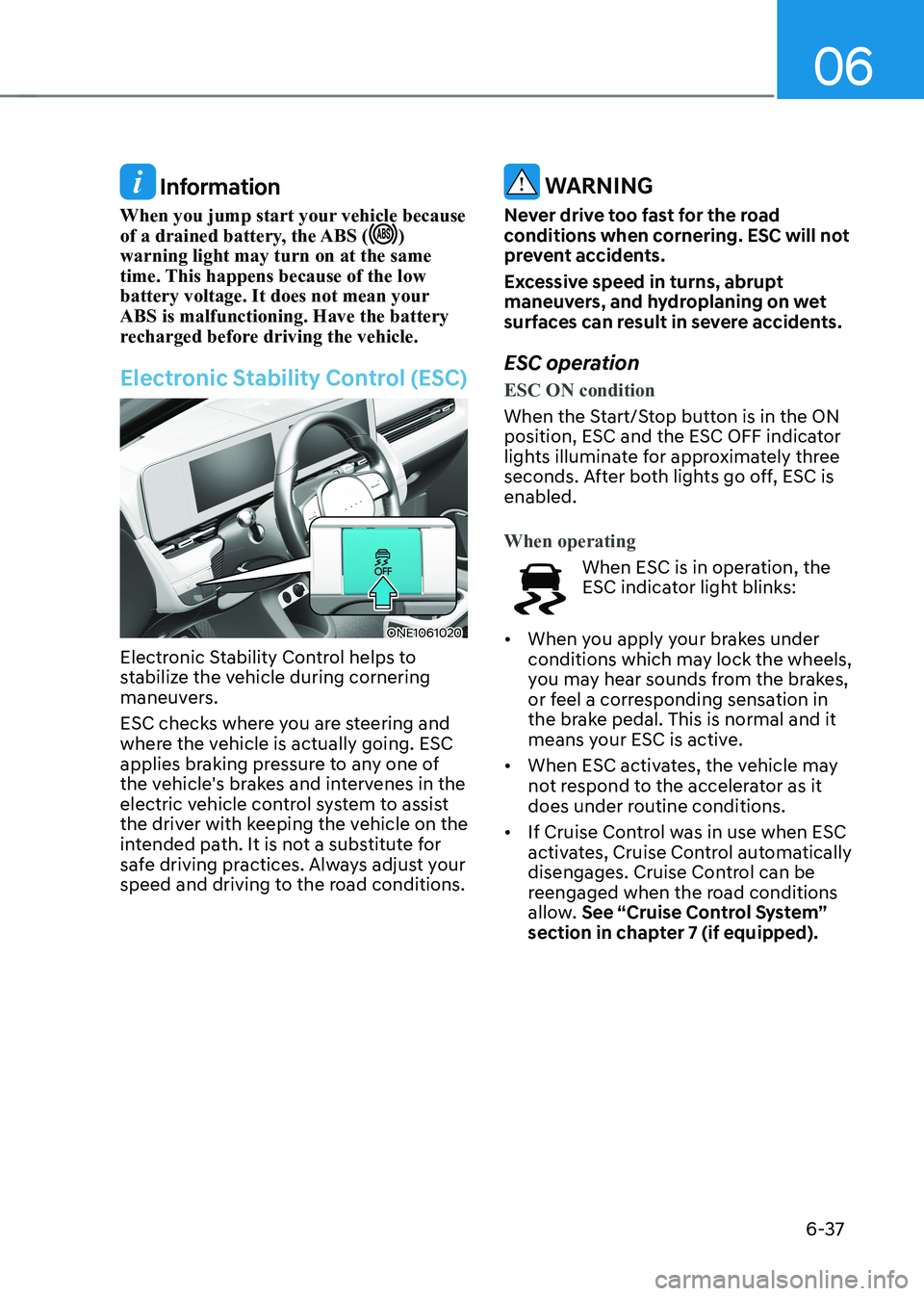
ONE1061020
Electronic Stability Control helps to
stabilize the vehicle during cornering
maneuvers.
ESC checks where you are steering and
where the vehicle is actually going. ESC
applies braking pressure to any one of
the vehicle's brakes and intervenes in the
electric vehicle control system to assist
the driver with keeping the vehicle on the
intended path. It is not a substitute for
safe driving practices. Always adjust your
speed and driving to the road conditions.
WARNING
Never drive too fast for the road
conditions when cornering. ESC will not
prevent accidents.
Excessive speed in turns, abrupt
maneuvers, and hydroplaning on wet
surfaces can result in severe accidents.
ESC operation
ESC ON condition
When the Start/Stop button is in the ON
position, ESC and the ESC OFF indicator
lights illuminate for approximately three
seconds. After both lights go off, ESC is enabled.
When operating
When ESC is in operation, the
ESC indicator light blinks:
• When you apply your brakes under
conditions which may lock the wheels,
you may hear sounds from the brakes,
or feel a corresponding sensation in
the brake pedal. This is normal and it
means your ESC is active.
• When ESC activates, the vehicle may
not respond to the accelerator as it
does under routine conditions.
• If Cruise Control was in use when ESC
activates, Cruise Control automatically
disengages. Cruise Control can be
reengaged when the road conditions
allow. See “Cruise Control System”
section in chapter 7 (if equipped).
Page 365 of 680
06
6-39
NOTICE
Driving with wheels and tires with
different sizes may cause the ESC
system to malfunction. Before replacing
tires, make sure all four tires and wheels
are the same size. Never drive the
vehicle with different sized wheels and
tires installed. ESC OFF usage
When Driving
The ESC OFF mode should only be used
briefly to help free the vehicle if stuck in
snow or mud, by temporarily stopping
operation of ESC, to maintain wheel
torque.
To turn ESC off while driving, press the
ESC OFF button while driving on a flat
road surface.
NOTICE
To prevent damage to the reduction gear: • Do not allow wheel(s) of one axle to
spin excessively while the ESC, ABS,
and Parking Brake warning lights
are displayed. The repairs would not
be covered by the vehicle warranty.
Reduce motor power and do not spin
the wheel(s) excessively while these
lights are displayed.
• When operating the vehicle
on a dynamometer, make sure
ESC is turned off (ESC OFF light
illuminated).
Information
• Turning ESC off does not affect ABS or standard brake system operation.
• Select 0 step of the regenerative
braking system and depress the brake
pedal around 10 times to efficiently apply brake disc cleaning.
Brake disc cleaning may decrease the
driving distance by restraining the
regenerative braking system. After
brake disc cleaning, the regenerative
braking system may be restored.
If the regenerative braking system
is not restored after the brake disc cleaning, have the vehicle inspected by
an authorized HYUNDAI dealer.
Page 398 of 680
Driving Your Vehicle
6-72
Safety chains
You should always attach chains between
your vehicle and your trailer.
Instructions about safety chains may
be provided by the hitch manufacturer
or trailer manufacturer. Follow the
manufacturer’s recommendation for
attaching safety chains. Always leave just
enough slack so you can turn with your
trailer. And, never allow safety chains to
drag on the ground.
Trailer brakes
If your trailer is equipped with a braking
system, make sure it conforms to
your country’s regulations and that
it is properly installed and operating
correctly.
If your trailer weighs more than the
maximum trailer weight without trailer
brakes loaded, then it needs its own
brakes and they must be adequate. Be
sure to read and follow the instructions
for the trailer brakes so you’ll be able
to install, adjust and maintain them
properly. Be sure not to modify your
vehicle’s brake system.
WARNING
Do not use a trailer with its own brakes
unless you are absolutely certain that
you have properly set up the brake
system. This is not a task for amateurs.
Use an experienced, competent trailer
shop for this work.
Driving with a Trailer
Towing a trailer requires a certain
amount of experience. Before setting
out for the open road, you must get to
know your trailer. Acquaint yourself with
the feel of handling and braking with the
added weight of the trailer. And always
keep in mind that the vehicle you are
driving is now longer and not nearly as
responsive as your vehicle is by itself.
Before you start, check the trailer hitch
and platform, safety chains, electrical
connector(s), lights, tires and brakes.
During your trip, occasionally check
to be sure that the load is secure, and
that the lights and trailer brakes are still
working.
Information
When the ambient temperature is lower
than 32°F (0°C) and the remaining high
voltage battery is low, the power of the
vehicle with a trailer can be dropped,
causing a trouble in acceleration or drop of the speed when driving hills.
When driving with a trailer, be sure to
charge the high voltage battery more than
50% if the ambient temperature is lower
than 32°F (0°C).
Page 400 of 680
Driving Your Vehicle
6 -74
Driving on hills
Reduce speed before you start down a
long or steep downgrade.
On a long uphill grade, reduce your
speed to around 45 mph (70 km/h)
to reduce the possibility of motor
overheating.
NOTICE
To prevent motor overheating:
When towing a trailer, your vehicle
speed may be much slower than the
general flow of traffic, especially when
climbing an uphill grade. Use the right
hand lane when towing a trailer on an
uphill grade. Choose your vehicle speed
according to the maximum posted
speed limit for vehicles with trailers, the
steepness of the grade, and your trailer
weight.Parking on hills
Generally, if you have a trailer attached
to your vehicle, you should not park your
vehicle on a hill.
However, if you ever have to park your
trailer on a hill, here’s how to do it: 1.
Pull the vehicle into the parking space.
Turn the steering wheel in the
direction of the curb (right if headed
down hill, left if headed up hill).
2. Shift the gear to P (Park).
3. Set the parking brake and shut off the vehicle.
4. Place wheel chocks under the trailer
wheels on the down hill side of the wheels.
5. Start the vehicle, hold the brakes, shift to neutral, release the parking brake
and slowly release the brakes until the
trailer chocks absorb the load.
6. Reapply the brakes and parking brakes.
7. Shift the gear to P (Park) when the
vehicle is parked on a uphill grade and
in R (Reverse) on a downhill.
8. Shut off the vehicle and release the vehicle brakes but leave the parking
brake set.
Page 477 of 680
07
7-7 5
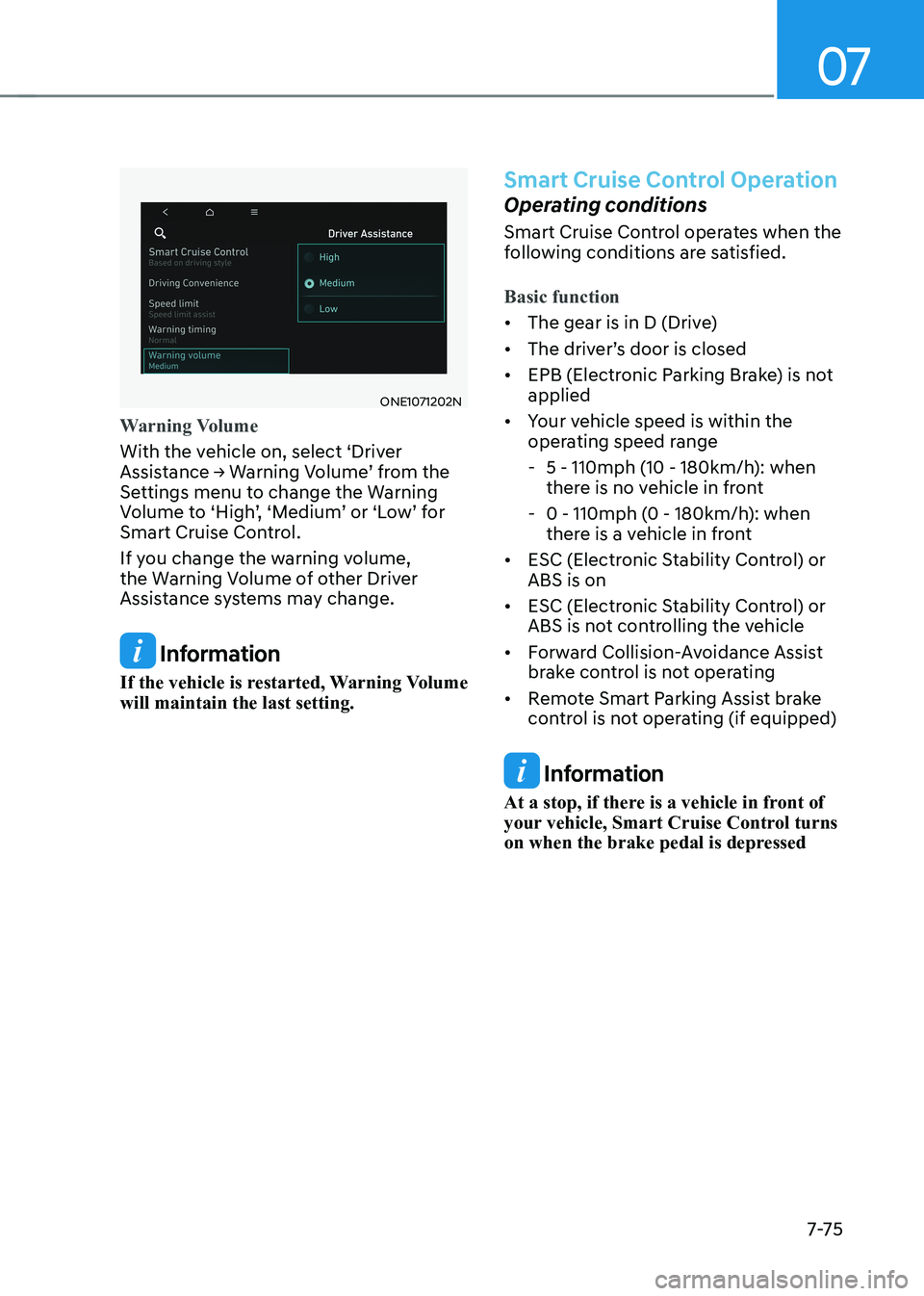
ONE1071202N
Warning Volume
With the vehicle on, select ‘Driver
Assistance → Warning Volume’ from the
Settings menu to change the Warning
Volume to ‘High’, ‘Medium’ or ‘Low’ for
Smart Cruise Control.
If you change the warning volume,
the Warning Volume of other Driver
Assistance systems may change.
Information
If the vehicle is restarted, Warning Volume will maintain the last setting.
Smart Cruise Control Operation
Operating conditions
Smart Cruise Control operates when the
following conditions are satisfied.
Basic function
• The gear is in D (Drive)
• The driver’s door is closed
• EPB (Electronic Parking Brake) is not applied
• Your vehicle speed is within the
operating speed range
- 5 - 110mph (10 - 180km/h): when
there is no vehicle in front
- 0 - 110mph (0 - 180km/h): when
there is a vehicle in front
• ESC (Electronic Stability Control) or ABS is on
• ESC (Electronic Stability Control) or
ABS is not controlling the vehicle
• Forward Collision-Avoidance Assist
brake control is not operating
• Remote Smart Parking Assist brake
control is not operating (if equipped)
Information
At a stop, if there is a vehicle in front of
your vehicle, Smart Cruise Control turns
on when the brake pedal is depressed
Page 508 of 680
Driver Assistance System
7-106
•
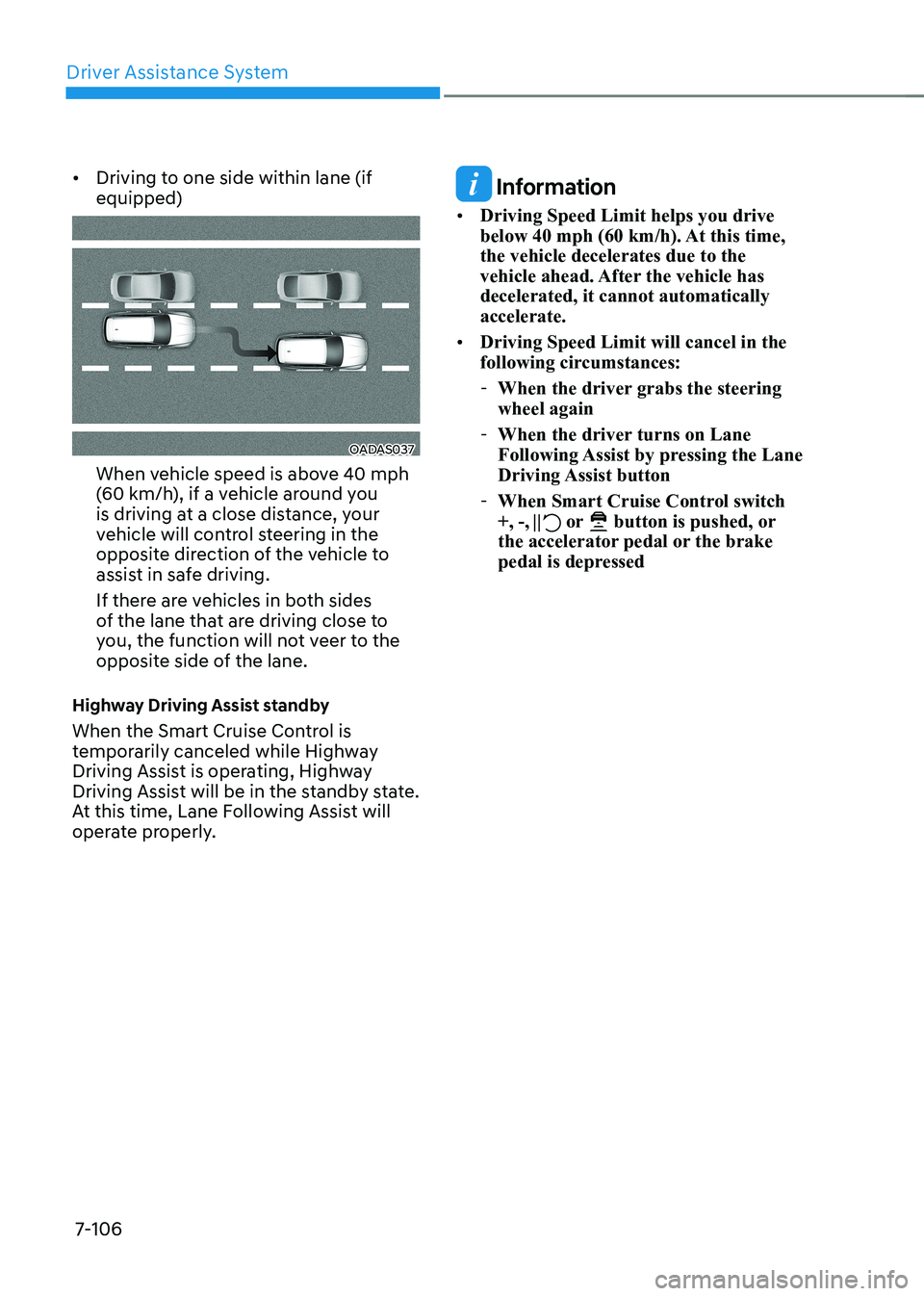
Driving to one side within lane (if equipped)
OADAS037
When vehicle speed is above 40 mph
(60 km/h), if a vehicle around you
is driving at a close distance, your
vehicle will control steering in the
opposite direction of the vehicle to
assist in safe driving.
If there are vehicles in both sides
of the lane that are driving close to
you, the function will not veer to the
opposite side of the lane.
Highway Driving Assist standby
When the Smart Cruise Control is
temporarily canceled while Highway
Driving Assist is operating, Highway
Driving Assist will be in the standby state.
At this time, Lane Following Assist will
operate properly.
Information
• Driving Speed Limit helps you drive
below 40 mph (60 km/h). At this time, the vehicle decelerates due to the
vehicle ahead. After the vehicle has decelerated, it cannot automatically accelerate.
• Driving Speed Limit will cancel in the
following circumstances:
- When the driver grabs the steering wheel again
- When the driver turns on Lane
Following Assist by pressing the Lane
Driving Assist button
- When Smart Cruise Control switch +, -,
or button is pushed, or
the accelerator pedal or the brake
pedal is depressed
Page 538 of 680
Driver Assistance System
7-136
WARNING
• Reverse Parking Distance Warning
is a supplemental function. The
operation of Reverse Parking
Distance Warning can be affected
by several factors (including
environmental conditions). It is the
responsibility of the driver to always
check the rear view before and while parking.
• Your new vehicle warranty does not
cover any accidents or damage to
the vehicle due to the malfunction of
Reverse Parking Distance Warning.
• Pay close attention when driving
near objects, pedestrians, and
especially children. Some objects
may not be detected by the
ultrasonic sensors, due to the objects
distance, size or material, all of
which can limit the effectiveness of
the sensor.
Limitations of Reverse Parking
Distance Warning • Reverse Parking Distance Warning
may not operate properly when:
- Moisture is frozen to the sensor
- Sensor is covered with foreign material, such as snow or water
(Reverse Parking Distance Warning
will operate properly when such
foreign material are removed.)
- The weather is extremely hot or cold The sensor or sensor assembly is disassembled
- The surface of the sensor is pressed hard or hit with a hard object
- The surface of the sensor is scratched with a sharp object
- The sensors or its surrounding area is directly sprayed with high
pressure washer •
Reverse Parking Distance Warning
may malfunction when:
- Heavy rain or water spray is present
- Water flows on the surface of the sensor
- Affected by another vehicle’s sensors
- The sensor is covered with snow
- Driving on uneven road, gravel roads or bushes
- Objects that generates ultrasonic waves are near the sensor
- License plate is installed in a different spot from the original
location
- The vehicle bumper height or ultrasonic sensor installation has been modified
- Attaching equipment or accessories next to the ultrasonic sensors
• The following objects may not be
detected:
- Sharp or slim objects, such as ropes, chains or small poles.
- Objects, which tend to absorb sensor frequency, such as clothes,
spongy material or snow.
- Objects smaller than 40 in. (100 cm) in length and narrower than 6 in. (14
cm) in diameter.
- Pedestrians, animals or objects that are very close to the ultrasonic
sensors
• Parking Distance Warning Indicators
may be displayed differently from
the actual detected location when
the obstacle is located between the
sensors.
• Parking Distance Warning indicator
may not occur sequentially depending
on vehicle speed or obstacle shape.
• If Reverse Parking Distance Warning
needs repair, have the vehicle be
inspected by an authorized HYUNDAI
dealer.
Page 543 of 680
07
7-141
Limitations of Forward/Reverse
Parking Distance Warning •
Forward/Reverse Parking Distance
Warning may not operate properly when:
- Moisture is frozen to the sensor
- Sensor is covered with substance, such as snow or water (Forward/
Reverse Parking Distance Warning
will operate properly when such
substance is removed.)
- The weather is extremely hot or cold
- The sensor or sensor assembly is disassembled
- The surface of the sensor is pressed hard or hit with a hard object
- The surface of the sensor is scratched with a sharp object
- The sensors or its surrounding area is directly sprayed with high
pressure washer
• Forward/Reverse Parking Distance
Warning may malfunction when:
- Heavy rain or water spray is present
- Water flows on the surface of the sensor
- Affected by another vehicle’s sensors
- The sensor is covered with snow or ice
- Driving on uneven road, gravel roads or bushes
- Objects that generates ultrasonic waves are near the sensor - License plate is installed in a
different spot from the original
location
- The vehicle bumper height or ultrasonic sensor installation has been modified
- Attaching equipment or accessories next to the ultrasonic sensors
• The following objects may not be
detected:
- Sharp or slim objects, such as ropes, chains or small poles.
- Objects, which tend to absorb sensor frequency, such as clothes,
spongy material or snow.
- Objects smaller than 40 in. (100 cm) in length and narrower than 6 in. (14
cm) in diameter.
- Pedestrians, animals or objects that are very close to the ultrasonic
sensors
• Parking Distance Warning Indicators
may be displayed differently from
the actual detected location when
the obstacle is located between the
sensors.
• Parking Distance Warning indicator
may not occur sequentially depending
on vehicle speed or obstacle shape.
• If Forward/Reverse Parking Distance
Warning needs repair, have the
vehicle be inspected by an authorized
HYUNDAI dealer.
Page 559 of 680
07
7-157
•
The vehicle moves 22 ft. (7 m) while
the smart key is pressed with Remote
Operation function (maximum travel
distance per button press)
When Remote Operation function is
paused, the vehicle will stop. If the
condition that made the function to
pause disappears, the function may
operate again.
The function will cancel in the
following conditions when: • The steering wheel is steered
• The gear is shifted while the vehicle is
moving
• Operating EPB while the vehicle is
moving
• The vehicle hood is open
• The brake pedal or accelerator pedal
is depressed when all the doors are closed
• The smart key is outside the vehicle
when the brake pedal is depressed
while the driver's door is open
• Rapid acceleration occurs
• Vehicle skid occurs
• The wheel is stuck by an obstacle and
cannot move •
Approximately 3 minutes and 50
seconds has passed after Remote
Operation function has started to
operate
• The slope of the road exceeds the
operational range
• The function is paused for more than
1 minute
• The total travel distance of the vehicle
has exceeded 45 ft. (14 m) after
Remote Operation function operation
• The steering wheel, gearshift, braking,
and drive controls are not working
properly
• There is a problem with the smart key
or the smart key battery is low
• ABS, TCS or ESC system operates due
to slippery road conditions
• The alarm of the Theft Alarm System sounds
• The Charging door opens
• The EV mode is utility mode
When Remote Operation function is
canceled, the vehicle will automatically
stop, shift the gear to P (Park) and
engage EPB (Electronic Parking Brake).