digital HYUNDAI IONIQ 5 2023 User Guide
[x] Cancel search | Manufacturer: HYUNDAI, Model Year: 2023, Model line: IONIQ 5, Model: HYUNDAI IONIQ 5 2023Pages: 680, PDF Size: 48.22 MB
Page 216 of 680
Convenience Features
5-24
Digital key (Card key)
Digital key (Card key) save
1. Install Hyundai digital key app in
main user’s smartphone and register
the digital key (smartphone). Please
refer to the registration method of the
digital key (smartphone).
2. Using the [Pair Card Key] menu on the digital key application, you can
activate the Card Key registration mode.
à NFC authentication : enter the NFC
authentication menu and contact the smartphone on the outside door handle.
à Bluetooth authentication : enter the
Bluetooth authentication menu and
press the [OK] button for activation.
If you activate the registration mode,
you should complete the Card saving
process within 5 minutes.
à If you have not registered the digital
key (smartphone), please register the
digital key (card key) with two smart
keys. 3. Register the NFC card key on the
User’s Settings menu after turning on
the vehicle.
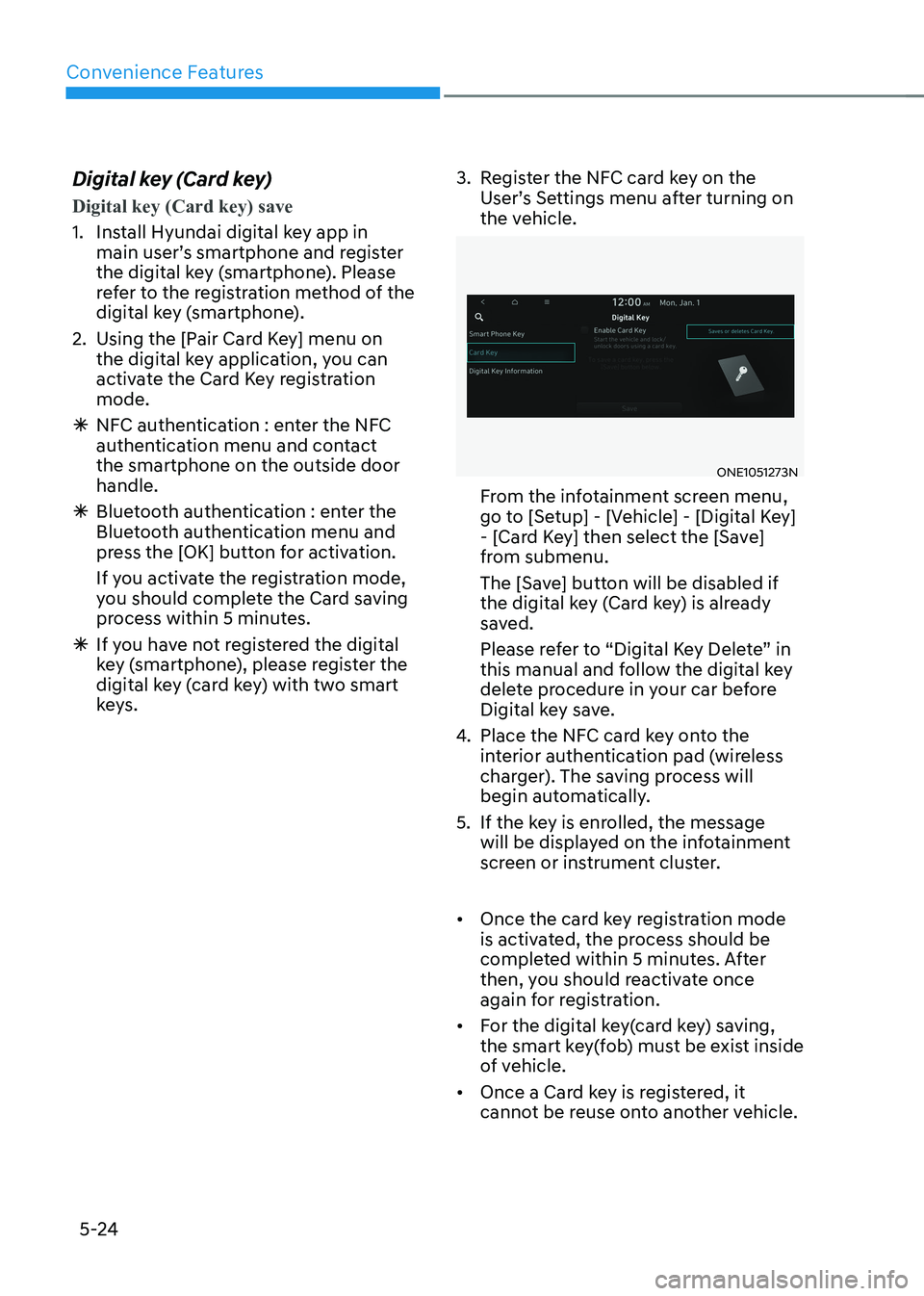
ONE1051273N
From the infotainment screen menu,
go to [Setup] - [Vehicle] - [Digital Key]
- [Card Key] then select the [Save]
from submenu.
The [Save] button will be disabled if
the digital key (Card key) is already
saved.
Please refer to “Digital Key Delete” in
this manual and follow the digital key
delete procedure in your car before
Digital key save.
4. Place the NFC card key onto the
interior authentication pad (wireless
charger). The saving process will
begin automatically.
5. If the key is enrolled, the message will be displayed on the infotainment
screen or instrument cluster.
• Once the card key registration mode
is activated, the process should be
completed within 5 minutes. After
then, you should reactivate once
again for registration.
• For the digital key(card key) saving,
the smart key(fob) must be exist inside
of vehicle.
• Once a Card key is registered, it
cannot be reuse onto another vehicle.
Page 217 of 680
05
5-25
Digital key (Card key) deletion
You should have the smart key to delete
the digital key (card key) so please carry
around the key.
1. Get on the vehicle with the smart key.
2. Delete the NFC card key on the User’s Settings menu after turning on the engine.
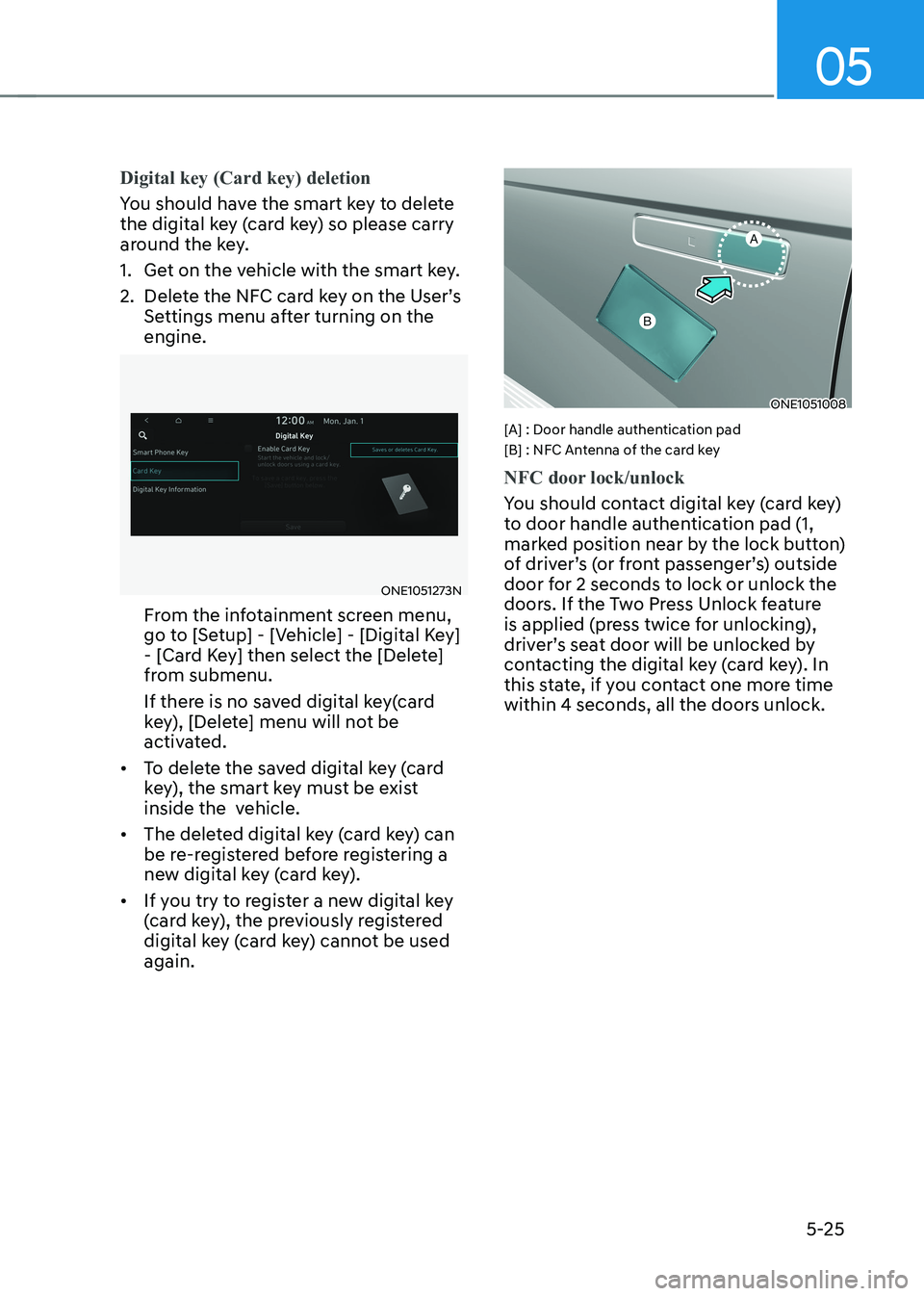
ONE1051273N
From the infotainment screen menu,
go to [Setup] - [Vehicle] - [Digital Key]
- [Card Key] then select the [Delete]
from submenu.
If there is no saved digital key(card
key), [Delete] menu will not be
activated.
• To delete the saved digital key (card
key), the smart key must be exist
inside the vehicle.
• The deleted digital key (card key) can
be re-registered before registering a
new digital key (card key).
• If you try to register a new digital key
(card key), the previously registered
digital key (card key) cannot be used again.
ONE1051008
[A] : Door handle authentication pad
[B] : NFC Antenna of the card key
NFC door lock/unlock
You should contact digital key (card key)
to door handle authentication pad (1,
marked position near by the lock button)
of driver’s (or front passenger’s) outside
door for 2 seconds to lock or unlock the
doors. If the Two Press Unlock feature
is applied (press twice for unlocking),
driver’s seat door will be unlocked by
contacting the digital key (card key). In
this state, if you contact one more time
within 4 seconds, all the doors unlock.
Page 218 of 680
Convenience Features
5-26
Inoperable condition
If you do not contact the digital key (card
key) to the center of the door handle
authentication pad accurately., it may
not work. In addition, if you overlap and
use the key with NFC-enabled cards such
as transportation card or credit card, it
does not work.
Note that if you try to lock your vehicle
with digital key (card key) in following
cases, the doors will not be locked and
chime will sound for 3 seconds. •
The Smart Key is in the vehicle.
• The Engine Start/Stop button is in
ACC or ON position.
• Any of the doors, hood and trunk are open
If the digital key (card key) does not
work, please detach the key around
4 inches (0.1 m) from the handle
authentication pad and retry to contact.
The card key may be damaged by the
impact. It would not work properly if
the key is damaged. You should buy a
new card and register again. Long-time
exposure to high temperature may cause
the card key to malfunction. Please be
careful not to expose the key to direct
sunlight or high temperature.
After unlock the door or start up the
vehicle with digital key, even though
the driver tries to lock the doors by the
central door lock switch, the door lock
will be once locked and immediately
released at the moment of door closed.
Start-up with Card key
After placing your registered card key
onto the interior authentication pad
(wireless charger), step on the brake and
press the Engine Start/Stop button.
WARNING
• If you do not place the digital key
(card key) onto the center of the
interior authentication pad (wireless
charger) exactly, the card key may
not be recognized. If the engine is
not turned on, adjust and place the
key again.
• If you overlap and use the key
with NFC-enabled cards such as
transportation card or credit card,
the card key may not be recognized.
• If the digital key (card key) does not
work, please detach the key around
4 inches (0.1 m) from the handle
authentication pad and retry to
contact.
• The card key may be damaged due to
impact. It would not work properly if
the key is damaged. You should buy a
new card and register again.
For more information, refer to the
Engine Start/Stop button in chapter 6.
Page 219 of 680
05
5-27
Digital key application/cancellation
If you do not want to use the digital key
(smartphone and card key), you can
disable the function temporarily. You
should have the smart key when you
change the settings
From the infotainment screen menu,
go to [Setup] - [Vehicle] - [Digital Key] -
[Enable Digital Keys] (deselect)
Information
For the digital key disable, the smart key
must be exist inside the car. For the digital key enable, the smart key is not needed.
CAUTION
If you uncheck Enable digital keys, it is
impossible to lock or unlock the doors
or start up the vehicle with digital keys
such as smartphone and card key. If
you check Enable digital keys again, the
registered digital keys(smartphone and
card key) are available. Even though
you stop the digital key function, the
registered keys (smartphone and card
key) are not deleted. Personalized profile and vehicle
settings
Connect the registered digital key with
personalized profile. Then in case you lock or unlock the door with the digital
key NFC function or unlock the door
remotely by digital key application
Bluetooth connection, the vehicle
will play the personalized user profile
settings. Profile connection and
personalization are available for Driver 1
and Driver 2.
Profile link/unlinked
Profile link
1. Select Setup → User Profile →
Profile Settings → Link Digital Key
(Smartphone) on the infotainment
system menu.
2. Unlock and place your smartphone on the wireless charger according to a
message and it automatically starts to
interwork.
3. It begins the profile link with a message.
4. If you select Link, the registered phone number’s digital key and the
user’s profile are linked.
5. The interconnection process is completed with a message.
Page 220 of 680
Convenience Features
5-28
Profile unlink
1. Select Digital Key information on
infotainment Vehicle Settings menu. It
is possible to unlink only if the profile
is interconnected.
2. Profile unlink is completed with a message.
Information
If you connect both Driver 1 and Driver 2 with a single smartphone, the smartphone
digital key always works as Driver 1.
If you unlink the Driver 1, personalization
function will operate as Driver 2.
PRECAUTION for vehicle profile link and unlink
When you link or unlink the profile of
digital key, you should be careful of the
following. • Profile link is possible to use with the
digital key. (Infotainment Vehicle
Settings Mode → Digital Key → Enable
Digital Keys)
• Profile link information remains even
when you set the digital key function disable.
• Only the smart phone with digital key
app enables you to link your profile.
(Impossible to link with NFC card)
• Profile link works only when the
smart phone and the digital key are
registered to the vehicle. The smart
phone with another vehicle’s digital
key cannot link profile.
• If you remove the smart phone
from the wireless charger before
completing the profile link, it does not
work.
• To unlink the profile, the smart phone
does not need to be on the wireless
charger.
Vehicle personalization operation
The personalization function linked with
digital key works as following conditions: • Contact the driver’s door handle with
the profile linked smart phone to lock
or unlock the doors (Personalization
does not operate when locking or
unlocking the front passenger door.)
• Remote door unlock with the profile
linked smartphone digital key app.
The profile linked with digital key can be
changed manually in the infotainment
system setup screen.
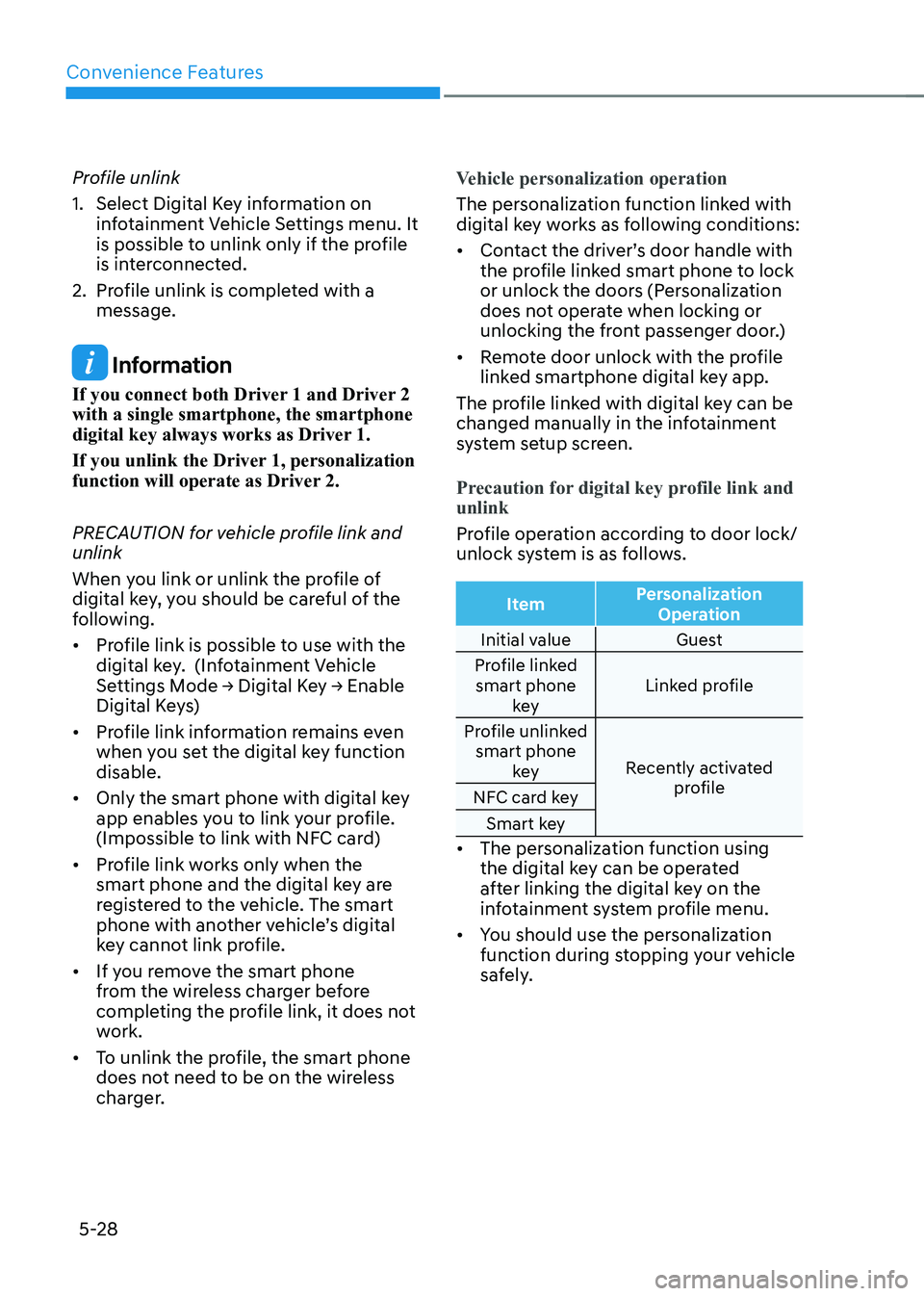
Precaution for digital key profile link and unlink
Profile operation according to door lock/
unlock system is as follows.
Item Personalization
Operation
Initial value Guest
Profile linked smart phone key Linked profile
Profile unlinked smart phone key Recently activated
profile
NFC card key
Smart key
• The personalization function using
the digital key can be operated
after linking the digital key on the
infotainment system profile menu.
• You should use the personalization
function during stopping your vehicle
safely.
Page 221 of 680
05
5-29
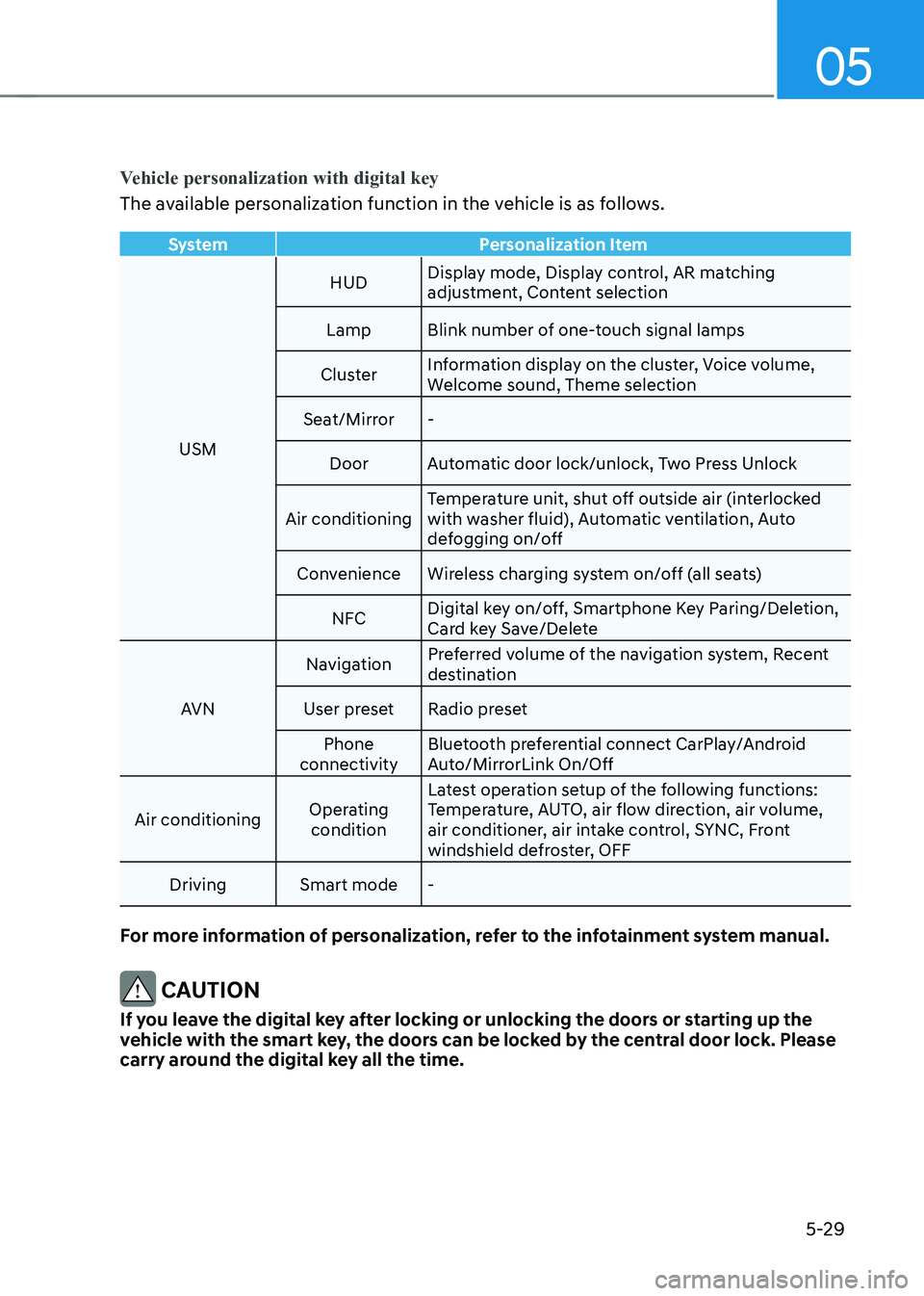
Vehicle personalization with digital key
The available personalization function in the vehicle is as follows.
SystemPersonalization Item
USMHUD
Display mode, Display control, AR matching
adjustment, Content selection
Lamp Blink number of one-touch signal lamps
Cluster Information display on the cluster, Voice volume,
Welcome sound, Theme selection
Seat/Mirror -
Door Automatic door lock/unlock, Two Press Unlock
Air conditioning Temperature unit, shut off outside air (interlocked
with washer fluid), Automatic ventilation, Auto
defogging on/off
Convenience Wireless charging system on/off (all seats)
NFC Digital key on/off, Smartphone Key Paring/Deletion,
Card key Save/Delete
AVN Navigation
Preferred volume of the navigation system, Recent
destination
User preset Radio preset Phone
connectivity Bluetooth preferential connect CarPlay/Android
Auto/MirrorLink On/Off
Air conditioning Operating
condition Latest operation setup of the following functions:
Temperature, AUTO, air flow direction, air volume,
air conditioner, air intake control, SYNC, Front
windshield defroster, OFF
Driving Smart mode -
For more information of personalization, refer to the infotainment system manual.
CAUTION
If you leave the digital key after locking or unlocking the doors or starting up the
vehicle with the smart key, the doors can be locked by the central door lock. Please
carry around the digital key all the time.
Page 225 of 680
05
5-33
NOTICE
• If the door is locked/unlocked
multiple times in rapid succession
with the smart key, door lock button
or door lock switch, the system
may stop operating temporarily in
order to protect the circuit. Also,
the “Approach unlock” system may
not operate. Try operation after a
sufficient time in case the system
does not operate due to multiple
operations.
• “Approach unlock” system is not
operated continuously. Retry after a
certain period of time when all the
doors are closed.
Information
• In cold and wet climates, door lock
and door mechanisms may not work
properly due to freezing conditions.
• If the door is locked/unlocked multiple
times in rapid succession with either
the vehicle key or door lock switch, the system may stop operating temporarily
in order to protect the circuit and
prevent damage to system components.
• When washing the vehicle
- Self car wash
Keep the door locked with the outside
door handle closed.
To keep the door unlocked, push
back the outside door handle by
hand. This function prevents the door
handle from being damaged, and the
door handle pops out again when the
unlock button is pressed.
- Auto car wash
Keep the door locked with the outside
door handle closed. If the Smart Key is not in the vehicle, turn off the vehicle and stay the Smart Key away at least 2 m (78
in.) from the vehicle to prevent the
outside door handle operates.
Digatal key (if equipped)
Refer to ‘HYUNDAI digital key’ of this
chapter to lock or unlock the door from
outside vehicle with digital key.
Pull the outside door handle to open the
door after unlocking the door. Push the
door to close.
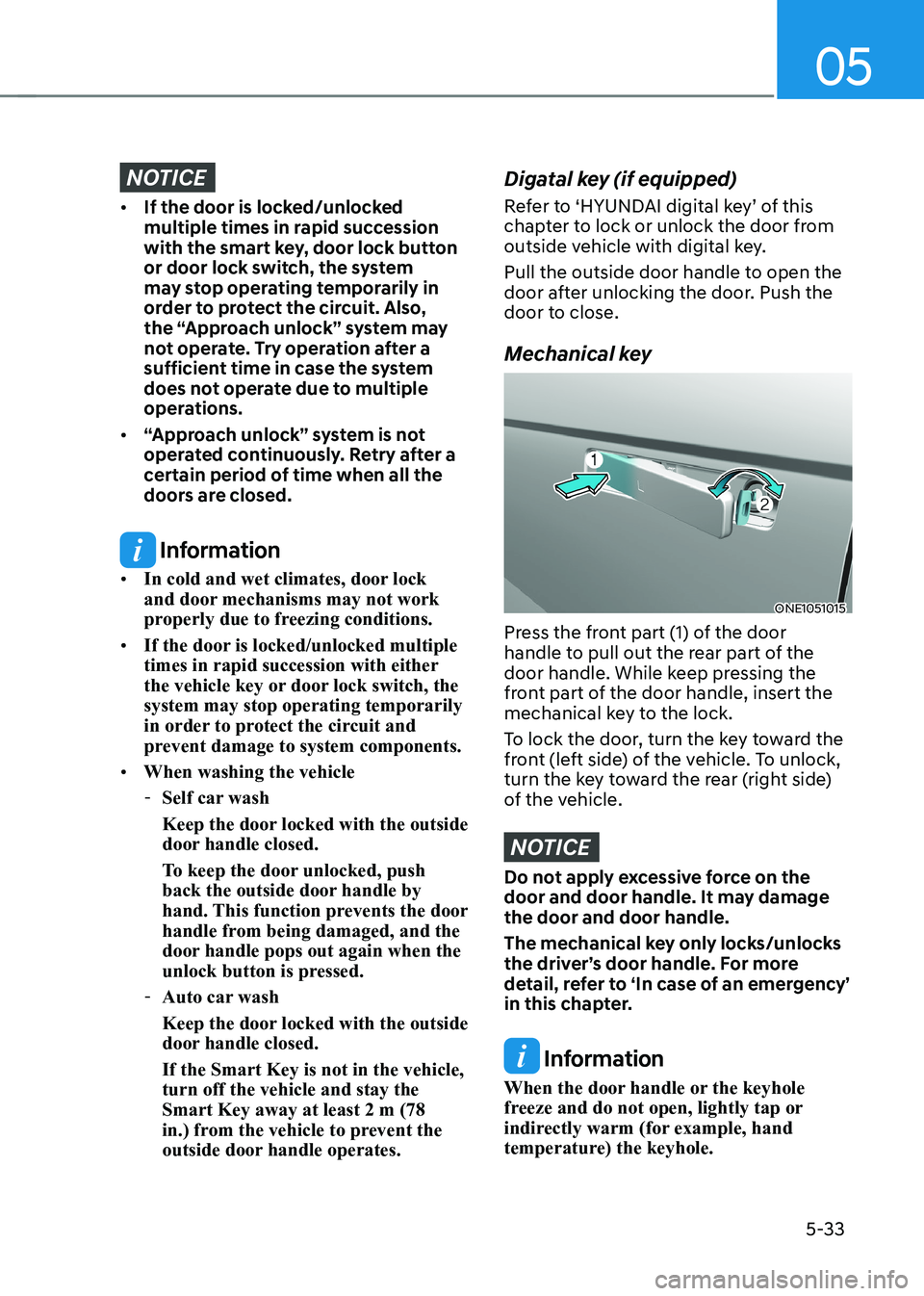
Mechanical key
ONE1051015
Press the front part (1) of the door
handle to pull out the rear part of the
door handle. While keep pressing the
front part of the door handle, insert the
mechanical key to the lock.
To lock the door, turn the key toward the
front (left side) of the vehicle. To unlock,
turn the key toward the rear (right side)
of the vehicle.
NOTICE
Do not apply excessive force on the
door and door handle. It may damage the door and door handle.
The mechanical key only locks/unlocks
the driver’s door handle. For more
detail, refer to ‘In case of an emergency’
in this chapter.
Information
When the door handle or the keyhole
freeze and do not open, lightly tap or
indirectly warm (for example, hand
temperature) the keyhole.
Page 667 of 680
Index
I-2
A
Accessing Your Vehicle ......................................................................................... 5-4
Hyundai Digital Key ....................................................................................... 5-15
Immobilizer System ......................................................................................... 5-14
Smart Key ........................................................................................................... 5-4
Active Air Flap .................................................................................................... 6-52
Malfunction ...................................................................................................... 6-52
Air Bag - Supplemental Restraint System ...........................................................3-49
Additional Safety Precautions .......................................................................... 3-71
Air Bag Warning Labels ................................................................................... 3-71
How does the Air Bags System Operate? .........................................................3-54
Occupant Classification System (OCS) ...........................................................3-59
SRS Care .......................................................................................................... 3-70
What to Expect After an Air Bag Inflates ........................................................3-58
Where are the Air Bags? ................................................................................... 3-51
Why didn’t my air bag go off in a collision? ...................................................3-65
Air Conditioner Compressor Label ..................................................................... 2-15
Air Conditioning System ..................................................................................... 2-11
All Wheel Drive (AWD) ..................................................................................... 6-43
Emergency Precautions .................................................................................... 6-45
Appearance care................................................................................................... 9-56
Exterior Care .................................................................................................... 9-56
Interior Care ..................................................................................................... 9-61
Augmented Reality HUD .................................................................................... 5-82
Head-up display Information ........................................................................... 5-83
Head-up display Settings .................................................................................. 5-82
Precautions while Using the Head-up display ..................................................5-84
Automatic Climate Control System ..................................................................... 5-99
Automatic Temperature Control Mode ..........................................................5-100
Climate ........................................................................................................... 5-100
Manual Temperature Control Mode ............................................................... 5-102
System Maintenance ...................................................................................... 5-111
System Operation ........................................................................................... 5-110
Available Front Trunk Weight ............................................................................. 2-11