stop button HYUNDAI IONIQ 5 2023 Repair Manual
[x] Cancel search | Manufacturer: HYUNDAI, Model Year: 2023, Model line: IONIQ 5, Model: HYUNDAI IONIQ 5 2023Pages: 680, PDF Size: 48.22 MB
Page 256 of 680
Convenience Features
5-64
Power Windows
The Start/Stop button must be in
the ON position to be able to raise or
lower the windows. Each door has a
Power Window switch to control that
door’s window. The driver has a Power
Window Lock button which can block
the operation of passenger windows.
The power windows will operate for
approximately 3 minutes after the
Start/Stop button is in the ACC or OFF
position. However, if the front doors are
opened, the Power Windows will not
operate even within the 3 minute period.
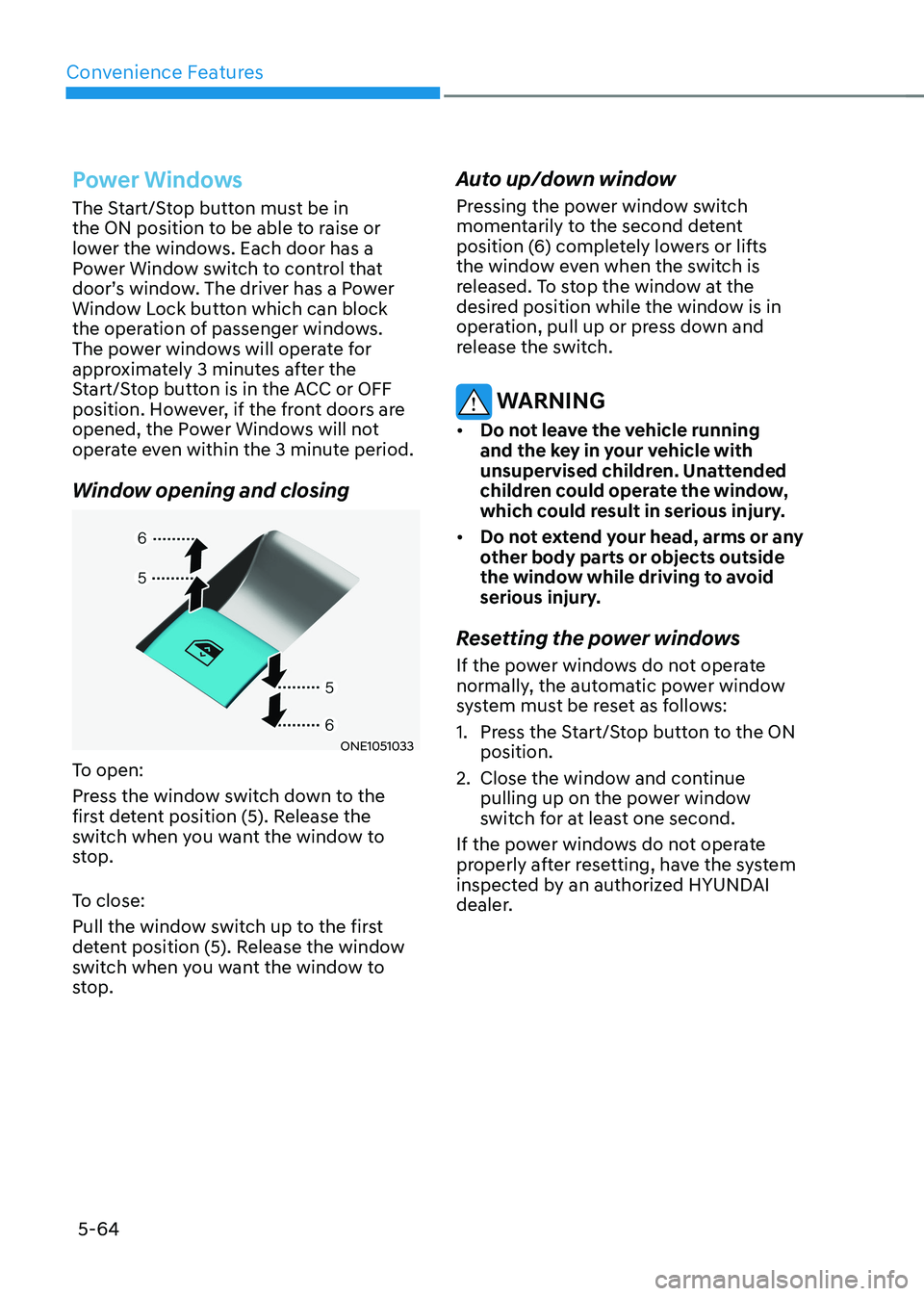
Window opening and closing
ONE1051033
To open:
Press the window switch down to the
first detent position (5). Release the
switch when you want the window to
stop.
To close:
Pull the window switch up to the first
detent position (5). Release the window
switch when you want the window to
stop. Auto up/down window
Pressing the power window switch
momentarily to the second detent
position (6) completely lowers or lifts
the window even when the switch is
released. To stop the window at the
desired position while the window is in
operation, pull up or press down and
release the switch.
WARNING
• Do not leave the vehicle running
and the key in your vehicle with
unsupervised children. Unattended
children could operate the window,
which could result in serious injury.
• Do not extend your head, arms or any
other body parts or objects outside
the window while driving to avoid
serious injury.
Resetting the power windows
If the power windows do not operate
normally, the automatic power window
system must be reset as follows:
1. Press the Start/Stop button to the ON position.
2. Close the window and continue pulling up on the power window
switch for at least one second.
If the power windows do not operate
properly after resetting, have the system
inspected by an authorized HYUNDAI
dealer.
Page 257 of 680
05
5-65
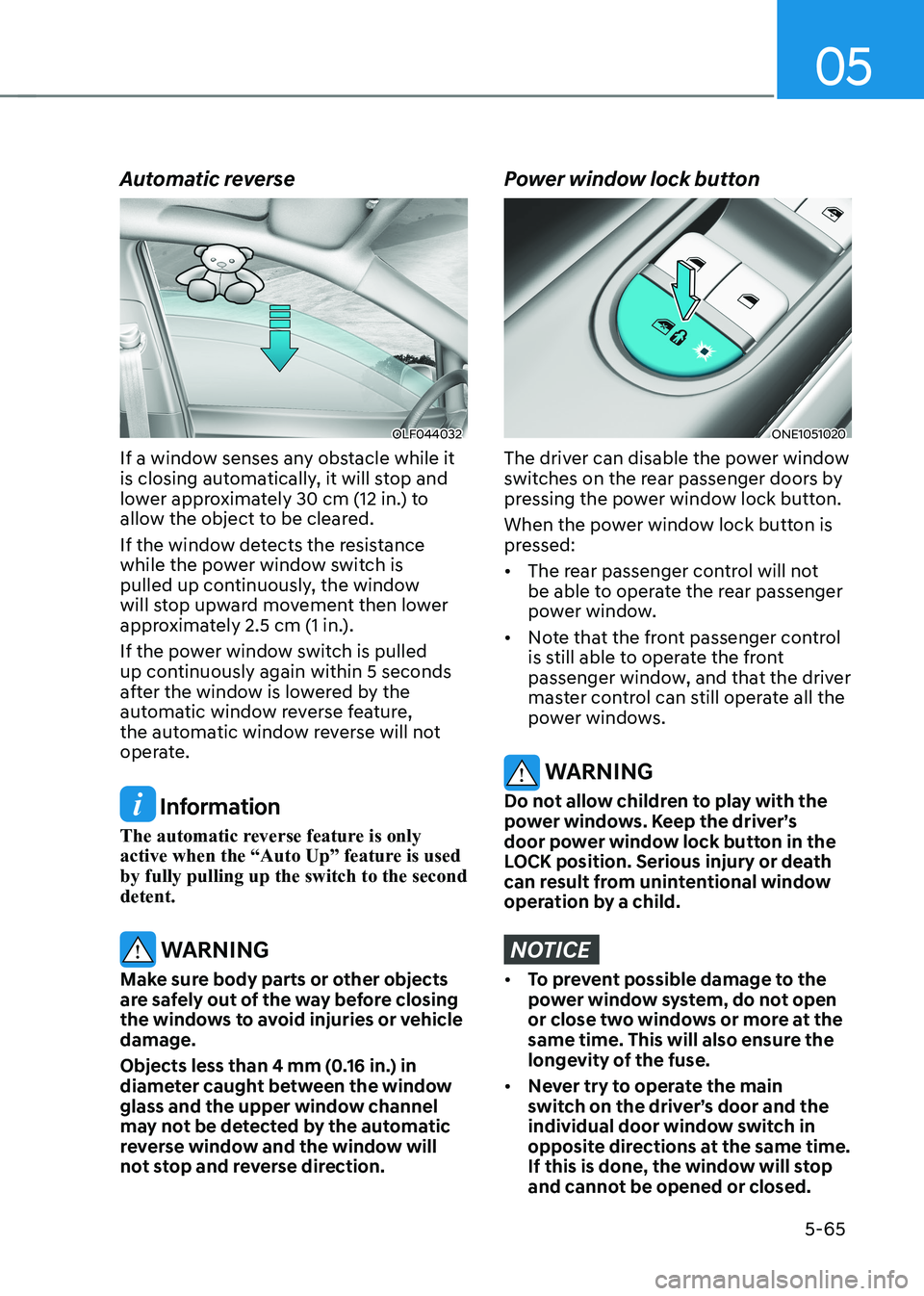
Automatic reverse
OLF044032
If a window senses any obstacle while it
is closing automatically, it will stop and
lower approximately 30 cm (12 in.) to
allow the object to be cleared.
If the window detects the resistance
while the power window switch is
pulled up continuously, the window
will stop upward movement then lower
approximately 2.5 cm (1 in.).
If the power window switch is pulled
up continuously again within 5 seconds
after the window is lowered by the
automatic window reverse feature,
the automatic window reverse will not
operate.
Information
The automatic reverse feature is only
active when the “Auto Up” feature is used by fully pulling up the switch to the second detent.
WARNING
Make sure body parts or other objects
are safely out of the way before closing
the windows to avoid injuries or vehicle damage.
Objects less than 4 mm (0.16 in.) in
diameter caught between the window
glass and the upper window channel
may not be detected by the automatic
reverse window and the window will
not stop and reverse direction.
Power window lock button
ONE1051020
The driver can disable the power window
switches on the rear passenger doors by
pressing the power window lock button.
When the power window lock button is
pressed: • The rear passenger control will not
be able to operate the rear passenger
power window.
• Note that the front passenger control
is still able to operate the front
passenger window, and that the driver
master control can still operate all the
power windows.
WARNING
Do not allow children to play with the
power windows. Keep the driver’s
door power window lock button in the
LOCK position. Serious injury or death
can result from unintentional window
operation by a child.
NOTICE
• To prevent possible damage to the
power window system, do not open
or close two windows or more at the
same time. This will also ensure the
longevity of the fuse.
• Never try to operate the main
switch on the driver’s door and the
individual door window switch in
opposite directions at the same time.
If this is done, the window will stop
and cannot be opened or closed.
Page 258 of 680
Convenience Features
5-66
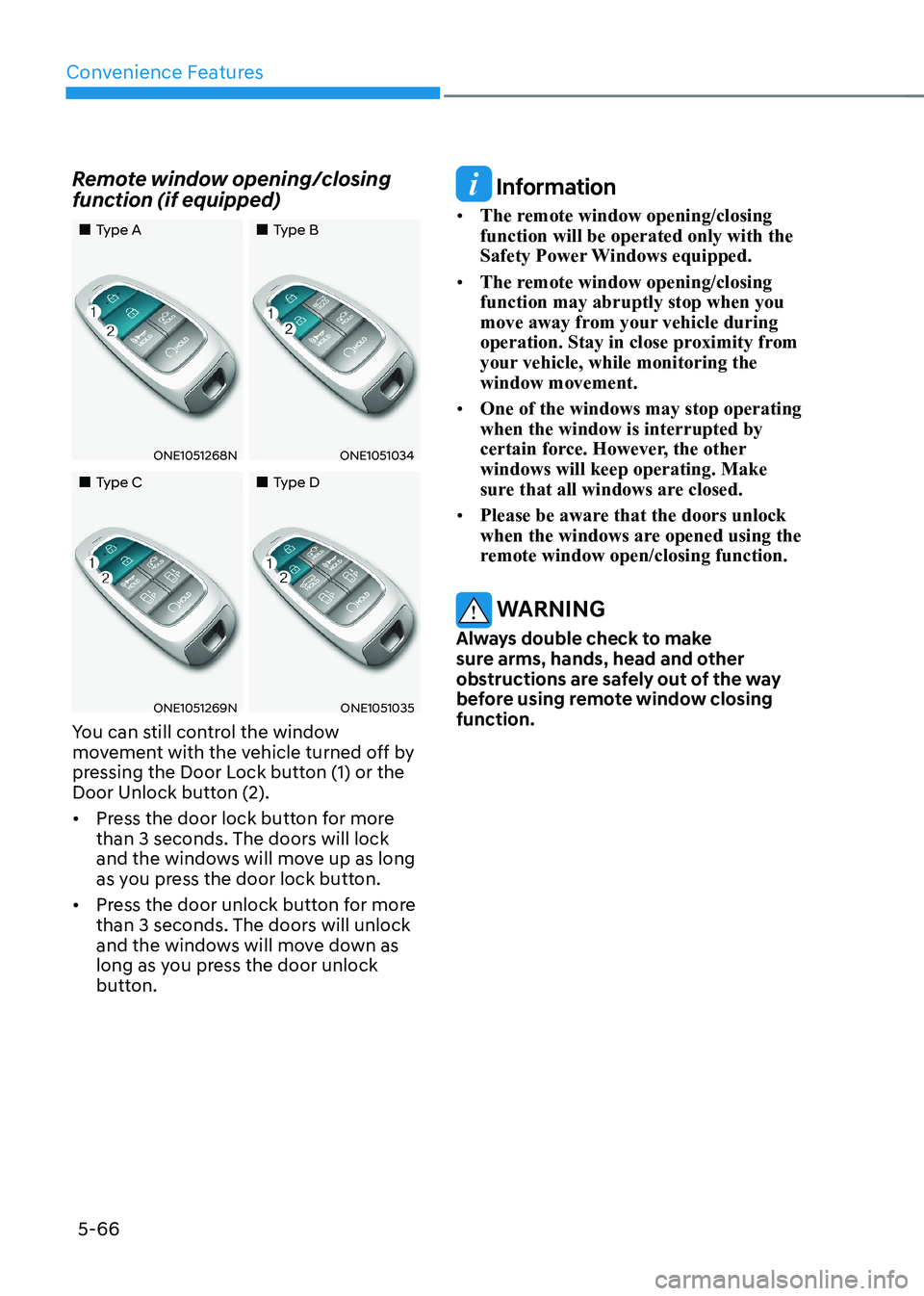
Remote window opening/closing
function (if equipped)
„„Type A
„„Type B
ONE1051268NONE1051034
„„Type C„„Type D
ONE1051269NONE1051035
You can still control the window
movement with the vehicle turned off by
pressing the Door Lock button (1) or the
Door Unlock button (2). • Press the door lock button for more
than 3 seconds. The doors will lock
and the windows will move up as long
as you press the door lock button.
• Press the door unlock button for more
than 3 seconds. The doors will unlock
and the windows will move down as
long as you press the door unlock
button.
Information
• The remote window opening/closing function will be operated only with the
Safety Power Windows equipped.
• The remote window opening/closing function may abruptly stop when you
move away from your vehicle during
operation. Stay in close proximity from
your vehicle, while monitoring the window movement.
• One of the windows may stop operating when the window is interrupted by
certain force. However, the other windows will keep operating. Make
sure that all windows are closed.
• Please be aware that the doors unlock
when the windows are opened using the
remote window open/closing function.
WARNING
Always double check to make
sure arms, hands, head and other
obstructions are safely out of the way
before using remote window closing function.
Page 259 of 680
05
5-67
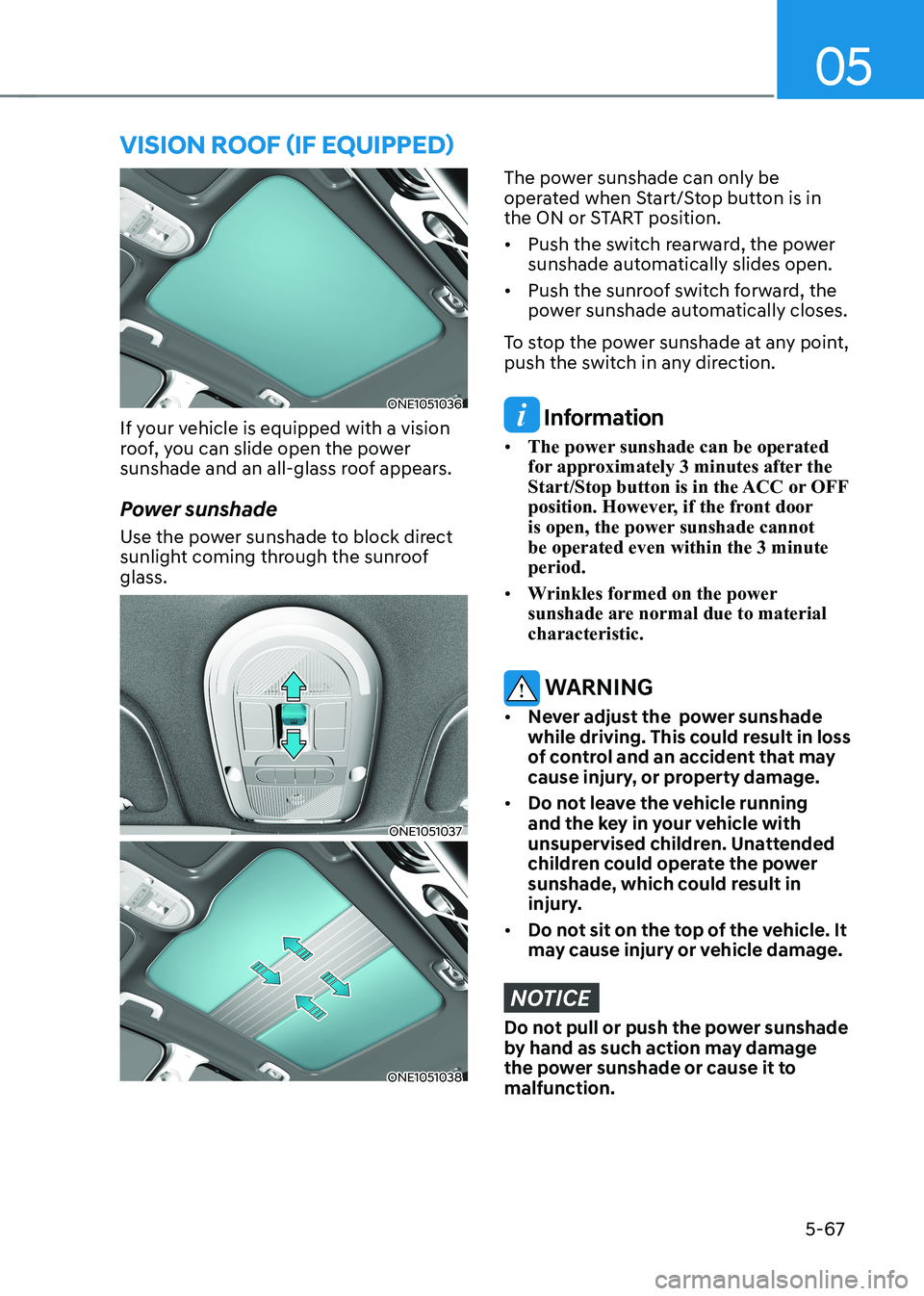
ONE1051036
If your vehicle is equipped with a vision
roof, you can slide open the power
sunshade and an all-glass roof appears.
Power sunshade
Use the power sunshade to block direct
sunlight coming through the sunroof glass.
ONE1051037
ONE1051038
The power sunshade can only be
operated when Start/Stop button is in
the ON or START position. • Push the switch rearward, the power
sunshade automatically slides open.
• Push the sunroof switch forward, the
power sunshade automatically closes.
To stop the power sunshade at any point,
push the switch in any direction.
Information
• The power sunshade can be operated
for approximately 3 minutes after the
Start/Stop button is in the ACC or OFF
position. However, if the front door
is open, the power sunshade cannot be operated even within the 3 minute period.
• Wrinkles formed on the power
sunshade are normal due to material characteristic.
WARNING
• Never adjust the power sunshade
while driving. This could result in loss
of control and an accident that may
cause injury, or property damage.
• Do not leave the vehicle running
and the key in your vehicle with
unsupervised children. Unattended
children could operate the power
sunshade, which could result in
injury.
• Do not sit on the top of the vehicle. It
may cause injury or vehicle damage.
NOTICE
Do not pull or push the power sunshade
by hand as such action may damage
the power sunshade or cause it to malfunction.
VIsIon roof (If eQUIPPed)
Page 264 of 680
Convenience Features
5-72
Power Liftgate
The power liftgate open/close button
automatically opens and closes the
liftgate.
Before using the power liftgate
The power liftgate operates when the
gear is in P (Park) with the Start/Stop
button in the ON position. However, the
liftgate will operate regardless of the
gear position when the vehicle is off.
For safety, before attempting to open or
close the liftgate, make sure the vehicle
is in P (Park).
WARNING
• Never leave children unattended
in your vehicle. Children might
operate the power liftgate. Doing so
could result in injury to themselves
or others, and could damage the
vehicle.
• Make sure there are no people or
objects around the liftgate before
operating the power liftgate. Wait
until the liftgate is opened fully and
stopped before loading or unloading
cargo or passengers from the
vehicle.
NOTICE
Do not close or open the power
liftgate manually. This may cause
damage to the power liftgate. If it is
necessary to close or open the power
liftgate manually when the battery is
discharged or disconnected, do not
apply excessive force. Setting the power liftgate
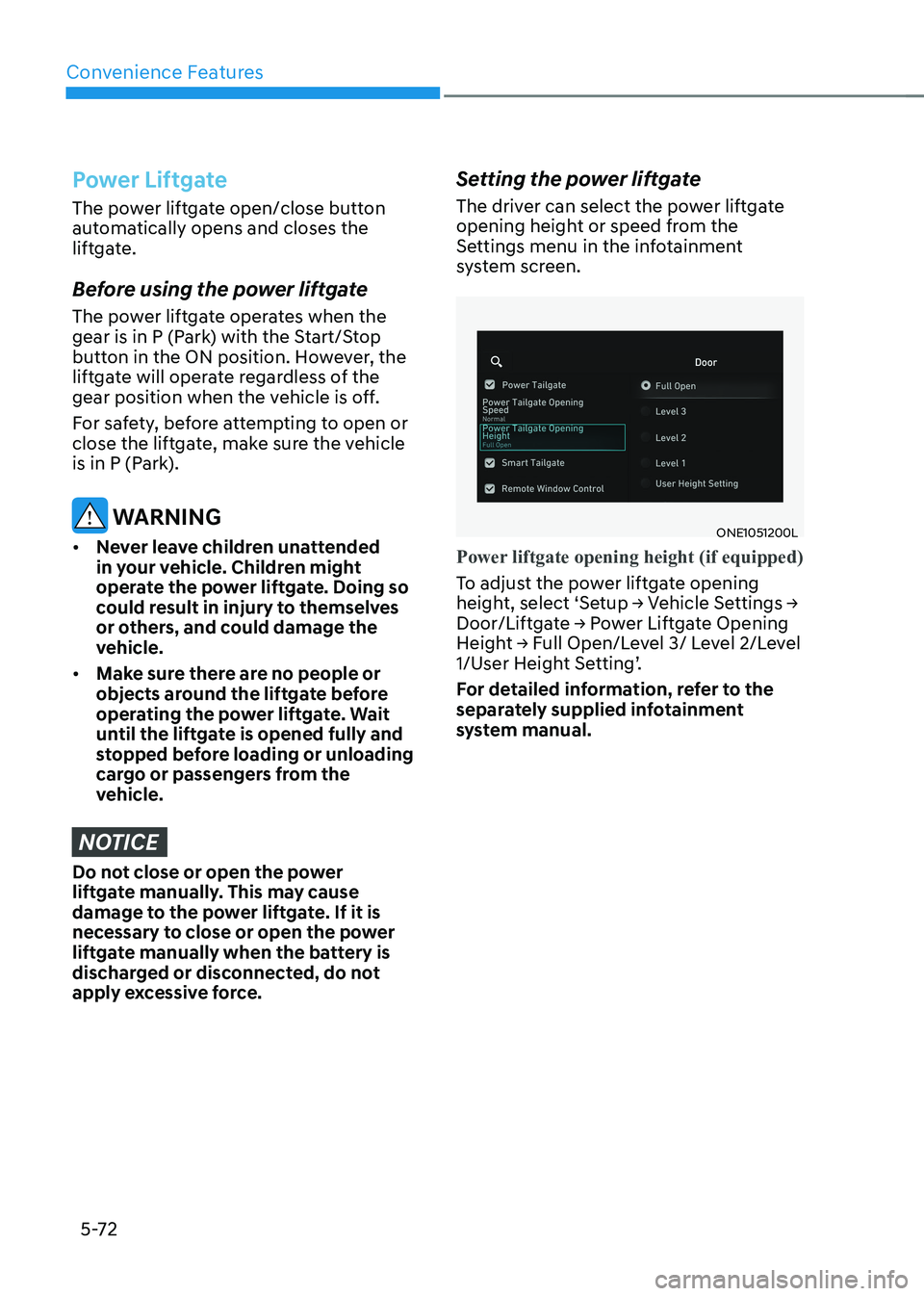
The driver can select the power liftgate
opening height or speed from the
Settings menu in the infotainment
system screen.
ONE1051200L
Power liftgate opening height (if equipped)
To adjust the power liftgate opening
height, select ‘Setup → Vehicle Settings →
Door/Liftgate → Power Liftgate Opening
Height → Full Open/Level 3/ Level 2/Level
1/User Height Setting’.
For detailed information, refer to the
separately supplied infotainment
system manual.
Page 266 of 680
Convenience Features
5 -74
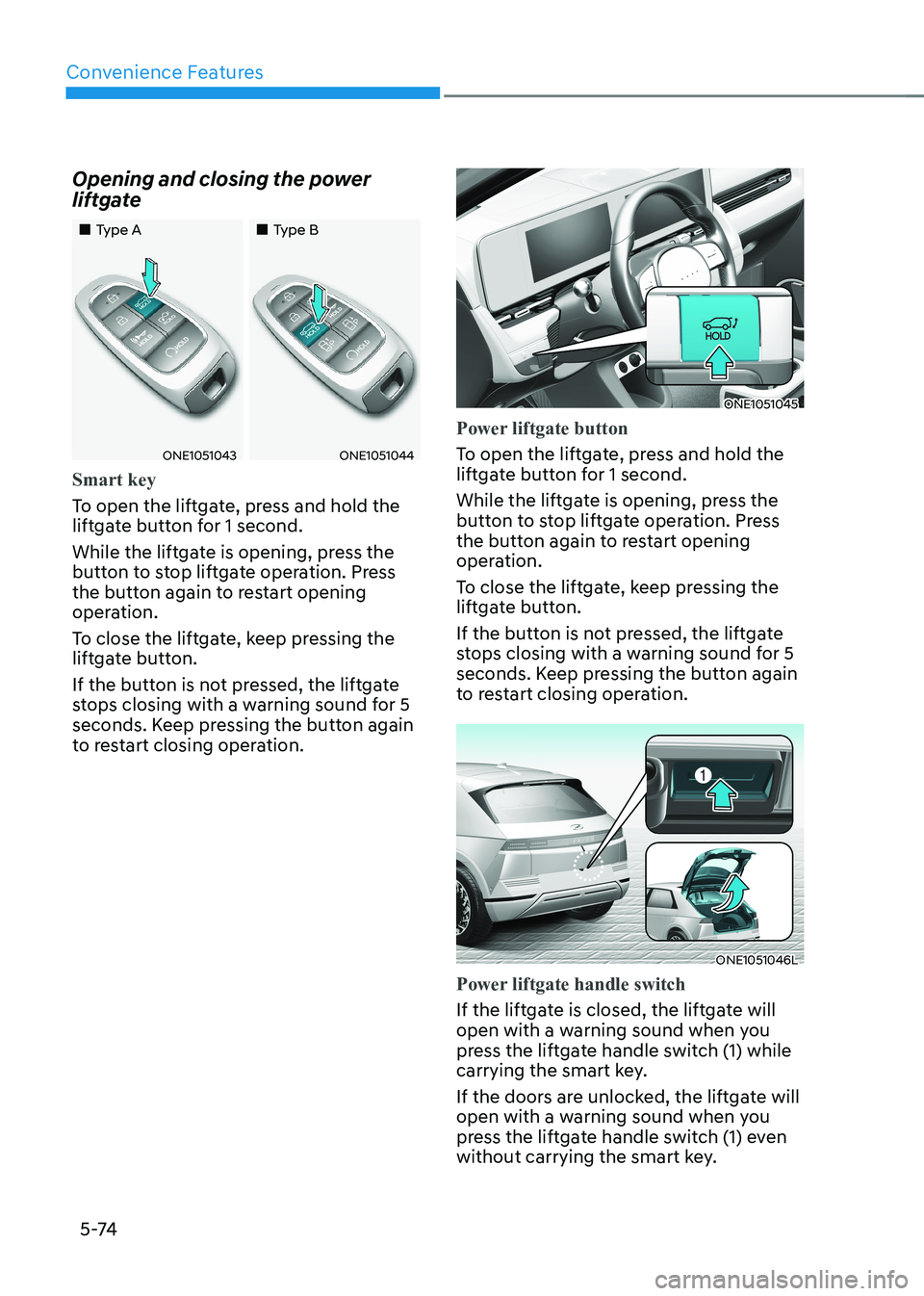
Opening and closing the power
liftgate
„„Type A
„„Type B
ONE1051043ONE1051044
Smart key
To open the liftgate, press and hold the
liftgate button for 1 second.
While the liftgate is opening, press the
button to stop liftgate operation. Press
the button again to restart opening
operation.
To close the liftgate, keep pressing the
liftgate button.
If the button is not pressed, the liftgate
stops closing with a warning sound for 5
seconds. Keep pressing the button again
to restart closing operation.
ONE1051045
Power liftgate button
To open the liftgate, press and hold the
liftgate button for 1 second.
While the liftgate is opening, press the
button to stop liftgate operation. Press
the button again to restart opening
operation.
To close the liftgate, keep pressing the
liftgate button.
If the button is not pressed, the liftgate
stops closing with a warning sound for 5
seconds. Keep pressing the button again
to restart closing operation.
ONE1051046L
Power liftgate handle switch
If the liftgate is closed, the liftgate will
open with a warning sound when you
press the liftgate handle switch (1) while
carrying the smart key.
If the doors are unlocked, the liftgate will
open with a warning sound when you
press the liftgate handle switch (1) even
without carrying the smart key.
Page 267 of 680
05
5-75
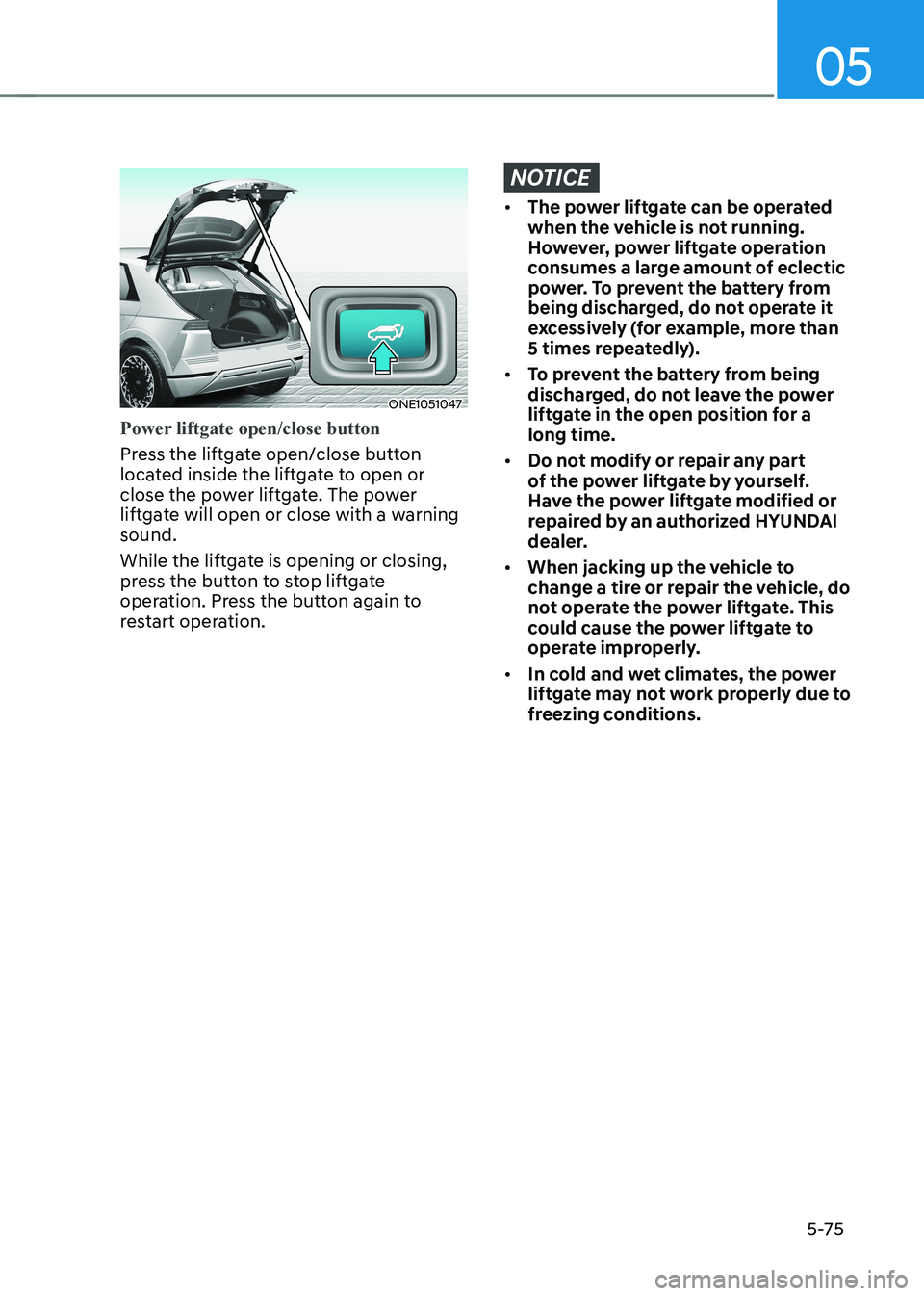
ONE1051047
Power liftgate open/close button
Press the liftgate open/close button
located inside the liftgate to open or
close the power liftgate. The power
liftgate will open or close with a warning sound.
While the liftgate is opening or closing,
press the button to stop liftgate
operation. Press the button again to
restart operation.
NOTICE
• The power liftgate can be operated
when the vehicle is not running.
However, power liftgate operation
consumes a large amount of eclectic
power. To prevent the battery from
being discharged, do not operate it
excessively (for example, more than
5 times repeatedly).
• To prevent the battery from being
discharged, do not leave the power
liftgate in the open position for a long time.
• Do not modify or repair any part
of the power liftgate by yourself.
Have the power liftgate modified or
repaired by an authorized HYUNDAI
dealer.
• When jacking up the vehicle to
change a tire or repair the vehicle, do
not operate the power liftgate. This
could cause the power liftgate to
operate improperly.
• In cold and wet climates, the power
liftgate may not work properly due to
freezing conditions.
Page 268 of 680
Convenience Features
5 -76
Automatic reverse
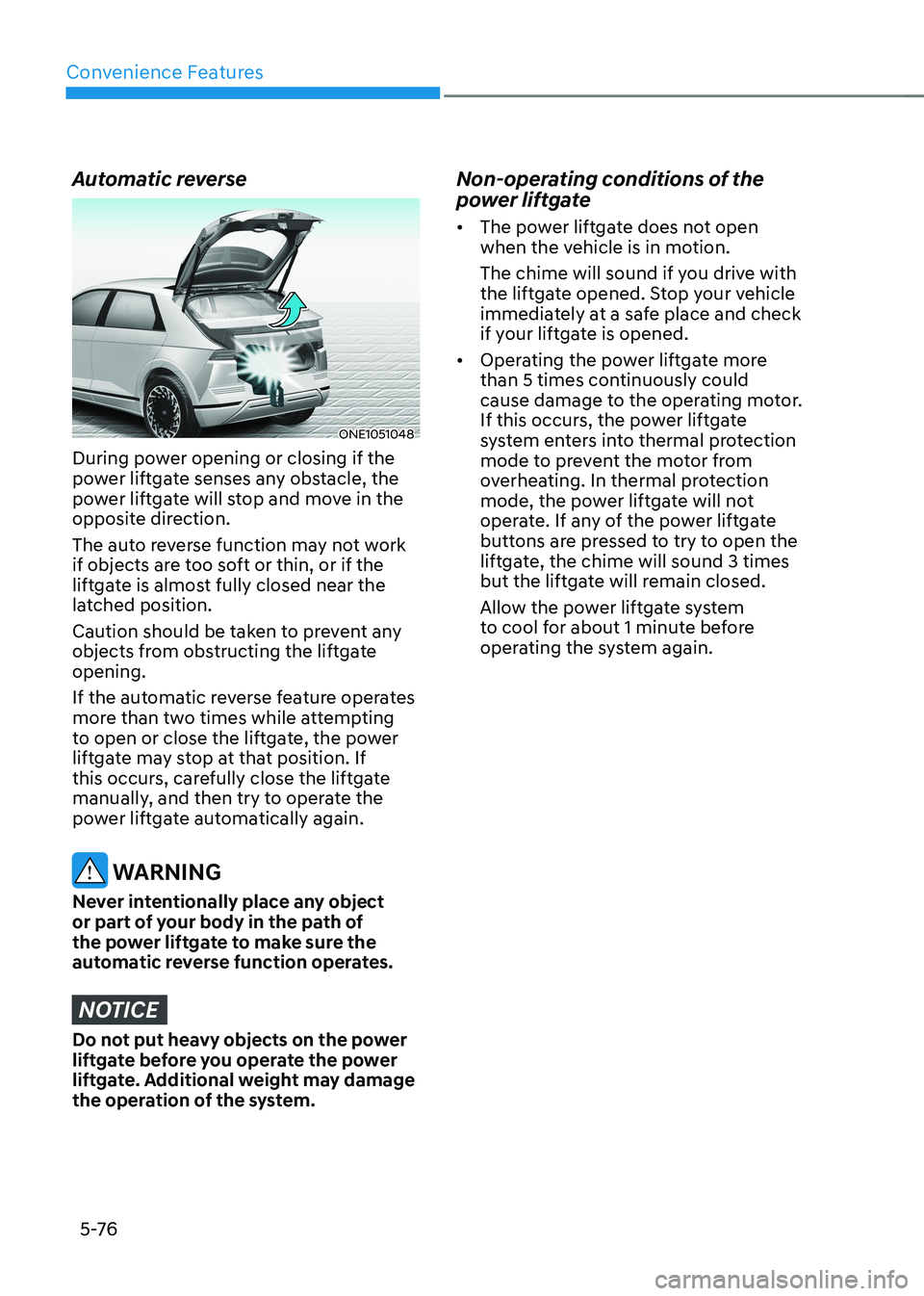
ONE1051048
During power opening or closing if the
power liftgate senses any obstacle, the
power liftgate will stop and move in the
opposite direction.
The auto reverse function may not work
if objects are too soft or thin, or if the
liftgate is almost fully closed near the
latched position.
Caution should be taken to prevent any
objects from obstructing the liftgate opening.
If the automatic reverse feature operates
more than two times while attempting
to open or close the liftgate, the power
liftgate may stop at that position. If
this occurs, carefully close the liftgate
manually, and then try to operate the
power liftgate automatically again.
WARNING
Never intentionally place any object
or part of your body in the path of
the power liftgate to make sure the
automatic reverse function operates.
NOTICE
Do not put heavy objects on the power
liftgate before you operate the power
liftgate. Additional weight may damage
the operation of the system. Non-operating conditions of the
power liftgate •
The power liftgate does not open
when the vehicle is in motion.
The chime will sound if you drive with
the liftgate opened. Stop your vehicle
immediately at a safe place and check
if your liftgate is opened.
• Operating the power liftgate more
than 5 times continuously could
cause damage to the operating motor.
If this occurs, the power liftgate
system enters into thermal protection
mode to prevent the motor from
overheating. In thermal protection
mode, the power liftgate will not
operate. If any of the power liftgate
buttons are pressed to try to open the
liftgate, the chime will sound 3 times
but the liftgate will remain closed.
Allow the power liftgate system
to cool for about 1 minute before
operating the system again.
Page 272 of 680
Convenience Features
5-80
Deactivating smart liftgate
„„Type A
„„Type B
ONE1051051ONE1051052
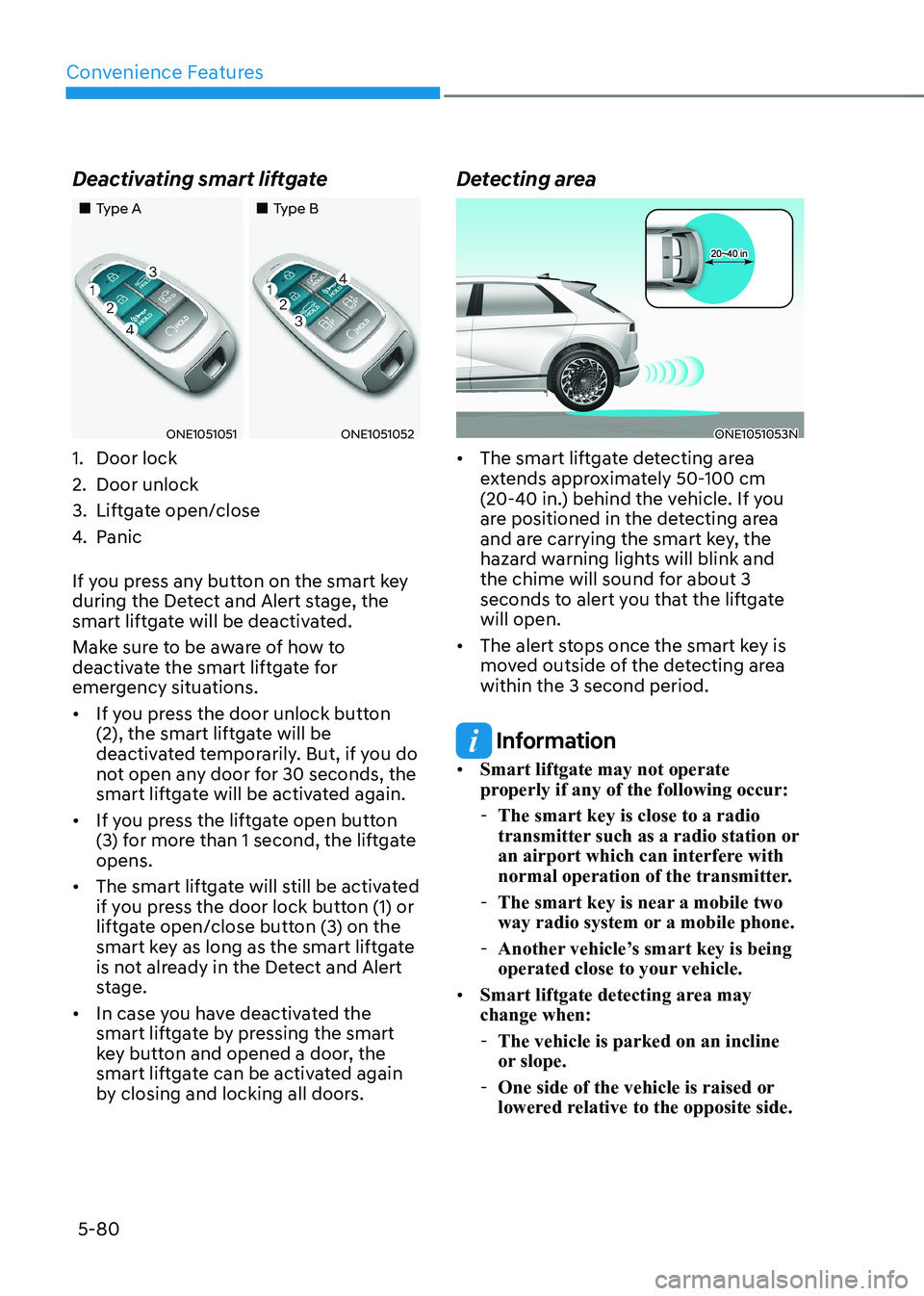
1. Door lock
2. Door unlock
3. Liftgate open/close
4. Panic
If you press any button on the smart key
during the Detect and Alert stage, the
smart liftgate will be deactivated.
Make sure to be aware of how to
deactivate the smart liftgate for
emergency situations. • If you press the door unlock button
(2), the smart liftgate will be
deactivated temporarily. But, if you do
not open any door for 30 seconds, the
smart liftgate will be activated again.
• If you press the liftgate open button
(3) for more than 1 second, the liftgate opens.
• The smart liftgate will still be activated
if you press the door lock button (1) or
liftgate open/close button (3) on the
smart key as long as the smart liftgate
is not already in the Detect and Alert
stage.
• In case you have deactivated the
smart liftgate by pressing the smart
key button and opened a door, the
smart liftgate can be activated again
by closing and locking all doors. Detecting areaONE1051053N
• The smart liftgate detecting area
extends approximately 50-100 cm
(20-40 in.) behind the vehicle. If you
are positioned in the detecting area
and are carrying the smart key, the
hazard warning lights will blink and
the chime will sound for about 3
seconds to alert you that the liftgate will open.
• The alert stops once the smart key is
moved outside of the detecting area within the 3 second period.
Information
• Smart liftgate may not operate
properly if any of the following occur:
- The smart key is close to a radio
transmitter such as a radio station or
an airport which can interfere with
normal operation of the transmitter.
- The smart key is near a mobile two
way radio system or a mobile phone.
- Another vehicle’s smart key is being
operated close to your vehicle.
• Smart liftgate detecting area may change when:
- The vehicle is parked on an incline
or slope.
- One side of the vehicle is raised or
lowered relative to the opposite side.
Page 273 of 680
05
5-81
electric chArging Door
ONE1Q011040
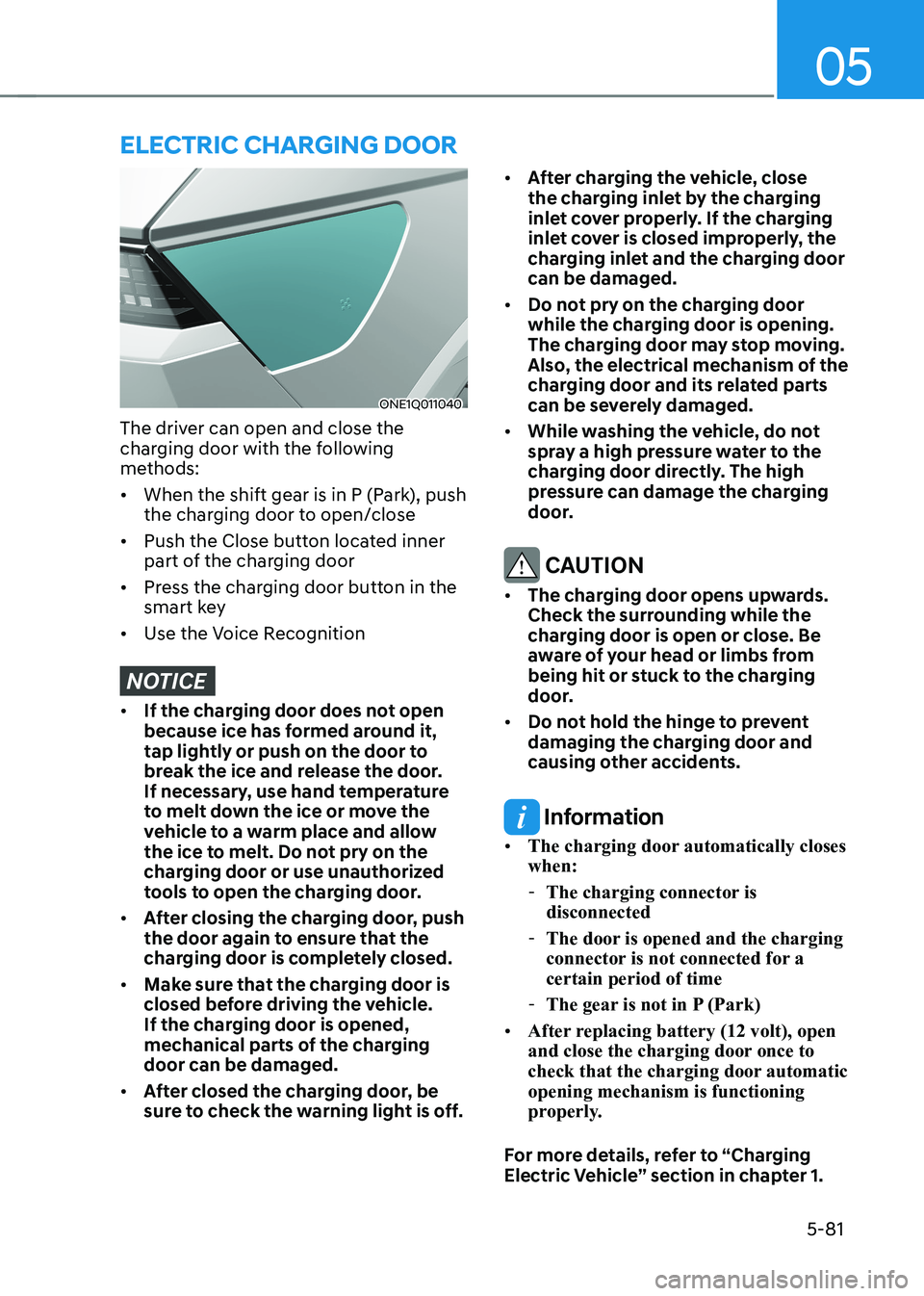
The driver can open and close the
charging door with the following
methods: • When the shift gear is in P (Park), push
the charging door to open/close
• Push the Close button located inner
part of the charging door
• Press the charging door button in the
smart key
• Use the Voice Recognition
NOTICE
• If the charging door does not open
because ice has formed around it,
tap lightly or push on the door to
break the ice and release the door.
If necessary, use hand temperature
to melt down the ice or move the
vehicle to a warm place and allow
the ice to melt. Do not pry on the
charging door or use unauthorized
tools to open the charging door.
• After closing the charging door, push
the door again to ensure that the
charging door is completely closed.
• Make sure that the charging door is
closed before driving the vehicle.
If the charging door is opened,
mechanical parts of the charging door can be damaged.
• After closed the charging door, be
sure to check the warning light is off. •
After charging the vehicle, close
the charging inlet by the charging
inlet cover properly. If the charging
inlet cover is closed improperly, the
charging inlet and the charging door can be damaged.
• Do not pry on the charging door
while the charging door is opening.
The charging door may stop moving.
Also, the electrical mechanism of the
charging door and its related parts
can be severely damaged.
• While washing the vehicle, do not
spray a high pressure water to the
charging door directly. The high
pressure can damage the charging
door.
CAUTION
• The charging door opens upwards.
Check the surrounding while the
charging door is open or close. Be
aware of your head or limbs from
being hit or stuck to the charging
door.
• Do not hold the hinge to prevent
damaging the charging door and
causing other accidents.
Information
• The charging door automatically closes when:
- The charging connector is disconnected
- The door is opened and the charging
connector is not connected for a certain period of time
- The gear is not in P (Park)
• After replacing battery (12 volt), open
and close the charging door once to
check that the charging door automatic opening mechanism is functioning
properly.
For more details, refer to “Charging
Electric Vehicle” section in chapter 1.