Emergency HYUNDAI IONIQ 5 2023 Owners Manual
[x] Cancel search | Manufacturer: HYUNDAI, Model Year: 2023, Model line: IONIQ 5, Model: HYUNDAI IONIQ 5 2023Pages: 680, PDF Size: 48.22 MB
Page 5 of 680
1
2
3
4
5
6
7
9
I
8
Maintenance
Index
Emergency Situations
Driver Assistance System
Driving Your Vehicle
Convenience Features
Instrument Cluster
Seats & Safety System
Vehicle Information, Consumer Information and
Reporting Safety Defects
Foreword / Electric Vehicle System Overview
Table of contents
Page 6 of 680
1
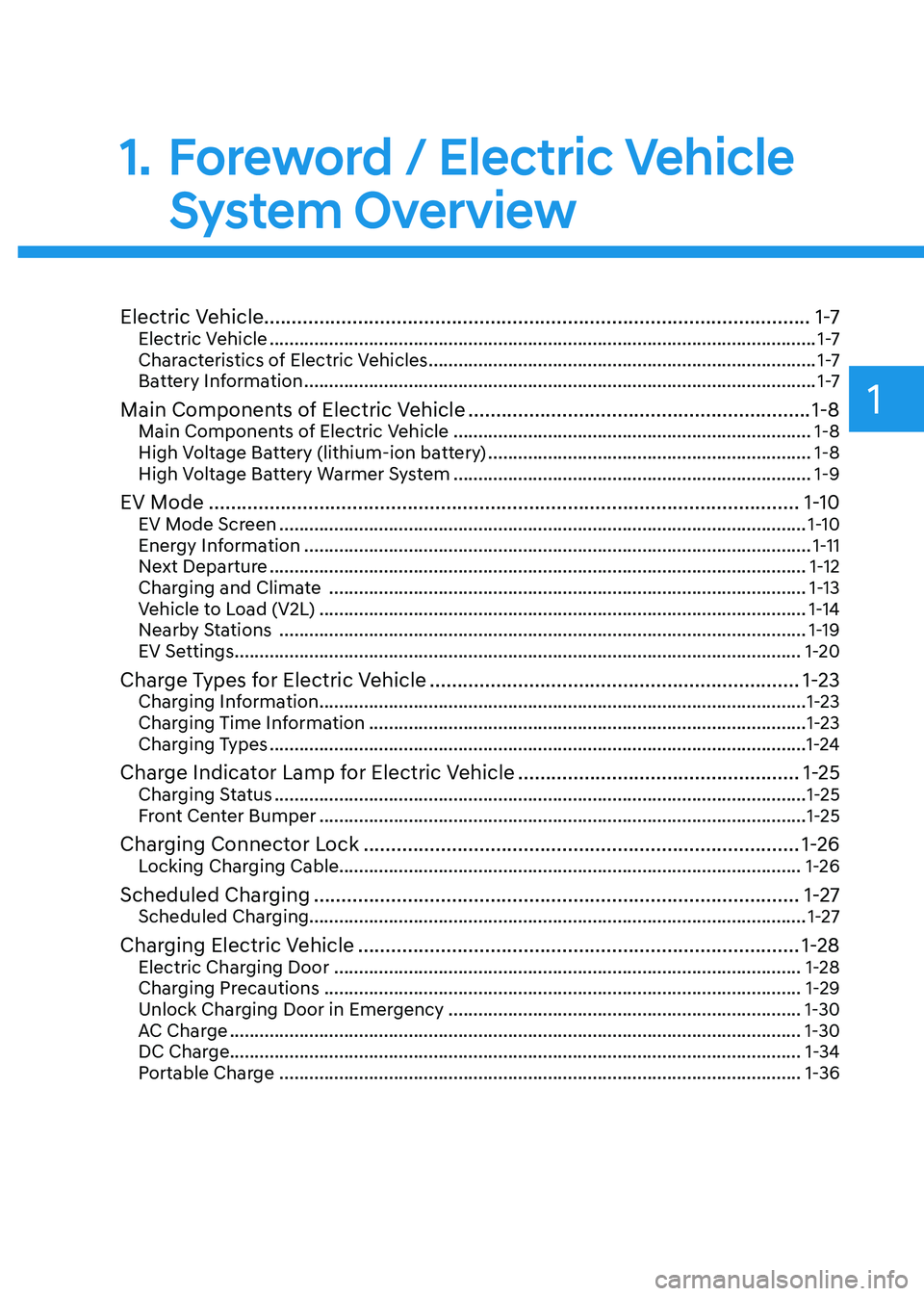
Electric Vehicle...................................................................................................1 -7
Electric Vehicle .............................................................................................................. 1 -7
Characteristics of Electric Vehicles .............................................................................. 1 -7
Battery Information ....................................................................................................... 1 -7
Main Components of Electric Vehicle .............................................................. 1-8
Main Components of Electric Vehicle ........................................................................ 1-8
High Voltage Battery (lithium-ion battery) .................................................................1-8
High Voltage Battery Warmer System ........................................................................ 1-9
EV Mode ........................................................................................................... 1-10
EV Mode Screen .......................................................................................................... 1-10
Energy Information ...................................................................................................... 1-11
Next Departure ............................................................................................................ 1-12
Charging and Climate ................................................................................................ 1-13
Vehicle to Load (V2L) .................................................................................................. 1-14
Nearby Stations .......................................................................................................... 1-19
EV Settings .................................................................................................................. 1-20
Charge Types for Electric Vehicle ................................................................... 1-23
Charging Information .................................................................................................. 1-23
Charging Time Information ........................................................................................ 1-23
Charging Types ............................................................................................................ 1-24
Charge Indicator Lamp for Electric Vehicle ...................................................1-25
Charging Status ........................................................................................................... 1-25
Front Center Bumper .................................................................................................. 1-25
Charging Connector Lock ............................................................................... 1-26
Locking Charging Cable............................................................................................. 1-26
Scheduled Charging ........................................................................................ 1-27
Scheduled Charging.................................................................................................... 1-27
Charging Electric Vehicle ................................................................................ 1-28
Electric Charging Door .............................................................................................. 1-28
Charging Precautions ................................................................................................ 1-29
Unlock Charging Door in Emergency ....................................................................... 1-30
AC Charge ................................................................................................................... 1-30
DC Charge................................................................................................................... 1-34 Portable Charge ......................................................................................................... 1-36
1. Foreword / Electric Vehicle
System Overview
Page 35 of 680
Foreword / Electric Vehicle System Overview
1-30
WARNING
• Immediately stop charging when
you find abnormal symptoms (odor,
smoke).
• Replace the charging cable if the
cable coating is damaged to prevent electrical shock.
• When connecting or removing the
charging cable, make sure to hold
the charging connector handle and
charging plug.
If you pull the cable itself (without
using the handle), the internal wires
may disconnect or get damaged. This
may lead to electric shock or fire.
CAUTION
• Always keep the charging connector
and charging plug in clean and
dry condition. Be sure to keep the
charging cable in a condition where
there is no water or moisture.
• Be sure to use only certified electric
vehicle charger. Using uncertified
charger may cause the damage to
the vehicle.
• Before charging the battery, turn the
vehicle OFF.
• When the vehicle is switched OFF
while charging, the cooling fan
inside the motor compartment may
automatically operate. Do not touch
the cooling fan while charging.
• Be careful not to drop the charging
connector. The charging connector can be damaged.
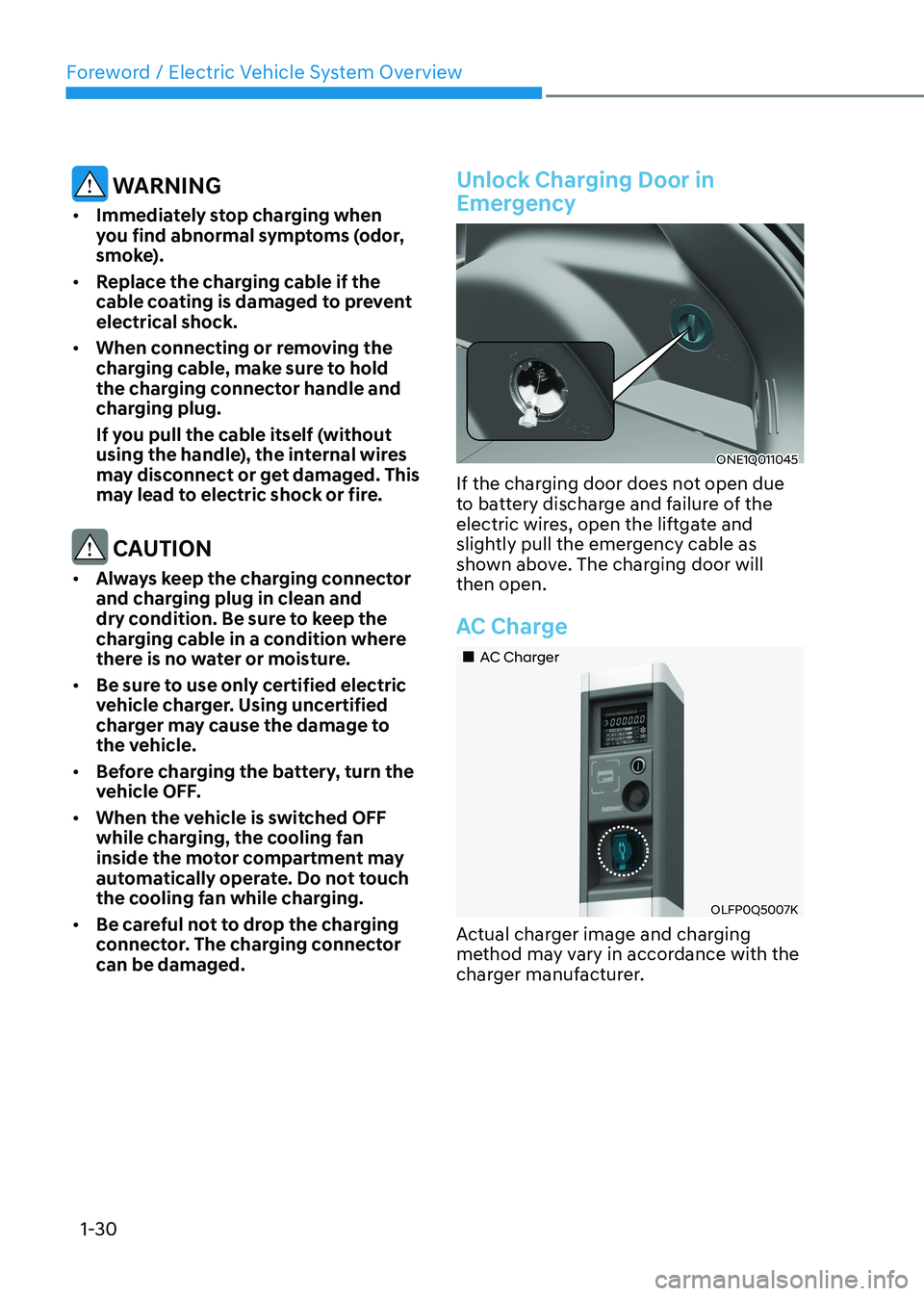
Unlock Charging Door in
Emergency
ONE1Q011045
If the charging door does not open due
to battery discharge and failure of the
electric wires, open the liftgate and
slightly pull the emergency cable as
shown above. The charging door will then open.
AC Charge
„„AC Charger
OLFP0Q5007K
Actual charger image and charging
method may vary in accordance with the
charger manufacturer.
Page 38 of 680
01
1-33
Checking Charging Status
When charging the high voltage battery,
the charge level can be checked from
outside the vehicle.
For more details, refer to ‘Charge
Indicator Lamp for Electric Vehicle’ in
this chapter.
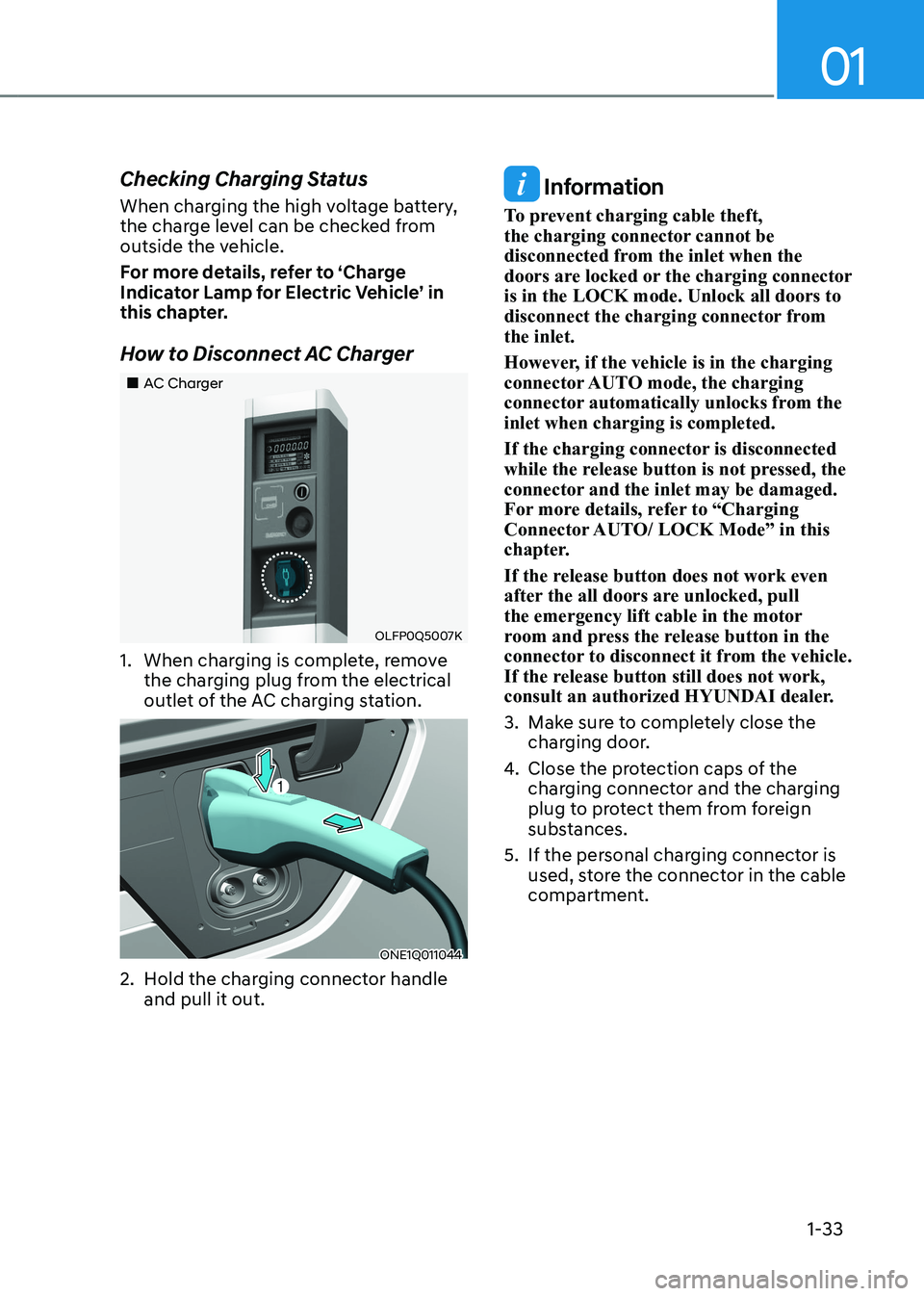
How to Disconnect AC Charger
„„AC Charger
OLFP0Q5007K
1. When charging is complete, remove the charging plug from the electrical
outlet of the AC charging station.
ONE1Q011044
2. Hold the charging connector handle and pull it out.
Information
To prevent charging cable theft,
the charging connector cannot be
disconnected from the inlet when the
doors are locked or the charging connector is in the LOCK mode. Unlock all doors to
disconnect the charging connector from the inlet.
However, if the vehicle is in the charging
connector AUTO mode, the charging
connector automatically unlocks from the inlet when charging is completed.
If the charging connector is disconnected
while the release button is not pressed, the
connector and the inlet may be damaged.
For more details, refer to “Charging
Connector AUTO/ LOCK Mode” in this
chapter.
If the release button does not work even
after the all doors are unlocked, pull
the emergency lift cable in the motor
room and press the release button in the
connector to disconnect it from the vehicle.
If the release button still does not work,
consult an authorized HYUNDAI dealer.
3. Make sure to completely close the charging door.
4. Close the protection caps of the
charging connector and the charging
plug to protect them from foreign
substances.
5. If the personal charging connector is used, store the connector in the cable
compartment.
Page 52 of 680
01
1-47
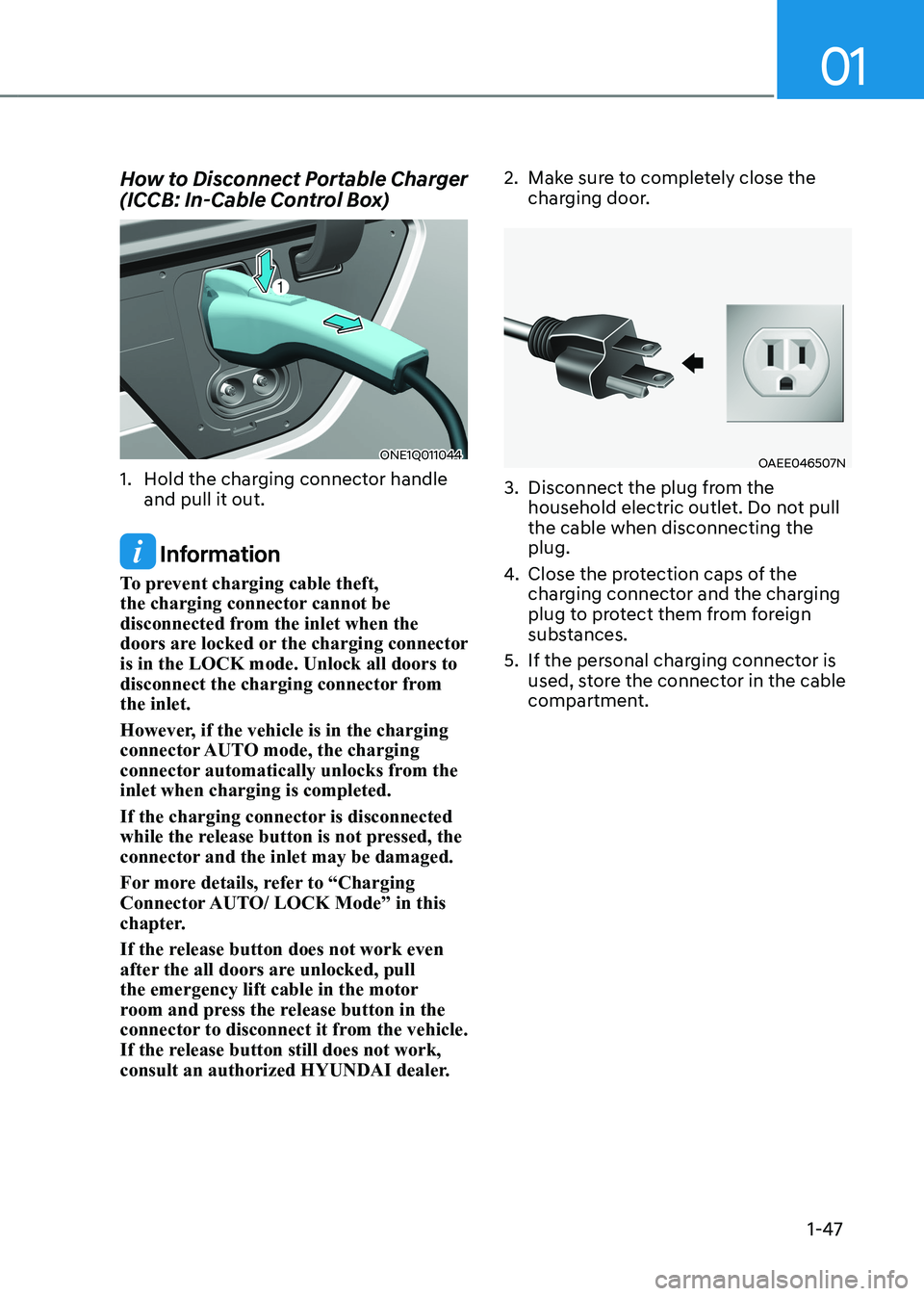
How to Disconnect Portable Charger
(ICCB: In-Cable Control Box)
ONE1Q011044
1. Hold the charging connector handle and pull it out.
Information
To prevent charging cable theft,
the charging connector cannot be
disconnected from the inlet when the
doors are locked or the charging connector is in the LOCK mode. Unlock all doors to
disconnect the charging connector from the inlet.
However, if the vehicle is in the charging
connector AUTO mode, the charging
connector automatically unlocks from the inlet when charging is completed.
If the charging connector is disconnected
while the release button is not pressed, the
connector and the inlet may be damaged.
For more details, refer to “Charging
Connector AUTO/ LOCK Mode” in this
chapter.
If the release button does not work even
after the all doors are unlocked, pull
the emergency lift cable in the motor
room and press the release button in the
connector to disconnect it from the vehicle.
If the release button still does not work,
consult an authorized HYUNDAI dealer. 2. Make sure to completely close the
charging door.
OAEE046507N
3. Disconnect the plug from the household electric outlet. Do not pull the cable when disconnecting the plug.
4. Close the protection caps of the
charging connector and the charging
plug to protect them from foreign
substances.
5. If the personal charging connector is used, store the connector in the cable
compartment.
Page 61 of 680
Foreword / Electric Vehicle System Overview
1-56
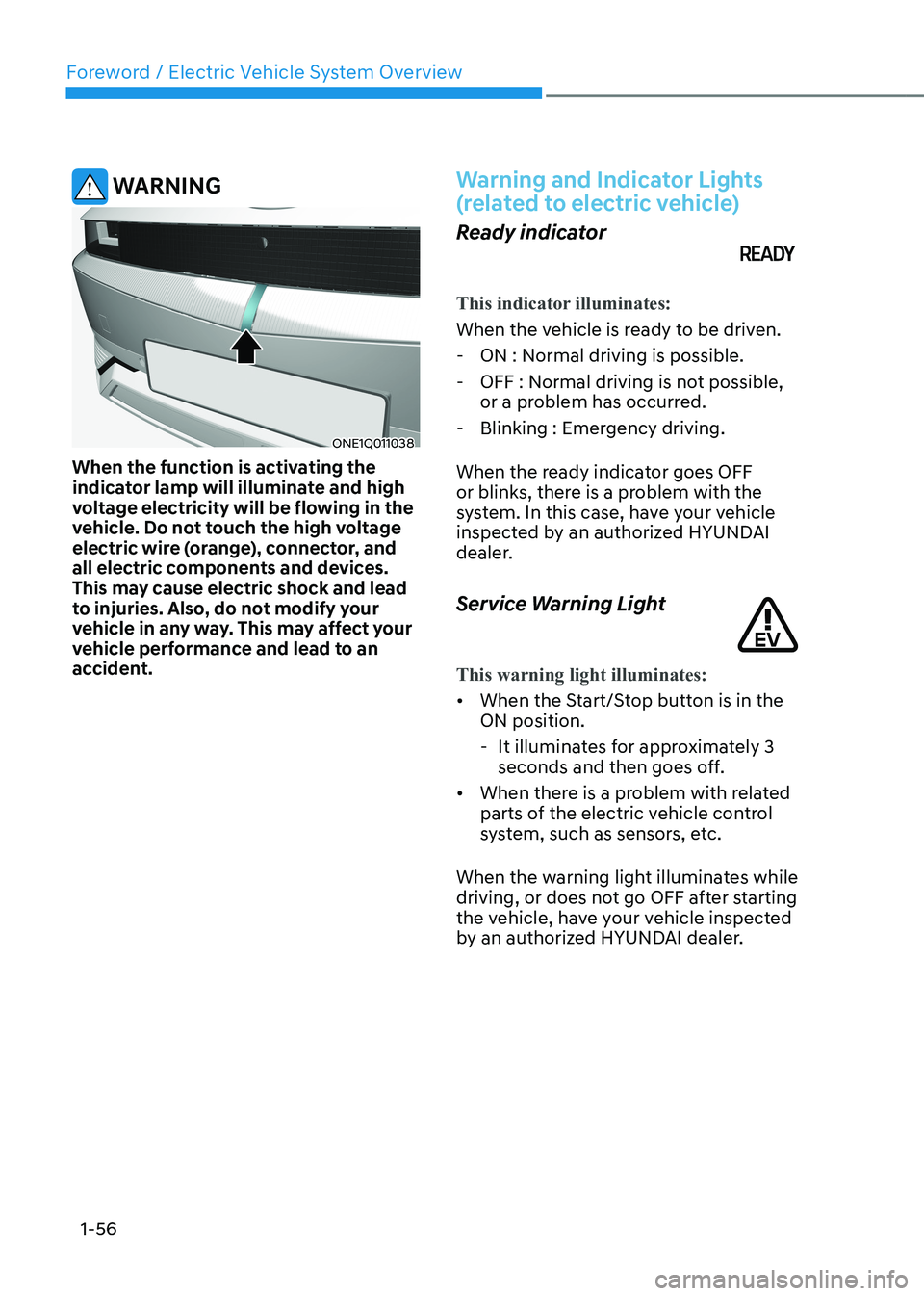
WARNING
ONE1Q011038
When the function is activating the
indicator lamp will illuminate and high
voltage electricity will be flowing in the
vehicle. Do not touch the high voltage
electric wire (orange), connector, and
all electric components and devices.
This may cause electric shock and lead
to injuries. Also, do not modify your
vehicle in any way. This may affect your
vehicle performance and lead to an
accident.
Warning and Indicator Lights
(related to electric vehicle)
Ready indicator
This indicator illuminates:
When the vehicle is ready to be driven.
- ON : Normal driving is possible.
- OFF : Normal driving is not possible, or a problem has occurred.
- Blinking : Emergency driving.
When the ready indicator goes OFF
or blinks, there is a problem with the
system. In this case, have your vehicle
inspected by an authorized HYUNDAI
dealer.
Service Warning Light
This warning light illuminates:
• When the Start/Stop button is in the ON position.
- It illuminates for approximately 3 seconds and then goes off.
• When there is a problem with related
parts of the electric vehicle control
system, such as sensors, etc.
When the warning light illuminates while
driving, or does not go OFF after starting
the vehicle, have your vehicle inspected
by an authorized HYUNDAI dealer.
Page 68 of 680
01
1-63
If an Accident Occurs
WARNING
• When a vehicle accident occurs,
move the vehicle to a safe place,
turn OFF the vehicle and disconnect
the high voltage cut-off switch from
the auxiliary battery (12V) to prevent
high voltage electricity from flowing.
• If electric wires are exposed from
inside or outside the vehicle, do not
touch the wires.
Also, do not touch the high voltage
electric wire (orange), connector,
and all electric components and
devices. This may cause electric
shock and lead to injuries.
WARNING
• When a vehicle accident occurs and
the high voltage battery is damaged,
harmful gas and electrolytes may
leak. Be careful not to touch the
leaked liquid.
• When you suspect leakage of
inflammable gas and other harmful
gases, open the windows and
evacuate to a safe place. If any
leaked fluid comes in contact with
your eyes or skin, immediately clean
the affected area thoroughly with
tap water or saline solution and
have doctors inspect it as soon as possible.
WARNING
• If a small scale fire occurs, use a fire
extinguisher (ABC, BC) that is meant
for electrical fires. If it is impossible
to extinguish the fire in the early
stage, remain a safe distance from
the vehicle and immediately call your
local fire emergency responders.
Also, advise them that an electric
vehicle is involved.
• If the fire spreads to the high
voltage battery, large amount of
water is needed to put out the fire.
Using small amount of water or
fire extinguishers not meant for
electrical fires could cause serious
injury or death from electrical
shocks.
WARNING
If you cannot put out the fire
immediately, the high voltage battery
may explode. Evacuate to a safe place
and do not let other people approach
the site.
Contact the fire department and notify
them of an electric vehicle fire. • If the vehicle is flooded with water,
immediately turn off the vehicle and
evacuate to a safe place. Contact
the fire department or an authorized
HYUNDAI dealer.
SaFety preCautionS For eleCtriC VeHiCle
Page 70 of 680
01
1-65
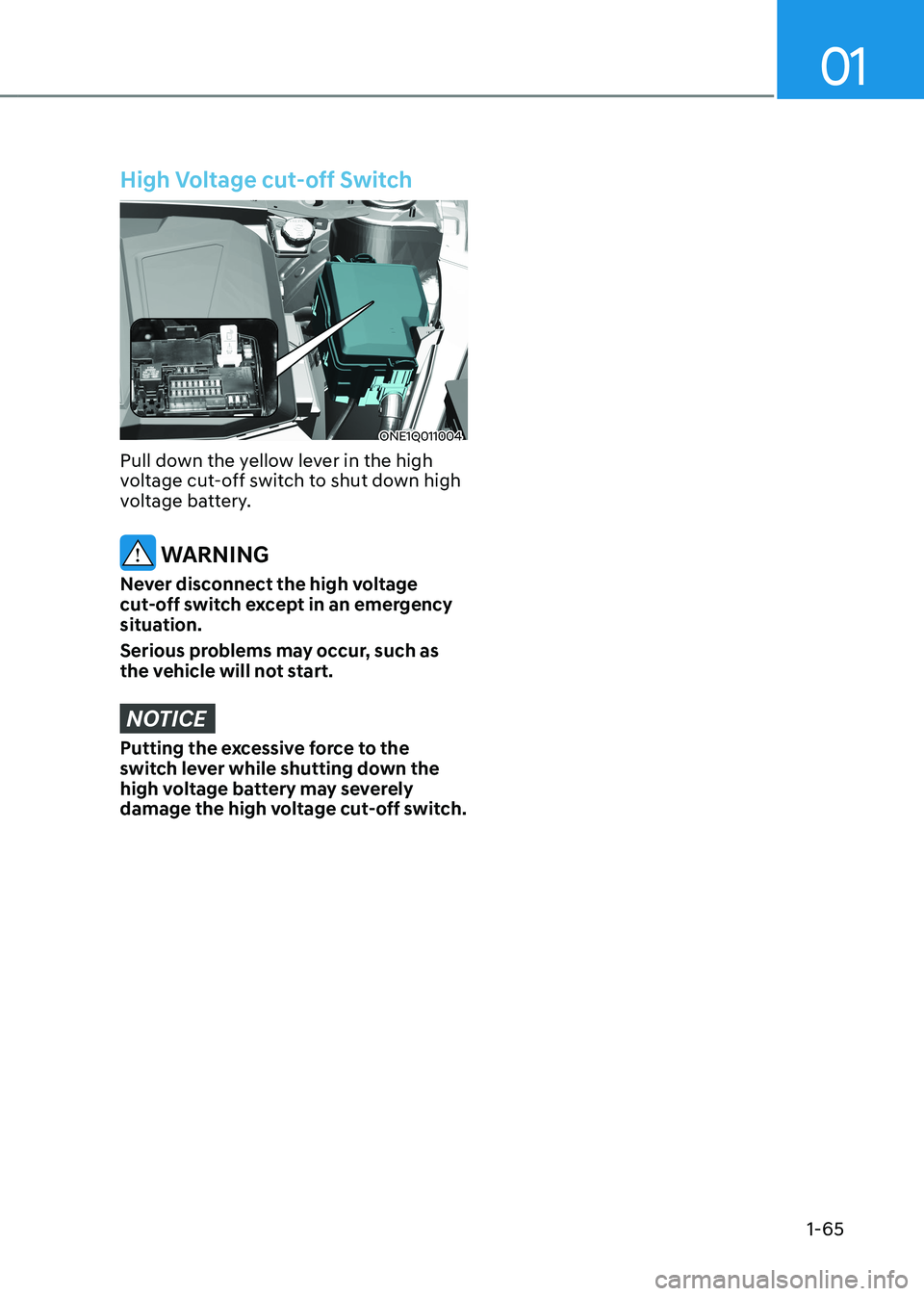
High Voltage cut-off Switch
ONE1Q011004
Pull down the yellow lever in the high
voltage cut-off switch to shut down high
voltage battery.
WARNING
Never disconnect the high voltage
cut-off switch except in an emergency
situation.
Serious problems may occur, such as
the vehicle will not start.
NOTICE
Putting the excessive force to the
switch lever while shutting down the
high voltage battery may severely
damage the high voltage cut-off switch.
Page 134 of 680
03
3-47
OHI038145
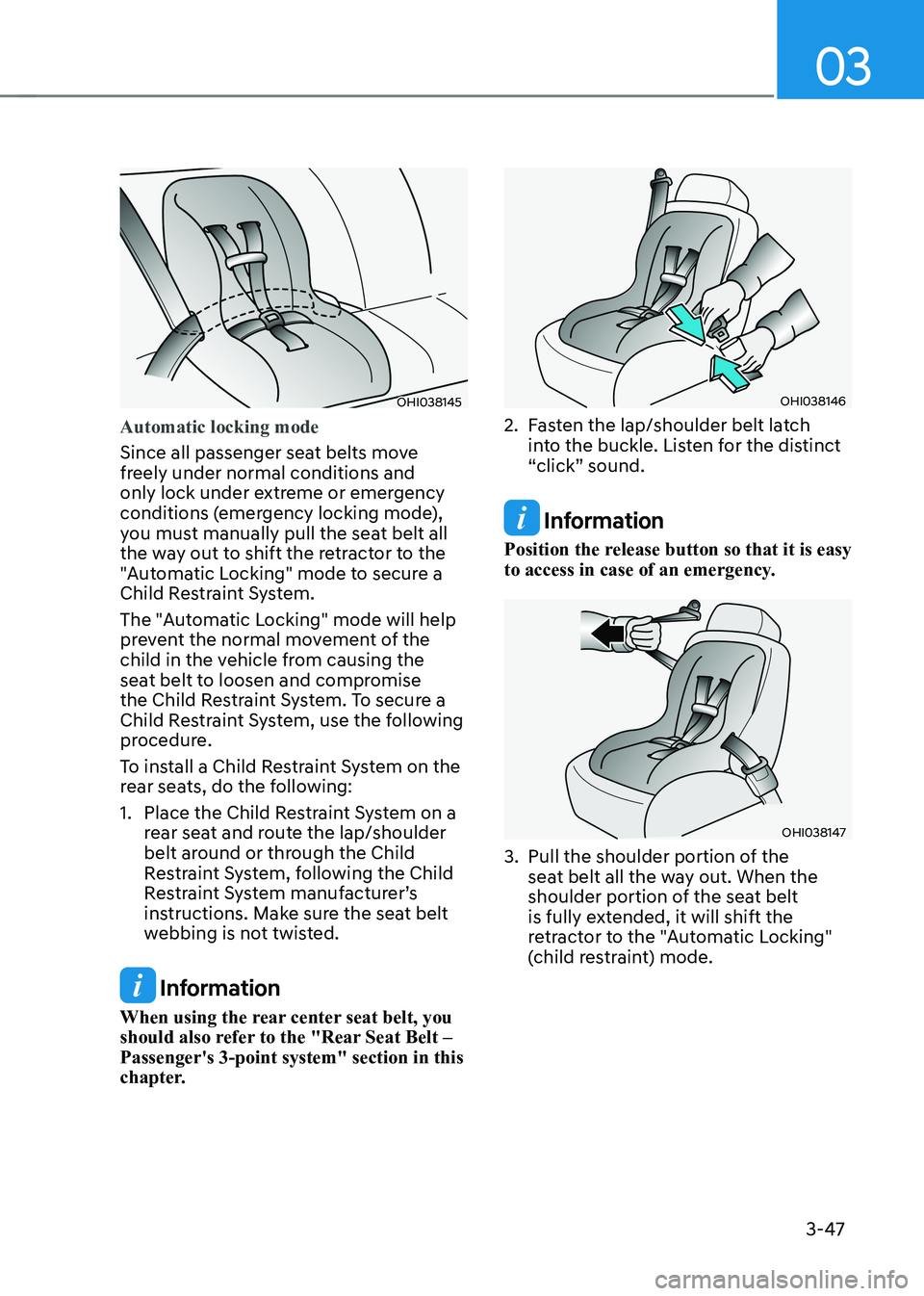
Automatic locking mode
Since all passenger seat belts move
freely under normal conditions and
only lock under extreme or emergency
conditions (emergency locking mode),
you must manually pull the seat belt all
the way out to shift the retractor to the
"Automatic Locking" mode to secure a
Child Restraint System.
The "Automatic Locking" mode will help
prevent the normal movement of the
child in the vehicle from causing the
seat belt to loosen and compromise
the Child Restraint System. To secure a
Child Restraint System, use the following
procedure.
To install a Child Restraint System on the
rear seats, do the following:
1. Place the Child Restraint System on a rear seat and route the lap/shoulder
belt around or through the Child
Restraint System, following the Child
Restraint System manufacturer’s
instructions. Make sure the seat belt
webbing is not twisted.
Information
When using the rear center seat belt, you
should also refer to the "Rear Seat Belt – Passenger's 3-point system" section in this
chapter.
OHI038146
2. Fasten the lap/shoulder belt latch into the buckle. Listen for the distinct
“click” sound.
Information
Position the release button so that it is easy
to access in case of an emergency.
OHI038147
3. Pull the shoulder portion of the seat belt all the way out. When the
shoulder portion of the seat belt
is fully extended, it will shift the
retractor to the "Automatic Locking"
(child restraint) mode.
Page 135 of 680
3-48
Seats & Safety System
OHI038148
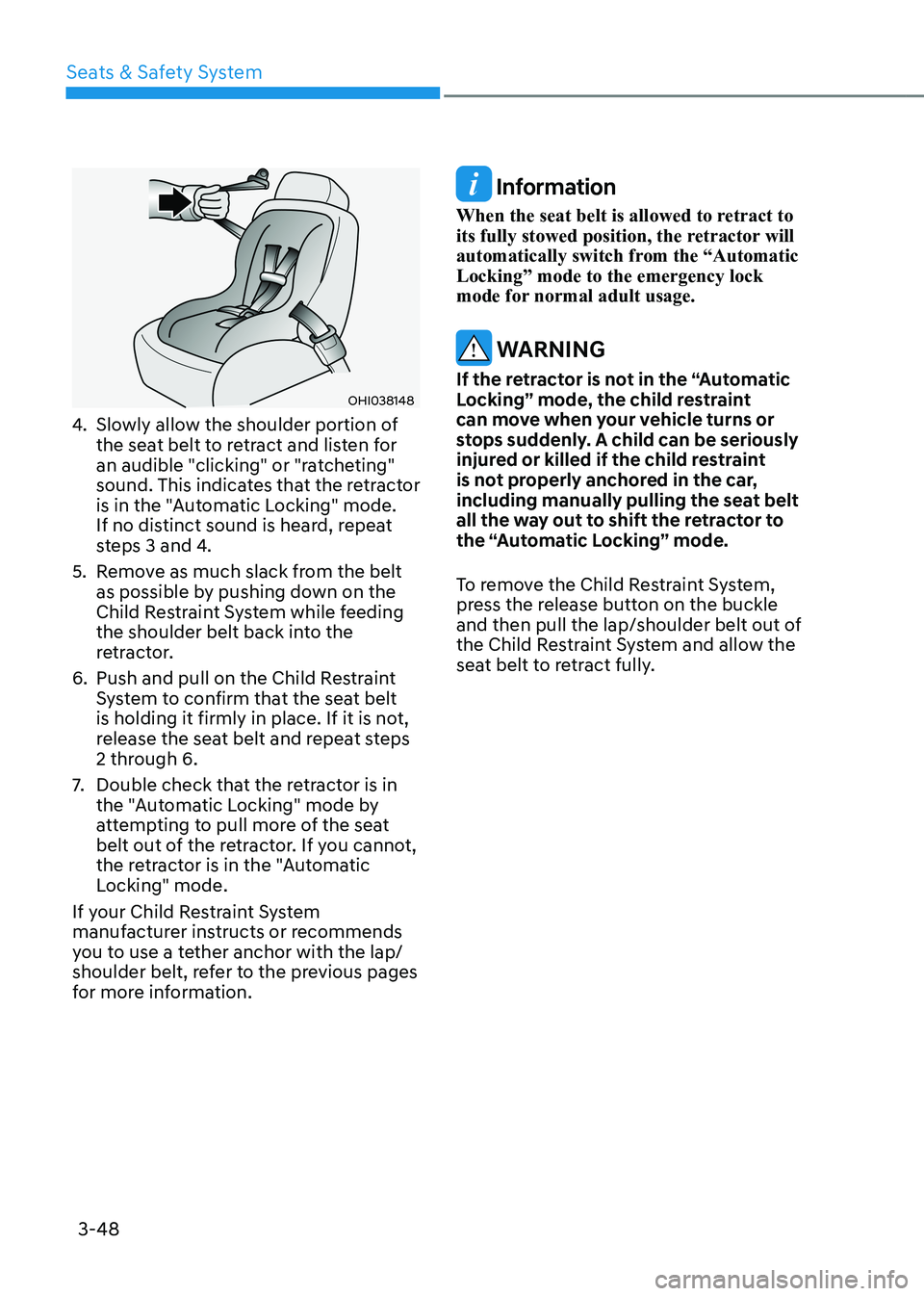
4. Slowly allow the shoulder portion of
the seat belt to retract and listen for
an audible "clicking" or "ratcheting"
sound. This indicates that the retractor
is in the "Automatic Locking" mode.
If no distinct sound is heard, repeat
steps 3 and 4.
5. Remove as much slack from the belt as possible by pushing down on the
Child Restraint System while feeding
the shoulder belt back into the
retractor.
6. Push and pull on the Child Restraint System to confirm that the seat belt
is holding it firmly in place. If it is not,
release the seat belt and repeat steps
2 through 6.
7. Double check that the retractor is in
the "Automatic Locking" mode by
attempting to pull more of the seat
belt out of the retractor. If you cannot,
the retractor is in the "Automatic
Locking" mode.
If your Child Restraint System
manufacturer instructs or recommends
you to use a tether anchor with the lap/
shoulder belt, refer to the previous pages
for more information.
Information
When the seat belt is allowed to retract to
its fully stowed position, the retractor will
automatically switch from the “Automatic Locking” mode to the emergency lock
mode for normal adult usage.
WARNING
If the retractor is not in the “Automatic
Locking” mode, the child restraint
can move when your vehicle turns or
stops suddenly. A child can be seriously
injured or killed if the child restraint
is not properly anchored in the car,
including manually pulling the seat belt
all the way out to shift the retractor to
the “Automatic Locking” mode.
To remove the Child Restraint System,
press the release button on the buckle
and then pull the lap/shoulder belt out of
the Child Restraint System and allow the
seat belt to retract fully.