phone HYUNDAI IONIQ 5 2023 Owners Manual
[x] Cancel search | Manufacturer: HYUNDAI, Model Year: 2023, Model line: IONIQ 5, Model: HYUNDAI IONIQ 5 2023Pages: 680, PDF Size: 48.22 MB
Page 2 of 680
Introduction
F2Your HYUNDAI should not be modified in any way. Such modifications may
adversely affect the performance, safety or durability of your HYUNDAI
and may, in addition, violate conditions of the limited warranties covering
the vehicle. Certain modifications may also be in violation of regulations
established by the Department of Transportation and other government
agencies in your country.
Your vehicle is equipped with electronic components. It is possible for an
improperly installed/adjusted two-way radio or cellular telephone to adversely
affect electronic systems. For this reason, have carefully follow the radio
manufacturer’s instructions or consult your HYUNDAI dealer for precautionary
measures or special instructions if you choose to install one of these devices.
CAUTION: MODIFICATIONS TO YOUR HYUNDAI
TWO-WAY RADIO OR CELLULAR
TELEPHONE INSTALLATION
Page 89 of 680
Seats & Safety System
3-2
You will find many safety precautions
and recommendations throughout this
section, and throughout this manual.
The safety precautions in this section are
among the most important.
Always Wear Your Seat Belt
A seat belt is your best protection in all
types of accidents. Air bags are designed
to supplement seat belts, not to replace
them. So even though your vehicle is
equipped with air bags, ALWAYS make
sure you and your passengers wear your
seat belts, and wear them properly.
Restrain All Children
All children under age 13 should ride
in your vehicle properly restrained in a
rear seat, not the front seat. Infants and
small children should be restrained in
an appropriate Child Restraint System.
Larger children should use a booster
seat with the lap/shoulder belt until they
can use the seat belt properly without a
booster seat.
Air Bag Hazards
While air bags can save lives, they can
also cause serious or fatal injuries to
occupants who sit too close to them, or
who are not properly restrained. Infants,
young children, and short adults are at
the greatest risk of being injured by an
inflating air bag. Follow all instructions
and warnings in this manual.
Driver Distraction
Driver distraction presents a serious and
potentially deadly danger, especially for
inexperienced drivers. Safety should be
the first concern when behind the wheel
and drivers need to be aware of the wide
array of potential distractions, such as
drowsiness, reaching for objects, eating,
personal grooming, other passengers, and using mobile phones.
Drivers can become distracted when
they take their eyes and attention off
the road or their hands off the wheel to
focus on activities other than driving.
To reduce your risk of distraction and an
accident: •
Set up your mobile devices (for
example, MP3 players, phones,
navigation units, etc.) ONLY when
your vehicle is parked or safely
stopped.
• ONLY use your mobile device when
allowed by laws and conditions permit
safe use. NEVER text or email while
driving. Most countries have laws
prohibiting drivers from texting. Some
countries and cities also prohibit
drivers from using handheld phones.
• NEVER let the use of a mobile device
distract you from driving. You have a
responsibility to your passengers and
others on the road to always drive
safely, with your hands on the wheel
as well as your eyes and attention on
the road.
Control Your Speed
Excessive speed is a major factor in crash
injuries and deaths. Generally, the higher
the speed, the greater the risk, but
serious injuries can also occur at lower
speeds. Never drive faster than is safe
for current conditions, regardless of the
maximum speed posted.
Keep Your Vehicle In Safe Condition
Having a tire blowout or a mechanical
failure can be extremely hazardous. To
reduce the possibility of such problems,
check your tire pressures and condition
frequently, and perform all regularly
scheduled maintenance.
Important safety precautIons
Page 138 of 680
03
3-51
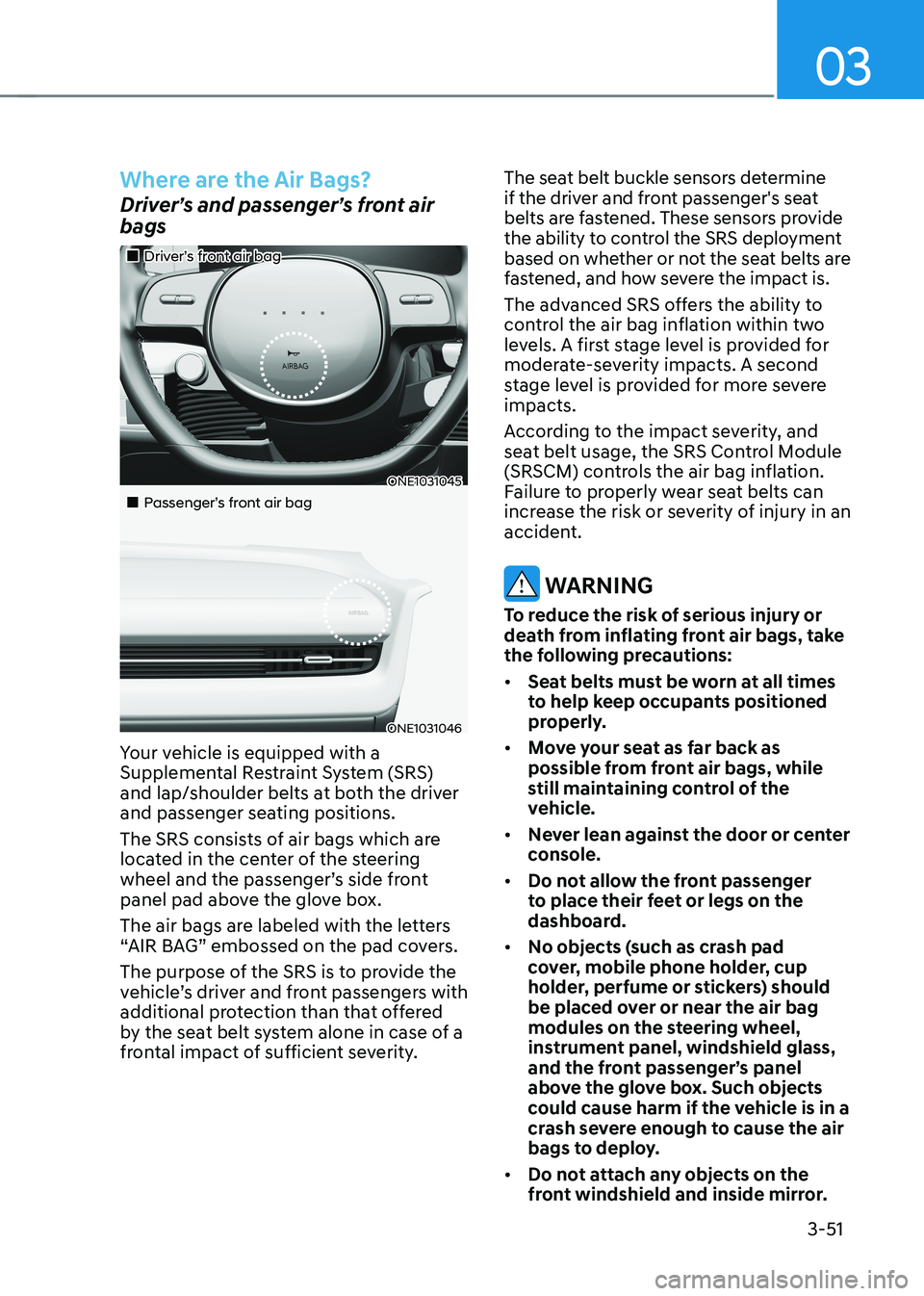
Where are the Air Bags?
Driver’s and passenger’s front air bags
„„Driver’s front air bag
ONE1031045
„„Passenger’s front air bag
ONE1031046
Your vehicle is equipped with a
Supplemental Restraint System (SRS)
and lap/shoulder belts at both the driver
and passenger seating positions.
The SRS consists of air bags which are
located in the center of the steering
wheel and the passenger’s side front
panel pad above the glove box.
The air bags are labeled with the letters
“AIR BAG” embossed on the pad covers.
The purpose of the SRS is to provide the
vehicle’s driver and front passengers with
additional protection than that offered
by the seat belt system alone in case of a
frontal impact of sufficient severity. The seat belt buckle sensors determine
if the driver and front passenger's seat
belts are fastened. These sensors provide
the ability to control the SRS deployment
based on whether or not the seat belts are
fastened, and how severe the impact is.
The advanced SRS offers the ability to
control the air bag inflation within two
levels. A first stage level is provided for
moderate-severity impacts. A second
stage level is provided for more severe impacts.
According to the impact severity, and
seat belt usage, the SRS Control Module
(SRSCM) controls the air bag inflation.
Failure to properly wear seat belts can
increase the risk or severity of injury in an
accident.
WARNING
To reduce the risk of serious injury or
death from inflating front air bags, take
the following precautions: • Seat belts must be worn at all times
to help keep occupants positioned
properly.
• Move your seat as far back as
possible from front air bags, while
still maintaining control of the
vehicle.
• Never lean against the door or center
console.
• Do not allow the front passenger
to place their feet or legs on the
dashboard.
• No objects (such as crash pad
cover, mobile phone holder, cup
holder, perfume or stickers) should
be placed over or near the air bag
modules on the steering wheel,
instrument panel, windshield glass,
and the front passenger’s panel
above the glove box. Such objects
could cause harm if the vehicle is in a
crash severe enough to cause the air
bags to deploy.
• Do not attach any objects on the
front windshield and inside mirror.
Page 195 of 680
5
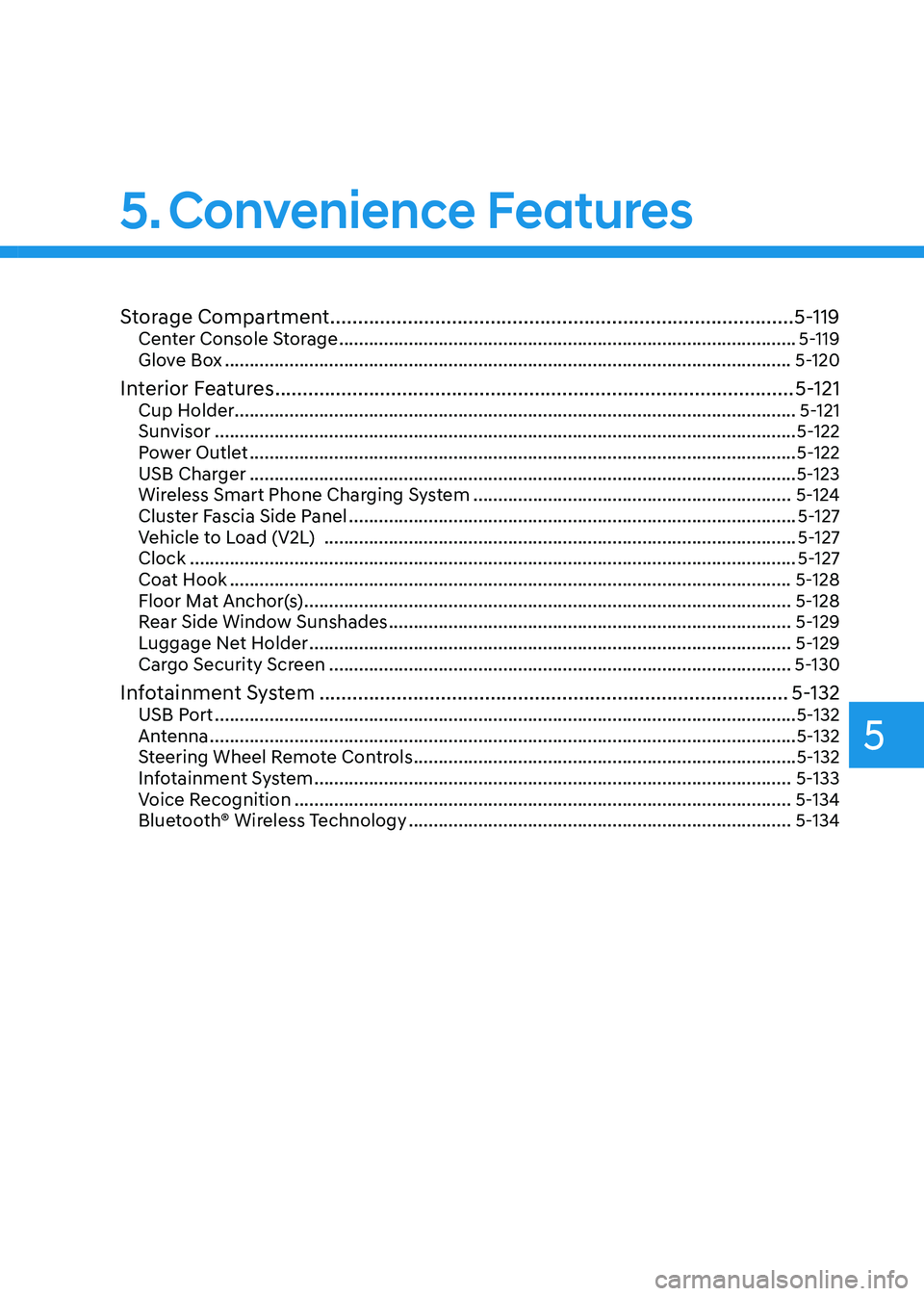
Storage Compartment .................................................................................... 5-119
Center Console Storage ............................................................................................ 5-119
Glove Box .................................................................................................................. 5-120
Interior Features .............................................................................................. 5-121
Cup Holder ................................................................................................................. 5-121
Sunvisor ..................................................................................................................... 5-122
Power Outlet .............................................................................................................. 5-122
USB Charger .............................................................................................................. 5-123
Wireless Smart Phone Charging System ................................................................5-124
Cluster Fascia Side Panel .......................................................................................... 5-127
Vehicle to Load (V2L) ............................................................................................... 5-127
Clock .......................................................................................................................... 5-127
Coat Hook ................................................................................................................. 5-128
Floor Mat Anchor(s) .................................................................................................. 5-128
Rear Side Window Sunshades ................................................................................. 5-129
Luggage Net Holder ................................................................................................. 5-129
Cargo Security Screen ............................................................................................. 5-130
Infotainment System ..................................................................................... 5-132
USB Port ..................................................................................................................... 5-132
Antenna ...................................................................................................................... 5-132
Steering Wheel Remote Controls ............................................................................. 5-132
Infotainment System ................................................................................................ 5-133
Voice Recognition .................................................................................................... 5-134
Bluetooth® Wireless Technology ............................................................................. 5-134
5. Convenience Features
Page 204 of 680
Convenience Features
5-12
Smart key precautions
The smart key may not work if any of the
following occur: •
The smart key is close to a radio
transmitter such as a radio station or
an airport which can interfere with
normal operation of the transmitter.
• The smart key is near a mobile two
way radio system or a mobile phone.
• Another vehicle’s smart key is being
operated close to your vehicle.
If the smart key does not work correctly, open and close the door with the
mechanical key. If you have a problem
with the smart key, contact an authorized
HYUNDAI dealer.
If the smart key is in close proximity to
your mobile phone, the signal could be
blocked by your mobile phone’s normal
operational signals. This is specifically
relevant when the phone is active such
as making and receiving calls, text
messaging, and/or sending/receiving
emails. When possible, avoid keeping the
smart key and your mobile phone in the
same location such as a pants or jacket
pocket in order to avoid interference
between the two devices.
Information
Changes or modifications not expressly
approved by the party responsible
for compliance could void the user’s authority to operate the equipment. If the keyless entry system is inoperative due
to changes or modifications not expressly
approved by the party responsible for
compliance, it will not be covered by your
manufacturer’s vehicle warranty.
Information
This device complies with Part 15 of the FCC rules.
Operation is subject to the following three conditions: 1. This device may not cause harmful
interference, and
2. This device must accept any
interference received, including
interference that may cause undesired operation.
3. Changes or modifications not expressly
approved by the party responsible
for compliance could void the user’s authority to operate the device.
NOTICE
• Keep the smart key away from
electromagnetic materials that
blocks electromagnetic waves to the
key surface.
• Always have the smart key with
you when leaving the vehicle. If the
smart key is left near the vehicle, the
vehicle battery may be discharged.
Page 207 of 680
05
5-15
hyundai Digital Key (if equipped)
Digital Key Application
To use Hyundai Digital Key mobile app,
you should install Hyundai digital key
application. Search ‘Hyundai digital key’
in the Google Play Store and download
the app. Please refer to the detailed
manual of the digital key app. The option
can be found under the following app menu:
Menu → Application Info → Tutorial
Please note the manual before using the app.
à This service is only available for
Android smartphones. Please confirm
supported/compatible devices on our
website.
WARNING
For used vehicle
If any of the digital key (smartphone key
or card key) is already registered when
you press ON button after unlocking the
doors, the message ‘Digital key(s) active’
appears on the instrument cluster once.
If you buy a used vehicle, you should
confirm the message and delete the
registered smartphone key and card key.
In addition, please notify the Hyundai
Customer Care Center.
If the card key does not work properly,
please delete the card key and register
the smartphone key and re-register the
card key.
For vehicle maintenance
If you need to have your Digital Key
System repaired or replaced please
ensure your Smartphone Key is still
active. You may have to pair your phone again.
In the case, re-initialize your Digital Keys
using the Hyundai Digital Key mobile app. Digital key (smartphone) NFC
function
You can use the Digital Key NFC (Near
Field Communication) function after turn
your smartphone NFC settings on. And
you should unlock & turn on smartphone
screen to use it.
à To change the NFC mode of the
smartphone, please refer to the
smartphone manual or contact
to the customer service center of
smartphone manufacturers.
Page 208 of 680
Convenience Features
5-16
Digital key (smartphone)
Hyundai Digital Key (Smartphone) Pairing
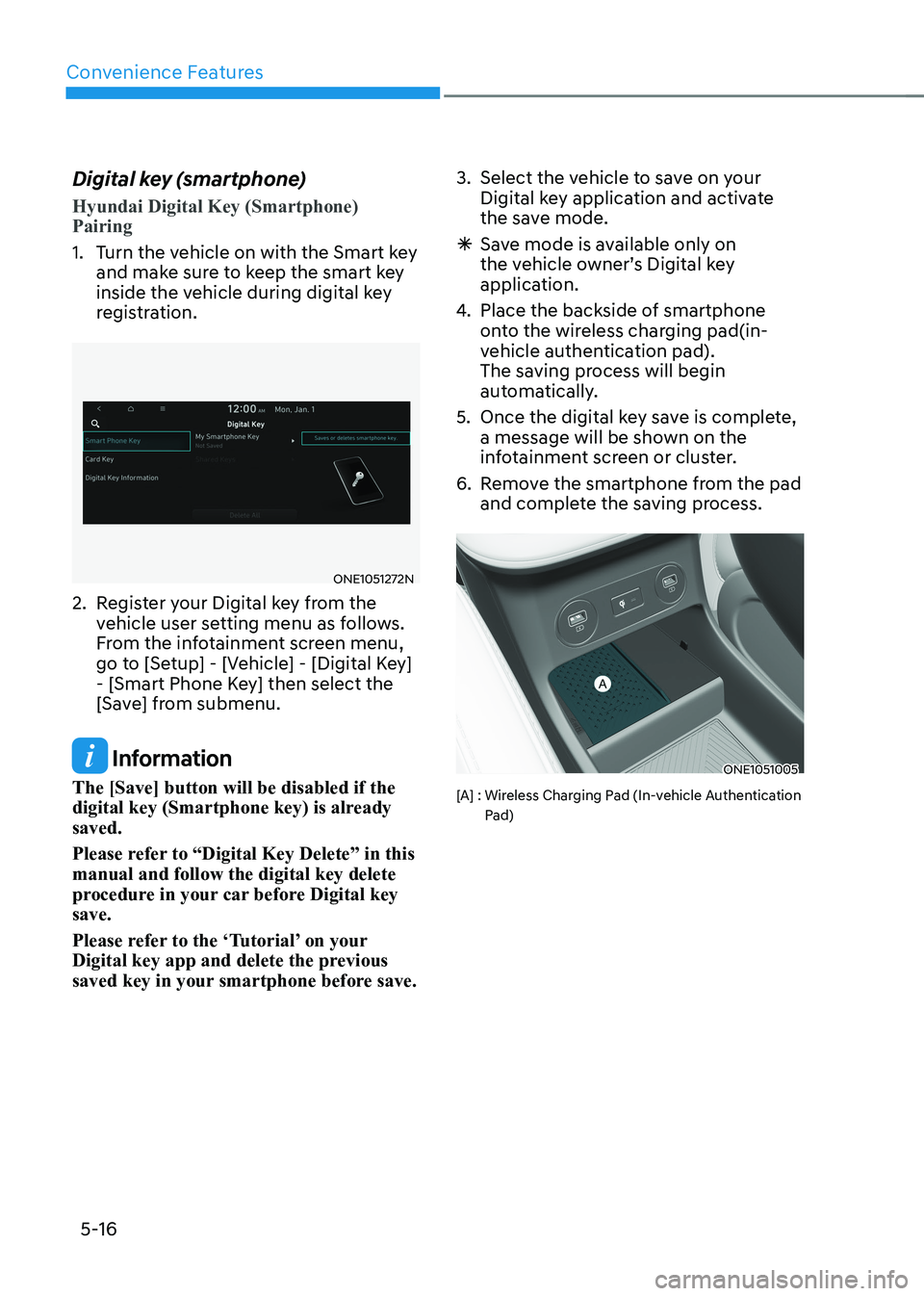
1. Turn the vehicle on with the Smart key
and make sure to keep the smart key
inside the vehicle during digital key
registration.
ONE1051272N
2. Register your Digital key from the vehicle user setting menu as follows.
From the infotainment screen menu,
go to [Setup] - [Vehicle] - [Digital Key]
- [Smart Phone Key] then select the
[Save] from submenu.
Information
The [Save] button will be disabled if the
digital key (Smartphone key) is already saved.
Please refer to “Digital Key Delete” in this manual and follow the digital key delete
procedure in your car before Digital key save.
Please refer to the ‘Tutorial’ on your
Digital key app and delete the previous
saved key in your smartphone before save. 3. Select the vehicle to save on your
Digital key application and activate
the save mode.
à Save mode is available only on
the vehicle owner’s Digital key
application.
4. Place the backside of smartphone
onto the wireless charging pad(in-
vehicle authentication pad).
The saving process will begin
automatically.
5. Once the digital key save is complete, a message will be shown on the
infotainment screen or cluster.
6. Remove the smartphone from the pad and complete the saving process.ONE1051005
[A] : Wireless Charging Pad (In-vehicle Authentication Pad)
Page 209 of 680
05
5-17
Hyundai Digital Key (Smartphone Key) Deletion
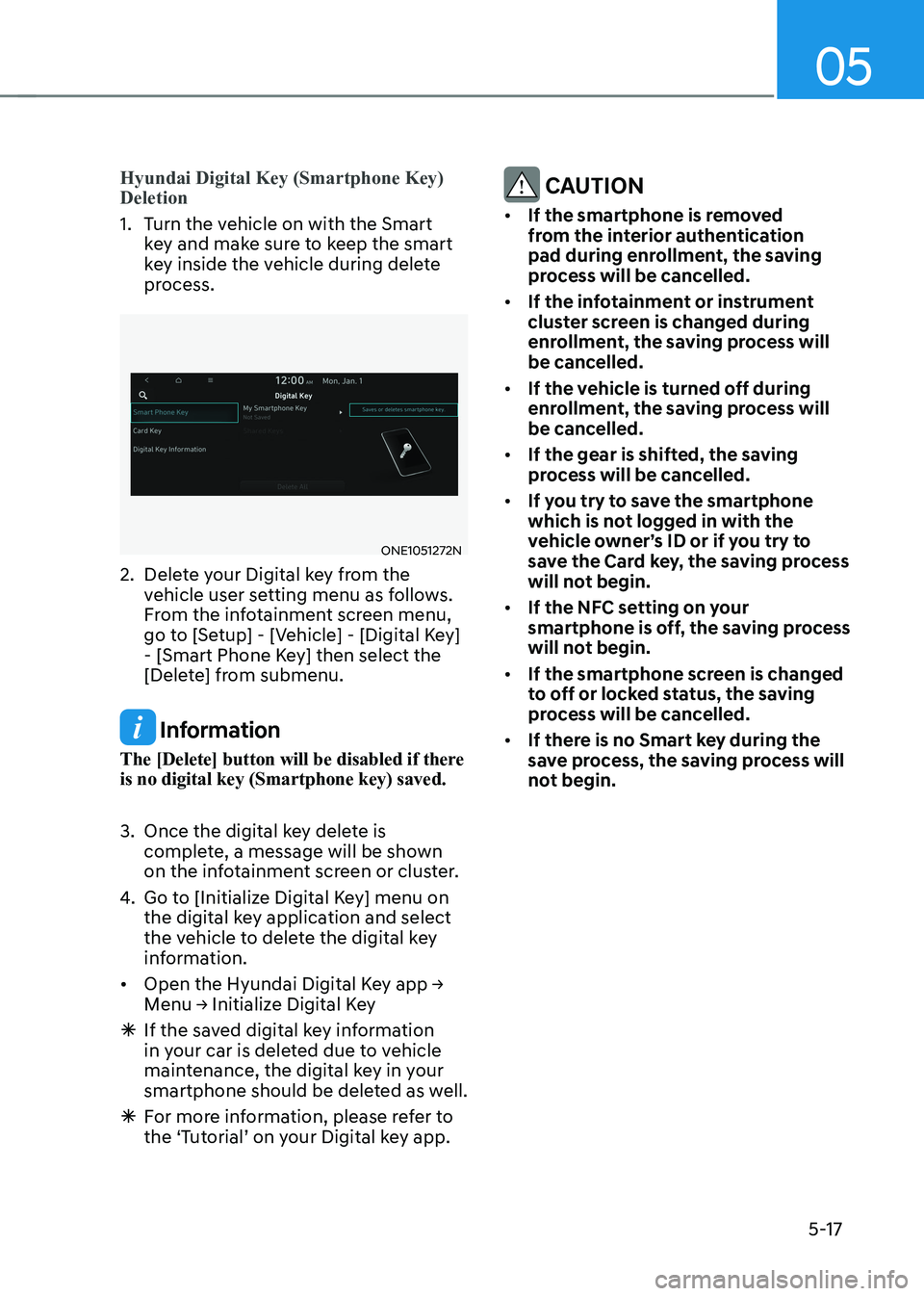
1. Turn the vehicle on with the Smart key and make sure to keep the smart
key inside the vehicle during delete
process.
ONE1051272N
2. Delete your Digital key from the vehicle user setting menu as follows.
From the infotainment screen menu,
go to [Setup] - [Vehicle] - [Digital Key]
- [Smart Phone Key] then select the
[Delete] from submenu.
Information
The [Delete] button will be disabled if there is no digital key (Smartphone key) saved.
3. Once the digital key delete is complete, a message will be shown
on the infotainment screen or cluster.
4. Go to [Initialize Digital Key] menu on
the digital key application and select
the vehicle to delete the digital key
information.
• Open the Hyundai Digital Key app → Menu → Initialize Digital Key
à If the saved digital key information
in your car is deleted due to vehicle
maintenance, the digital key in your
smartphone should be deleted as well.
à For more information, please refer to
the ‘Tutorial’ on your Digital key app.
CAUTION
• If the smartphone is removed
from the interior authentication
pad during enrollment, the saving
process will be cancelled.
• If the infotainment or instrument
cluster screen is changed during
enrollment, the saving process will
be cancelled.
• If the vehicle is turned off during
enrollment, the saving process will
be cancelled.
• If the gear is shifted, the saving
process will be cancelled.
• If you try to save the smartphone
which is not logged in with the
vehicle owner’s ID or if you try to
save the Card key, the saving process
will not begin.
• If the NFC setting on your
smartphone is off, the saving process
will not begin.
• If the smartphone screen is changed
to off or locked status, the saving
process will be cancelled.
• If there is no Smart key during the
save process, the saving process will
not begin.
Page 210 of 680
Convenience Features
5-18
Set up main vehicle
You can manage multiple digital keys
from the Digital key app. From the list of
digital keys you own, select the vehicle
you want to make your priority vehicle.
For more information, please refer to
the ‘Tutorial’ on your Digital key app.
ONE1051006
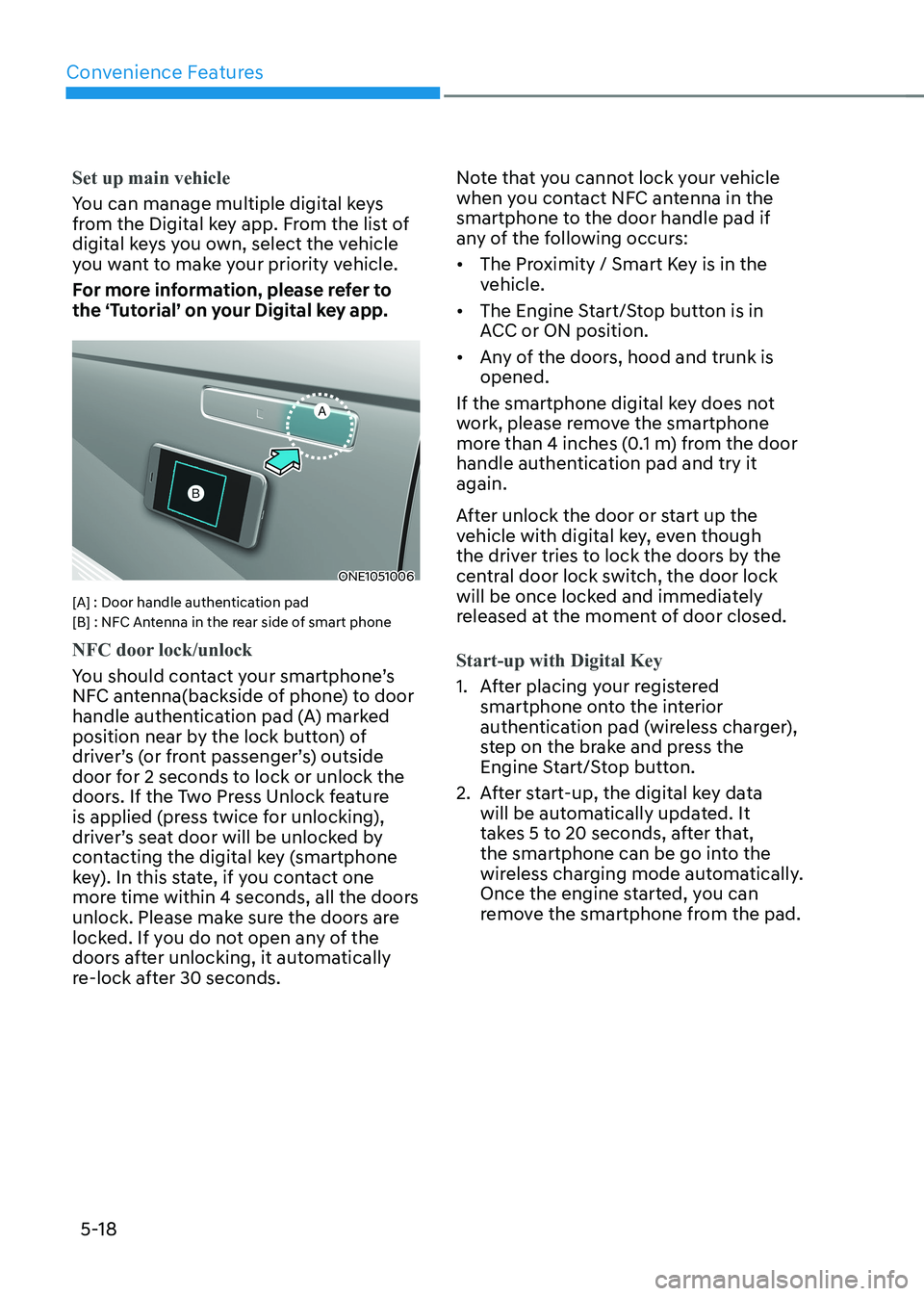
[A] : Door handle authentication pad
[B] : NFC Antenna in the rear side of smart phone
NFC door lock/unlock
You should contact your smartphone’s
NFC antenna(backside of phone) to door
handle authentication pad (A) marked
position near by the lock button) of
driver’s (or front passenger’s) outside
door for 2 seconds to lock or unlock the
doors. If the Two Press Unlock feature
is applied (press twice for unlocking),
driver’s seat door will be unlocked by
contacting the digital key (smartphone
key). In this state, if you contact one
more time within 4 seconds, all the doors
unlock. Please make sure the doors are
locked. If you do not open any of the
doors after unlocking, it automatically
re-lock after 30 seconds. Note that you cannot lock your vehicle
when you contact NFC antenna in the
smartphone to the door handle pad if
any of the following occurs: •
The Proximity / Smart Key is in the
vehicle.
• The Engine Start/Stop button is in
ACC or ON position.
• Any of the doors, hood and trunk is opened.
If the smartphone digital key does not
work, please remove the smartphone
more than 4 inches (0.1 m) from the door
handle authentication pad and try it again.
After unlock the door or start up the
vehicle with digital key, even though
the driver tries to lock the doors by the
central door lock switch, the door lock
will be once locked and immediately
released at the moment of door closed.Start-up with Digital Key
1. After placing your registered smartphone onto the interior
authentication pad (wireless charger),
step on the brake and press the
Engine Start/Stop button.
2. After start-up, the digital key data will be automatically updated. It
takes 5 to 20 seconds, after that,
the smartphone can be go into the
wireless charging mode automatically.
Once the engine started, you can
remove the smartphone from the pad.
Page 211 of 680
![HYUNDAI IONIQ 5 2023 Owners Manual 05
5-19
ONE1051005
[A] : Wireless Charging Pad (In-vehicle Authentication Pad)
Information
After reconnecting the vehicle battery
power supply or charging the battery, it
may take time to operat](/img/35/56168/w960_56168-210.png "HYUNDAI IONIQ 5 2023 Owners Manual 05
5-19
ONE1051005
[A] : Wireless Charging Pad (In-vehicle Authentication Pad)
Information
After reconnecting the vehicle battery
power supply or charging the battery, it
may take time to operat")
05
5-19
ONE1051005
[A] : Wireless Charging Pad (In-vehicle Authentication Pad)
Information
After reconnecting the vehicle battery
power supply or charging the battery, it
may take time to operate due to remote
renewal of security information. When you
lock or unlock the door with NFC, please
contact and hold your smartphone on the
door handle until it works.
The solution allows for offline mode usage
when the mobile data connection of the
smartphone is weak. When you are in the
place where the mobile data connection
of your smartphone is available and
place your smartphone on the interior
authentication pad (wireless charger) and
start up your vehicle or contact the digital
key on the door handle to lock or unlock
the door, the remote renewal of security
information starts automatically. Even
though the engine is turned on, please
wait until the remote renewal process
is completed and wireless charger is converted to charging mode.
CAUTION
The engine can be turned on if the
registered smartphone or card key is
placed on the interior authentication
pad (wireless charger). Do not leave
unsupervised children or people who
are not aware of the system since it
can result in serious injury or death.
Always have the registered digital key
(smartphone) or card key with you to
prevent vehicle theft when leaving the
vehicle.
For more information, refer to the
Engine Start/Stop button in chapter 6.