sensor Hyundai Ioniq Electric 2018 Owner's Guide
[x] Cancel search | Manufacturer: HYUNDAI, Model Year: 2018, Model line: Ioniq Electric, Model: Hyundai Ioniq Electric 2018Pages: 541, PDF Size: 19.83 MB
Page 304 of 541
5-43
Driving your vehicle
5
The system may not work prop-erly when the bumper has been
damaged, or if the rear bumper
has been replaced or repaired.
The sensing range differs some- what according to the width of
the road. When the road is nar-
row, the system may detect
other vehicles in the next lane.
The system may turn off due to strong electromagnetic waves.
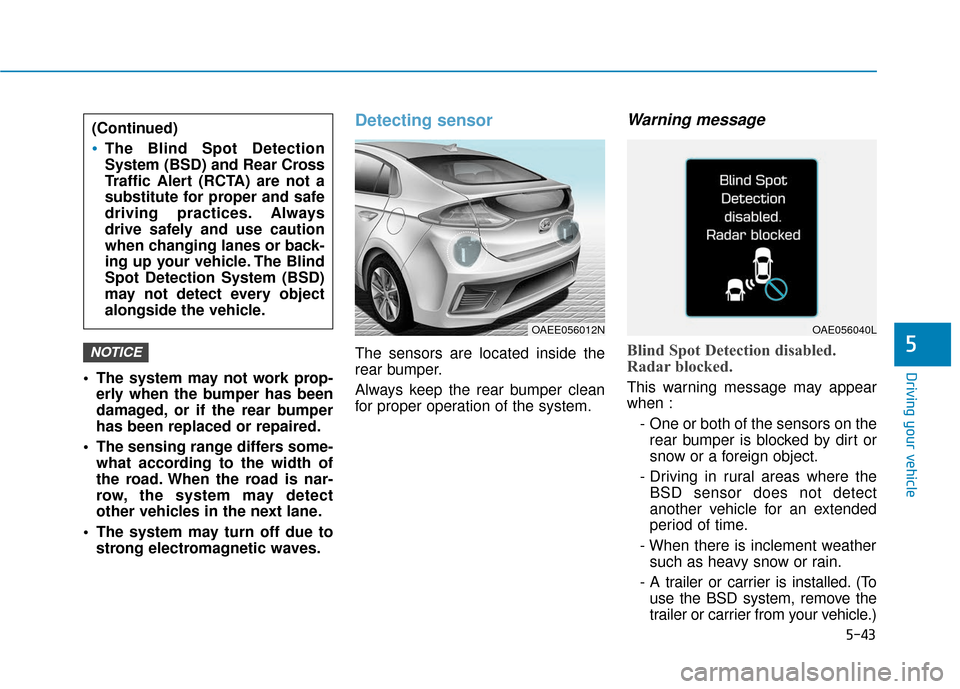
Detecting sensor
The sensors are located inside the
rear bumper.
Always keep the rear bumper clean
for proper operation of the system.
Warning message
Blind Spot Detection disabled.
Radar blocked.
This warning message may appear
when :
- One or both of the sensors on therear bumper is blocked by dirt or
snow or a foreign object.
- Driving in rural areas where the BSD sensor does not detect
another vehicle for an extended
period of time.
- When there is inclement weather such as heavy snow or rain.
- A trailer or carrier is installed. (To use the BSD system, remove the
trailer or carrier from your vehicle.)
NOTICE
(Continued)
The Blind Spot Detection
System (BSD) and Rear Cross
Traffic Alert (RCTA) are not a
substitute for proper and safe
driving practices. Always
drive safely and use caution
when changing lanes or back-
ing up your vehicle. The Blind
Spot Detection System (BSD)
may not detect every object
alongside the vehicle.
OAE056040LOAEE056012N
Page 305 of 541
5-44
Driving your vehicle
If any of these conditions occur, the
light on the BSD switch and the sys-
tem will turn off automatically.
When the BSD canceled warning
message is displayed in the cluster,
check to make sure that the rear
bumper is free from any dirt or snow
in the areas where the sensor is
located. Remove any dirt, snow, or
foreign material that could interfere
with the radar sensors.
After any dirt or debris is removed,
the BSD system should operate nor-
mally after about 10 minutes of driv-
ing the vehicle.
If the system still does not operate
normally have your vehicle inspected
by an authorized HYUNDAI dealer.
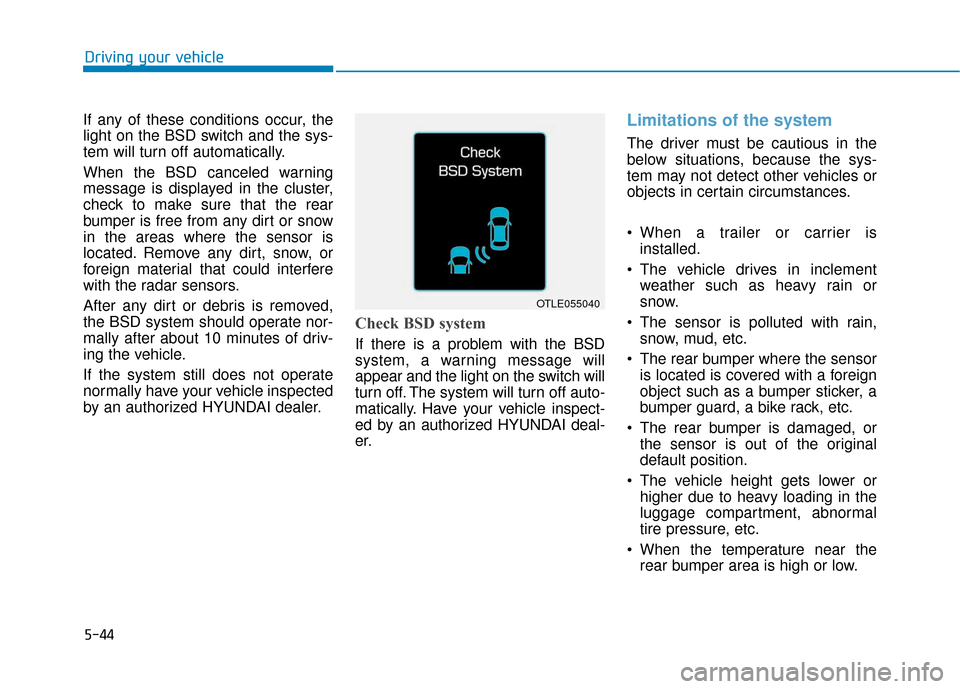
Check BSD system
If there is a problem with the BSD
system, a warning message will
appear and the light on the switch will
turn off. The system will turn off auto-
matically. Have your vehicle inspect-
ed by an authorized HYUNDAI deal-
er.
Limitations of the system
The driver must be cautious in the
below situations, because the sys-
tem may not detect other vehicles or
objects in certain circumstances.
When a trailer or carrier is installed.
The vehicle drives in inclement weather such as heavy rain or
snow.
The sensor is polluted with rain, snow, mud, etc.
The rear bumper where the sensor is located is covered with a foreign
object such as a bumper sticker, a
bumper guard, a bike rack, etc.
The rear bumper is damaged, or the sensor is out of the original
default position.
The vehicle height gets lower or higher due to heavy loading in the
luggage compartment, abnormal
tire pressure, etc.
When the temperature near the rear bumper area is high or low.
OTLE055040
Page 306 of 541
5-45
Driving your vehicle
5
When the sensors are blocked byother vehicles, walls or parking-lot
pillars.
The vehicle drives on a curved road or through a tollgate.
The vehicle is driven near areas containing metal substances such
as a construction zone, railroad,
etc.
There is a fixed object near the vehicle, such as a guardrail, per-
son, animal, etc.
While going down or up a steep road where the height of the lane is
different.
When driving through a narrow road with many trees or bushes.
When driving on wet surfaces.
When driving through a large area with few vehicles or structures
around, such as a desert, rural
area, etc.
A big vehicle is near such as a bus or truck.
When other vehicles are close to your vehicle.
When the other vehicle approach- es very close. When the detected vehicle also
moves back, as your vehicle drives
back.
While changing lanes.
The vehicle is turning left or right at a crossroad.
If the vehicle has started at the same time as the vehicle next to
you and has accelerated.
When the other vehicle passes at a very fast speed.
When the vehicle in the next lane moves two lanes away from you
OR when the vehicle two lanes
away moves to the next lane to
you.
A motorcycle or bicycle is near.
A flat trailer is near.
If there are small objects in the detecting area such as a shopping
cart or a baby stroller.
If there is a low height vehicle such as a sports car.Non-operating condition
The BSD indicator on the outer side
view mirror may not illuminate
properly when:
The outer side view mirror housingis damaged.
The mirror is covered with dirt, snow, or debris.
The window is covered with dirt, snow, or debris.
The window is tinted.
Information
This device complies with Part 15 of
the FCC rules.
Operation is subject to the following
two conditions:
1. This device may not cause harmful interference, and
2. This device must accept any inter- ference received, including interfer-
ence that may cause undesired
operation.
i
Page 311 of 541
5-50
Driving your vehicle
Brake operation
In an urgent situation, the brakingsystem enters into the ready status
for prompt reaction against the dri-
ver's depressing the brake pedal.
The AEB provides additional brak- ing power for optimum braking per-
formance, when the driver
depresses the brake pedal.
The braking control is automatical- ly deactivated, when the driver
sharply depresses the accelerator
pedal, or when the driver abruptly
operates the steering wheel.
The AEB brake control is automat- ically canceled, when risk factors
disappear.
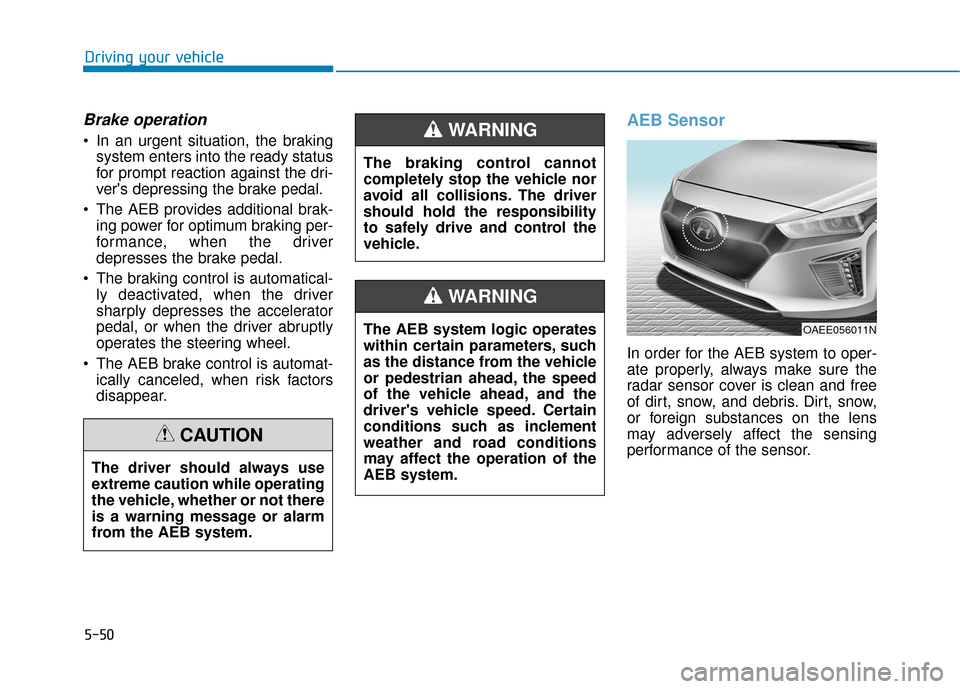
AEB Sensor
In order for the AEB system to oper-
ate properly, always make sure the
radar sensor cover is clean and free
of dirt, snow, and debris. Dirt, snow,
or foreign substances on the lens
may adversely affect the sensing
performance of the sensor.
The driver should always use
extreme caution while operating
the vehicle, whether or not there
is a warning message or alarm
from the AEB system.
CAUTION
The braking control cannot
completely stop the vehicle nor
avoid all collisions. The driver
should hold the responsibility
to safely drive and control the
vehicle.
WARNING
The AEB system logic operates
within certain parameters, such
as the distance from the vehicle
or pedestrian ahead, the speed
of the vehicle ahead, and the
driver's vehicle speed. Certain
conditions such as inclement
weather and road conditions
may affect the operation of the
AEB system.
WARNING
OAEE056011N
Page 312 of 541
5-51
Driving your vehicle
5
Do not apply license plate frameor foreign objects such as a
bumper sticker or a bumper
guard near the radar sensor.
Doing so may adversely affect
the sensing performance of the
radar.
Always keep the radar sensor and cover clean and free of dirt
and debris.
Use only a soft cloth to wash the vehicle. Do not spray pressur-
ized water directly on the sensor
or sensor cover.
Be careful not to apply unneces- sary force on the radar sensor or
sensor cover. If the sensor is
forcibly moved out of proper
alignment, the AEB system may
not operate correctly. In this
case, a warning message may
not be displayed. Have the vehi-
cle inspected by an authorized
HYUNDAI dealer.
(Continued)(Continued)
If the front bumper becomes
damaged in the area around the
radar sensor, the AEB system
may not operate properly. Have
the vehicle inspected by author-
ized HYUNDAI.
Use only genuine parts to repair or replace a damaged sensor or
sensor cover. Do not apply paint
to the sensor cover. NEVER install any accessories
or stickers on the front wind-
shield, nor tint the front wind-
shield.
NEVER locate any reflective objects (i.e. white paper, mirror)
over the dashboard. Any light
reflection may cause a malfunc-
tion of the system.
Pay extreme caution to keep the camera out of water.
NEVER arbitrarily disassemble the camera assembly, nor apply
any impact on the camera
assembly.
Playing the vehicle audio sys- tem at high volume may offset
the system warning sounds.
Information
Have the system checked by an
authorized HYUNDAI dealer when:
• The windshield glass is replaced.
• The front bumper is replaced.
• The radar sensor or cover gets dam-aged or replaced.
i
NOTICENOTICE
Page 313 of 541
5-52
Driving your vehicle
Warning message and warninglight
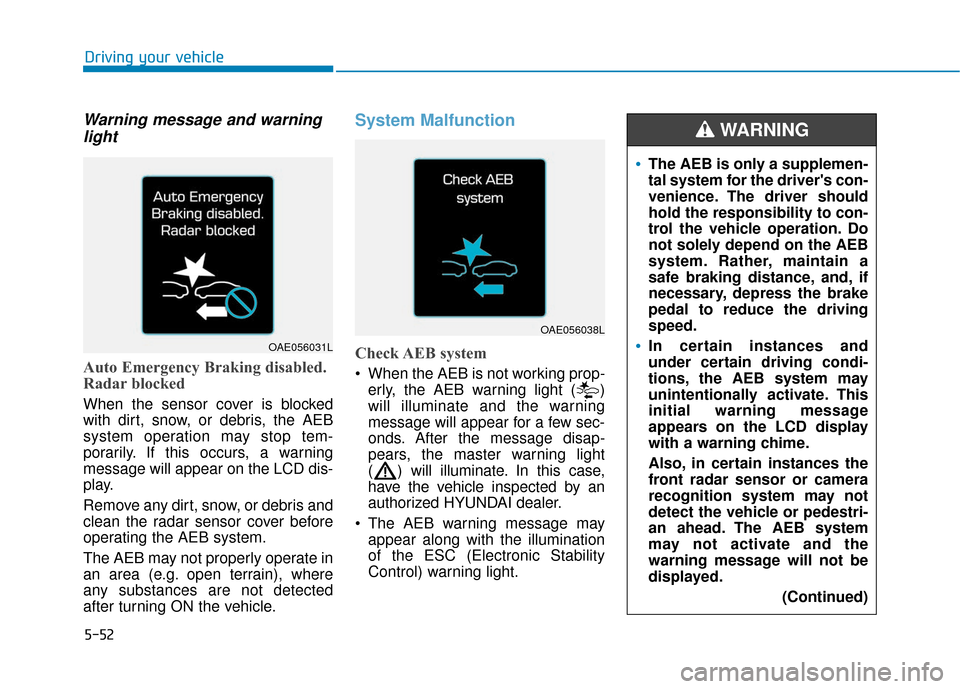
Auto Emergency Braking disabled.
Radar blocked
When the sensor cover is blocked
with dirt, snow, or debris, the AEB
system operation may stop tem-
porarily. If this occurs, a warning
message will appear on the LCD dis-
play.
Remove any dirt, snow, or debris and
clean the radar sensor cover before
operating the AEB system.
The AEB may not properly operate in
an area (e.g. open terrain), where
any substances are not detected
after turning ON the vehicle.
System Malfunction
Check AEB system
When the AEB is not working prop-
erly, the AEB warning light ( )
will illuminate and the warning
message will appear for a few sec-
onds. After the message disap-
pears, the master warning light
( ) will illuminate. In this case,
have the vehicle inspected by an
authorized HYUNDAI dealer.
The AEB warning message may appear along with the illumination
of the ESC (Electronic Stability
Control) warning light.
OAE056038L
The AEB is only a supplemen-
tal system for the driver's con-
venience. The driver should
hold the responsibility to con-
trol the vehicle operation. Do
not solely depend on the AEB
system. Rather, maintain a
safe braking distance, and, if
necessary, depress the brake
pedal to reduce the driving
speed.
In certain instances and
under certain driving condi-
tions, the AEB system may
unintentionally activate. This
initial warning message
appears on the LCD display
with a warning chime.
Also, in certain instances the
front radar sensor or camera
recognition system may not
detect the vehicle or pedestri-
an ahead. The AEB system
may not activate and the
warning message will not be
displayed.
(Continued)
WARNING
OAE056031L
Page 315 of 541
5-54
Driving your vehicle
Limitations of the System
The Autonomous Emergency Braking
(AEB) system is designed to help
monitor the vehicle ahead or a pedes-
trian in the roadway through radar sig-
nals and camera recognition to warn
the driver that a collision is imminent,
and if necessary, apply emergency
braking.
In certain situations, the radar sen-
sor or the camera may not be able to
detect the vehicle or pedestrian
ahead. In these cases, the AEB sys-
tem may not operate normally. The
driver must pay careful attention in
the following situations where the
AEB operation may be limited.
Detecting vehicles
The sensor may be limited when:
The radar sensor or camera isblocked with a foreign object or
debris
Inclement weather such as heavy rain or snow obscures the field of
view of the radar sensor or camera
There is interference by electro- magnetic waves
There is severe irregular reflection from the radar sensor
The radar/camera sensor recogni- tion is limited
The vehicle in front is too small to be detected (for example a motor-
cycle or a bicycle, etc.)
The vehicle in front is an oversize vehicle or trailer that is too big to
be detected by the camera recog-
nition system (for example a tractor
trailer, etc.)
The driver's field of view is not well illuminated (either too dark or too
much reflection or too much back-
light that obscures the field of view) The vehicle in front does not have
their rear lights properly turned ON
The outside brightness changes suddenly, for example when enter-
ing or exiting a tunnel
Light coming from a street light or an oncoming vehicle is reflected on
a wet road surface such as a pud-
dle in the road
The field of view in front is obstructed by sun glare
The windshield glass is fogged up; a clear view of the road is obstructed
The vehicle in front is driving errat- ically
The vehicle is on unpaved or uneven rough surfaces, or roads
with sudden gradient changes
The adverse road conditions cause excessive vehicle vibrations while
driving
The vehicle is moving under ground level or inside a building
The vehicle is driven near areas containing metal substances such
as a construction zone, railroad,
etc.
Page 316 of 541
5-55
Driving your vehicle
5
The vehicle in front is moving verti-cally to the driving direction
The vehicle in front is stopped ver- tically
The vehicle in front is driving towards your vehicle or reversing
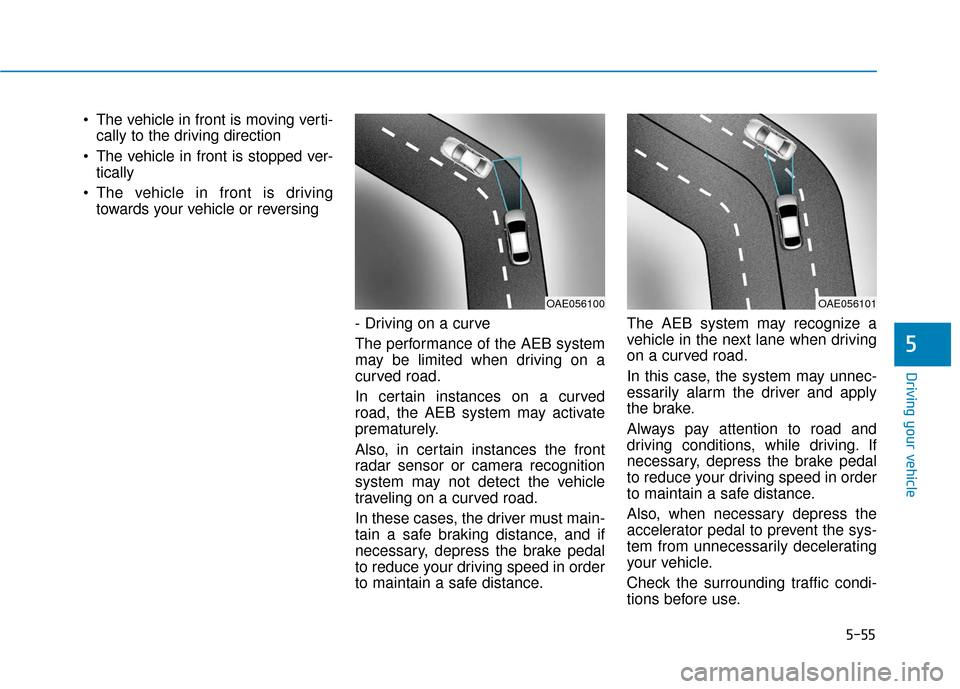
- Driving on a curve
The performance of the AEB system
may be limited when driving on a
curved road.
In certain instances on a curved
road, the AEB system may activate
prematurely.
Also, in certain instances the front
radar sensor or camera recognition
system may not detect the vehicle
traveling on a curved road.
In these cases, the driver must main-
tain a safe braking distance, and if
necessary, depress the brake pedal
to reduce your driving speed in order
to maintain a safe distance. The AEB system may recognize a
vehicle in the next lane when driving
on a curved road.
In this case, the system may unnec-
essarily alarm the driver and apply
the brake.
Always pay attention to road and
driving conditions, while driving. If
necessary, depress the brake pedal
to reduce your driving speed in order
to maintain a safe distance.
Also, when necessary depress the
accelerator pedal to prevent the sys-
tem from unnecessarily decelerating
your vehicle.
Check the surrounding traffic condi-
tions before use.
OAE056101OAE056100
Page 318 of 541
5-57
Driving your vehicle
5
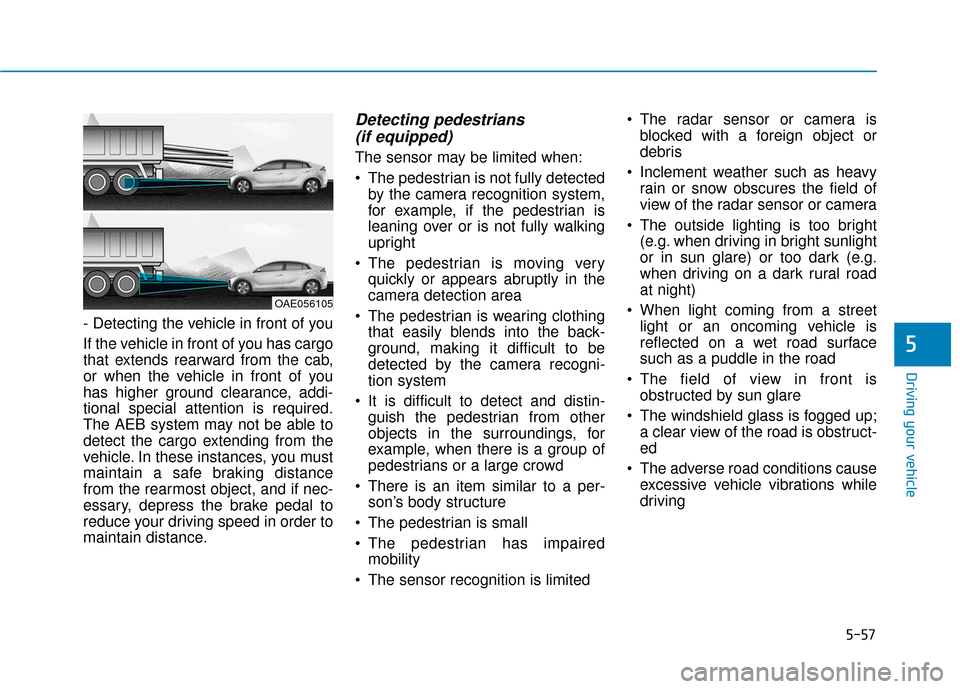
- Detecting the vehicle in front of you
If the vehicle in front of you has cargo
that extends rearward from the cab,
or when the vehicle in front of you
has higher ground clearance, addi-
tional special attention is required.
The AEB system may not be able to
detect the cargo extending from the
vehicle. In these instances, you must
maintain a safe braking distance
from the rearmost object, and if nec-
essary, depress the brake pedal to
reduce your driving speed in order to
maintain distance.
Detecting pedestrians (if equipped)
The sensor may be limited when:
The pedestrian is not fully detected
by the camera recognition system,
for example, if the pedestrian is
leaning over or is not fully walking
upright
The pedestrian is moving very quickly or appears abruptly in the
camera detection area
The pedestrian is wearing clothing that easily blends into the back-
ground, making it difficult to be
detected by the camera recogni-
tion system
It is difficult to detect and distin- guish the pedestrian from other
objects in the surroundings, for
example, when there is a group of
pedestrians or a large crowd
There is an item similar to a per- son’s body structure
The pedestrian is small
The pedestrian has impaired mobility
The sensor recognition is limited The radar sensor or camera is
blocked with a foreign object or
debris
Inclement weather such as heavy rain or snow obscures the field of
view of the radar sensor or camera
The outside lighting is too bright (e.g. when driving in bright sunlight
or in sun glare) or too dark (e.g.
when driving on a dark rural road
at night)
When light coming from a street light or an oncoming vehicle is
reflected on a wet road surface
such as a puddle in the road
The field of view in front is obstructed by sun glare
The windshield glass is fogged up; a clear view of the road is obstruct-
ed
The adverse road conditions cause excessive vehicle vibrations while
driving
OAE056105
Page 322 of 541
5-61
Driving your vehicle
5
Information
If the indicator (white) is activated
from the previous ignition cycle, the
system will turn ON without any addi-
tional control. If you press the LKAS
button again, the indicator on the
cluster goes off. The color of indicator will
change depending on the
condition of LKAS.
- White : Sensor does not detect
lane markers or vehicle
speed is under 40 mph (60
km/h).
- Green : Sensor detects lane mark- ers and the system is able
to control vehicle steering.
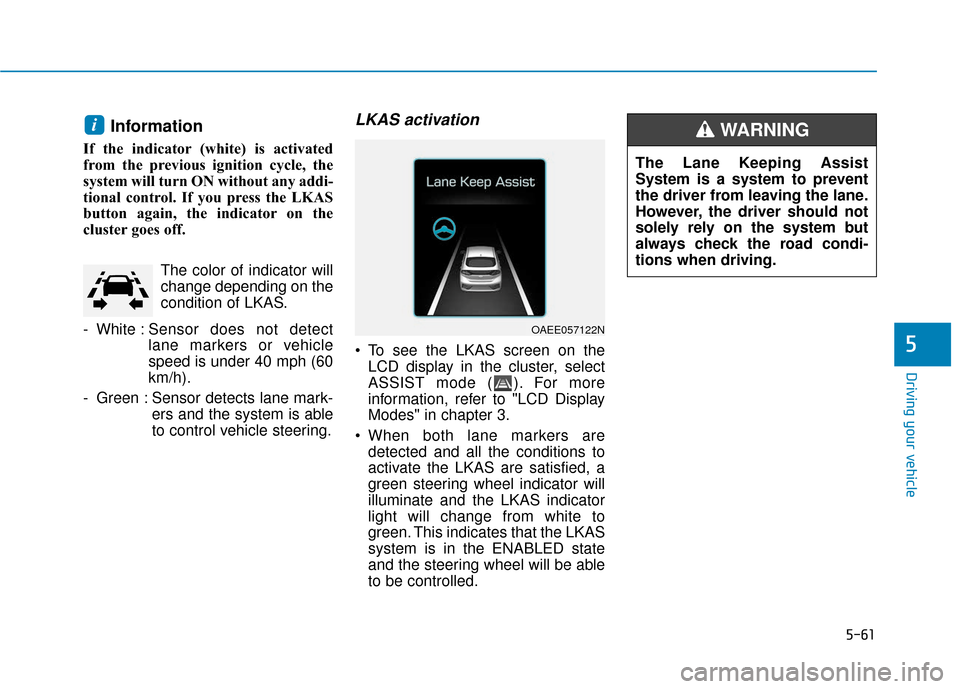
LKAS activation
To see the LKAS screen on theLCD display in the cluster, select
ASSIST mode ( ). For more
information, refer to "LCD Display
Modes" in chapter 3.
When both lane markers are detected and all the conditions to
activate the LKAS are satisfied, a
green steering wheel indicator will
illuminate and the LKAS indicator
light will change from white to
green. This indicates that the LKAS
system is in the ENABLED state
and the steering wheel will be able
to be controlled.
i
OAEE057122N
The Lane Keeping Assist
System is a system to prevent
the driver from leaving the lane.
However, the driver should not
solely rely on the system but
always check the road condi-
tions when driving.
WARNING