Speed limit Hyundai Ioniq Electric 2018 Owner's Manual
[x] Cancel search | Manufacturer: HYUNDAI, Model Year: 2018, Model line: Ioniq Electric, Model: Hyundai Ioniq Electric 2018Pages: 541, PDF Size: 19.83 MB
Page 69 of 541
2-54
Safety system of your vehicleDuring a frontal collision, sensors will
detect the vehicle's deceleration. If
the rate of deceleration is high
enough, the control unit will inflate
the front air bags.
The front air bags help protect the
driver and front passenger by
responding to frontal impacts in
which seat belts alone cannot pro-
vide adequate restraint. When need-
ed, the side air bags help provide
protection in the event of a side
impact or rollover.
Air bags are activated (able toinflate if necessary) only when the
POWER button is in the ON posi-
tion.
Air bags inflate in the event of cer- tain frontal or side collisions to help
protect the occupants from serious
physical injury.
Generally, air bags are designed to inflate based upon the severity of a
collision, its direction, etc. These
two factors determine whether the
sensors produce an electronic
deployment/inflation signal. Air bag deployment depends on a
number of factors including vehicle
speed, angles of impact and the
density and stiffness of the vehicles
or objects which your vehicle
impacts during a collision. The
determining factors are not limited
to those mentioned above.
The front air bags will completely inflate and deflate in an instant. It is
virtually impossible for you to see
the air bags inflate during an acci-
dent. It is much more likely that you
will simply see the deflated air bags
hanging out of their storage com-
partments after the collision.
In addition to inflating in certain side collisions, vehicles equipped
with a rollover sensor, side and
curtain air bags will inflate if the
sensing system detects a rollover.
When a rollover is detected, side
and curtain air bags will remain
inflated longer to help provide pro-
tection from ejection, especially
when used in conjunction with the
seat belts.
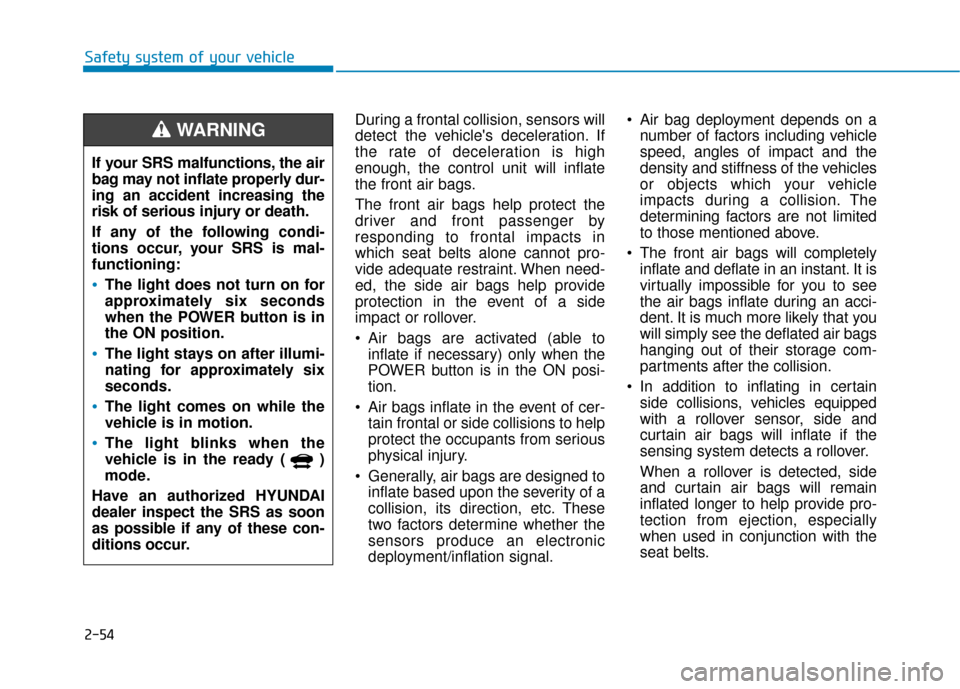
If your SRS malfunctions, the air
bag may not inflate properly dur-
ing an accident increasing the
risk of serious injury or death.
If any of the following condi-
tions occur, your SRS is mal-
functioning:
The light does not turn on for
approximately six seconds
when the POWER button is in
the ON position.
The light stays on after illumi-
nating for approximately six
seconds.
The light comes on while the
vehicle is in motion.
The light blinks when the
vehicle is in the ready ( )
mode.
Have an authorized HYUNDAI
dealer inspect the SRS as soon
as possible if any of these con-
ditions occur.
WARNING
Page 139 of 541
3-54
Convenient features of your vehicle
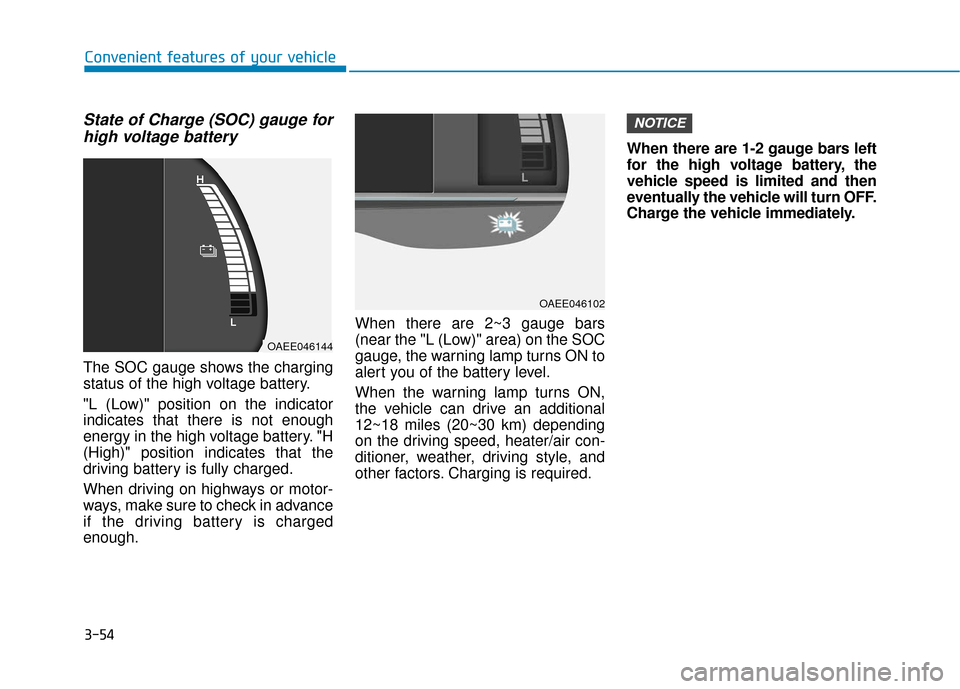
State of Charge (SOC) gauge forhigh voltage battery
The SOC gauge shows the charging
status of the high voltage battery.
"L (Low)" position on the indicator
indicates that there is not enough
energy in the high voltage battery. "H
(High)" position indicates that the
driving battery is fully charged.
When driving on highways or motor-
ways, make sure to check in advance
if the driving battery is charged
enough. When there are 2~3 gauge bars
(near the "L (Low)" area) on the SOC
gauge, the warning lamp turns ON to
alert you of the battery level.
When the warning lamp turns ON,
the vehicle can drive an additional
12~18 miles (20~30 km) depending
on the driving speed, heater/air con-
ditioner, weather, driving style, and
other factors. Charging is required.When there are 1-2 gauge bars left
for the high voltage battery, the
vehicle speed is limited and then
eventually the vehicle will turn OFF.
Charge the vehicle immediately.
NOTICE
OAEE046144
OAEE046102
Page 147 of 541
3-62
Convenient features of your vehicle
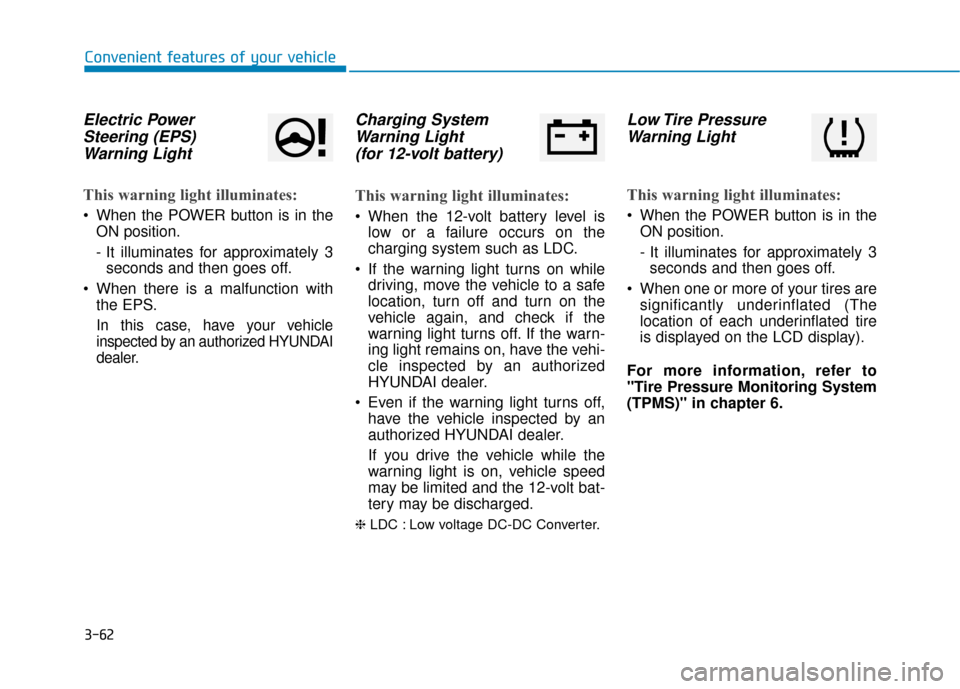
Electric PowerSteering (EPS)Warning Light
This warning light illuminates:
When the POWER button is in the
ON position.
- It illuminates for approximately 3seconds and then goes off.
When there is a malfunction with the EPS.
In this case, have your vehicle
inspected by an authorized HYUNDAI
dealer.
Charging SystemWarning Light(for 12-volt battery)
This warning light illuminates:
When the 12-volt battery level is
low or a failure occurs on the
charging system such as LDC.
If the warning light turns on while driving, move the vehicle to a safe
location, turn off and turn on the
vehicle again, and check if the
warning light turns off. If the warn-
ing light remains on, have the vehi-
cle inspected by an authorized
HYUNDAI dealer.
Even if the warning light turns off, have the vehicle inspected by an
authorized HYUNDAI dealer.
If you drive the vehicle while the
warning light is on, vehicle speed
may be limited and the 12-volt bat-
tery may be discharged.
❈ LDC : Low voltage DC-DC Converter.
Low Tire Pressure
Warning Light
This warning light illuminates:
When the POWER button is in the
ON position.
- It illuminates for approximately 3seconds and then goes off.
When one or more of your tires are significantly underinflated (The
location of each underinflated tire
is displayed on the LCD display).
For more information, refer to
"Tire Pressure Monitoring System
(TPMS)" in chapter 6.
Page 263 of 541
5
Advanced Smart Cruise Control System ...........5-72
Smart Cruise Control Speed .........................................5-73
Smart Cruise Control Vehicle-to-Vehicle Distance...5-78
Sensor to Detect Distance to the Vehicle Ahead ...5-81
To Adjust the Sensitivity of Smart Cruise Control...5-82
To Convert to Cruise Control Mode............................5-83
Limitations of the System .............................................5-83
Special Driving Conditions ..................................5-89
Hazardous Driving Conditions ......................................5-89
Rocking the Vehicle ........................................................5-89
Smooth Cornering ...........................................................5-90
Driving at Night................................................................5-90
Driving in the Rain ..........................................................5-90
Driving in Flooded Areas ...............................................5-91
Highway Driving...............................................................5-91
Winter Driving ......................................................5-92
Snow or Icy Conditions ..................................................5-92
Winter Precautions .........................................................5-94
Vehicle Load Limit................................................5-96
Tire Loading Information Label ...................................5-96
Trailer Towing .....................................................5-100
Page 276 of 541
5-15
Driving your vehicle
5
Good Driving Practices
Never shift to P (Park) or N(Neutral) to any other position with
the accelerator pedal depressed.
Never shift to P (Park) when the vehicle is in motion.
Be sure the vehicle is completely
stopped before you attempt to shift
into R (Reverse) or D (Drive).
Do not shift to N (Neutral) when driving. Doing so may result in an
accident.
Do not drive with your foot resting on the brake pedal. Even light, but
consistent pedal pressure can
result in the brakes overheating,
brake wear and possibly even
brake failure.
Always apply the parking brake when leaving the vehicle. Do not
depend on placing the gear in P
(Park) to keep the vehicle from
moving. Exercise extreme caution when
driving on a slippery surface. Be
especially careful when braking,
accelerating or shifting gears. On a
slippery surface, an abrupt change
in vehicle speed can cause the
drive wheels to lose traction and
may cause loss of vehicle control
resulting in an accident
Optimum vehicle performance and economy is obtained by smoothly
depressing and releasing the
accelerator.
To reduce the risk of SERIOUS
INJURY or DEATH:
ALWAYS wear your seat belt.
In a collision, an unbelted
occupant is significantly more
likely to be seriously injured
or killed than a properly belt-
ed occupant.
Avoid high speeds when cor-
nering or turning. (Continued)
WARNING
(Continued)
Do not make quick steering
wheel movements, such as
sharp lane changes or fast,
sharp turns.
The risk of rollover is greatly
increased if you lose control
of your vehicle at highway
speeds.
Loss of control often occurs if
two or more wheels drop off
the roadway and the driver
over steers to reenter the
roadway.
In the event your vehicle
leaves the roadway, do not
steer sharply. Instead, slow
down before pulling back into
the travel lanes.
HYUNDAI recommends you
follow all posted speed limits.
Page 310 of 541
5-49
Driving your vehicle
5
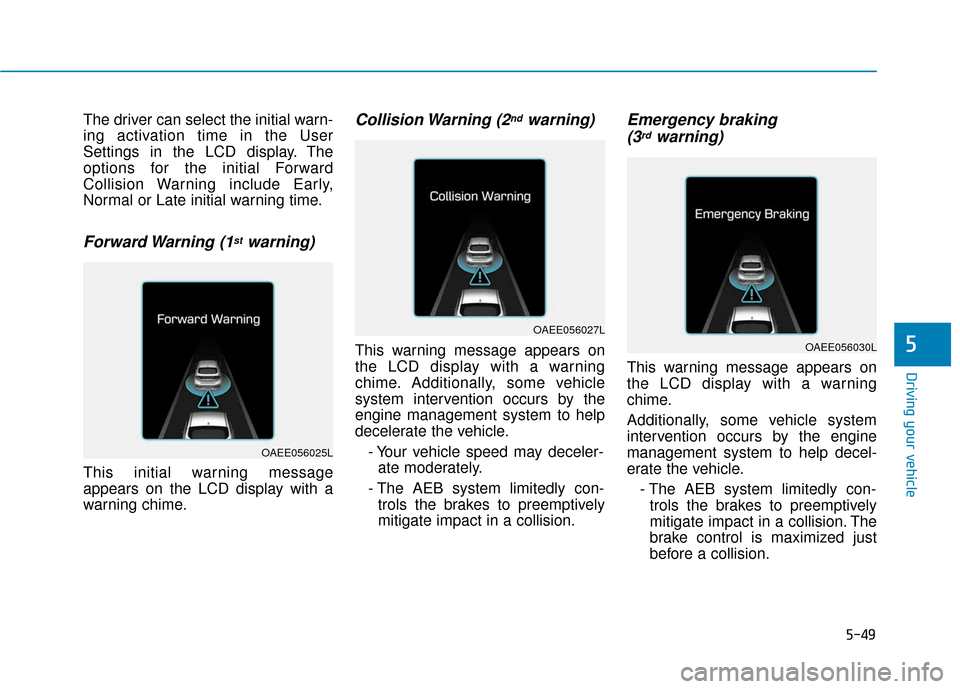
The driver can select the initial warn-
ing activation time in the User
Settings in the LCD display. The
options for the initial Forward
Collision Warning include Early,
Normal or Late initial warning time.
Forward Warning (1stwarning)
This initial warning message
appears on the LCD display with a
warning chime.
Collision Warning (2ndwarning)
This warning message appears on
the LCD display with a warning
chime. Additionally, some vehicle
system intervention occurs by the
engine management system to help
decelerate the vehicle.- Your vehicle speed may deceler-ate moderately.
- The AEB system limitedly con- trols the brakes to preemptively
mitigate impact in a collision.
Emergency braking (3rdwarning)
This warning message appears on
the LCD display with a warning
chime.
Additionally, some vehicle system
intervention occurs by the engine
management system to help decel-
erate the vehicle.
- The AEB system limitedly con-trols the brakes to preemptively
mitigate impact in a collision. The
brake control is maximized just
before a collision.
OAEE056025L
OAEE056027L
OAEE056030L
Page 316 of 541
5-55
Driving your vehicle
5
The vehicle in front is moving verti-cally to the driving direction
The vehicle in front is stopped ver- tically
The vehicle in front is driving towards your vehicle or reversing
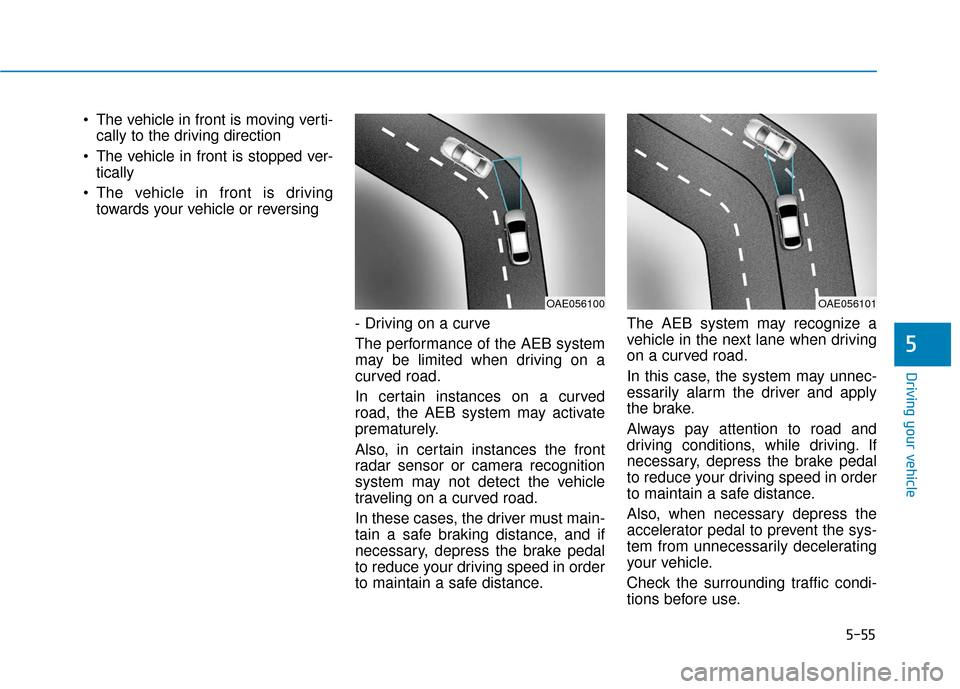
- Driving on a curve
The performance of the AEB system
may be limited when driving on a
curved road.
In certain instances on a curved
road, the AEB system may activate
prematurely.
Also, in certain instances the front
radar sensor or camera recognition
system may not detect the vehicle
traveling on a curved road.
In these cases, the driver must main-
tain a safe braking distance, and if
necessary, depress the brake pedal
to reduce your driving speed in order
to maintain a safe distance. The AEB system may recognize a
vehicle in the next lane when driving
on a curved road.
In this case, the system may unnec-
essarily alarm the driver and apply
the brake.
Always pay attention to road and
driving conditions, while driving. If
necessary, depress the brake pedal
to reduce your driving speed in order
to maintain a safe distance.
Also, when necessary depress the
accelerator pedal to prevent the sys-
tem from unnecessarily decelerating
your vehicle.
Check the surrounding traffic condi-
tions before use.
OAE056101OAE056100
Page 318 of 541
5-57
Driving your vehicle
5
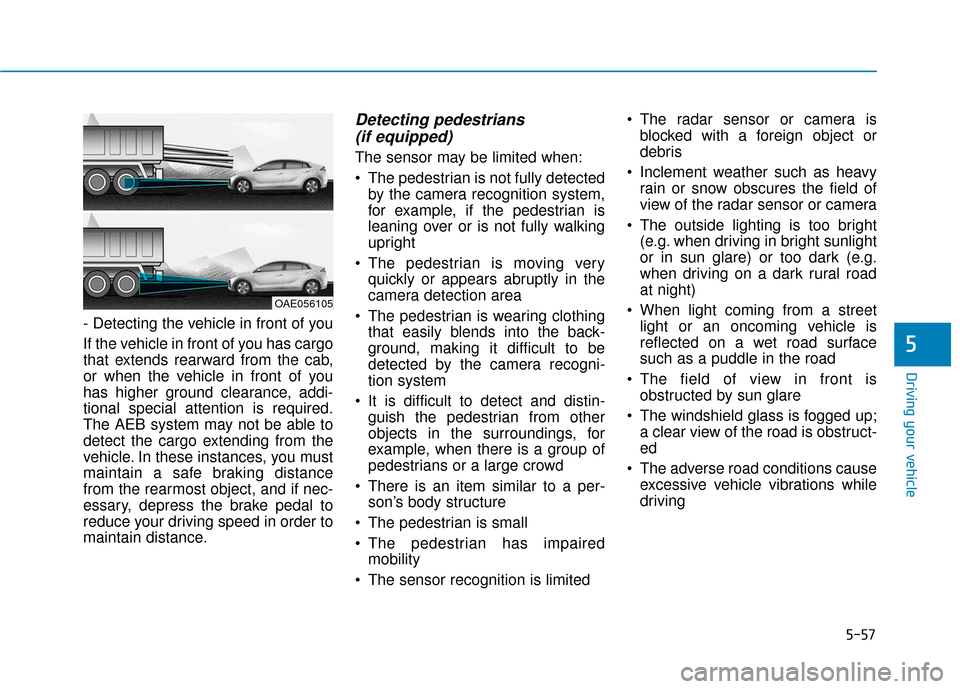
- Detecting the vehicle in front of you
If the vehicle in front of you has cargo
that extends rearward from the cab,
or when the vehicle in front of you
has higher ground clearance, addi-
tional special attention is required.
The AEB system may not be able to
detect the cargo extending from the
vehicle. In these instances, you must
maintain a safe braking distance
from the rearmost object, and if nec-
essary, depress the brake pedal to
reduce your driving speed in order to
maintain distance.
Detecting pedestrians (if equipped)
The sensor may be limited when:
The pedestrian is not fully detected
by the camera recognition system,
for example, if the pedestrian is
leaning over or is not fully walking
upright
The pedestrian is moving very quickly or appears abruptly in the
camera detection area
The pedestrian is wearing clothing that easily blends into the back-
ground, making it difficult to be
detected by the camera recogni-
tion system
It is difficult to detect and distin- guish the pedestrian from other
objects in the surroundings, for
example, when there is a group of
pedestrians or a large crowd
There is an item similar to a per- son’s body structure
The pedestrian is small
The pedestrian has impaired mobility
The sensor recognition is limited The radar sensor or camera is
blocked with a foreign object or
debris
Inclement weather such as heavy rain or snow obscures the field of
view of the radar sensor or camera
The outside lighting is too bright (e.g. when driving in bright sunlight
or in sun glare) or too dark (e.g.
when driving on a dark rural road
at night)
When light coming from a street light or an oncoming vehicle is
reflected on a wet road surface
such as a puddle in the road
The field of view in front is obstructed by sun glare
The windshield glass is fogged up; a clear view of the road is obstruct-
ed
The adverse road conditions cause excessive vehicle vibrations while
driving
OAE056105
Page 321 of 541
5-60
Driving your vehicle
LKAS Operation
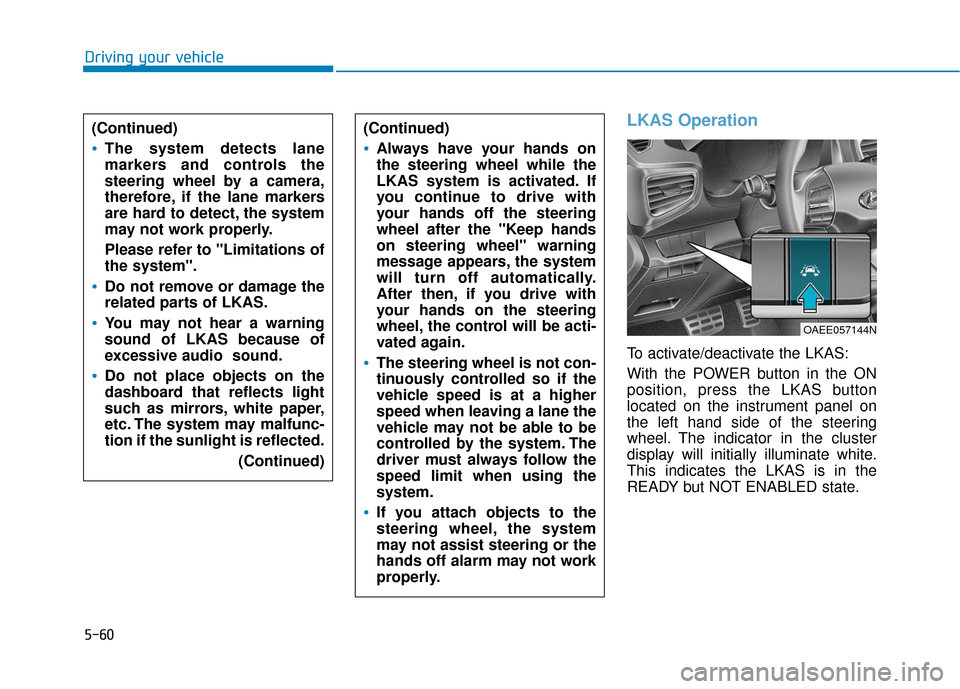
To activate/deactivate the LKAS:
With the POWER button in the ON
position, press the LKAS button
located on the instrument panel on
the left hand side of the steering
wheel. The indicator in the cluster
display will initially illuminate white.
This indicates the LKAS is in the
READY but NOT ENABLED state.
(Continued)
Always have your hands on
the steering wheel while the
LKAS system is activated. If
you continue to drive with
your hands off the steering
wheel after the "Keep hands
on steering wheel" warning
message appears, the system
will turn off automatically.
After then, if you drive with
your hands on the steering
wheel, the control will be acti-
vated again.
The steering wheel is not con-
tinuously controlled so if the
vehicle speed is at a higher
speed when leaving a lane the
vehicle may not be able to be
controlled by the system. The
driver must always follow the
speed limit when using the
system.
If you attach objects to the
steering wheel, the system
may not assist steering or the
hands off alarm may not work
properly.
(Continued)
The system detects lane
markers and controls the
steering wheel by a camera,
therefore, if the lane markers
are hard to detect, the system
may not work properly.
Please refer to "Limitations of
the system".
Do not remove or damage the
related parts of LKAS.
You may not hear a warning
sound of LKAS because of
excessive audio sound.
Do not place objects on the
dashboard that reflects light
such as mirrors, white paper,
etc. The system may malfunc-
tion if the sunlight is reflected.
(Continued)
OAEE057144N
Page 326 of 541
5-65
Driving your vehicle
The vehicle drives too close to thelane marker continuously before
steering is assisted.
ESC (Electronic Stability Control) or VSM (Vehicle Stability
Management) is activated.
The vehicle is driven on a sharp curve.
Vehicle speed is below 40 mph (60 km/h) and over 110 mph (180
km/h).
The vehicle makes sharp lane changes.
The vehicle brakes suddenly.
Only one lane marker is detected.
The lane is very wide or narrow.
There are more than two lane markers on the road. (e.g. con-
struction area)
The vehicle is driven on a steep incline.
The steering wheel is turned sud- denly.Limitations of the System
The LKAS may operate prematurely
even if the vehicle does not depart
from the intended lane, OR, the
LKAS may not assist your steering or
warn you if the vehicle leaves the
intended lane under the following cir-
cumstances:
When the lane and road condi-
tions are poor
It is difficult to distinguish the lanemarking from the road surface or
the lane marking is faded or not
clearly marked.
It is difficult to distinguish the color of the lane marker from the road.
There are markings on the road surface that look like a lane marker
that is inadvertently being detected
by the camera.
The lane marker is merged or divided. (e.g. tollgate)
The lane number increases or decreases or the lane marker are
crossing complicatedly.
There are more than two lane markers on the road in front of you.
The lane marker is very thick or thin. The lanes ahead are not visible
due to rain, snow, water on the
road, damaged or stained road
surface, or other factors.
The shadow is on the lane marker by a median strip, trees, etc.
The lanes are incomplete or the area is in a construction zone.
There are crosswalk signs or other symbols on the road.
The lane marker in a tunnel is stained with oil, etc.
The lane suddenly disappears such as at the intersection.
When external condition is inter-
vened
The brightness outside changes suddenly such as when entering or
exiting a tunnel or passing under a
bridge.
The brightness outside is too low such as when the headlamps are
not on at night or the vehicle is
going through a tunnel or passing
under a bridge..
5