headlamp Hyundai Ioniq Electric 2018 Owner's Manual
[x] Cancel search | Manufacturer: HYUNDAI, Model Year: 2018, Model line: Ioniq Electric, Model: Hyundai Ioniq Electric 2018Pages: 541, PDF Size: 19.83 MB
Page 11 of 541
1-2
E
EX
X T
TE
ER
R I
IO
O R
R
O
O V
VE
ER
R V
V I
IE
E W
W
Your vehicle at a glance
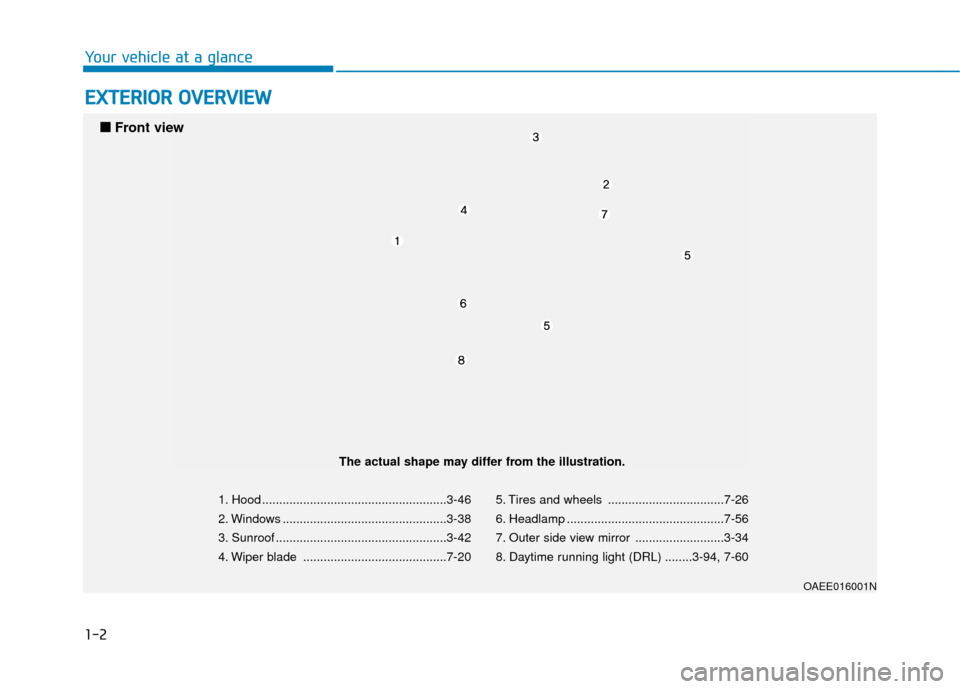
1. Hood ......................................................3-46
2. Windows ................................................3-38
3. Sunroof ..................................................3-42
4. Wiper blade ..........................................7-20 5. Tires and wheels ..................................7-26
6. Headlamp ..............................................7-56
7. Outer side view mirror ..........................3-34
8. Daytime running light (DRL) ........3-94, 7-60
OAEE016001N
■
■
Front view
The actual shape may differ from the illustration.
Page 149 of 541
3-64
Convenient features of your vehicle
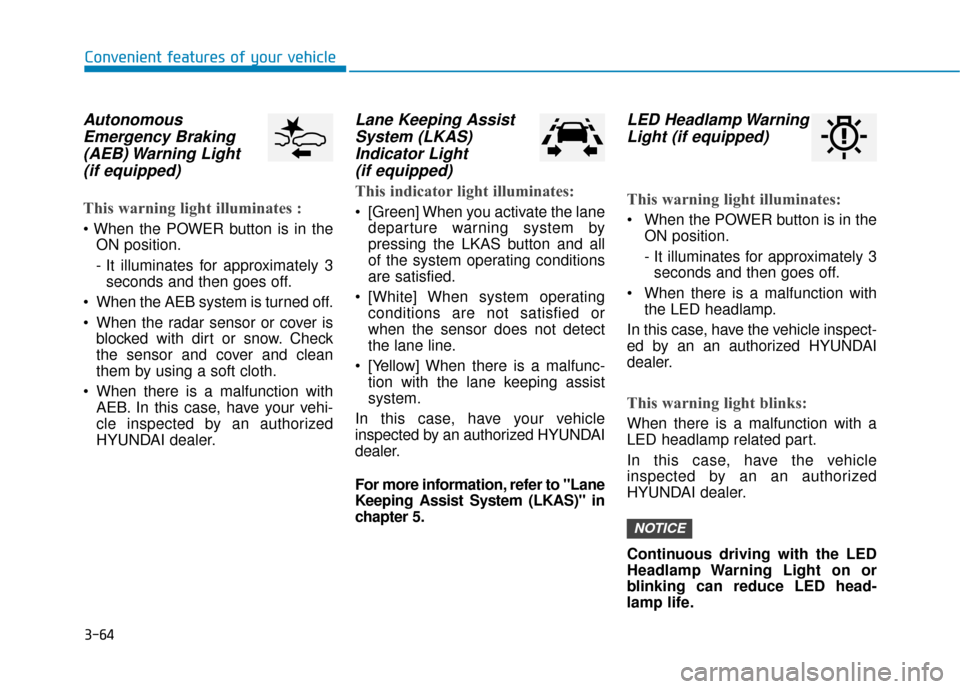
AutonomousEmergency Braking(AEB) Warning Light (if equipped)
This warning light illuminates :
ON position.
- It illuminates for approximately 3seconds and then goes off.
When the AEB system is turned off.
When the radar sensor or cover is blocked with dirt or snow. Check
the sensor and cover and clean
them by using a soft cloth.
When there is a malfunction with AEB. In this case, have your vehi-
cle inspected by an authorized
HYUNDAI dealer.
Lane Keeping AssistSystem (LKAS)Indicator Light (if equipped)
This indicator light illuminates:
[Green] When you activate the lane
departure warning system by
pressing the LKAS button and all
of the system operating conditions
are satisfied.
[White] When system operating conditions are not satisfied or
when the sensor does not detect
the lane line.
[Yellow] When there is a malfunc- tion with the lane keeping assist
system.
In this case, have your vehicle
inspected by an authorized HYUNDAI
dealer.
For more information, refer to "Lane
Keeping Assist System (LKAS)" in
chapter 5.
LED Headlamp Warning Light (if equipped)
This warning light illuminates:
When the POWER button is in the
ON position.
- It illuminates for approximately 3seconds and then goes off.
When there is a malfunction with the LED headlamp.
In this case, have the vehicle inspect-
ed by an an authorized HYUNDAI
dealer.
This warning light blinks:
When there is a malfunction with a
LED headlamp related part.
In this case, have the vehicle
inspected by an an authorized
HYUNDAI dealer.
Continuous driving with the LED
Headlamp Warning Light on or
blinking can reduce LED head-
lamp life.
NOTICE
Page 157 of 541
3-72
Convenient features of your vehicle
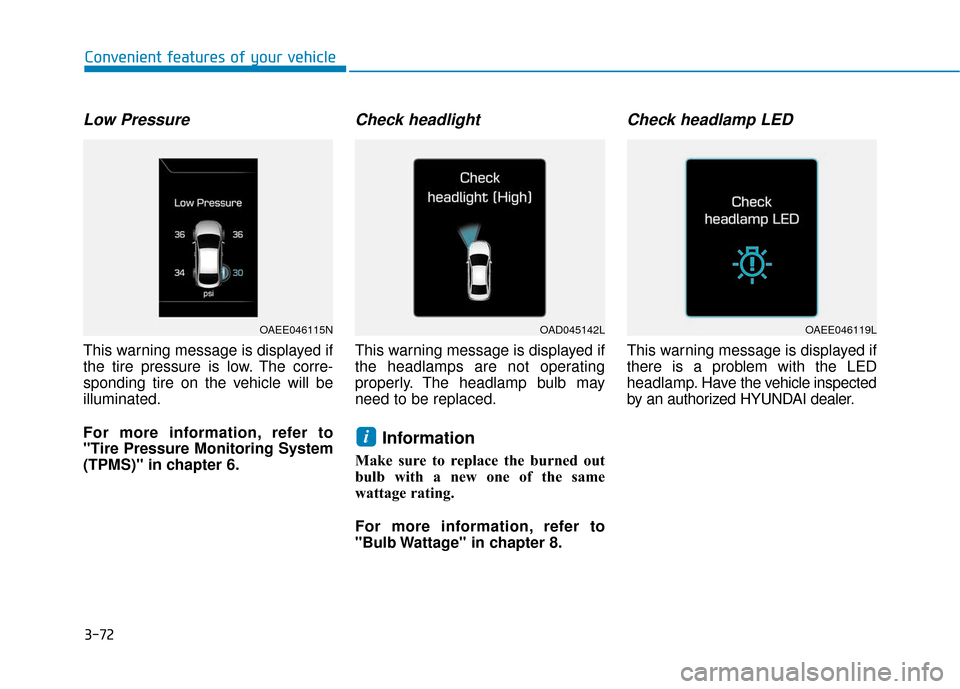
Low Pressure
This warning message is displayed if
the tire pressure is low. The corre-
sponding tire on the vehicle will be
illuminated.
For more information, refer to
"Tire Pressure Monitoring System
(TPMS)" in chapter 6.
Check headlight
This warning message is displayed if
the headlamps are not operating
properly. The headlamp bulb may
need to be replaced.
Information
Make sure to replace the burned out
bulb with a new one of the same
wattage rating.
For more information, refer to
"Bulb Wattage" in chapter 8.
Check headlamp LED
This warning message is displayed if
there is a problem with the LED
headlamp. Havethe vehicle inspected
by an authorized HYUNDAI dealer.
i
OAEE046115NOAD045142LOAEE046119L
Page 158 of 541
3-73
Convenient features of your vehicle
3
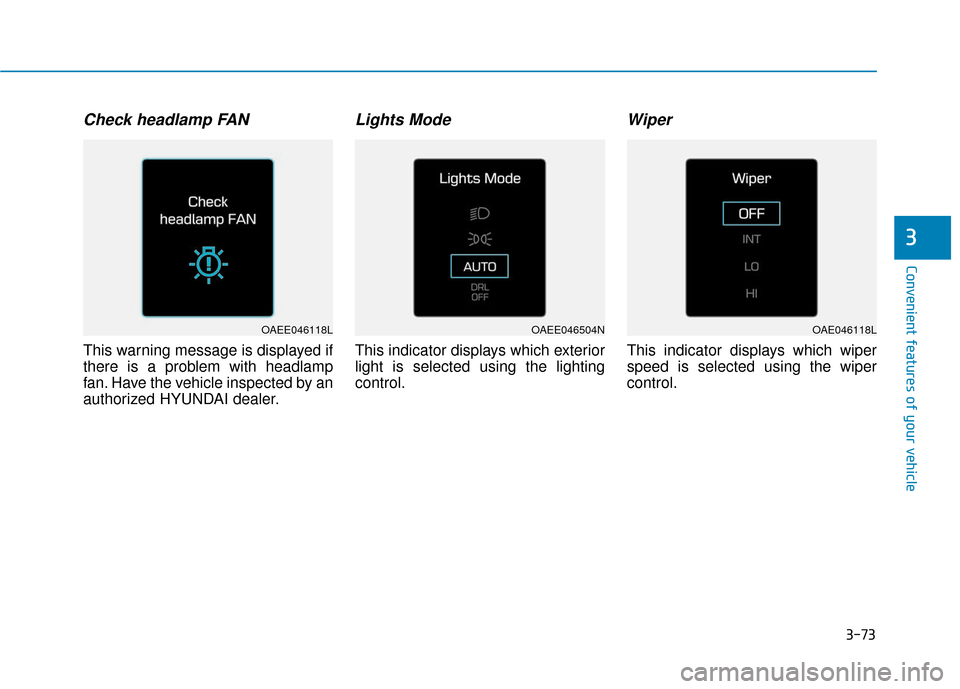
Check headlamp FAN
This warning message is displayed if
there is a problem with headlamp
fan. Have the vehicle inspected by an
authorized HYUNDAI dealer.
Lights Mode
This indicator displays which exterior
light is selected using the lighting
control.
Wiper
This indicator displays which wiper
speed is selected using the wiper
control.
OAEE046118LOAEE046504NOAE046118L
Page 171 of 541
3-86
Convenient features of your vehicle
The information provided differs according to the items applied to your vehicle.
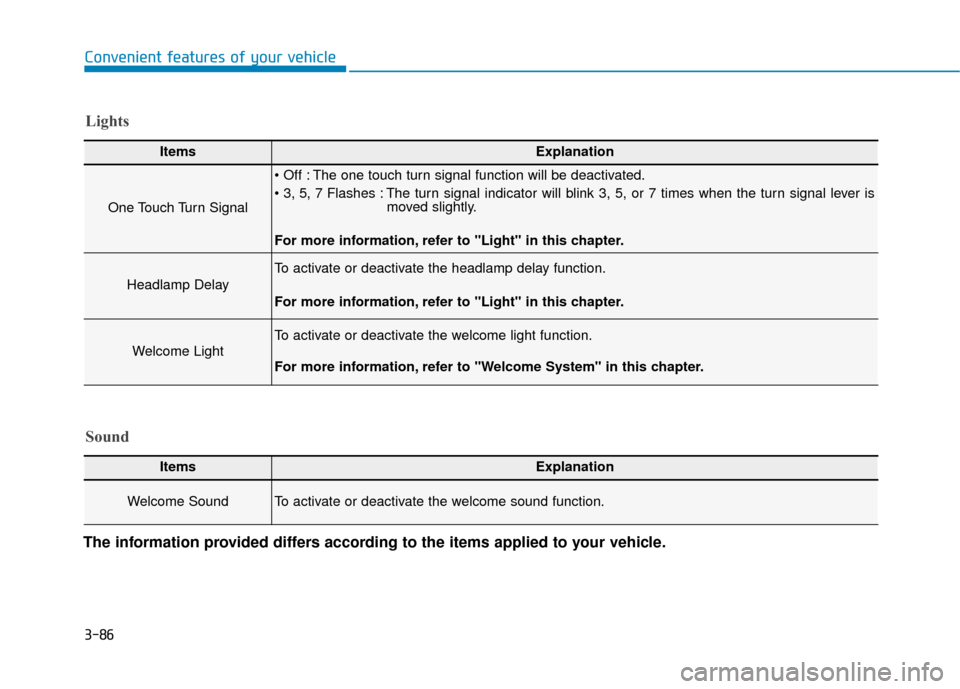
ItemsExplanation
One Touch Turn Signal
The one touch turn signal function will be deactivated.
The turn signal indicator will blink 3, 5, or 7 times when the turn signal lever is moved slightly.
For more information, refer to "Light" in this chapter.
Headlamp Delay
To activate or deactivate the headlamp delay function.
For more information, refer to "Light" in this chapter.
Welcome Light
To activate or deactivate the welcome light function.
For more information, refer to "Welcome System" in this chapter.
Lights
Sound
ItemsExplanation
Welcome Sound To activate or deactivate the welcome sound function.
Page 179 of 541
3-94
Convenient features of your vehicle
L
LI
IG
G H
H T
T
Exterior Lights
Lighting control
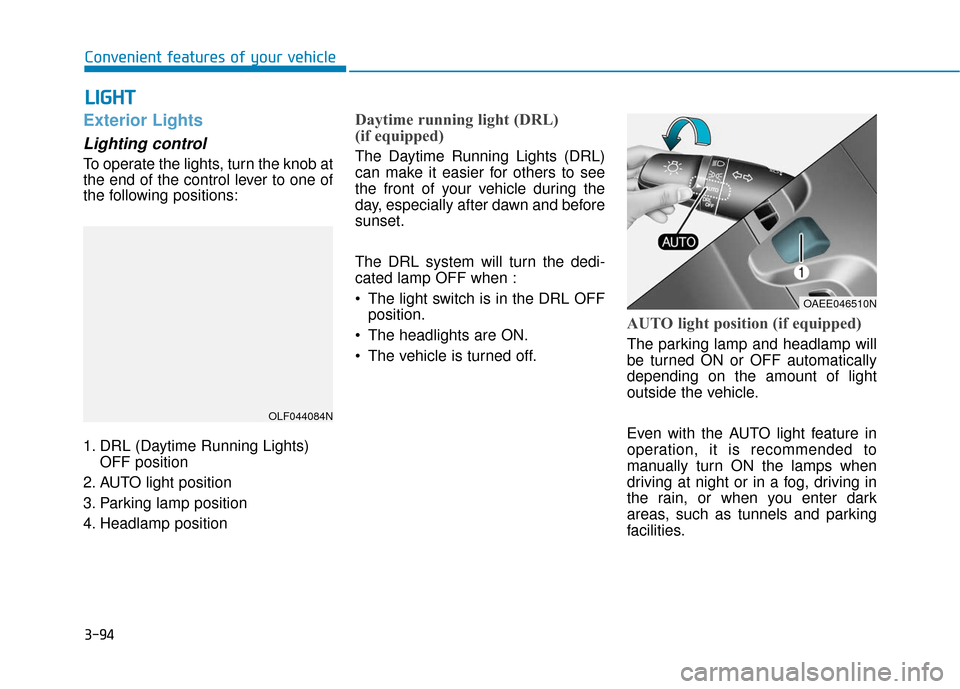
To operate the lights, turn the knob at
the end of the control lever to one of
the following positions:
1. DRL (Daytime Running Lights)
OFF position
2. AUTO light position
3. Parking lamp position
4. Headlamp position
Daytime running light (DRL)
(if equipped)
The Daytime Running Lights (DRL)
can make it easier for others to see
the front of your vehicle during the
day, especially after dawn and before
sunset.
The DRL system will turn the dedi-
cated lamp OFF when :
• The light switch is in the DRL OFF position.
The headlights are ON.
The vehicle is turned off.
AUTO light position (if equipped)
The parking lamp and headlamp will
be turned ON or OFF automatically
depending on the amount of light
outside the vehicle.
Even with the AUTO light feature in
operation, it is recommended to
manually turn ON the lamps when
driving at night or in a fog, driving in
the rain, or when you enter dark
areas, such as tunnels and parking
facilities.
OLF044084N
OAEE046510N
Page 180 of 541
3-95
Convenient features of your vehicle
3
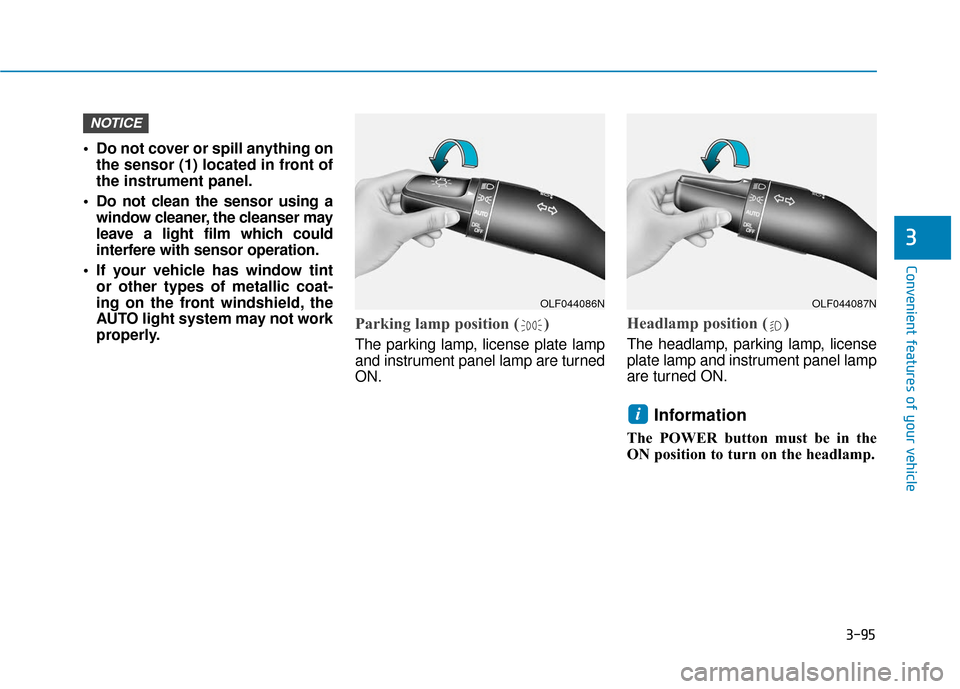
• Do not cover or spill anything onthe sensor (1) located in front of
the instrument panel.
Do not clean the sensor using a window cleaner, the cleanser may
leave a light film which could
interfere with sensor operation.
If your vehicle has window tint or other types of metallic coat-
ing on the front windshield, the
AUTO light system may not work
properly.
Parking lamp position ( )
The parking lamp, license plate lamp
and instrument panel lamp are turned
ON.
Headlamp position ( )
The headlamp, parking lamp, license
plate lamp and instrument panel lamp
are turned ON.
Information
The POWER button must be in the
ON position to turn on the headlamp.
i
NOTICE
OLF044086NOLF044087N
Page 181 of 541
3-96
Convenient features of your vehicle
High beam operation
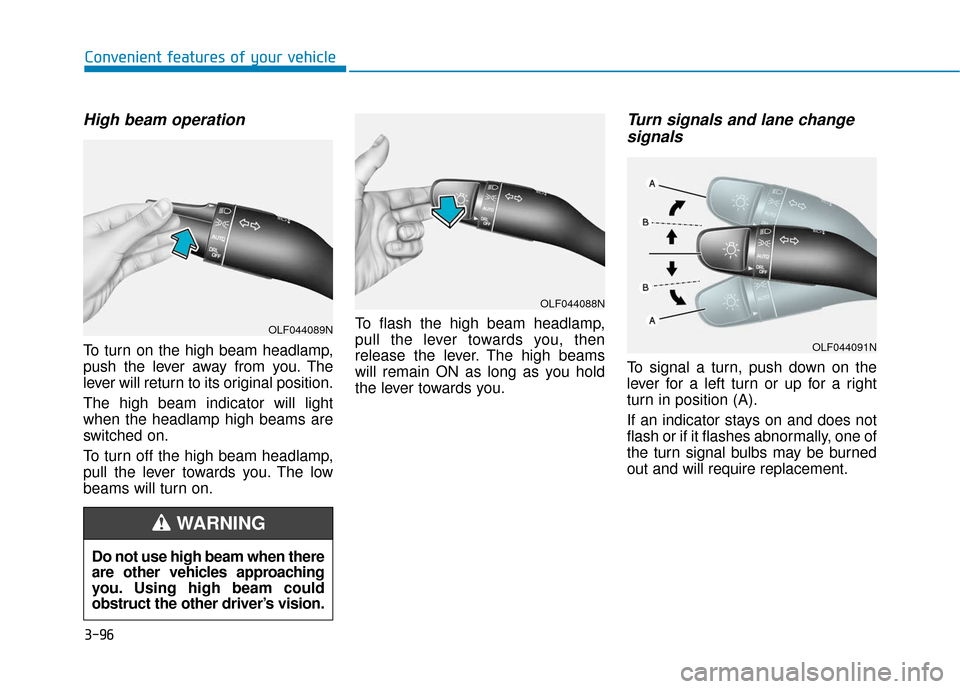
To turn on the high beam headlamp,
push the lever away from you. The
lever will return to its original position.
The high beam indicator will light
when the headlamp high beams are
switched on.
To turn off the high beam headlamp,
pull the lever towards you. The low
beams will turn on.To flash the high beam headlamp,
pull the lever towards you, then
release the lever. The high beams
will remain ON as long as you hold
the lever towards you.
Turn signals and lane change
signals
To signal a turn, push down on the
lever for a left turn or up for a right
turn in position (A).
If an indicator stays on and does not
flash or if it flashes abnormally, one of
the turn signal bulbs may be burned
out and will require replacement.
Do not use high beam when there
are other vehicles approaching
you. Using high beam could
obstruct the other driver’s vision.
WARNING
OLF044089N
OLF044088N
OLF044091N
Page 182 of 541
3-97
Convenient features of your vehicle
3
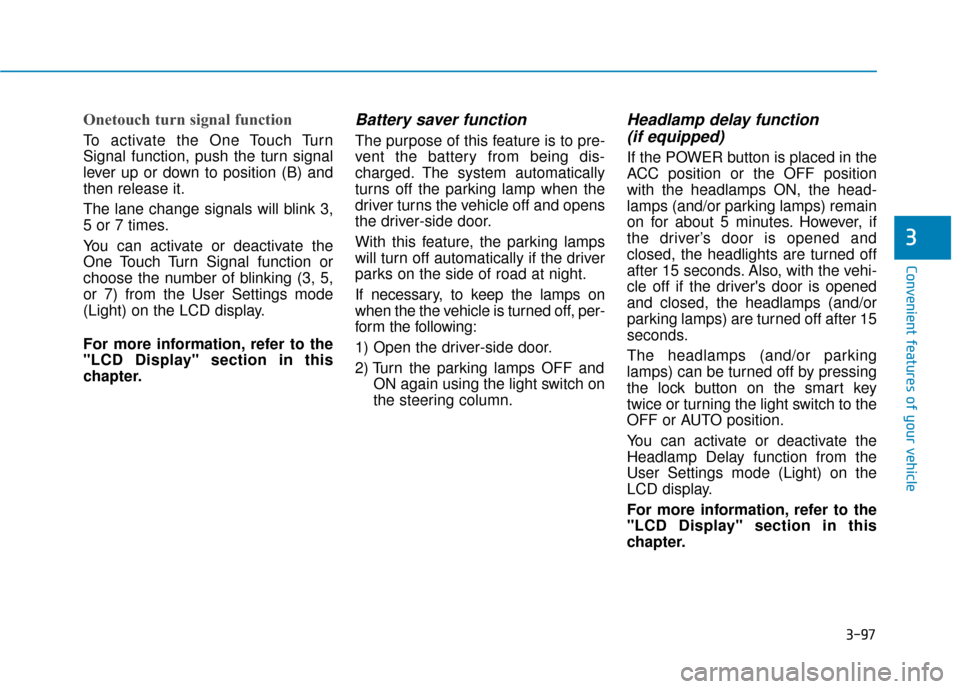
Onetouch turn signal function
To activate the One Touch Turn
Signal function, push the turn signal
lever up or down to position (B) and
then release it.
The lane change signals will blink 3,
5 or 7 times.
You can activate or deactivate the
One Touch Turn Signal function or
choose the number of blinking (3, 5,
or 7) from the User Settings mode
(Light) on the LCD display.
For more information, refer to the
"LCD Display" section in this
chapter.
Battery saver function
The purpose of this feature is to pre-
vent the battery from being dis-
charged. The system automatically
turns off the parking lamp when the
driver turns the vehicle off and opens
the driver-side door.
With this feature, the parking lamps
will turn off automatically if the driver
parks on the side of road at night.
If necessary, to keep the lamps on
when the the vehicle is turned off, per-
form the following:
1) Open the driver-side door.
2) Turn the parking lamps OFF andON again using the light switch on
the steering column.
Headlamp delay function (if equipped)
If the POWER button is placed in the
ACC position or the OFF position
with the headlamps ON, the head-
lamps (and/or parking lamps) remain
on for about 5 minutes. However, if
the driver’s door is opened and
closed, the headlights are turned off
after 15 seconds. Also, with the vehi-
cle off if the driver's door is opened
and closed, the headlamps (and/or
parking lamps) are turned off after 15
seconds.
The headlamps (and/or parking
lamps) can be turned off by pressing
the lock button on the smart key
twice or turning the light switch to the
OFF or AUTO position.
You can activate or deactivate the
Headlamp Delay function from the
User Settings mode (Light) on the
LCD display.
For more information, refer to the
"LCD Display" section in this
chapter.
Page 183 of 541
3-98
Convenient features of your vehicle
If the driver gets out of the vehicle
through other doors (except dri-
ver’s door), the battery saver func-
tion does not operate and the
headlamp delay function does not
turn off automatically. Therefore, It
causes the battery to be dis-
charged. In this case, make sure
to turn off the lamp before getting
out of the vehicle.
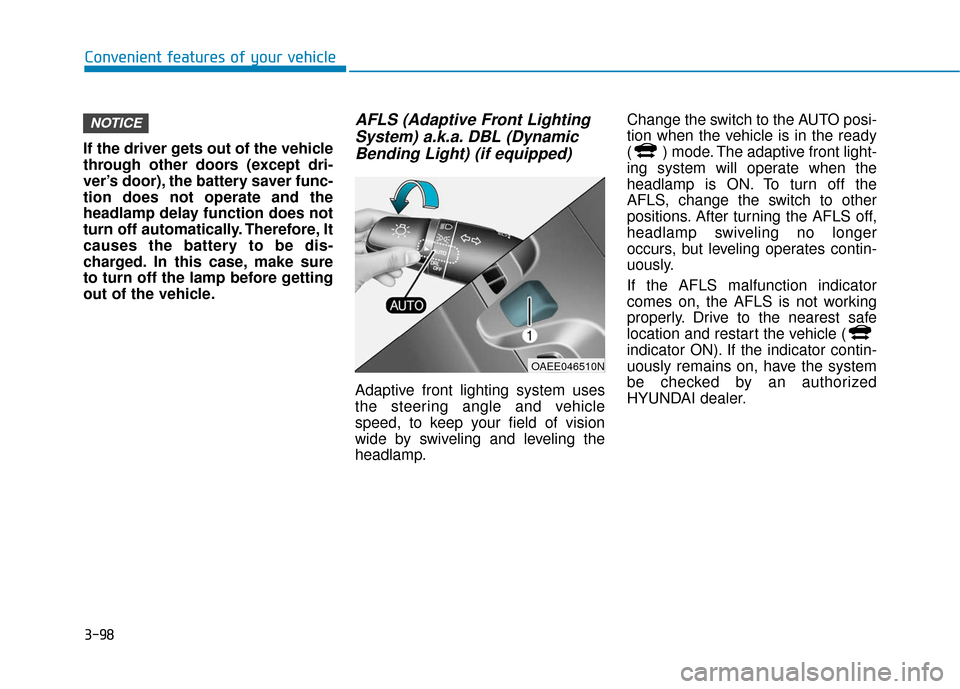
AFLS (Adaptive Front Lighting System) a.k.a. DBL (DynamicBending Light) (if equipped)
Adaptive front lighting system uses
the steering angle and vehicle
speed, to keep your field of vision
wide by swiveling and leveling the
headlamp. Change the switch to the AUTO posi-
tion when the vehicle is in the ready
( ) mode. The adaptive front light-
ing system will operate when the
headlamp is ON. To turn off the
AFLS, change the switch to other
positions. After turning the AFLS off,
headlamp swiveling no longer
occurs, but leveling operates contin-
uously.
If the AFLS malfunction indicator
comes on, the AFLS is not working
properly. Drive to the nearest safe
location and restart the vehicle (
indicator ON). If the indicator contin-
uously remains on, have the system
be checked by an authorized
HYUNDAI dealer.
NOTICE
OAEE046510N