sensor HYUNDAI IONIQ ELECTRIC 2022 User Guide
[x] Cancel search | Manufacturer: HYUNDAI, Model Year: 2022, Model line: IONIQ ELECTRIC, Model: HYUNDAI IONIQ ELECTRIC 2022Pages: 546, PDF Size: 34.82 MB
Page 144 of 546
2-64
Safety system of your vehicle
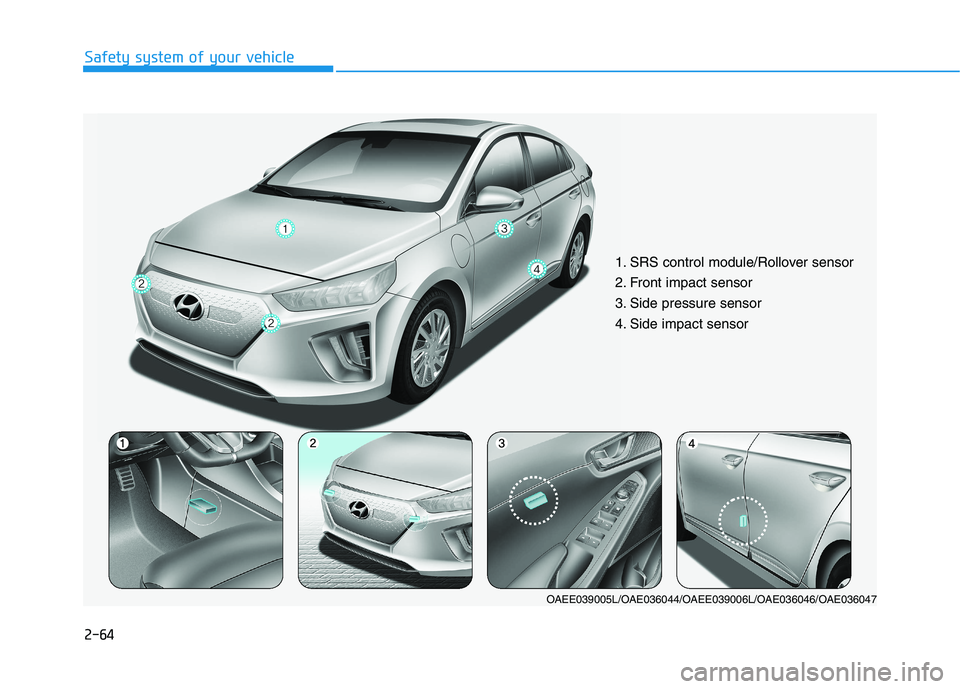
1. SRS control module/Rollover sensor
2. Front impact sensor
3. Side pressure sensor
4. Side impact sensor
OAEE039005L/OAE036044/OAEE039006L/OAE036046/OAE036047
Page 145 of 546
2-65
Safety system of your vehicle
2
Air bag inflation conditions
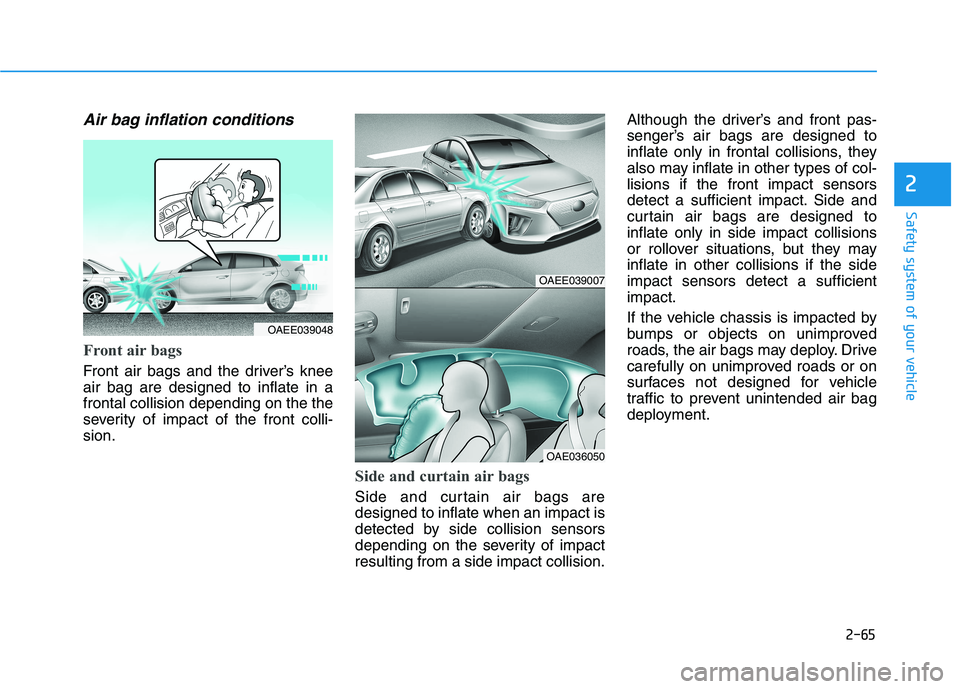
Front air bags
Front air bags and the driver’s knee air bag are designed to inflate in afrontal collision depending on the the
severity of impact of the front colli-sion.
Side and curtain air bags
Side and curtain air bags are designed to inflate when an impact is
detected by side collision sensors
depending on the severity of impactresulting from a side impact collision.Although the driver’s and front pas-
senger’s air bags are designed to
inflate only in frontal collisions, they
also may inflate in other types of col-lisions if the front impact sensors
detect a sufficient impact. Side and
curtain air bags are designed toinflate only in side impact collisions
or rollover situations, but they mayinflate in other collisions if the sideimpact sensors detect a sufficientimpact.
If the vehicle chassis is impacted by
bumps or objects on unimproved
roads, the air bags may deploy. Drive
carefully on unimproved roads or on
surfaces not designed for vehicle
traffic to prevent unintended air bag
deployment.
OAEE039007
OAE036050
OAEE039048
Page 147 of 546
2-67
Safety system of your vehicle
2
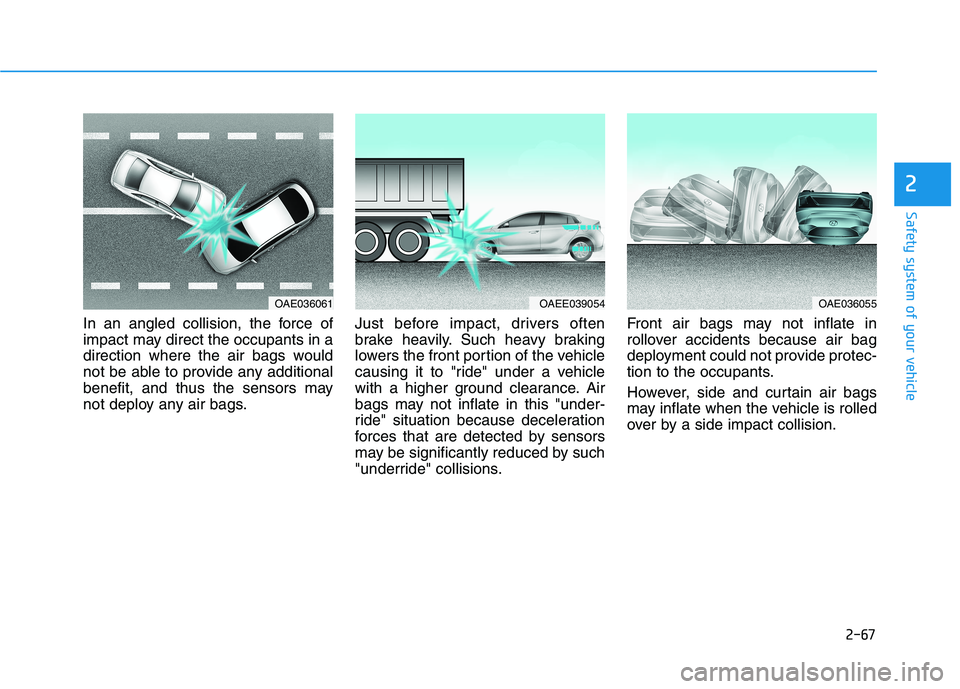
In an angled collision, the force of
impact may direct the occupants in a
direction where the air bags would
not be able to provide any additional
benefit, and thus the sensors may
not deploy any air bags.Just before impact, drivers often
brake heavily. Such heavy braking
lowers the front portion of the vehicle
causing it to "ride" under a vehicle
with a higher ground clearance. Air
bags may not inflate in this "under-
ride" situation because deceleration
forces that are detected by sensors
may be significantly reduced by such
"underride" collisions.Front air bags may not inflate in
rollover accidents because air bag
deployment could not provide protec-
tion to the occupants.
However, side and curtain air bags
may inflate when the vehicle is rolled
over by a side impact collision.
OAE036061OAEE039054OAE036055
Page 170 of 546
3-20
Convenient features of your vehicle
Electric chromic mirror (ECM)with compass and HomeLink®
system
Your vehicle may be equipped with a
Gentex Automatic-Dimming Mirror
with a Z-Nav™ Electronic Compass
Display and an Integrated HomeLink ®
Wireless Control System.
During nighttime driving, this feature will automatically detect and reduce
rearview mirror glare while the com-
pass indicates the direction the vehi-
cle is pointed. The HomeLink ®
Universal Transceiver allows you to
activate your garage door(s), electric
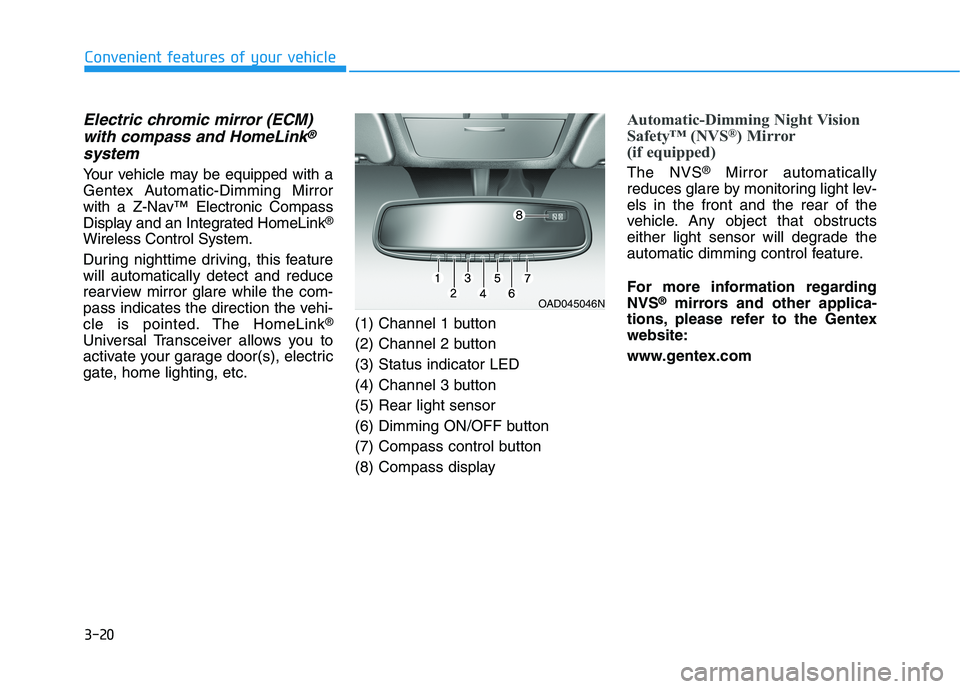
gate, home lighting, etc. (1) Channel 1 button
(2) Channel 2 button(3) Status indicator LED
(4) Channel 3 button(5) Rear light sensor
(6) Dimming ON/OFF button
(7) Compass control button
(8) Compass display
Automatic-Dimming Night Vision
Safety™ (NVS
®
) Mirror
(if equipped)
The NVS ®
Mirror automatically
reduces glare by monitoring light lev- els in the front and the rear of the
vehicle. Any object that obstructs
either light sensor will degrade the
automatic dimming control feature.
For more information regarding NVS ®
mirrors and other applica-
tions, please refer to the Gentexwebsite:
www.gentex.com
OAD045046N
Page 200 of 546
3-50
Convenient features of your vehicle
Warning and Indicator lights
Information
Make sure that all warning lights are
OFF after starting the vehicle. If any
light is still ON, this indicates a situa-
tion that needs attention.
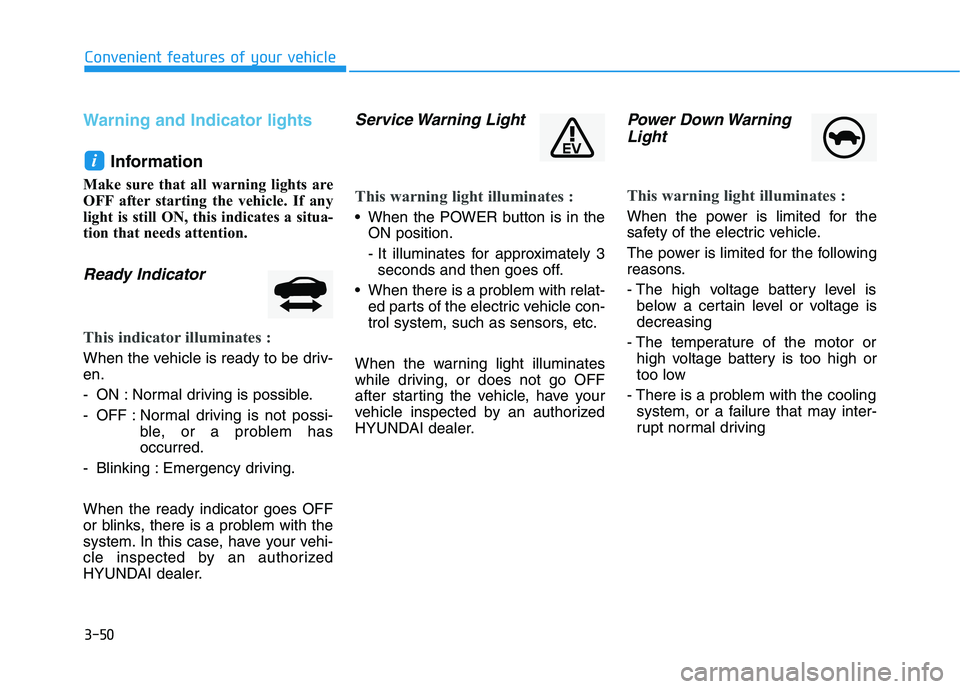
Ready Indicator
This indicator illuminates :
When the vehicle is ready to be driv- en.
- ON : Normal driving is possible.
- OFF : Normal driving is not possi- ble, or a problem has occurred.
- Blinking : Emergency driving. When the ready indicator goes OFF
or blinks, there is a problem with the
system. In this case, have your vehi-
cle inspected by an authorized
HYUNDAI dealer.
Service Warning Light
This warning light illuminates :
When the POWER button is in the ON position.
- It illuminates for approximately 3seconds and then goes off.
When there is a problem with relat- ed parts of the electric vehicle con-
trol system, such as sensors, etc.
When the warning light illuminates
while driving, or does not go OFF
after starting the vehicle, have your
vehicle inspected by an authorized
HYUNDAI dealer.
Power Down Warning Light
This warning light illuminates :
When the power is limited for the
safety of the electric vehicle.
The power is limited for the following
reasons.
- The high voltage battery level is below a certain level or voltage is decreasing
- The temperature of the motor or high voltage battery is too high or
too low
- There is a problem with the cooling system, or a failure that may inter-
rupt normal driving
i
Page 242 of 546
3-92
Convenient features of your vehicle
• Do not cover or spill anything onthe sensor (1) located in front of the instrument panel.
Do not clean the sensor using a window cleaner, the cleanser may
leave a light film which could
interfere with sensor operation.
If your vehicle has window tint or other types of metallic coat-
ing on the front windshield, the
AUTO light system may not work
properly.
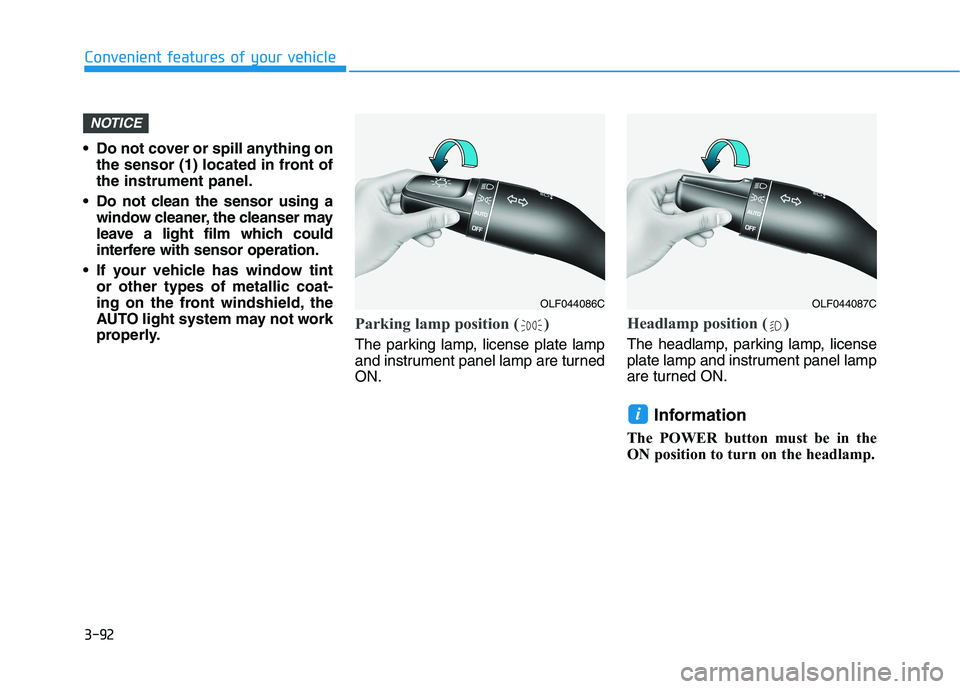
Parking lamp position ( )
The parking lamp, license plate lamp
and instrument panel lamp are turnedON.
Headlamp position ( )
The headlamp, parking lamp, license
plate lamp and instrument panel lamp
are turned ON.
Information
The POWER button must be in the
ON position to turn on the headlamp.
i
NOTICE
OLF044086COLF044087C
Page 261 of 546
3-111
Convenient features of your vehicle
3
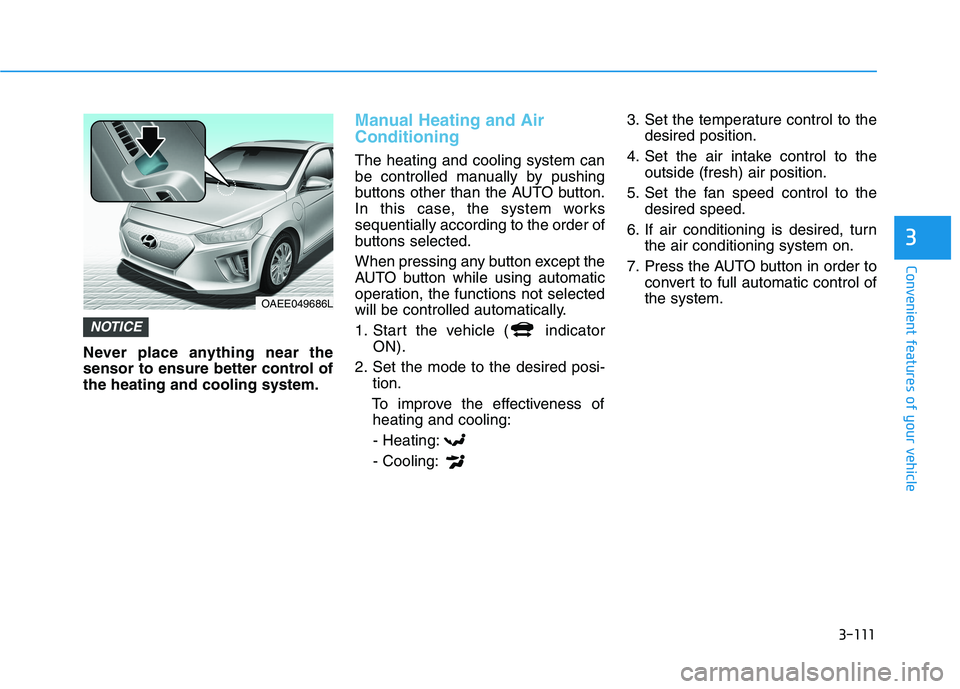
Never place anything near the
sensor to ensure better control ofthe heating and cooling system.
Manual Heating and Air Conditioning
The heating and cooling system can
be controlled manually by pushing
buttons other than the AUTO button.
In this case, the system workssequentially according to the order of
buttons selected.
When pressing any button except the
AUTO button while using automatic
operation, the functions not selected
will be controlled automatically.
1. Start the vehicle ( indicatorON).
2. Set the mode to the desired posi- tion.
To improve the effectiveness of heating and cooling:
- Heating:- Cooling: 3. Set the temperature control to the
desired position.
4. Set the air intake control to the outside (fresh) air position.
5. Set the fan speed control to the desired speed.
6. If air conditioning is desired, turn the air conditioning system on.
7. Press the AUTO button in order to convert to full automatic control of the system.
NOTICE
OAEE049686L
Page 275 of 546
3-125
Convenient features of your vehicle
3
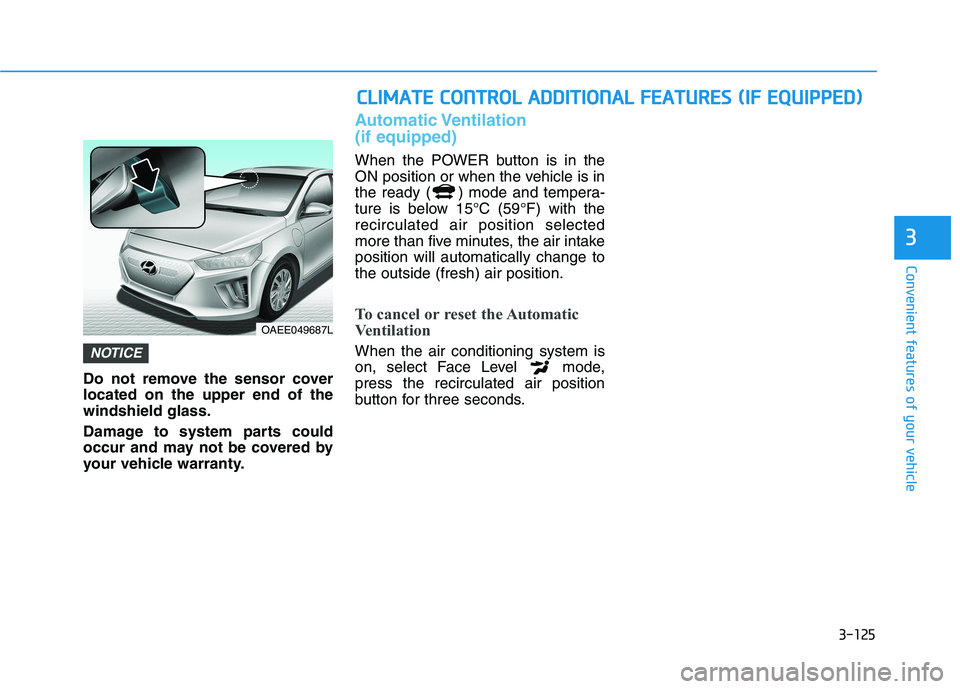
Do not remove the sensor cover located on the upper end of thewindshield glass.
Damage to system parts could
occur and may not be covered by
your vehicle warranty.
Automatic Ventilation (if equipped)
When the POWER button is in the
ON position or when the vehicle is in
the ready ( ) mode and tempera-
ture is below 15°C (59°F) with therecirculated air position selected
more than five minutes, the air intakeposition will automatically change tothe outside (fresh) air position.
To cancel or reset the Automatic
Ventilation
When the air conditioning system is
on, select Face Level mode,press the recirculated air position
button for three seconds.NOTICE
CCLLIIMM AATTEE CC OO NNTTRR OO LL AA DDDDIITT IIOO NNAALL FF EE AA TTUU RREESS (( IIFF EE QQ UUIIPP PP EEDD ))
OAEE049687L
Page 291 of 546
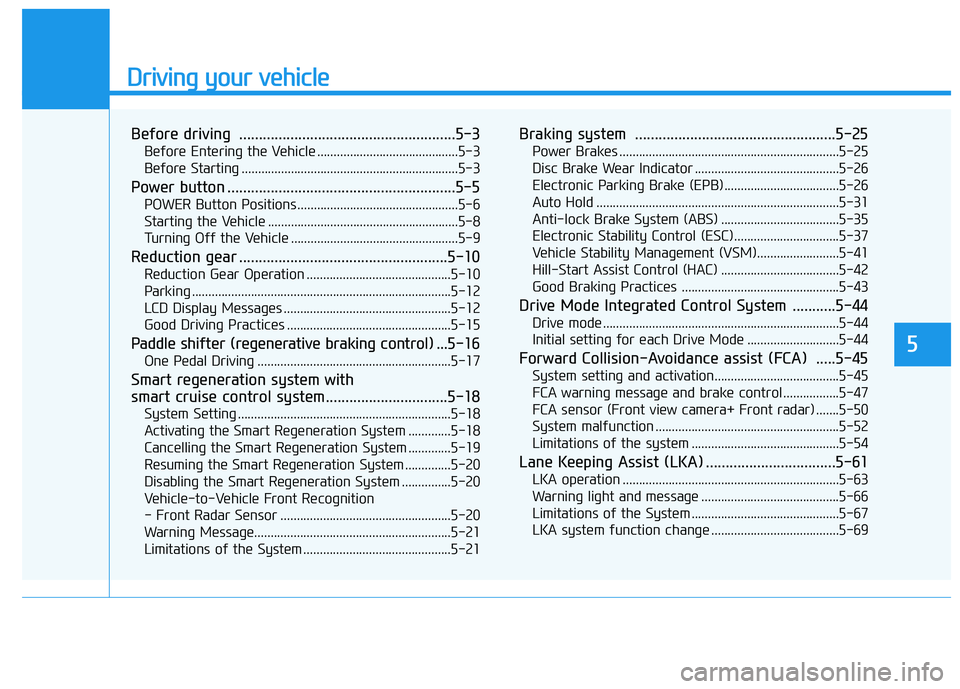
Driving your vehicle
Before driving .......................................................5-3Before Entering the Vehicle ...........................................5-3
Before Starting ..................................................................5-3
Power button ..........................................................5-5 POWER Button Positions.................................................5-6
Starting the Vehicle ..........................................................5-8
Turning Off the Vehicle ...................................................5-9
Reduction gear .....................................................5-10 Reduction Gear Operation ............................................5-10
Parking ...............................................................................5-12
LCD Display Messages ...................................................5-12
Good Driving Practices ..................................................5-15
Paddle shifter (regenerative braking control) ... 5-16
One Pedal Driving ...........................................................5-17
Smart regeneration system with
smart cruise control system...............................5-18 System Setting .................................................................5-18
Activating the Smart Regeneration System .............5-18
Cancelling the Smart Regeneration System .............5-19
Resuming the Smart Regeneration System ..............5-20
Disabling the Smart Regeneration System ...............5-20
Vehicle-to-Vehicle Front Recognition
- Front Radar Sensor ....................................................5-20 Warning Message............................................................5-21
Limitations of the System .............................................5-21 Braking system ...................................................5-25
Power Brakes ...................................................................5-25
Disc Brake Wear Indicator ............................................5-26
Electronic Parking Brake (EPB)...................................5-26
Auto Hold ..........................................................................5-31
Anti-lock Brake System (ABS) ....................................5-35
Electronic Stability Control (ESC)................................5-37
Vehicle Stability Management (VSM).........................5-41
Hill-Start Assist Control (HAC) ....................................5-42
Good Braking Practices ................................................5-43
Drive Mode Integrated Control System ...........5-44 Drive mode ........................................................................5-44
Initial setting for each Drive Mode ............................5-44
Forward Collision-Avoidance assist (FCA) .....5-45 System setting and activation......................................5-45
FCA warning message and brake control .................5-47
FCA sensor (Front view camera+ Front radar) .......5-50
System malfunction ........................................................5-52
Limitations of the system .............................................5-54
Lane Keeping Assist (LKA) .................................5-61 LKA operation ..................................................................5-63
Warning light and message ..........................................5-66
Limitations of the System .............................................5-67
LKA system function change .......................................5-69
5
Page 292 of 546
5
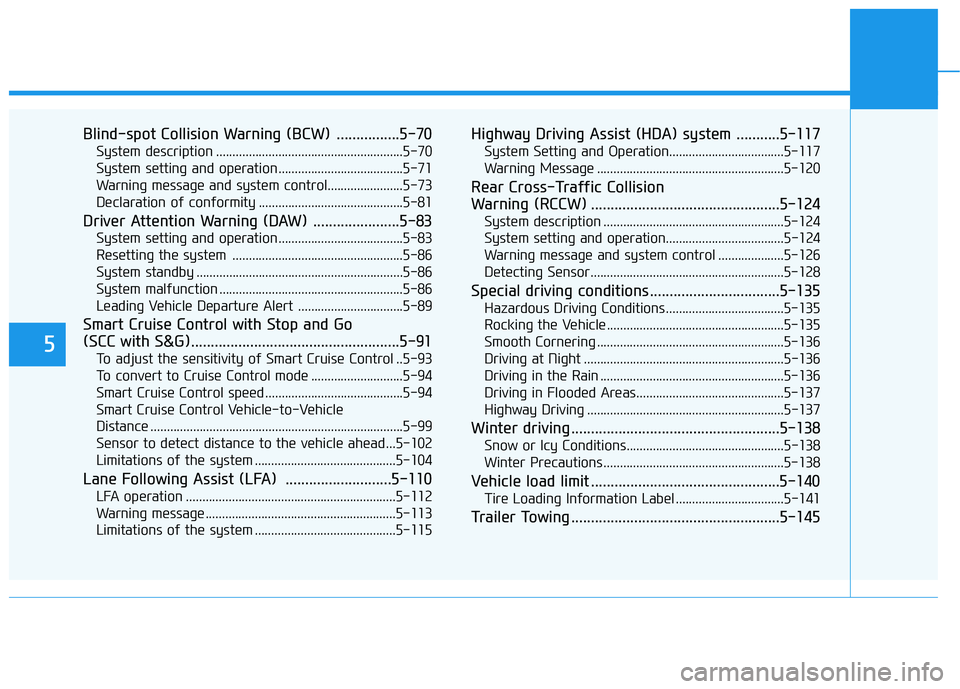
Blind-spot Collision Warning (BCW) ................5-70System description .........................................................5-70
System setting and operation ......................................5-71
Warning message and system control.......................5-73
Declaration of conformity ............................................5-81
Driver Attention Warning (DAW) ......................5-83 System setting and operation ......................................5-83
Resetting the system ....................................................5-86
System standby ...............................................................5-86
System malfunction ........................................................5-86
Leading Vehicle Departure Alert ................................5-89
Smart Cruise Control with Stop and Go
(SCC with S&G).....................................................5-91 To adjust the sensitivity of Smart Cruise Control ..5-93
To convert to Cruise Control mode ............................5-94
Smart Cruise Control speed ..........................................5-94
Smart Cruise Control Vehicle-to-Vehicle
Distance .............................................................................5-99 Sensor to detect distance to the vehicle ahead ...5-102
Limitations of the system ...........................................5-104
Lane Following Assist (LFA) ...........................5-110 LFA operation ................................................................5-112
Warning message ..........................................................5-113
Limitations of the system ...........................................5-115 Highway Driving Assist (HDA) system ...........5-117
System Setting and Operation...................................5-117
Warning Message .........................................................5-120
Rear Cross-Traffic Collision
Warning (RCCW) ................................................5-124 System description .......................................................5-124
System setting and operation....................................5-124
Warning message and system control ....................5-126
Detecting Sensor...........................................................5-128
Special driving conditions .................................5-135 Hazardous Driving Conditions....................................5-135
Rocking the Vehicle ......................................................5-135
Smooth Cornering .........................................................5-136
Driving at Night .............................................................5-136
Driving in the Rain ........................................................5-136
Driving in Flooded Areas.............................................5-137
Highway Driving ............................................................5-137
Winter driving .....................................................5-138 Snow or Icy Conditions................................................5-138
Winter Precautions .......................................................5-138
Vehicle load limit ................................................5-140 Tire Loading Information Label .................................5-141
Trailer Towing .....................................................5-145