service interval Hyundai Ioniq Hybrid 2018 Owner's Manual
[x] Cancel search | Manufacturer: HYUNDAI, Model Year: 2018, Model line: Ioniq Hybrid, Model: Hyundai Ioniq Hybrid 2018Pages: 642, PDF Size: 16.33 MB
Page 232 of 642
3-82
Convenient features of your vehicle
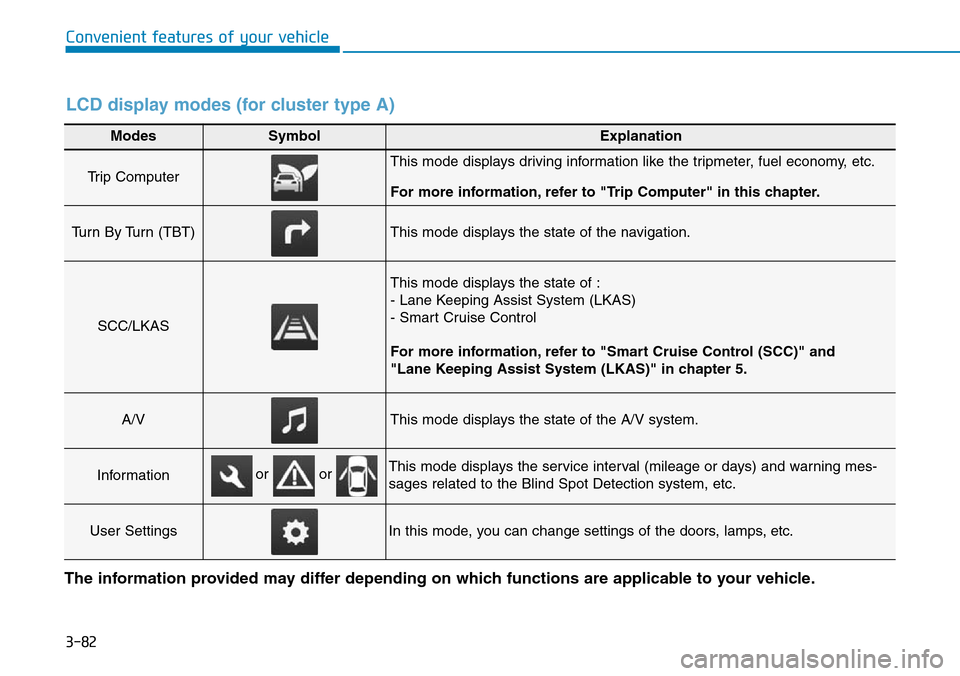
Modes SymbolExplanation
Trip Computer This mode displays driving information like the tripmeter, fuel economy, etc.
For more information, refer to "Trip Computer" in this chapter.
Turn By Turn (TBT)This mode displays the state of the navigation.
SCC/LKAS
This mode displays the state of :
- Lane Keeping Assist System (LKAS)
- Smart Cruise Control
For more information, refer to "Smart Cruise Control (SCC)" and
"Lane Keeping Assist System (LKAS)" in chapter 5.
A/VThis mode displays the state of the A/V system.
InformationThis mode displays the service interval (mileage or days) and warning mes-
sages related to the Blind Spot Detection system, etc.
User SettingsIn this mode, you can change settings of the doors, lamps, etc.
or or
LCD display modes (for cluster type A)
The information provided may differ depending on which functions are applicable to your vehicle.
Page 234 of 642
3-84
Convenient features of your vehicle
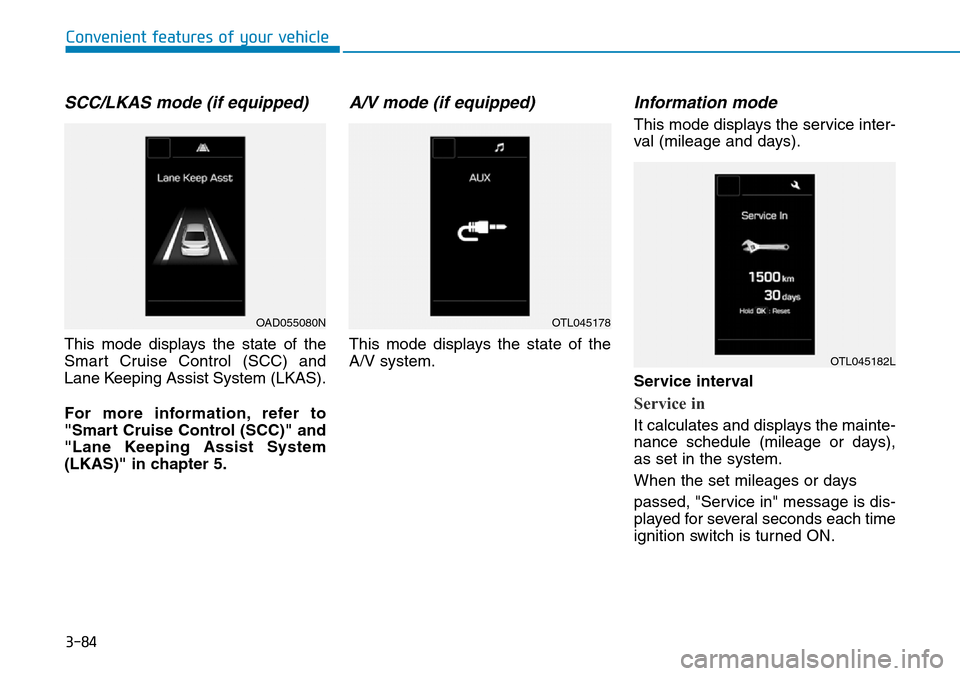
SCC/LKAS mode (if equipped)
This mode displays the state of the
Smart Cruise Control (SCC) and
Lane Keeping Assist System (LKAS).
For more information, refer to
"Smart Cruise Control (SCC)" and
"Lane Keeping Assist System
(LKAS)" in chapter 5.
A/V mode (if equipped)
This mode displays the state of the
A/V system.
Information mode
This mode displays the service inter-
val (mileage and days).
Service interval
Service in
It calculates and displays the mainte-
nance schedule (mileage or days),
as set in the system.
When the set mileages or days
passed, "Service in" message is dis-
played for several seconds each time
ignition switch is turned ON.
OAD055080NOTL045178
OTL045182L
Page 235 of 642
3-85
Convenient features of your vehicle
3
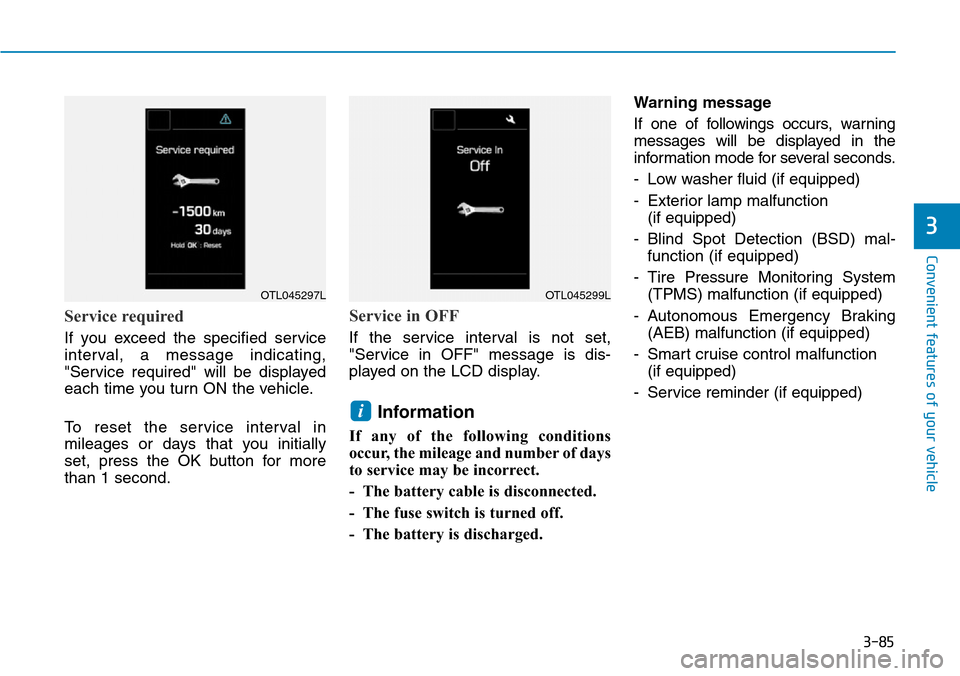
Service required
If you exceed the specified service
interval, a message indicating,
"Service required" will be displayed
each time you turn ON the vehicle.
To reset the service interval in
mileages or days that you initially
set, press the OK button for more
than 1 second.
Service in OFF
If the service interval is not set,
"Service in OFF" message is dis-
played on the LCD display.
Information
If any of the following conditions
occur, the mileage and number of days
to service may be incorrect.
- The battery cable is disconnected.
- The fuse switch is turned off.
- The battery is discharged.Warning message
If one of followings occurs, warning
messages will be displayed in the
information mode for several seconds.
- Low washer fluid (if equipped)
- Exterior lamp malfunction
(if equipped)
- Blind Spot Detection (BSD) mal-
function (if equipped)
- Tire Pressure Monitoring System
(TPMS) malfunction (if equipped)
- Autonomous Emergency Braking
(AEB) malfunction (if equipped)
- Smart cruise control malfunction
(if equipped)
- Service reminder (if equipped)
i
OTL045297LOTL045299L
Page 236 of 642
3-86
Convenient features of your vehicle
User settings mode
In this mode, you can change the
settings of the instrument cluster,
doors, lamps, etc.
1. Driving Assist
2. Door
3. Lights
4. Sound
5. Convenience
6. Service Interval
7. Other Features
8. Reset
The information provided may differ
depending on which functions are
applicable to your vehicle.
1. Driving Assist
• Lane Keeping Assist System
- Lane Departure/Standard LKA/
Active LKA
To adjust the sensitivity of the Lane
Keeping Assist System.
For more information, refer to the
"Lane Keeping Assist System" in
chapter 5.• Smart Cruise Control
- Response (Slow/Normal/Fast)
To adjust the sensitivity of the
Smart Cruise Control system.
For more information, refer to the
"Smart Cruise Control" in chapter 5.
• Forward Collision Warning
- Autonomous Emergency Braking
To activate or deactivate the AEB
system.
- Late/Normal/Early
To adjust the initial warning alert
time for Autonomous Emergency
Braking system.
For more information, refer to
"Autonomous Emergency Braking
(AEB)" in chapter 5.
• Rear Collision Warning
- Rear Cross Traffic Alert
To activate or deactivate the Rear
Cross Traffic Alert system.
- Blind Spot Detection Sound
To activate or deactivate the Blind
Spot Detection sound.
For more information, refer to “Blind
Spot Detection" in chapter 5.• Coasting Guide
- Coasting Guide: To activate or
deactivate the Coasting Guide sys-
tem.
- Sound: To activate or deactivate
the Coasting Guide system sound.
- Start Coasting (Late/Normal/Early)
To adjust the sensitivity of the
Coasting Guide.
For more information, refer to
"Coasting Guide" in chapter 5.
2. Door
• Auto Lock
- Disable: The auto door lock opera-
tion will be canceled.
- Enable on Speed: All doors will be
automatically locked when the vehi-
cle speed exceeds 15km/h (9.3mph).
- Enable on Shift: All doors will be
automatically locked if the automat-
ic transmission shift lever is shifted
from the P (Park) position to the R
(Reverse), N (Neutral), or D (Drive)
position.
Page 238 of 642
3-88
Convenient features of your vehicle
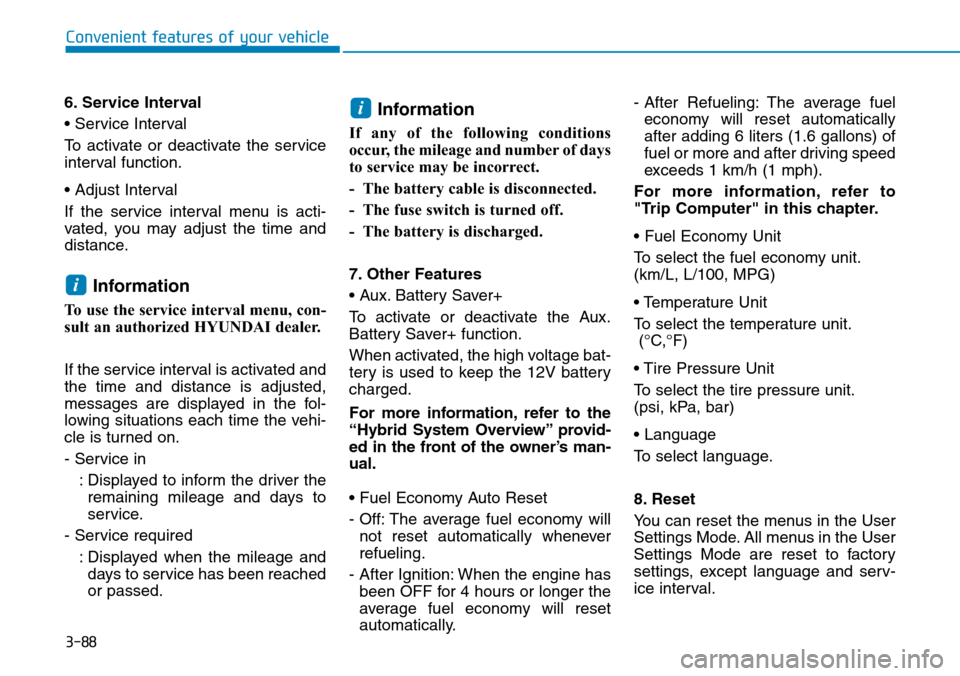
6. Service Interval
• Service Interval
To activate or deactivate the service
interval function.
• Adjust Interval
If the service interval menu is acti-
vated, you may adjust the time and
distance.
Information
To use the service interval menu, con-
sult an authorized HYUNDAI dealer.
If the service interval is activated and
the time and distance is adjusted,
messages are displayed in the fol-
lowing situations each time the vehi-
cle is turned on.
- Service in
: Displayed to inform the driver the
remaining mileage and days to
service.
- Service required
: Displayed when the mileage and
days to service has been reached
or passed.
Information
If any of the following conditions
occur, the mileage and number of days
to service may be incorrect.
- The battery cable is disconnected.
- The fuse switch is turned off.
- The battery is discharged.
7. Other Features
• Aux. Battery Saver+
To activate or deactivate the Aux.
Battery Saver+ function.
When activated, the high voltage bat-
tery is used to keep the 12V battery
charged.
For more information, refer to the
“Hybrid System Overview” provid-
ed in the front of the owner’s man-
ual.
• Fuel Economy Auto Reset
- Off: The average fuel economy will
not reset automatically whenever
refueling.
- After Ignition: When the engine has
been OFF for 4 hours or longer the
average fuel economy will reset
automatically.- After Refueling: The average fuel
economy will reset automatically
after adding 6 liters (1.6 gallons) of
fuel or more and after driving speed
exceeds 1 km/h (1 mph).
For more information, refer to
"Trip Computer" in this chapter.
• Fuel Economy Unit
To select the fuel economy unit.
(km/L, L/100, MPG)
• Temperature Unit
To select the temperature unit.
(°C,°F)
• Tire Pressure Unit
To select the tire pressure unit.
(psi, kPa, bar)
• Language
To select language.
8. Reset
You can reset the menus in the User
Settings Mode. All menus in the User
Settings Mode are reset to factory
settings, except language and serv-
ice interval.
i
i
Page 242 of 642
3-92
Convenient features of your vehicle
Warning mode
If one of followings occurs, warning
messages will be displayed on the
LCD display for several seconds.
- Lower washer fluid (if equipped)
- Exterior lamp malfunction
(if equipped)
- Blind Spot Detection (BSD) mal-
function (if equipped)
- Autonomous Emergency Braking
(AEB) malfunction (if equipped)
- Smart cruise control malfunction
(if equipped)
- Tire Pressure Monitoring System
(TPMS) malfunction (if equipped)
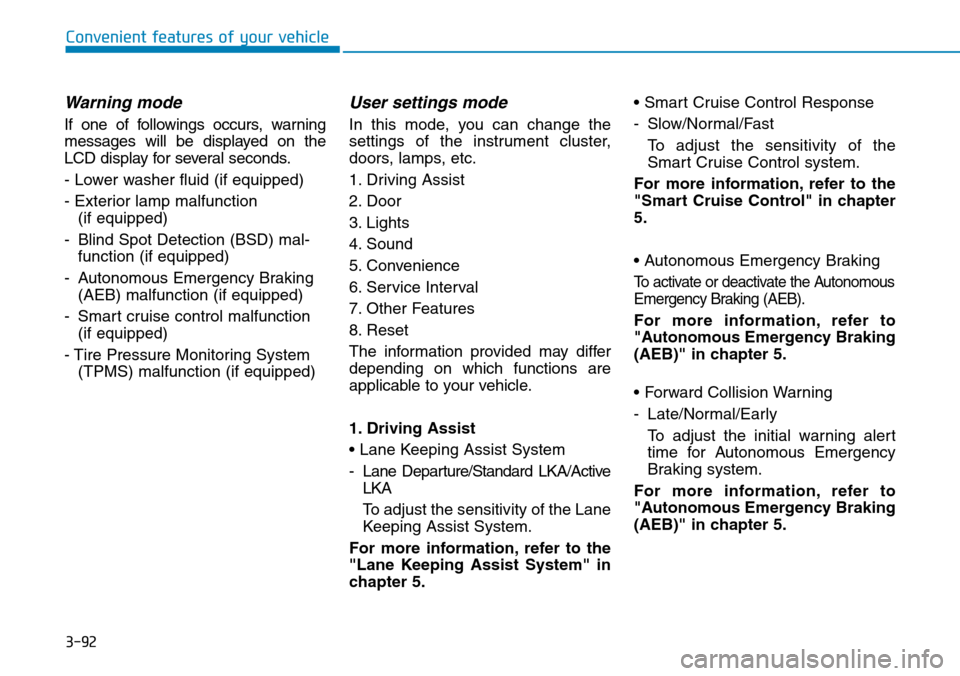
User settings mode
In this mode, you can change the
settings of the instrument cluster,
doors, lamps, etc.
1. Driving Assist
2. Door
3. Lights
4. Sound
5. Convenience
6. Service Interval
7. Other Features
8. Reset
The information provided may differ
depending on which functions are
applicable to your vehicle.
1. Driving Assist
• Lane Keeping Assist System
- Lane Departure/Standard LKA/Active
LKA
To adjust the sensitivity of the Lane
Keeping Assist System.
For more information, refer to the
"Lane Keeping Assist System" in
chapter 5.• Smart Cruise Control Response
- Slow/Normal/Fast
To adjust the sensitivity of the
Smart Cruise Control system.
For more information, refer to the
"Smart Cruise Control" in chapter
5.
• Autonomous Emergency Braking
To activate or deactivate the Autonomous
Emergency Braking (AEB).
For more information, refer to
"Autonomous Emergency Braking
(AEB)" in chapter 5.
• Forward Collision Warning
- Late/Normal/Early
To adjust the initial warning alert
time for Autonomous Emergency
Braking system.
For more information, refer to
"Autonomous Emergency Braking
(AEB)" in chapter 5.
Page 244 of 642
3-94
Convenient features of your vehicle
3. Lights
• One Touch Turn Signal
- Off: The one touch turn signal func-
tion will be deactivated.
- 3, 5, 7 Flashes: The turn signal indi-
cator will blink 3, 5, or 7 times when
the turn signal lever is moved slightly.
For more information, refer to
"Light" in this chapter.
• Headlamp Delay
To activate or deactivate the head-
lamp delay function.
For more information, refer to
"Light" in this chapter4. Sound
• Park Assist System Volume
- Softer/Louder
To adjust the Park Assist System
volume.
5. Convenience
• Seat Easy Access
- Off: The seat easy access function
is deactivated.
- Normal/Extended: When you turn
off the engine, the driver's seat will
automatically move rearward short
(Normal) or long (Extended) for you
to enter or exit the vehicle more
comfortably.
For more information, refer to
"Driver Position Memory System"
in this chapter.
• Wireless Charging System
To activate or deactivate the wireless
charging system in the front seat.
For more information, refer to
"Wireless Charging System" in
this chapter.• Wiper/Lights Display
To activate or deactivate the Wiper/
Light mode.
When activated, the LCD display
shows the selected Wiper/Light
mode whenever you changed the
mode.
• Gear Position Pop-up
To activate or deactivate the gear
position pop-up.
When activated, the gear position
will be displayed on the LCD display.
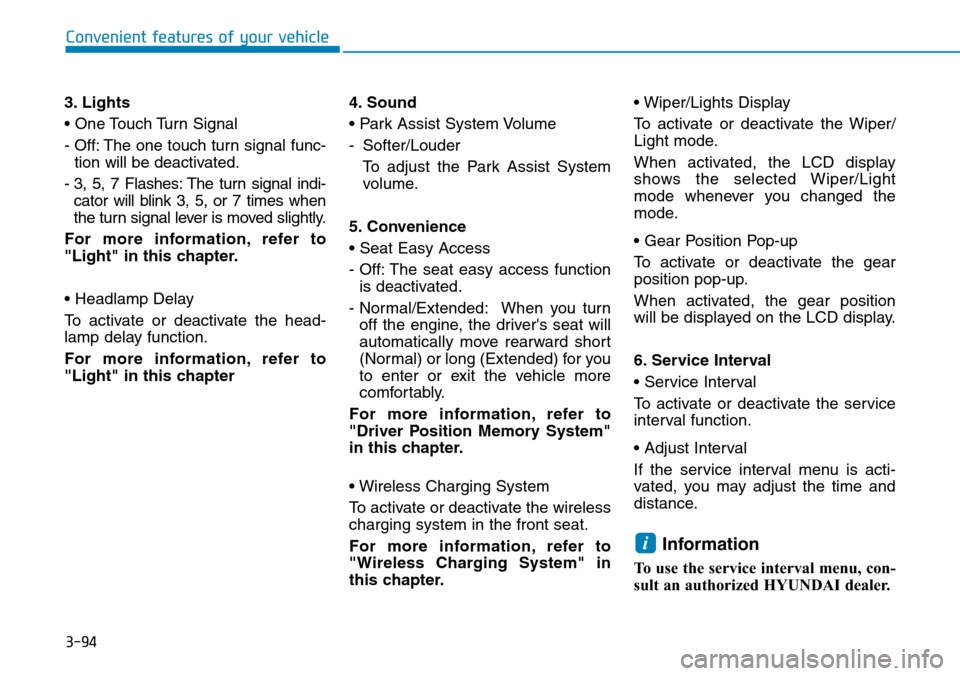
6. Service Interval
• Service Interval
To activate or deactivate the service
interval function.
• Adjust Interval
If the service interval menu is acti-
vated, you may adjust the time and
distance.
Information
To use the service interval menu, con-
sult an authorized HYUNDAI dealer.
i
Page 245 of 642
3-95
Convenient features of your vehicle
3
If the service interval is activated and
the time and distance is adjusted,
messages are displayed in the fol-
lowing situations each time the vehi-
cle is turned on.
- Service in
: Displayed to inform the driver the
remaining mileage and days to
service.
- Service required
: Displayed when the mileage and
days to service has been reached
or passed.
Information
If any of the following conditions
occur, the mileage and number of days
to service may be incorrect.
- The battery cable is disconnected.
- The fuse switch is turned off.
- The battery is discharged.7. Other Features
• Aux. Battery Saver+
To activate or deactivate the Aux.
Battery Saver+ function.
When activated, the high voltage bat-
tery is used to keep the 12V battery
charged.
For more information, refer to the
“Hybrid System Overview” provided
in the front of the owner’s manual.
• Fuel Economy Auto Reset
- Off: The average fuel economy will
not reset automatically whenever
refueling.
- After Ignition: When the engine has
been OFF for 4 hours or longer the
average fuel economy will reset
automatically.
- After Refueling: The average fuel
economy will reset automatically
after adding 6 liters (1.6 gallons) of
fuel or more and after driving speed
exceeds 1 km/h (1 mph).
For more information, refer to
"Trip Computer" in this chapter.• Fuel Economy Unit
To select the fuel economy unit.
(km/L, L/100, MPG)
• Temperature Unit
To select the temperature unit.
(°C,°F)
• Tire Pressure Unit
To select the tire pressure unit.
(psi, kPa, bar)
• Language
To select language.
8. Reset
You can reset the menus in the User
Settings Mode. All menus in the User
Settings Mode are reset to factory
settings, except language and serv-
ice interval.
i
Page 515 of 642
7-8
Maintenance
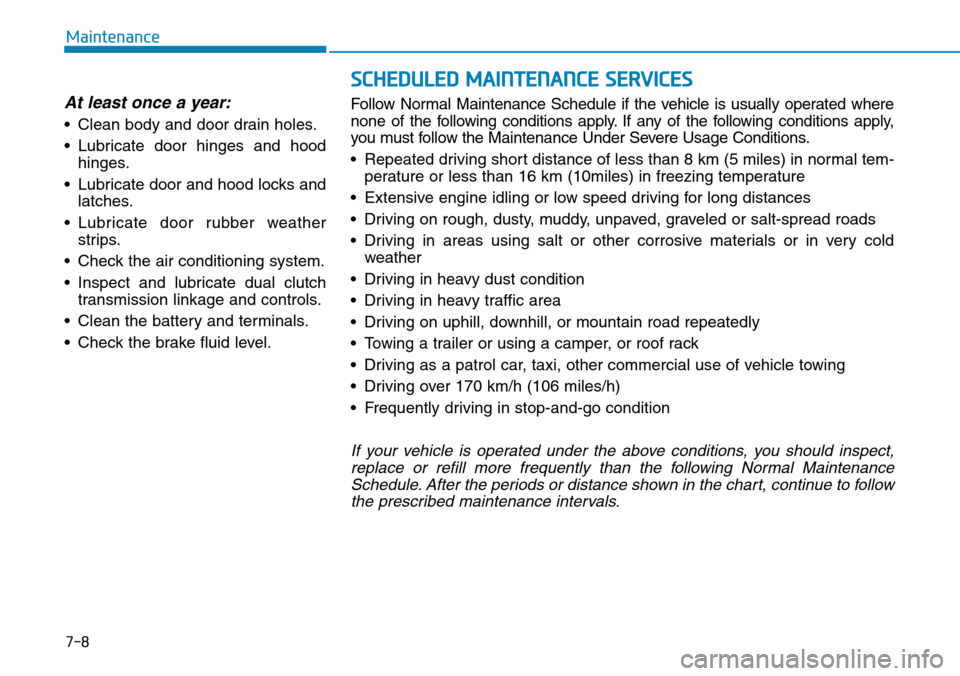
SCHEDULED MAINTENANCE SERVICES
At least once a year:
• Clean body and door drain holes.
• Lubricate door hinges and hood
hinges.
• Lubricate door and hood locks and
latches.
• Lubricate door rubber weather
strips.
• Check the air conditioning system.
• Inspect and lubricate dual clutch
transmission linkage and controls.
• Clean the battery and terminals.
• Check the brake fluid level.Follow Normal Maintenance Schedule if the vehicle is usually operated where
none of the following conditions apply. If any of the following conditions apply,
you must follow the Maintenance Under Severe Usage Conditions.
• Repeated driving short distance of less than 8 km (5 miles) in normal tem-
perature or less than 16 km (10miles) in freezing temperature
• Extensive engine idling or low speed driving for long distances
• Driving on rough, dusty, muddy, unpaved, graveled or salt-spread roads
• Driving in areas using salt or other corrosive materials or in very cold
weather
• Driving in heavy dust condition
• Driving in heavy traffic area
• Driving on uphill, downhill, or mountain road repeatedly
• Towing a trailer or using a camper, or roof rack
• Driving as a patrol car, taxi, other commercial use of vehicle towing
• Driving over 170 km/h (106 miles/h)
• Frequently driving in stop-and-go condition
If your vehicle is operated under the above conditions, you should inspect,
replace or refill more frequently than the following Normal Maintenance
Schedule. After the periods or distance shown in the chart, continue to follow
the prescribed maintenance intervals.
Page 516 of 642
7-9
7
Maintenance
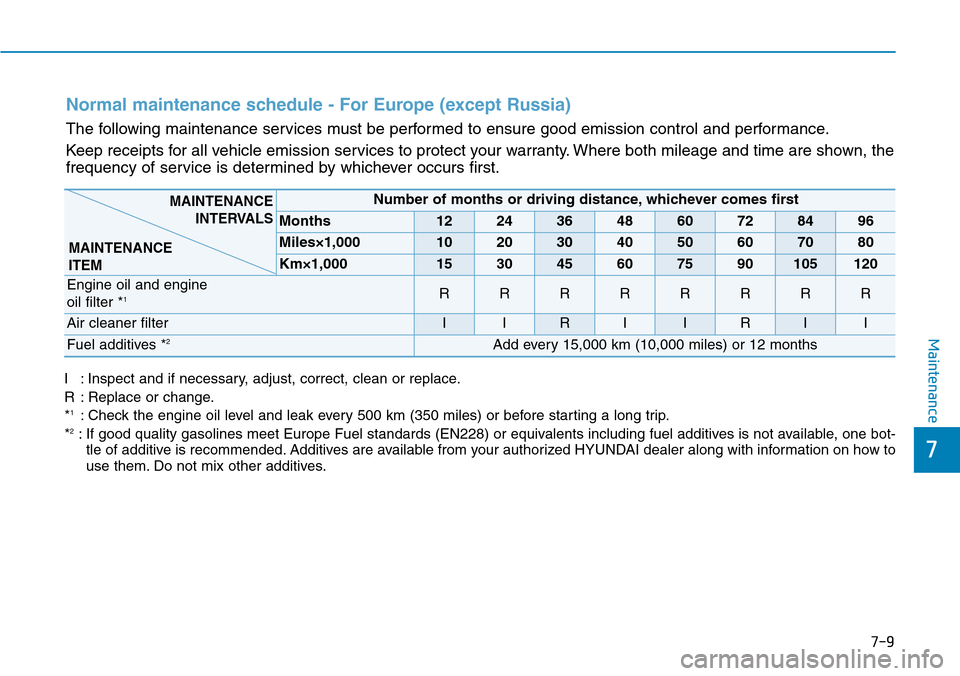
I : Inspect and if necessary, adjust, correct, clean or replace.
R : Replace or change.
*
1: Check the engine oil level and leak every 500 km (350 miles) or before starting a long trip.
*2: If good quality gasolines meet Europe Fuel standards (EN228) or equivalents including fuel additives is not available, one bot-
tle of additive is recommended. Additives are available from your authorized HYUNDAI dealer along with information on how to
use them. Do not mix other additives.
Normal maintenance schedule - For Europe (except Russia)
The following maintenance services must be performed to ensure good emission control and performance.
Keep receipts for all vehicle emission services to protect your warranty. Where both mileage and time are shown, the
frequency of service is determined by whichever occurs first.
Number of months or driving distance, whichever comes first
Months1224364860728496
Miles×1,0001020304050607080
Km×1,000153045607590105120
Engine oil and engine
oil filter *1RRRRRRRR
Air cleaner filterIIRIIRII
Fuel additives *2Add every 15,000 km (10,000 miles) or 12 months
MAINTENANCE
INTERVALS
MAINTENANCE
ITEM